The biggest mistake insurance teams make when evaluating automation tools is treating them as interchangeable. A platform built for enterprise P&C carriers will overwhelm a growing MGA.
A no-code workflow tool will fall short the moment your process hits a complex exception. Picking the wrong one doesn't just waste budget; it sets your automation programme back by months.
To avoid this clutter, we’ve curated a list of the 10 insurance automation software platforms (including FlowForma) available today, breaking down what each one is genuinely built for, and where it starts to show its limits.
|
To curate this list, we evaluated how widely recommended insurance automation platforms perform by comparing their capabilities with real user feedback.
We then looked beyond feature lists and assessed what matters in real insurance operations:
- How well each platform automates policy, claims, or underwriting workflows
- Can it route tasks, approvals, and exceptions without manual intervention?
- Does it support the documentation, audit trails, and compliance visibility insurers require?
- How easily does it integrate with policy administration systems, claims platforms, and external data providers?
- Can it scale across different lines of business without extensive reconfiguration?
The tools below include both insurance-specific platforms and broader automation solutions that insurers adapt to operational workflows. We’ve also noted the best use case fit for each platform to help you evaluate them more easily.
|
Here is the full breakdown:
|
Tool
|
Insurance Automation Strength
|
Best For
|
|
Creatio
|
CRM + workflow automation across the policy lifecycle
|
Insurers unifying CRM and operations
|
|
FlowForma
|
No-code workflows for claims, policy, and compliance processes
|
Ops teams automating workflows without IT
|
|
MuleSoft
|
API-led integration across policy, claims, and data systems
|
Insurers with complex system landscapes
|
|
Insly
|
Policy administration and bordereaux automation
|
Brokers and MGAs managing policy operations
|
|
Sapiens
|
Line-of-business insurance platforms (life, P&C, reinsurance)
|
Insurers needing specialised LOB systems
|
|
Nintex
|
Automated policy and compliance document generation
|
Enterprises with document-heavy processes
|
|
Kissflow
|
Multi-step approval and internal workflow automation
|
Mid-market teams handling approvals
|
|
BriteCore
|
Unified policy, claims, and billing automation
|
P&C carriers modernising core systems
|
|
Guidewire Software – InsuranceSuite
|
End-to-end core insurance automation suite
|
Enterprise P&C carriers
|
|
Verisk
|
ISO underwriting data and analytics
|
Insurers strengthening pricing and risk analysis
|
Overview of 10 leading insurance automation tools
Let’s explore each platform in detail—starting with FlowForma.

FlowForma insurance homepage
Built for teams that need to move fast without leaning on IT, FlowForma is a no-code process automation tool that fits naturally into insurance operations. You can use it to digitize and automate paper-heavy processes such as policy renewals, claims intake, and compliance checklists, while ops teams stay in control of their own workflows throughout.
Key features of FlowForma
Dynamic intake forms with conditional logic
FlowForma lets you build smart digital forms that adapt based on what a claimant, broker, or agent inputs.
Only relevant fields appear at each stage, and built-in validations prevent incomplete submissions from moving forward, so the data your underwriters and claims handlers receive is accurate from the first touchpoint.
AI-powered workflow builder (Copilot)
Describe your insurance process in plain language, upload an existing form, or use voice input, and Copilot automatically structures the steps, fields, and conditional logic for you.
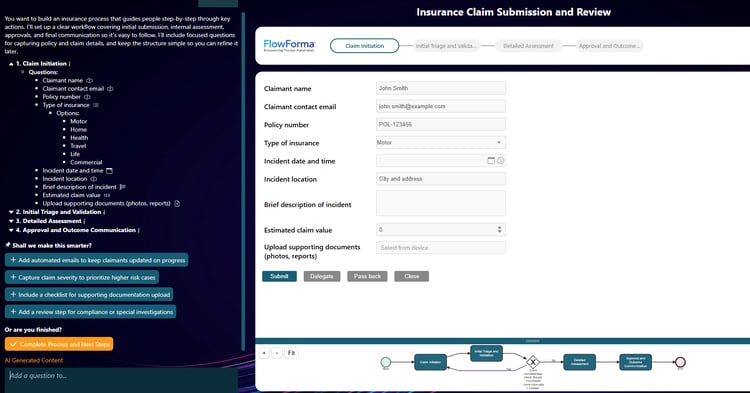
FlowForma playground for insurance
Whether you're digitizing a manual claims intake process or setting up a new line of business workflow, you can go from concept to a deployable automation in minutes.
Microsoft 365 integration
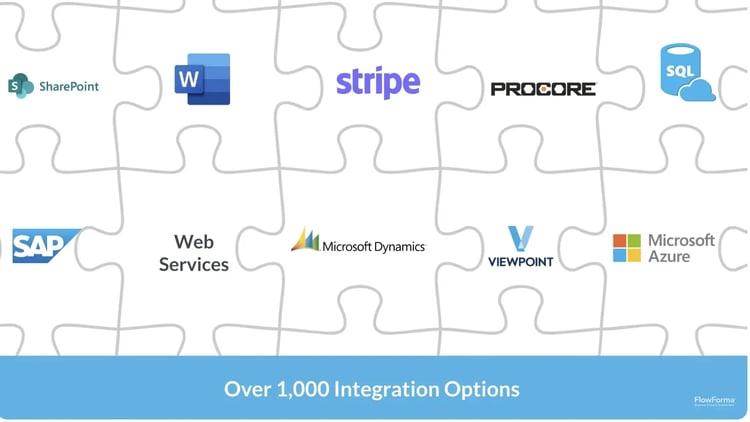
A look at how FlowForma integrates with other platforms
FlowForma works natively with SharePoint, Teams, and Outlook, so workflow data flows directly into the tools your underwriters, claims handlers, and ops teams are already working in every day.
Automated routing, approvals, and escalations
You can define rules that automatically route submissions based on risk complexity, coverage type, or line of business. High-value or non-standard risks go straight to senior underwriters, while straightforward cases move through the approval chain faster with minimal manual intervention.
One-click document generation
Once a decision is made, FlowForma generates the relevant documents directly from the captured data.
Policy schedules, endorsement letters, renewal notices, or compliance confirmations are produced automatically, without anyone having to manually populate a template.
Pros and cons of FlowForma
Pros
- Quick to deploy without technical resources
- Fast deployment and approval automation compared to more complex enterprise platforms
- Intuitive for non-technical operations staff
Cons
- Learning curve is steep without structured onboarding
- Reporting features can feel basic for enterprise-scale need
- Fewer native integrations outside the Microsoft ecosystem
2. Nintex
Nintex's Homepage
From policy approvals and broker onboarding to audit trails and regulatory submissions, Nintex helps insurance organisations automate the workflows that sit at the heart of their operations. It offers both process mapping and automation in one platform, making it easier to connect how a process is designed to how it actually runs.
Key features of Nintex
Visual workflow designer
You can map out end-to-end insurance processes using a drag-and-drop interface. This makes it easier for both operations and IT teams to collaborate on automation design without misalignment.
Document generation
Nintex can auto-generate policy documents, renewal notices, or compliance reports by pulling data from connected systems. This reduces manual document handling across the policy lifecycle.
RPA integration
For legacy insurance systems that don't have APIs, Nintex's robotic process automation capabilities let you automate repetitive desktop tasks like data entry or screen scraping without replacing existing infrastructure.
Process intelligence
Built-in analytics let you track process performance over time. You can identify which workflows are underperforming and use that data to prioritise automation improvements.
Pros and cons of Nintex
Pros
- Covers both process mapping and automation in one tool
- Strong document generation capabilities relevant to insurance
- Good fit for enterprises with a mix of modern and legacy systems
Cons
- Pricing can be high for smaller insurance carriers or MGAs
- Some advanced features require significant configuration time
- The learning curve steepens with more complex process requirements, since the platform is not insurance-specific
3. MuleSoft (from Salesforce)
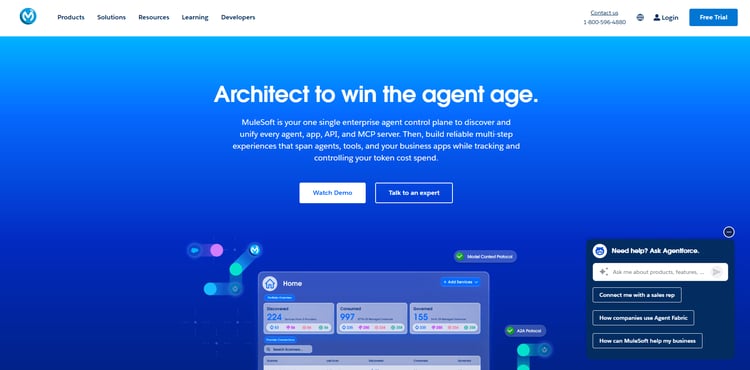
MuleSoft’s homepage
If your policy admin, claims platform, CRM, and external data providers all live in separate systems, MuleSoft is what brings them together. It's a Salesforce product, so it carries the reliability and enterprise credibility you'd expect from that ecosystem. At its core, it's an integration and API platform that keeps data moving across your tech stack so your teams aren't working in silos.
Key features of MuleSoft
API-led connectivity
MuleSoft structures integrations in layers, making it easier to connect core insurance systems like Guidewire or Majesco with external partners, portals, or data enrichment services without building point-to-point connections that become hard to maintain.
Pre-built insurance connectors
MuleSoft's Anypoint Exchange includes pre-built connectors for common insurance platforms and data standards. This reduces the time it takes to set up integrations between your existing tools.
Real-time data integration
You can enable real-time data sharing between systems — for example, triggering a claims workflow the moment a loss notice is received from a third-party system or partner portal.
Centralised integration management
All your API connections are managed from one place. This gives your IT team visibility and control over how data moves across the organisation, which matters for compliance and audit readiness.
Pros and cons of MuleSoft
Pros
- Excellent for complex, multi-system insurance environments
- Reduces technical debt from point-to-point integrations
- Strong governance and monitoring capabilities
Cons
- High implementation cost and complexity
- Steep learning curve, complex setup, and custom legacy integrations.
- Not designed for business users to operate independently
4. Creatio
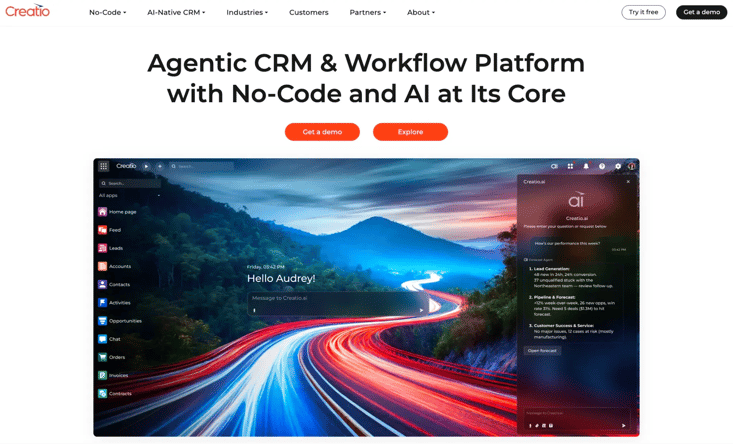
Creatio’s homepage
Managing customer relationships and operational workflows across two separate platforms adds unnecessary friction for your team. Creatio brings both together, combining CRM and process automation in one place so you can automate across the full policy lifecycle while keeping your customer data connected throughout.
Key features of Creatio
1. No-code workflow studio
Creatio's Studio lets you design and launch automated workflows through a visual interface. You can configure processes for new business quoting, mid-term adjustments, or renewal campaigns without needing development support.
2. CRM with insurance-relevant data model
The built-in CRM is designed to be customised around your business. You can structure it to reflect policyholder relationships, agent hierarchies, or broker channels relevant to your distribution model.
3. AI-powered recommendations
Creatio uses AI to surface next-best-action recommendations within workflows. In an insurance context, this can help underwriters prioritise submissions or prompt agents to take follow-up actions at the right time.
4. Omnichannel communication tools
You can manage customer communications across email, SMS, and web portals from within the platform. This is useful for automating outbound touchpoints like renewal reminders or claims status updates.
Pros and cons of Creatio
Pros
- Combines CRM and process automation without needing two tools
- Flexible data model that can be shaped to insurance use cases
- Strong no-code capabilities for business-led automation
Cons
- Configuring both CRM and automation layers increases setup complexity
- Advanced insurance automation logic requires significant customization and higher-tier licensing
- Back-office focused teams may find the CRM adds unnecessary overhead
5. Insly

Insly’s homepage
Built specifically for brokers, MGAs, and insurers, Insly handles the operational side of running an insurance business without requiring months of configuration. You can start small and scale as your business grows, and because it's modular and built on open APIs, it fits into your existing setup without a costly overhaul.
Key features of Insly
Policy administration and management
Insly handles the full policy lifecycle, from quote and bind through to renewal and cancellation. You can automate the steps between these stages so your team spends less time on manual handoffs.
Bordereaux and reporting automation
Generating bordereaux for capacity providers is a notoriously manual process. Insly automates the extraction and formatting of this data, reducing errors and the time your team spends on period-end reporting.
Document management
Policy documents, endorsements, and certificates can be generated and distributed automatically based on workflow triggers. This keeps documentation consistent and reduces turnaround time for customers and brokers.
Commission and accounting management
Insly includes tools to manage broker commissions, premium accounting, and payment reconciliation. These features connect to the operational workflows so financial data stays accurate without separate manual tracking.
Pros and cons of Insly
Pros
- Built for insurance operations—minimal configuration to get started
- Strong policy admin and bordereaux capabilities
- Well-suited for brokers and MGAs specifically
Cons
- Less flexible for organisations with highly customised workflow needs
- Integration options outside core insurance systems can be limited
- May lack depth for very large, complex carrier environments
6. Kissflow
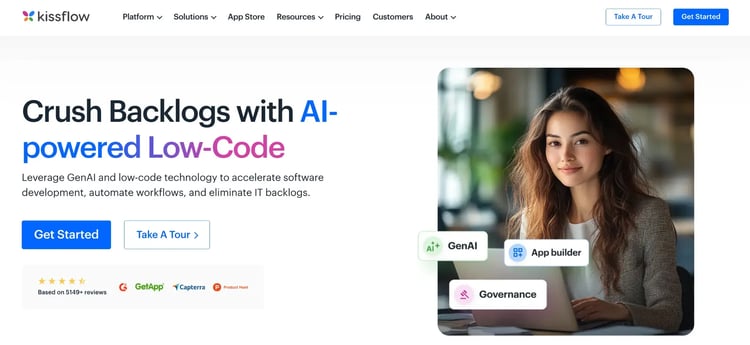
Kissflow homepage
For insurance ops teams managing a steady volume of internal approvals, task routing, and exception handling, Kissflow offers a clean and accessible way to automate those processes without relying on IT. It's a cloud-based workflow platform built for business users who want to move quickly and stay in control.
Key features of Kissflow
App-based workflow builder
Each workflow in Kissflow is packaged as a lightweight app that your team can access and use independently. You can create separate apps for processes such as new-agent onboarding, complaint management, or internal audit requests.
Approval workflow automation
Kissflow is well-suited for multi-level approval flows. You can configure routing rules so that, for example, large claims or high-risk policy changes are automatically escalated to the right approver based on predefined thresholds.
Work item tracking
Every task or request moving through a workflow is trackable. Your team can see the status of any item in real time, which helps reduce the back-and-forth that comes with manual follow-ups.
Integration with third-party tools
Kissflow connects with tools like Salesforce, Google Workspace, and Slack. This means you can incorporate it into your existing insurance ops stack without replacing what's already working.
Pros and cons of Kissflow
Pros
- Easy for non-technical teams to build and maintain workflows
- Clean interface with minimal setup required
- Good for mid-market insurance teams managing internal approvals
Cons
- Limited suitability for complex, data-intensive insurance processes
- Custom reporting and integrations required for reviewing and editing legal documents
- Less capable than enterprise platforms for large-scale automation needs
7. BriteCore

BriteCore homepage
BriteCore is a cloud-native platform built specifically for P&C carriers who are ready to move away from that and run policy, claims, and billing on modern infrastructure designed for how insurance actually works today.
Key features of BriteCore
Policy lifecycle management
BriteCore covers quoting, binding, endorsements, renewals, and cancellations within a single platform. The automation built into each stage reduces the manual effort your team puts into routine policy transactions.
Claims management
The claims module supports first notice of loss through to settlement, with workflow automation at each stage. You can configure rules to route claims by type, value, or complexity so your adjusters focus where they're needed most.
Billing and payment processing
BriteCore handles premium billing, payment plans, and reconciliation automatically. This reduces the administrative burden on your finance and ops teams while keeping policyholder billing accurate.
Open API architecture
BriteCore is built with an open API, making it relatively straightforward to connect with rating engines, third-party data providers, or distribution portals you may already be using.
Pros and Cons of BriteCore
Pros
- Designed specifically for P&C carriers with quick deployment
- Cloud-native with modern architecture that reduces maintenance overhead
- Covers policy, claims, and billing in one integrated system
Cons
- Needs improvement in reporting functionalities
- Implementation timelines can be lengthy for carriers migrating from legacy systems
- Smaller ecosystem compared to larger enterprise platforms
8. Guidewire InsuranceSuite
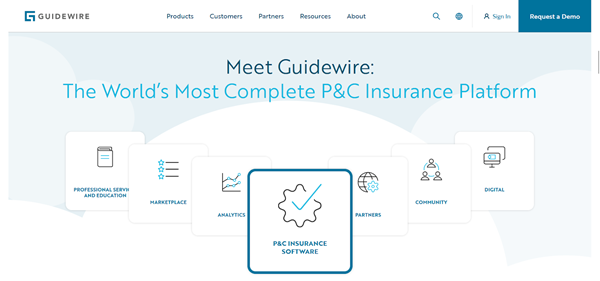
Guidewire’s homepage
When P&C carriers evaluate core system modernisation, Guidewire is almost always part of that conversation. It's one of the most widely adopted platforms in the industry, built to run policy administration, claims, and billing operations at scale on a single connected system.
Key features of Guidewire
nsuranceSuite integrated core operations
Guidewire's PolicyCenter, ClaimCenter, and BillingCenter work as a connected suite. Automating across all three means your data stays consistent and your teams aren't working from siloed systems.
Guidewire Cloud
The platform is available as a managed cloud offering, reducing your infrastructure management burden and giving you access to regular product updates without disruptive upgrade cycles.
Digital portals for agents and policyholders
Guidewire includes tools to build self-service portals for agents and customers. You can automate routine interactions such as policy queries, endorsement requests, or claims status updates, so your team doesn't have to handle each one manually.
Marketplace ecosystem
Guidewire's Marketplace offers pre-built integrations with a wide range of third-party vendors—from data enrichment providers to analytics tools—making it easier to extend your automation capabilities without custom development.
Pros and cons of Guidewire
Pros
- Purpose-built for P&C insurance at enterprise scale
- Strong ecosystem of implementation partners and pre-built integrations
- Regularly updated with features relevant to the insurance industry
Cons
- High total cost of ownership, including licensing and implementation
- Significant implementation and configuration effort, especially for migrations
- Can be heavyweight for smaller carriers or specialist MGAs
9. Sapiens

Sapiens’s homepage
Not every insurer fits the mould that most generalist platforms are built around. Sapiens offers a suite of core platforms covering life, P&C, workers' compensation, and reinsurance, each designed around the specific requirements of that line so you're not spending time bending a generic system to fit your business.
Key features of Sapiens
1. Line-of-business-specific platforms
Sapiens has distinct platforms for different insurance lines rather than a one-size-fits-all system. This means the automation and data models are designed around how each line actually works, reducing the customisation burden on your team.
2. Policy and claims automation
Across its platforms, Sapiens automates core policy transactions and claims handling workflows. You can configure business rules to drive routing, approvals, and exception handling without extensive custom development.
3. Digital and self-service capabilities
Sapiens includes tools for building customer and agent-facing digital experiences. These can be used to automate inbound service requests, quote generation, or claims notifications through web and mobile channels.
4. Reinsurance management
Sapiens has a dedicated reinsurance module that automates treaty and facultative administration, bordereau generation, and settlement calculations — an area where many general platforms fall short.
Pros and cons of Sapiens
Pros
- Strong coverage across multiple insurance lines, including specialty areas
- Reinsurance capabilities are more developed than most competitors
- Designed for insurers rather than adapted from general enterprise software
Cons
- Multiple platforms can make integration across lines of business complex
- Lacks centralized customization features
- Less well-known outside core insurance markets, with a smaller partner ecosystem
10. Verisk
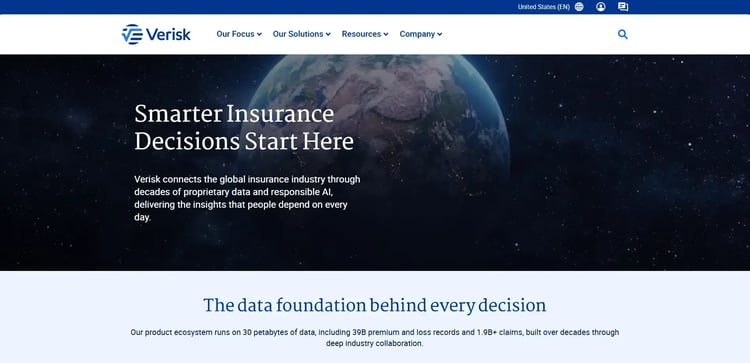
Verisk’s insurance homepage
Good insurance decisions depend on good data, and that's exactly what Verisk is built to provide. It connects the global insurance industry through proprietary data, analytics, and technology, working as an intelligence layer across the full value chain, from pricing and risk selection to catastrophe modelling and claims handling.
Key features of Verisk
Underwriting and rating
Verisk gives underwriting teams access to ISO rating rules, loss costs, and coverage forms that support accurate, compliant policy pricing across personal and commercial lines.
Claims workflow and analytics
Verisk's claims solutions help streamline workflows and improve customer experience by surfacing the right data at the right stage of the claims process.
Catastrophe and risk modelling
Verisk's catastrophe models help carriers quantify exposure to natural disasters and extreme weather events. This supports more informed reinsurance purchasing, portfolio management, and regulatory reporting.
Life and annuities solutions
For life insurers, Verisk offers tools to drive automation across the policy lifecycle and refine risk selection at both the individual and portfolio levels, reducing the manual effort involved in underwriting and servicing life business.
Pros and cons of Verisk
Pros
- Supports P&C, life, reinsurance, and specialty lines
- ISO data and rating tools strengthen pricing decisions
- AI-driven claims analytics with real-time document submissions
Cons
- Data and analytics provider, not a workflow platform
- Data products can be costly for smaller insurers
- Requires technical setup to integrate with workflows
Which Insurance Automation Software Is Right for You?
Every platform on this list solves a different automation challenge. Here's a quick guide to help you find the right fit.
- FlowForma: Works great if you're on Microsoft 365 and want to automate insurance workflows without touching code.
- Nintex: A solid pick if your processes span multiple departments and need structured approvals and document generation.
- MuleSoft: The right choice if you're running disconnected insurance systems that need to share data reliably across your tech stack.
- Creatio: A strong fit if you want CRM and process automation in one place, without managing two separate platforms.
- Insly: Built for brokers and MGAs who need insurance-specific operations like policy admin and bordereaux automation ready to go from day one.
- Kissflow: A good option if your team manages high volumes of internal approvals and needs a simple, no-code way to keep things moving.
- BriteCore: Ideal if you're a P&C carrier looking to replace a legacy core system with modern, cloud-native infrastructure.
- Guidewire: The natural choice for mid-to-large P&C carriers that need enterprise-scale policy, claims, and billing operations on one platform.
- Sapiens: Best suited for insurers running specialised lines like life, workers' compensation, or reinsurance that generalist platforms don't serve well.
- Verisk: Essential if your underwriting, claims, or risk decisions depend on accurate, up-to-date data and analytics rather than manual research.
Less Manual Work, Faster Decisions, and Happier Teams All With FlowForma
Of all the tools on this list, FlowForma is the fastest way for insurance ops teams to move from manual processes to running automation. Describe your claims intake or renewal workflow to Copilot, and it builds the steps, logic, and routing rules for you.
Your team deploys it inside Microsoft 365, where they already work, and every action is logged and auditable from day one.
If you're ready to spend less time on admin and more time on work that actually moves the needle, book a demo or start a 7-day free trial today.