Re-imagining External Processes With FlowForma Engage


Imagine enabling external parties such as suppliers, customers, contractors/subcontractors, and external stakeholders (including the general public) to input directly to your business processes? It would probably make your life a lot easier, and with increased remote working, it removes the pain associated with untouched paperwork at offices.


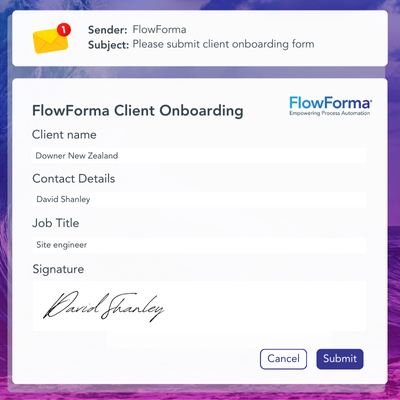
Step into a world where customers can complete steps in an insurance policy renewal, members of the public can kick off an eVetting process online, and suppliers can be onboarded quickly and input into processes. It's with this in mind that we innovated FlowForma Engage to enable your external users to securely and seamlessly complete steps within your business processes.
 

FlowForma customers include:

NHS AON TRINITY LOGO


IT-Teams-Large-flowforma

✔️ Customer Feedback: Allow your customers to give you feedback on your services

✔️ Supplier Onboarding: Onboard your suppliers efficiently, ensuring that all the necessary data is captured before internal processing

✔️ External Approvals: Allow people outside of your organization to view and approve data and documents

Business-Leaders-flowforma

✔️ Contractors/Sub-contractors: Allow contractors to get onboarded and input to processes rapidly and request and record contractual agreements.

✔️ Police e Vetting: Allow people and businesses to be vetted before doing business with you or joining your workforce

✔️ Tender Response Management:  Seamlessly manage responses, scoring, and selection of tenders

What Makes FlowForma Engage Unique


Did You Know Fact-1


 Collaboration

Allow external stakeholders—suppliers, customers, or the public to access forms via a web link, making it easy to involve anyone in your processes without complex IT setups.

Flexible Access

Assign steps securely to specific users or allow anonymous participation. Users can log in with Microsoft, Gmail, or Facebook accounts, ensuring secure access without requiring internal credentials.


No-code Design

Design and configure entire workflows without coding. Any process step can be made accessible externally, giving you full control over what stakeholders can see and do.

Secure Access

External participants can engage in processes as if they were part of your internal team, without needing direct access to your Office 365 environment—ensuring security and simplicity for all stakeholders.


Why Mid-Size and Enterprise Organizations Choose FlowForma

1-Sep-26-2025-10-27-57-4688-AM

Rapid Automation

Processes are completed quickly (no paper delays)

Start here
2-Sep-26-2025-10-28-11-7764-AM

Mobile Access

Processes can be input to, from, or anywhere on any desktop, mobile or tablet device

Discover now
3-Sep-26-2025-10-28-18-8286-AM

Improved CX

Customer experience is enhanced by seamless communications and streamlined processes 

Get Free Quote
Copy of Icons for AI Ebook text  (6)

Instant Validation

Data can be validated as the user enters it

Start now
5-Sep-26-2025-10-28-36-6720-AM

Seamless Doc Gen

Documents can be generated based on the data input

Start here
Copy of Icons for AI Ebook text  (7)

Improved Efficiency

Information is automatically passed to the internal system with no need for re-keying

Start here

Discover More AI-powered Features of FlowForma Process Automation

Forms

  • Empower your business with FlowForma’s user friendly forms that ensure accurate, validated data collection, boosted productivity and accelerated processes.

Workflow

  • Standardize processes with FlowForma’s powerful workflow engine, providing automated communications, audit trails, seamless delegation etc. for simple to complex processes.

Insights

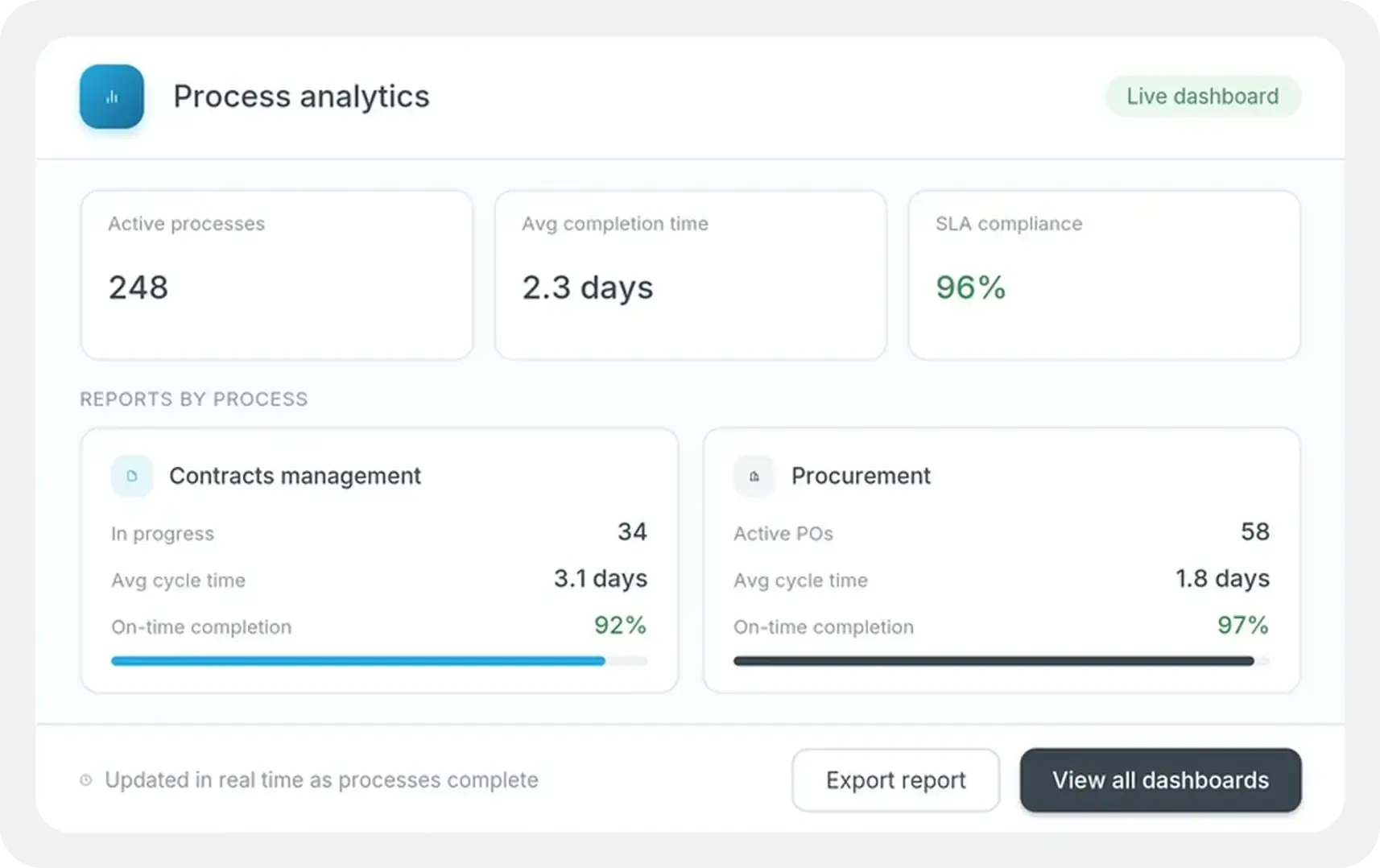
  • Take your reporting to the next level, by creating dashboards in minutes to assess all aspects of your processes and business data, all from within the FlowForma platform.

Copilot

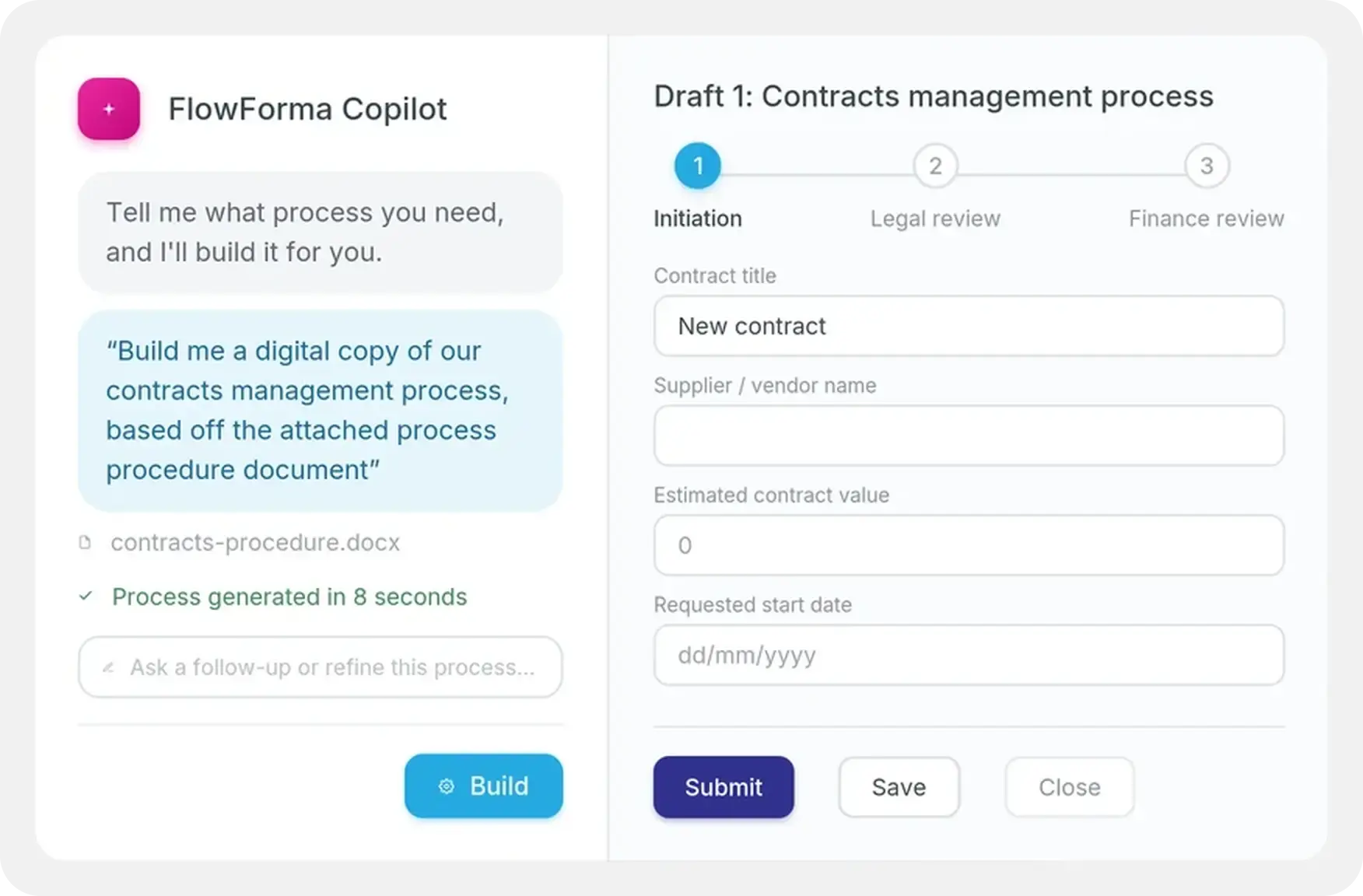
  • With FlowForma Copilot, you can fast-track process automation with Agentic AI. Conversing with our copilot, you can create a high-level version of your business process in seconds.

Governance

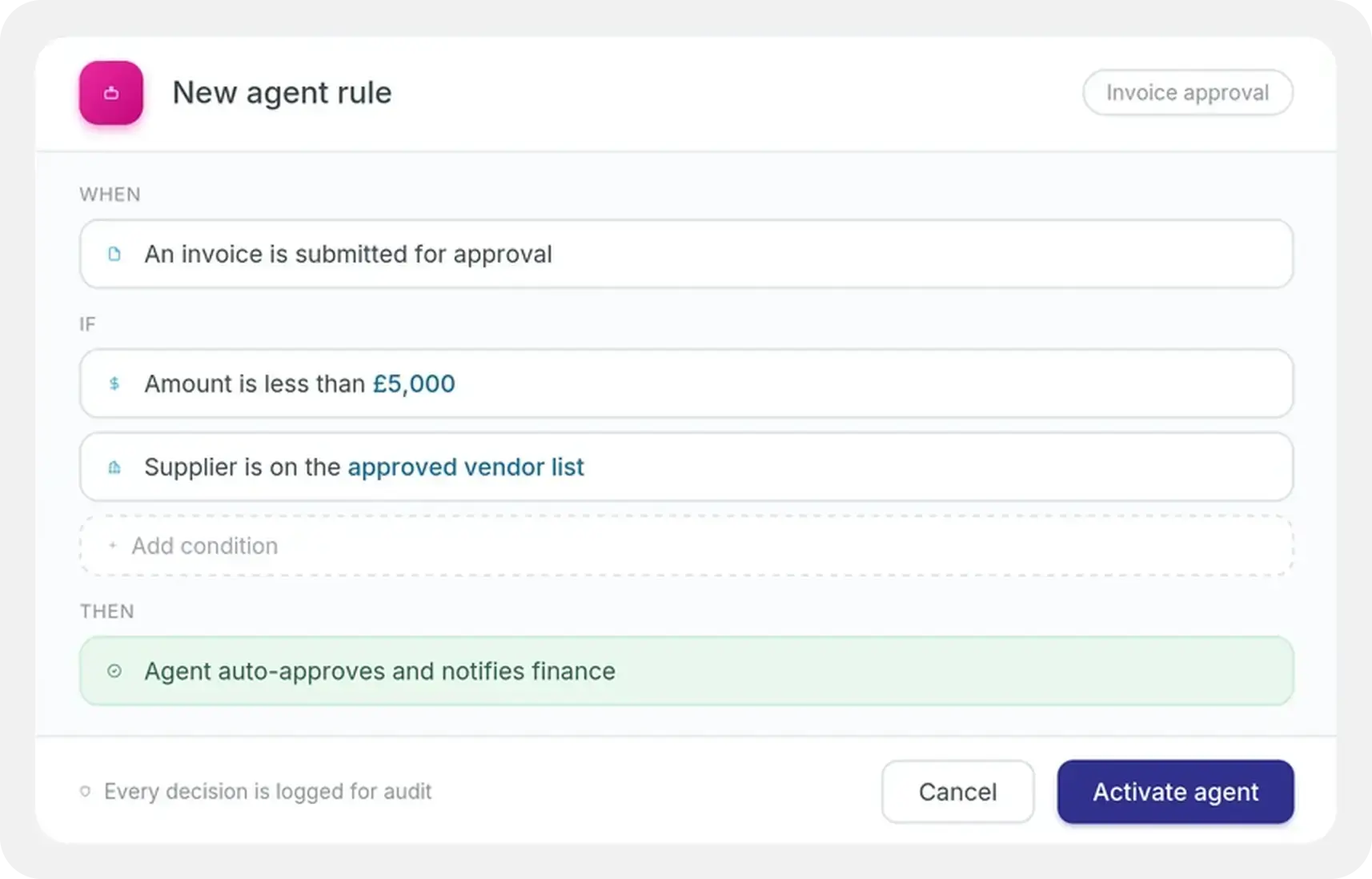
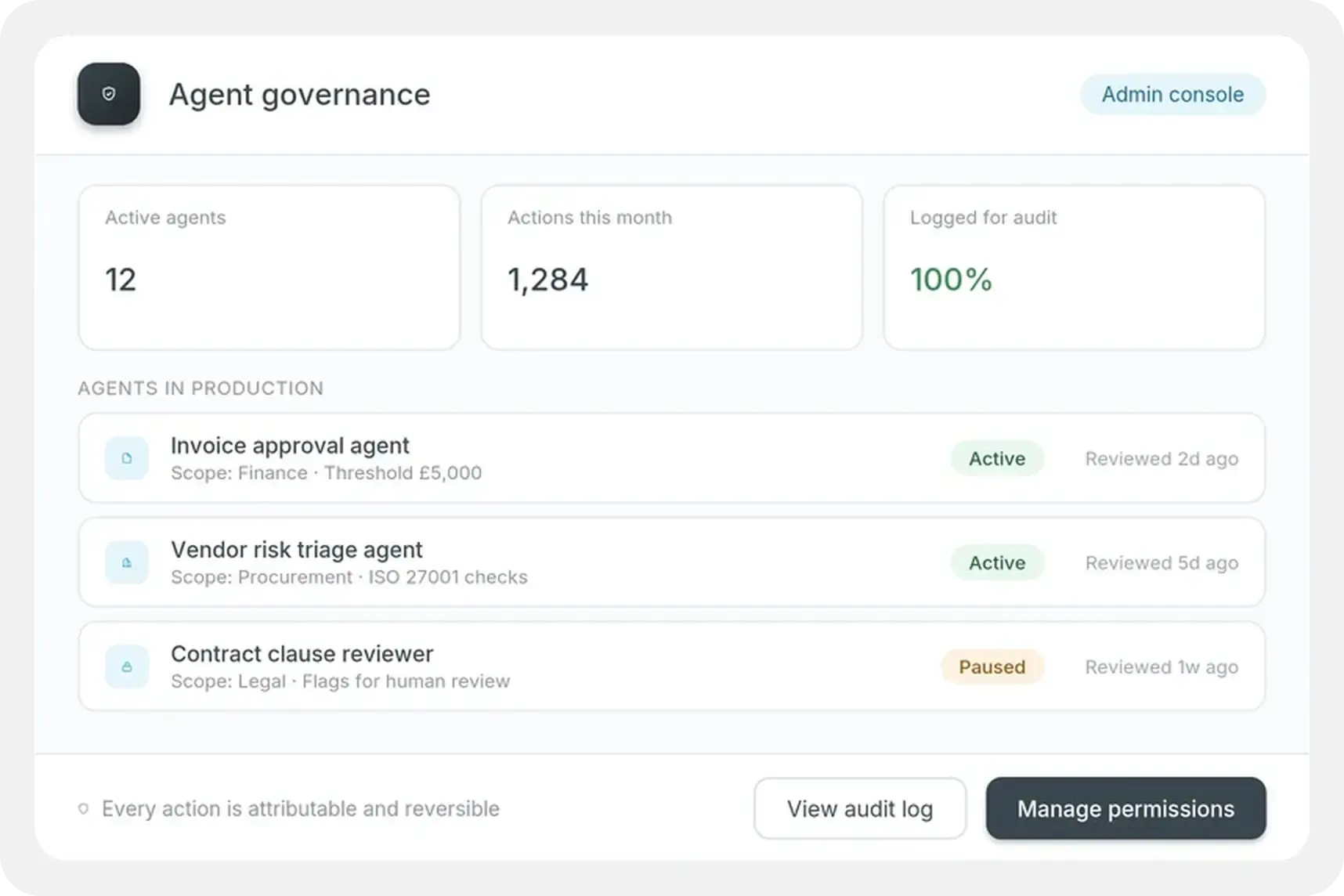
  • Allow IT departments to easily govern how FlowForma Process Automation is used across the business while empowering users to build and test in a controlled environment.

Integrations

  • The FlowForma Process Automation platforms integrates with thousands of other systems, empowering you to seamlessly send and receive data at any step in your processes.

Mobile App

  • Fill out and submit forms, review and approve documents and keep your business processes moving anywhere, anytime with the FlowForma Mobile App for iOS and Android.

Document Generation

  • FlowForma Document Generation enables users to effortlessly automate document creation at scale. Replace manual processes with professionally designed documents in just one click.

Saving 20% Admin Time Per Day With FlowForma


“Site managers and project managers estimate that having access to FlowForma on tablets as they move around sites has saved them between an hour and two hours per day (approximately 15% - 20% of their time.”

Shaun O'Donnell
IT Director, Coinford


Recognized By

G2 Ranking High Performer DPA-1


Forrester Wave - Icon for NHS Page-1


ms-gold-partner


Peoples Choice


Frequently Asked Questions

What is FlowForma Engage?

FlowForma Engage is the feature of the FlowForma Process Automation platform that lets you involve external parties, including customers, suppliers, contractors, subcontractors, and the general public, directly in your internal digital business processes. External users can securely complete steps in workflows such as supplier onboarding, e-vetting, tender responses, customer feedback, and document approvals, without needing access to your internal Office 365 environment. 

Do external users need an Office 365 account or FlowForma license to use Engage?

No. External participants do not need access to your Office 365 environment or a FlowForma license. They reach process steps through a secure web link and can log in with a Microsoft, Gmail, or Facebook account. This gives you secure external access without complex IT setup or provisioning credentials for people outside your organization. 

What types of external processes can FlowForma Engage support?

FlowForma Engage supports a wide range of external-facing processes, including supplier onboarding that captures required data before internal processing, e-vetting for individuals and businesses before they join your workforce or do business with you, customer feedback collection, external document approvals, contractor and subcontractor onboarding with contractual agreement recording, tender response management with scoring and selection, and customer-completed steps such as insurance policy renewals. 

How do external users access FlowForma Engage processes?

External users access process steps through a web link that can be shared by email or embedded in your communications. Steps can be assigned to specific named users for controlled access, or opened for anonymous participation where appropriate, for example public e-vetting applications or customer feedback forms. The interface works on any desktop, mobile, or tablet device. 

Is FlowForma Engage secure for handling sensitive external data?

Yes. External participants engage with your processes as if they were part of your internal team, but without gaining access to your Office 365 or internal systems. Steps can be assigned to specific authenticated users or restricted to controlled groups, and data entered by external users is validated in real time and passed automatically into internal systems without re-keying, reducing both error risk and exposure. 

Does FlowForma Engage require coding to set up external-facing processes?

No. FlowForma Engage uses the same no-code design interface as the rest of the platform, so any process step can be made externally accessible without writing code. You keep full control over which steps external stakeholders can see and interact with, and the entire workflow, internal and external steps together, is designed and managed in one place. 

Can data entered by external users automatically flow into internal systems?

Yes. Information entered by external participants is passed automatically into your internal systems and workflows with no manual re-keying. This removes data transfer delays, reduces errors, and lets your internal team act on external input immediately. Documents can also be generated automatically from the data external users enter. 

How does FlowForma Engage improve customer experience and efficiency?

FlowForma Engage replaces slow, paper-based or email-driven external processes with fast, seamless digital interactions. Customers complete steps in their own time on any device and receive automated communications at each stage, while your team avoids chasing paperwork and re-entering data. Coinford have reported time savings of around 15 to 20% per day for staff who previously had to chase, collect, and process external information manually. 

Can FlowForma Engage be used for e-vetting of the public or prospective employees?

Yes. FlowForma Engage supports e-vetting workflows where members of the public or prospective employees initiate and complete a vetting process entirely online. The process can capture the required information, validate data in real time, trigger internal review steps, and maintain a full audit trail, all without the applicant visiting an office or submitting paper documentation. 

How is FlowForma Engage different from just emailing forms or a PDF to external parties?

Unlike emailing a form or PDF, FlowForma Engage brings external parties into the actual process, so their input validates in real time and flows straight into your internal systems with no re-keying. There's no Office 365 account or license needed for them, steps can be secured to named users or opened to the public, and documents generate automatically from what they enter, removing the delays and errors of manual, email-driven exchanges.