

Stay Ahead Of Risk With AI-powered Compliance Automation


The Compliance Features, when combined with FlowForma's Forms and Workflow, enable organizations within regulated industries to design and build processes that can be fully certified to meet regulatory requirements.
 
The features work to enhance the audit abilities of the FlowForma Process Automation tool, capturing additional data and providing audit histories that auditors easily examine.


FlowForma customers include:

NHS AON TRINITY LOGO


Helping Your Comply With Ease: FlowForma Compliance in Action

IT-Teams-Large-flowforma

✔️ eSignatures: Enables users to construct an environment that can be independently audited against regulatory requirements.

✔️ Integrated Form Audit Record: Processes can be designed so that process steps are signed, historical form activity is clearly visible, and a snapshot of the workflow is captured at a specific point in time.

✔️ Flow Snapshots: All records can be easily and quickly understood by external auditors, who may not have any prior knowledge of processes in use.

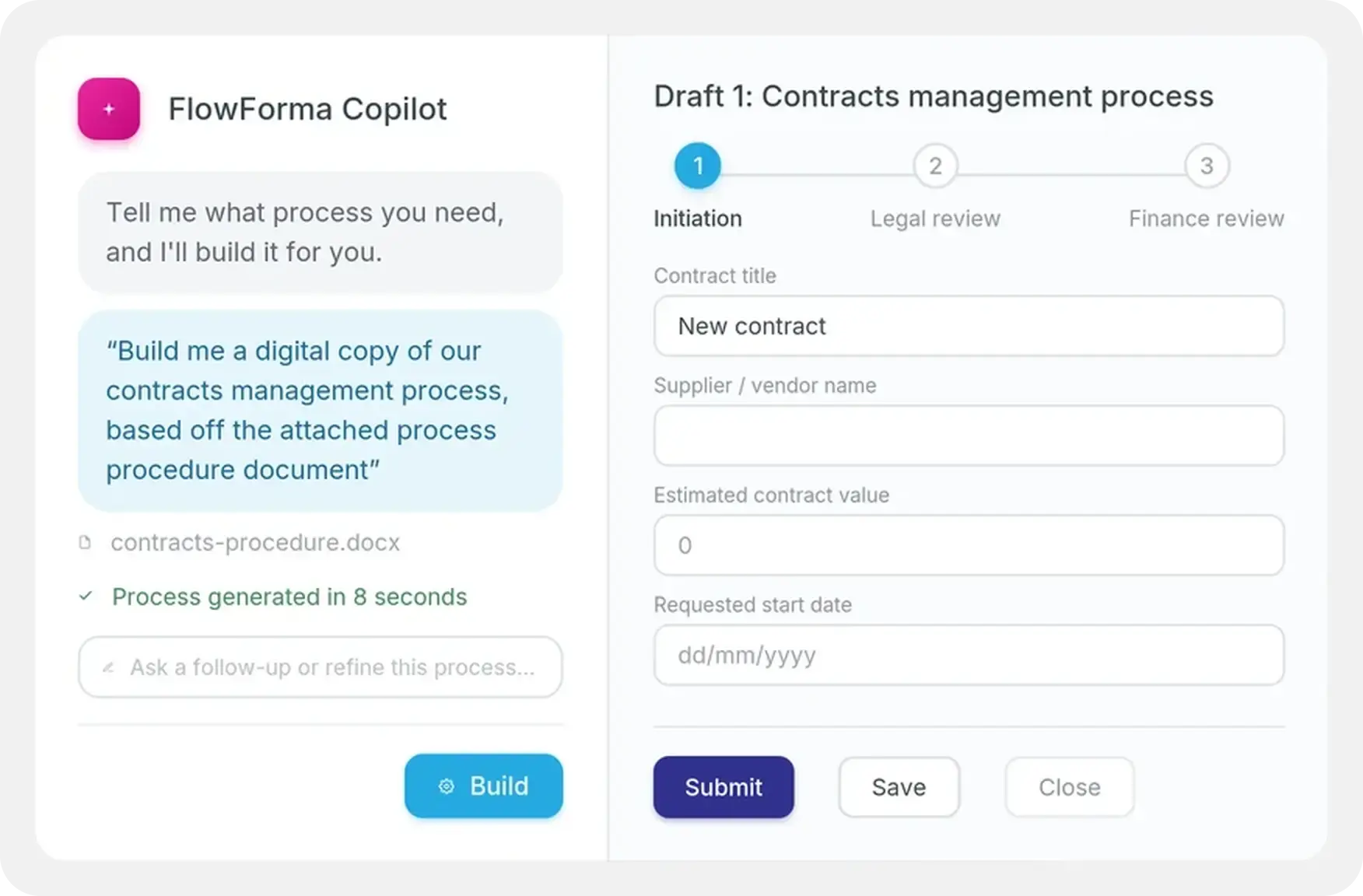
✔️ AI-powered Compliance: FlowForma's AI Copilot assists in building compliance workflows by automatically structuring processes using steps, questions, and rules.

What Makes FlowForma Compliance Unique

Did You Know Fact-1


No Code Design

Design and configure entire workflows without coding. Any process step can be made accessible externally, giving you full control over what stakeholders can see and do.

Automated Workflows

Eliminate manual tracking with automated workflows. The module guides users through compliance tasks, escalates issues, and notifies stakeholders when action is required, reducing risk and saving time.


Real-time Insights

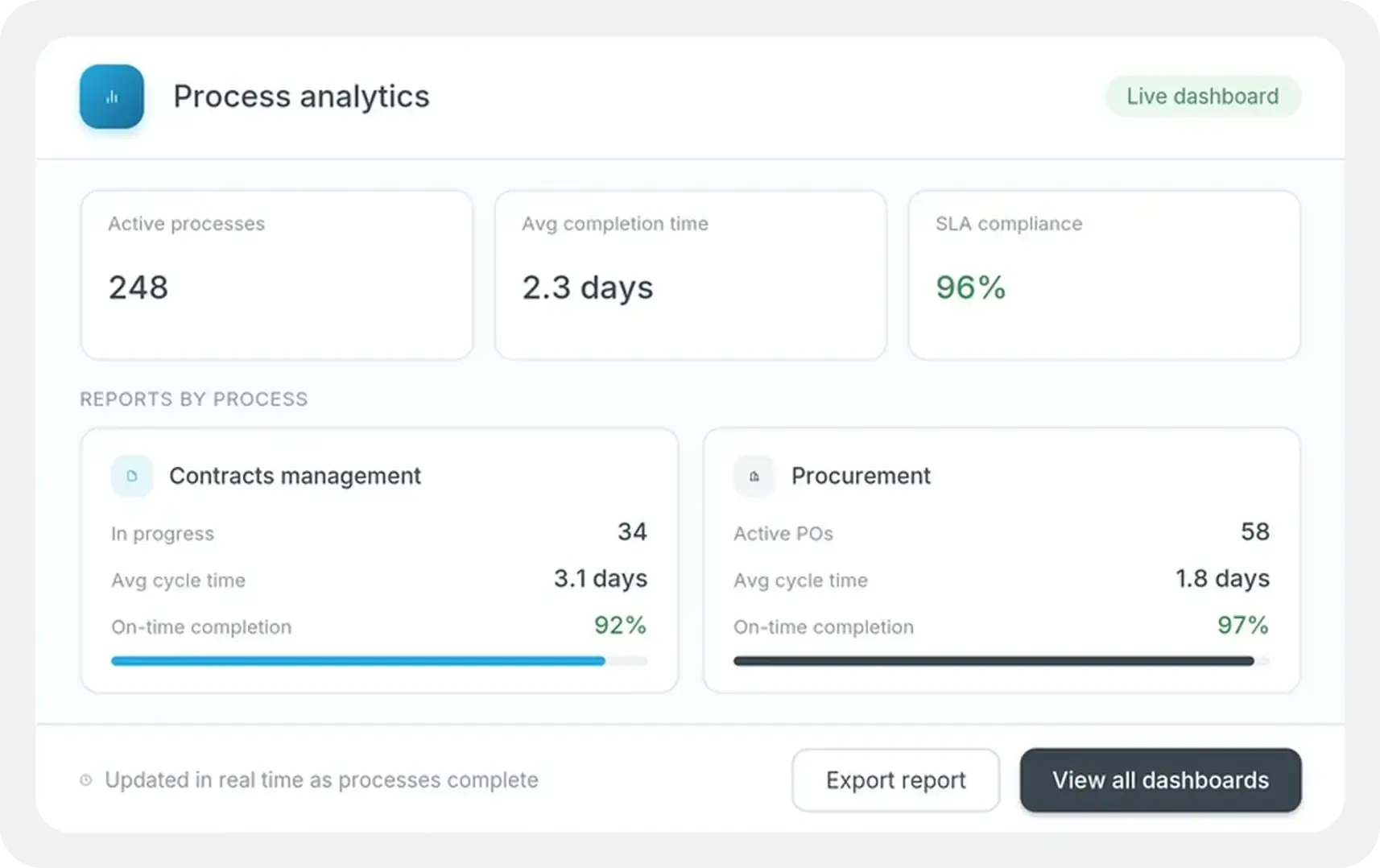
Gain immediate visibility into compliance performance with real-time dashboards and reports. Identify trends, track progress, and make data-driven decisions.

Audit Ready

Ensure every compliance process is fully auditable. Every action, approval, and change is logged automatically, helping your organization stay prepared for internal reviews and external audits.

You Are Audit-ready with FlowForma Process Automation

Icons 100 x 100

Auditable 

Audit trail capabilities to support compliance using SharePoint as a secure database.

Start here
Icons 100 x 100 (2)

Single Source Of Truth

Data is secured in one place, acting as the single source of truth for data.

5-Sep-15-2025-09-10-02-7046-AM

AI-Powered

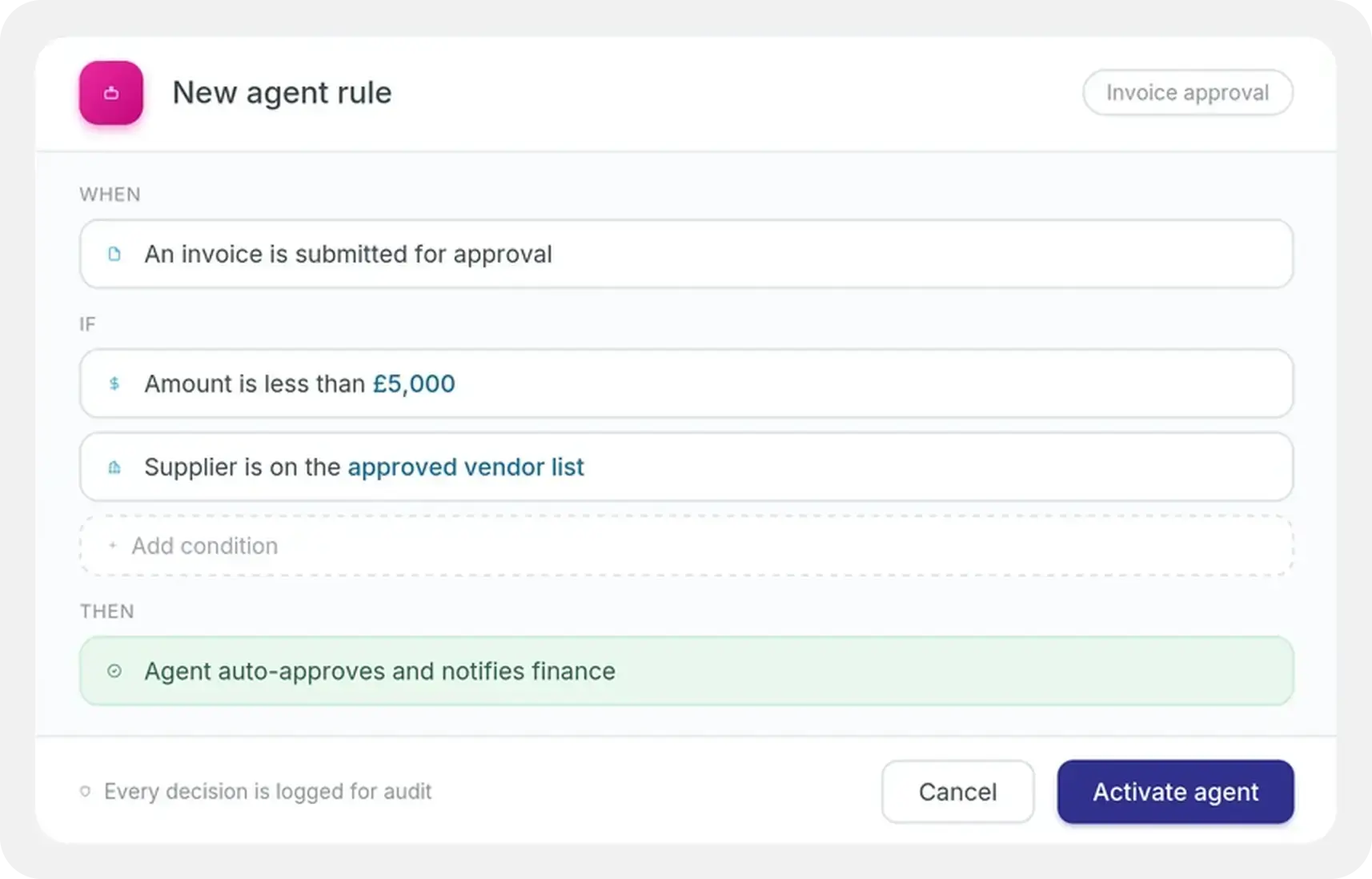
AI assistants help create workflows faster, suggest automation steps, and flag compliance risks before they escalate. 

Start here
Icons 100 x 100 (1)

Intuitive 

Forms are created intuitively allowing both internal and external users to capture data.

Get Free Quote
2-Sep-26-2025-10-39-36-4062-AM

No Code

Rapid adoption throughout your workforce without needing coding skills or a technical background.

Start now
7-2

Document Generation

Powerful document generation capabilities for routing documents for approvals.

Start here

Discover More AI-powered Features of FlowForma Process Automation

Copilot

  • With FlowForma Copilot, you can fast-track process automation with Agentic AI. Conversing with our copilot, you can create a high-level version of your business process in seconds.

Forms

  • Empower your business with FlowForma’s user friendly forms that ensure accurate, validated data collection, boosted productivity and accelerated processes.

Workflow

  • Standardize processes with FlowForma’s powerful workflow engine, providing automated communications, audit trails, seamless delegation etc. for simple to complex processes.

Insights

  • Take your reporting to the next level, by creating dashboards in minutes to assess all aspects of your processes and business data, all from within the FlowForma platform.

Governance

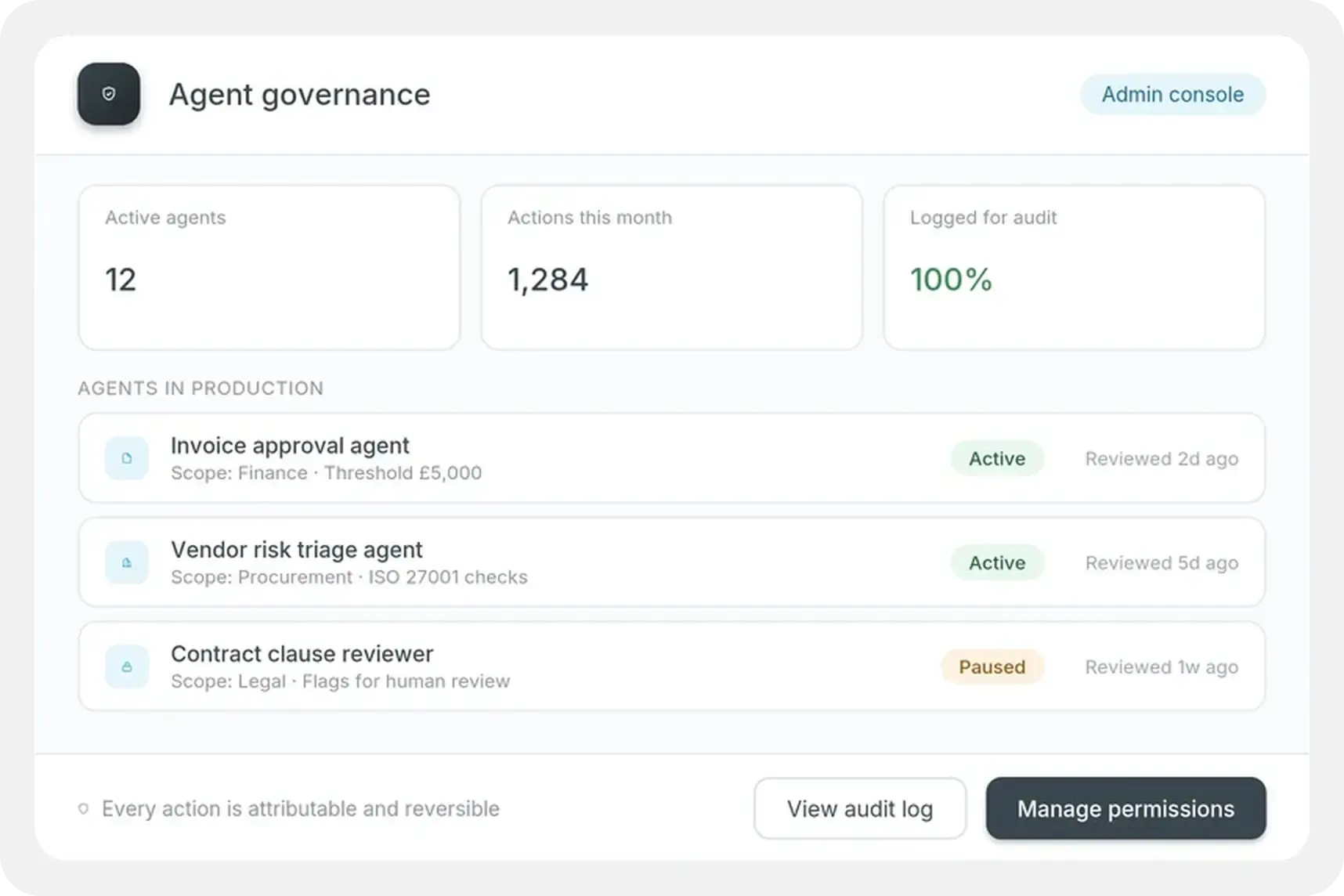
  • Allow IT departments to easily govern how FlowForma Process Automation is used across the business while empowering users to build and test in a controlled environment.

Integrations

  • The FlowForma Process Automation platforms integrates with thousands of other systems, empowering you to seamlessly send and receive data at any step in your processes.

Mobile App

  • Fill out and submit forms, review and approve documents and keep your business processes moving anywhere, anytime with the FlowForma Mobile App for iOS and Android.

Engage

  • FlowForma Engage empowers you to engage external stakeholders such as customers and suppliers in your internal digital business processes such as onboarding and vetting.

Safer Teams. Smarter Data. FlowForma Makes It Happen


"Since deploying the FlowForma platform, there has been a significant increase in the quantity and quality of information gathered and shared in real-time over mobile devices. Our EHS observation data has increased by 40% and SBOs input increased by 45%."

Sinead Gaines
EHS Regional Manager,
PJ Hegarty & Sons


Recognized By

G2 Ranking High Performer DPA-1


Forrester Wave - Icon for NHS Page-1


ms-gold-partner


Peoples Choice


Frequently Asked Questions

What is FlowForma Compliance?

FlowForma Compliance is a capability within the FlowForma Process Automation platform that helps organizations design, automate and manage compliant business processes. It combines AI-powered workflow design, no-code automation, eSignatures, audit trails and workflow snapshots to support regulatory requirements while maintaining full visibility and control over every stage of a process. 

How does FlowForma help with regulatory compliance?

FlowForma helps organizations meet regulatory requirements by standardising business processes, enforcing approvals, capturing complete audit records and securely storing process information within Microsoft 365. Automated workflows reduce manual errors, improve consistency and provide the evidence required for internal and external compliance reviews. 

Does FlowForma provide audit trails?

Yes. FlowForma automatically records every workflow action, approval, change and electronic signature, creating a complete audit trail throughout the lifecycle of a process. Historical activity, workflow snapshots and signed records make it easier to demonstrate compliance and investigate process history. 

Can FlowForma support compliance audits in regulated industries?

Yes. FlowForma is designed to support organizations operating in regulated environments by providing standardised workflows, version control, audit histories and process documentation. Workflow snapshots and comprehensive audit records help internal teams and external auditors review how processes were completed at any point in time. 

How do eSignatures work in FlowForma?

FlowForma supports electronic signatures within workflows to provide independently auditable approval records. eSignatures are captured as part of the workflow history alongside user actions, timestamps and supporting information, helping organizations maintain secure, traceable and regulation-ready approval processes. 

Can FlowForma automate compliance workflows?

Yes. FlowForma enables organisations to automate compliance-related processes such as audits, inspections, approvals, policy reviews, risk assessments and corrective actions. Automated routing, notifications, escalations and approval steps help ensure compliance activities are completed consistently and on time. 

How does AI help build compliant processes?

FlowForma AI Copilot helps organizations accelerate the creation of compliant workflows by generating process structures, workflow steps and forms from natural language prompts. Teams can build processes more efficiently while maintaining governance, review and approval before deployment. 

Does FlowForma store compliance data in Microsoft 365?

Yes. FlowForma is built natively on Microsoft 365 and SharePoint, allowing organizations to keep compliance data, documents and workflow records within their own Microsoft 365 environment. This supports existing security, identity management and governance policies while ensuring organizations retain control of their business data. 

Can auditors review workflow history?

Yes. FlowForma provides comprehensive workflow histories, audit trails and point-in-time workflow snapshots that allow auditors to understand exactly how a process was completed. Historical records, approvals, signatures and process versions are readily available to support internal and external audit reviews.