

An “incident” is any event that disrupts normal work or creates risk. That could mean an IT outage, a safety issue on-site, a facilities failure, a data or compliance problem, or a customer-impacting service disruption.
In enterprise environments, these situations usually involve multiple teams beyond IT. Leaders want visibility into status and impact, whereas auditors want a clear record of actions and timelines.
Relying on spreadsheets or loosely connected ticketing systems makes that harder than it needs to be.
The right incident management tool brings structure to intake, automates routing and escalation, tracks SLAs, and maintains a clear, tamper-proof record of every decision.
In this guide, we compare ten widely used incident management tools in 2026, including our tool, FlowForma, to help you evaluate which software fits your enterprise requirements.
10 Incident Management Tools: A Quick Overview
If you are shortlisting incident management tools, here are our 10 picks.
Each tool is included because it is widely used and aligns to at least one common enterprise incident management need (SLA control, audit trails, integrations, or workflow depth)
|
Tool |
Best For |
Security & Compliance |
SLA Management & Reporting |
|---|---|---|---|
|
Creatio |
CRM-led incident workflows |
Role-based controls |
SLA automation supported |
|
OutSystems |
Custom enterprise app development |
Enterprise-grade |
Configurable reporting |
|
FlowForma |
Microsoft 365 enterprises needing no-code incident automation |
Strong governance, audit trails, SharePoint data control |
Built-in SLA tracking, dashboards |
|
Appian |
Regulated enterprises with complex workflows |
High compliance capability |
SLA configuration supported |
|
ServiceNow |
ITIL-aligned ITSM teams |
Enterprise-grade security |
Advanced SLA enforcement |
|
Mid-market workflow automation |
Basic enterprise controls |
SLA tracking available |
|
|
ProcessMaker |
Visual process automation |
Role permissions |
SLA support available |
|
Zoho Creator |
Simple custom apps |
Standard controls |
Basic SLA tracking |
|
Ivanti |
ITSM with asset management |
Strong controls, configurable |
SLA timers and reporting |
|
Pega |
Large-scale case management |
Strong governance |
SLA and case metrics |
How We Compiled This ListThis list was developed through:
Our tool, FlowForma, was included based on its strong alignment with structured, process-led automation for enterprises operating in Microsoft 365 environments.
Rather than ranking tools by popularity, we focused on operational fit, compliance strength, and workflow depth. Below, we break down each tool and where it fits: |
1. Creatio
Best For: Teams combining CRM workflows with structured incident management.

Creatio Homepage
Organizations that manage incidents within broader customer or service workflows often evaluate Creatio. The platform blends CRM, case management, and low-code process automation, allowing teams to manage incidents alongside customer interactions.
SLA timelines, escalation rules, and case routing can be configured within the same environment as sales or service operations.
Creatio’s Key Features
1. Low-code process designerVisual workflow builders allow configuration of incident routing, approvals, and SLA triggers. Business users can modify logic without heavy coding, while IT maintains structural oversight.
2. SLA configuration and escalation rules
Service incidents usually require strict response and resolution targets. SLA timers can be set by case type, customer tier, or priority level, then monitored across the case lifecycle. Escalations can notify managers or reassign work when cases stall. Reporting helps teams identify where delays occur, such as in triage versus resolution.
3. Case-based incident tracking
Within Creatio, incidents are logged as structured cases tied to customer accounts, with status updates and escalation notes remaining centralized. By providing full visibility, it allows service managers to track resolution trends across accounts.
4. API and third-party integrations
Your organization can benefit from pre-built connectors and APIs that support integration with ITSM tools, communication platforms, and enterprise systems.
With better system connectivity, the quality of reporting improves as incident data remains consistent across tools with no missing context.
What Are Users Saying About Creatio?
Creatio’s Pros
- Good customization options for complex business processes
- Combines CRM and BPM capabilities with native dashboards and customer 360 views
- Offers integration support with APIs and widely used platforms
Creatio’s Cons
- Learning curve during setup
- Some advanced UI customization options are limited to higher-tier plans
2. FlowForma
Best For: Microsoft 365 enterprises seeking structured, no-code incident automation with strong governance.
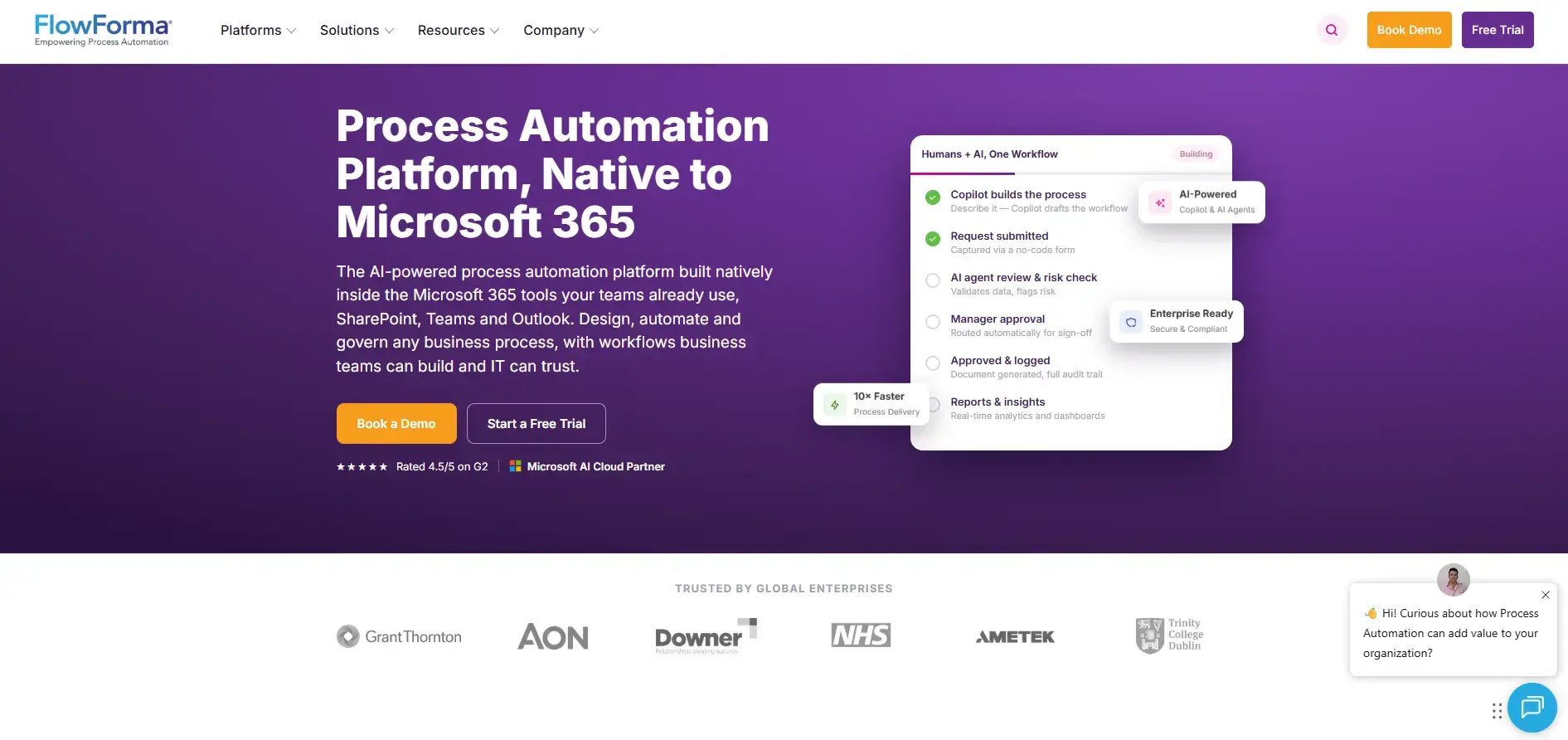
Screenshot of FlowForma
FlowForma is a no-code process automation tool built for organizations using Microsoft 365 and SharePoint. Incident workflows can be designed, automated, and modified by business users, while IT retains governance and oversight.
We offer structured intake, automated routing, escalation logic, SLA tracking, compliance reporting, and audit-ready documentation. AI-powered features assist with building workflows, summarizing incidents, and extracting information from documents.
FlowForma’s Key Features
1. Structured incident intake formsCustomizable forms capture incident category, severity, impact, root cause indicators, and supporting documentation at the point of submission. Mandatory fields and validation rules reduce incomplete reports.
2. SLA tracking and escalation logic
SLA timers can be configured at different stages. Automatic alerts trigger when deadlines approach, helping teams avoid breaches.
3. Compliance and audit trails
FlowForma supports compliance-focused incident workflows with role-based access, audit logs, approvals, and retention controls, helping teams meet internal governance and regulatory reporting requirements.
4. Microsoft 365 integration
Data resides in the client’s SharePoint tenancy, giving organizations full ownership and control over incident records. When an incident is logged, notifications can be triggered directly in Microsoft Teams channels, ensuring the right stakeholders are alerted in real time.
5. AI Copilot and Agents
FlowForma enables quick process creation through its extensive range of AI features. For instance, AI Copilot supports faster incident workflow creation by generating structured intake forms, routing logic, and escalation steps from simple prompts.
In addition, during live incidents, AI can summarize case histories, highlighting key actions taken, pending approvals, and SLA status to enable quicker handovers. Intelligent agents can extract relevant details from uploaded documents such as safety reports or compliance evidence, reducing manual data entry.
What Are Users Saying About FlowForma?
FlowForma Pros
- Transparent pricing with no hidden costs
- Agentic AI and AI Copilot-driven automation
- Handles complex, multi-step workflows with ease
- Integration with 1000+ apps
- Native Microsoft 365 integration ensures seamless adoption
FlowForma Cons
- Requires SharePoint and Office 365
- Requires training for advanced features
3. Kissflow
Best For: Mid-sized enterprises managing moderate incident workflows without deep technical requirements.

Kissflow's homepage
Teams looking for approachable workflow automation often consider Kissflow. Incident logging, routing, and approvals can be built using form-driven workflows.
The interface is designed for non-technical users who want to manage internal service requests or operational incidents. If your organization has moderate complexity requirements, you may find it sufficient.
Kissflow’s Key Features
1. Form-based workflow builderMost incident workflows begin with structured reporting and a clear next step. Forms can capture key details such as category, urgency, and attachments, then route incidents into predefined stages.
Conditional logic can adjust routing based on incident type, such as operational versus facilities incidents. Teams get a repeatable intake and triage flow without complex setup.
2. Task assignment and tracking
With task assignments, you can route incidents to specific people or teams and track their status across the workflow. Managers can see stalled incidents and redistribute workload when queues build up. Clear ownership reduces time lost to reassignment loops.
3. Basic SLA monitoring
SLA reminders help teams respond before incidents become overdue. Deadlines can be set for key steps, such as first response or resolution, then tracked through notifications. Reporting supports visibility into overdue work, although deeper SLA analytics may be limited.
What Are Users Saying About Kissflow?
Kissflow’s Pros
- Intuitive, web-based interface makes it easy to automate workflows
- Helps citizen-developers digitize processes without dependence on I
- Supports collaboration across teams and multiple locations
Kissflow’s Cons
- Some users report limited customization options as workflow needs grow
- May lack depth for more complex enterprise needs
4. Appian
Best For: Highly regulated enterprises requiring deep integration and advanced workflow control.
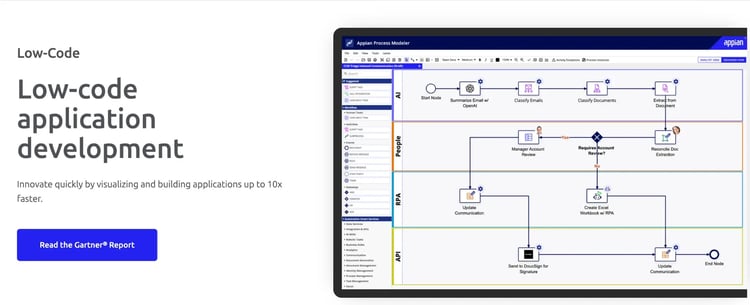
A glimpse at Appian's home page
Appian supports organizations operating in complex regulatory environments. Case management, automation, and system integrations can be configured for structured incident response.
Financial services, healthcare, and government sectors frequently deploy it for compliance-heavy workflows, with implementation typically involving IT and technical teams.
Appian’s Key Features
1. Enterprise incident workflow orchestrationComplex incidents often require investigation stages and formal remediation steps. Workflows can model that lifecycle in a structured way, with branching paths for severity, impact, and regulatory requirements. Teams can standardize incident handling across regions or business units.
2. SLA and case management controls
Incident performance management depends on knowing where time is lost. You can apply SLA timers at the stage level, such as triage, investigation, remediation, and closure. Besides, escalations can trigger additional review steps or management attention when deadlines are at risk.
3. Advanced integration capability
When your incident process is connected to the systems you already use, cases move more quickly because they start with the right information. Instead of someone copying alerts into a form, APIs and connectors can automatically create the incident from your monitoring or enterprise systems and attach supporting context before redirecting them to the right department.
4. Security and governance controls
Appian offers role-based access, compliance reporting, and audit logs to support regulatory standards.
What Are Users Saying About Appian?
Appian’s Pros
- AI capabilities to support process automation
- Low-code interface that is easy to implement
- Integrates with enterprise systems
Appian’s Cons
- High licensing costs as usage scales
- Requires technical support for complex use cases
5. OutSystems
Best For: Enterprises building fully custom incident management applications
OutSystems’ Homepage
Custom application development sits at the core of OutSystems. Incident workflows can be built as tailored enterprise applications with full UI control and backend integration, with development teams often leading implementation.
Organizations prioritizing application-level flexibility may favor this approach.
OutSystems’ Key Features
1. Custom incident application developmentIf your incident process uses specific internal terms, policies, or routing rules, OutSystems lets you build an incident app that matches them. You can create a dedicated portal for logging incidents and role-based workspaces for responders.
2. DevOps and deployment controls
Incident workflows change as policies change. With OutSystems, you can version those changes, test them in non-production environments, and release updates in a controlled way. That helps you avoid breaking live incident processes and keeps changes traceable.
2. Custom reporting and dashboards
OutSystems gives you room to build reporting around the metrics your leadership actually cares about. You can track SLA performance, backlog health, repeat incident patterns, and break results down by team, region, or severity, so reporting supports operational decisions.
What Are Users Saying About OutSystems?
OutSystems’ Pros
- Enables rapid app development with support for integration and scalability
- Intuitive low-code platform with built-in templates
- An active support community and DevOps tools streamline deployment and troubleshooting
Outsystems Cons
- The licensing fees can be quite steep for smaller organizations, impacting the overall ROI
- Some platform bugs and a learning curve for advanced use
6. Pega
Best For: High-volume enterprise case management with strong governance.
Pega platform’s homepage
Organizations running complex operations often evaluate Pega when incident workflows require robust case management and governance controls.
Incident handling can be embedded into broader operational processes such as service delivery or risk management.
Pega’s Key Features
1. Case management frameworkPega lets you run incidents like “cases” with clear stages (triage, investigation, resolution, and closure). Each stage can include required tasks, approvals, and checks, so teams follow the same process across locations. With this consistency, reporting also becomes cleaner.
2. SLA and escalation controls
You can set timers for response and resolution targets, then trigger escalations if an incident is stuck. That can mean alerts, reassignment, or manager approval. Dashboards help you track breaches and backlogs so you can spot bottlenecks early.
3. AI-driven decision-making
Pega can use rules and AI to help prioritize and route incidents based on type, severity, and context. For you, that can reduce manual triage when queues are large. However, we must add that the value depends on how well you configure and govern the automation.
4. Enterprise governance controls
With enterprise-grade governance, teams can control who can view or act on sensitive incidents and keep an audit trail of changes and decisions. It helps with compliance reviews and keeps incident handling traceable across teams.
What Are Users Saying About Pega?
Pega’s Pros
- Good case management capabilities with clear stages marked
- Supports automation for complex business processes for enterprise operations
- Rapid development of applications for both business users and technical teams.
Pega’s Cons
- Licensing and implementation costs can be high for small and mid-sized businesses
- Limited learning resources; some processes may need IT support
7. Ivanti Neurons For ITSM
Best For: IT service management teams requiring integrated asset and incident tracking.
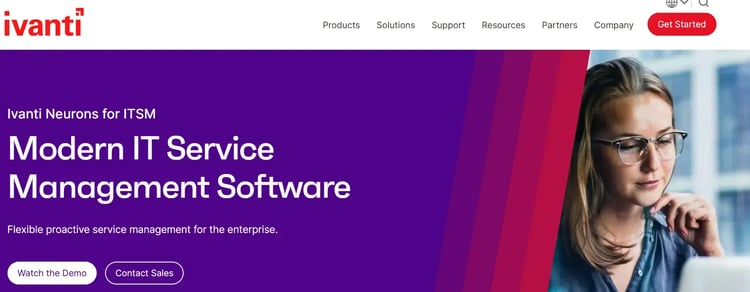
Ivanti homepage
IT departments evaluating traditional ITSM tools often consider Ivanti. Incident, problem, and change management functions sit within a broader service management suite. Asset tracking and remote management features complement incident workflows.
Ivanti’s Key Features
1. Incident and problem managementIvanti supports structured incident logging, categorization, and escalation so you can run ITIL-aligned workflows and keep records consistent.
2. SLA tracking and alerts
You can set response and resolution targets, then use automated timers and notifications to flag tickets at risk of breaching SLAs.
3. Asset and device visibility
You can link incidents to specific devices or software assets, which gives responders more context during diagnosis and speeds troubleshooting.
4. Workflow customization
As a drag-and-drop workflow tool, Ivanti lets you adapt forms, routing, and approvals to match how your IT team already works.
What are users saying about Ivanti?
Ivanti Neuron’s Pros
- Customizable and versatile, adaptable to various workflows across departments
- Remote support and asset management features, including device info access and ticketing integration
- Good product support and documentation that helps teams understand the functionality of the product
Ivanti Neuron’s Cons
- Complex dashboard customization, which can be quite time-consuming
- Steep learning curve, particularly for non-IT users
8. ProcessMaker
Best For: Organizations building visual, rules-based incident workflows.
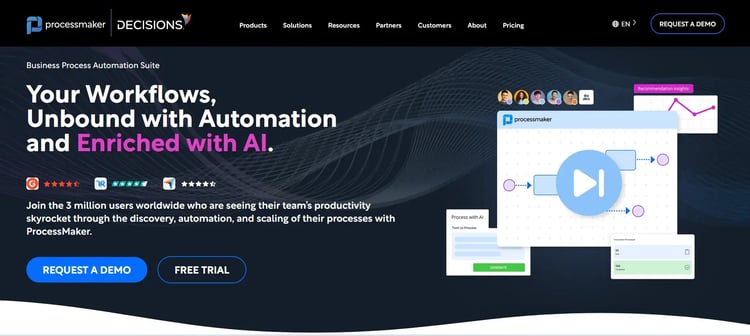
ProcessMaker’s Homepage
Teams seeking structured process modeling without deep development may evaluate ProcessMaker. It provides visual workflow design, form-driven routing, and integration capabilities. Incident processes can also be configured with rules and approval paths.
ProcessMaker’s Key Features
1. Visual workflow designerProcessMaker provides a diagram-based designer that lets you model incident routing, approvals, and escalation paths visually. It makes it easier to map your real-world response process and adjust flows as policies change, without rewriting code each time.
2. Form and data capture
You can build structured intake forms to capture incident details at the point of submission. The data feeds directly into workflows, supporting accurate routing and more reliable reporting.
3. Integration APIs
ProcessMaker offers documented APIs that enable integration with monitoring tools, ERP systems, or IT service platforms. Incidents and related data can move between systems without manual re-entry.
4. SLA configuration
You can define response and resolution timers directly within your workflows. Escalation rules can trigger alerts or reassignments when thresholds are missed, helping you maintain service performance.
What are users saying about ProcessMaker?
ProcessMaker’s Pros
- Drag-and-drop interface and intuitive workflow setup
- Wide range of BPM features, including form building and automation
- Offers well-documented APIs (JavaScript and PHP) and good customer support
ProcessMaker’s Cons
- Outdated UI/UX and limited reporting capabilities compared to other platforms; difficult case tracking
9. ServiceNow
Best For: ITIL-aligned enterprises requiring full ITSM suites
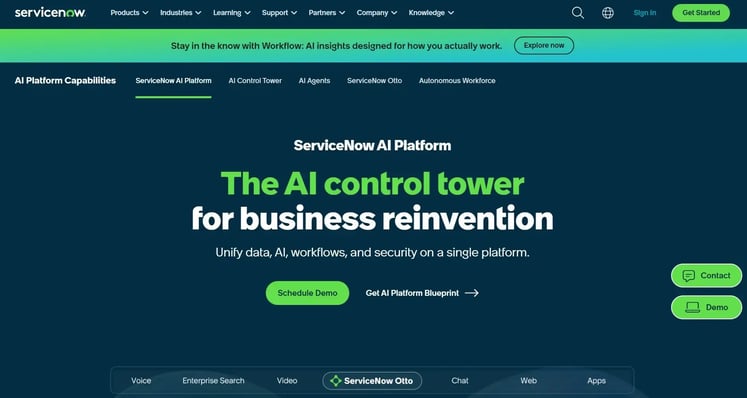
ServiceNow Homepage
ServiceNow remains a widely adopted ITSM platform for enterprise incident management. Ticketing, SLA enforcement, and escalation workflows operate within a structured ITIL framework. Large IT teams frequently deploy it as part of broader service management operations.
ServiceNow’s Key Features
1. Incident ticketing systemServiceNow provides structured logging, categorization, and assignment rules to handle high ticket volumes. You can define priority based on impact and urgency, automate routing to resolver groups, and maintain consistent handling across large teams
2. SLA enforcement and reporting
Automated timers track response and resolution targets. Dashboards provide visibility into SLA performance, backlog levels, and breach trends, enabling you to monitor service health.
3. ITIL framework alignment
Incident workflows connect directly with problem, change, and configuration management, supporting root cause analysis and coordinating resolution across IT functions.
4. Enterprise integration capability
ServiceNow integrates with monitoring tools and enterprise systems, allowing alerts to automatically generate incidents. Context, such as the affected service or infrastructure component, can be attached at creation, reducing manual triage effort and improving response speed.
What Are Users Saying About ServiceNow?
ServiceNow Pros
- Supports workflow automation, asset management, IT issue tracking, and SLA monitoring in one platform
- Improves visibility across teams and reduces data fragmentation through shared records and integrations
- Flexible for enterprise solutions
ServiceNow Cons
- Implementation and ongoing configuration can be complex and may require specialist support
- Overkill for smaller teams that only need basic incident ticketing
10. Zoho Creator
Best For: Small to mid-sized enterprises building simple incident workflows.
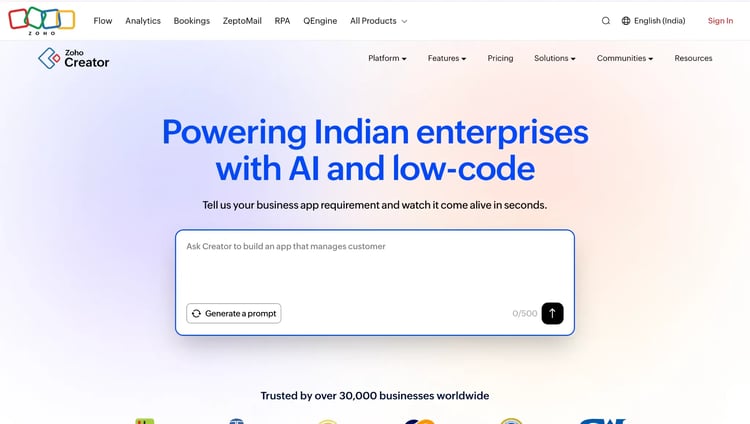
Zoho Creator’s Homepage
Teams that already run on Zoho apps often use Zoho Creator to build lightweight, form-based incident workflows without extensive implementation. It fits best when you need straightforward logging, routing, and visibility, and you want incident data to sit alongside your existing Zoho environment.
Zoho Creator’s Key Features
1. Custom app builderA form-led builder makes it easy to create an incident intake app with the fields your team needs, such as category, severity, site, and attachments. Routing can be set up based on form inputs, so incidents reach the right owner without manual forwarding.
2. Workflow automation
Conditional logic can drive approvals, notifications, and task assignments as an incident moves through stages. Rules can trigger email alerts, update statuses, or assign follow-ups when certain thresholds or conditions are met.
3. Zoho ecosystem integration
Native connections with Zoho CRM and other Zoho tools support shared visibility across teams. Incident records can be tied to related customer, project, or asset data stored elsewhere in Zoho, which helps responders work with more context.
4. Basic reporting tools
Built-in dashboards show incident volume and simple trend views over time. Filters help you review incidents by team, category, or severity so you can spot recurring issues and workload patterns.
What Are Users Saying About Zoho Creator?
Zoho Creator’s Pros
- Simple, drag-and-drop interface for building workflows without extensive coding
- Offers seamless integrations within the Zoho ecosystem (CRM, Zoho Finance, HR, etc)
- Provides flexibility to small and mid-sized business teams growing their operations
Zoho Creator’s Cons
- Limited third-party integrations
- Customer support is slow to respond
Key Features to Look for in Incident Management Tools
Enterprise incident response needs a structure you can measure and defend. Look for capabilities that keep incidents moving, prevent SLA misses, integrate with systems, and leave a clear record of decisions.
1. SLA Management
Look for SLA controls that cover acknowledgement and resolution. Alerts should trigger before a breach, so your team can intervene early. Escalations should reroute work when incidents stall or severity changes. Reporting should show which teams and incident types most often miss targets.
2. Integration with IT and monitoring systems
Prioritize tools that can create incidents automatically from monitoring alerts and attach system context upfront. Integrations should connect to your ITSM platforms and key business systems so responders do not have to re-enter data.
Routing and escalation should be able to use signals from those systems. For instance, FlowForma supports Microsoft 365 environments and can connect workflows with wider enterprise systems.
3. Reporting and analytics
Choose tools that offer in-built reporting and dashboards that answer operational questions quickly: what is overdue, where SLA breaches are trending, what keeps repeating, and which teams carry the highest workload.
Besides, historical analysis should reveal recurring incident categories and bottlenecks, and analytics should make it easier to brief leadership and justify process updates.
4. Security and compliance controls
Be sure that the platform supports access controls, audit logs, and industry compliance (e.g., GDPR, ISO). Secure data handling and role-based permissions limit who can view or edit sensitive incidents, which is crucial in regulated enterprise environments.
5. Automation and assisted workflow handling
Assisted capabilities can reduce manual effort in incident handling, especially in triage and handover. Features such as automated categorization, incident summarization, and document data extraction can speed up response times when incident volumes are high.
Value comes from reducing admin work while keeping decisions traceable and controlled. Oversight still matters, so assisted actions should work within defined rules and permissions.
6. Cost And Scalability
Compare total cost over time, not just subscription price. Look at how pricing scales (per user, per process, per module). You must also account for implementation effort and ongoing administration.
A pilot with real scenarios can validate both cost assumptions and operational fit.
Incident Management Software for Enterprises: How FlowForma Helps
FlowForma works well when you need a consistent way to log incidents and route them to the right people. Your teams can capture the right details upfront, follow a clear path from triage to closure, and track deadlines.
Since data sits in your SharePoint environment, governance stays under your control. IT keeps oversight of permissions and rules, while day-to-day process owners can adjust workflows as requirements change.
Quick FlowForma Feature Snapshot
- Structured incident forms with required fields and attachments
- Rule-based routing and escalation paths
- SLA timers, alerts, and dashboards
- Audit trails, approvals, and retention support
- Microsoft 365 integration (Teams, Outlook, SharePoint)
- Offline mobile access enables frontline teams to log incidents anytime, anywhere
Want to see how this would look for your incident process? Book a FlowForma demo.



