Nintex and Kissflow often come up in conversations about the best process automation tools. At a glance, they appear similar, as both support low-code or no-code workflow automation and aim to reduce manual effort.
However, the difference lies in how they approach the problem. Nintex is built for organizations that need to define and scale complex processes across systems. Kissflow is typically adopted by small to mid-sized teams that want to automate workflows quickly without relying on technical resources.
Choosing between the two requires a deeper understanding of how the workflows move across departments and the flexibility the tools offer. In this guide, we offer a closer look at Nintex and Kissflow, using vendor documentation, specific features, use cases, and reviews as our source of truth.
We also analyze our tool, FlowForma, which is often considered an alternative to Nintex and Kissflow by organizations looking for a more unified approach to managing processes.
Before we analyze each tool in detail, here’s a quick overview:
|
Capability
|
Nintex
|
Kissflow
|
FlowForma
|
|
Core automation model
|
Process-centric workflows designed as structured, end-to-end sequences
|
Workflow-centric automation focused on individual tasks and approvals
|
End-to-end process automation with unified workflows, forms, and reporting
|
|
Process visibility
|
Centralized view of workflows with detailed tracking and audit logs
|
Workflow-level visibility with limited process-wide tracking
|
Real-time, end-to-end visibility across the full process lifecycle
|
|
Workflow complexity handling
|
Designed for multi-layered workflows with dependencies, conditions, and approvals within a single structure
|
Handles simple to moderately complex workflows; complexity often requires multiple workflows
|
Supports complex workflows within a single environment without fragmentation
|
|
Document generation
|
Advanced document automation tied directly to workflow data
|
Limited native capabilities; often requires external tools
|
Built-in document generation integrated into workflows
|
|
Integration strategy
|
Broad integrations across ERP, CRM, and enterprise platforms
|
Basic integrations through connectors like Zapier
|
Strong Microsoft integration with support for external systems via APIs
|
|
Governance and compliance
|
Strong governance with audit trails, role-based controls, and compliance tracking
|
Basic governance features; limited support for strict compliance needs
|
Built-in governance with audit trails and IT oversight
|
|
Ease of use
|
Requires process design knowledge; moderate learning curve
|
Designed for business users; minimal training required
|
No-code interface designed for business users with IT governance
|
|
AI capabilities
|
Available through add-ons or integrations
|
Limited AI functionality
|
Embedded AI suite supporting workflow creation and execution
|
|
Pricing behavior
|
Consumption-based and user-based pricing. Starting at £21,000/year (approx), with costs increasing based on workflows and add-ons
|
Predictable entry pricing starting at $2500 per month
|
Process-based pricing starting at £1,722 or $2,347 per month
|
What is Nintex?
Nintex is typically introduced when organizations reach a point where informal workflows stop working. Processes that were once manageable via email or spreadsheets begin to break down due to volume, compliance requirements, or cross-team dependencies.
Rather than layering automation on top of existing chaos, teams use Nintex to define how work should move from start to finish. Each process is mapped explicitly, including who is responsible at each stage, what data is required, and how decisions are made.
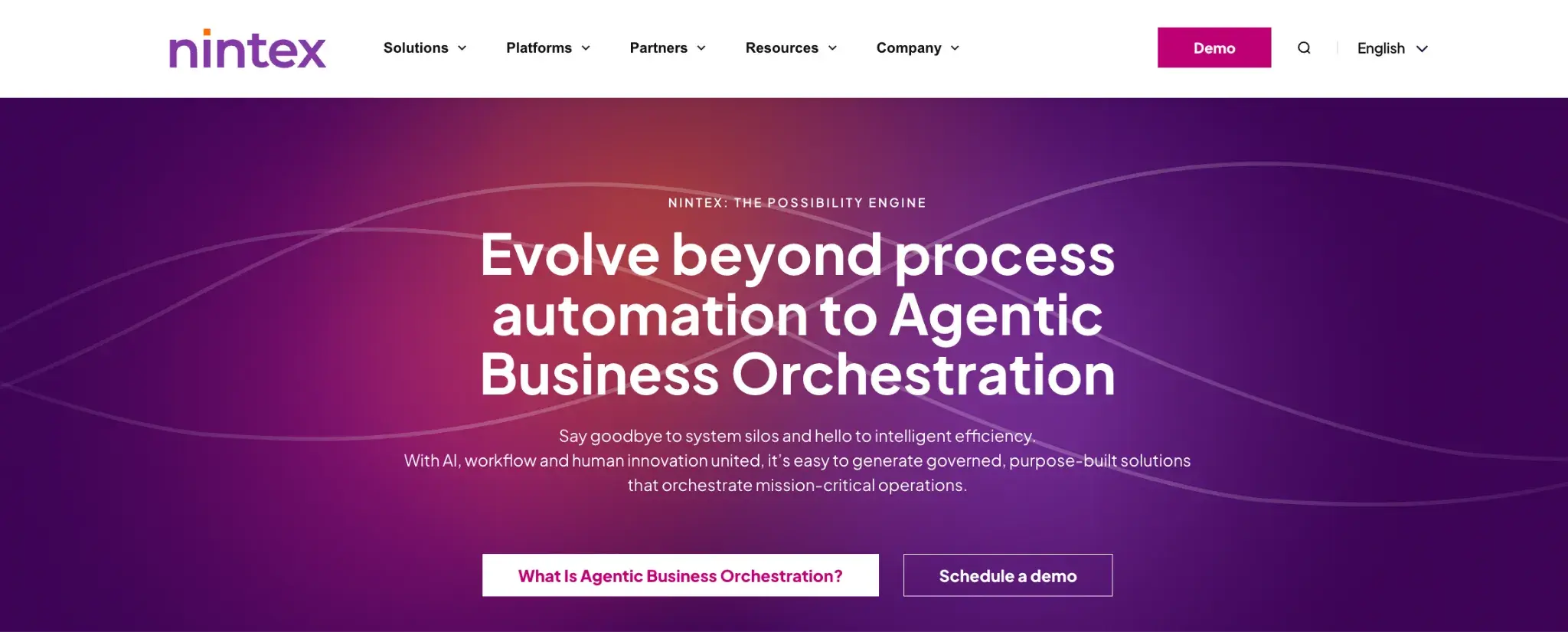
Nintex homepage
In practice, adoption often follows a pattern. A single high-impact process, such as procurement or contract approvals, is formalized first. Over time, additional workflows are added, gradually replacing fragmented coordination methods with structured execution.
Key Features of Nintex
Structured workflow orchestration
Workflows in Nintex are designed as complete systems with each stage defined with clear dependencies, ownership, and outcomes. This allows organizations to standardize how work moves across departments, reducing variability and manual intervention.
Advanced document generation and management
Document generation in Nintex is tightly integrated with workflow data. Complex documents such as contracts or compliance reports can be generated dynamically using conditional logic, ensuring outputs adapt to different scenarios without manual edits.
Dynamic process logic and routing
Workflows can adapt to different conditions using rules and decision logic. Approval paths change based on inputs, allowing a single workflow to support multiple scenarios without duplication.
The flexibility becomes critical in processes that involve exceptions or conditional approvals.
Integrated RPA for legacy system automation
Nintex includes robotic process automation capabilities to interact with systems that do not support APIs, allowing teams to automate tasks in older software environments without replacing existing systems.
Process intelligence and analytics
Nintex provides visibility into how processes perform over time. Teams can analyze cycle times, identify bottlenecks, and track where delays occur, which supports continuous process improvement rather than one-time automation.
Built-in eSignature and document workflows
Approvals, document routing, and eSignatures are handled within the same environment. This reduces dependency on third-party tools and keeps the entire approval lifecycle within a single workflow.
What does Nintex do well?
Users often highlight the structure Nintex brings to process automation. Tools like Promapp help teams map and document processes collaboratively, improving visibility and making it easier to standardize workflows across the organization.
Ease of use also stands out. The no-code, drag-and-drop interface allows non-technical users to build workflows and forms quickly, while cloud deployment enables faster setup. Many users report reduced cycle times and less manual effort through automation.
Areas Nintex can improve
Challenges tend to appear during implementation and scaling.
The platform requires time to configure properly, especially for organizations transitioning from manual processes. Non-technical users may need training to design workflows effectively. Costs can increase as more features and integrations are added. Maintenance effort also grows as workflows evolve.
Ideal Use Cases for Nintex
Nintex is well-suited for environments where processes must be consistent and auditable. Common use cases include contract management, compliance workflows, procurement processes, and multi-department approvals.
What is Kissflow?
Kissflow is usually adopted earlier in the automation journey, when teams are looking to replace manual workflows without introducing significant complexity.
Many organizations begin with simple use cases such as leave requests and onboarding checklists. These processes are repetitive, time-consuming, and easy to standardize. Kissflow provides a way to digitize them quickly.
The platform is built around accessibility. Business users can create workflows without technical knowledge, which removes the dependency on IT for initial automation efforts.

Kissflow homepage
Instead of focusing on end-to-end process orchestration, Kissflow emphasizes speed and usability. Teams can build and deploy workflows quickly, making it suitable for organizations that want immediate improvements without long implementation cycles.
Over time, some organizations expand usage across departments. At that stage, the platform’s simplicity remains an advantage for adoption, but limitations may appear when workflows need to handle more complex dependencies.
Key Features of Kissflow
No-code workflow creation
Kissflow allows users to build workflows using a visual interface. Business teams can create a typical approval process in minutes by defining steps, assigning users, and setting basic rules, without waiting for technical support.
Pre-configured workflow templates for business functions
Instead of starting from scratch, teams can use pre-built templates for common workflows. These templates reduce the time required to design processes from scratch and help standardize basic operations.
For example, an HR team can deploy an onboarding workflow with predefined steps and modify it as needed. This reduces the time required to move from idea to execution.
Form-based data capture
Custom forms are used to collect information and trigger workflows. Data entered into forms is routed automatically through the workflow, ensuring consistency in data collection.
Lightweight integration capabilities through connectors
Kissflow supports integrations via tools like Zapier and APIs, enabling basic connectivity with other applications. While not deeply embedded, this approach allows teams to extend workflows without heavy configuration.
Workflow monitoring and dashboards
Users can track workflow progress through dashboards, identifying delays and bottlenecks. Visibility is available at the workflow level, though process-wide tracking is more limited.
What does Kissflow do well
Ease of use and excellent user interface are the most frequently cited advantages. Teams can start automating workflows quickly without technical expertise. Besides, the tool offers good cross-departmental collaboration and visibility for teams.
Areas of improvement for Kissflow
Limitations become more apparent as workflows grow in complexity. Customization options are restricted, and advanced logic can be difficult to implement. Integration capabilities may not meet enterprise requirements. Scaling workflows across departments can lead to fragmentation.
Ideal Use Cases for Kissflow
Kissflow is best suited for simple, repeatable workflows such as leave requests, expense approvals, onboarding processes, and internal task management.
Kissflow vs Nintex: Key Differences Explained
Process structure vs workflow simplicity
A structured, end-to-end approach defines how work moves in Nintex. A request follows a clearly mapped path, with each stage connected and visible as part of a single system.
Kissflow takes a more flexible route. Instead of defining the entire process up front, the focus stays on getting individual workflows live quickly. It works well early on, though connections between workflows can become less clear over time.
Handling of complexity over time
Handling complexity within a single workflow is where Nintex holds up well. Multiple approvals, conditions, and exceptions are kept within a single structure, making the process easier to follow.
With Kissflow, growth often means adding more workflows. Each one remains simple on its own, but understanding how they fit together can take extra effort as the number increases.
User experience and adoption
Getting started tends to be quicker with Kissflow. Teams can build and deploy workflows with minimal setup, which helps drive early adoption.
A more deliberate approach is needed with Nintex. Time spent planning the workflow upfront usually leads to better control later, but it does raise the initial learning curve.
Integration and ecosystem flexibility
Broader integration capabilities make Nintex a better fit for environments with multiple enterprise systems. Data can move across platforms as part of the workflow.
Kissflow keeps integrations lighter. Connections are easier to set up, though they may not cover more advanced scenarios or deeper system interactions.
Governance and compliance readiness
Nintex includes built-in audit trails and compliance features, making it suitable for regulated industries. Kissflow provides basic tracking, which may not be sufficient for environments with strict compliance requirements.
Nintex vs Kissflow: Detailed Comparison Table
Nintex fits organizations that need structured, auditable processes across multiple systems. Kissflow works better for teams prioritizing speed and simplicity in everyday workflows.
The table below offers a quick overview of the differences between the two:
|
Category
|
Nintex
|
Kissflow
|
|
Core approach
|
Process-centric platform designed to model and execute end-to-end business processes
|
Workflow-centric platform focused on digitizing individual tasks and approvals
|
|
Best suited for
|
Organizations formalizing complex, multi-step processes that require structure and control
|
Teams looking to quickly automate simple, repeatable workflows without technical involvement
|
|
Ease of use
|
Moderate learning curve; requires understanding of process design and logic
|
Highly intuitive; business users can build workflows with minimal training
|
|
Pricing model
|
Typically quote-based; scales with usage, features, and integrations
|
Tiered, per-user pricing; predictable at entry level
|
|
Ideal use cases
|
Contract management, procurement workflows, compliance approvals, case management, regulated processes
|
Leave requests, expense approvals, onboarding workflows, internal task management
|
|
Suitable industries
|
Financial services, healthcare, insurance, manufacturing, legal, government
|
SMBs across HR, operations, marketing, education, and internal admin teams
|
Why Organizations Move Beyond Nintex and Kissflow
1. Processes become fragmented over time
Kissflow makes it easy to launch workflows quickly, but those workflows often stay disconnected as adoption grows. Nintex keeps processes structured, but managing multiple workflows across teams can still reduce visibility. In both cases, understanding the full process becomes harder as usage expands.
2. Complexity is handled differently, but not always efficiently
Nintex can support complex, multi-step processes, though it requires careful design and ongoing management. Kissflow handles simpler workflows well but struggles when processes involve dependencies or exceptions. As complexity increases, neither approach always scales cleanly without added effort.
3. Iteration is not always business-led
Changes in Nintex often require process design knowledge or technical input. Kissflow allows easier updates, but only within the limits of simpler workflows. When processes evolve frequently, teams may find it difficult to balance speed with control.
4. Governance gaps appear at scale
Audit trails may exist at the workflow level, but tracking activity across multiple workflows or systems takes additional effort. For regulated industries, maintaining consistent oversight and traceability becomes more difficult as automation scales.
5. Cost structures can become limiting
Pricing models tied to users, workflows, or usage metrics can become difficult to manage as adoption increases. Costs that seem manageable at the start may grow unpredictably as more teams and processes are added.
FlowForma is often considered when organizations want to move beyond workflow-level automation and manage complete processes within a single system. Instead of building separate workflows for each task, teams design processes that connect every stage, from data capture to final reporting.
We allow business teams to create and update workflows without coding, reducing dependence on development cycles. At the same time, IT retains control over security, compliance, and system integrity.
Another reason organizations choose FlowForma is our process-based pricing model, which allows organizations to scale automation without tying costs directly to user counts or workflow volume.
No-code process builder with IT oversight
FlowForma enables business users to design workflows without technical expertise. Processes can be created, modified, and deployed directly by operational teams. IT remains involved in governance, ensuring compliance and system stability without slowing down execution.
Unified forms, workflows, and data flow
Data captured through forms is immediately available across the entire process. There is no need to move data between systems or recreate inputs at different stages, reducing duplication and improving data accuracy.
Integrated document generation
We offer in-built document generation, where documents are generated using structured workflow data. Whether it is an approval summary or a customer-facing document, outputs remain consistent and aligned with process data.
AI-powered workflow assistance
FlowForma offers a range of AI capabilities designed to support both workflow creation and execution.
AI Copilot allows users to build workflows using natural language, generating a structured starting point that can be refined.
AI agents operate within workflows to handle tasks such as data extraction, validation, and rule-based decisions, reducing manual effort. Agentic AI enables processes to respond dynamically to conditions and events with minimal intervention. AI summarization provides quick insights into workflow status and key updates.
Real-time process visibility and analytics
With our built-in analytics, you can monitor workflows as they run, not just after completion. Bottlenecks and workload distribution are visible in real time, allowing teams to take action before issues escalate.
Audit trails and compliance controls
FlowForma includes built-in compliance controls aligned with frameworks such as DORA, HIPAA, and GDPR. Every action within a process is recorded, including approvals and changes.
Besides, data remains within the customer’s own SharePoint tenancy, ensuring control over storage and access.
FlowForma’s Pros
- Enables business users to build and update workflows without coding
- Integrates with 1000+ apps while storing data in the client’s SharePoint tenancy
- Centralizes process management, reducing fragmentation
- Built-in governance and audit trails support compliance
- Predictable pricing model based on processes rather than usage metrics
- AI capabilities integrated into workflow design and execution
FlowForma’s Cons
- Best suited for organizations operating within Microsoft environments
- Advanced configurations may require initial onboarding and process planning
FlowForma’s Best Use Cases
FlowForma is most effective for multi-step processes in mid-sized to enterprise environments that involve coordination across teams. Examples include onboarding, procurement, case management, and compliance workflows.
It is particularly valuable in industries where processes must be auditable and consistent, such as finance, healthcare, manufacturing, construction, and insurance. The platform also fits organizations that want to enable business-led automation while maintaining IT governance.
Choosing between these platforms depends on how your organization approaches process management and how automation is expected to scale:
Choose Nintex when
You need tightly controlled, structured workflows with strong governance. It fits organizations where processes must follow predefined rules and compliance is critical. Works best when technical resources are available to design and maintain complex workflows over time.
Choose Kissflow when
Speed and simplicity matter more than complexity. Suitable for teams that want to automate straightforward workflows quickly without relying on IT. Works well for day-to-day processes, though scaling may require additional tools or workarounds.
Choose FlowForma when
You want to manage complete processes and combine no-code usability with structured process control. You need to stay within the Microsofy ecosystem.The tool reduces fragmentation by keeping forms, workflows, documents, and reporting in one system. Besides, it offers process-based pricing and connects with 1000+ apps, making it ideal for modern and legacy systems.
Get Started with Smarter Process Automation
As automation matures, the focus often shifts from building workflows to improving how processes perform. Delays, handoffs, and inefficiencies become easier to spot, but harder to fix without the right level of visibility.
FlowForma helps teams identify where processes slow down and understand how work moves in real time. Changes can be made without long development cycles, allowing processes to evolve as needs shift. The focus moves beyond initial automation toward ongoing improvement and better operational clarity.
We migration support included, FlowForma is an ideal choice to replace either Nintex or Kissflow. In this video you'll hear from FlowForma customer Morley College on their experience of migrating off Nintex to FlowForma.
Migrating from Nintex to FlowForma
If you’re looking to move from one-time fixes to ongoing process optimization, you can explore FlowForma with a demo to see how it fits into your existing operations.