Scaling automation doesn’t have to be complicated. Or costly.
When evaluating Appian vs Power Apps, the real challenge is finding a platform that delivers enterprise-grade capabilities without creating IT bottlenecks. Both are low-code, but they approach process automation, governance, and scalability very differently.
This comparison breaks down their strengths and limitations, and explains why many organizations choose alternatives like FlowForma to move from pilots to full-scale automation.
Quick Platform Overview of Appian and Microsoft Power Apps
Let’s take a quick walk-through of both platforms.
What is Appian?
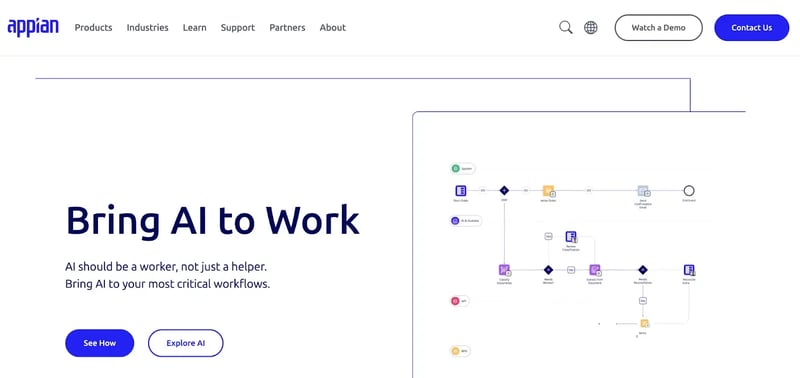
Appian’s low-code product page
Appian is a low-code platform built for large organizations that need BPM and process automation across complex workflows.
The platform enables development teams to build enterprise-grade apps to manage long-running, rule-driven processes, making it a strong choice for organizations pursuing a structured digital process automation roadmap.
Here are some common use cases for Appian:
- Complex case management: Supports high-volume, exception-driven cases across business units
- Business process management (BPM): Models and automates regulated business processes end-to-end
- Process automation at scale: Coordinates people, data sources, and systems across large-scale environments
- Legacy systems integration: Orchestrates workflows across legacy systems and other systems without replacement
- Operational risk and compliance: Provides audit trails, governance, and advanced automation capabilities
Suggested reading: The 10 Best Appian Alternatives to Consider in 2026
What is Power Apps?
Microsoft Power Apps is a low-code platform within the Microsoft Power Platform that enables users to build apps, including mobile apps and web apps, using a visual low-code environment.
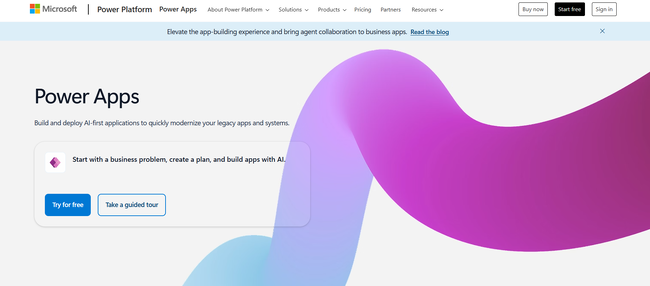
PowerApps homepage
Power Apps focuses on app building rather than full business process management. It is commonly used alongside Power Automate to automate workflows and integrate data across the Microsoft environment.
Typical Power Apps use cases include:
- App development for departments: Quickly build apps for specific business needs
- Form-based apps: Build custom applications for data capture and approvals
- Mobile apps for field teams: Simple mobile apps connected to external data sources
- Microsoft-native apps: Apps built directly within the Microsoft Power environment
- Low-code app building: Enables citizen developers to build scalable apps with drag-and-drop components
Suggested reading: 10 Best PowerApps Alternatives & Competitors in 2026
Appian vs Power Apps: Key Feature Comparison
If you’re comparing Appian vs PowerApps, the decision often comes down to process automation versus app development.
The table below highlights the most relevant differences between these low-code platforms.
|
Feature
|
Appian
|
Power Apps
|
|
Core Focus
|
Business process management and case management
|
App development and app building
|
|
Low Code Approach
|
Developer-led low-code development
|
Low-code tool for citizen developers
|
|
Workflow Automation
|
Built-in workflow automation and orchestration
|
Requires Power Automate
|
|
Integration Capabilities
|
Strong integration with multiple systems and web services
|
Native to Microsoft products and data sources
|
|
App Complexity
|
Supports complex apps and large-scale processes
|
Best for simple workflows and department apps
|
|
Scalability
|
Designed for large-scale enterprise processes
|
Scales within the Microsoft ecosystem with added licensing
|
Side-by-side feature comparison of Appian and Power Apps
Let’s explore this in detail.
1. Core platform orientation
Appian is fundamentally a process automation platform, with workflows, rules, data, integrations, and analytics all designed around a central process layer.
Power Apps, by contrast, is an application and form-building tool focused on rapidly creating apps on top of data, with process logic handled separately through Power Automate.
2. Workflow and process management
Appian’s native process engine supports long-running, multi-step workflows with SLAs, exception handling, and end-to-end visibility. Power Apps depends on Power Automate, which works well for simple, event-driven scenarios but becomes harder to manage as workflows increase in length and complexity.
3. Forms, user experience, and interaction
Power Apps emphasizes UI flexibility through canvas apps, making it well-suited for front-end-heavy and mobile-first use cases.
Appian takes a more standardized, process-centric approach, prioritizing consistency and reuse across complex workflows over bespoke visual design.
4. Auditability, compliance, and governance
Appian automatically tracks everything, actions, decisions, timestamps, and data changes—so it’s a great fit for regulated industries. Power Apps can handle auditing too, but you usually need extra setup or rely on Dataverse and Purview, and how well it works depends on how carefully your policies are enforced.
5. Reporting and process visibility
With built-in process analytics, Appian surfaces real-time insights, such as cycle times, backlog volume, SLA breaches, and bottlenecks, directly within running workflows.
In contrast, Power Apps depends on Power BI for reporting, requiring data to be exported or synced from apps and flows, which shifts visibility to post-execution analysis rather than in-process decision-making.
6. Integration and extensibility
Appian is built to orchestrate workflows across diverse enterprise environments, supporting APIs, RPA, legacy systems, and external services within a unified process layer.
Power Apps works best within the Microsoft ecosystem, while integrations outside it typically require premium connectors or additional configuration effort.
7. Scalability and long-term maintainability
Appian scales well for enterprise-wide automation programs, where many processes share common patterns, governance models, and compliance requirements.
Power Apps scales effectively for app portfolios, but organisations often encounter governance, performance, and maintainability challenges as the number of apps and flows grows.
Appian vs Power Apps: Platform Pricing and Licensing Options
Pricing and licensing play a major role when choosing between Appian vs Microsoft Power Apps, especially for businesses planning to automate processes across more users and business units.
Appian Pricing
Appian pricing is enterprise-focused and typically based on users, applications, and environment size. Pricing plans are not publicly listed and usually require direct engagement with Appian.
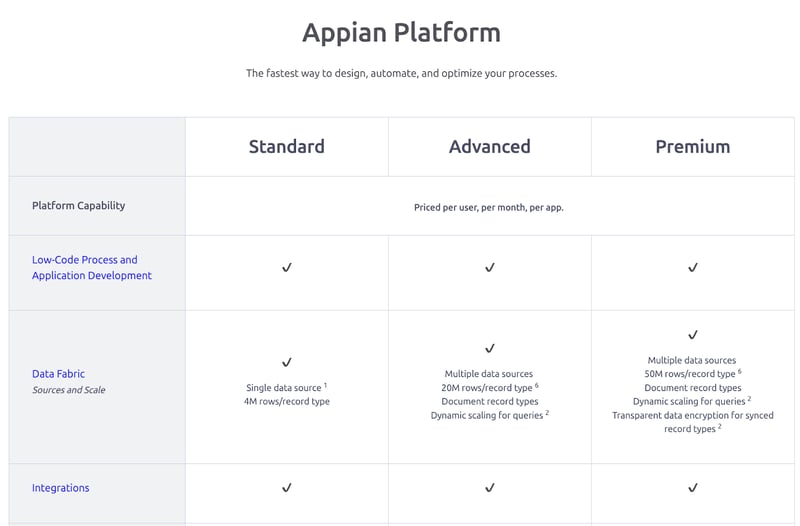 Appian’s pricing page
Because Appian offers advanced automation capabilities, deep customization, and scalable solutions for large organizations, the total cost can increase significantly as more processes, users, and integrations are added.
Power Apps Pricing
Power Apps offers multiple pricing plans, including per-app and per-user models. It is also bundled with certain Microsoft Power subscriptions, making entry costs lower for businesses already invested in the Microsoft environment.
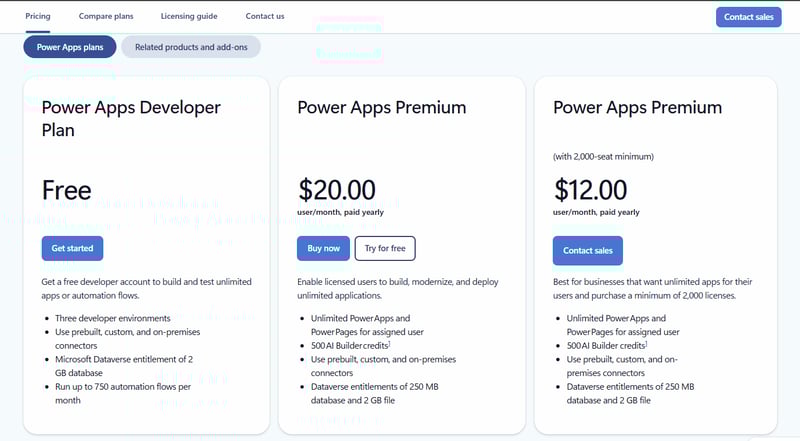 PowerApps pricing
However, the total cost often rises due to:
- Premium connectors
- Dataverse capacity requirements
- Dependency on Power Automate
- Scaling usage across unlimited apps and more users
While Power Apps offers flexibility and quick app development, costs can become harder to predict as organizations build scalable apps, integrate third-party tools, and automate processes across multiple systems.
We’ve covered this in depth. Get an in-depth breakdown and understanding of Power Apps pricing here.
Microsoft Power Apps vs Appian: What Do Users Say?
Appian and Power Apps cater to different use cases and user profiles, which is reflected in customer feedback across review platforms.
While experiences vary by organization and scale, reviews commonly highlight differences in learning curve, integration depth, scalability, and total cost of ownership.
Appain reviews
Appian is well recognized for its low-code platform and enterprise-grade process automation capabilities, particularly for handling complex workflows, case management, and large-scale process orchestration.
Users also highlight gaps in reporting and analytics, limits on deep customization without specialized skills, and a steep learning curve—particularly for teams without prior Appian experience or dedicated developers.
The platform is frequently noted for supporting highly customized and complex use cases, though these often require deep coding expertise.
Power Apps review
Power Apps is praised by users for its intuitive drag-and-drop interface and ability to create custom apps with minimal coding expertise.
However, users quickly point out that creating complex apps or large datasets slows down the platform’s performance.
Moreover, people also complain about the platform’s dynamic pricing, which pushes them to move from free to paid versions.
Alternatives and Market Position: Appian vs Power Apps vs the Wider Low-Code Market
When comparing Appian vs PowerApps, many buyers also evaluate other low-code platforms to determine how each option aligns with their automation maturity, governance needs, and long-term scalability goals.
Below is a high-level view of how Appian, Microsoft Power Apps, and commonly considered alternatives like Zoho Creator are positioned:
|
Platform
|
Market Position
|
Strengths
|
Typical Limitations
|
Best Fit
|
|
Appian
|
Enterprise BPM and process orchestration leader
|
Deep process automation, strong governance, complex case management
|
High cost at scale, developer dependency, longer implementation cycles
|
Large enterprises with complex, regulated workflows
|
|
Microsoft Power Apps
|
Low-code app development within the Microsoft ecosystem
|
Tight Microsoft 365 integration, fast app creation, citizen developer access
|
Fragmented tooling (Power Automate, Dataverse), rising costs as complexity grows
|
Microsoft-centric teams building departmental or data-driven apps
|
|
Zoho Creator
|
SMB-focused low-code app builder
|
Affordable entry pricing, rapid app development, and broad Zoho suite integration
|
Limited enterprise governance, scalability constraints for complex processes
|
Small to mid-sized teams building simple business apps
|
Zoho Creator vs Appian vs Microsoft Power Apps—market positioning and use-case comparison
Comparison With Better, No-Code Alternatives: Where Does FlowForma Stand?
FlowForma customer reviews consistently highlight its responsive customer support, true no-code usability, and AI-driven features that reduce manual effort.
Business users value the ability to design and manage workflows independently, without ongoing reliance on IT teams.
Pricing and cost comparisons: FlowForma vs Appian vs Power Apps
As automation scales, pricing complexity becomes a key differentiator. Appian’s costs rise with users and deployments, while Power Apps’ reliance on multiple Power Platform services reduces cost predictability.
Alternatives like FlowForma take a different approach, offering cost-effective, process-based pricing that bundles workflows, forms, governance, and integrations into one license.
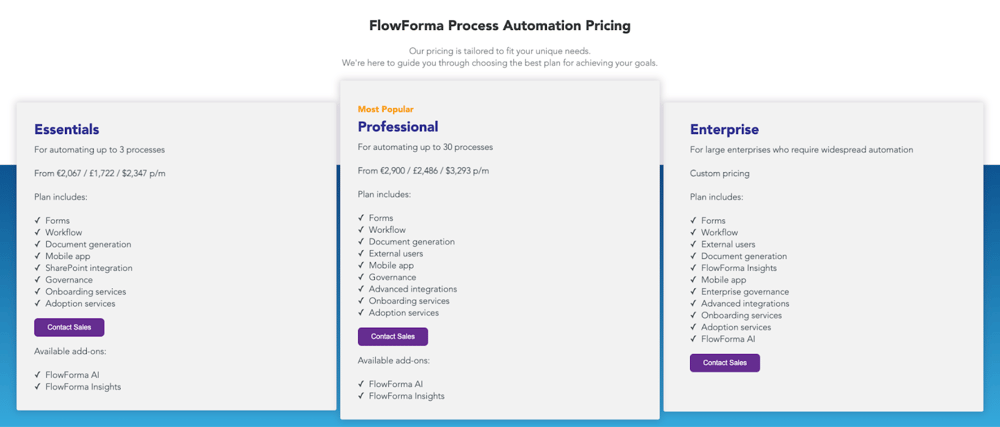 FlowForma’s process-based pricing packages
With no usage limits or per-run charges, it provides a more predictable cost structure for organizations scaling automation.
Below is a focused pricing and cost comparison across FlowForma, Appian, and Power Apps:
|
Pricing Factor
|
FlowForma
|
Appian
|
Power Apps
|
|
Base Pricing Model
|
Flat, tiered, process-based pricing
|
Enterprise, user- and app-based licensing
|
Per-user or per-app pricing
|
|
Workflow Execution Costs
|
Unlimited workflows included
|
Dependent on the environmental scale
|
Usage-based via flows and services
|
|
Add-On Costs
|
None for core features
|
Common for integrations and extensions
|
Premium connectors, AI Builder, Dataverse
|
|
Cost Predictability
|
High and transparent
|
Medium
|
Low due to layered dependencies
|
|
Scalability of Pricing
|
Scales with processes, not usage
|
Costs rise with users and complexity
|
Becomes costly at higher automation volumes
|
FlowForma Vs Appian Vs Power Apps: Which Is The Best For Your Business?
Appian and Power Apps both serve distinct needs, Appian for large-scale, complex process orchestration, and Power Apps for building applications within the Microsoft ecosystem.
However, both platforms often introduce trade-offs in terms of implementation time, complexity, and especially, in cost predictability as automation scales.
FlowForma delivers cost-effective digital process automation with transparent, per-process pricing, enabling fast end-to-end automation without heavy development or fragmented tools.
Below is a quick comparison of FlowForma, Appian, and Microsoft Power Apps:
|
Criteria
|
FlowForma
|
Appian
|
Microsoft Power Apps
|
|
Process Engine
|
Native, built-in process automation
|
Native enterprise process engine
|
Requires Power Automate
|
|
Workflow Complexity
|
Simple to complex, multi-stakeholder workflows
|
Best suited for long-running, complex processes
|
Best for short-lived, event-driven flows
|
|
Ease of Use
|
Designed for non-technical business users
|
Steep learning curve; developer-led
|
Easy to start; complexity increases with scale
|
|
Governance & Compliance
|
Built-in governance, audit trails, and compliance modules
|
Strong enterprise governance
|
Depends on Dataverse, Purview, and configuration
|
|
Reporting & Visibility
|
Embedded process insights and analytics
|
Native process analytics
|
Relies on Power BI as a separate layer
|
|
Integrations (Microsoft + Others)
|
Native Microsoft 365 & SharePoint integration plus 1,000+ connectors included
|
Broad enterprise integrations across systems
|
Native Microsoft integration; premium connectors for non-Microsoft systems
|
|
Pricing Transparency & Scalability
|
Transparent, process-based pricing that scales with automation
|
Enterprise licensing that scales with users, apps, and complexity
|
Layered pricing that becomes harder to predict as usage and dependencies grow
|
|
Deployment Speed
|
Days to weeks using no-code and templates
|
Longer enterprise-grade implementations
|
Fast for simple apps; slower for end-to-end automation
|
|
Best Fit For
|
Mid-sized and enterprise organizations in regulated industries seeking to scale automation
|
Large enterprises with mature development teams
|
Microsoft-centric teams building departmental apps
|
Key advantages of FlowForma over Appian and Power Apps
Here’s what FlowForma brings to the table:
-
AI innovations for hassle-free automation and process creation
FlowForma’s AI suite transforms how teams build and manage workflows, supporting teams throughout the workflow lifecycle. Here’s how:
- AI Copilot can turn quick notes or process sketches into ready-to-use workflows
FlowForma AI Playground in action
- Agentic AI handles context-based actions like reviewing invoices, validating information, and updating connected systems.
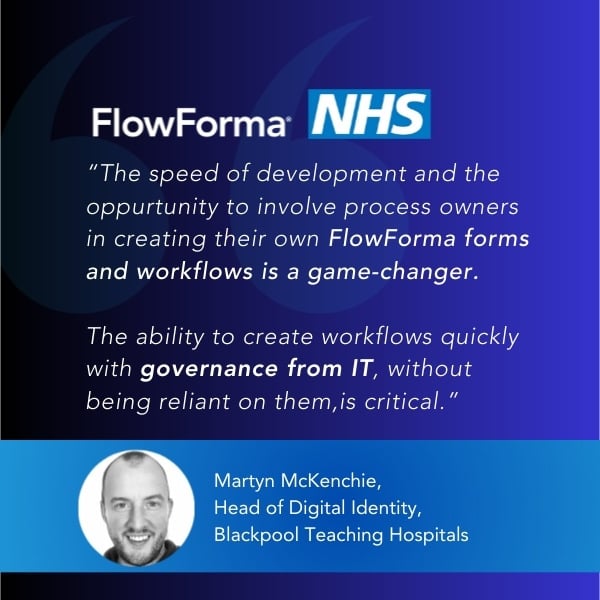
Screenshot of Blackpool Teaching Hospital Testimonial
- The Discovery Agent reviews documents and discussions to identify new opportunities for automation.
 FlowForma’s Discovery Agent
- Smart Assistants guide both builders and end users with helpful prompts
- AI Summarization gives a quick view of progress, decisions, and open items
- AI-powered Insights and analytics show where processes slow down and where improvements can be made.
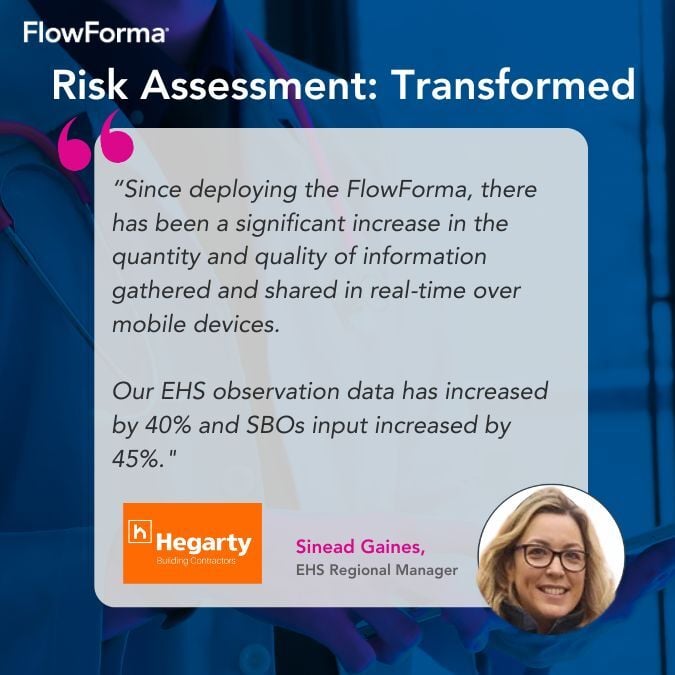
FlowForma testimonial showcasing data improvement
FlowForma offers a true no-code platform that enables citizen developers to build and automate processes without technical expertise.
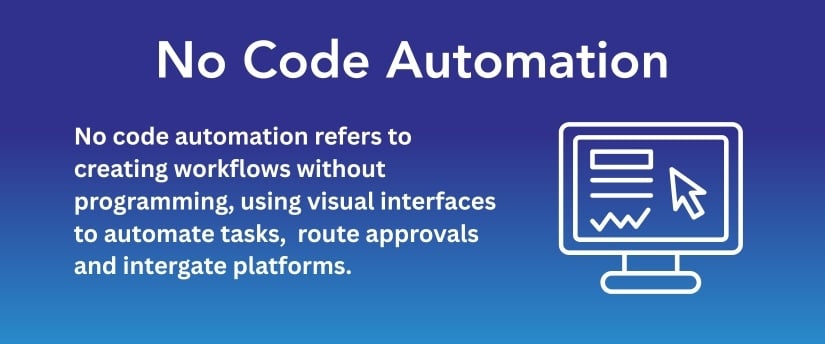 FlowForma is a no-code platform with an easy-to-use interface
Business users can independently design workflows using a no-code interface, while IT teams retain governance and compliance controls to safely scale automation across regulated environments.
-
Compliance-focused data security
All workflow activity is fully logged for end-to-end traceability, with data remaining within each customer’s SharePoint tenancy.
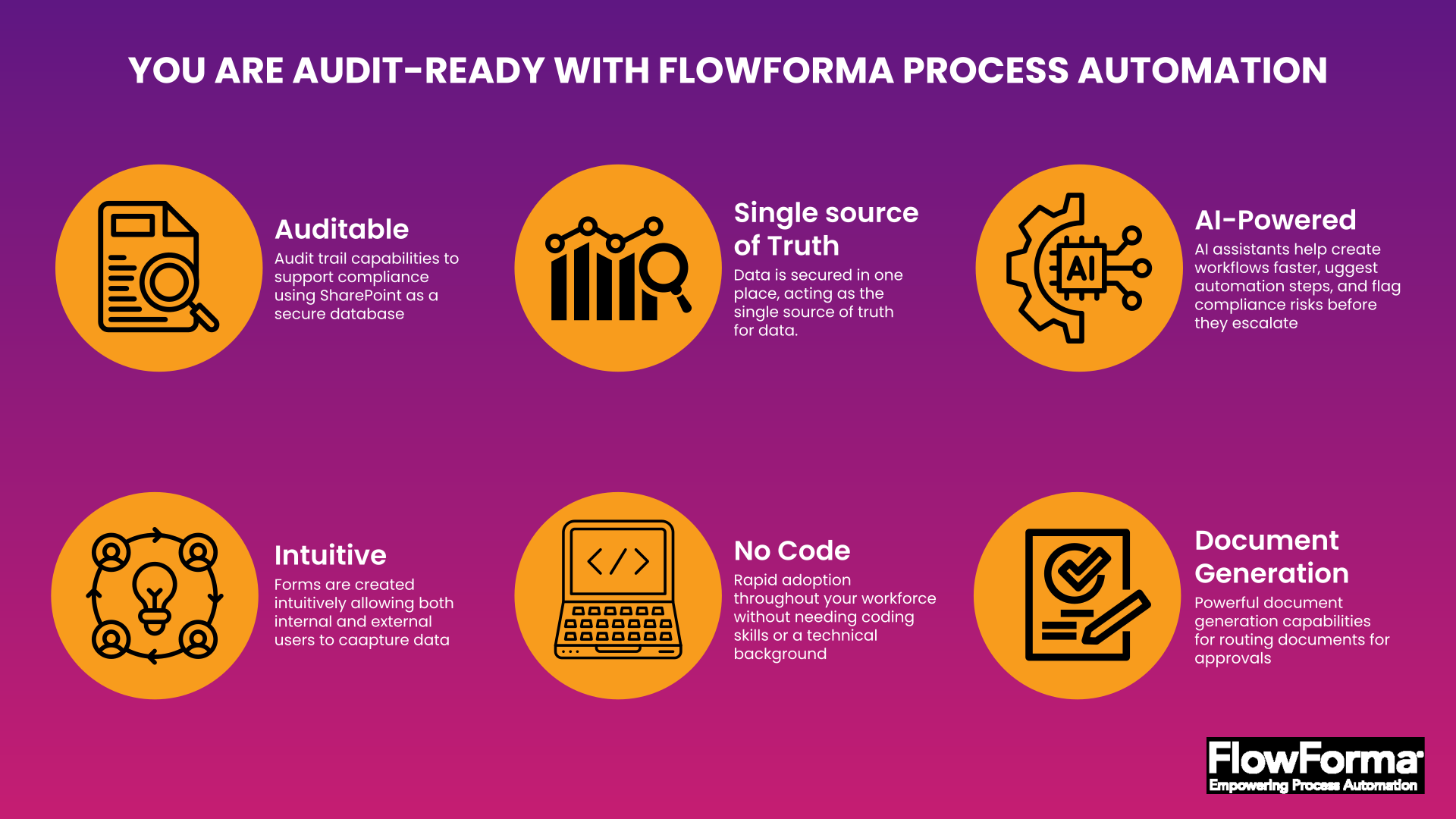
Features of FlowForma’s compliance module
The compliance module supports U.S. regulatory requirements, including HIPAA, SOC 2, and ISO 27001, ensuring strong security and auditability.
-
Seamless workflow creation
FlowForma simplifies workflow creation with a 100% no-code, user-friendly interface that lets business users build and automate workflows with IT governing workflows.
Video showcasing FlowForma's workflow engine
From simple approvals to complex, multi-stakeholder processes, workflows can be designed quickly and consistently through an intuitive, seamless experience.
-
10x faster deployment over traditional BPM tools
Appian implementations can take time, especially for complex workflows and integrations, while Power Apps often requires multiple Power Platform tools to support end-to-end automation, extending deployment timelines.
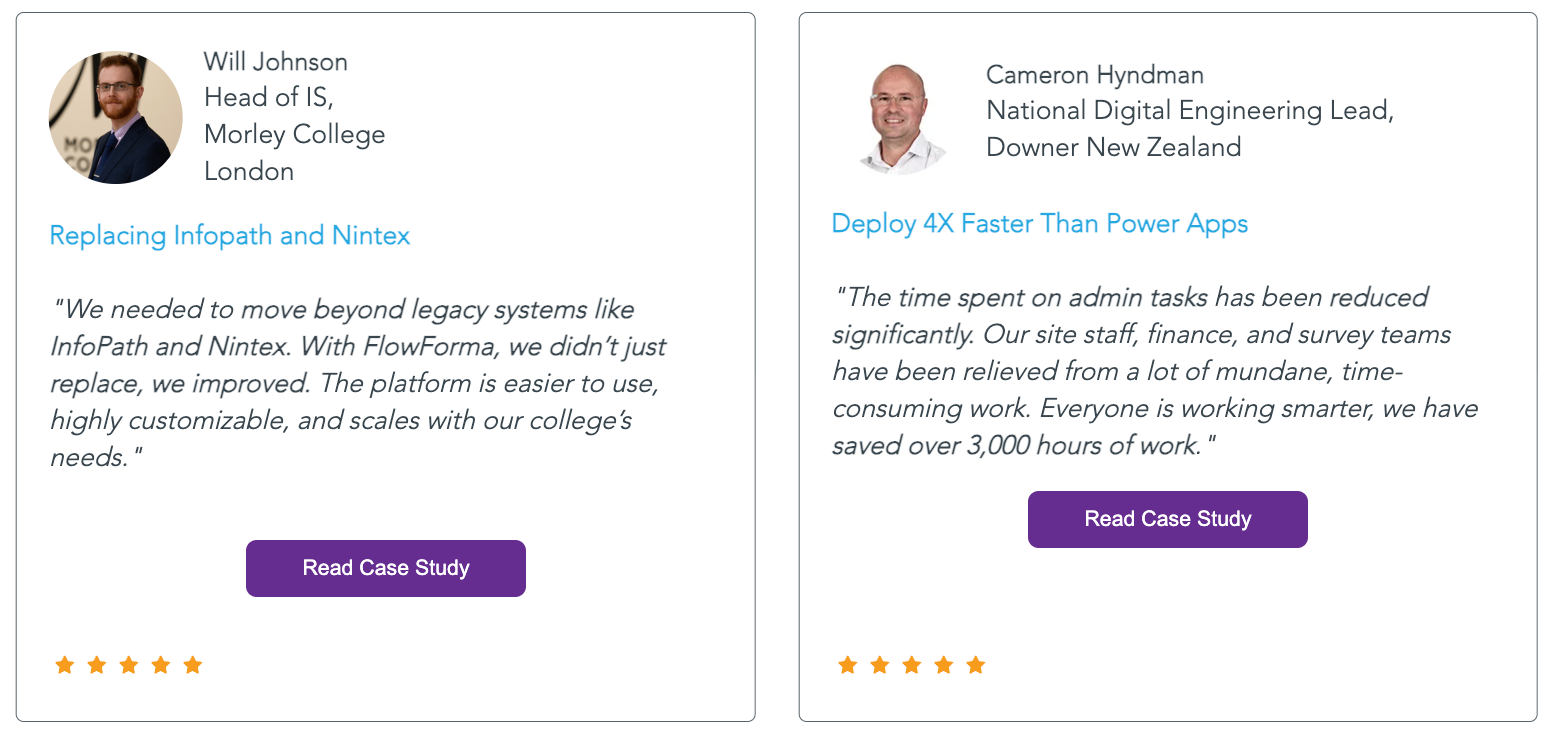
ROI achieved with FlowForma adoption
In contrast, FlowForma enables organizations to automate processes in days or weeks using pre-built templates, true no-code design, and AI support, helping teams realize ROI faster with minimal IT involvement.
FlowForma integrates natively with Microsoft 365 and SharePoint Online, making it a strong fit for organizations operating within the Microsoft ecosystem. It also connects with over 1,000 other applications, enabling seamless integration across existing systems.
📌 FlowForma in the real world: How Aon modernized process automation with FlowForma
Aon, a leading global insurance organization, replaced fragmented, Excel-based and paper-driven processes with standardized digital workflows using FlowForma.
Aon customer success story
Operating within Microsoft 365, Aon required a single platform to centralize data, approvals, and documentation while meeting strict compliance and governance requirements. Using FlowForma, Aon streamlined approvals, improved process consistency, and significantly reduced manual effort across teams, all while maintaining strong governance aligned with its IT-led digital transformation strategy.
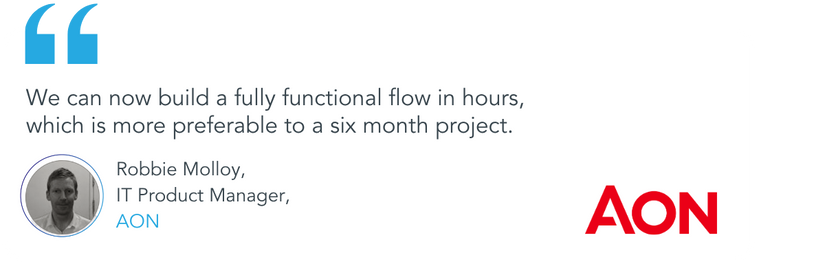
Customer testimonial for FlowForma by Aon
Experience the same success as Aon and numerous others. Digitize workflows faster, at a lower cost, and without IT dependency?
Automate Faster Without the Complexity of Appian or Power Apps
Why organizations choose FlowForma
Choosing between Appian and Power Apps often comes down to balancing enterprise control with speed, simplicity, and cost predictability. FlowForma bridges this gap by combining true no-code automation, AI-powered capabilities, and native Microsoft 365 integration in a single, unified platform.
For organizations looking to automate processes faster, reduce reliance on IT, and scale without escalating costs, FlowForma offers a practical and future-ready alternative. Book a demo to see how FlowForma can help you streamline business processes with clarity and confidence.
FAQs
1. Which platform is easier for non-technical users to adopt?
PowerApps offers a drag-and-drop interface suited for citizen developers, whereas Appian often requires experienced developers and governance teams. No-code platforms like FlowForma empower business users to create processes and workflows using AI.
3. Are there cost advantages to using alternatives over Appian or PowerApps?
Enterprise licensing and layered dependencies can make Appian and PowerApps costly at scale. Solutions like FlowForma offer transparent, process-based pricing, helping organizations automate without escalating costs.
4. How does FlowForma simplify enterprise process automation compared to Appian or PowerApps?
FlowForma provides true no-code workflow design, AI-powered automation, and built-in governance, enabling business users to automate end-to-end processes quickly.
5. Can FlowForma integrate with Microsoft 365 and other enterprise systems?
Yes. FlowForma integrates natively with Microsoft 365, SharePoint Online, and over 1,000 other applications, allowing seamless automation across existing systems while maintaining compliance, traceability, and enterprise governance.
6. Is Appian or Power Apps better for end-to-end process automation?
Appian is designed for end-to-end process orchestration, supporting long-running, multi-step workflows with visibility and SLA management. Power Apps focuses on building applications, with process logic handled separately through Power Automate, making it better suited for simpler, event-driven workflows.