Top 10 Best Automated Penetration Testing Tools in 2026

Gerard Newman, CTO By Gerard Newman, CTO Vendor Risk Assessment 11 Min Read

Automated penetration testing tools are essential for UK organisations aiming to stay ahead of cyber risks and regulatory demands. 

Unlike manual pentests done once or twice a year, today’s tools run continuously, integrate with DevOps pipelines, and deliver audit-ready reports. 

To comply with PCI DSS, ISO 27001, and GDPR, organisations need robust technical and vulnerability scanning, supported by strong process governance. Here’s where FlowForma’s vendor risk management tool, FlowAssure, comes in. 

FlowAssure’s AI Pen Test Agent interprets pen-test reports, extracts key risks, and routes them into structured workflows for remediation and audit readiness. Together with FlowAssure’s other AI agents, it replaces manual follow-ups with governed, audit-ready automation.

In this article, we will:

  • Compare the top automated penetration testing tools in 2026
  • Show how FlowForma combines process automation with security governance

Key takeaways

  • Automated penetration testing tools help organisations move from annual manual testing to continuous, AI-driven vulnerability detection across networks, web apps, and cloud environments.

  • While scanners find vulnerabilities, FlowForma (through FlowAssure) provides the governance layer — automating remediation tracking, compliance approvals, and audit trails within Microsoft 365.

  • Tools like Intruder, Acunetix, Qualys, and Invicti excel at detection and validation, but they lack built-in workflow automation and compliance governance.

  • FlowForma is the best choice for compliance-heavy UK industries that need complete visibility, traceability, and audit-ready evidence after every penetration test. 

What Are Automated Penetration Testing Tools?

Automated penetration testing tools simulate cyberattacks to detect vulnerabilities and misconfigurations across networks, web applications, and cloud systems. 

Unlike manual testing and traditional pen tests, which occur annually, these tools operate continuously and can integrate directly into CI/CD pipelines to catch issues as they arise. In many environments, they sit alongside other security tools, such as SIEMs, firewalls, and web application security testing platforms, to provide a fuller view of risk.

Image for automated penetration testing

What is automated penetration testing?

For frameworks such as ISO 27001, PCI DSS, and GDPR, automated testing ensures constant monitoring and audit-ready reporting without overloading security teams or experienced penetration testers. 

For regulated UK sectors like healthcare, construction, and financial services, automated penetration testing tools provide consistent evidence of compliance while improving operational resilience and validating security policies across internal network segments and cloud infrastructure. 

Top Automated Penetration Testing Tools in 2026 

Tools like Intruder and Acunetix are best for organisations that prioritise automated vulnerability detection, web application security testing, and continuous monitoring. 


Platforms such as Nessus and Metasploit are good for security teams that need network scanning or manual exploit validation. 

However, FlowForma is best for mid-sized to enterprise organisations in regulated industries that need governed remediation workflows, audit trails, compliance approvals, and end-to-end penetration testing governance rather than just scanning. 


Tool

AI Features

Best For

Governance & Compliance

FlowForma

AI Copilot, AI Agent Rule, Summarisation, FlowAssure, Discovery Agent + AI Agent Pen for reviewing pentest reports. 

Mid-sized organisations to enterprises in regulated industries

Built-in audit trails, workflow governance, ISO 27001, GDPR, NHS DSPT, vendor risk assessments

Intruder

ML-driven prioritisation, auto CVE scanning

SMBs and mid-market teams needing continuous monitoring and recurring scans

ISO 27001 & PCI DSS reporting templates

Acunetix

AI web scanning, proof-based validation

Web-heavy businesses focused on API and application security and web application security testing

PCI DSS, ISO 27001, HIPAA templates

Qualys

TruRisk AI risk scoring & correlation

Large enterprises requiring compliance-focused penetration testing

PCI DSS 4.0, GDPR, DORA compliance

Metasploit

Custom scripting automation

Security researchers, ethical hackers, white hat hackers, and red-team professionals

Manual documentation only

Terra Security

AI logic-flaw detection & continuous testing

Startups needing AI-based continuous pentesting and autonomous penetration testing

Automated compliance reports

Astra Pentest

Hybrid AI + human validation

SMBs needing managed pentesting with expert support

ISO 27001, PCI DSS, SOC 2 reports

New Relic

AI anomaly detection & telemetry

DevOps teams requiring integrated risk visibility and security testing signals

Governance via observability dashboards

Invicti

DAST automation + proof-based scanning

Enterprises with large web portfolios and CI/CD workflows

PCI DSS & ISO 27001 reports

Nessus

Plugin-based automation

IT teams focused on network and endpoint security

Optional policy mapping & reporting

10 Best Automated Penetration Testing Tools 

Now, let us explore each tool and its key features in detail: 

1. FlowForma

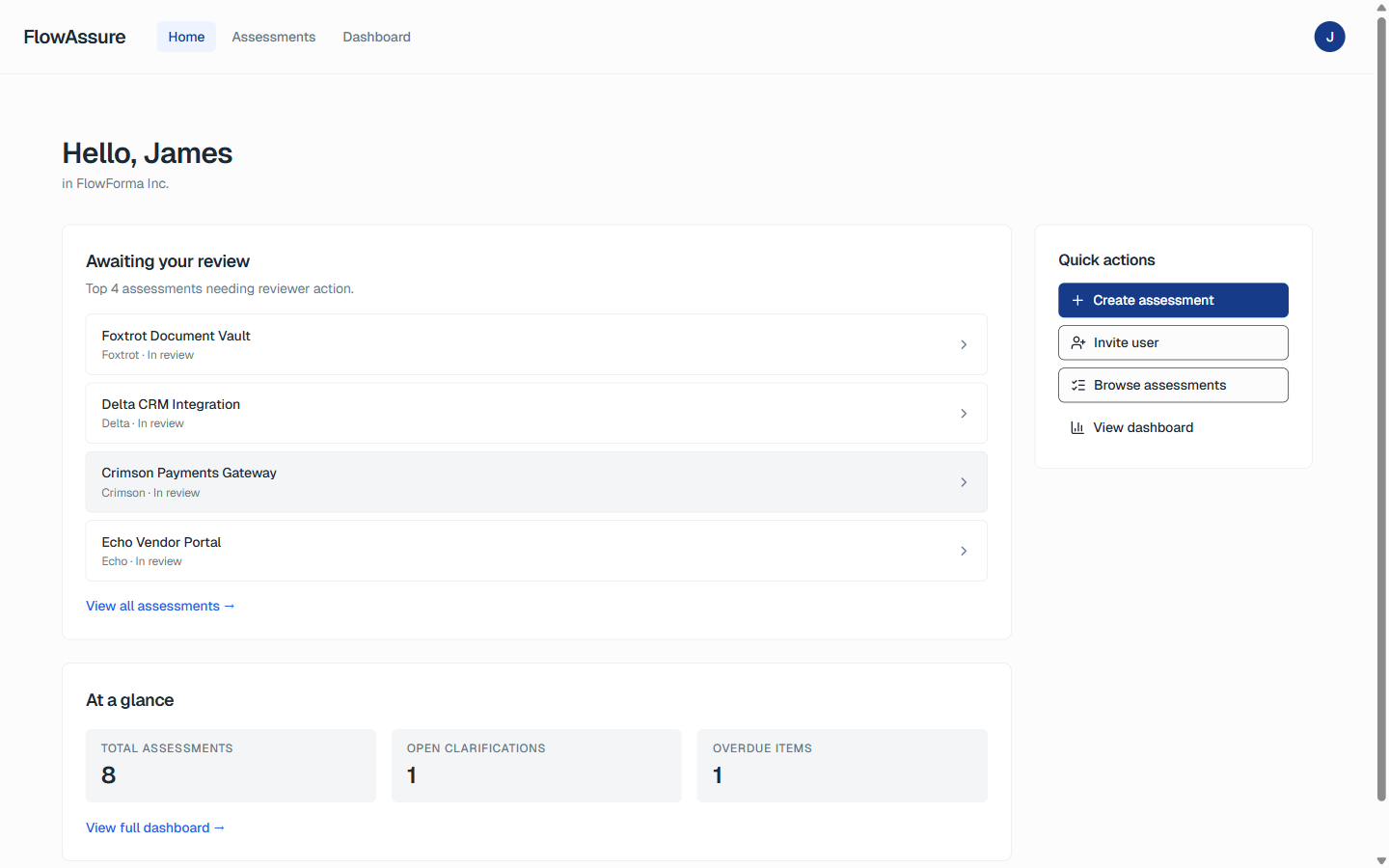
FlowForma delivers its vendor risk and automated penetration testing governance through FlowAssure. 

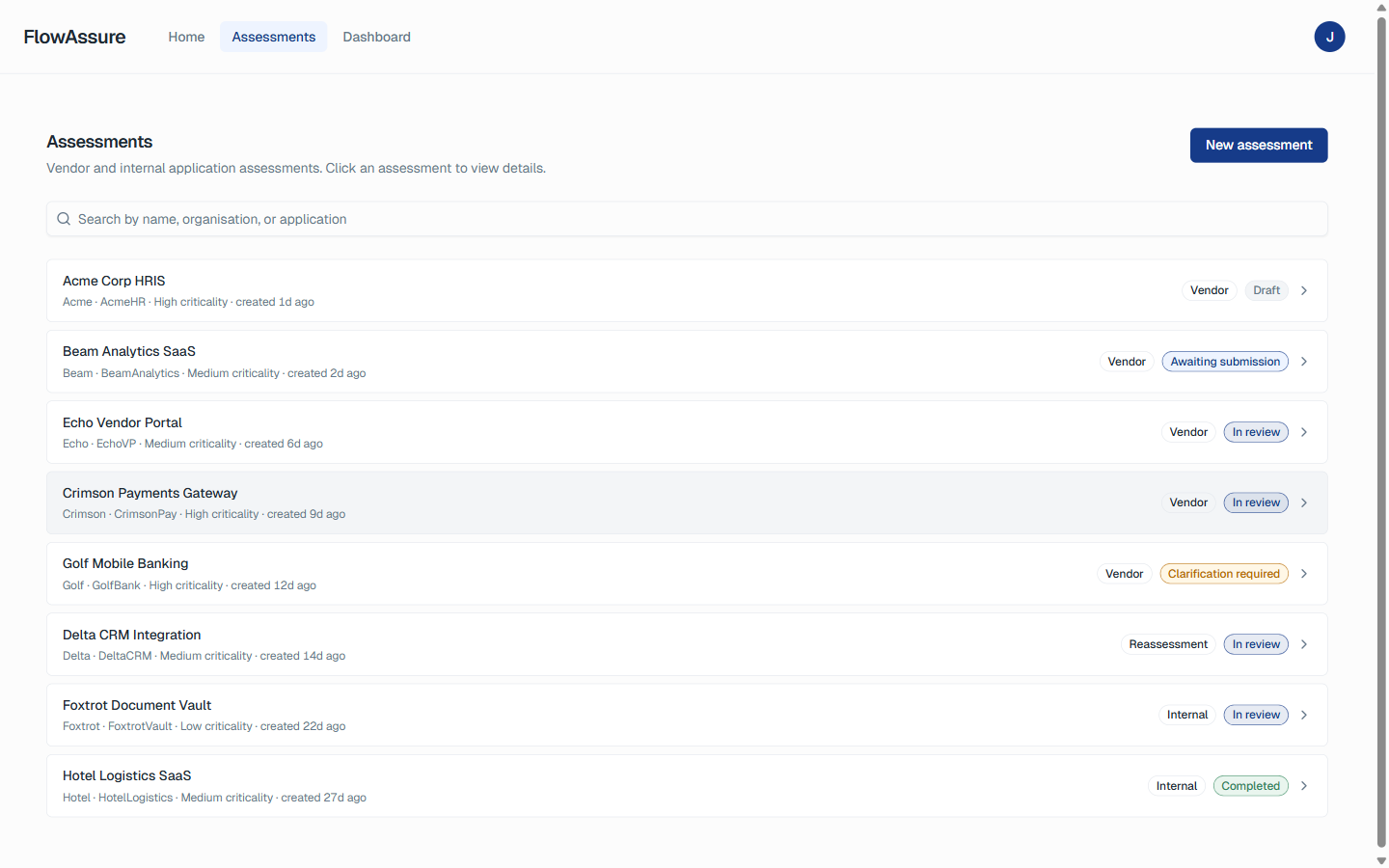
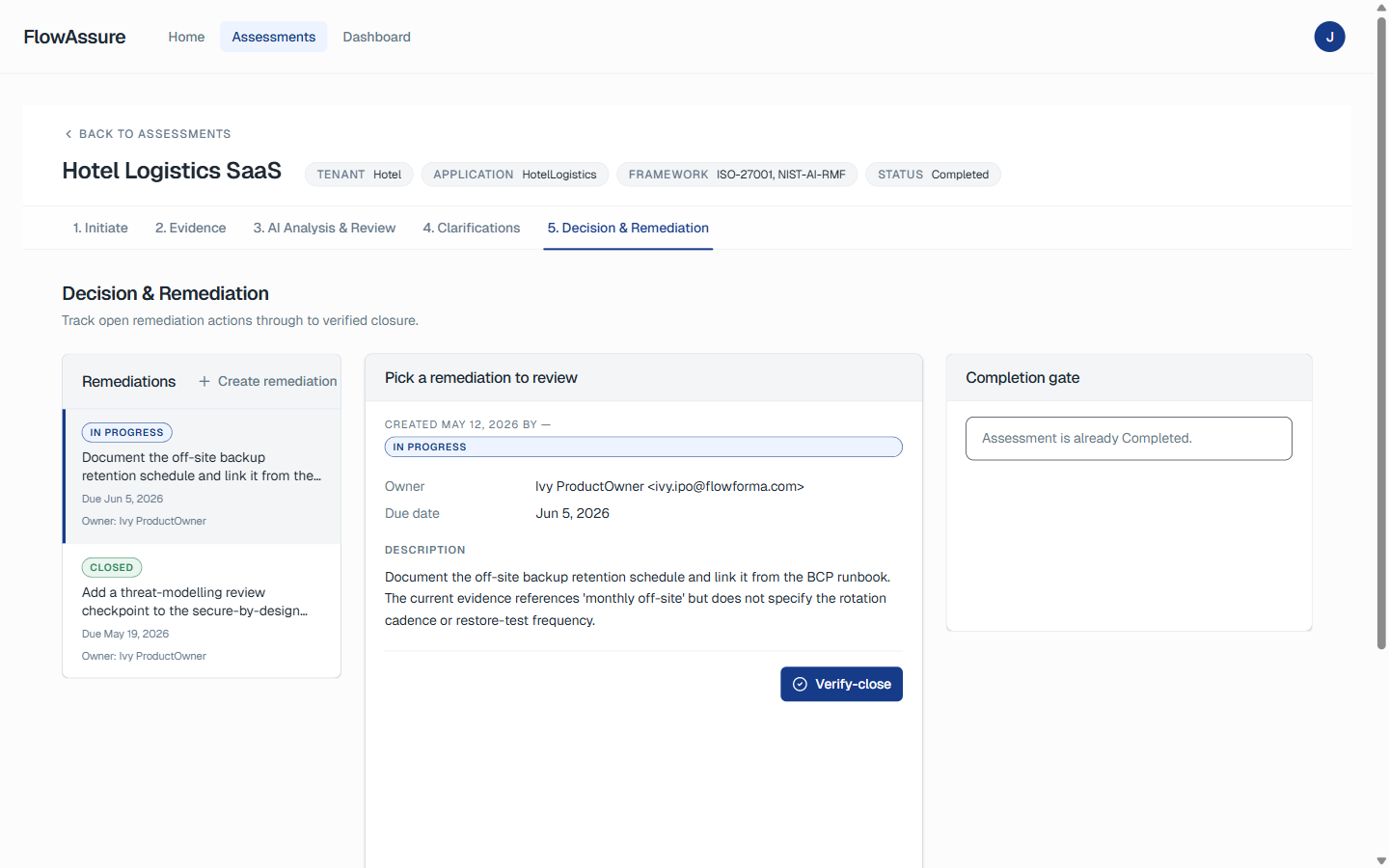
Screenshot of FlowAssure Page

 FlowAssure Page

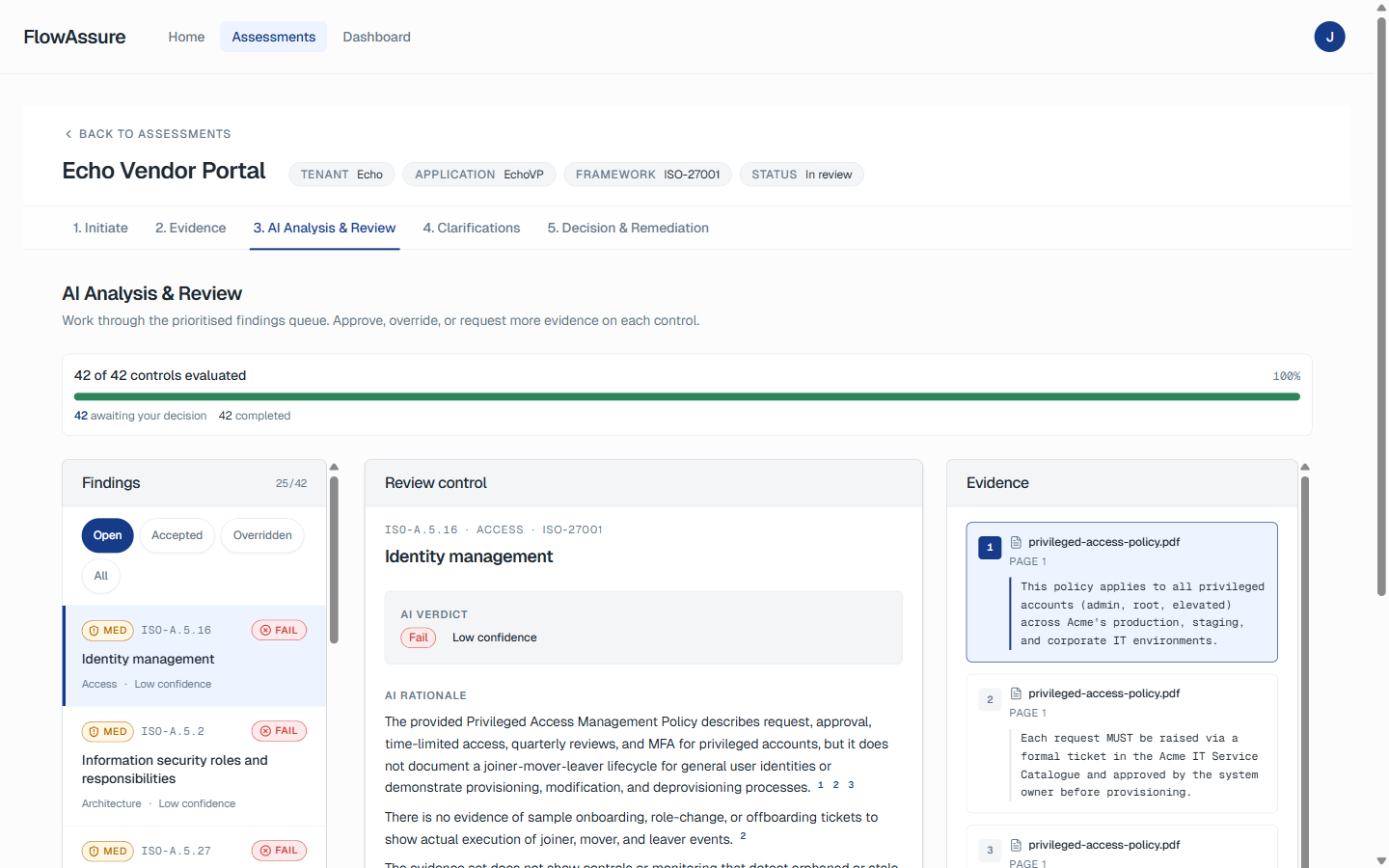
FlowAssure brings structure and compliance-ready controls to supplier pen-test reviews with its AI Pen Test Agent, which reads, scores, and classifies penetration testing findings. 

From there, FlowAssure triggers the proper approvals, captures evidence, and maintains an end-to-end audit trail within Microsoft 365, ensuring third-party vulnerabilities are handled with full accountability.

It’s built for compliance-heavy organisations that must maintain audit trails under ISO 27001, GDPR, or NHS DSPT and want to keep internal teams aligned without adopting multiple separate security tools for governance.

FlowForma’s Key Features 

Video explaining features of FlowAssure

FlowAssure Product Showcase

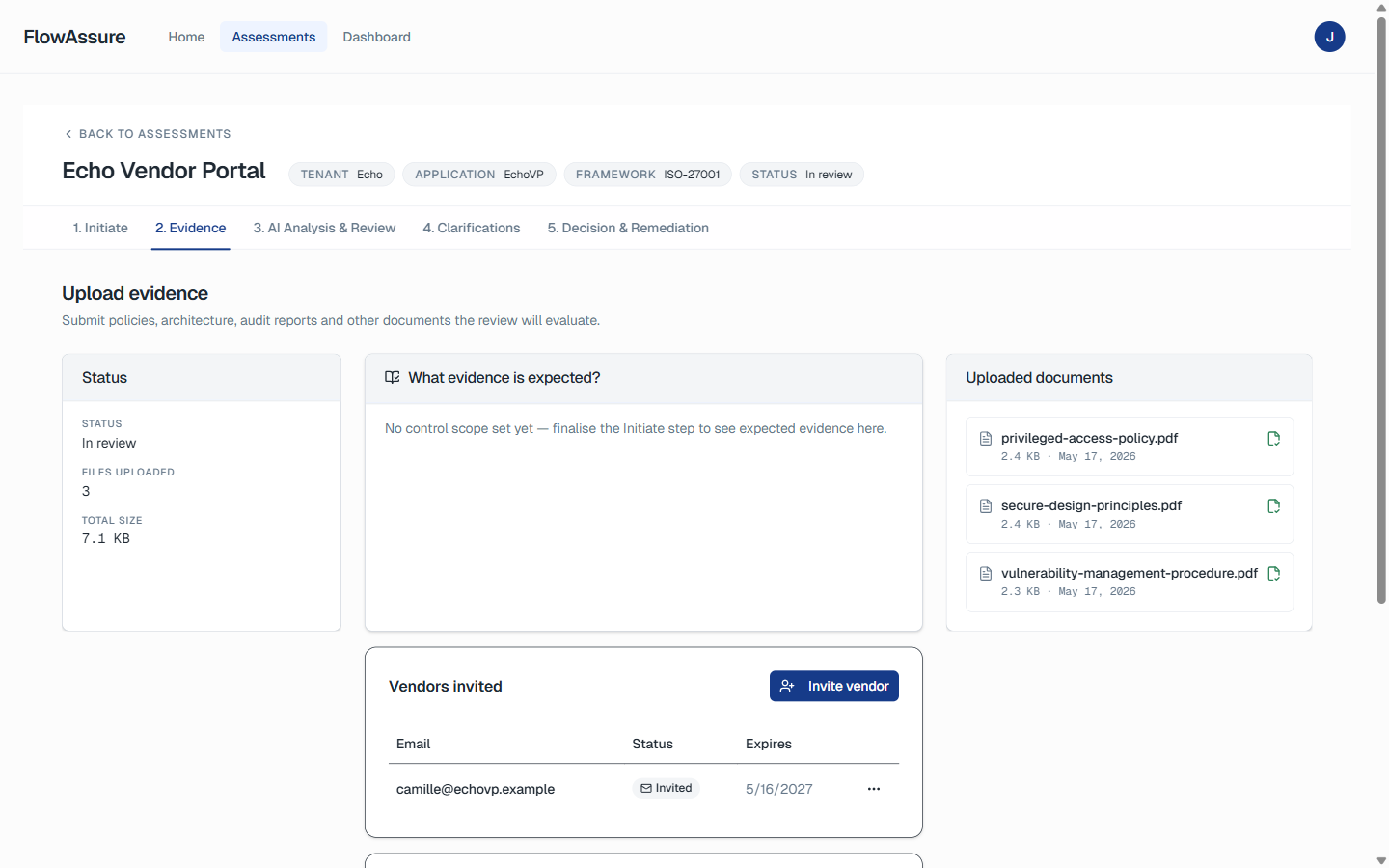
FlowAssure extends FlowForma into the vendor risk domain, helping organisations manage how supplier penetration test reports, ISO evidence, SOC 2 documentation, and security questionnaires are reviewed, assessed, approved, and tracked. It is not a scanning tool — instead, it governs the processes around penetration testing.

Here are the key features most relevant to automated penetration testing in 2025:

1. Automated pen-test interpretation for vendors

Penn is FlowAssure’s dedicated AI agent for penetration testing evidence. It reads and interprets penetration tests submitted by suppliers, turning raw reports into actionable intelligence.

Penn automatically:

  • extracts vulnerabilities, CVSS scores, impacted assets, and exploit paths
  • identifies high-risk and recurring issues
  • scores findings based on severity and business context
  • recommends remediation actions
  • triggers risk workflows or escalations

Audit summary with risk levels displayed

Pen test findings overview

By converting complex penetration test outputs into structured, decision-ready insights, the Pen Test Agent eliminates human error, accelerates review cycles, and ensures that every supplier’s pen-test results are evaluated to the same standard. 

This gives organisations a stronger, more defensible way to manage third-party security risks — something traditional automated penetration testing tools don’t offer.

2. Multi-agent support (Quinn, Iris, Sam)

Image of FlowAssure’s AI Agents

FlowAssure Agents

FlowAssure uses multiple specialised AI agents to review all the different types of security evidence that vendors provide. Each agent focuses on a specific area, so the assessment is complete, accurate, and consistent every time.

  • Quinn reviews vendor security questionnaires and flags inconsistencies
  • Iris reviews ISO 27001 documentation and highlights control gaps
  • Sam reviews SOC 2 Type II reports and categorises risks

These agents ensure a complete, consistent view of supplier security posture beyond just penetration testing.

3. Built-in compliance workflows for governance and risk assessment 

To support regulatory requirements, FlowAssure includes built-in compliance workflows aligned to frameworks such as ISO 27001, PCI DSS 4.0, GDPR, and NHS DSPT. 

When Penn interprets a vendor’s penetration test, findings automatically flow into these governance processes, where they are assigned, tracked, escalated, or approved. This ensures that every risk is managed and closed in a compliant manner, with zero spreadsheet dependency.

Image of  FlowAssure’s compliance module

 FlowAssure’s compliance module

4. End-to-end audit trails

FlowAssure generates complete audit trails showing every action taken on vendor penetration testing evidence, including what Penn flagged, who approved what, which risks were accepted, and how remediation progressed. 

5. Microsoft tenancy

FlowAssure operates within Microsoft 365, and as such, all supplier evidence, decisions, and supporting documents remain within the organisation’s controlled environment. 

Every review action is time-stamped, attributable, and linked to its corresponding decision, giving audit teams a defensible trail of how third-party penetration testing was handled. 

This level of governance and accountability reduces the likelihood of unmanaged supplier risks and provides stronger assurance for frameworks such as ISO 27001, PCI DSS, GDPR, and NHS DSPT. The result is a prevention-driven model where supplier vulnerabilities are governed, tracked, and resolved with full transparency.

FlowForma’s Pros

  • Combines penetration testing, governance, and compliance automation
  • Dedicated AI Pen Test Agent for reviewing and scoring penetration tests
  • Extended AI Features (Copilot, Agentic AI, Summarization, Discovery Agent, Smart Assistants, and FlowAssure) for seamless process and workflow automation
  • Seamless integration with Microsoft 365 for data control and security
  • Ideal for regulated industries such as healthcare and financial services

FlowForma’s Cons

  • Works strictly within the Microsoft environment

FlowForma’s Pricing

FlowForma’s process-based pricing model allows unlimited workflows under a single licence. There are no per-test or per-scan fees, making it a predictable, scalable solution for organisations expanding their penetration testing automation programmes. 

Screenshot of FlowForma’s pricing page

FlowForma’s process-based pricing model

This approach makes budgeting easier and eliminates hidden costs that often appear with traditional SaaS pricing models. 

Hear What Users Across Industries Say About FlowForma 

FlowForma’s no-code platform is praised for its end-to-end automation capabilities. 

From audit-ready documentation to AI-powered workflow creation, the tool ensures business users can create seamless workflows and save time, while still giving IT oversight and governance. Screenshot of user review for FlowForma

User review from Liverpool School of Tropical Medicine

2. User review from Morley College London

User review from Morley College London

Screenshot of user testimonial from Coinford

User review from Coinford

2. Intruder

Screenshot of Intruder’s Homepage

Intruder’s Homepage

Intruder provides automated penetration testing and continuous vulnerability monitoring on a single platform. It detects exposures across the internal network and external assets and alerts teams instantly when new CVEs emerge. 

Intruder’s Key Features

  • Continuous internal and external asset monitoring
  • Machine-learning prioritisation for real-world exploitability and critical vulnerabilities
  • Integrations with Jira, Slack, and Microsoft Teams
  • Emerging threat scanning triggered by new vulnerabilities and emerging threats
  • Scheduled compliance reports for ISO 27001 and PCI DSS

Intruder’s Pros

  • Easy setup with minimal configuration and user-friendly interface
  • Compliance mapping for audits
  • Cost-effective for smaller teams

Intruder’s Cons

  • Limited depth for complex web-app vulnerabilities and business logic security flaws

3. Acunetix

Screenshot of Acunetix’s homepage

Acunetix Homepage


Acunetix is a powerful web and API vulnerability scanner used by DevSecOps teams to secure application environments. 

As one of the top automated penetration testing tools, Acunetix helps businesses validate security posture across large web portfolios through consistent web application security testing, including single-page applications.

Acunetix’s Key Features

  • AI scanning for websites, APIs, and cloud-hosted applications
  • Proof-based scanning to confirm real exploitability
  • Pre-built compliance reports (PCI DSS, HIPAA, ISO 27001)
  • CI/CD integration with Jenkins, GitHub, and GitLab
  • Role-based user management for each development team

Acunetix’s Pros

  • Accurate results with low false positives
  • Developer-friendly reports and workflows
  • Excellent DevOps integration for agile environments

Acunetix’s Cons

  • Pricing can be high for smaller businesses compared to other tools

4. Qualys

Screenshot of Qualys’ homepage

Homepage of Qualys

Qualys is an enterprise-grade vulnerability management and compliance platform that continuously monitors hybrid environments and cloud infrastructure. 

It combines AI-driven risk scoring with deep compliance mapping, making it the best choice for large enterprises requiring compliance-focused penetration testing and ongoing regulatory reporting.

Qualys’ Key Features 

  • TruRisk AI engine for real-time vulnerability prioritisation and validating risk
  • Continuous scanning across on-prem and cloud assets and internal network segments
  • Built-in compliance templates for PCI DSS 4.0, GDPR, DORA
  • Central dashboards for patch and remediation tracking
  • Automated policy audit reporting to support security policies

Qualys’ Pros

  • Highly scalable and enterprise-ready
  • Excellent compliance analytics and visualisation
  • Comprehensive hybrid asset discovery and vulnerability scans

Qualys’ Cons

  • Complex to deploy for smaller teams without dedicated security professionals

5. Metasploit

Screenshot of Metaspoilt’s homepage

 Metaspoilt homepage

Metaspoilt is an open-source framework that enables ethical hackers and red-team professionals to develop and test custom exploits. It’s ideal for organisations needing hands-on validation of vulnerabilities discovered by automated scanners and vulnerability scanning tools. 

Metaspoilt’s Key Features

  • Extensive exploit and payload library spanning a wide array of technologies
  • Integration with vulnerability scanners like Nessus and even Burp Suite in broader workflows
  • Ruby scripting for automation and chaining exploits
  • Post-exploitation modules for persistence testing and lateral movement
  • Community and Pro versions available as open source tools or commercial offerings

Metaspoilt’s Pros

  • Supports manual verification and research
  • Large community support and open-source flexibility
  • Customisable for experienced pen testers

Metaspoilt’s Cons

  • Requires technical expertise and manual setup
  • Not designed for autonomous penetration testing or management reporting

6. Terra Security

Screenshot of Terra Security’s Homepage

 Terra Security Homepage

Terra Security uses AI to detect business-logic flaws and complex vulnerabilities that traditional scanners miss. Designed for agile teams, it delivers continuous penetration testing with automated compliance reporting. 

Terra Security’s Key Features

  • AI-driven logic-flaw detection and risk scoring
  • Automated compliance reporting for audits
  • Continuous scanning for web and cloud infrastructure system
  • Prioritisation dashboard for critical issues and critical risks

Terra Security’s Pros

  • Identifies non-traditional attack paths and subtle security flaws
  • Easy deployment with AI-assisted remediation advice
  • Integration with CI/CD tools for constant validation

Terra Security’s Cons

  • Still expanding enterprise-level integrations and wider automation capabilities

7. Astra Pentest

Screenshot of Astra Pentest Homepage

 Astra Pentest Homepage

Astra Pentest combines automated scanning with manual expert validation to deliver accurate, compliance-ready reports. It’s a good choice for SMBs that need guided penetration testing without the cost of a full-time red team or human tester on staff.

Astra Pentest’s Key Features

  • Hybrid model: automation + manual validation and expert review
  • ISO 27001 and PCI DSS compliance reports
  • 24/7 vulnerability monitoring dashboard
  • Developer-friendly integrations for Jira and GitHub

Astra Pentest’s Pros

  • Provides a mix of automation and human oversight
  • Clear, understandable reporting and actionable insights
  • Real-time collaboration with security experts

Astra Pentest’s Cons

  • Less suited to very large enterprises with extensive attack surfaces

8. New Relic

Screenshot of New Relic’s Homepage

 New Relic Homepage


New Relic extends its observability platform to include basic security analytics for DevOps teams. It’s not a traditional penetration testing tool, but it helps teams correlate performance, reliability, and security data in real time, contributing to early threat detection and continuous monitoring.

New Relic’s Key Features

  • AI-driven anomaly detection
  • Real-time telemetry and log analysis
  • Unified dashboard for performance and risk data
  • Integrations with CI/CD pipelines
  • Custom alert policies for security events

New Relic’s Pros

  • Unites DevOps and security visibility
  • Offers data correlation and analytics
  • Good for early risk detection and spotting security issues

New Relic’s Cons

  • Not designed for deep pentesting or compliance validation

9. Invicti

Screenshot of Invicti’s homepage

 Invicti homepage


Invicti (formerly Netsparker) delivers enterprise-grade Dynamic Application Security Testing (DAST) with strong CI/CD integration. It’s built for large software teams that need scalable web security testing, with governance controls, and robust application security testing for their web apps.

Invicti’s Key Features

  • Proof-based scanning for verified vulnerabilities
  • CI/CD integrations with GitHub, Azure DevOps, Jenkins
  • Compliance templates for PCI DSS, ISO 27001
  • Centralised management for multi-site testing

Invicti’s Pros

  • Low false positives
  • Provides scalability for large environments
  • Role-based access and reporting

Invicti’s Cons

  • Enterprise-level pricing compared to smaller, more cost-effective alternatives

Screenshot of Nessus’ homepage

 Nessus’ Homepage

10. Nessus

Nessus by Tenable is a long-established vulnerability scanner for network and endpoint assets. It supports IT operations teams that need reliable vulnerability detection and patch verification across large infrastructures and internal network segments. 

Nessus’ Key Features

  • 190,000+ plugins for comprehensive CVE coverage
  • Automated host and network scanning and recurring vulnerability scans
  • Simple deployment across distributed environments

Nessus’ Pros

  • Reliable, trusted, and frequently updated
  • Customisable reporting and scheduling
  • Affordable entry-level option for vulnerability scanning

Nessus’ Cons

  • Limited web application and API testing
  • Often needs to be paired with tools like Burp Suite or other open source tools for deeper web testing

Features to Look For in Automated Pentesting Tools

Image showcasing features to look for in automated pentesting tools

 Features to look for in automated pentesting tools

Here are the key features to look for while exploring automated pentesting tools: 

1. AI-powered vulnerability detection 

Automated penetration testing tools should use AI to detect known vulnerabilities, CVEs, misconfigurations, and zero-day exploits. AI reduces false positives and highlights the most critical vulnerabilities. 

2. Proof-of-exploit validation

Platforms that include proof-based exploit validation help security professionals confirm which issues are truly exploitable, strengthening compliance reporting and ensuring teams respond faster to real threats.

3. Continuous scanning & DevSecOps integration

The best tools run continuously or trigger after code changes, replacing annual point-in-time pen tests with automated testing and continuous assessments. Integrating into DevSecOps pipelines ensures vulnerabilities are detected early. 

4. Compliance framework support & governance evidence

Penetration testing tools should produce audit-ready outputs aligned with ISO 27001, PCI DSS, GDPR, and NHS DSPT. These frameworks require technical validation and governance proof, including evidence that security flaws are tracked to closure. 

FlowForma’s AI Agents capture approvals, evidence, and sign-offs, ensuring every penetration test has an auditable trail.

5. Risk prioritisation & reporting

Strong platforms prioritise risks using business-impact context and provide dashboards that show remediation progress. 

Clear reporting helps leadership understand severity and potential operational disruption. Many combine risk prioritisation with trend analysis to identify recurring security testing gaps and validate risk decisions.

6. Scalability & integrations

As ecosystems grow, integration with Jira, ServiceNow, Power BI, and Microsoft 365 becomes essential. FlowForma’s native Microsoft 365 integration helps bridge IT, security, and compliance teams without creating bloated stacks of point tools.

Why FlowForma Is the Best Automated Penetration Testing Tool for Governance and Compliance

Most penetration testing automation tools, such as Acunetix, Qualys, and Intruder, identify vulnerabilities but stop there. FlowForma continues the process — automating remediation tracking, approval routing, and audit documentation. 

Here are its key features that give organisations complete control and transparency over every testing cycle:

  • AI Agent Pen interprets, scores, and recommends actions for vendor penetration testing reports
  • AI-powered suite (Copilot, Agentic AI, FlowAssure vendor risk assessment, Discovery Agent and Smart Assistants) for seamless workflow creation
  • No-code automation to support business developers while giving IT teams oversight
  • Built-in compliance module for adherence to UK regulations and NHS guidelines
  • Microsoft 365 integration

For mid-sized to enterprise UK businesses that must demonstrate continuous regulatory compliance, FlowForma delivers what scanners can’t: a governed, auditable process that connects technical testing with organisational accountability. 

Book a personalised demo to see how FlowForma can simplify penetration testing governance and audit readiness.

FAQs

1. How often should automated penetration testing tools be run for regulated UK organisations?

Most UK organisations run automated tests weekly or after any significant code or infrastructure change. Continuous testing offers stronger control evidence for ISO 27001, PCI DSS, and GDPR audits.

2. Can automated penetration testing replace manual pentests entirely?

No. Automated tools cover recurring checks and common exposures, while manual pentests uncover deeper logic flaws, chained attacks, and context-specific weaknesses. Most regulated teams use both approaches to maintain complete coverage.

3. How does FlowForma support penetration testing teams during the remediation stage?

FlowForma links each finding to a governed workflow, assigns owners, logs actions, and captures sign-offs. This ensures every fix has traceable evidence that satisfies internal auditors and external assessors.

4. What skills do teams need to operate modern automated pentesting tools?

Most tools require only basic security knowledge. Teams need to understand asset inventory, risk severity, and approval routing. AI agents handle scanning, prioritisation, and reporting without specialist-level expertise.

5. When should organisations use FlowForma instead of traditional scanning tools?

FlowForma is ideal when the challenge is workflow control, not detection. If teams struggle with approvals, remediation tracking, or audit evidence, FlowForma provides structured governance that complements scanners already in place.

Please Enter the author's name (avoiding special characters or numbers)