I've worked on numerous projects over the years, and automated risk assessment has consistently been one of the most popular use cases, an area that is becoming even more pressing as AI adoption continues to scale.
Organizations exploring risk assessment tools are usually looking to solve specific challenges around operations, covering health and safety and compliance or vendor risk management.
It's a wide term that covers multiple areas but let's break the options down for you so it's clear in the direction you should take and what type of platform is most suitable for your needs.
-
Workflow automation platforms for risk assessments: Processes such as health and safety, compliance, and business risk management can be automated through a workflow automation platform that enables organizations to assess, manage, and report on risk efficiently.
-
Vendor risk assessment platforms: Organizations that onboard hundreds or even thousands of new vendors can automate the vendor risk analysis process. These platforms are often powered by AI to automate the risk assessment, scoring and approval of documents such as security questionnaires.
In this table, I breakdown the key differences between workflow automation and vendor risk assessment platforms.
| |
Workflow automation platforms |
Vendor risk assessment platforms |
| Risk type |
Operational, compliance, and business risk the organization owns internally |
Third-party and supplier risk inherited from external vendors |
| Primary audience |
Compliance, operations, and risk leaders managing their own organisation's processes |
Procurement, third-party risk, and security teams managing the vendor base |
| Core job to be done |
Assess, route, approve, and report on internal risk through structured workflows |
Onboard, score, and approve vendors, often by automating security questionnaires |
| Typical trigger |
Manual risk processes running on spreadsheets and email can't keep up |
Onboarding hundreds or thousands of vendors, each needing review and scoring |
| Org profile |
Regulated mid-to-large enterprises (healthcare, financial services, insurance, manufacturing) |
Organisations with large, growing, or high-churn supplier networks |
| Where AI helps |
Drafting workflows, surfacing trends, speeding up process design |
Auto-scoring questionnaires, flagging risky vendors, accelerating approval |
| What "good" looks like |
Audit-ready trails, clear ownership, faster internal reviews |
Consistent vendor scoring, faster onboarding, continuous third-party monitoring |
The key differences between workflow automation and vendor risk assessment platforms.
In this article, I'll cover tools that are applicable to both areas of risk assessment so that you can quicly find a tools that solves your specific pain point.
My Research Methodology To Build The List
|
Before I get into the 10 tools, here is how I built this list.
I reviewed product documentation, analyst insights, and customer feedback, with a focus on regulated enterprise use cases. I did not rank by brand popularity.
I ranked by how well each tool (including our own product, FlowForma) supports real risk work, including and whether the platform is applicable to worklow automation or vendor risk management.
Key areas I looked at when writing this article:
- Worklow automation vs vendor risk management applicability
- Risk intake and scoring
- Review workflows and approvals
- Evidence capture and audit trails
- Governance controls and oversight
- Integrations with systems like GRC, ERP, or ITSM
I also checked how risk assessment is delivered in each platform. Some tools offer dedicated GRC depth. Others rely on workflow or database configuration.
|
10 Automated Vendor Risk Assessment Tools (Quick Overview)
The table below lists the tools (in no particular order), their key features, and what they would be best for to help you make a quick choice:
| Tool |
Best for |
Applicability |
Deployment |
Key limitation |
| Appian |
Enterprises building custom risk apps with IT support |
Workflow automation |
Standalone, needs dev resource |
High cost; advanced use needs technical skill |
| Nintex |
IT-led teams formalising cross-functional risk workflows |
Workflow automation |
Standalone / SharePoint |
Pricing hard to justify for small teams |
| Kissflow |
Mid-sized ops teams formalising internal approvals |
Workflow automation |
Standalone SaaS |
Limited mobile; lighter reporting |
| FlowForma |
Compliance & ops teams in regulated MS 365 enterprises; CISOs for vendor risk via FlowAssure |
Workflow automation and vendor risk |
MS 365 native |
Microsoft ecosystem only |
| OneTrust |
Enterprises onboarding hundreds–thousands of vendors/year |
Vendor risk (TPRM) |
Standalone SaaS |
Expensive; complex for smaller orgs |
| Creatio |
Teams tying risk reviews to CRM/case management |
Workflow automation |
Standalone SaaS |
Setup learning curve |
| CyberSaint |
Security teams mapping cyber risk to frameworks |
Cyber risk / GRC |
Standalone SaaS |
Not beginner-friendly |
| ProcessMaker |
Ops teams building approval-heavy review flows |
Workflow automation |
Standalone SaaS |
Slows at scale; learning curve |
| LogicManager |
Risk teams running formal ERM programmes |
GRC / ERM |
Standalone SaaS |
Dated interface |
| Archer |
Large orgs with mature, multi-domain GRC |
GRC (incl. TPRM) |
Standalone SaaS |
UI dated vs newer tools |
Table showing 10 automated risk assessment tools
Now, let us analyze each tool in detail.
10 Automated Vendor Risk Assessment Tools (Detailed Review)
1. Appian
Best for: Large enterprises building custom risk and compliance systems with IT teams supporting development.
.webp?width=1446&height=613&name=undefined-Feb-24-2026-09-04-56-0204-AM%20(1).webp)
A glimpse at Appian's home page
A low-code tool, Appian is built for enterprise applications and orchestrating complex workflows. Risk assessments often sit inside broader transformation programs where data and processes must connect.
Appian is most suitable for risk assessment projects when organizations have a large budget and IT resources at hand.
Appian’s Key Features
1. Low-code app development
Appian lets you build custom risk apps without starting from scratch. You can map each step, assign owners, and handle exceptions. It fits well when risk work needs to connect with case management.
2. Analytics and AI-enabled insights
Built-in analytics help surface trends in risk data and suit teams that need more than a basic register. Predictive insights can further add value when the underlying data is reliable.
3. Unified data and integration layer
Risk signals often exist across systems. Appian can centralize data by integrating with multiple sources and presenting it in one workflow layer, supporting enterprise reporting and reducing duplicate entries.
Appian Pros
Appian Cons
Some reviewers note that while it’s low-code, more advanced use cases and customizations still require technical expertise. Others mention licensing costs can be high for smaller organizations.
2. Nintex
Best for: IT-led enterprise teams managing cross-functional workflows tied to risk and compliance processes.
.webp?width=1261&height=878&name=nintex%20homepage%20(1).webp) A glimpse at Nintex's home page
A glimpse at Nintex's home page
For enterprise teams seeking workflow automation and process digitization, Nintex is a good choice. It is often selected when organizations want to formalize complex approvals and reduce manual coordination.
Nintex have a dedicated risk and compliance module as part of it's Nintex Process Manager feature. The module is designed to enforce compliance and risk requirements in everyday operations.
Nintex’s Key Features
1. Visual workflow automation
You can configure workflows through a graphical designer, which makes it easier to build repeatable risk review steps and approval chains. Routing rules can be applied based on form inputs and risk category.
2. Process manager
Process manager has a specific module to help manage risk and compliance in workflows. The module is designed to support compliance at any step in a process.
3. Document and form automation
Risk assessments often require supporting documentation and consistent output for audit review. Nintex supports automation around forms and document handling in workflow execution.
Nintex Pros
-
Users praise Nintex for its intuitive interface, ease of use, document automation, and workflow orchestration capabilities.
- Nintex is also recognized for having robust document generation capabilities, making it suitable for organizations who manage documents at scale.
- It's dedicated risk and compliance module enables organizations to quickly create risk assessments for any operational process.
Nintex Cons
-
One hurdle that buyers frequently point out about Nintex’s pricing is that it can be difficult to justify for smaller teams or limited-use cases.
-
In addition, several users mention that new adopters may face a learning curve, especially when configuring more advanced workflows or integrations.
-
I've spoken to several organizations looking to migrate away from Nintex who mentioned that the SharePoint end of life migration was not handled very well.
3. Kissflow
Best for: Mid-sized operations teams formalizing internal risk approvals and reviews.
.webp?width=1600&height=734&name=kissflow%20homepage%20(1).webp)
Kissflow's homepage
Built for business-led workflow automation, Kissflow is commonly used for structured approvals, internal requests, and departmental processes that need visibility.
Kissflow’s Key Features
1. Visual process builder
Kissflow lets business teams build workflows with a drag-and-drop builder. You can set up a simple risk log and route reviews to the right owner without needing a developer.
2. Templates for faster setup
Instead of starting from scratch, teams can use pre-built templates to get a workflow running quickly. Many adapt them for risk registers or periodic control checks.
The trade-off is that deeper governance features may require more configuration.
3. Integrations into daily tools
Integrations help teams keep risk workflows connected to collaboration and productivity platforms, supporting faster responses when approvals are needed.
Kissflow Pros
Users frequently praise Kissflow for its user-friendly interface and its ability to enable citizen developers to build and automate workflows. Several reviewers appreciate that it supports quick deployment for common business processes.
In addition, it offers pre-built templates and customizable forms that suit different business needs.
Kissflow Cons
One frequent pain point with Kissflow is its limited mobile functionality compared to the desktop experience.
Advanced reporting is another area reviewers say could improve. Teams handling complex processes or needing deeper analytics sometimes find the built-in reporting features less detailed than expected
4. FlowForma
Best for: Compliance and Operations teams that need audit-ready workflows within the MS 365 ecosystem and Chief Information Security Officers looking to manage vendor risk.
.webp?width=1600&height=766&name=flowforma%20process%20automation%20(1).webp)
A glimpse at FlowForma's home page
FlowForma is an AI-powered business process automation platform built for organizations that need governed workflows. Risk assessments fit naturally into our model, especially where approvals, evidence capture, in-built compliance, and audit trails matter.
FlowAssure, is a new platform launched by FlowForma in 2026, designed to empower teams to manage vendor risk with a suite of AI agents.
Key Features of FlowForma
1. No-code workflow builder
Risk intake forms and review workflows can be built through FlowForma’s drag-and-drop interface. Teams can standardize how risks are logged and routed without writing code.
Besides, conditional logic supports different paths for different risk types, and the escalation paths can also be embedded into the workflow.
2. Audit trails and governance controls
Every workflow action is automatically recorded by the built-in compliance features, which facilitate traceability during audits and compliance with laws like DORA, GDPR, ISO 31000, and HIPAA. In order to maintain ownership clarity across teams, permissions can also be set by role.
It is important to note that although our tool is is no-code, IT retains oversight for governance while business users run daily operations.
3. AI Copilot for process design
When a new risk workflow is needed, Copilot can help draft a starting structure based on natural language prompts and diagrams. That speeds up early design work, particularly for teams under time pressure.
4. Microsoft 365 Integration
FlowForma runs within Microsoft 365 and can store workflow data in SharePoint. Teams can manage approvals and task updates through familiar tools like Teams, which reduces the need to move data across platforms.
Key Features of FlowAssure
- Automatically analyze uploaded security documentation against recognized frameworks including ISO 27001, NIST, and AI governance standards.
- Clear Pass / Partial / Fail assessments with rationale and direct references to supporting evidence within documents.
- Security teams, vendors, and project sponsors collaborate through clarification requests, responses, and remediation tracking.
FlowForma Pros
Users frequently praise its transparent pricing, no-code interface, good customer support, built-in compliance, and workflow automation features. Its rapid process deployment speed, Microsoft 365 integration, and the built-in analytics module also draw significant praise.
FlowForma Cons
Since FlowForma operates within the Microsoft environment, organizations that use systems outside SharePoint won't be able to use the platform.
Reviewers have noted that new users may struggle to navigate the system without proper training.
5. One Trust
Best for: Large enterpises onboarding hundreds or thousands of vendors per year.
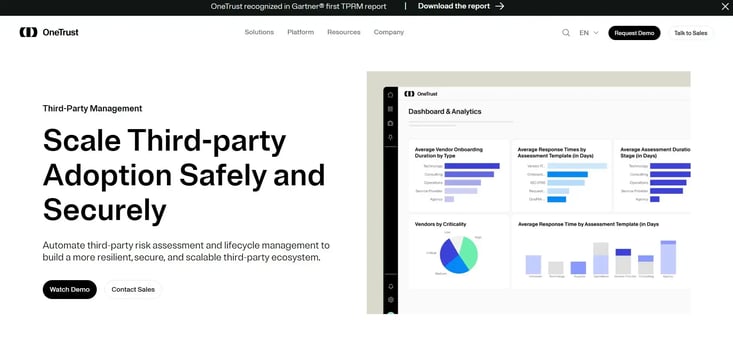 OneTrust third-party risk
One Trust is one of the most recognized names in the vendor risk management space. It's designed for larger enterprises (enterprise scale) who onboard hundreds or thousands of vendors per year.
OneTrust Key Features
1. Automate onboarding and assessment
This is one of the pillar features of OneTrust. It's data protection & security feature helps organizations stay protected with certifications such as ISO 27001/27701, SOC 2 Type II, And PCI DSS.
2. Collaboration and views
Teams can view the same risks in different formats, like grid, calendar, or Kanban. Comments and shared workspaces make it easy to review and update items together. This is particularly helpful when work is spread across locations.
3. Lightweight automation
For regular follow-ups, simple automations can send reminders or trigger notifications when fields change. However, for approvals and audit-ready controls, most teams need extra tooling or a more governed platform.
OneTrust Pros
- It's one of the earliest trust platforms that has emerged for risk management with a strong track record across multiple industries.
- Integrates easily with other platforms you already use like ServiceNow or Salesforce.
OneTrust Cons
6. Creatio
Best for: Teams tying operational workflows with structured risk review steps and looking for CRM options.
.webp?width=1600&height=740&name=undefined-Feb-24-2026-09-22-01-7382-AM%20(1).webp) Creatio Homepage
Creatio Homepage
Combining workflow automation with CRM and case management, Creatio suits organizations where process logic is closely tied to customer operations.
Creatio’s Key Features
1. Workflow + CRM Alignment
Risk checks can start directly from a customer case or service event, which is helpful when an operational issue requires a formal review. Keeping the risk workflow tied to the original record gives teams the right context and reduces back-and-forth across tools.
2. Configurable data and logic
Creatio lets you customize fields, categories, and scoring rules to ensure risk workflows align with internal policies and industry requirements.
Although this flexibility is useful when different business units assess risk differently, more advanced configurations may still need technical support.
3. Analytics for workflow performance
Reporting shows how risk reviews move through each stage, making it easier to spot delays and overdue actions. Over time, these insights help teams improve accountability and shorten review cycles.
Creatio Pros
Many reviewers highlight Creatio’s flexibility and customization. Users often say they can tailor workflows and data models to match specific business processes without heavy coding.
In addition, the user interface is frequently described as intuitive once users are familiar with it.
Creatio Cons
Some users mention a learning curve during initial setup, especially for more advanced configurations. Others note that deeper customization may require technical expertise.
7. CyberSaint
Best for: Security and compliance teams managing cyber risk and framework mapping.
.webp?width=1600&height=791&name=undefined-Feb-24-2026-09-28-20-3713-AM%20(1).webp)
CyberSaint homepage
CyberSaint is focused on cybersecurity risk and compliance workflows. Its value is strongest when the risk program is built around security frameworks and continuous tracking.
CyberSaint’s Key Features
1. Framework-based compliance tracking
Framework-based compliance tracking prevents audits from becoming manual crosswalks. Teams map controls and requirements to standards such as ISO or GDPR, then use that structure to report coverage and gaps with supporting evidence already linked.
2. Automated risk scoring
Automated risk scoring improves consistency in prioritization. Instead of relying on each reviewer’s judgement, teams apply a defined scoring model to rate exposure and compare risks across business units.
3. Security tool integrations
Security tool integrations reduce copy-paste work from security stacks. Signals from platforms such as SIEMs and ticketing tools can flow into assessment workflows, enabling findings to be reviewed and followed up on more quickly with fewer handoffs.
CyberSaint Pros
Reviews describe it as a strong tool for simplifying frameworks, tracking progress, and reporting, with positive feedback about working with the CyberSaint team.
CyberSaint Cons
Some reviewers say it’s not very beginner-friendly. They felt users had to understand concepts like likelihood vs. impact to use it well and suggested it could guide users more step-by-step.
8. ProcessMaker
Best for: Ops teams building structured review and approval flows for risk-related work.
.webp?width=1600&height=667&name=undefined-Feb-24-2026-09-32-00-2266-AM%20(1).webp) A glimpse at ProcessMaker's home page
A glimpse at ProcessMaker's home page
ProcessMaker is a workflow automation platform that digitizes structured processes, including approvals and task routing. Risk workflows often fit when teams need repeatability.
ProcessMaker’s Key Features
1. Workflow builder for review cycles
Processes such as intake, review, remediation, and sign-off can be configured to reflect how risk reviews happen today. Standard routing reduces inconsistency and also makes follow-up easier.
2. Role-based access and permissions
Permissions control who can view, edit, and approve risk records, helping governance in regulated environments. Controls can also be applied at the step level.
3. Templates and connectors
Templates can speed up initial deployment, and integrations ensure proper connectivity with other systems used for operational work.
ProcessMaker Pros
Reviewers appreciate the visual process designer, noting that the drag-and-drop interface makes it easier to model workflows without heavy coding.
Several reviews also praise its customer support, which guides users every step of the way.
ProcessMaker Cons
Several users point out a learning curve, particularly when configuring more advanced logic or integrations. Some reviewers mention that performance can slow down in larger or more complex implementations.
9. LogicManager
Best for: Risk teams running formal ERM programs with consistent taxonomy and reporting needs.
.webp?width=1600&height=793&name=undefined-Feb-24-2026-09-39-03-7914-AM%20(1).webp) The homepage of LogicManager
The homepage of LogicManager
LogicManager is designed for enterprise risk management programs. It focuses on structure, taxonomy, and centralized reporting.
LogicManager’s Key Features
1. Enterprise risk taxonomy
Taxonomy helps standardize how risks are categorized across business units, supporting consistent reporting. It also reduces duplicate entries under different labels and is highly helpful when leadership needs a single view.
2. Central repository and collaboration
A central system keeps risk records in one place, enabling teams to collaborate without scattered versions and improving traceability and audit requirements.
3. Scenario planning and reporting
Scenario tools support proactive planning, and reporting dashboards help monitor risk exposure over time. Teams that want visibility beyond basic tracking benefit from this structure, even though implementation effort varies by use case.
LogicManager Pros
Many reviewers praise the customer support team, describing them as responsive and knowledgeable.
Additionally, users often highlight the platform’s structured risk framework, saying it helps organize risk registers and reporting in a systematic way.
LogicManager Cons
The interface can feel dated or less intuitive, particularly for new users. Besides, a few users note that customization can require additional guidance or effort to configure.
10. Archer
Best for: Large organizations with dedicated GRC teams and multi-domain risk requirements.
.webp?width=1600&height=799&name=undefined-Feb-24-2026-09-48-55-2225-AM%20(1).webp) Archer's homepage
Archer's homepage
As an enterprise GRC platform, Archer is designed for complex governance programs. It is typically used where risk and compliance processes need central management.
Archer’s Key Features
1. Enterprise risk governance
Archer supports broad risk program management. It is designed to handle multiple domains, such as third-party risk and internal controls. Centralization supports standardization and oversight at scale.
2. Compliance mapping and tracking
Mapping supports linking risks and controls to standards and policies, thereby enhancing audit traceability.
3. Advanced reporting
Reporting tools support detailed analysis and the creation of executive summaries. Large programs benefit from structured dashboards. However, custom reporting can require setup.
Archer Pros
Archer is frequently praised for its risk and compliance functionality, particularly for enterprise-wide GRC programs.
Archer Cons
Some reviewers also point out limitations in its user interface design, particularly compared to newer platforms.
Why Automated Risk Assessment Tools Are Essential
The complexity of modern risk environments has grown exponentially. Organizations face increasing regulatory pressures, cyber threats, and operational vulnerabilities that manual processes simply cannot handle effectively.
Key drivers for automation include:
- Regulatory Complexity: GDPR, HIPAA, SOX, ISO and other frameworks require continuous monitoring and reporting
- Scaling Challenges: Manual risk assessment becomes impossible as organizations grow
- Human Error: Manual processes introduce inconsistencies and missed risks
- Speed Requirements: Modern threats require real-time response capabilities
- Faster Vendor Risk Assessments: Speed up vendor risk assessments with AI.
Industry Use Cases for Automated Risk Assessment Tools
Different industries leverage automated risk assessment tools to address unique challenges and regulatory requirements:
Vendor Onboarding (Cross-sector)
- Risk Assessment: Vendor risk assessment for all sectors onboarding multiple new vendors
- Security Questionnaires: Fast track the review, scoring and approvals of Security Questionnaires
Construction
Healthcare
- HIPAA Compliance: Automated patient data protection and privacy risk monitoring
- Clinical Risk Management: Real-time assessment of patient safety protocols
Financial Services
- Regulatory Compliance: DORA, SOX, Basel III, and anti-money laundering monitoring
- Credit Risk Assessment: Automated evaluation of lending portfolios
Manufacturing
- Operational Safety: Continuous monitoring of equipment and workplace hazards
- Supply Chain Risk: Vendor assessment and supply disruption prediction
How to Select the Right Automated Risk Assessment Tool?
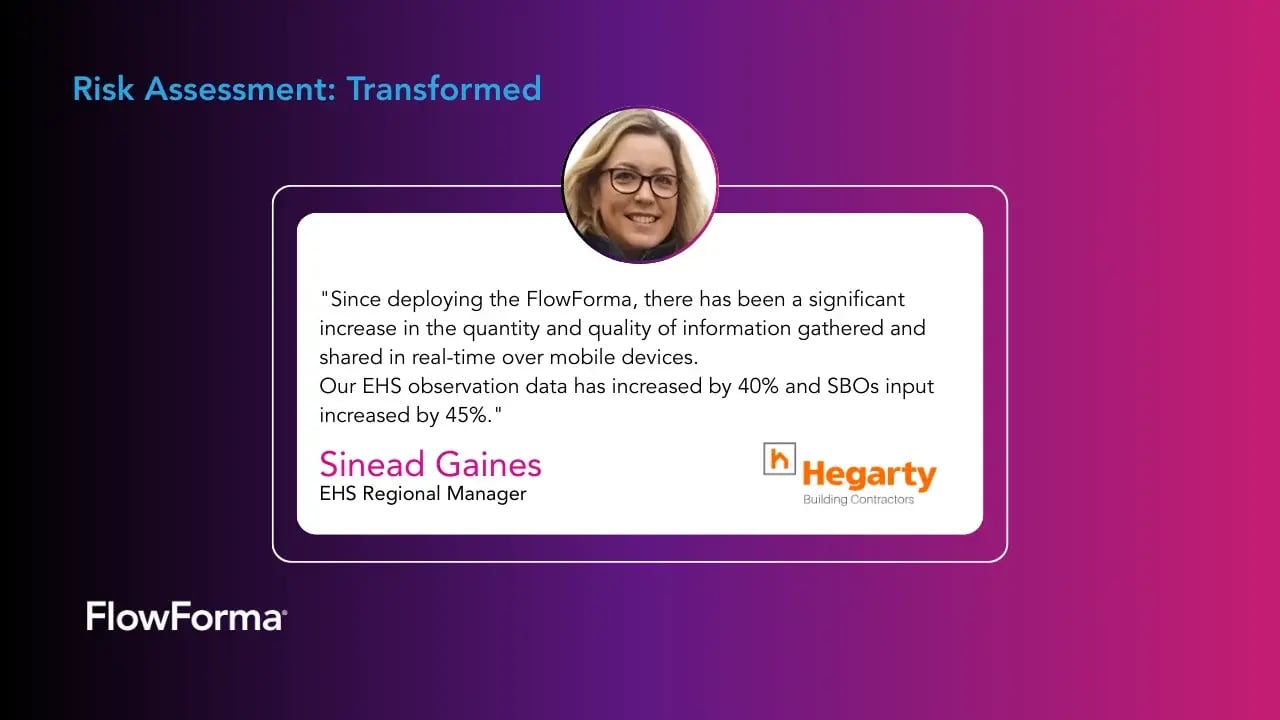
Risk assessment transformed by one of FlowForma's customers, Hegarty Building Contractors
Selecting the right automated risk assessment software is a critical step toward strengthening your organization's risk management framework. While a tool may be considered the "best" on the market, it's essential to evaluate its suitability for your specific business needs.
A well-chosen tool can transform your risk management process into a strategic advantage, enabling better decision-making and enhancing operational resilience.
1. Identify your business requirements
Determine the specific risks your organization faces and the objectives you aim to achieve through automation. Begin by evaluating areas where your current risk management approach may fall short. It could be handling complex compliance requirements or responding to emerging threats.
Consider the specific industries or operational context your business operates in, as different tools may address unique challenges, such as cybersecurity risks or supply chain vulnerabilities.
Whether it's regulatory compliance, operational efficiency, or cybersecurity, understanding your needs is crucial for selecting a tool that delivers measurable value.
If you are looking workflow automation or a GRC/enterprise risk platform, this will determine your shortlist of software providers.
2. Assess key features you'll need
Look for features such as real-time analytics, customization options, and robust reporting capabilities. Ensure the tool aligns with your industry's unique requirements, such as handling specific compliance standards or addressing particular operational challenges.
Consider whether the tool offers predictive analytics, AI-driven insights, or automated notifications, as these can significantly enhance proactive risk management.
Additionally, evaluate the availability of integrations with your existing systems, ensuring seamless data flow and workflow optimization.
3. Evaluate your team's preference
Involve your team in the decision-making process to select a tool that is intuitive and aligns with their workflow. Their input can highlight practical needs that might otherwise be overlooked, ensuring the chosen tool fits seamlessly into daily operations.
Additionally, encouraging team involvement can drive adoption and ease the transition to new technologies.
4. Assess the tool's scalability
Choose a solution that can grow with your organization, accommodating increasing risks and regulatory changes.
Evaluate whether the tool can handle a growing volume of data and support expanding operational requirements. Additionally, consider its ability to integrate with new technologies and compliance frameworks that may emerge as your organization evolves.
Simplify Risk Management with FlowForma
FlowForma empowers organizations to navigate the complexities of risk management with ease. By offering a no-code platform, robust analytics, and user-friendly workflows, the tool transforms risk assessment into a seamless process.
Moreover, its AI Copilot provides intelligent recommendations and automated insights that simplify decision-making. Its AI-driven assistant provides real-time support and helps organizations optimize workflows with precision and address risks efficiently.
It also helps to accelerate vendor risk management with its newest platform, FlowAssure. FlowAssure is designed to review, score and approve new vendors, helping to improve the efficiencies for enterprise security teams.
Experience the power of FlowForma firsthand. Book a demo today to experience how the tool can revolutionize your risk management approach.