Too often, findings get buried in documents, remedial tasks go unassigned and renewal dates creep up unannounced. The right software closes that gap, keeping assessments, actions and compliance in one place.
We reviewed 10 platforms to give you a clear, honest picture of what is available and which tool suits your situation best.
Overview of The 10 Popular Fire Risk Assessment Tools (And How We Chose Them)Our list covers 10 fire risk assessment software platforms, including our own tool, FlowForma. We want to be upfront about that.
Each platform was assessed against criteria that reflect what fire risk assessment actually involves in practice, including:
|
Based on these criteria, the table below provides an overview of 10 fire risk assessment software tools.
|
Tool |
Best For |
Key FRA Strength |
|---|---|---|
|
SafetyCulture (iAuditor) |
Teams starting out with digital FRA |
Large template library and mobile-first assessments |
|
FlowForma |
Teams digitizing fire risk workflows within Microsoft 365 |
Automated approval workflows and audit trails |
|
EcoOnline |
Integrating FRA into an existing EHS platform |
Incident reporting and corrective action tracking |
|
GoAudits |
Quick, checklist-driven FRA on mobile |
Instant report generation on completion |
|
ClickHSE (ClickFRA) |
UK organizations needing structured, compliant FRAs |
Dedicated FRA module aligned to UK legislation |
|
Firehub |
Managing FRAs across multiple premises |
Full assessment lifecycle management |
|
Alcumus SafeWorkforce |
Multi-site FRA alongside broader safety compliance |
Contractor safety and compliance management |
|
Aurora (Total Fire Group) |
Fire safety consultancies conducting client FRAs |
Purpose-built fire safety workflows and reporting |
|
Mobiess |
On-site FRA in low-connectivity environments |
Offline mobile assessments with photo capture |
|
RiskFire |
UK practitioners needing a dedicated FRA platform |
UK-compliant assessment and renewal scheduling |
Overview of the 10 popular fire risk assessment software
10 Fire Risk Assessment Software Platforms
Let's explore each tool in depth, starting with FlowForma.
1. ClickHSE (ClickFRA)
Best for: Organizations needing structured, compliant FRAs

ClickHSE's homepage
ClickHSE is a health and safety management platform that includes ClickFRA, a dedicated module for conducting and managing fire risk assessments. You can carry out assessments on mobile devices, generate compliant reports and manage follow-up actions from a single system. The platform is designed with UK compliance requirements in mind, making it a solid choice for organizations that need to demonstrate regulatory adherence.
Key features of ClickHSE (ClickFRA)
Dedicated FRA module
ClickFRA provides structured assessment templates aligned with UK fire safety legislation, helping you work through assessments in a consistent and auditable way.
Mobile assessment capability
You can complete fire risk assessments on-site using a smartphone or tablet, capturing photos and notes in real time without needing to return to a desk.
Automated report generation
Once an assessment is complete, the system produces a formatted, professional report ready for sharing with clients, building owners, or regulators.
Action management
Remedial actions identified during an assessment can be assigned to responsible parties, with due dates and completion tracking built into the platform.
Pros and cons of ClickHSE (ClickFRA)
Pros include:
- Intuitive and user-friendly interface
- Responsive, hands-on customer support
- Comprehensive range of health and safety courses
Cons include:
- Some course content can feel outdated
- Full capability not always obvious to new users
- Limited video content storage options
2. FlowForma
Best for: Teams digitizing fire risk workflows within Microsoft 365
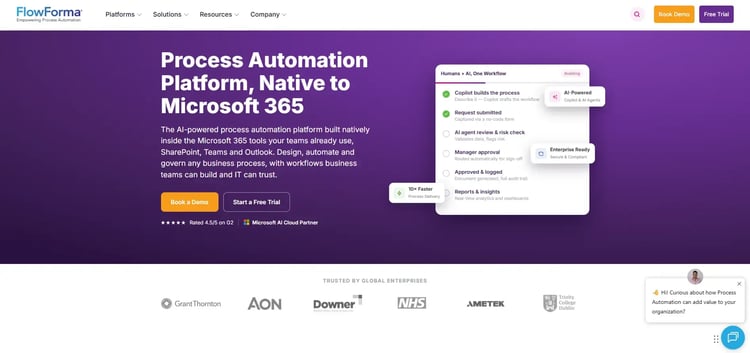
FlowForma's Copilot for health and safety processes
FlowForma is a no-code process automation tool built on Microsoft 365, which fire safety professionals can use to digitise and manage their assessment workflows.
You can build custom forms, automate approval chains and track outstanding actions, all within the Microsoft environment your team likely already uses. For organizations that want to move away from paper-based assessments without a lengthy software implementation, FlowForma offers a practical starting point. This makes it well-suited to heavily regulated environments such as aerospace and defence, where maintaining auditable safety records is not optional.
Key features of FlowForma
No-code form builder
You can design assessment forms and checklists without any technical knowledge, using a drag-and-drop interface. This makes it straightforward to replicate your existing paper-based FRA process digitally.
Microsoft 365 integration
FlowForma works natively within SharePoint, Teams and Outlook, so your team does not need to adopt a completely new platform. Data stays within your existing Microsoft environment.
Automated approval workflows
You can set up routing rules so that completed assessments are automatically sent to the right people for review and sign-off. This reduces manual chasing and keeps audit trails intact.
Action tracking and reminders
Outstanding remedial actions from assessments can be assigned, monitored and escalated through automated reminders, helping you close out risk items in a timely manner.
Pros and cons of FlowForma
Pros include:
- Familiar Microsoft 365 environment with an intuitive, no-code platform
- Quick to deploy and configure
- Strong audit trail for risk assessments
Cons include:
- Not purpose-built for fire safety
- Limited fire-specific reporting templates
- Getting started requires planning—works best when processes are clearly mapped and structured
3. Firehub
Best for: Managing FRAs across multiple premises
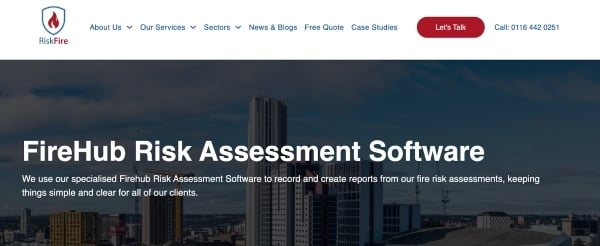
Firehub's homepage
Firehub is a fire safety management platform focused on helping fire risk assessors and responsible persons manage the full assessment lifecycle. From conducting assessments through to tracking remedial actions and renewal dates, the system keeps everything in one place. You can manage multiple premises and produce reports that meet the expectations of fire authorities and insurers.
Key features of Firehub
Assessment lifecycle management
FireHub guides you through the full process, from initial assessment to review and renewal, with prompts and reminders at each stage.
Multi-site premises management
You can manage fire risk assessments across a portfolio of buildings from a single dashboard, which is particularly useful for facilities managers and consultancies.
Compliant report output
The platform generates assessment reports as per UK regulatory standards, reducing the time spent on manual write-ups.
Remedial action tracking
Actions are logged, assigned, and tracked to completion, giving you a clear record of how identified risks have been addressed over time.
Pros and cons of Firehub
Since Firehub is not listed on any prominent software review platforms, we have included its pros and cons based on our evaluation criteria.
Pros include:
- Strong lifecycle and renewal tracking
- Multi-site portfolio visibility
- Regulatory-aligned report formats
Cons include:
- Smaller vendor with limited support resource
- Integration options are limited
- User interface feels dated in places
4. Alcumus SafeWorkforce
Best for: Organizations with contractor-heavy operations or multi-site responsibilities

SafeWorkforce's homepage
Alcumus SafeWorkforce works well if you want a fire risk assessment to sit alongside your wider health and safety compliance in one platform. You can manage inspections, track contractor compliance, and monitor actions without switching between systems.
Key features of Alcumus SafeWorkforce
Integrated compliance management
Fire risk assessment sits within a broader compliance framework alongside other health and safety obligations, giving you a single view of your regulatory status across the organization.
Inspection and audit tools
You can conduct structured inspections and audits on site, capturing findings digitally and linking them directly to corrective actions.
Contractor safety management
The platform helps you manage the compliance status of contractors working on your premises, which is particularly relevant where third parties carry out fire-related works or maintenance.
Reporting and analytics
Dashboards and exportable reports give safety managers the data they need to demonstrate compliance and identify trends across sites and teams.
Pros and cons of Alcumus SafeWorkforce
Pros include:
- Broad compliance coverage in one platform
- Useful contractor management tools
- Strong data and reporting capabilities
Cons include:
- Broad scope can feel unfocused for FRA
- Implementation can be lengthy
- Cost may not suit smaller organizations
5. EcoOnline
Best for: Organizations already using EcoOnline for chemical safety or other EHS purposes
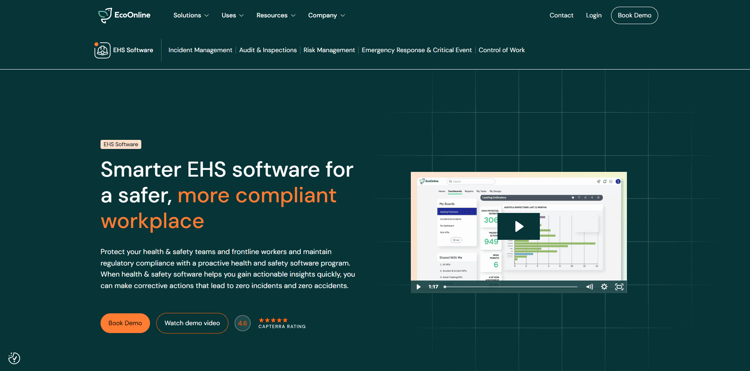
EcoOnline's EHS page
If you already use EcoOnline for chemical or workplace safety management, bringing your fire risk assessment process into the same platform makes good sense. You can conduct assessments, log incidents, and track corrective actions without adding another tool to your stack.
Key features of EcoOnline
Risk assessment module
The platform provides structured tools for conducting and recording risk assessments, which can be configured to support fire risk assessment processes.
Action and corrective measures tracking
Findings from assessments can be converted into tracked actions with owners, deadlines and status updates, helping you close out risks systematically.
Incident and near-miss reporting
You can log fire-related incidents and near misses directly in the platform, linking them to assessment records for a fuller picture of your fire risk profile.
Compliance dashboards
Management dashboards provide an at-a-glance view of assessment status and overdue actions, supporting accountability across the organization.
Pros and cons of EcoOnline
Pros include:
- Good fit for existing EcoOnline users
- Action tracking is clear, intuitive and centralised
- Strong incident reporting tools
Cons include:
- Not specifically designed for FRA with slow navigation between modules
- Fire-specific templates require manual setup, including limited customisation in some workflows
- Customer support response times vary
6. Aurora (Total Fire Group)
Best for: Fire safety consultancies conducting client FRAs
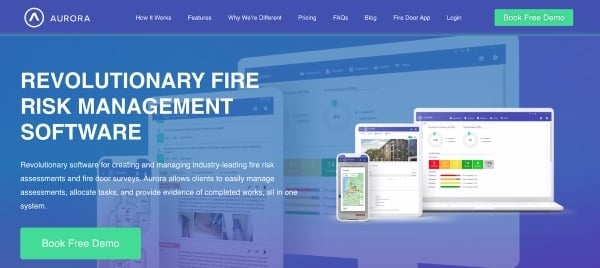
Aurora's homepage
Aurora is built specifically for fire safety professionals, so the workflows and templates reflect how you actually work rather than how a generic platform thinks you should. You can manage your client portfolio, produce assessment reports, and stay on top of review dates all from one system.
For assessors and fire safety consultancies, it is designed around your day-to-day rather than bolted on as an afterthought.
Key features of Aurora (Total Fire Group)
Fire safety-specific assessment tools
Assessment templates and workflows are built to reflect current UK fire safety guidance, so you do not have to adapt generic forms for fire risk purposes.
Client and premises management
You can manage a portfolio of client buildings, tracking assessment dates, findings, and renewal schedules from a single account.
Professional report generation
The system produces formatted assessment reports ready to issue to clients or responsible persons, saving significant time on documentation.
Compliance monitoring and alerts
Aurora tracks assessment review dates and outstanding actions, sending alerts when buildings are due for reassessment or when actions remain unresolved.
Aurora's User Ratings
Neither Aurora nor its parent company (Total Fire Group) is listed on any prominent software review platforms.
Pros and cons of Aurora (Total Fire Group)
Pros include:
- Built specifically for fire safety professionals
- Professional-grade report output
- Clear compliance monitoring and alerts
Cons include:
- Limited integration with third-party systems
- Smaller user community than generic platforms
- Feature development pace can be slow
7. Mobiess
Best for: On-site FRA in low-connectivity environments
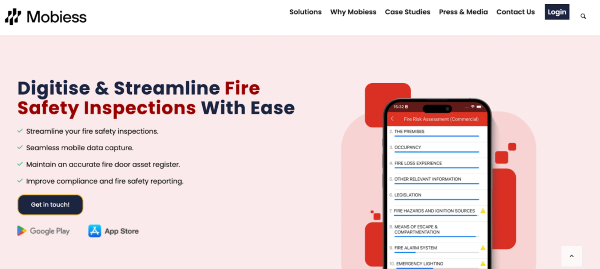
Mobiess's homepage
Mobiess is a mobile-first field service and compliance management platform, well-suited to fire risk assessors who spend most of their time on-site rather than at a desk. You can complete assessments, capture evidence, and produce reports from your mobile device, syncing back to a central system when connectivity allows. The offline capability makes it particularly useful for assessors working in locations with poor internet access.
Key features of Mobiess
Offline-capable mobile assessments
You can carry out and record fire risk assessments without an internet connection, with data syncing automatically once you are back online.
Photo and evidence capture
The mobile interface makes it easy to attach photos to specific findings during an assessment, building a visual record alongside the written assessment.
Configurable assessment forms
Assessment templates can be set up to match your preferred methodology, including scoring criteria and risk rating frameworks.
Report generation on device
Assessment reports can be generated and shared directly from the mobile app, reducing delays between completing an assessment and issuing findings.
Mobiess User Ratings
Pros and cons of Mobiess
Since sufficient user feedback wasn't available, we determined Mobiess's pros and cons based on our evaluation criteria and hands-on platform usage.
Pros include:
- Reliable offline mode for on-site use
- Fast evidence capture via mobile
- Flexible form configuration
Cons include:
- Desktop interface is less polished than mobile
- Limited portfolio-level analytics
- Best suited to smaller assessor teams
8. GoAudits
Best for: Quick, checklist-driven FRA on mobile
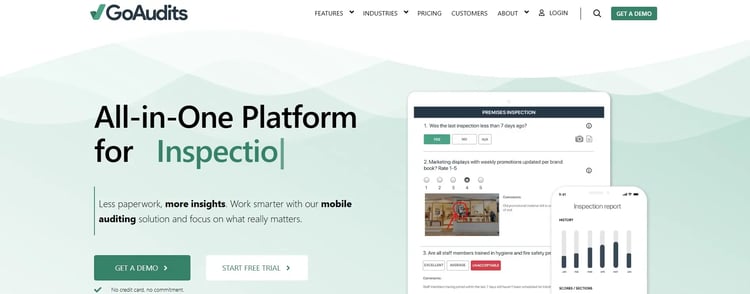
GoAudits' homepage
GoAudits is an inspection and audit platform that works well for conducting fire risk assessments in a structured, checklist-driven way. You can build assessment templates, score findings and generate reports from your phone or tablet while on site.
Key features of GoAudits
Customisable inspection templates
You can create assessment checklists tailored to your premises types and risk categories, with scoring logic built in to calculate risk ratings.
Real-time report generation
Branded reports can be produced immediately on completion of an assessment, ready to share with building owners or responsible persons.
Mobile and offline capability
Assessments can be completed on iOS or Android devices without needing a live internet connection, making it practical for use on any site.
Action assignment and tracking
Findings can be converted into assigned actions with due dates, and progress can be monitored through the platform or flagged by automated reminders.
Pros and cons of GoAudits
Pros include:
- Instant report generation saves time
- Strong analytics and action plan tracking
- Responsive and helpful customer support
Cons include:
- Lacks certain integrations
- Onboarding experience lacks depth
- Not designed as an end-to-end FRA system
9. SafetyCulture (iAuditor)
Best for: Teams starting out with digital FRA
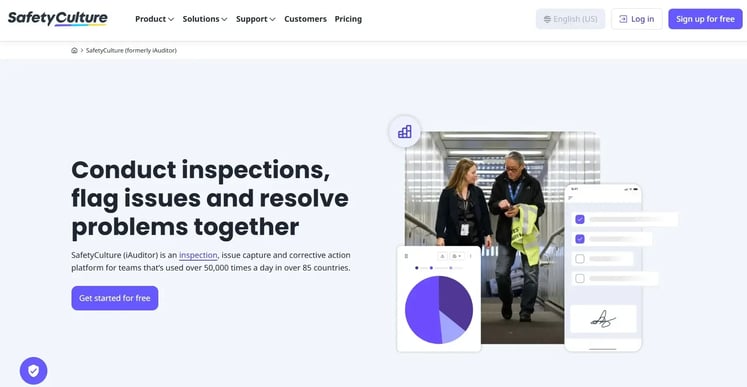
SafetyCulture's homepage
SafetyCulture, widely known through its iAuditor product, is one of the most widely used inspection and audit platforms available. The platform's large template library and ease of use make it a popular choice for organizations getting started with digital fire risk assessments.
Key features of SafetyCulture (iAuditor)
Extensive template library
SafetyCulture offers a large library of pre-built inspection templates, including fire safety checklists, which you can use as a starting point and adapt to your needs.
Mobile-first inspection tools
Assessments are designed to be completed on a smartphone or tablet, with photo capture, scoring and notes all integrated into a clean mobile interface.
Actions and issue management
Issues identified during an assessment are automatically converted to tracked actions, with notifications keeping assignees informed of their responsibilities.
Analytics and reporting dashboard
Management teams can view aggregated inspection data across sites, helping to identify recurring risks and track compliance performance over time.
Pros and cons of SafetyCulture
Pros include:
- Ready-made templates speed up assessments
- Reliable mobile app for on-site use
- Real-time photo evidence and reporting
Cons include:
- Advanced features locked behind higher-tier plans
- Template customisation not always straightforward
- Limited offline mode for site use
10. RiskFire
Best for: UK practitioners needing a dedicated FRA platform
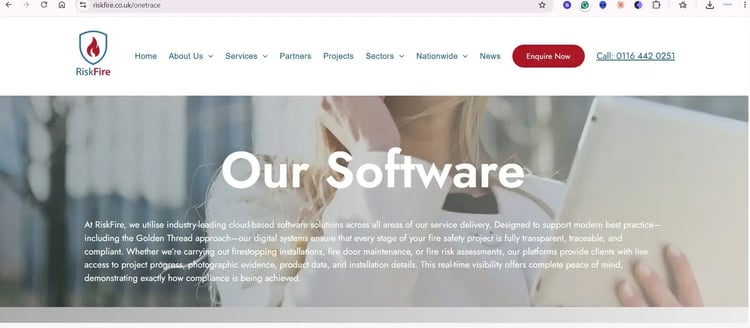
Risk Fire's homepage
RiskFire is a dedicated fire risk assessment platform designed to support the full assessment and compliance management process for UK fire safety practitioners.
The system is built around the specific requirements of fire risk assessment legislation, covering the assessment itself, report production and ongoing review management. For professional fire risk assessors or responsible persons managing a building portfolio, RiskFire provides a focused and purpose-built solution.
Key features of RiskFire
UK-compliant assessment framework
Assessment templates and workflows are structured in line with UK fire safety legislation and guidance, reducing the risk of missing regulatory requirements.
Professional report production
The system generates detailed and formatted assessment reports, suitable for submission to clients, building owners or fire authorities.
Remedial action management
Actions arising from assessments are tracked through to completion, with reminders and escalation options to help you manage outstanding risks effectively.
Review and renewal scheduling
RiskFire tracks when assessments are due for review and sends alerts in advance, helping you stay ahead of compliance deadlines across your premises portfolio.
Pros and cons of RiskFire
Pros include:
- Purpose-built for UK fire safety compliance
- Responsive customer support and professionalism with stress-free interaction
- Effective review and renewal management
Cons include:
- Limited third-party integrations
- Narrower feature set than broader HSE platforms
- Less suited to non-fire safety compliance needs
How To Assess Fire Risk Assessment Software For Your Organization
Before you commit to any tool, it helps to be clear on what you actually need it to do. These are some factors you should consider when evaluating the best fire risk assessment software:
Assessment volume and premises spread
Think about how many buildings you manage and how frequently assessments are carried out.
A lightweight mobile tool may be sufficient for a single site, but a growing portfolio will need renewal tracking, multi-site dashboards and the ability to manage actions across multiple locations simultaneously.
Who will be using it day to day
A platform that works well for a trained fire safety professional may frustrate a facilities manager with no technical background.
Look for tools that are intuitive enough for occasional users while still offering the depth that experienced assessors need.
Where FRA sits within your wider compliance picture
If you already manage health and safety, contractor compliance or incident reporting in another system, consider whether it makes more sense to bring FRA into that platform.
Running a separate tool for fire risk assessment can create gaps in your compliance record and add unnecessary admin.
UK regulatory alignment
Fire safety legislation changes, and your software needs to keep up. Check whether templates reflect current UK guidance and ask the vendor how quickly they update the platform when legislation or statutory guidance is revised.
Mobile and offline capability
If your assessors spend most of their time on site, the platform needs to work reliably on a phone or tablet without depending on a stable internet connection. Offline capability is not a nice-to-have for field-based teams; it is a practical necessity.
Report quality and audit readiness
Your assessment reports may be reviewed by clients, building owners, insurers or fire authorities. Make sure the platform generates reports that are professionally formatted, clearly structured and compliant with recognised UK standards, without requiring significant manual editing after the fact.
Pricing and scalability
Some platforms charge per user, others per site or per assessment. Make sure the pricing model makes sense for how you work today and how you expect to grow. Hidden costs at scale can make an initially affordable tool expensive over time.
📌Quick vendor evaluation checklistBefore shortlisting any platform, ask:
|
Final Roundup: Which FRA Tool Is Best For Which Use Case
Judging users' feedback and alignment with our evaluation parameters, here's what we believe are the best fire risk assessment software tools:
For managing FRAs across a large property portfolio
FireHub is built for this, with multi-site visibility, renewal tracking and full lifecycle management across a portfolio of buildings.
For fire safety professionals and consultancies conducting client FRAs
Aurora centres on client portfolio management and professional report output. On the other hand, RiskFire focuses on UK legislative compliance and renewal scheduling.
Mobile-first assessments on site
Mobiess handles offline capability and evidence capture reliably, while GoAudits delivers a clean checklist-driven experience with instant report generation.
Teams wanting digital FRA without adopting a new system
FlowForma works best for Microsoft 365 users, and EcoOnline suits teams already managing broader EHS compliance who want FRA in the same platform.
Structured, compliant assessments with strong user backing
ClickFRA is built around UK compliance requirements, and SafetyCulture offers a polished mobile experience and a large template library.
Organizations managing contractors alongside FRA
Alcumus SafeWorkforce brings FRA into a broader compliance framework that includes contractor safety management. We believe this makes it a practical choice where third parties are involved in fire-related works.
Conduct Fire Risk Assessments With Ease Using FlowForma
Conducting fire risk assessments shouldn't be a source of stress. Yet many organizations still rely on paper forms, scattered spreadsheets, and email chains that make it hard to stay compliant and confident.
FlowForma removes the uncertainty by digitizing and automating the assessment process, so you can focus on keeping people and buildings safe. With FlowForma, you can:
- No more lost notes or manual uploads → Conduct assessments on-site with mobile checklists and photo capture.
- Nothing slips through the cracks → Every risk, action, and escalation is tracked in real-time, enhancing transparency.
- Prove compliance instantly → Automated audit trails and inspection-ready custom reports at your fingertips.
- Adapt quickly → Update workflows as regulations or internal policies change, without depending on IT.
- Scale with ease → Manage multiple sites and assessments in one secure, cloud-based platform.
- Integrate seamlessly → connect with existing systems without disrupting operations.
- Data security → With data securely stored in your own SharePoint tenant, IT stays in complete control.
As a no-code, all-in-one solution, FlowForma empowers teams to take control of fire risk management without the burden of complex training or costly delays.
Want to see how FlowForma simplifies fire risk assessment management? Request a demo today!




