Vendor assessments have become a major bottleneck for CIOs, CISOs, IT directors, and compliance leaders.
As more vendors handle sensitive data, teams face mounting pressure to quickly evaluate third parties while maintaining strict security and regulatory standards. Manual questionnaires, inconsistent evidence, long review cycles, and spreadsheet-based scoring lead to delays, high error rates, and audit gaps.
Automated vendor risk assessment tools eliminate these inefficiencies by centralizing questionnaires, routing approvals, extracting evidence, and maintaining audit-ready documentation.
This guide:
- Reviews the 10 best automated vendor risk assessment tools in 2026, their strengths, and limitations
- Why FlowAssure is emerging as the leading vendor risk assessment tool
Key Takeaways
- Vendor risk assessment tools automate vendor questionnaires, due diligence, risk scoring, and overall third-party risk management workflows.
- Organizations need them to consistently manage vendor risk, reduce residual risk, support regulatory compliance, and gain visibility into third-party vendors.
- FlowAssure, Panorays, UpGuard, and ProcessUnity lead the category with strengths in workflow automation, external security posture, continuous monitoring, and enterprise governance.
- Other strong tools include Bitsight, SecurityScorecard, Venminder, Black Kite, Prevalent (Mitratech), and RiskRecon.
- FlowAssure stands out with its AI agents, Microsoft 365 governance, and automated vendor risk assessments.
|
Top Automated Vendor Risk Assessment Tools in 2026
If you need external security posture insights, platforms such as Panorays and UpGuard offer continuous monitoring and breach detection capabilities.
For enterprise governance and structured third-party risk management, ProcessUnity is a dependable option.
However, if you want automated vendor risk assessments, AI-driven evidence analysis, clear risk domains, and governance inside your Microsoft 365 environment, FlowAssure delivers the most complete workflow-led approach.
Here are the key tools at a glance:
|
Tool
|
Strength in Vendor Risk Assessments
|
AI Capabilities
|
Best For
|
|
FlowAssure
|
Vendor questionnaires, evidence extraction, risk domains, approvals, and remediation workflows
|
AI Agents for analyzing security questionnaires, pen test reports, ISO, and SOC2 Type II reports
|
Compliance-heavy organizations needing automated vendor risk assessments and governance
|
|
Panorays
|
Security posture visibility, exposure scoring
|
Contextual risk scoring
|
Security-focused third-party risk programs
|
|
UpGuard
|
Cyber risk detection, credential exposure, vendor security scoring
|
AI risk scoring
|
SMBs & mid-market
|
|
ProcessUnity
|
Vendor lifecycle governance & due diligence
|
AI classification
|
Large vendor portfolios
|
|
Bitsight
|
Independent cyber posture insights
|
Automated ratings
|
Benchmarking vendor security
|
|
SecurityScorecard
|
Issue-level insights
|
ML scoring
|
Large supply chains
|
|
Venminder
|
Regulated vendor documentation
|
Minimal
|
Financial institutions & credit unions
|
|
Black Kite
|
Financial impact modeling
|
AI threat modeling
|
CISOs evaluating financial exposure
|
|
Prevalent (Mitratech)
|
Vendor inventories, vendor performance tracking
|
AI classification
|
Complex vendor ecosystems
|
|
RiskRecon
|
Evidence-based cyber posture
|
ML
|
Independent third-party validation
|
How the best automated vendor risk assessment solutions compare across features
Best Automated Vendor Risk Assessment Software in 2026
Let us now explore each tool, its key features, pricing, pros, and cons in detail:
1. FlowAssure
FlowAssure is FlowForma’s dedicated vendor risk management platform, built to automate and streamline every stage of the vendor assessment lifecycle.
It replaces scattered questionnaires, manual evidence checks, and inconsistent review cycles with structured, AI-supported workflows.
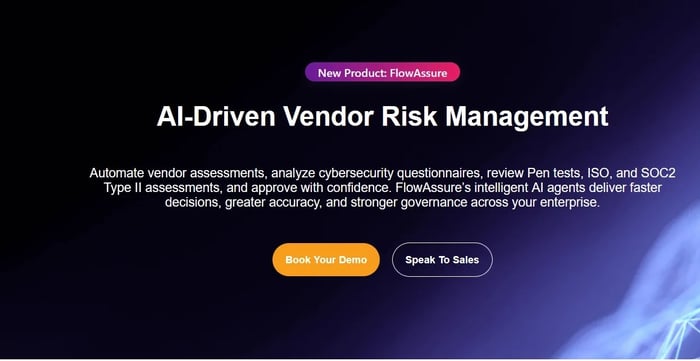
FlowAssure Page
With intelligent agents, the tool analyzes documents, classifies risks, and enhances oversight. Every action, reviewer comments, approvals, scoring changes, document submissions, is stored inside the organization’s Microsoft 365 tenancy, giving IT control over data governance.
This makes FlowAssure ideal for heavily regulated organizations needing predictable, traceable, and cross-functional vendor assessment processes.
FlowAssure Key Features
Here are FlowAssure’s key features at a glance:
1. Vendor risk assessment & due diligence
FlowAssure structures the entire vendor risk assessment process — from intake and vendor questionnaires to scoring, approvals, remediation, and ongoing monitoring.
FlowAssure (AI-powered, end-to-end vendor risk management feature)
It evaluates vendor risks across risk domains such as cybersecurity, operational risks, regulatory compliance, business continuity, and financial stability.
2. Context-aware risk classification
Quinn is FlowAssure’s context-aware Questionnaire Agent that reviews vendor responses, identifies incomplete or inconsistent answers, and highlights risk indicators that may otherwise be missed.
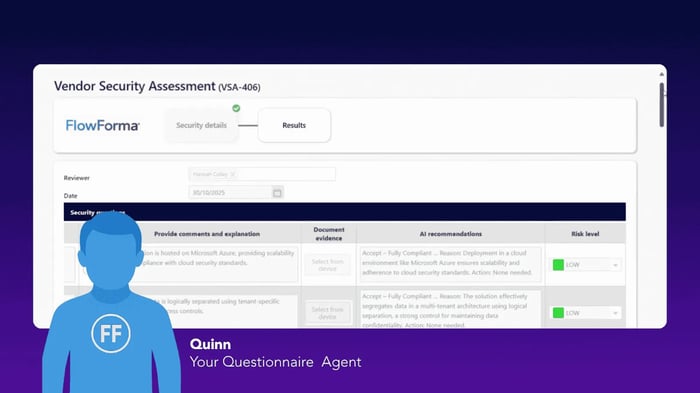
Quinn assisting with security questionnaires
With the ability to interpret context, not just text, Quinn strengthens risk classification by surfacing issues earlier in the assessment process and shaping a more accurate risk profile for each third-party vendor.
This reduces delays during vendor onboarding, eliminates unclear answers, and supports internal teams with cleaner, more complete data during approval cycles.
3. AI agents for evidence review

FlowAssure Agents
FlowAssure includes additional AI agents to classify and analyze vendor risks across multiple domains, enabling faster, more accurate assessments.
- Penn — Pen Test Report Agent
Analyzes penetration tests, classifies vulnerabilities, and recommends remediation actions to mitigate operational risks and security risks.
Interprets ISO security reports, validates relevant controls, and supports compliance within third-party risk assessments.
- Sam — SOC 2 Type II Report Agent
Reviews SOC 2 Type II reports, evaluates control effectiveness, and provides insights across security, availability, and data privacy.
Together, they ensure each vendor’s evidence is understood and scored within the broader context of third-party risk
Audit trails & compliance reporting
FlowAssure ensures full traceability throughout the vendor risk assessment lifecycle. Every action—whether a change, approval, comment, or document submission—is automatically timestamped and linked to the workflow history.
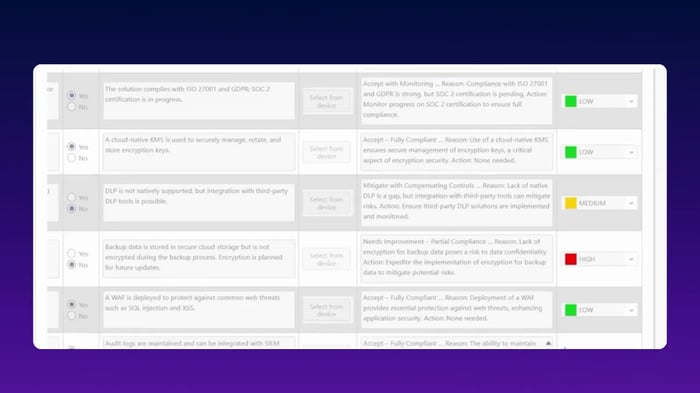
FlowAssure’s compliance module
Besides, FlowAssure’s in-built AI Agents evaluate cybersecurity questionnaires, penetration test results, ISO certifications, and SOC 2 Type II reports, empowering teams to validate evidence, spot gaps, and confidently approve vendor assessments.
With all vendor data securely stored in Microsoft 365, organizations benefit from consistent governance aligned with security and compliance frameworks, including ISO 27001, SOC 2, GDPR, DORA, and other public-sector standards.
FlowAssure Pros
- AI-powered automated vendor risk assessments
- Pen-test agents, questionnaire agents, and AI agents to review SOC Type II and ISO reports
- Strong evidence extraction and risk intelligence
- Microsoft 365 tenancy governance
- Workflow automation across the entire vendor lifecycle
- Easy adoption with AI agents that deliver context-aware analysis
FlowAssure Cons
- Best for organizations that work within a Microsoft 365 environment
2. Panorays

Panorays’ homepage
Panorays evaluates third-party vendors using external attack-surface data and automated vendor questionnaires. It provides continuous monitoring tailored for cybersecurity teams that need visibility into emerging threats and security posture across vendor ecosystems.
Panorays’ Key Features
- External attack-surface scanning
- Automated vendor questionnaires
- Combined exposure + questionnaire scoring
- Remediation insights
Panorays’ Pros
- Good visibility into vendor security posture
- Helps organizations identify potential risks early
- Useful for managing large supply chains
- Offers exposure monitoring
Panorays’ Cons
- Limited internal workflow automation
- Audit documentation must be handled separately
Panorays’ Pricing
Panorays follows a tiered, custom pricing based on vendor count and monitoring depth.
Panorays’ pricing page
Panorays’ pricing page
3. UpGuard
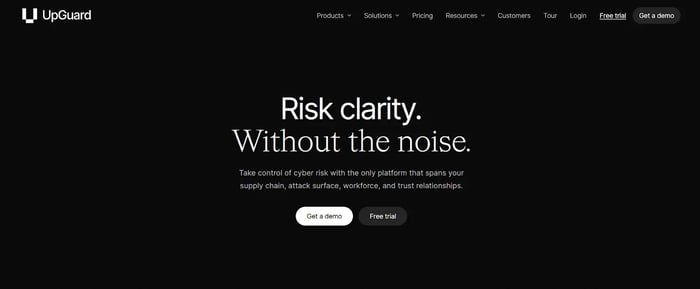
UpGuard’s Homepage
UpGuard supports vendor risk management through continuous monitoring, breach detection, and automated questionnaires. It is often used by teams that need quick insight into vendor security risks without lengthy deployment.
UpGuard’s Key Features
- Continuous monitoring of vendor security posture
- Breach and credential exposure detection
- Vendor security ratings
- Automated questionnaires
UpGuard’s Pros
- Easy to deploy
- Offers cyber risk visibility
- Good for SMB and mid-market vendor risks
- Helps evaluate existing vendors and new vendors
UpGuard’s Cons
- Limited vendor lifecycle workflows
- Not a complete vendor risk management software stack
UpGuard’s Pricing
UpGuard’s pricing is subscription-based and varies depending on monitoring levels and vendor count.
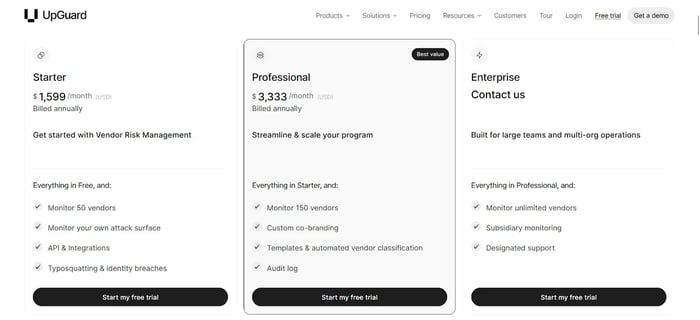
UpGuard Pricing
4. ProcessUnity
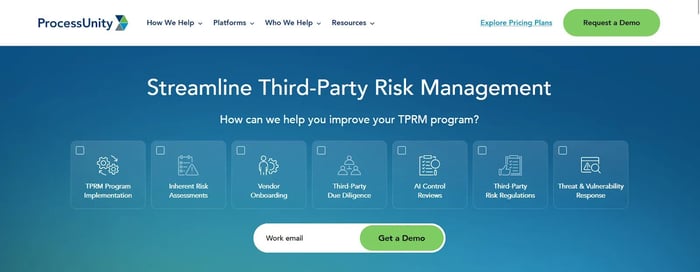
ProcessUnity Homepage
ProcessUnity is suitable for large enterprises that need deep governance, third-party vendor risk management, and detailed due diligence processes. It supports regulatory compliance and formal vendor risk management programs.
ProcessUnity’s Key Features
- Full vendor lifecycle management
- Customizable risk domains and scoring
- Remediation workflows
- Vendor performance dashboards
ProcessUnity’s Pros
- Mature governance for enterprise risk management
- Offers reporting and analytics
- Structured due diligence processes
ProcessUnity’s Cons
- Longer implementation
- Requires internal ownership
ProcessUnity’s Pricing
Custom pricing starting at $25,000 for small and medium-sized businesses.
5. Bitsight
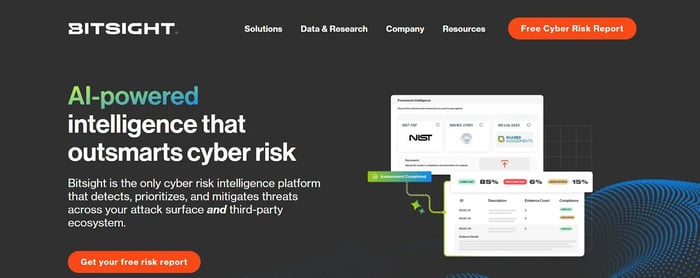
Bitsight homepage
Bitsight delivers independent security ratings that help organizations evaluate third-party vendor risk. It provides clear insights into vendor security posture and supports vendor comparisons at scale.
Bitsight’s Key Features
- External cyber posture scoring
- Global threat intelligence
- Continuous monitoring
- Vendor benchmarking
Bitsight’s Pros
- Evidence-based insights
- Useful for vendor portfolios
- Supports quick assessments
Bitsight’s Cons
Bitsight’s Pricing
Customizable subscriptions for in-depth risk analysis and monitoring. The brand does not publicly disclose pricing.
6. SecurityScorecard
SecurityScorecard Homepage
SecurityScorecard offers real-time security ratings for third-party relationships. It is widely used to identify high-risk vendors and monitor emerging risks.
SecurityScorecard’s Key Features
- Continuous monitoring
- Vulnerability insights
- Issue-level reporting
- Security ratings
SecurityScorecard’s Pros
- Fast vendor security analysis
- Good for large supply chains
- Easy rating model
- Identifies potential cyber threats
SecurityScorecard’s Cons
SecurityScorecard’s Pricing
SecurityScorecard offers modular pricing. It may require additional add-ons for comprehensive risk management.
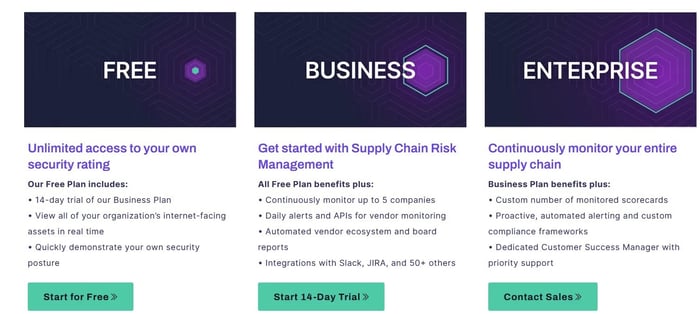
SecurityScorecard's pricing
7. Venminder
Venminder homepage
Venminder is a compliance-focused TPRM platform used mainly by financial institutions and credit unions. It centralizes vendor risk assessments and supports regulatory compliance standards.
Venminder’s Key Features
- Vendor file management
- Regulatory templates
- Risk assessments across risk domains
- Document tracking
Venminder’s Pros
- Offers regulatory alignment
- Suitable for a financial stability review
- Supports due diligence processes
- Clear approval trails
Venminder’s Cons
- Limited workflow automation
- Not ideal for large vendor portfolios
Venminder’s Pricing
Venminder offers two pricing modules: Professional pricing with optional add-ons and Enterprise pricing for large organizations.
8. Black Kite
Black Kite Homepage
Black Kite evaluates third-party vendor risk using cyber risk quantification. It translates cybersecurity risks into financial impact to support business continuity and risk management decisions.
Black Kite’s Key Features
- Cyber risk quantification
- Attack-path modeling
- Supply chain risk insights
- Financial impact analysis
Black Kite’s Pros
- Offers financial risk interpretation
- Helps manage vendor risk for executive audiences
- Useful for supply chain disruptions
- Clear scoring models
Black Kite’s Cons
- Not a workflow automation platform
- Requires complementary systems
Black Kite’s Pricing
Black Kite follows enterprise-level pricing, which is not publicly listed on its website.
9. Prevalent (Mitratech)

Mitratech’s homepage
Prevalent (Mitratech) focuses on supply chain risk, vendor inventories, and remediation workflows. It centralizes data across risk domains for consistent assessments.
Prevalent’s Key Features
- Vendor inventories
- Standardized questionnaires
- Automated risk assessments
- Vendor performance tracking
Prevalent’s Pros
- Good for complex vendor ecosystems
- Strong supply chain oversight
- Structured workflows
- Detailed remediation tracking
Prevalent’s Cons
- Complex setup
- Higher cost for smaller teams
Prevalent’s Pricing
Prevalent’s pricing is customized based on the number of vendors and modules needed for TPRM.
10. RiskRecon
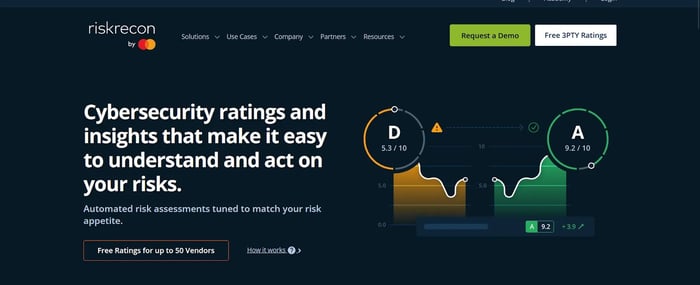
RiskRecon’s Homepage
RiskRecon provides evidence-based cyber posture scoring for vendor risk assessments. It evaluates security controls objectively and is helpful for validating vendor claims.
RiskRecon’s Key Features
- Asset-level scanning
- Evidence-backed scoring
- Security controls evaluation
- Continuous monitoring
RiskRecon’s Pros
- Clear evidence behind scores
- Useful for validating vendor responses
- Good partner ecosystem
- Supports due diligence processes
RiskRecon’s Cons
- No workflow automation
- Internal assessments done outside the tool
RiskRecon’s Pricing
RiskRecon follows variable pricing with custom quotes. Pricing is not publicly listed, and potential customers must contact the sales representative for a quote.
Why FlowAssure Is the Best Automated Vendor Risk Assessment Tool for 2026
Organizations managing large vendor portfolios need a system that brings structure, automation, and visibility to the entire vendor lifecycle.
FlowForma delivers this through FlowAssure, an AI-driven vendor risk management solution that centralizes vendor questionnaires, evidence extraction, scoring intelligence, remediation workflows, and approvals — all inside Microsoft 365.
Key features include:
- End-to-end vendor risk management and compliance management.
- AI agents that automate vendor assessments, analyze cybersecurity questionnaires, review penetration tests, ISO reports, and SOC 2 Type II documentation.
- Complete audit trails
- Microsoft 365 tenancy ensures strong governance, secure data residency, and alignment with internal compliance frameworks
If your goal is to strengthen risk and compliance management, FlowAssure offers unmatched value as the best automated vendor risk assessment software for 2026. Book a demo to see the tool in action.
FAQs
What is an automated vendor risk assessment tool?
An automated vendor risk assessment software automates vendor questionnaires, evidence review, scoring, due diligence processes, and approvals to help organizations manage vendor risk more consistently.
How does FlowForma support third-party risk management?
FlowForma uses FlowAssure, its specialized vendor risk management solution, to evaluate vendor responses, extract evidence, assign risk scores, and automate workflows across the entire vendor lifecycle.
Which industries benefit most from vendor risk management software?
Financial institutions, credit unions, healthcare providers, the public sector, and enterprises with large supply chains use vendor risk management tools to identify potential risks and ensure compliance.






![10 Best OneTrust Competitors For Compliance Management [2026]](https://www.flowforma.com/hubfs/Onetrust-competitors%20%281%29.webp)

![The 13 Best Security Questionnaire Automation Software [2026]](https://www.flowforma.com/hubfs/Best-security-questionnaire-automation-software.webp)