Many organisations face challenges in managing large volumes of data across multiple systems, often spending hours on manual data transfers that lead to errors and inefficiencies.
While RPA automates simple tasks, it struggles with complex workflows and unstructured data. Intelligent Process Automation (IPA) addresses this by combining AI, machine learning, and automation to manage end-to-end processes, improving efficiency and accuracy.
FlowForma supports this shift as an AI-powered business process automation platform, offering the BPM/DPA component of IPA. Its no-code design, embedded governance, and intelligent automation features enable teams to streamline processes with greater scalability and precision.
In this article, we explain how IPA works and its role in modernising business operations.
What Is Intelligent Process Automation?

What is intelligent process automation
Intelligent automation combines artificial intelligence (AI), Robotic Process Automation (RPA), Machine Learning (ML), and Natural Language Processing (NLP) to automate not only routine tasks but also more complex functions.
It improves consistency and reduces variability by interpreting documents, understanding language, classifying information, and supporting decisions within automated workflows.
What is the Main Purpose of Intelligent Process Automation?
Intelligent Process Automation (IPA) combines AI, machine learning, and automation to streamline complex workflows, enhance decision-making, and boost operational efficiency, helping businesses adapt to modern challenges.
It helps teams:
- Eliminate repetitive tasks and repetitive manual tasks
- Improve data quality and reduce the impact of poor data quality
- Increase operational efficiency by removing bottlenecks
- Deliver better customer experience
- Replaces legacy systems and manual handoffs
- Enhance compliance with transparent audit trails
By augmenting human intelligence with automation technologies, IPA enables more consistent delivery across complex tasks. It also supports scalability across departments, allowing businesses to expand automation efforts without expanding staff or overloading IT teams.
Components of Intelligent Automation
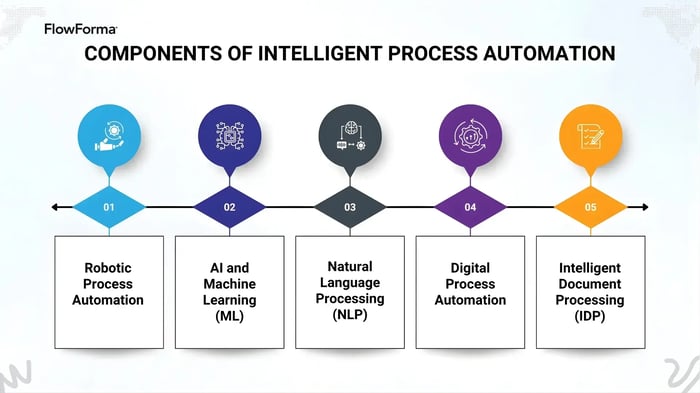
Components of Intelligent Process Automation
Intelligent Process Automation (IPA) is built on several core components that work together to automate tasks ranging from routine data entry to complex, multi-stage workflows.
Each plays a distinct role within modern intelligent business process automation, and together they form the foundation for scalable automation across an organisation.
1. Robotic Process Automation (RPA)
RPA automates predictable, rules-based tasks such as data entry, document handling, claims data collection, and policy renewals. It is highly effective at improving speed and consistency for structured, repetitive tasks.
However, RPA is not designed for situations that require contextual understanding or judgement. Its strength lies in task execution rather than decision-making.
2. AI and Machine Learning (ML)
AI and machine learning extend automation by enabling systems to analyse data, recognise patterns, and offer real-time, context-aware recommendations.
For example, in underwriting, AI can review historical claims, identify patterns, and surface insights that support a more informed decision-making process. These capabilities improve accuracy and reduce manual effort without removing the need for human oversight.
3. Natural Language Processing (NLP)
Natural language processing helps systems interpret human language in both text and speech formats. NLP supports use cases such as intelligent document processing, customer feedback analysis, and automated responses. Many organisations rely on natural language processing to help employees interact with automation systems through natural language prompts rather than complex configuration screens.
4. Digital Process Automation
Digital Process Automation connects people, data, and systems within a single workflow. Unlike RPA, which replaces repetitive tasks, DPA is designed to keep humans actively involved where their expertise is essential. This human-in-the-loop model ensures that processes benefiting from automation still incorporate professional judgement and contextual reasoning when required.
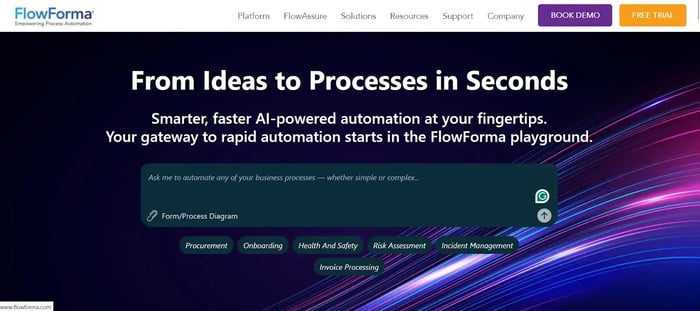
FlowForma homepage
FlowForma, as an AI-powered business process management platform, represents this DPA layer within Intelligent Process Automation (IPA). It provides no-code workflow design, AI-supported process creation, governance, and integration across Microsoft 365. As such, it enables organisations to orchestrate end-to-end workflows while retaining accountability and compliance.
5. Intelligent Document Processing (IDP)
IDP uses OCR, computer vision, and AI to understand and extract information from documents such as PDFs, scans, handwritten notes, images, and structured or semi-structured forms. OCR converts images of text into machine-readable data, enabling downstream validation, routing, and automation.
It helps in automating processes such as invoice processing, claims intake, patient record digitisation, etc.
How AI, RPA and DPA Work Together
When combined, AI, RPA, and DPA create a balanced automation framework where each component reinforces the others.
RPA handles structured, repetitive tasks with speed and accuracy. AI and machine learning interpret data, detect patterns, and generate context-aware insights, while DPA orchestrates entire workflows by connecting people, systems, and decision points.
This unified model ensures automation is fast yet controlled. A human-in-the-loop approach remains essential, providing oversight at moments where judgement, exception handling, or domain expertise is required.
For example, RPA may collect underwriting data, AI may highlight anomalies or risk indicators, and DPA routes the case to an underwriter for the final decision. This partnership between automation and human expertise delivers efficiency without compromising quality, governance, or accountability.
Intelligent Process Automation vs Robotic Process Automation
Organisations often confuse IPA and RPA, yet the distinction matters when choosing the right automation approach. Understanding how each works helps determine where they add value and where their limitations appear.
|
Category
|
RPA
|
IPA
|
|
Task Type
|
Rules-based repetitive tasks
|
Complex tasks requiring judgement
|
|
Data Handling
|
Structured data only
|
Structured + unstructured data
|
|
Intelligence Level
|
Script-driven
|
Uses AI, ML, NLP, computer vision
|
|
Adaptability
|
Low
|
High – improves over time
|
|
Scope
|
Task-level automation
|
End-to-end business processes
|
|
Human Intervention
|
Higher
|
Lower
|
|
Examples
|
Copy/paste, system updates
|
Document understanding, approvals
|
Table showing a side-by-side comparison of RPA and IPA
Benefits of Intelligent Process Automation
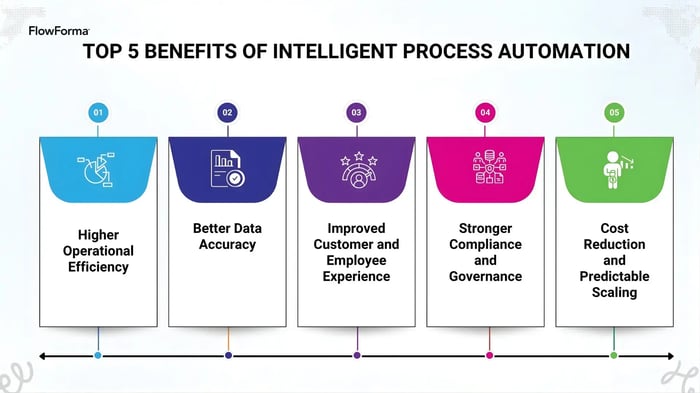
5 benefits of intelligent process automation
Intelligent Process Automation strengthens operational performance by improving speed, accuracy, and decision-making across digital processes. The key benefits include:
1. Higher operational efficiency
IPA reduces repetitive manual tasks, accelerates workflow execution, and enables teams to focus on higher-value work. Automated routing, structured workflows, and AI-supported decisions improve efficiency.
2. Better data accuracy
By automating data capture and document interpretation, IPA reduces human error and improves the quality of information available for reporting and analysis, leading to more reliable outputs and stronger operational control.
3. Improved customer and employee experience
Automation speeds up responses, reduces bottlenecks, and provides greater visibility across business processes. Users experience faster turnarounds, while teams work with more predictable and consistent workflows.
4. Stronger compliance and governance
IPA standardises processes, enforces consistent rules, and maintains complete audit trails. This structure supports regulatory requirements and reduces the risk of non-compliance across sensitive or high-volume workflows.
5. Cost reduction and predictable scaling
Automating repetitive tasks lowers administrative costs and reduces rework. Platforms like FlowForma also enable organisations to scale processes more efficiently without expanding headcount at the same rate.
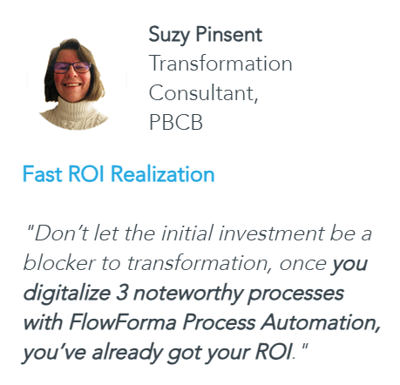
ROI offered by FlowForma
How FlowForma Empowers Digital Process Automation
FlowForma strengthens Digital Process Automation by combining no-code workflow design, AI capabilities, and enterprise-grade governance—all within the Microsoft 365 environment. Key capabilities include:
1. No-code workflow design with minimal IT oversight
FlowForma enables business users to build workflows without writing code, while IT teams maintain governance, access control, and integration standards.
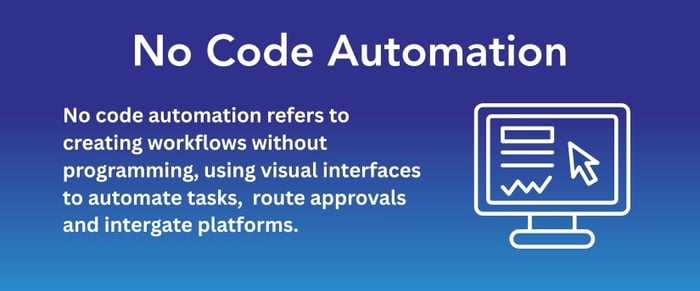
FlowForma is a no-code platform with an easy-to-use interface
2. AI-Powered automation
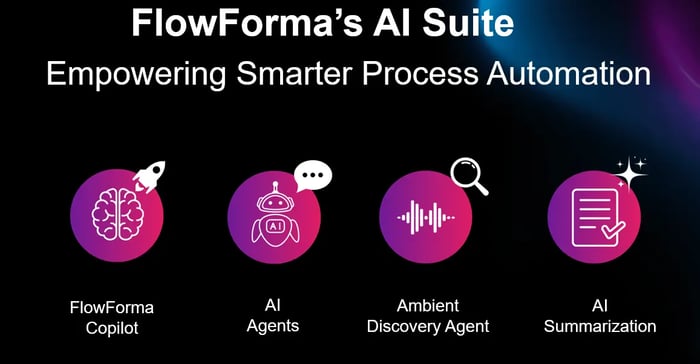
FlowForma’s AI-powered process automation
FlowForma’s AI suite—including Copilot, AI Agent Rule, AI Summarisation, and Discovery Agent—supports tasks such as document interpretation, step generation, validation, and workflow optimisation. Here are the features and how it supports automation:
|
AI Feature
|
What It Does
|
How It Helps in Automation
|
|
FlowForma Copilot
|
Builds workflows using natural language.
|
Speeds up deployment; empowers citizen developers.
|
|
AI Agent Rule
|
Reads documents, extracts data, validates inputs.
|
Automates document-heavy processes like claims and invoices.
|
|
AI Summarisation
|
Creates natural-language summaries of workflow history and decisions.
|
Improves collaboration and reduces review time.
|
|
AI Discovery Agent
|
Scans documentation to identify automation opportunities.
|
Accelerates automation roadmapping.
|
|
Smart Assistants
|
Provide AI-driven guidance and natural-language actions for users.
|
Improves adoption and reduces training requirements.
|
|
AI Insights & Analytics
|
Identifies bottlenecks, trends, and performance issues.
|
Supports continuous improvement and better operational efficiency.
|
Table showing FlowForma’s AI features, use cases, and how it helps automation
3. Microsoft 365 integration and data security
FlowForma connects seamlessly with Microsoft 365 and is deployed within the customer’s SharePoint tenancy, ensuring full control over data, permissions, and security configurations. This model supports organisations with strict data residency, sovereignty, and cybersecurity requirements.
4. In-built compliance and audit trails
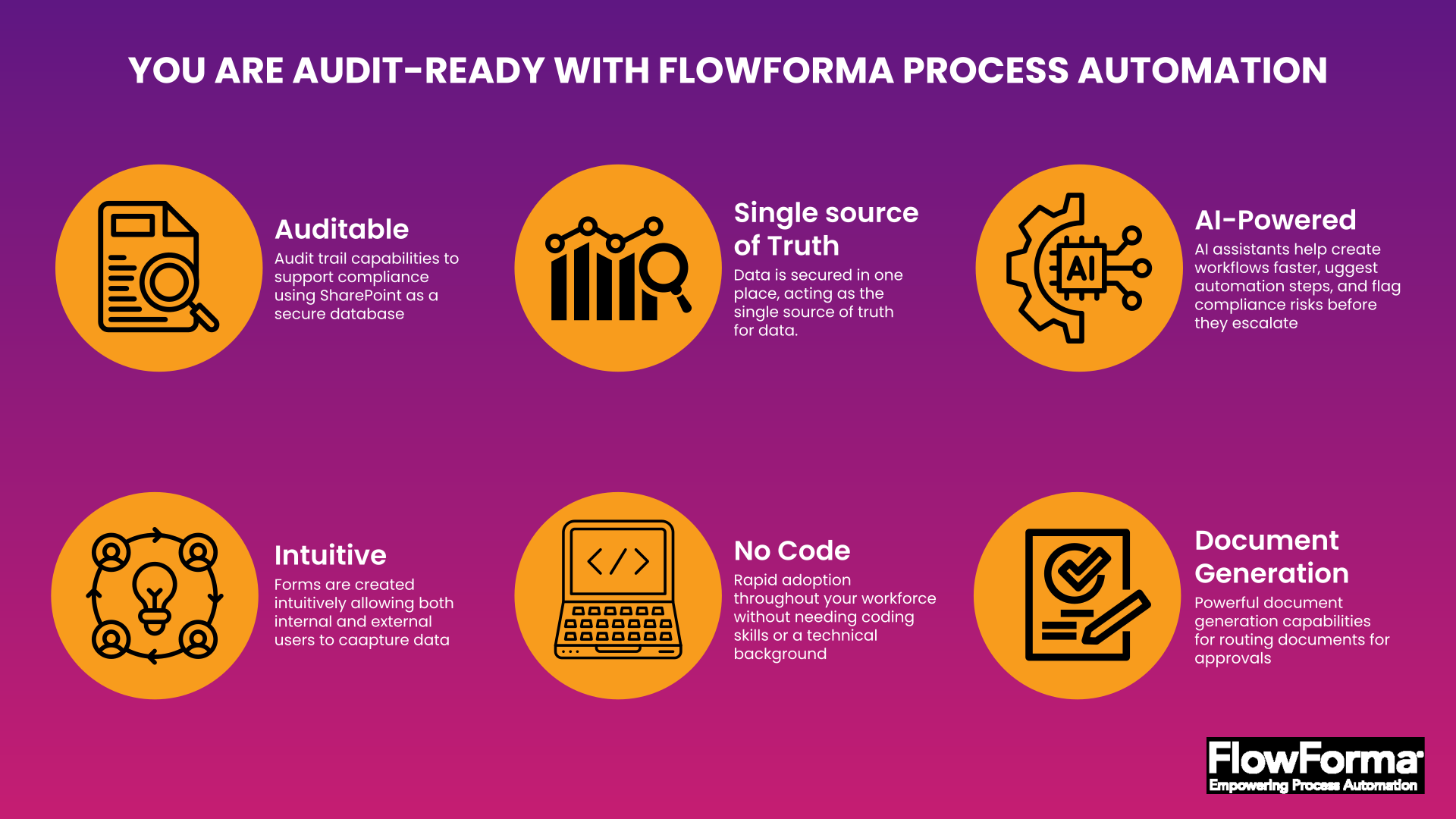
How FlowForma’s compliance module works
Every step, decision, and document is automatically recorded, supporting compliance with GDPR, NHS DSPT, ISO 27001, CQC governance requirements, workforce standards, and public-sector regulations. End-to-end traceability strengthens risk management and operational assurance.
5. Intelligent document creation and processing
The platform supports automatic generation of documents, structured forms, and records, as well as intelligent extraction and validation of information from uploads. This reduces manual documentation effort and improves consistency across workflows.
.webp?width=700&height=390&name=Screenshot%20of%20FlowForma%E2%80%99s%20one-click%20document%20generation%20(1).webp)
FlowForm automates document generation at scale
6. Cost transparency and scalability
FlowForma follows a transparent, process-based, tiered pricing with unlimited workflows. It allows mid-sized to enterprise organisations to automate processes without worrying about scaling costs. This gives it a competitive advantage over its competitors.
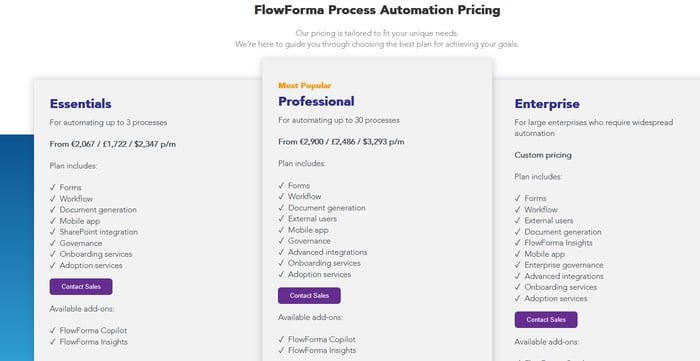
FlowForma’s process-based pricing model
Intelligent Process Automation: Use Cases
Across sectors such as healthcare, finance, HR, manufacturing, and customer service, intelligent automation supports the digitisation of processes that previously relied on manual tasks, paper-based workflows, or fragmented systems.
1. Healthcare
IPA is particularly valuable in healthcare, where accuracy, traceability, and compliance are critical. FlowForma uses AI Copilot to automate processes such as patient onboarding, appointment management, clinical incident documentation, and patient experience workflows.
For example, watch this demo to see how FlowForma automates patient onboarding workflow:
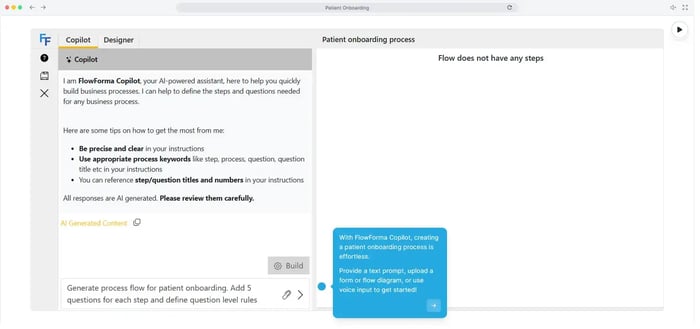
Automate patient onboarding with FlowForma
FlowForma is used across UK healthcare settings, including NHS Trusts, to replace paper-heavy workflows and improve patient care visibility.
Try the FlowForma NHS playground to see how you can automate processes in healthcare using AI Copilot.
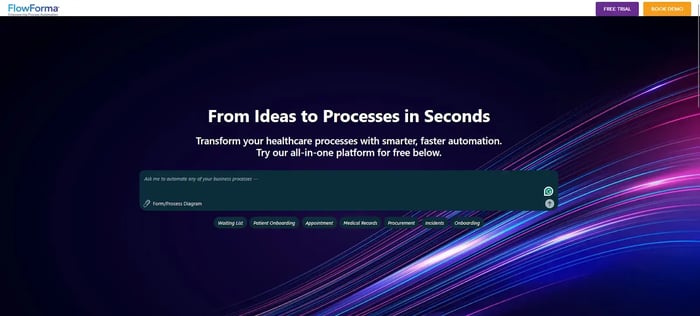
Try the FlowForma NHS Playground
2. Finance
Intelligent automation supports insurance teams by streamlining workflows such as claims intake, policy administration, renewals, and underwriting support. Automated data extraction and validation reduce manual handling of documents, while structured approval workflows speed up decision-making and improve consistency.
Try the FlowForma insurance playground to see how processes can be created within seconds with AI Copilot.
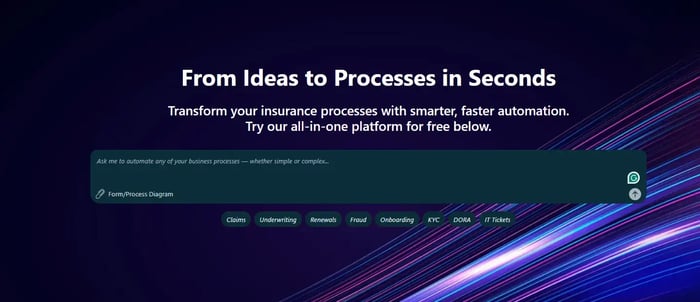
FlowForma insurance playground
Insurance giants such as Aon have used FlowForma to digitise multi-step financial processes (such as HR Onboarding/Offboarding, GDPR Requests), streamline internal controls, and improve the accuracy and speed of tasks that previously relied on paper forms or manual handovers. Watch the entire case study to know more:
Aon Case Study for Financial Services
3. Human Resources
HR teams automate onboarding, appraisals, approvals and training workflows, documentation processes.
Organisations like Morgan Construction have seen measurable improvements after replacing manual, paper-heavy HR processes with digital workflows. By automating areas such as employee onboarding and progress reporting, Morgan reduced administrative delays, improved data accuracy, and created clearer visibility across HR activities.
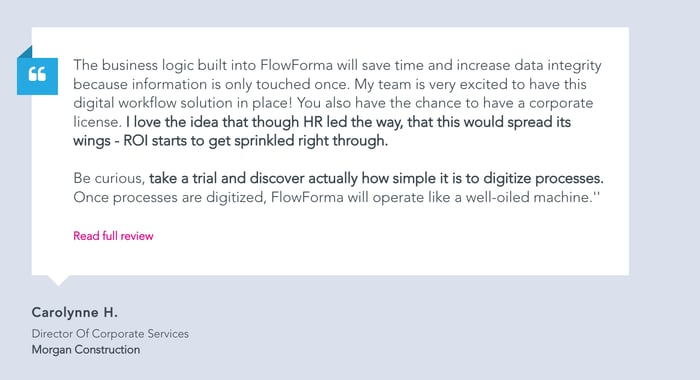
FlowForma client feedback
4. Customer Service
IPA supports customer service by routing cases, classifying customer feedback, automating responses, and managing support queues. NLP reduces manual triaging and improves service quality.
A clear example comes from Jacksons CI Ltd., an automotive retailer and service provider that digitalised processes such as pre-service recall checks, stock warranty recall workflows, and quality checks using FlowForma’s no-code process automation tool.
By replacing paper-based activities with digital workflows, Jacksons CI Ltd. achieved faster turnaround times, increased efficiency across departments, and improved interactions with both employees and suppliers.
5. Supply chain & manufacturing
Intelligent automation is increasingly valuable in manufacturing, where delays, paper-based tasks, and fragmented communication can slow production and supply chain performance.
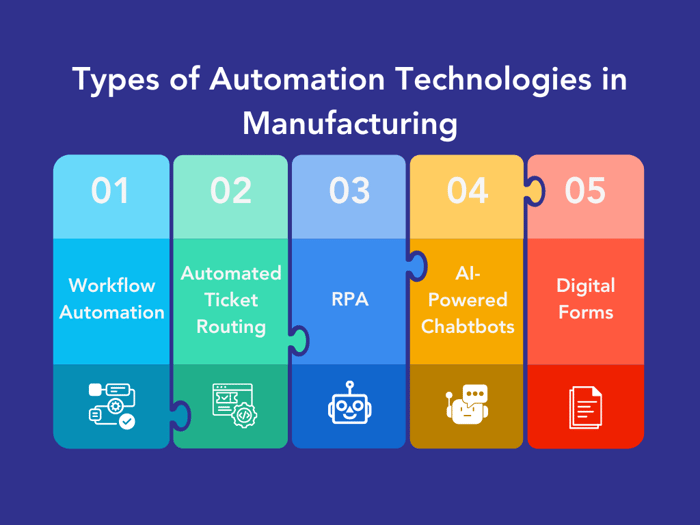
Why manufacturers use FlowForma for workflow management
FlowForma supports manufacturers by digitising workflows such as equipment checks, maintenance requests, asset management, quality assurance, and supplier-related processes. These digital workflows replace manual paperwork, reduce bottlenecks across production sites, and provide real-time visibility into tasks that span multiple departments.
Intelligent Process Automation Trends for 2026
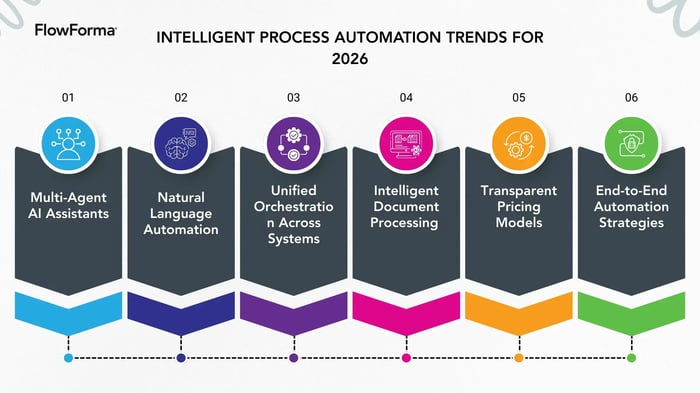
6 trends in intelligent process automation
Looking ahead, implementing intelligent automation will involve more advanced technologies, stronger governance practices, and deeper integration across systems. Key 2026 trends include:
1. Multi-agent AI assistants
Organisations will adopt AI agents that collaborate across workflows — for example, validation agents, summarisation agents, and data classification agents that work together to automate end-to-end processes.
2. Natural language automation
The rise of natural language interfaces will make it easier for non-technical teams to automate tasks.
Employees will describe a process in natural language, and the system will auto-generate automated workflows.
3. Unified orchestration across systems
Automation will move beyond departmental silos, connecting existing systems, legacy systems, and cloud platforms to optimise business processes without full system replacements.
4. Intelligent document processing at scale
Cognitive automation will expand as organisations rely on machine learning and OCR to read documents, extract data, and eliminate manual tasks across invoices, forms, claims, and more.
5. Transparent pricing models
Budget predictability will become a priority. Many organisations will move away from automation tools with hidden costs, choosing platforms that offer clear process-based pricing and no additional fees for expanding usage.
6. End-to-end automation strategies
Teams will use process mining and AI insights to redesign business processes from start to finish, rather than automating isolated tasks.
Why FlowForma is the Best Tool for Intelligent Process Automation
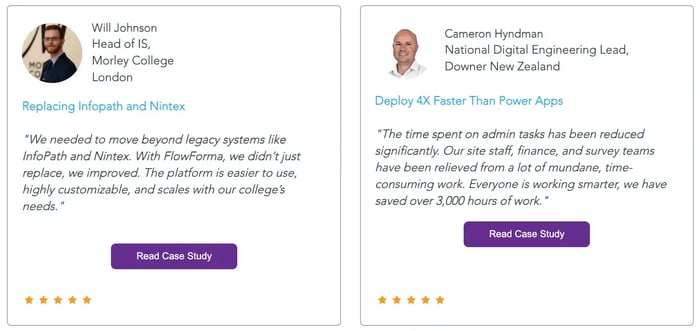
Customer testimonial for FlowForma
Intelligent process automation brings together RPA, AI/ML, and BPM to automate tasks that previously required human intelligence. FlowForma enriches this model by providing an AI-powered business process automation platform that enables no-code workflow orchestration, intelligent document processing, and strong compliance controls—all within the Microsoft 365 environment.
With AI features such as Copilot, intelligent agents, summarisation, and analytics, FlowForma helps organisations accelerate automation, reduce manual effort, and ensure better outcomes across digital processes, including those in highly regulated sectors.
Book a demo to see the tool in action now!
FAQs
1. What is intelligent process automation used for?
IPA automates tasks involving decision logic, unstructured data, and multi-step workflows. FlowForma enables teams to build intelligent processes without coding, using AI features to support accuracy and speed.
2. How does IPA differ from RPA?
RPA automates routine, rules-based tasks, whereas IPA incorporates AI, ML, NLP, and BPM to automate more complex processes. FlowForma provides the intelligent BPM layer for end-to-end automation.
3. Can organisations deploy IPA without developers?
Yes. FlowForma's no-code platform enables business users to automate tasks while IT maintains security and governance. AI capabilities shorten build time and support more sophisticated automation.
4. Which industries benefit most from IPA?
Healthcare (including NHS Trusts), construction, insurance, government, education, and manufacturing all benefit. FlowForma supports automation of onboarding, inspections, authorisation workflows, claims processing, and compliance tasks.
5. Is FlowForma considered an IPA platform?
FlowForma is an AI-powered business process automation platform that delivers intelligent process automation through no-code workflow creation, AI agents, summarisation, analytics, and governance.
.png?width=175&height=42&name=logo_20(1).png "FlowForma Process Automation")




.png)