You're here because:
a) Your underwriting process works, but it's slower and more manual than it needs to be.
b) You're trying to figure out what a better and the best insurance underwriting software platform actually looks like.
b) You're already evaluating platforms and want a straight, unbiased breakdown before you make a call.
Either way, you're in the right place for all the right reasons.
We’ll cut to the chase and talk about 10 underwriting software platforms with no fluff, no vendor-sponsored rankings, and no vague feature lists
.
Just a clear look at what each platform does, who it's built for, and where it falls short, so you can walk into your next evaluation with the right questions already in hand.
We didn't rank these tools based on brand recognition or market share. Our review drew on our own experienc and insights and real user feedback focusing on one core question: can this platform handle the realities of modern underwriting operations?
Each tool was evaluated on how well it supports:
- Submission intake and structured data capture
- Underwriting rules configuration and risk assessment
- Workflow routing, approvals, and escalation logic
- Document generation and audit trail management
- Compliance controls and regulatory alignment
- Integration with policy administration systems, CRMs, rating tools, and distribution channels
We also looked at how each platform approaches risk and decision logic. Some are purpose-built for insurance. Others bring configurable workflow and automation capabilities that insurers have adapted for underwriting use.
Based on these parameters, we have curated this table for a quick overview.
|
Insurance underwriting software
|
Best for
|
Key strength
|
|
Creatio
|
No-code workflow design with CRM integration
|
End-to-end underwriting workflow automation with client data in one place
|
|
Indio
|
Digital submission intake for brokers
|
Smart forms and e-signatures to streamline submission data capture
|
|
Origami Risk
|
Risk management and compliance focus
|
Multi-line submission processing with risk scoring and portfolio analytics
|
|
Appian
|
Enterprise-grade process automation
|
Configurable underwriting workflows with third-party data integration
|
|
FlowForma
|
No-code underwriting workflow automation
|
Structured intake forms, approval routing, and audit trails without IT dependency
|
|
Socotra
|
Cloud-native core for insurers and MGAs
|
Product configurator and risk profiling for fast policy launches
|
|
DecisionRules
|
Lightweight no-code rules engine
|
Real-time underwriting decision logic with API-first integration
|
|
BriteCore
|
All-in-one P&C core platform
|
Native rating, quoting, and underwriting workbench for P&C lines
|
|
Pega
|
AI-driven decisioning for complex risks
|
Real-time rules engine for risk assessment and submission routing
|
|
Majesco
|
Purpose-built for insurance carriers
|
Pre-built underwriting rules engine with submission validation
|
Overview of the 10 popular insurance underwriting software
Detailed Analysis of 10 Popular Insurance Underwriting Tools
Let’s kick off the detailed analysis of each tool.
1. Appian
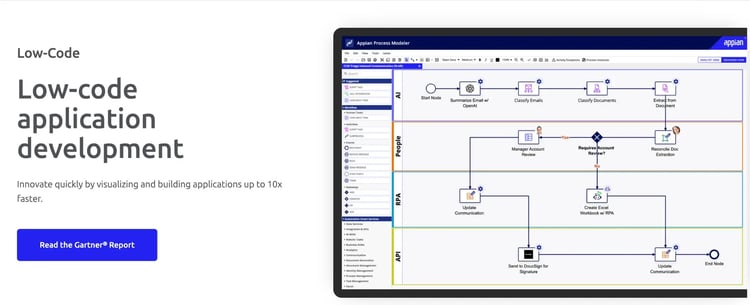
Appian’s low-code development platform
Appian is primarily a low-code business process platform that insurers have adapted for underwriting workflows. You can use it to build and modify underwriting processes quickly, without heavy reliance on your IT team. It works well if you need to connect multiple tools and data sources under one automated workflow.
Key features of Appian
1. Low-code workflow builder
You can design and adjust underwriting workflows visually, reducing dependency on developers for day-to-day process changes.
2. BPM and RPA integration
Appian combines business process management with robotic process automation, letting you automate repetitive underwriting tasks like data entry and document routing.
3. Underwriting rules configuration
You can set up and modify underwriting rules directly within the platform to reflect your risk appetite and business guidelines.
4. Third-party data integration
Appian connects with external data sources and tools, so your underwriters can pull in the information they need without switching systems.
Pros and Cons of Appian
Pros include:
- Automates multi-step underwriting workflows end-to-end
- Connects easily with third-party data and rating tools
- Scales well across large, distributed underwriting teams
Cons include:
- Initial configuration requires dedicated IT involvement
- Licensing costs can be high for smaller insurers
- Not purpose-built for insurance underwriting
2. Pega
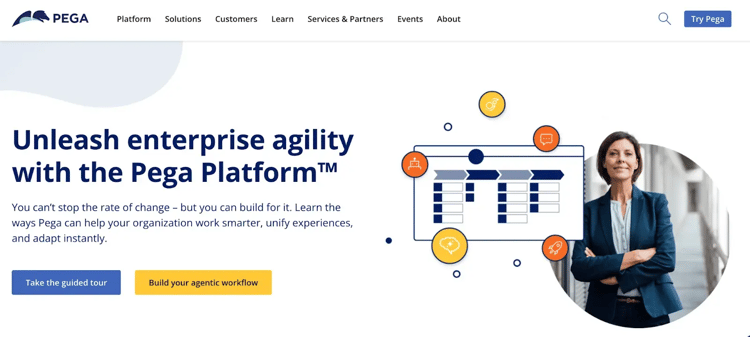
Pega platform’s homepage
Pega is an AI-powered automation platform that insurers use to manage complex underwriting workflows end-to-end. It's built to handle high-volume, rules-heavy processes like commercial lines underwriting where decisions need to be fast and consistent. If your team deals with nuanced risk profiles, Pega's decision engine can help bring more structure and speed to the process.
Key features of Pega
1. AI-driven decision engine
Pega applies underwriting rules in real time using machine learning, helping your team make faster, more consistent risk decisions.
2. Advanced workflow routing
Submissions are automatically routed based on risk complexity and team capacity, reducing bottlenecks in your underwriting pipeline.
3. Risk appetite modeling
You can configure Pega to reflect your organization's specific risk appetite, ensuring every decision stays aligned with your guidelines.
4. Actionable underwriting analytics
Pega surfaces insights from your underwriting data, helping you identify trends, refine risk selection, and improve portfolio performance.
Pros and Cons of Pega
Pros include:
- Real-time rules engine supports complex risk decisioning
- Handles high submission volumes with low-code automation and without manual bottlenecks
- Strong audit trails support regulatory compliance and connection with multiple applications for insurance underwriting.
Cons include:
- Implementation typically takes months, not weeks
- Total cost of ownership is high
- Overkill for simple or personal lines underwriting
3. Creatio
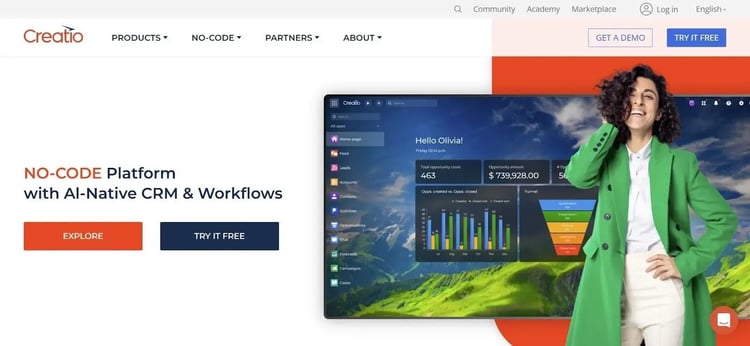
Creatio’s homepage
Creatio is a no-code platform that brings together CRM and process automation in one place, which insurers have used to manage underwriting workflows alongside client relationships. You can build and update workflows without writing a single line of code, making it easier for your business teams to stay in control. It's a practical option if you want both client management and underwriting automation without maintaining two separate systems.
Key features of Creatio
1. No-code workflow designer
Your team can build and modify underwriting workflows using a drag-and-drop interface, without needing developer support.
2. Unified CRM and underwriting workbench
Creatio keeps client data and underwriting activity in the same platform, giving your team a complete picture without jumping between tools.
3. Automated task management
Routine underwriting tasks like data entry, follow-ups, and status updates can be automated, freeing your underwriters for higher-value work.
4. Real-time reporting
You get live visibility into underwriting performance and pipeline activity, making it easier to spot delays and act quickly.
Pros and Cons of Creatio
Pros include:
- No-code setup reduces time to deploy workflows
- CRM integration keeps client and risk data connected
- Adaptable for both broker and insurer use cases
Cons include:
- Advanced underwriting logic requires significant customization and higher-tier licensing
- Out-of-the-box features usually require extensive training and are limited for complex risk classes
- Performance can lag in large-scale underwriting environments
4. Majesco
Majesco home page
Majesco is an insurance-specific platform built to handle underwriting for life, health, and P&C carriers. It comes with a pre-built underwriting rules engine, which means you spend less time configuring from scratch and more time processing submissions. If you're a carrier looking for a solution that understands insurance out of the box, Majesco is worth a close look.
Key features of Majesco
1. Automated underwriting rules engine
Majesco's built-in rules engine evaluates submissions against your underwriting criteria automatically, reducing manual review time.
2. Cloud-native architecture
The platform is designed to scale with your business, supporting growth and regulatory changes without requiring major infrastructure changes on your end.
3. Submission data validation
Incoming submissions are checked for completeness and accuracy before they reach your underwriters, improving data quality from the start.
4. Core system integration
Majesco connects directly with policy administration systems, keeping your underwriting and policy data in sync throughout the process.
Pros and Cons of Majesco
Pros include:
- Pre-built for insurance, reducing configuration from scratch
- Rules engine handles submission validation automatically
- Supports compliance across multiple regulatory environments with centralized information
Cons include:
- Harder to adapt to and expensive for specialty or niche insurance lines
- Implementation is resource-intensive for smaller carriers
- Product updates depend heavily on vendor release cycles
5. BriteClaims (BriteCore)
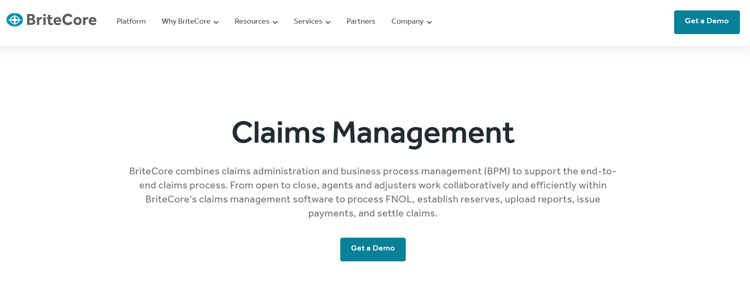
BriteCore homepage
BriteCore is a cloud-native platform focused on property and casualty insurers who want to automate underwriting, policy administration, and claims in one system. It's designed to be accessible for both your underwriters and your business users, without requiring heavy technical expertise to operate. If you're a small to mid-sized P&C insurer looking to modernize, BriteCore offers a relatively straightforward path to automation.
Key features of BriteCore
1. Automated rating and quoting
BriteCore automates the rating and quoting process, so your underwriters can generate accurate pricing faster and with less manual effort.
2. Digital submission intake
Brokers and clients can submit applications digitally, reducing paperwork and speeding up the early stages of your underwriting workflow.
3. Centralized underwriting workbench
Your underwriters get a single workspace to review submissions, apply rules, and track decisions, keeping the process organized and consistent.
4. Real-time analytics
Built-in reporting gives you live insight into underwriting activity and outcomes, helping your team make more informed decisions.
Pros and Cons of BriteCore
Pros include:
- Covers rating, quoting, and policy admin in one platform with a user-friendly interface
- Relatively fast to deploy with strong integrations, as compared to legacy systems
- Designed to be usable without heavy technical training
Cons include:
- Primarily built for standard P&C lines only
- Limited scalability for large or complex carrier operations
- Fewer integrations and limited customization options available compared to larger platforms
6. Origami Risk
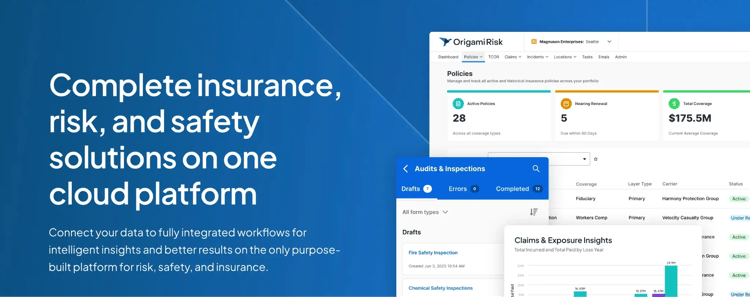
Origami Risk’s homepage
Origami Risk is a risk management and insurance platform that helps underwriting teams handle multi-line submissions and complex risk assessments more efficiently. It brings together risk scoring, workflow automation, and analytics so your team can focus on decisions that actually move the needle. It works particularly well for organizations that need strong visibility into risk exposure across their portfolio.
Key features of Origami Risk
1. Multi-line submission processing
Origami Risk handles submissions across multiple lines of business, giving your team a consistent process regardless of coverage type.
2. Risk scoring and prioritization
Submissions are automatically scored and prioritized, so your underwriters spend their time on the risks that matter most.
3. Workflow automation
Routine steps in the underwriting process are automated, reducing manual handoffs and keeping submissions moving through the pipeline.
Advanced analytics and reporting
You get detailed insight into underwriting performance, risk exposure, and portfolio trends to support better decision-making.
Pros and Cons of Origami Risk
Pros include:
- Handles multi-line submissions within a single, centralized platform
- Risk scoring helps prioritize underwriter workload effectively
- Portfolio-level analytics support strategic risk decisions
Cons include:
- Implementation complexity increases with organizational size
- Requires dedicated resources to manage and maintain
- Reporting customization can be technically demanding
7. Indio
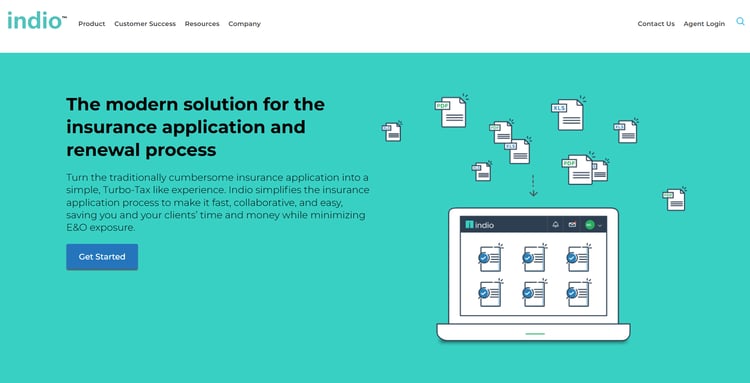
Indio’s homepage
Indio, part of Applied Systems, is a digital submission platform built to make the intake process smoother for brokers, clients, and underwriters alike. It replaces manual forms and email chains with smart digital forms, e-signatures, and real-time collaboration tools. If your team loses time chasing incomplete submissions, Indio can help bring more order and accuracy to that part of the process.
Key features of Indio
1. Smart digital forms
Indio replaces paper-based intake with intelligent forms that guide clients through submissions, improving the quality of data your underwriters receive.
2. AI-powerd data capture
The platform uses AI to pull relevant information from submitted documents, reducing the manual work involved in processing new submissions.
Built-in e-signature support lets brokers and clients complete and sign documents digitally, cutting down turnaround time.
Broker-underwriter collaboration
Indio keeps brokers, clients, and underwriters connected in one platform, so everyone can see submission status and respond faster.
Pros and Cons of Indio
Pros include:
- Reduces incomplete submissions through guided digital forms
- Speeds up document turnaround with built-in e-signatures
- Improves broker-underwriter communication in one place
Cons include:
- One worksheet type per submission limits complex accounts
- Multiple policies of the same type require separate submissions
- Advanced features not always visible or easy to discover
8. Decisions
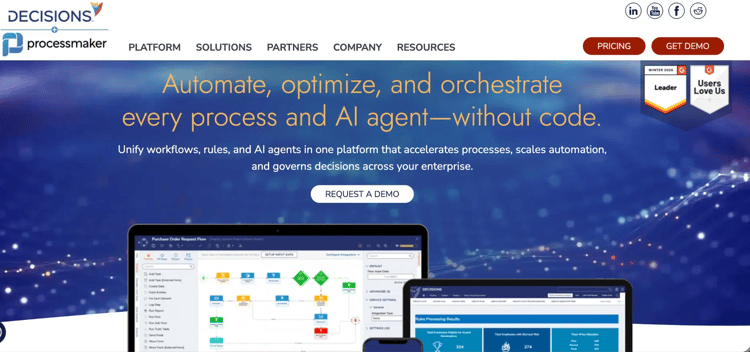
DecisionRules underwriting product page
Decision is a low-code rules engine that lets insurers define and deploy underwriting decision logic quickly, without building it from scratch. You can configure pricing rules, risk criteria, and eligibility checks through an intuitive interface and update them as your needs change. It's a good fit if you need a flexible, standalone rules layer that connects into your existing underwriting systems.
Key features of Decisions
1. Low-code rules engine
You can build and manage underwriting rules, pricing logic, and risk criteria without needing to write complex code.
2. Real-time decision processing
Underwriting decisions are executed instantly as submissions come in, helping your team respond faster across all distribution channels.
3. API-first integration
Decision connects with your existing underwriting and policy systems via APIs, so it slots into your current setup rather than replacing it.
Configurable workflow automation
You can set up automated workflows around your decision rules, reducing the manual steps between submission, assessment, and outcome.
Pros and Cons of Decision
Pros include:
- No-code rule building works for complex underwriting logic
- Rule changes deploy instantly with no backend disruption
- Integrates cleanly with existing systems via REST API and SDKs
Cons include:
- UI has a learning curve for non-technical underwriting staff
- Built-in analytics are limited; needs external BI for deeper reporting
- Pricing lacks flexibility for smaller teams or limited-scale use
9. Socotra

Socotra's homepage
Socotra is a cloud-native, API-first insurance platform designed for carriers and MGAs that want to move fast without being constrained by legacy systems. You can configure underwriting workflows, risk products, and business rules directly on the platform, tailoring it to how your team actually works. It's especially popular with newer insurers and MGAs looking to launch products and iterate quickly.
Key features of Socotra
1. Cloud-native policy administration
Socotra manages the full policy lifecycle in the cloud, keeping your underwriting and policy data connected and up to date.
2. Product configurator
You can design and launch new insurance products quickly using Socotra's flexible product configuration tools, without relying on vendor support for every change.
3. Risk profiling tools
The platform supports automated risk assessment and profiling, helping your underwriters apply consistent criteria across submissions.
4. Centralized collaboration platform
Clients, brokers, and underwriters work within a single connected environment, improving communication and reducing delays in the underwriting process.
Pros and Cons of Socotra
Pros include:
- API-first architecture supports fast product configuration
- Cloud-native setup reduces reliance on legacy infrastructure
- Well-suited for launching new insurance products quickly
Cons include:
- Configuration requires technical expertise to execute
- Less proven for large, established carrier environments
- Support ecosystem is smaller compared to legacy vendors
10. FlowForma

FlowForma playground for insurance
FlowForma is a no-code workflow automation platform that insurers use to digitize and manage structured underwriting processes.
You can build intake forms, define approval paths, and set underwriting rules without writing a single line of code. It's a practical fit if your team handles approval-heavy submissions and wants more control over how each one moves through the process.
Key features of FlowForma
1. AI-powered workflow builder (Copilot)
You can describe your underwriting process in plain language, upload an existing form or flow diagram, or use voice input, and Copilot automatically structures the steps, questions, and conditional logic for you. You can go from a manual process to a deployable workflow in minutes. Watch this 1-minute video to get started with the automated insurance underwriting process.
2. Dynamic intake forms with conditional logic
FlowForma lets you build smart digital forms that adapt based on what the applicant or underwriter inputs. Only relevant fields appear at each stage, and built-in validations prevent incomplete submissions from moving forward, improving data quality from the very first touchpoint.
3. Automated routing, approvals, and escalations
You can define rules that automatically route submissions based on risk complexity, coverage type, or missing documentation. High-value or flagged risks go to senior underwriters, while straightforward submissions move through faster with minimal manual intervention.
4. Automatic document generation
Once an underwriting decision is made, FlowForma generates the relevant documents, such as approval letters, coverage summaries, or referral notices, directly from the captured data. This keeps communication consistent and reduces the manual effort involved in document preparation.
Pros and Cons of FlowForma
Pros include:
- No-code setup with an intuitive, drag-and-drop interface reduces dependency on IT teams
- Easy to set up electronic workflows that replace paper-based processes, helping teams move to more efficient digital operations.
- Provides useful management information reports, giving better visibility and insights into business processes.
Cons include:
- Requires thoughtful process design before setup begins
- Learning curve is steep without structured onboarding
- Navigation takes time for new or occasional users
Consider These Before Choosing An Insurance Underwriting Software Platform (+ Evaluation Checklist)
The underwriting software platform you choose will quietly influence every underwriting decision your team makes. Get it right, and it becomes a genuine operational advantage. Get it wrong, and it creates friction at every stage.
Here's what to weigh before you decide.
1. Ease of use
Your underwriters shouldn't need a developer to adjust a workflow or update a rule. Look for platforms that let business users build, test, and modify processes on their own through visual designers or plain-language inputs.
The less your team depends on IT for day-to-day changes, the faster things move.
2. Customization and flexibility
No two insurers apply risk the same way, and your software should reflect that. You need the ability to configure decision logic, adjust rules by product line or region, and adapt workflows as your appetite changes.
If customization requires a developer every time, that's a bottleneck worth factoring in early.
3. AI and analytics
AI is most useful in underwriting when it does more than surface dashboards. The right tools can analyze submission data, apply business rules automatically, flag anomalies, and recommend next steps, helping your team make faster and more consistent decisions.
Look for platforms where AI assists the process rather than just reporting on it.
4. Integration with existing systems
Underwriting doesn't happen in isolation. Your software needs to connect cleanly with your policy administration system, CRM, rating tools, and distribution channels so data flows without manual re-entry.
5. Audit trails and compliance
Regulatory scrutiny on underwriting decisions is only growing. Your platform should maintain timestamped records, user access controls, and structured documentation at every stage of the process.
If you can't demonstrate a clear audit trail for a decision, that's a compliance risk waiting to surface.
6. Pricing transparency
Unpredictable pricing, whether usage-based, per-user, or feature-gated, makes it hard to plan and harder to scale. Look for models where the cost is clear upfront and doesn't spike as your team grows or your process complexity increases.
Transparent pricing makes ROI much easier to calculate.
7. Speed to deploy
A platform that takes six months to go live isn't helping you respond to today's market. Cloud-native solutions with pre-built templates and intuitive setup tend to get underwriting teams up and running faster.
📌Quick evaluation checklist to fasten your decision
A good demo can make almost any platform look capable. These questions help you dig a little deeper into the best underwriting software tools (for you) before you commit.
- Can underwriters build and modify workflows without IT support?
- How easily can decision rules be updated when risk appetite changes?
- Does it integrate with your existing policy admin, CRM, and rating systems?
- What does the audit trail look like, and does it meet your compliance requirements?
- How is the platform priced, and what's included versus charged separately?
- How long does a typical deployment take from contract to first live workflow?
- What does onboarding and ongoing support actually look like in practice?
P.S. How can you use this quick checklist? Ask each question directly to your vendor. A confident, specific answer is a good sign. Vague or evasive ones tell you just as much.
|
See what structured underwriting automation looks like in practice
With FlowForma AI Copilot, you can create an insurance underwriting workflow in breeze. Just a few simple steps and your underwriters (finally) have the peace of mind they deserve.
FlowForma helps insurance teams move from manual, fragmented underwriting processes to structured, automated workflows that your business users can own and maintain. From configuring decision rules to generating documents and tracking approvals, the platform is built to handle the complexity of underwriting without adding complexity for your team.
Built-in AI tools, audit trails, and flexible integrations mean you can move quickly without cutting corners on compliance. Book a demo to see it in action.