Most procurement teams don't struggle with manual processes because they lack ambition. They struggle because the approval is sitting in someone's inbox, the PO is in a spreadsheet, and the supplier onboarding form is a PDF attached to an email from three weeks ago. Does this sound familiar?
Automation is the obvious fix. But evaluating procurement automation software comes with its own headache. Every platform markets itself as end-to-end. Every demo looks clean. And somehow, you still end up shortlisting five tools that all claim to do the same thing but clearly don't.
We put together this guide to cut through that. Below is an honest breakdown of ten procurement automation platforms, what each one actually does well, where it falls short, and which teams it's genuinely built for. If you're weighing procurement automation as part of a wider business process automation effort, we've flagged where each tool fits.
The best procurement automation software depends on your priority. Large enterprises that need a full source-to-pay suite lean toward Coupa or SAP Ariba, while mid-sized teams often choose Procurify, Precoro, or Kissflow for structured purchasing and spend control. For fast, no-code approval and workflow automation inside Microsoft 365, FlowForma is the strongest fit.
To curate this list, we evaluated how widely recommended procurement automation platforms perform by comparing their capabilities with real user feedback.
We then looked beyond feature lists and assessed what matters in real procurement operations:
- How well each platform automates sourcing, purchasing, and payment workflows
- Can it route approvals, purchase requests, and exceptions without manual intervention?
- Does it support the audit trails, spend visibility, and compliance controls procurement teams require?
- How easily does it integrate with ERP systems, finance tools, and supplier networks?
- Can it scale across different spend categories and business units without extensive reconfiguration?
The tools below include both procurement-specific platforms and broader automation solutions that procurement teams adapt to their operations. We've also noted the best use-case fit for each platform, and, where available, current G2 and Capterra ratings so you can weigh our assessment against verified user reviews.
Here is the full breakdown:
|
Tool
|
Key Strength
|
Automation Capabilities
|
Integration Capabilities
|
|
Coupa
|
Enterprise spend and source-to-pay management
|
AI-driven spend and procure-to-pay workflow automation
|
Broad ERP and supplier-network integrations
|
|
FlowForma
|
No-code workflows on the Microsoft stack
|
AI-assisted workflow creation and document generation
|
Native Microsoft 365 and SharePoint integration
|
|
Kissflow
|
Unified source-to-pay management
|
Low-code workflow automation across procurement lifecycle
|
Integrates with core business systems
|
|
Nintex
|
Process visibility with enterprise automation depth
|
Workflow automation with RPA for repetitive tasks
|
Enterprise-grade system integrations
|
|
Procurify
|
Spend tracking with control with start-of-the-art AI
|
Purchase request and approval workflow automation
|
ERP and finance system integrations with limits
|
|
Precoro
|
Structured procurement execution
|
Configurable approval workflows for purchasing processes
|
Integrates with accounting and finance tools
|
|
Zycus
|
AI-first procurement intelligence
|
Predictive automation adapting to spend and policy changes
|
Integration support with some API constraints
|
|
ProcessMaker
|
Process intelligence with automation
|
AI-powered document processing within workflows
|
Strong integration across enterprise systems
|
|
Pipefy
|
AI-led request and document handling
|
AI document extraction and workflow automation
|
Connector-based integrations with limited native depth
|
|
SAP Ariba
|
Enterprise source-to-pay on the SAP ecosystem
|
Guided buying and procure-to-pay automation
|
Deep SAP ERP and Ariba Network integration
|
Table showing the leading procurement automation tools
Let's explore each platform in detail.
1. Coupa
Best for: Enterprise spend and source-to-pay management
Coupa homepage
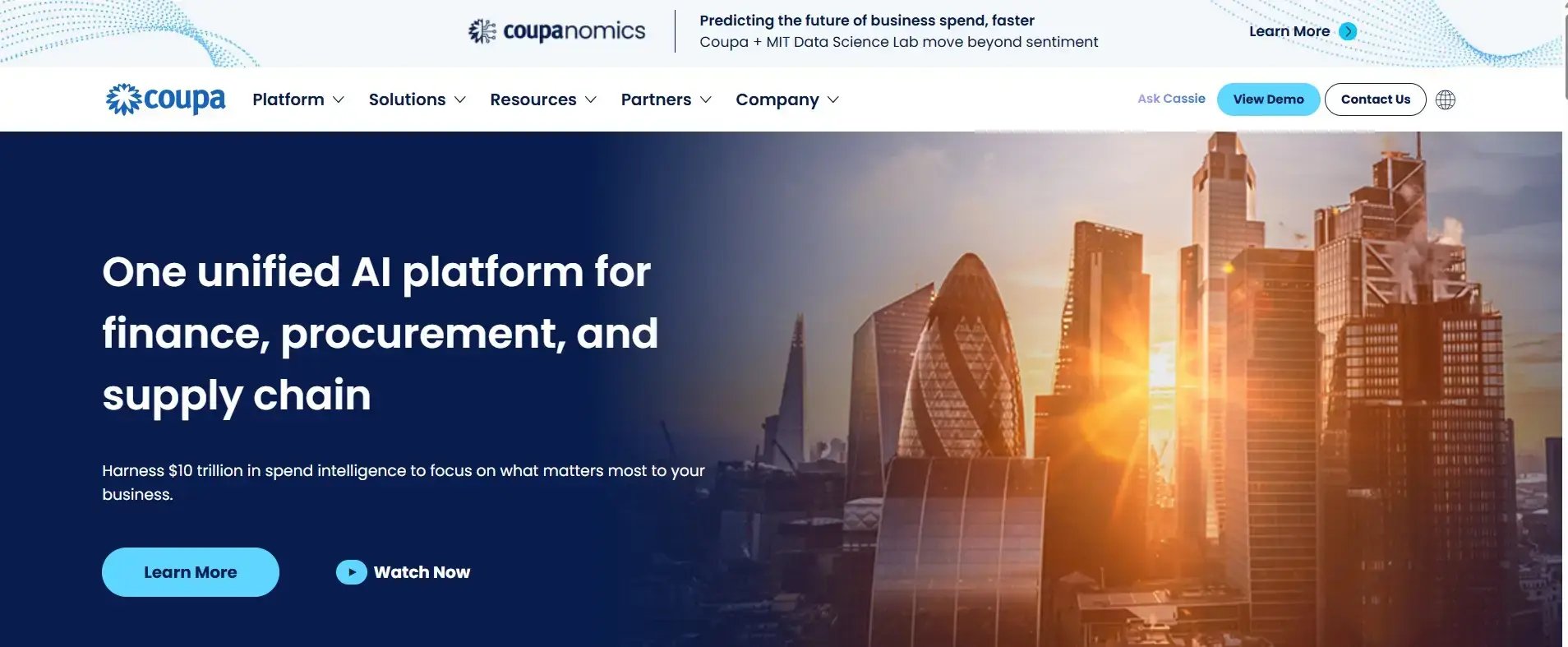
Coupa is a platform that brings together core procurement functionality alongside finance, and supply chain in one platform.
It has recently deployed a suite of AI agents that work alongside procurement teams to manage and optimize spends.
The platform is designed for enterprise sized organizations and is suited for organizations managing thousands of suppliers, multiple legal entities, and complex approval rules.
Key features of Coupa
Spend visibility and analytics
Coupa shines with advanced analytics features which shows how and where money is spent across the organization. This helps procurement teams identify savings opportunities, excessive spending and opportunities to reduce suppliers.
Source-to-Pay (S2P) Automation
As the platform is designed for large enterprises, its Source-to-Pay (S2P) functionality is built to manage supplier bids at scale, supporting thousands of suppliers.
Guided buying and compliance
Coupa steers requesters toward preferred suppliers and catalogs at the point of purchase, which helps keep buying on-contract and on-policy without heavy manual policing.
Supplier management
Coupa’s platform provides a centralized hub for managing suppliers. This enables procurement teams to easily access everything from supplier onboarding to qualification, and performance tracking in one central location.
Pros of Coupa
- Manages the entire Source-to-Pay (S2P) process for enterprise procurement teams
- Analytics that are some of the most advanced for procurement teams
- The platform is designed to scale with the growing needs of large enterprise teams
Cons of Coupa
- Costs have an enterprise price tag so they will be out of reach for small to medium sized organizations
- As an enterprise platform, expect to have longer deployment time for configuration, integrations and set ups
- There is a steep learning curve with Coupa, with dedicated system administrators required
2. FlowForma
Best for: Procurement workflow automation within the Microsoft stack of SharePoint, Teams, Outlook
FlowForma homepage
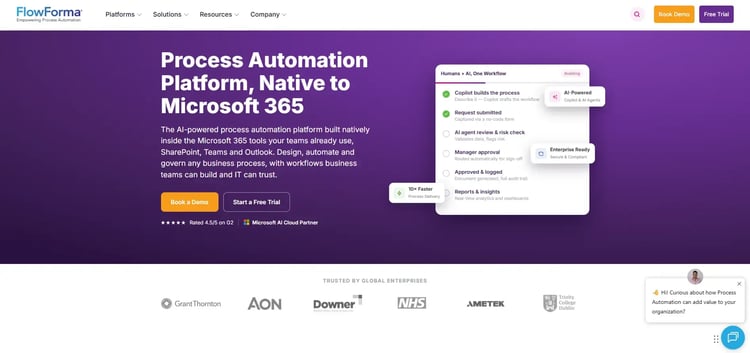
FlowForma is a no-code process automation platform built for teams that want to move fast without waiting on IT. You can automate procurement workflows like supplier onboarding, purchase approvals, and document generation without writing a single line of code. It works especially well if your organization is already running on Microsoft 365, and pairs naturally with existing SharePoint workflow automation.
Key Features of FlowForma
AI assistants
FlowForma's AI Assistants include an AI Agent, a Summarize Agent, and a Copilot, each designed to reduce manual effort in procurement tasks. You can use them to build workflows, summarize process data, and automate repetitive steps across your procurement cycle.
Here's a demo explaining how our Copilot creates an automated government procurement process in just a few quick steps:
No-code workflow builder
You can design and deploy procurement processes without any technical background. The platform gives non-technical users the tools to independently automate supplier onboarding, purchase requisitions, and approval workflows.
Microsoft 365 integration
FlowForma connects directly with Microsoft 365 and SharePoint, so your procurement data stays within the tools your team already uses.
Document generation
The platform automatically generates procurement documents, such as purchase orders, contracts, and invoices, as part of your workflow. This reduces manual document handling and keeps records consistent throughout the process.
Pros of FlowForma
- AI Assistants are core to the platform, not bolted on as an afterthought
- Pre-configured templates get common procurement workflows running quickly
- Built-in analytics help identify and act on process bottlenecks
Cons of FlowForma
- Heavily tied to Microsoft 365, limiting value for teams outside that ecosystem
- Some coding may be required for more complex integrations
3. Kissflow
Best for: Unified source-to-pay management on a low-code platform
Kissflow homepage
Built for teams that want procurement automation without managing multiple tools, Kissflow covers the full source-to-pay cycle in one place. It handles sourcing, supplier management, contracts, and invoice automation through a low-code interface that doesn't demand deep technical knowledge. Some familiarity with low-code development will help you get the most out of it.
Key features of Kissflow
Procurement cloud module
Kissflow offers a purpose-built procurement module that supports strategic sourcing, procure-to-pay, supplier management, contract management, and invoice automation. You get a connected workflow across the full procurement lifecycle rather than managing these in separate tools.
Process builder
The drag-and-drop process builder lets you design, automate, and manage procurement workflows without heavy development work. You can map out approval chains, procurement stages, and routing logic in a visual interface.
App development
If your procurement process has unique requirements, you can build custom applications on top of Kissflow using pre-built templates or from scratch.
Spend analytics
Kissflow includes spend analytics that give procurement leaders visibility into purchasing patterns and supplier spend. You can use this data to identify savings opportunities and track compliance with procurement policies.
Pros of Kissflow
- Intuitive interface reduces onboarding time for procurement teams
- Source-to-pay coverage in one module reduces tool sprawl
- Pre-built templates speed up workflow setup
Cons of Kissflow
- Custom reporting and integrations required for reviewing and editing legal documents
- Support response times have been reported as inconsistent
- Assigning user permissions and role-based access can feel clunky
4. Nintex
Best for: Procurement process visibility with enterprise automation depth
Nintex's homepage
If your organization needs both process visibility and automation under one roof, Nintex is worth a close look. It covers the full procurement lifecycle, from vendor onboarding to purchase order management and approval routing, and adds RPA capabilities for tasks that run outside business hours.
Key Features of Nintex
Workflow automation
Nintex workflow automation lets you automate procurement workflows such as purchase requisitions, approvals, vendor onboarding, and operational procedures. You can configure rule-based routing so that the right stakeholders are looped in at the right stage, without manual handoffs.
Process mapping
The process mapping feature helps you document and visualize your current procurement workflows so you can identify inefficiencies before automating.
Process discovery
Nintex can surface how procurement processes are actually being executed, based on real data, rather than relying on assumptions. You can use these insights to prioritize which workflows to automate first and where manual steps are creating delays.
Robotic process automation (RPA)
For repetitive, rule-based procurement tasks, Nintex's RPA capability can run automated bots without requiring human input.
Pros of Nintex
- Easy to set up with a straightforward interface and highly configurable workflows
- Process discovery, mapping, and automation all sit within one platform
- RPA support handles high-volume, rules-based procurement tasks with strong document generation capabilities
Cons of Nintex
- Entry-level pricing is a significant investment for mid-sized teams
- Implementation requires extensive admin support
- Documentation for advanced features can be thin
5. Procurify
Best for: Spend tracking with control using state-of-the-art AI
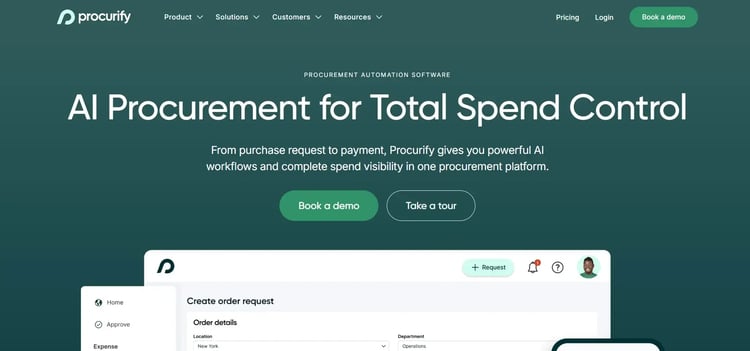
Procurify's homepage
A purchasing and AP automation platform, Procurify gives procurement teams control over spend from the moment a request is submitted through to payment. It's designed to make the entire purchasing process visible and trackable, with approval workflows, vendor management, and real-time reporting built in. Works well for teams that need strong budget oversight alongside day-to-day procurement operations.
Key features of Procurify
Purchase request and order management
Procurify standardizes the purchasing process from initial request through to purchase order creation. Every order is tracked, approved, and documented so your AP team always has the information they need when invoices come in.
Budget management
You can assign category-level budget visibility to the right stakeholders across your organization, so spending decisions are made with real budget context. This helps prevent overspend before it happens rather than catching it after the fact.
Vendor management
Adding and managing vendors is straightforward in Procurify, with a vendor request form that captures the key details needed for setup and ongoing management. You can keep vendor records centralized and accessible to your procurement and finance teams.
Real-time reporting
Procurify generates reports on purchasing activity, budget consumption, and vendor spend in real time. You can use these reports to support data-driven decisions without waiting for end-of-month reconciliation.
Pros of Procurify
- Day-to-day usability for tracking purchases and expenses is well-regarded
- Category-level budget visibility helps align procurement and finance before orders are placed
- Mobile accessibility supports approvals and submissions for distributed teams
Cons of Procurify
- ERP and finance integrations are limited, which can create data silos
- Performance slows down with high volume workflows
- Notification design can lead to missed approvals or delayed action
6. Precoro
Best for: Structured procurement execution for organizations processing a high volume of purchase orders
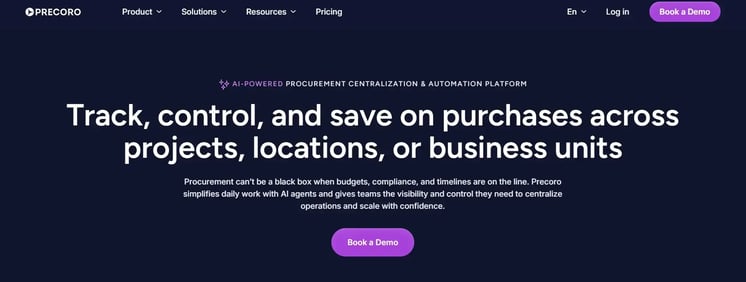
Precoro's homepage
Designed with procurement professionals in mind, Precoro brings structure to purchasing from request through to payment. It handles purchase requests, approval workflows, order management, and spend tracking in one place, and holds up well for organizations processing a high volume of purchase orders.
Key features of Precoro
Purchase request management
Precoro gives you a centralized place to create, collect, and manage purchasing requests across your organization. Standardizing the intake process means fewer informal requests and better compliance with procurement policy.
Approval workflow builder
You can configure approval workflows of varying complexity to match your organization's procurement structure. Multi-step approvals, conditional routing, and role-based permissions are all available without requiring developer support.
Purchase order and inventory management
Precoro manages the full order lifecycle, from creation and approval to tracking and receipt. You can also monitor stock levels and manage inventory alongside your purchasing activity, keeping procurement and operations aligned.
Spend control and reporting
The platform gives you tools to plan, monitor, and control corporate spend across departments and categories. You can track commitments, identify overspend early, and keep procurement data organized for financial reporting.
Pros of Precoro
- Intuitive and simple interface making reporting and navigation straightforward
- Approval workflows are flexible without needing developer support
- Accessible pricing makes it a realistic option for mid-sized procurement teams
Cons of Precoro
- Limited customization and advanced settings
- Lacks centralized reporting
- Intermittent technical issues affecting reliability
7. Zycus
Best for: AI-first procurement intelligence with AI agents handling tasks
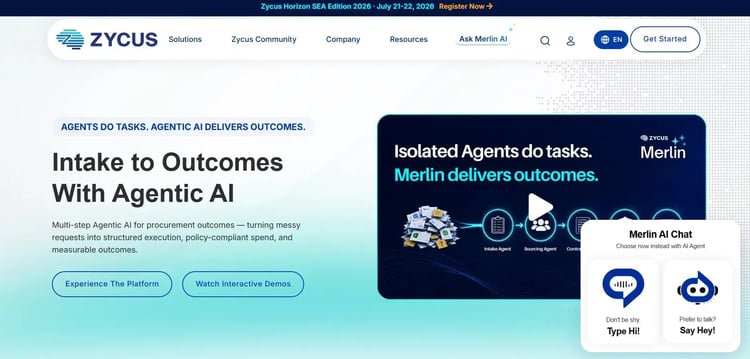
Zycus's homepage
Zycus positions itself as a generative AI-powered procurement platform, with AI built into core workflows rather than layered on as a feature. Its AI engine, Merlin, powers everything from intake management to workflow automation and spend prediction. If AI-driven procurement is a priority for your organization, Zycus is one of the more purpose-built options on the market.
Key Features of Zycus
Generative AI with Merlin
Zycus's Merlin AI engine powers intelligent automation across procurement workflows. It can predict spending patterns from historical data, dynamically adjust to policy changes, and flag anomalies without requiring manual configuration every time something changes.
Low-code and no-code workflow builder
You can build customized procurement workflows using a drag-and-drop interface, without needing deep technical knowledge. The builder supports a range of procurement use cases, from purchase requests to supplier onboarding, and is flexible enough to adapt workflows as your processes evolve.
Procurement intake via Microsoft Teams
Merlin Assist brings procurement intake directly into Microsoft Teams, so employees can submit requests, get answers to common procurement questions, and track status without leaving their existing collaboration tools.
Adaptive automation
Zycus's automation layer adjusts to policy updates automatically, keeping workflows aligned with your procurement rules without requiring manual reconfiguration each time a policy changes.
Pros of Zycus
- AI-backed spend tracking learns from past purchasing patterns over time
- Handles sourcing cycles, contracts, and PR-to-PO-to-invoice in one platform
- Purchase requisition and catalog management get good marks for usability
Cons of Zycus
- Invoice management has been reported as less intuitive on the AP side
- API options are more limited than some users need for system integration
- The interface and templates have been flagged as needing improvement for everyday use
8. ProcessMaker
Best for: Procurement process intelligence with process automation built in
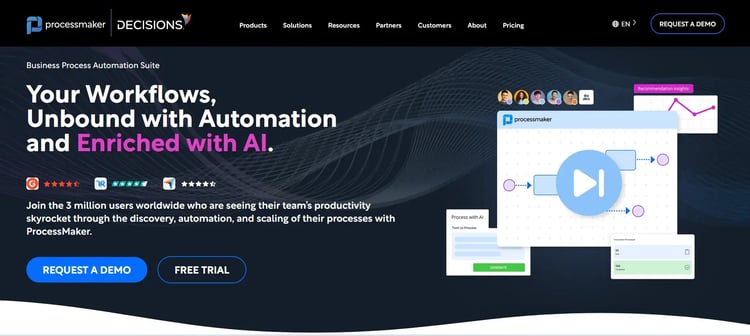
ProcessMaker's homepage
A low-code process automation platform with a strong fit for procurement, ProcessMaker covers everything from document processing and approval routing to system integration and process intelligence. It's a solid option for organizations that want deep visibility into how their procurement processes are actually performing.
Key features of ProcessMaker
Workflow automation platform
ProcessMaker lets you automate repetitive procurement tasks and mission-critical workflows, from purchase request intake to multi-level approvals. You can connect it to your existing systems so procurement data flows between tools without manual intervention.
Intelligent document processing
The platform uses AI and OCR to extract and classify data from unstructured procurement documents like invoices, contracts, and supplier submissions. This replaces manual data entry with automated extraction, reducing errors and speeding up document-heavy workflows.
Process intelligence
ProcessMaker gives you end-to-end visibility into your procurement workflows, surfacing where delays are happening and where automation could have the most impact. You can use this data to prioritize improvements and track the effect of changes over time.
System integration
The platform is built to connect with your existing tech stack, breaking down the silos that often exist between procurement, finance, and operations systems.
Pros of ProcessMaker
- Customer support is consistently rated as responsive and knowledgeable
- Intelligent document processing reduces manual data entry from procurement documents
- Process intelligence surfaces delays and inefficiencies across procurement workflows
Cons of ProcessMaker
- End-user form design for procurement request submission has been noted as less polished
- Performance can slow for larger or more complex workflow configurations
- Some support documentation is outdated, limiting reliable self-service troubleshooting
9. Pipefy
Best for: AI-led procurement request and robust document handling
Pipefy homepage
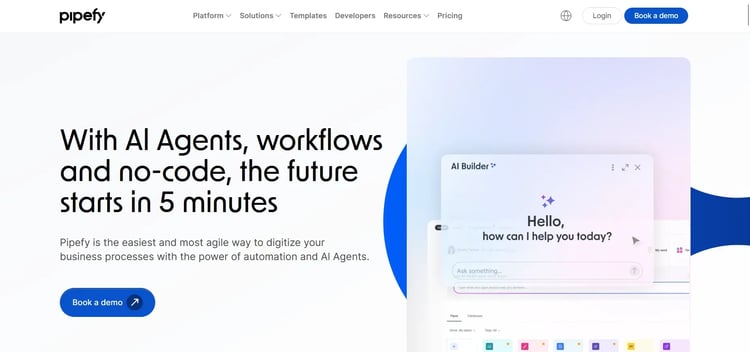
Pipefy helps procurement teams automate purchasing workflows, from purchase requests and vendor management to accounts payable and contract management. The platform is known for its AI-powered document processing and for bringing requesters, approvers, and vendors into a single connected flow. It's a good fit for teams looking to reduce manual coordination without a heavy implementation lift.
Key features of Pipefy
Pipefy uses AI to read procurement documents and automatically extract data, reducing manual effort in processing invoices, purchase requests, and vendor forms. You can use this to cut down on data entry errors and speed up document-heavy workflows.
AI Co-pilot for workflow building
The AI Co-pilot lets you describe what you want in plain language and then builds the workflow for you. For procurement teams without technical resources, this makes it faster to set up and iterate on procurement processes.
AI agents for request management
Pipefy's AI Agents handle common procurement queries, help users submit and track requests, and centralize information that would otherwise sit across emails and spreadsheets.
Vendor and contract management
You can manage vendor relationships and business contracts directly within Pipefy, keeping all related communications, documents, and approvals in one place.
Pros of Pipefy
- AI document extraction reduces manual data entry across procurement workflows
- Real-time collaboration supports smoother coordination between procurement and finance
- Quick automation setup without needing coding or complex configurations
Cons of Pipefy
- Server performance issues can slow down time-sensitive procurement workflows
- Limited native integrations with essential tools like Jira, Slack, and Notion
- Scalability for high-volume procurement operations has been flagged as a concern
10. SAP Ariba
Best for: Enterprise source-to-pay for organizations aleady embedded on the SAP ecosystem
SAP Ariba homepage
SAP Ariba is an enterprise source-to-pay platform built around the SAP ecosystem and the Ariba Network, one of the largest business-to-business supplier networks.
It's designed for large organizations that need to manage sourcing, contracts, procurement, and supplier collaboration at scale, particularly those already invested in SAP. If your procurement operation is global and tightly coupled to an SAP ERP, Ariba is a natural, if heavyweight, fit.
Key features of SAP Ariba
Source-to-pay coverage
Ariba spans sourcing, contract management, procurement, and invoicing, giving large enterprises a single platform for the full procurement lifecycle rather than a patchwork of point tools.
Ariba Network
The Ariba Network connects buyers and suppliers for transactions, catalogs, and collaboration, which can simplify supplier onboarding and document exchange at scale.
Guided buying
Ariba's guided buying experience routes employees toward approved suppliers and catalogs, helping keep spend on-contract and compliant across a large, distributed workforce.
SAP ERP integration
For organizations running SAP, Ariba integrates deeply with the wider SAP landscape, keeping procurement data aligned with finance and operations across the business.
Pros of SAP Ariba
- Enterprise-grade source-to-pay capability at global scale
- Large supplier network simplifies supplier collaboration and onboarding
- Deep integration for organizations already running SAP
Cons of SAP Ariba
- Implementation is complex, lengthy, and resource-intensive
- Cost and scope are aimed at large enterprises, not lean teams
- The interface and configuration can be demanding for everyday users
You may be familiar with one or both phrases, but procurement automation and purchasing tools can solve different business problems.
- Purchasing tools are designed more for the transactional side of procurement. These tools are more focused on creating purchase requisitions, generating purchase orders, routing approvals, and managing supplier catalogs. The goal of these tools is to make buying goods or services streamlined, faster and more efficient. Full procure-to-pay (P2P) suites like Coupa and SAP Ariba sit at this end, managing the commercial and financial side of buying at scale.
- While procurement automation is different as it covers the full procurement lifecycle. As well as purchasing it also covers sourcing, supplier onboarding, contract management, invoice processing, spend analysis, compliance, and supplier performance management. It provides teams with full control and visibility of procurement. This is the world of workflow automation software, where the value is in how quickly and reliably work moves through your organization.
Key Differences of Purchasing Tools Vs Procurement Automation Tools
|
Purchasing Tools
|
Procurement Automation
|
|
Focus on purchasing transactions
|
Automates the complete Source-to-Pay process
|
|
Handles purchase requests and purchase orders
|
Includes sourcing, contracts, suppliers, purchasing, invoicing, and analytics
|
|
Best for organiz with straightforward purchasing needs
|
Best for organiz with complex procurement processes and spend management requirements
|
|
Improves purchasing efficiency
|
Improves efficiency, compliance, cost control, and strategic decision-making
|
Most teams need elements of both, but rarely in equal measure. If your biggest pain is approvals stuck in inboxes and inconsistent processes, procurement automation and broader business process automation will move the needle fcoiupster than a heavyweight purchasing suite.
If your biggest pain is uncontrolled spend and fragmented supplier data across a large enterprise, a dedicated P2P platform is the better anchor. The tools in this list span that whole range, which is why the fit matrix below matters more than the ranking.
This will depend on your business goals, stage of your organization and procurement needs.
If your organization is small and you just need to automate a simple purchasing process, then a purchasing tool will suit your needs.
But, if your organization is growing, has complex procurement processes or needs to enforce compliance in procurement, then a dedicated procurement automation platform will be better for you.
For businesses looking to modernise procurement, procurement automation can deliver greater long-term value by connecting every stage of the purchasing process into a single, integrated workflow.
The tools on this list aren't interchangeable. Each one is built around a different procurement priority. Use the matrix below to match a tool to your primary use case, then shortlist from there.
|
Tool
|
Best for
|
Category
|
|
Coupa
|
Enterprise-wide spend visibility and full source-to-pay
|
Full P2P / purchasing suite
|
|
FlowForma
|
Fast, no-code approval and workflow automation inside Microsoft 365
|
Workflow / process automation
|
|
Kissflow
|
Source-to-pay coverage in a single low-code module
|
Low-code procurement suite
|
|
Nintex
|
Process discovery plus automation across complex approval structures
|
Workflow / process automation
|
|
Procurify
|
Spend control and budget oversight alongside purchasing
|
Purchasing / spend management
|
|
Precoro
|
High purchase-order volumes with flexible approvals
|
Purchasing / spend management
|
|
Zycus
|
Generative AI embedded across the procurement cycle
|
AI-first procurement suite
|
|
ProcessMaker
|
Process intelligence with intelligent document handling
|
Workflow / process automation
|
|
Pipefy
|
High volumes of documents with AI extraction and routing
|
Workflow / process automation
|
|
SAP Ariba
|
Global, SAP-based enterprises needing source-to-pay at scale
|
Full P2P / purchasing suite
|
A quick way to read this: if you sit in the "workflow / process automation" rows, your primary need is moving work through the organization quickly, and that's where FlowForma is strongest. If you sit in the "full P2P / purchasing suite" rows, you're buying transactional and spend infrastructure.
Many teams start with workflow automation for approvals and supplier onboarding, then layer purchasing controls on top as they scale. For a broader view of automating at organizational scale, see our guide to enterprise workflow automation.
If your organization uses Microsoft 365 tools like SharePoint, Outlook and Microsoft Teams, then FlowForma is an ideal choice for your procurement automation.
Let’s discuss why in more detail. FlowForma is easily installed within your existing Microsoft tenant which means you can be up and running fast, have full control over your data, and integrate with the tools your procurement teams already use every day.
FlowForma helps to ensure procurement policies are standardized (contracting, forms, approval, and due diligence) and streamlined: If SharePoint is central to how you work, our SharePoint workflow automation guide shows how those processes come together.
It won't replace a full P2P platform if what you need is enterprise-wide catalogs and spend infrastructure. But for the approvals, onboarding, and document-heavy processes that slow most procurement teams down, it's the fastest way to get automation live.
Automate purchase requests and approvals
With FlowForma, organizations can replace their paper forms, broken email chains and reliance on spreadsheets with digital procurement forms.
This is the modern way to automate procurement and using digital forms ensures that requests are automatically routed to the appropriate approvers based on predefined business rules, ensuring compliance while reducing approval times.
Standardize supplier onboarding
With digital workflows, supplier onboarding is streamlined. Data is collected, notifications routed for follow up and a detailed audit trail is automatically created.
This creates a better user experience for both the suppliers and the procurement teams. For procurement teams, it enables them to work smarter and more efficiently, while embedding compliance in every workflow.
Simplify contract and document approvals
Procurement teams spend a good proportion of their time reviewing contracts, quotations, and supporting documentation.
FlowForma’s document generation feature helps procurement teams manage documents easily. It automates document routing, version control, and approval workflows, reducing delays and ensuring the correct stakeholders review every request.
Improve visibility and compliance
Compliance is made easier for procurement teams with real-time access to dashboards and with visibility into workflow status, approval bottlenecks, and outstanding requests.
Audit trails are automatically created, providing visibility into workflow status, approval bottlenecks, and outstanding requests.
Integrate with Microsoft 365
Built natively for Microsoft 365, FlowForma integrates with:
- SharePoint
- Microsoft Teams
- Power Automate
- Power BI
- Outlook
- Microsoft Entra ID (Azure AD)
This means that data is not hosted in another external system and it enables teams to work seamlessly with the tools they are already using.
Benefits of automating procurement with FlowForma
- Reduce manual processing and administrative effort
- Accelerate procurement approvals
- Improve policy compliance with standardised workflows
- Increase visibility into procurement activity
- Eliminate paper-based and email-driven processes
- Create a complete audit trail for every procurement request
- Scale procurement operations without increasing administrative overhead
Common procurement workflows you can automate
FlowForma can automate a wide range of procurement processes, including:
-
- Purchase requisition approvals
- Purchase order requests
- Supplier onboarding and due diligence
- Vendor risk assessments
- Request for Quote (RFQ) approvals
- Request for Proposal (RFP) workflows
- Contract review and approval
- Invoice approval workflows
- Capital expenditure (CapEx) requests
- Procurement policy exception approvals
If your teams already use Microsoft 365, FlowForma is a natural choice for procurement process automation.
By bringing FlowForma into your organization you can transform the way your procurement teams works, keep your data secured within your existing Microsoft tenancy and drive the operational improvements that your organization needs.
Ready to see it in action? Book a demo and we'll show you how FlowForma automates procurement workflows on Microsoft 365.