Published 26 Aug 2025

10 Internal Audit Management Software for Automating Compliance

The article explains that internal audit management software helps organisations automate, manage and optimise audit processes from evidence collection and risk assessments to reporting and compliance checks to reduce manual effort and improve oversight. It then reviews the top tools in 2026, outlining key features and selection criteria so teams can choose a solution that boosts efficiency, accuracy and regulatory confidence.

Gerard Newman, CTO
By Gerard Newman, CTO
Updated 9 Mar 2026 | 16 min read

Best Internal Audit Management Software in 2026

Table Of Contents

Streamline Internal Audits

Automate audit workflows & approvals

Automate 10x faster

Built for Microsoft 365

Key Takeaways

  • Internal audit management software runs audits end to end, from planning and testing to remediation and reporting, with traceable records.
  • It is crucial because regulatory expectations, ESG oversight, and board reporting require structured workflows and defensible audit trails.
  • Tools like AuditBoard, TeamMate+, and MetricStream are typically chosen for enterprise-scale audit programs and mature GRC alignment.
  • Workiva and LogicGate Risk Cloud fit teams prioritizing ESG workflows and tighter audit-to-risk linkage.
  • If no-code execution and governance oversight are your priorities, FlowForma is a good fit. Audit teams can quickly digitize workflows, track approvals and evidence in real time, and maintain built-in audit trails within Microsoft 365.

Internal audit management software has moved from a back-office tool to a strategic priority. With the audit software market projected to reach USD 4.13 billion by 2035, investment in structured, technology-led audit programs is on the rise.

For CIOs and heads of internal audit, the pressure is clear: tighter regulations, broader risk exposure, ESG oversight, and board-level reporting expectations require structured workflows and defensible audit trails.


Modern internal audit management software brings structure to planning, testing, remediation tracking, and reporting, while providing concrete audit trails and real-time visibility.


In this guide, we review 10 widely used internal audit management platforms, including our tool, FlowForma. We analyze G2 ratings, core capabilities, and user feedback to help you identify the right fit for your governance and compliance environment.


Here’s a quick side-by-side comparison of 10 internal audit management platforms. We compiled this list using vendor documentation, G2 reviews, and careful analysis of the tools’ internal audit management features.


We wish to clarify that this is not a ranking list. We selected the tools based on:


  • Coverage across the internal audit lifecycle (planning, fieldwork, reporting, follow-up)
  • Strength of audit trails, evidence capture, routing, and traceability
  • Workflow automation for approvals, remediation, and escalations
  • Reporting depth for audit leadership and board visibility
  • Fit for regulated environments and governance oversight
  • G2 ratings and recurring themes from verified user feedback


Tool

Best For

Key Features

G2 Rating

Onspring

Mid-market GRC and audit alignment

Configurable audit workflows, compliance tracking, centralized evidence

4.7/5

LogicGate Risk Cloud

Audit with integrated risk quantification

Risk registers, automated audit workflows, control mapping

4.6/5

AuditBoard

Enterprise SOX and integrated risk-audit programs

SOX controls testing, issue management, risk mapping, and real-time dashboards

4.6/5

FlowForma

No-code internal audit workflows in regulated environments (mid-sized to enterprise teams)

No-code workflow engine, AI-powered agents, built-in audit trails, document generation, Microsoft 365-native governance

4.5/5

Workiva

Financial compliance and ESG reporting

Connected reporting, ESG tracking, audit documentation collaboration

4.5/5

Power Apps + Power Automate

Microsoft 365 organizations building custom audit apps and flows

Custom apps, workflow automation, connectors, approvals, notifications

4.3/5 (for Power Apps) and 4.4/5 (Power Automate)

Resolver

Risk-linked internal audit programs

Audit-risk linkage, incident tracking, analytics dashboards

4.3/5

Nintex

Complex audit workflow automation

Advanced workflow builder, document automation, integration APIs

4.3/5

TeamMate+ (Wolters Kluwer)

Global audit teams and public sector

Risk-based audit planning, centralized documentation, regulatory reporting

4.2/5

MetricStream

Large enterprise GRC environments

End-to-end audit lifecycle, regulatory libraries, global controls management

3.3/5 (only 13 reviews)

Now, let us analyze each tool in detail:

1. AuditBoard

Best for: Enterprise internal audits, SOX, and audit-to-risk alignment

AuditBoard Homepage


AuditBoard is designed for organizations running large audit plans, formal SOX programs, and structured remediation cycles. Teams use it to plan audits, execute testing, collect evidence, and track findings through to closure.


The value tends to show up when many stakeholders are involved, and leadership needs consistent reporting. It is also a common choice where internal controls and audit requirements are closely tied to risk oversight.

AuditBoard’s Key Features

1. Audit planning and scheduling

Teams can build audit plans, assign owners, and manage timelines in one place. This replaces scattered trackers, giving audit leaders a single view of capacity and delivery.


2. SOX controls testing and documentation

AuditBoard centralizes control testing activities. Auditors can document test results, attach evidence, and track deficiencies within a structured framework.


3. Issue management and remediation tracking

Findings can be converted into remediation actions with owners and due dates. Audit teams can then follow progress without chasing updates across departments.


4. Dashboards and executive reporting

Audit status, open issues, and program progress can be viewed through dashboards, ensuring leadership-ready visibility without manual reporting builds.

What are G2 users saying about AuditBoard?

Evaluation Area

AuditBoard Rating (G2)

Overall

4.6/5

Meets Requirements

9.1

Ease of Use

9.0

Ease of Setup

8.7

Ease of Admin

8.9

Quality of Support

9.2

Product Direction (% Positive)

9.3


G2 reviewers often describe AuditBoard as a strong fit for structured internal audit and SOX work, especially in public company environments. They like having audit work, evidence, and remediation in one place, with an interface that feels intuitive for day-to-day users.


Source


Reviewers also point to the benefit of an integrated view across audit and risk, which helps teams connect findings to wider control and governance work.


Source


On the downside, reviewers regularly flag a learning curve for smaller teams that do not have dedicated admins. Setup and rollout can take time, and many teams rely on training to get the most value early on


Source

2. FlowForma

Best for: No-code internal audit workflows in mid-sized to large regulated industries


Screenshot of FlowForma’s homepage

 FlowForma homepage


FlowForma is purpose-built for compliance leaders, risk managers, and operations executives in regulated industries such as financial services, insurance, construction, and large healthcare organizations seeking to digitize complex audit processes without technical expertise.


We provide a structured, process-driven environment in which audits are designed, executed, routed, and documented in a single system. While business users can design audit workflows themselves, IT retains visibility and control.

FlowForma’s Key Features

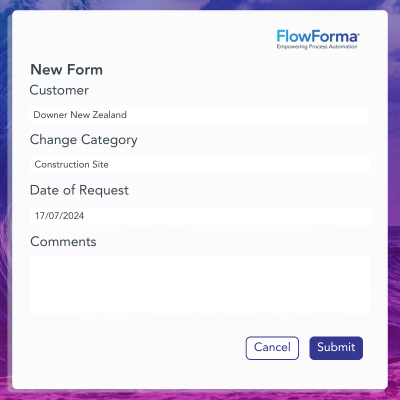
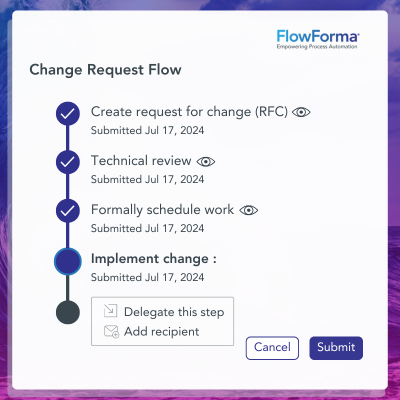
1.  No-code audit workflows

Audit teams can build audit programs, testing steps, and sign-offs using drag-and-drop design. It helps you standardize how audits run across teams and sites, without waiting on developers.


2.  Built-in compliance and audit trail logging

Every step taken during an audit is recorded automatically. Actions, comments, approvals, and document uploads are logged with timestamps. It creates a defensible audit trail for regulators and external auditors and ensures full transparency and accountability, which is particularly useful for financial, insurance, and adjacent sectors. It also supports compliance with industry standards and regulations such as DORA, GDPR, and ISO.


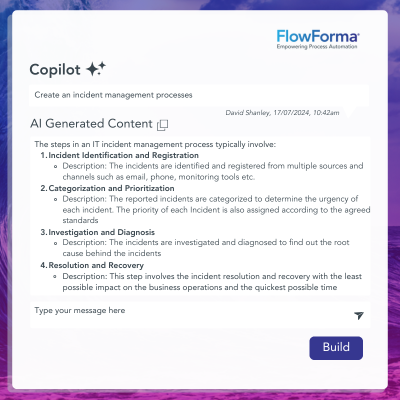
3.  AI Copilot & Agentic AI Support

Our AI Copilot and Agentic AI make audit workflows smarter by automating decision-making, suggesting process improvements, and extracting actionable insights from audit data.


4.  Microsoft 365-native governance

We ensure that all audit data is securely stored within your organization's own SharePoint tenancy, integrating seamlessly with the broader Microsoft environment. It gives businesses full control over their data, ensuring it is protected by enterprise-grade security measures, including role-based access control and data encryption. By utilizing Microsoft 365, FlowForma offers a secure, scalable platform for internal audit management.


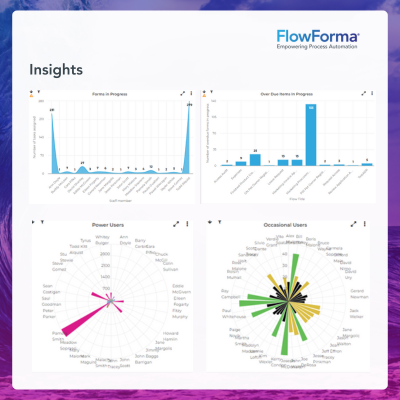
5.  Real-time reporting and status visibility

Audit managers can see what is in progress, what is blocked, and where approvals are sitting. This is useful when multiple audits run at once, and timelines are tight.


6.  Document generation for audit outputs

Reports and documents can be generated from captured audit data, reducing manual compilation and formatting work.

What are users saying about FlowForma?

Category

FlowForma User Rating

Overall

4.5/5

Meets Requirements

8.6

Ease of Use

8.7

Ease of Setup

8.3

Ease of Admin

8.2

Quality of Support

9.2

Has the product been a good partner in doing business?

9.31


G2 reviewers often highlight how quickly audit teams can move from manual trackers to structured, repeatable workflows in FlowForma. Many mention that business users can design and run audit processes without heavy IT involvement, which helps during busy audit cycles.


Screenshot of G2 review by Hins

Source

Users also point to strong governance features, clear audit trails, and good visibility across approvals and evidence capture. Fast deployment and transparent, process-based pricing are frequently noted advantages.


Screenshot of G2 review of FlowForma by Ben H

Source


Some reviewers note that setting up structured workflows requires clear process thinking up front. A few also suggest it is better suited to mid-market and enterprise organizations than very small teams.


AuditBoard enterprise internal audits overview

Source

3. Workiva

Best for: Financial compliance, reporting governance, and ESG reporting workflows

Screenshot of Workiva’s homepage

 Workiva homepage


If your internal audit function supports finance governance or ESG reporting, Workiva tends to fit naturally.


It is often used to manage workpapers and link supporting evidence to reports, keeping teams aligned during reporting cycles.


The platform is built for collaboration and auditability across complex documentation sets.

Workiva’s Key Features

1.  Connected reporting and workpapers

Teams can link source data to reports so updates flow through without manual rework, reducing version errors and helping auditors trace figures back to evidence.


2.  Audit trails for reporting governance

Changes, approvals, and contributor actions are tracked, which support defensible reporting processes during reviews and external scrutiny.


3.  Collaborative documentation workflows

Multiple stakeholders can contribute while retaining control over permissions and versions, which helps audit, finance, and compliance teams share ownership

.

4.  ESG reporting integration

Sustainability reporting workflows can sit alongside financial governance work, helping teams manage ESG requirements without building a separate reporting stack.

What are G2 users saying about Workiva?

Category

Workiva Rating (G2)

Overall

4.5/5

Meets Requirements

8.9

Ease of Use

8.7

Ease of Setup

8.3

Ease of Admin

8.6

Quality of Support

8.8

Product Direction (% Positive)

8.9


Reviewers praise Workiva for its data management, collaboration, role-based access control, and reporting features. It also integrates seamlessly with enterprise systems.


Many also mention that the reporting interface feels clear and manageable, which helps when preparing compliance documentation under tight deadlines.


Steep learning curve pricing table


On the downside, a steep learning curve and pricing are also recurring considerations, particularly for smaller organizations that may not need its full reporting breadth.


TeamMate+ Wolters Kluwer public sector
Source

4. TeamMate+ (Wolters Kluwer)

Best for: Public sector and global internal audit teams standardising methodology


Wolters Kluwer’s solutions page

 Wolters Kluwer solutions page: TeamMate+Audit


TeamMate+ is widely used by large enterprises and public-sector institutions. It focuses on standardizing audit methodology across regions and business units.


Organizations with distributed audit teams that want one singular system for the whole audit lifecycle benefit from TeamMate’s centralized framework.

TeamMate+’s Key Features

1.  Audit lifecycle management

Supports planning, fieldwork, reporting, and follow-up in one system, reducing handoffs between tools and keeping audit history in a single place.


2.  Workpapers and evidence organization

Evidence and workpapers can be stored against audit steps and areas, helping auditors stay consistent and reducing missing documentation.


3.  Reporting and audit leadership visibility

Reporting supports audit leaders who need consolidated insight into program status, findings, and recurring issues.


4.  Methodology standardisation across teams

Templates and structured approaches help teams run audits consistently across sites. It becomes useful for global organizations managing consistency risk.

What are users saying about TeamMate+?

Category

TeamMate+ Rating

Overall

4.2/5

Meets Requirements

8.3

Ease of Use

8.1

Ease of Setup

8.0

Ease of Admin

8.0

Product Direction (% Positive)

8.8


TeamMate+ tends to get positive feedback on G2 for being a full audit lifecycle platform. Users point to the breadth across planning, workpapers, reporting, and follow-up, and they like having a consistent methodology baked into how audits are run and documented.


Audit methodology documentation process diagram

Source


Where reviews get more cautious is performance at scale. Some users mention slowdowns on larger audits or heavier workpaper loads, which can affect day-to-day fieldwork when multiple auditors are working in parallel.


Resolver internal audit teams illustration
Source

5. Resolver

Best for: Internal audit teams connecting audits to risk signals and incidents


Screenshot of Resolver’s internal audit management page

 Resolver internal audit management page


When audit teams want a tighter link between audits, enterprise risk, and operational incidents, Resolver is often recommended.


Instead of running audits in isolation, teams can align audit plans to real risk signals and track issues in context. It fits organizations that want analytics and reporting tied to risk posture.

Resolver’s Key Features

1.  Risk linkage to audit planning

Audit planning can reflect risk registers and changing exposure, helping teams prioritize audits based on what is happening in the business.


2.  Configurable workflows for audit execution

Workflows can be shaped around internal processes, including how evidence is collected and how findings are reviewed.


3.  Audit analytics and reporting

Reporting provides visibility into findings, trends, and recurring issues, helping audit leaders spot patterns without manual consolidation.


4.  Issue and case management

Findings and cases can be tracked through resolution, helping teams manage follow-up work and keep remediation from drifting.

What are users saying about Resolver?

Category

Resolver Rating

Overall

4.3/5

Meets Requirements

8.2

Ease of Use

7.9

Ease of Setup

7.2

Ease of Admin

7.4

Quality of Support

8.9

Product Direction (% Positive)

8.8


Resolver is praised for its support of proactive risk management, enabling audits and follow-ups to be prioritized before issues become larger exposures.


Its reporting also comes up frequently as a strength, especially for leaders who need clear insight into recurring findings and where to focus attention next.


Recurring findings insight focus areas
Source


The trade-off is that more complex use cases will require professional help with orchestration. Cost is another theme, particularly for smaller organizations that may not need the full depth of risk and analytics capability.


Nintex audit automation capabilities overview

Source

6. Nintex

Best for: Audit teams automating complex routing, approvals, and documentation flows


Screenshot of Nintex’s homepage

 Nintex homepage


A workflow automation platform, Nintex, is adopted by teams for internal audit processes when routing and documentation are heavy.


It suits organizations that want deep automation logic across approvals, task assignment, and document handling. It tends to work best when you have clear process definitions and someone who can build and maintain workflows. For audit teams, the win is reducing manual coordination while keeping audit steps consistent.

Nintex’s Key Features

1.  Workflow automation for audit steps

Audit tasks can be routed automatically to the right owners based on rules, reducing manual follow-ups and helping audits move even when teams are busy.


2.  Forms for structured audit data capture

You can collect findings, evidence notes, and sign-offs through structured forms, thereby reducing incomplete documentation and standardizing audit fieldwork.


3.  Approvals and escalations

Approval chains can be built into the flow with deadlines and escalation paths, helping audit managers keep audits moving and reducing bottlenecks.


4.  Integration options for enterprise systems

Integrations help connect audit workflows to wider business tools, which matters if evidence or actions live outside the audit function.

What are users saying about Nintex?

Category

Nintex Rating

Overall

4.3/5

Meets Requirements

8.4

Ease of Use

8.4

Ease of Admin

8.0

Quality of Support

8.1

Has Been a Good Partner in Doing Business

8.4

Product Direction (% positive)

8.1


G2 reviewers often describe Nintex as a flexible workflow engine capable of handling complex routing, approvals, and document-heavy processes.


Drag-and-drop designer interface screenshot

Source


Many users say the drag-and-drop designer makes it relatively easy to build and adjust workflows once you understand the logic. The platform is frequently praised for helping teams automate repetitive steps and reduce manual handoffs across departments.


Teams automating repetitive workflow steps

Source


At the same time, reviewers are clear that advanced capability comes with a learning curve.


Power Apps and Power Automate capabilities

Source

7. Power Apps + Power Automate

Best for: Microsoft-first organizations building custom audit apps and automated flows


 screenshot of Microsoft’s Power Platform

 Microsoft Power Platform


Power Apps and Power Automate are a practical route for organizations already standardized on Microsoft 365.


Teams can build audit intake apps, evidence collection interfaces, and automated routing flows that connect to SharePoint, Teams, Outlook, and other Microsoft services. The approach offers flexibility, but governance matters because complexity can rise as apps and flows grow.


It is best for teams with clear standards and oversight from IT or a center of excellence.

MS Power Platform’s Key Features

1.  Custom audit apps for structured capture

Power Apps can be used to build audit intake forms, field audit apps, and issue logs. It helps auditors capture consistent data without relying on spreadsheets.


2.  Workflow automation for routing and approvals

Power Automate can route evidence requests, approvals, and task assignments, reducing manual chasing and keeping audit progress visible.


3.  Connectors to Microsoft 365 data sources

Integrations with SharePoint, Teams, Excel, and Lists support audit evidence storage and collaboration. It becomes useful when your audit artifacts live in Microsoft.


4.  Governance and troubleshooting requirements

As workflows become more complex, error handling and debugging can become time-consuming. Many teams manage this with design standards and IT oversight.

What are users saying about MS Power Platform?

Category

Power Platform Rating

Overall Rating

4.35/5 (aggregate)

Meets Requirements

8.5

Ease of Use

8.3

Ease of Setup

8.6

Ease of Admin

8.5

Quality of Support

8.0


Power Platform makes the most sense when your audit work already lives in Microsoft 365. You can build audit intake apps in Power Apps, route evidence requests and approvals with Power Automate, and keep everything connected to SharePoint, Teams, and Outlook without adding another standalone audit tool.


SharePoint, Teams, Outlook flexibility illustration

Source


The upside is flexibility. Teams can tailor workflows to match their audit methodology, automate reminders and escalations, and extend processes as requirements change. If you have the internal capability to build and govern solutions, you can create exactly what your audit function needs.


Audit function ecosystem dependency illustration

Source


The trade-off is ecosystem dependency. Outside Microsoft-first environments, the value drops quickly, and integrations can become more effort than they are worth. As solutions grow, it becomes difficult to manage large datasets or complicated logic. Besides, the licensing costs can also feel restrictive.


Onspring mid-market audit team solution

Source

8. Onspring

Best for: Mid-market audit teams aligning audit work with GRC workflows

Screenshot of Onspring’s internal audit management page

Onspring’s internal audit management platform


Onspring is positioned for teams that want configurable audit workflows without the overhead of a heavyweight enterprise platform.


It is commonly used to bring compliance and risk processes into a single workflow environment. Buyers tend to choose it when they want flexibility in how workflows and reporting are configured, with responsive support during the rollout.

Onspring’s Key Features

1.  Configurable audit workflows

Teams can tailor audit steps and approvals to align with their internal methodology. The configuration helps audits run consistently without forcing a rigid template.


2.  Dashboards for audit leadership visibility

Audit leaders can track progress, bottlenecks, and open issues through dashboards, reducing status chasing and supporting better resourcing decisions.


3.  Evidence and documentation organization

You can attach documentation to audits and findings in a structured manner, thereby supporting defensible reporting by reducing missing evidence.


4.  GRC workflow alignment

Audit workflows can be aligned with compliance and risk programs, helping teams avoid duplicated tracking across separate tools.

What are users saying about Onspring?

Evaluation Area

Onspring Rating

Overall

4.7/5

Meets Requirements

9.0

Ease of Use

8.7

Ease of Setup

8.4

Ease of Admin

8.7

Quality of Support

9.5

Product Direction (% Positive)

9.6

Onspring tends to receive positive feedback on G2 for being approachable without feeling limited. Users often mention that the interface is easy to navigate and that workflows can be customized to match internal audit and compliance processes.


Customizable audit compliance platform interface

Source


Some users note that because the platform covers multiple GRC and workflow areas, there can be a learning curve at the beginning. Getting the most out of its configurability typically requires time spent understanding how modules and workflows fit together.


LogicGate Risk Cloud audit interface
Source

9. LogicGate Risk Cloud

Best for: Audit automation with integrated risk mapping and no-code configuration

LogicGate internal audit management page

LogicGate internal audit management page

For audit teams seeking structured workflows and clearer insight into the risk exposure driving audit work, LogicGate Risk Cloud is a good solution. It uses an app-based model in which teams can deploy pre-built workflows and then tailor them to meet internal audit and compliance needs.


Although positioned as no-code, the implementation still benefits from a clear process owner who can define how audits should run.

LogicGate’s Key Features

1.  No-code workflow configuration

Audit processes can be built and adjusted without coding, helping audit teams adapt workflows as regulatory expectations change.


2.  Risk mapping to audits

Teams can map risks to audits and controls so audit plans reflect business exposure. This supports better prioritization and more defensible planning.


3.  Evidence collection workflows

When an audit depends on multiple departments, evidence requests, and collection can be structured, helping teams reduce late-stage gaps.


4.  Configurability with governance needs

Because the platform is highly configurable, teams typically set standards for naming, permissions, and workflow ownership to keep the scale manageable.

What are users saying about LogicGate?

Category

LogicGate Rating (G2)

Overall

4.6/5

Meets Requirements

8.7

Ease of Use

8.8

Ease of Setup

8.6

Ease of Admin

8.6

Quality of Support

9.6

Has been a good partner in doing business

9.7

Product Direction (% Positive)

9.4


LogicGate Risk Cloud is often described on G2 as flexible without being overly technical. Users regularly point to the no-code configuration and the ability to customize workflows to reflect their own audit and risk processes.

Ease of use comes up frequently, especially once initial workflows are set up.


Initial workflows setup illustration

Source


At the same time, several organizations note that aligning workflows with the internal methodology requires upfront configuration effort. Because the platform is highly adaptable, teams usually spend time designing structures carefully to avoid rework later.


MetricStream large enterprises suitability chart

Source

10. MetricStream

Best for: Large enterprises running mature GRC and audit controls programmes

MetricStream internal audit platform screenshot

MetricStream internal audit management platform


A broad GRC platform, MetricStream offers a comprehensive suite of tools to manage internal audits across large, global enterprises.


It is typically selected by enterprises that already have formal governance models and need consistent control tracking across regions and regulations. The platform can support highly structured audit programs, but it usually requires significant implementation effort.


It suits teams that value enterprise breadth and governance depth over a lightweight setup.

MetricStream’s Key Features

1.  Audit lifecycle management at enterprise scale

The tool supports planning, execution, reporting, and follow-up across large audit portfolios, which is useful when audits run across multiple geographies and divisions.


2.  Controls and compliance alignment

Audit work can be tied to internal controls and compliance requirements, which helps connect audit testing to governance obligations.


3.  Enterprise reporting and dashboards

Reporting is often a vital requirement in regulated enterprises. MetricStream supports leadership oversight through meticulous reporting across audits, controls, and compliance programs.


4.  Workflow standardisation across business units

Standardized workflows support consistent audit execution, particularly where teams operate in different regions.

What are users saying about MetricStream?

MetricStream has a limited presence on G2, with only a few reviews. Among those reviews, users mention that the platform helps streamline audit workflows, contributing to time savings and improved productivity.


However, feedback also points to usability challenges, including difficulty making changes after projects are completed and occasional system performance issues.


System performance issues illustration
Source


Please Note: With such a small review base, buyers should validate fit carefully through demos and reference calls before committing.

Common Challenges in Internal Audit Management

Here are common challenges teams face when maintaining clear audit trails in mid-sized and large organizations:

Manual process bottlenecks

Many audit teams still rely on email threads and shared drives to collect evidence, slowing fieldwork and increasing the chance of missing documentation.

Approval chains often span departments, with unclear ownership leading to delayed sign-off. As the audit scope expands, coordination becomes harder to manage.

Limited visibility into audit progress

Without a central system, leaders struggle to see which audits are on track and which are stalled. Tracking remediation actions across business units becomes reactive. Board reporting then requires manual consolidation, which adds risk and consumes time close to deadlines.

Disconnected risk and audit data

Audit findings are frequently stored separately from enterprise risk registers. Linking issues to risk categories or control frameworks requires manual effort.

Maintaining a complete, defensible audit trail across multiple tools adds complexity during regulatory reviews or external audits.

Inconsistent reporting standards

Different teams may use different templates or documentation formats. The inconsistency weakens comparability and makes executive-level reporting less reliable. Standardization becomes difficult without structured workflows and shared reporting logic.

The Benefits of Using Internal Audit Software

To overcome the challenges of manual audit maintenance, teams have now started adopting audit management tools. Here are some key benefits:

Risk mitigation

Internal audit software brings structure to risk identification and remediation tracking. Automated workflows flag overdue actions, while dashboards highlight recurring control failures.

Audit leaders gain earlier insight into patterns that could lead to regulatory exposure or operational loss.

Better compliance

Regulated sectors face expanding requirements, from DORA in financial services to GDPR in healthcare.

Audit platforms support structured testing, routing, evidence capture, and policy mapping. Automated logs create defensible documentation for regulators and external auditors.

Improved workflow efficiency

Routine coordination, reminders, and follow-ups can be automated. Audit teams can spend more time analyzing control effectiveness and focusing on high-risk areas. Cycle times shorten without increasing headcount.

Enhanced security

Centralized platforms reduce reliance on unsecured email threads and local storage. Role-based access controls and encrypted data environments strengthen the protection of sensitive audit information.

Transparency and accountability

With clear ownership of findings and remediation steps, audit software promotes transparency, ensuring that all actions are documented and responsibilities are properly laid out. Management can track who approved what, when, and why.

The visibility supports informed decision-making and improves accountability across the organization.

Trust with stakeholders

Well-documented audits strengthen confidence with boards, investors, customers, and regulators. Reliable reporting demonstrates disciplined governance.

6 Essential Features of Internal Audit Management Software

Here are the 6 key features you should look for while selecting an audit management tool:

Audit trails

Look for tools that come with built-in compliance and concrete audit trails. A time-stamped, tamper-resistant record of every action taken during an audit supports regulatory reviews and makes external audits easier to defend.

Real-time reporting

Live dashboards show audit status, overdue actions, and remediation progress so that leadership can see risk exposure without waiting for manual updates.

Risk management integration

Tools that connect findings directly to enterprise risk registers and control frameworks help prioritize high-impact issues and align audits with overall risk strategy.

Automated workflows

Workflow automation allows you to configure routing, manage approvals, evidence requests, and remediation follow-ups. Tools with automation built in reduce delays and keep audits moving on schedule.

Document management

Centralized storage with version control keeps workpapers organized. Evidence is accessible, traceable, and easy to retrieve when needed.

Mobile access

Secure access from any device supports field audits and remote reviews. Teams can upload evidence and complete tasks without returning to the office.

Best Practices for Implementing Internal Audit Management Software

Below, we talk about the best practices to implement an internal audit management tool so that your business can make the most of it from the very beginning:

Pre-implementation planning

Bring audit, IT, executive sponsors, and other stakeholders together early to clarify ownership and decision rights. Audit leads the program, and IT manages security and access, while leadership focuses on reporting and risk oversight.


Map how audits run today, from planning through remediation, to identify delays and disconnected systems.


Define clear success measures such as shorter cycle times or fewer overdue actions.

Implementation strategy

Start with a pilot audit or a single business unit. A phased rollout limits disruption and gives you space to refine workflows before scaling.


Clean and validate data before migration to protect reporting accuracy. Test integrations with ERP, GRC, and document systems using real audit scenarios.

User adoption and training

Tailor training by role. Auditors need support with fieldwork and evidence capture. Managers need planning tools and dashboards. Control owners need simple response workflows.

Explain what is changing and why. Show how the system reduces follow-ups and improves visibility. Provide clear support channels during rollout.

Continuous improvement

Track practical metrics such as audit cycle time and overdue remediation rates and use them to refine workflows. Hold periodic reviews to adjust templates and introduce advanced capabilities once the core processes are stable.

How FlowForma Supports Internal Audit Management

Internal audit management has become indispensable as regulatory expectations expand and compliance-heavy organizations face closer scrutiny from boards and regulators.

The tools in this guide were collated after careful review of industry fit, audit lifecycle coverage, integration depth, and verified user feedback.


Platforms such as AuditBoard, TeamMate+, and MetricStream are often selected by large enterprises that require mature GRC alignment. Workiva and LogicGate Risk Cloud support organizations that need strong integration between audit, risk, and ESG reporting.


For regulated industries and mid-market enterprises looking for no-code audit automation with strong governance oversight, FlowForma is a strong option. It combines structured workflows, real-time reporting, built-in audit trails, and AI-assisted process design, all within a Microsoft 365 environment.

Besides, its process-based pricing also suits organizations that want predictable scaling across multiple audit workflows. Book a demo to see the tool in action.


FAQs

  • Internal audit management software is a digital platform that automates and streamlines audit processes, from planning and execution to reporting and follow-up. It works by providing centralized workflows, automated documentation, real-time collaboration tools, and comprehensive audit trails to improve efficiency and compliance.

  • Integration provides a holistic view of organizational risk, enables risk-based audit planning, automates risk-assessment workflows, and ensures that audit findings directly inform risk-management strategies. It creates a more proactive and strategic approach to both audit and risk management functions.

  • Consider your organization's size, industry requirements, existing technology stack, budget, and specific audit needs. Evaluate factors like ease of use, integration capabilities, compliance features, scalability, and vendor support.

    You can also request demos and pilot programs to test functionality before making a final decision.

  • Implementation timelines vary based on organization size and complexity. Small to mid-size organizations typically require 3-6 months, while large enterprises may need 6-12 months. No-code solutions like FlowForma can significantly reduce implementation time to 4-8 weeks due to their simplified setup process.

  • Essential security features include role-based access controls, data encryption (in transit and at rest), audit trails for system access, and compliance with industry standards (SOC 2, ISO 27001). In addition, regular security assessments and secure data backup and recovery capabilities are also important.

Gerard Newman, CTO

Gerard has over 20 years of experience designing and delivering process automation solutions that have allowed businesses to integrate and automate their operations to deliver better customer experiences and improve efficiency. Gerard is focused on ideating new concepts for our product’s roadmap, helping businesses to make the complex simple.

Gerard Newman, CTO