Healthcare automation has been a buzzword for years, but the reality on the ground looks different from the hype. Providers are still cautious, adoption is uneven, and a lot of what gets marketed as AI is really just a smarter layer of automation underneath.
That's not necessarily a bad thing. Whether it's true AI or well-designed automation, the goal is the same: catch errors before they cost you and make life easier for the people delivering care.
Right now, communication and clinical tools are seeing the most real-world adoption. Billing and revenue cycle automation are gaining attention but haven't gone mainstream yet.
So where do you start? With the right features to evaluate in the best healthcare automation software tools to make your healthcare providers' lives easier.
|
We have not ranked tools by popularity but focused on how well they support real healthcare workflows.
Each platform was evaluated on its ability to handle:
- Patient data capture and intake workflows
- Task routing, approvals, and process tracking
- Administrative and clinical workflow automation
- Document management and audit trails
- Compliance and data governance requirements
- Integration with EHRs and other healthcare systems
One common use case for automation in healthcare is to target routine, time-consuming tasks such as documentation, patient messaging, lab and imaging workflows, and billing support. Much of what’s labeled “AI” in these areas is actually an automation layer that reduces clicks, routes information faster, and helps staff catch errors earlier.
Some tools are purpose-built for healthcare operations. Others are flexible workflow platforms that organizations adapt to automate healthcare processes.
|
The table below provides a quick overview.
|
Tool
|
AI & Automation Capabilities
|
Best Use Case
|
|
monday.com Work OS
|
Trigger-based workflow automation with dashboards and integrations
|
Operations coordination and project tracking
|
|
FlowForma
|
No-code workflow automation with AI-assisted process creation inside Microsoft 365
|
Admin workflows, compliance tracking
|
|
Power Apps
|
Low-code apps with AI Builder for document processing and automation flows
|
Custom apps and Microsoft ecosystem automation
|
|
Automation Anywhere
|
RPA bots with AI document extraction and process discovery
|
Claims processing and repetitive admin tasks
|
|
Appian
|
Low-code automation with case management and AI data orchestration
|
Complex healthcare workflows and case management
|
|
Boomi
|
Integration automation with HL7 and FHIR data exchange capabilities
|
Connecting EHRs and healthcare systems
|
|
Kissflow
|
Simple workflow automation with role-based routing and approvals
|
Internal operations and request management
|
|
ProcessMaker
|
BPM platform with rules engine and API-driven workflow automation
|
Structured clinical or compliance workflows
|
|
Nintex
|
Process mapping, document automation, RPA for repetitive tasks
|
Credentialing and document-heavy processes
|
|
Zoho Creator
|
Low-code app builder with workflow automation and scripting support
|
Budget-friendly operational apps
|
Caption: Overview of 10 leading healthcare automation tools
Let’s kick off the detailed review.
1. Kissflow
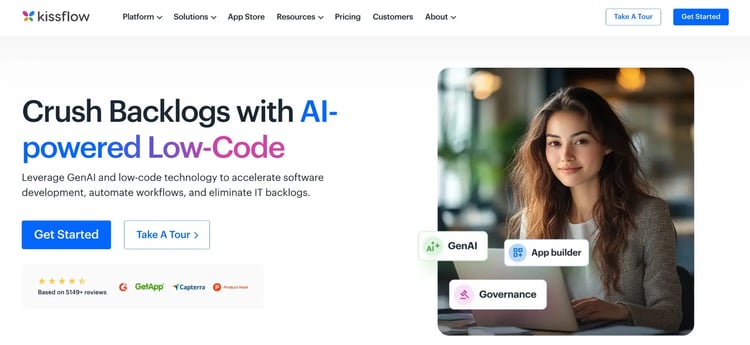
Kissflow homepage
If your administrative teams need a tool they can actually learn in a day, Kissflow is worth a look.
It is a cloud-based workflow automation platform designed for business teams who want to move fast without depending on IT. Healthcare organizations typically use Kissflow for procurement approvals, HR requests, and equipment requisitions.
Key features of Kissflow
Visual workflow builder
You can design and launch multi-step approval workflows using a drag-and-drop interface, without needing any developer involvement.
Role-based access and permissions
Kissflow lets you assign tasks and data access by role, which is important in healthcare environments where visibility into sensitive information needs to remain tightly controlled.
Pre-built workflow templates
A library of ready-to-use templates helps your team get started faster with processes such as leave requests, vendor onboarding, and equipment requisitions.
Real-time tracking and notifications
Your team gets real-time visibility into the status of a request, with automated alerts that keep approvers and requesters informed without manual follow-up.
Pros and cons of Kissflow
Pros include:
- Quick adoption and collaboration for admin teams
- Role-based access supports data privacy with flexible customization options
- Good visibility into approval status
Cons include:
- Too simple for complex clinical workflows
- Limited healthcare-specific integrations
- Reporting not suited for compliance needs
2. FlowForma
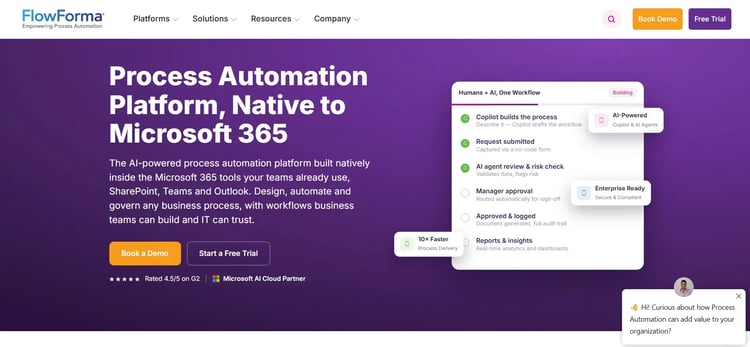
FlowForma AI-led process automation platform
FlowForma is a no-code process automation tool built specifically for Microsoft 365 users. If your team already works inside SharePoint and Teams, you can use FlowForma to digitize clinical and operational workflows, like patient onboarding and consent forms, compliance checklists, and incident reporting, without coding.
Because it runs within your existing Microsoft environment, patient data stays secure and compliant with HIPAA and GDPR standards, while giving clinical teams the tools to build and own their processes, and IT retains governance.
Key features of FlowForma
Native Microsoft 365 integration
FlowForma works directly within SharePoint, Teams, and Office 365. This makes clinical workflow automation much easier than bolting on an external tool as your teams can trigger and complete workflows inside tools they already use every day.
No-code form and workflow builder
You can build multi-step digital forms and approval flows through a drag-and-drop interface, making it accessible to non-technical healthcare administrators.
Audit trails and compliance tracking
Every workflow action is logged with a timestamp and user record, helping your team meet healthcare compliance documentation requirements.
Analytics and process reporting
Built-in dashboards let you track workflow completion rates and spot bottlenecks across departments like HR, operations, or patient services.
AI-assisted workflow creation and automation
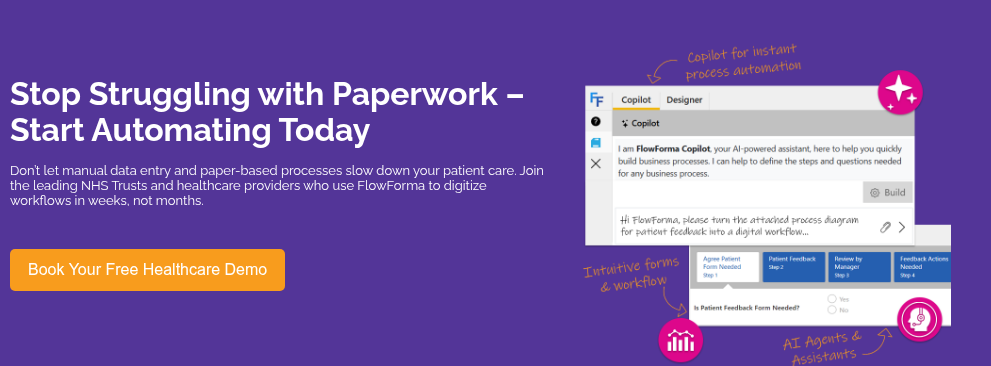
FlowForma offers a range of easy-to-use, easy-to-implement AI features to create both complex and routine healthcare workflows in just a few steps. Here is an example of how you can automate your patient appointment scheduling using the AI Copilot.
Pros and cons of FlowForma
Pros include:
- Fast rollout for admin-heavy teams
- Quick to deploy clinical admin workflows
- Strong support during healthcare implementation
- Flexible enough for complex approval processes
Cons include:
- Reporting needs extra setup for clinical data
- On-premise limits healthcare automation features
- Rule configuration tricky for non-technical staff
3. ProcessMaker
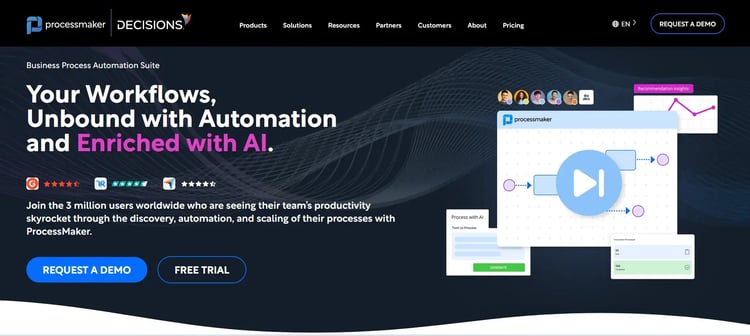
ProcessMaker’s Homepage
If your healthcare organization needs to automate things like patient request handling, document routing, or compliance-driven approvals, ProcessMaker gives you the precision to do that well. It supports both low-code configuration and deeper developer customization when your workflows get more complex.
Key features of ProcessMaker
BPMN-based process design
ProcessMaker uses Business Process Model and Notation standards, so you can map and automate clinical and administrative processes with a high level of accuracy.
Intelligent form builder
You can create dynamic, conditional forms for patient data collection or staff requests, where fields adapt based on earlier inputs in the same form.
Decision management and rules engine
Built-in rules logic lets you automate routing decisions like flagging high-priority cases or escalating approvals based on predefined clinical or operational criteria.
API and system integrations
ProcessMaker integrates with EHR systems and third-party platforms via APIs, enabling you to build end-to-end workflows across your existing healthcare infrastructure.
Pros and cons of ProcessMaker
Pros include:
- Easy workflow design with flexible customization
- Handles complex, enterprise-scale processes well
- API integrations support connected workflows
Cons include:
- Requires developer support for customization
- Steeper setup for non-technical teams
- UI experience feels dated in places
4. Nintex
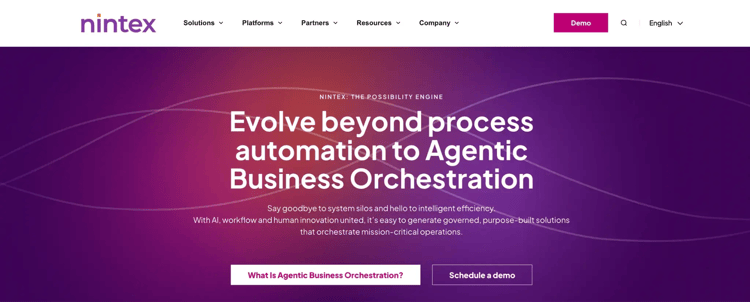
Nintex homepage
Nintex is a process automation platform that helps you document, automate, and continuously improve your operational workflows. In healthcare, it's particularly well-suited to document-heavy processes such as policy approvals, staff credentialing, and compliance sign-offs. What sets it apart is that it helps you map and understand your processes before you automate them—which saves a lot of rework later.
Key features of Nintex
Process mapping and documentation
You can visually map your existing workflows before automating them, helping your team identify inefficiencies in clinical or administrative processes early on.
Low-code workflow automation
Nintex lets you build multi-step automated workflows using a visual designer, connecting people, systems, and documents across your healthcare organization.
Document generation and e-signatures
You can auto-generate clinical documents or compliance forms and route them for digital signature, reducing turnaround time for critical approvals.
Robotic process automation
Nintex includes RPA capabilities to automate repetitive desktop tasks that are useful for moving data between systems that don't have native integrations.
Pros and cons of Nintex
Pros include:
- Intuitive no-code interface for fast workflow and form creation
- Strong automation with good cross-system integration support.
- Adapts well to both simple and complex processes.
- Quick setup without heavy technical expertise required.
Cons include:
- Pricing becomes expensive as workflows, environments, and users scale.
- Requires governance and technical oversight for complex process implementations.
- Advanced customization often requires developer involvement beyond that of business users.
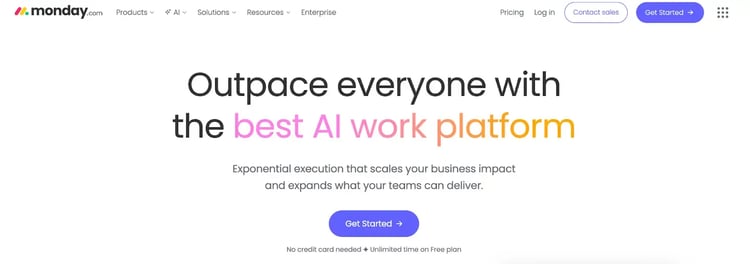
monday.com’s work management platform
If you need your teams aligned and working visibly, monday.com delivers that well.
It is a visual work management platform that lets your teams build workflows, track tasks, and collaborate in one shared space. For healthcare operations, it's a strong choice for non-clinical work such as project coordination, staff scheduling, facility management, and cross-departmental task tracking.
Key features of monday.com Work OS
Customizable workflow boards
You can build boards tailored to any healthcare operations use case, from tracking patient feedback resolution to managing compliance project timelines.
Automation recipes
monday.com offers simple, trigger-based automations that reduce manual follow-ups, such as notifying a manager when a task is overdue or when a status changes.
Integrations with external tools
The platform integrates with tools like Outlook, Slack, and Salesforce, enabling information to flow across your organization without manual data transfers.
Dashboards and reporting
Real-time dashboards give leadership visibility into team workloads and operational progress in a format that's easy to share across departments.
Pros and cons of monday.com Work OS
Pros include:
- Fast adoption across operations teams
- Easy tracking and organization for compliance project timelines
- Clear visibility into cross-department tasks
Cons include:
- Not designed for clinical process automation
- Automation logic too basic for complex workflows
- Per-user pricing adds up for larger teams, with certain advanced features available only in higher tiers
6. Power Apps
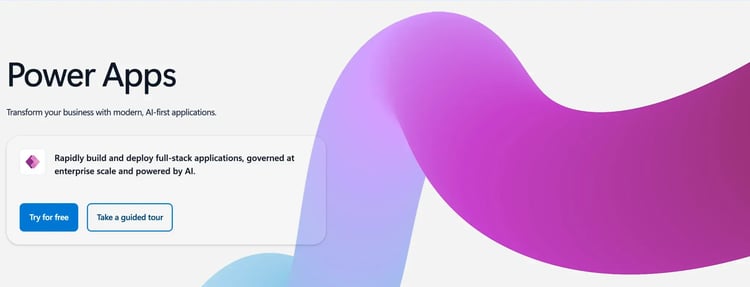
Microsoft Power Apps homepage
Power Apps is Microsoft's low-code platform that healthcare organizations can use to build custom clinical and operational applications without relying on large IT teams. From digitizing paper-based workflows to connecting siloed hospital systems, Power Apps helps frontline staff, administrators, and clinicians work faster and with fewer errors. Built on the Microsoft ecosystem, it integrates naturally with the tools most health systems already use.
Key features of Power Apps
Digital form intake
Replace paper-based intake processes with custom digital forms that capture patient data directly into connected systems, reducing manual entry errors and speeding up registration workflows.
Automated workflow flows with low-code development
Build custom scheduling apps that allow department managers to assign shifts, track availability, and manage last-minute changes—all without spreadsheets or back-and-forth emails.
Deep Microsoft ecosystem integration and other systems
Connect Power Apps to Epic, Cerner, or other EHR platforms via APIs and data connectors, allowing clinical apps to read and write patient data without rebuilding existing infrastructure.
Incident and compliance reporting
Enable staff to log safety incidents, near-misses, and compliance events from any device in real time, ensuring nothing falls through the cracks and audit trails are always maintained.
Pros and cons of Power Apps / Power Automate
Pros include:
- Fast deployment of clinical tools without large development budgets
- Works within the existing Microsoft 365 infrastructure
- Mobile-ready apps support bedside, ward, and field-based care teams
Cons include:
- Licensing structure is complex to manage
- Governance requires dedicated admin oversight
- Steep curve for teams outside Microsoft stack
7. Zoho Creator
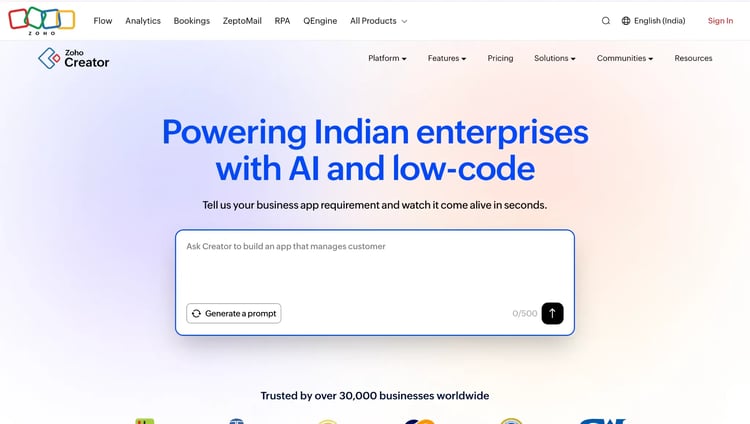
Zoho Creator’s Homepage
A low-code platform, Zoho Creator, lets you build custom applications and automate workflows without a large development team. For healthcare organizations watching their budgets, it's a cost-effective way to digitize operations such as patient feedback collection, staff onboarding, and inventory tracking. It works especially well if you're already using other Zoho products.
Key features of Zoho Creator
Drag-and-drop app builder
You can design and deploy custom healthcare applications like forms, portals, or internal tools, using a visual builder that requires minimal technical skill.
Workflow automation with Deluge scripting
Zoho Creator includes a built-in scripting language called Deluge, which lets you add conditional logic and automation rules when your workflow needs more than a visual builder can offer.
Integration with Zoho and third-party apps
The platform connects with the broader Zoho suite and external tools via APIs, helping you build connected workflows across your healthcare data systems.
Role-based permissions and data security
You can control who sees what within your application at a field and record level—which matters when you're handling sensitive patient or staff data.
Pros and cons of Zoho Creator
Pros include:
- Affordable entry point for smaller clinics
- Role-based access supports patient data privacy and faster deployment
- Good fit within the Zoho health-ops stack
Cons include:
- Deluge scripting limits non-technical users
- Not built for large-scale clinical workflows due to limited customization
- Thin support for major EHR integrations and expensive pricing plans
8. Boomi
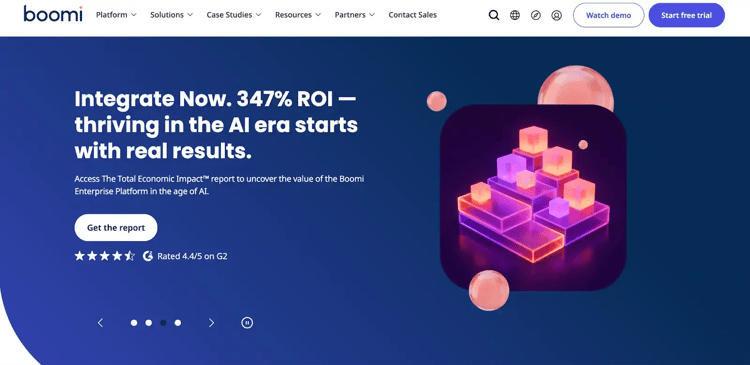
Boomi’s homepage
If your biggest challenge is getting your existing systems to share data cleanly, Boomi is worth serious consideration. It is an integration platform built to connect your systems, applications, and data flows reliably at scale. In healthcare, where EHRs, billing systems, lab platforms, and patient portals rarely communicate natively, Boomi helps close those gaps.
Key features of Boomi
Visual integration designer
Boomi's drag-and-drop interface lets your team build integration flows between systems without heavy coding.
Pre-built healthcare connectors
Boomi offers a library of connectors for common healthcare and enterprise systems, reducing the time it takes to get two platforms exchanging data reliably.
Master data management
You can use Boomi to create a unified view of patient or operational data pulled from multiple sources, improving consistency across your organization.
API management
Boomi lets you design, publish, and manage APIs, providing your healthcare systems with a secure, structured way to share data internally and externally.
Pros and cons of Boomi
Pros include:
- Real-time monitoring dashboards and API management capabilities
- Robust error handling and resolution with Boomi AI
- Scales well for enterprise health networks
Cons include:
- Costly for smaller healthcare providers
- Boomi AI requires extensive efforts while implementing complex logic
- Not a standalone workflow automation solution
9. Automation Anywhere
Automation Anywhere’s homepage
RPA platforms such as Automation Anywhere are typically used for repetitive administrative tasks across your digital systems.
In healthcare, that means tasks such as claims processing, prior authorization, patient data entry, billing reconciliation, or work that used to consume hours of staff time. If your teams are buried in manual, rule-based tasks, this platform is built to take them off your teams' plates.
Key features of Automation Anywhere
Bot-based task automation
You can deploy software bots that log into systems, extract data, and complete repetitive tasks the same way a human would, but at a much higher speed and accuracy.
AI-powered document processing
Automation Anywhere can automatically extract and classify data from unstructured healthcare documents such as medical records, referral letters, and insurance forms.
Process discovery tools
Built-in process discovery helps you identify which manual tasks across your organization are the best candidates for automation, so your investment goes where it matters most.
Enterprise-grade security and compliance
The platform includes audit logs, role-based access, and encryption standards that help your organization meet healthcare compliance requirements at scale.
Pros and cons of Automation Anywhere
Pros include:
- Handles high-volume claims and billing tasks as well as time-consuming grunt work
- Reduces prior authorization processing time
- Strong compliance and audit trail support with an intuitive interface
Cons include:
- High implementation cost for most providers
- Bot maintenance demands ongoing technical resources
- Overkill for organizations with simpler automation needs due to steep learning curve
10. Appian
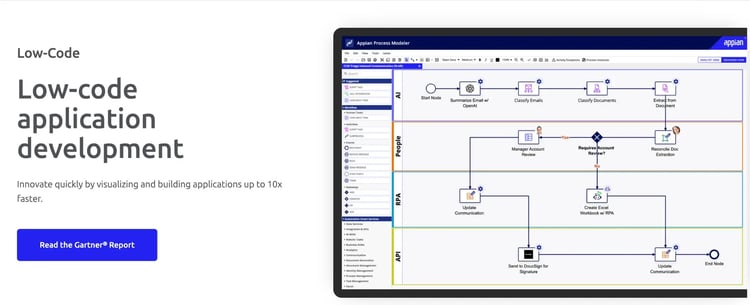
Appian’s low-code development platform
Appian is a low-code platform that brings process automation, case management, and data integration together in one place. In healthcare, it's a strong fit for complex workflows like patient case management, provider credentialing, or regulatory compliance tracking, that involve both people and systems.
Key features of Appian
Low-code application development
Appian lets your team build full-featured healthcare applications—with custom interfaces, data models, and workflow logic—using a visual development environment.
Case management capabilities
Appian handles dynamic, long-running workflows where the next step depends on incoming data, making it a natural fit for patient case management or clinical incident resolution.
Process automation and orchestration
You can automate multi-step processes that span people, systems, and bots, with Appian managing handoffs between stages of the workflow.
Data fabric for unified data access
Appian's data fabric layer connects and queries data from multiple source systems in real time, without requiring you to move or duplicate it elsewhere.
Pros and cons of Appian
Pros include:
- Built for complex patient case workflows
- Supports end-to-end care coordination automation
- Strong audit and compliance documentation
Cons include:
- Premium pricing limits access for smaller providers
- Full value requires significant implementation effort
- Steeper learning curve than no-code alternatives
What to Consider When Selecting a Healthcare Automation Tool
Choosing the right healthcare automation company can affect both operational efficiency and patient care. Here are the most important factors to consider:
Compliance with healthcare regulations
Ensure the tool complies with industry regulations such as HIPAA in the U.S. or GDPR when handling patient data. Compliance helps your processes meet legal standards and reduces the risk of breaches or penalties.
Integration capabilities
The tool should connect with your existing systems, such as electronic health records, billing software, or inventory platforms. Good integration keeps data connected across systems and avoids information silos.
Scalability and customization
Choose a platform that can support your organization as it grows. Whether you run a small clinic or a multi-location hospital network, the tool should allow workflow adjustments and support increasing workloads.
Ease of use
Healthcare professionals are not always technical specialists, so choose a no-code or user-friendly platform. This helps teams adopt the system quickly and reduces reliance on IT support.
Analytics and reporting
Automation tools with analytics can show how workflows perform, highlight delays, and track patient-related metrics. These insights help teams identify issues and improve processes over time.
Cost and ROI
Compare the cost of the tool with the value it delivers. Platforms that reduce manual errors, save staff time, and support better patient care can offer strong long-term returns.
AI roadmap
Healthcare providers also need to consider how AI fits into their long-term digital strategy. A platform with a clear AI roadmap helps organizations expand automation and support better care delivery in the future.
Which Healthcare Processes Should You Automate & With What Tool?
Healthcare automation succeeds when platforms match specific operational workflows. Here are common healthcare workflows worth automating, along with the platforms that best fit them.
Patient onboarding and scheduling
Best-fit tools: FlowForma, Kissflow, Power Apps
Automating patient onboarding helps you cut wait times, reduce paperwork, and free your staff from repetitive coordination—so every new patient gets a faster, smoother start.
Billing and claims management
Best-fit tools: Automation Anywhere, Boomi, ProcessMaker, FlowForma
Your billing team shouldn't spend their day chasing claim statuses and fixing avoidable errors. Automation handles the grunt work with accurate invoicing, real-time tracking, and faster reimbursements.
Inventory and supply chain management
Best-fit tools: Zoho Creator, monday.com, Power Apps
Critical supplies running low shouldn't catch anyone off guard. Automate your inventory tracking and replenishment so your teams are always a step ahead, without manually checking stock levels.
Laboratory processes and diagnostics
Best-fit tools: Boomi, Appian, ProcessMaker
When lab results take too long to reach the right clinician, decisions get delayed. Automation moves results directly into patient records and routes them to the right person accurately and instantly.
Prescription and medication management
Best-fit tools: Power Apps, Appian, Automation Anywhere
Most medication errors happen during manual handoffs. Automate your prescription workflows to keep prescribers, pharmacies, and patients connected and reduce gaps where mistakes can occur.
Data integration and reporting
Best-fit tools: Boomi, FlowForma, Appian
Scattered data across disconnected systems makes good decision-making harder than it should be. Bring it all together with automation, and your teams always have an accurate, current view when they need it most.
Patient engagement and communication
Best-fit tools: FlowForma, Kissflow, Power Apps
Keeping patients informed and engaged takes consistent effort. Automate reminders, routine follow-ups, and self-scheduling so your staff can focus on the conversations that genuinely need a human touch.
Automate Everyday & Critical Healthcare Workflows With FlowForma
If your organization runs on Microsoft 365, FlowForma is the fastest way to start automating—no developers, no disruption, no starting from scratch.
From digitizing intake forms and onboarding patients to approval workflows and compliance checklists, FlowForma helps with every healthcare workflow that is paper-heavy and consumes a lot of your clinicians’ time.
Build your own workflows with the Copilot in just a few steps. Or, add Discovery Agent to your conversations, and it’ll create processes based on these meeting insights.
Every action is logged and auditable, so your compliance requirements are covered by default.
The teams that get the most out of FlowForma are the ones still running critical processes on paper or email. If that's you, the gap between where you are and where you could be is smaller than you think.
See it for yourself. Book a demo or start a free trial today.