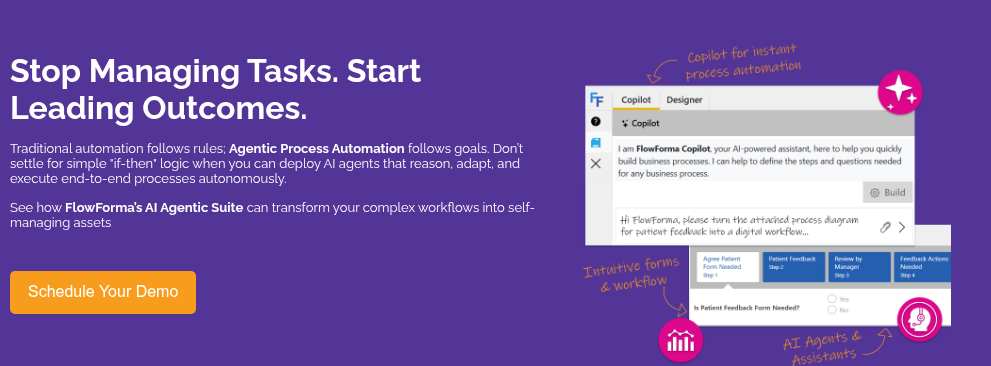
Agentic process automation is changing how organizations coordinate work across systems, teams, and data sources.
Traditional automation relied on fixed rules or robotic scripts that executed predefined actions. Agent-driven systems introduce another layer: software agents capable of interpreting context and deciding which step to take next within a workflow.
Industry estimates forecast the broader agentic AI market could reach USD 182.97 billion by 2033, growing at a CAGR (compound annual growth rate) of 49.6%.
As adoptions accelerate across operations, finance, compliance, and service teams are seeking ways to coordinate complex workflows across departments and systems. Vendors are responding to that need by combining workflow orchestration, decision logic, document understanding, and AI-assisted reasoning.
In this guide, we review 10 agentic process automation tools, including their key features, reviews, pros, cons, and their best use cases.
The software platforms below vary in architecture, governance, ease of adoption, and depth of AI integration, so the right choice depends heavily on an organization’s automation maturity and technical requirements. Here’s a quick side-by-side overview:
|
Tool
|
Context Awareness
|
AI Integration Depth
|
Ease of Adoption
|
|
Beam AI
|
Agents respond to prompts and contextual inputs but provide limited traceability across workflow steps
|
Multi-agent orchestration built around LLM prompts and API-driven task execution
|
Moderate; requires familiarity with AI-driven automation concepts
|
|
Cflow
|
Basic contextual triggers for approvals and workflow routing
|
Light AI assistance focused on workflow validation and simple data handling
|
High; simple interface suited for smaller teams
|
|
UiPath
|
AI copilots evaluate context within workflows and coordinate automation agents
|
Advanced integration with generative AI, ML models, and agent orchestration
|
Moderate to complex; steep learning curve for non-technical teams
|
|
FlowForma
|
Context-aware workflow agents interpret documents, data inputs, and process steps with full audit visibility
|
Deep AI suite including Copilot, Agent Rules, Discovery Agent, and summarization inside workflows
|
High; true no-code environment designed for business users
|
|
Blue Prism
|
Limited contextual reasoning; automation primarily follows predefined rules and digital worker scripts
|
AI capabilities extend RPA through cognitive services and integrations
|
Low to moderate; requires developer or RPA expertise
|
|
Camunda
|
Context-driven decisions handled through BPMN orchestration and DMN decision models
|
AI integration typically delivered through external connectors and custom models
|
Moderate; developer-friendly but less accessible to business users
|
|
Automation Anywhere
|
Context-aware task bots combine rule logic with AI-assisted document and task processing
|
Strong AI capabilities for document intelligence and automation bots
|
Moderate; guided setup but still requires technical configuration
|
|
Power Automate
|
Context-based automation triggered across Microsoft ecosystem events and workflows
|
AI Builder and Copilot add document intelligence and AI-assisted automation
|
High for Microsoft 365 environments; lower complexity for existing users
|
|
AutomatioEdge
|
Context awareness mainly applied to IT workflows and service operations
|
AI-powered bots and predictive analytics support IT automation tasks
|
Moderate; prebuilt ITSM automations accelerate implementation
|
|
Appian
|
Strong contextual decision-making through data fabric and process orchestration
|
Integrated generative AI and decision intelligence within low-code workflows
|
Moderate; requires low-code development familiarity
|
How We Collated This List
The tools in this article are not ranked. Each platform approaches agentic process automation from a different architectural starting point, which makes direct ranking difficult.
Instead, the list was assembled by analyzing several sources:
- Vendor documentation and product architecture descriptions
- User feedback and operational insights
- Feature capabilities required for agent-driven automation workflows
- Public product documentation and analyst commentary on automation platforms
Each platform, including our tool, FlowForma, was evaluated against several practical considerations
organizations typically examine when selecting automation tools:
- Context awareness within workflows
- Ability to handle documents and unstructured inputs
- Workflow orchestration and decision logic
- Governance, auditability, and compliance support
- Integration flexibility across enterprise systems
The aim was to provide a well-rounded look at tools for achieving agentic automation across various technologies, such as BPM platforms, RPA ecosystems, and AI-first workflow tools. Let us now examine each tool in detail:
|
1. Beam AI
Best For: Organizations experimenting with AI-driven workflow automation without deploying a full enterprise automation stack.
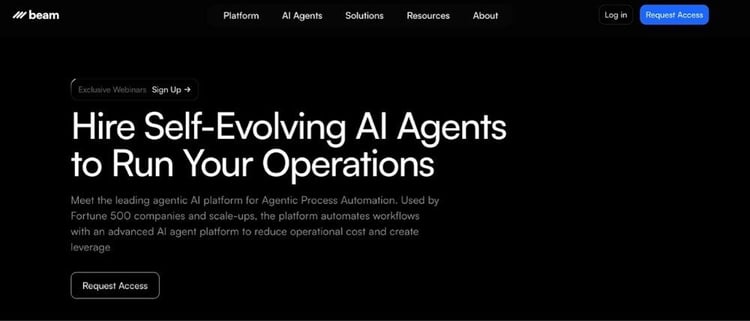
Beam AI Homepage
Beam AI approaches automation through autonomous AI agents and is designed to execute operational tasks across systems. Instead of building large process diagrams first, teams define tasks through prompts or lightweight workflow structures. Agents then interpret inputs and determine how tasks should be executed.
Smaller product teams and operations groups often use Beam AI to automate repetitive internal workflows such as data extraction, report generation, or internal ticket handling.
Flexibility attracts teams testing agent-driven operations, although governance features remain limited compared with enterprise automation platforms.
Beam AI’s Key Features
Multi-agent orchestration
Beam AI allows several specialized agents to coordinate inside a single workflow. One agent may retrieve data, another may interpret information, while a third executes the next operational step. Having a layered approach helps automate processes that require multiple decision stages.
Natural language task definition
Users can define tasks using plain language prompts rather than complex workflow configurations. The platform converts these instructions into executable actions performed by agents across connected systems.
Context-driven decision handling
Agents evaluate incoming data before determining how a process should proceed. When document contents, API responses, or operational signals change, the system adjusts the execution path accordingly.
API-first integration layer
Beam AI connects with enterprise systems through APIs, allowing agents to read or update records across operational tools. Integrations often include CRMs, ticketing systems, and internal data services.
Lightweight workflow setup
Teams can deploy basic automations without extensive workflow modelling. Early adoption tends to focus on departmental use cases rather than large enterprise-wide processes.
What are users saying about Beam AI?
The tool has very limited reviews on G2. Based on that, it is not possible for us to do a cohesive evaluation.
Beam AI Pros
- Strong performance when handling dynamic or changing data inputs
- Accurate AI responses and takeoffs when executing task-based workflows
- Quick initial setup for teams experimenting with agent automation
- Strong customer support and responsiveness
Beam AI Cons
- Governance controls remain limited for regulated enterprise environments
- Learning curve for new users
Best For: Organizations automating document-driven and approval-based workflows inside Microsoft environments.
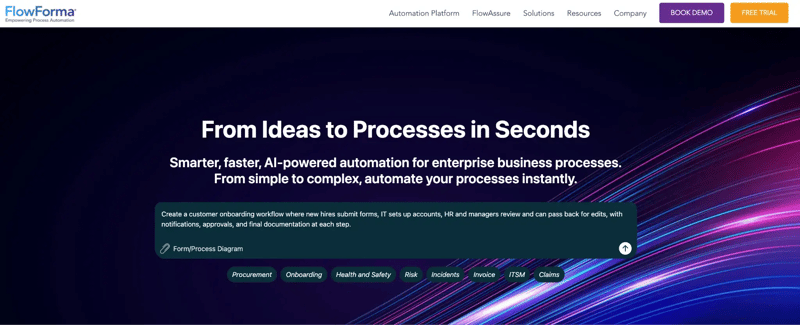
FlowForma’s product
Our platform, FlowForma, is a no-code tool designed to automate business processes involving forms, approvals, and document handling.
The platform integrates closely with Microsoft 365 and SharePoint environments, which allows organizations to automate processes without introducing a separate infrastructure layer.
Many deployments focus on operational workflows such as insurance claims processing, procurement approvals, compliance checks, or vendor evaluations.
We allow business teams to design workflows without writing code, while IT teams maintain governance and visibility over the automation environment.
Process transparency remains a core focus for us. Each step in the workflow records approvals, data updates, and decision logic, which helps organizations maintain audit trails and compliance oversight.
FlowForma’s Key Features
AI Copilot workflow builder
Copilot assists teams when designing workflows by interpreting prompts or diagrams describing the intended process. Users can generate workflow structures and logic rules through natural language instructions. Teams can then modify or expand those workflows using the visual builder.
AI agent rule for document processing
Agent Rules interpret uploaded documents and extract relevant data fields needed for downstream workflow steps. Information can be validated, formatted, and routed into approval processes or reporting systems.
AI summarization
Summarization features produce real-time explanations of workflow activity. Process owners can review what actions occurred during a process step, which documents were processed, and which decisions were taken.
Discovery agent
Discovery agent analyzes existing processes and identifies opportunities for automation. Process insights gathered from meetings or operational discussions can be converted into workflow drafts.
Microsoft 365 integration
FlowForma integrates with SharePoint, Teams, and other Microsoft tools. Data generated during workflows remains within the organization’s existing Microsoft tenancy, which simplifies governance and security management.
- No-code workflow design accessible to business teams
- Strong audit visibility across process steps
- Seamless Microsoft 365 integration
- Fast deployment for document-driven workflows
FlowForma’s Cons
- Best suited to Microsoft environments
- Some advanced capabilities will come with a learning curve
3. Blue Prism
Best For: Large enterprises operating structured robotic process automation programs.
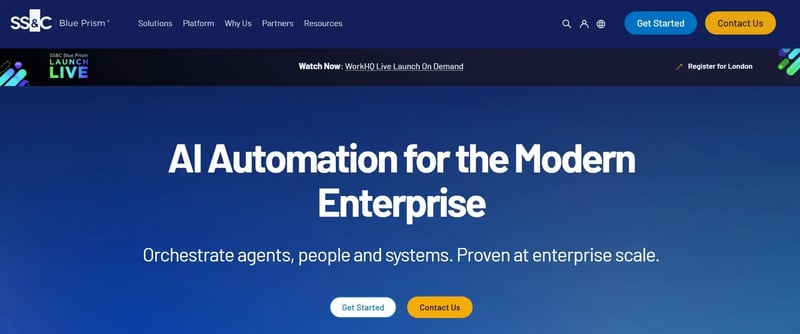
Blue Prism Homepage
A robotic process automation platform, Blue Prism, allows digital workers to execute repetitive operational tasks such as data entry, reconciliation, or transaction processing.
Agent-style automation emerges through integrations with AI services that interpret documents or classify data before triggering automated workflows.
Enterprise organizations often use Blue Prism in regulated industries where auditability and governance remain essential.
Blue Prism’s Key Features
Digital worker architecture
Digital workers perform automated tasks across enterprise systems. Organizations can deploy multiple digital workers that coordinate tasks within structured operational workflows.
AI integration capabilities
Blue Prism integrates with AI and machine learning tools to support more intelligent automation and operational decisions. These capabilities allow the platform to go beyond basic rule-based execution by handling tasks such as document interpretation and extracting structured data from files and forms.
Process discovery tools
Process discovery analyzes existing operational workflows to identify automation opportunities. Organizations can evaluate repetitive tasks that may benefit from digital worker deployment.
Enterprise robotic process automation platform
Software bots handle repetitive, rules-based tasks across multiple systems and applications.
Teams can automate work such as data entry, reconciliation, and record updates at scale, without changing the underlying systems, since the automation works through the user interface layer.
Blue Prism’s Pros
- Strong enterprise reliability and intelligent document creation ability
- Mature governance and security model
- Built for citizen-developers
Blue Prism’s Cons
- Implementation often requires RPA specialists
- Licensing costs can be overwhelming for smaller teams
4. UiPath
Best For: Enterprises building large-scale automation ecosystems combining RPA, AI, and orchestration.
UiPath platform
Large organizations often adopt UiPath when automation programs expand beyond departmental workflows.
The tool extends traditional robotic process automation with AI services and automation orchestration tools. Automation programs often involve hundreds of workflows interacting with multiple enterprise systems.
Automation agents coordinate tasks between bots, documents, and decision models. The platform also supports integration with machine learning services and generative AI systems.
UiPath’s Key Features
AI Agents inside orchestrated workflows
UiPath extends automation beyond scripted bots by allowing AI agents to participate in workflow execution.
Agents can interpret context, respond to changing inputs, and decide which action should happen next. It matters in agentic process automation, where workflows rarely follow a single fixed path from start to finish.
AI copilots
AI copilots assist users with workflow development and operational monitoring. Teams can generate automation logic and troubleshoot workflows using AI-assisted insights.
Document understanding
Many agentic workflows start with documents, emails, attachments, or forms rather than clean system data.
The tool’s document understanding capabilities help extract and classify information before the workflow continues. Insurance claims, onboarding files, and invoices are typical examples where that context shapes the next decision.
Event-driven automation
Workflows can begin when a business event occurs, such as a case being opened, a file being uploaded, or a record being updated.
UiPath uses those triggers to activate downstream bots, agents, or decision steps automatically. That helps organizations run context-aware automations instead of relying on scheduled scripts.
UiPath’s Pros
- Strong fit for agent-driven workflows that combine AI, bots, and human review
- Mature orchestration layer for complex, multi-step enterprise automation
- Document understanding adds useful context to unstructured workflow inputs
- Broad ecosystem supports large-scale automation across business systems
UiPath’s Cons
- Users require advanced AI knowledge to make the most of this platform
- Pricing and platform structure may become difficult to navigate at scale
5. Camunda
Best For: Technical teams orchestrating agent-driven workflows across services, systems, and decision models.

Camunda’s platform
With a focus on process orchestration, Camunda uses BPMN workflow models and DMN decision logic. Engineers design workflows that coordinate how systems interact during operational processes.
Automation often involves combining microservices, event streams, and external AI services inside process models. Technology teams favor Camunda when flexibility and architectural control matter more than low-code workflow design.
Camunda’s Key Features
BPMN process modelling
Camunda uses BPMN to model how work moves across systems, services, and users. In agentic process automation, that gives teams a clear framework for defining where decisions happen, where AI services plug in, and where escalation paths begin.
Decision management (DMN)
Decision Model and Notation allows organizations to define the business logic that shapes workflow outcomes. In agentic settings, DMN can work alongside AI services so that contextual interpretation still operates within structured policy boundaries.
Event-driven process execution
Camunda is well suited to workflows that react to changing operational signals rather than waiting for manual input. Events such as status changes, service responses, or incoming records can trigger the next stage in a process.
Open integration framework
Camunda does not depend on a single built-in AI layer. Instead, teams can connect external AI services, LLMs, or decision engines into workflow steps where contextual analysis is required.
Camunda’s Pros
- DMN helps keep AI-influenced decisions tied to business rules
- Open architecture gives technical teams flexibility in designing agent-based processes
- Strong orchestration framework for agentic workflows spanning multiple systems
Camunda’s Cons
- Business users usually need developer support to build and maintain workflows
- Longer setup for business-led automation
6. Automation Anywhere
Best For: Enterprises expanding RPA programs into AI-assisted, agent-driven workflow automation

Automation Anywhere platform
Automation Anywhere provides a cloud-based automation platform combining RPA bots with AI-powered document interpretation and analytics tools. Digital workers perform operational tasks across systems while AI modules interpret unstructured data sources.
Enterprises commonly use Automation Anywhere for finance operations, customer support processes, and data-heavy workflows.
Automation Anywhere’s Key Features
Agent-assisted process discovery
Automation Anywhere analyzes user activity across enterprise systems to identify processes that could benefit from agent-led automation. The platform maps how tasks move between systems, documents, and users. Operations teams can then introduce AI-enabled bots that handle decision points within those workflows.
AI-driven document intelligence
Agent-driven workflows often begin with unstructured inputs such as invoices, contracts, or forms. The tool interprets document content using machine learning models and extracts operational data.
The information then feeds into workflow decisions, routing tasks to the correct systems or users.
Task bots coordinating multi-step processes
The task bots perform operational steps across applications once decisions are made inside the workflow. Bots can update systems, validate data, or move transactions between platforms. In agent-driven processes, bots act as the execution layer after AI models interpret the context.
Operational analytics
With built-in analytics, you can track how automation workflows perform across departments. Teams can review processing times, error rates, and automation coverage. Such insights help organizations refine workflows and identify where additional automation agents should be introduced.
Automation Anywhere’s Pros
- Strong automation execution layer for agent-driven workflows
- Integrates with Microsoft cloud environments for data storage and workflow connectivity
- Enterprise governance and monitoring features
- RPA-focused platform that reduces repetitive work and manual effort
Automation Anywhere’s Cons
- Deployment complexity reported in large automation environments
- Licensing structure can become difficult to manage at scale
7. Power Automate (Microsoft)
Best For: Organizations building agent-driven workflows inside the Microsoft ecosystem
Microsoft Power Automate’s homepage
Power Automate enables workflow automation across Microsoft products such as Outlook, SharePoint, Teams, and Dynamics. Users can build automation flows connecting applications, notifications, and data updates.
Automation programs often focus on operational processes involving approvals, document handling, or system synchronization. AI capabilities enter the platform through AI Builder and Copilot features.
Power Automate’s Key Features
Copilot-assisted workflow design
Copilot assists users in designing automation flows using prompts or descriptions of operational processes. Workflow steps and routing logic can be generated through conversational instructions. Teams often use Copilot to accelerate the early stages of automation development.
Workflow automation across Microsoft systems
Power Automate connects operational workflows across services such as SharePoint, Outlook, Teams, and Dynamics.
Agent-driven processes often begin with triggers such as document uploads or email submissions. The platform coordinates how those events move through approval workflows and operational systems.
Large integration ecosystem
The tool connects with hundreds of external applications through prebuilt connectors. Automation agents can retrieve information from CRM systems, databases, or enterprise tools. Integration allows workflows to coordinate actions across multiple operational platforms.
AI Builder for context interpretation
AI Builder allows workflows to interpret document content and evaluate data before automation proceeds. In agent-style automation, such interpretation determines how workflows should progress based on document inputs or form submissions.
Microsoft Power Automate Pros
- Strong fit for Microsoft-centric workflow automation
- Easy adoption for teams already using Microsoft 365
- Large integration ecosystem for cross-system automation
- Accessible entry point for agent-style workflows
Microsoft Power Automate Pros
- Complex workflows may require advanced configuration
- Governance capabilities depend on broader Microsoft environment controls
8. AutomationEdge
Best For: Organizations applying agent-driven automation within IT service operations.

AutomationEdge’s Platform
For teams that want agent-like behavior in incident handling and service workflows, AutomationEdge is a good choice.
It is most suitable for IT service automation using AI bots capable of executing operational tasks across IT environments.
The tool’s automation model focuses on interpreting service events and triggering remediation steps across operational systems. That makes it narrower in scope than general-purpose workflow platforms but stronger in its chosen domain.
AutomationEdge’s Key Features
AI service agents for ticket handling
AutomationEdge can interpret incoming service requests and determine how they should be routed or resolved. That makes it useful in agentic automation because requests do not always arrive in neatly structured formats.
The platform helps reduce repetitive triage work in support operations.
Predictive workflow routing
Historical incident and operations data can be used to anticipate patterns that often lead to service disruptions. The platform can then trigger remediation or escalation workflows before issues worsen.
It adds a proactive layer to service operations rather than relying only on reactive ticket handling.
Centralized automation console
Teams can manage, monitor, and adjust service automation workflows from one console. The visibility matters in agentic environments because process outcomes may depend on signals, thresholds, and contextual rules rather than fixed scripts alone.
Monitoring helps teams understand whether those workflows are behaving as intended.
ITSM integration
The tool integrates with service management tools so tickets, alerts, and incidents can feed directly into automated workflows.
AutomationEdge’s Pros
- Intuitive, user-friendly interface
- Combines RPA, BPA, and IT process automation, making it suitable for ITSM-centered automation environments
AutomationEdge’s Cons
- Narrower applicability outside IT and service operations
9. Appian
Best For: Enterprises combining agent-driven process automation with low-code application development
Appian’s low-code development platform
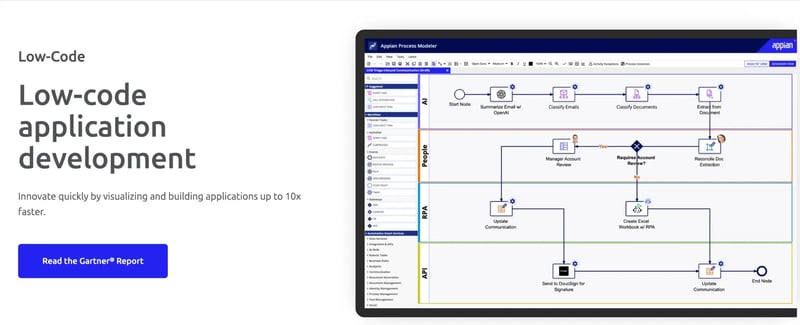
Combining workflow automation, data orchestration, and enterprise application development, Appian is strongest in agentic process automation, where workflows, business rules, and user interfaces need to work together.
It is less lightweight than business-user-first automation tools but stronger where architecture, control, and extensibility matter.
Appian’s Key Features
Low-code process automation
Appian allows organizations to design workflows visually while also building the applications that support those workflows.
In agentic process automation, that is useful where a contextual decision must surface inside a user-facing process rather than sit invisibly in the background.
Unified data fabric
The data fabric allows processes to pull information from multiple enterprise systems without duplicating the data. As decisions often depend on context spread across CRM, ERP, case systems, and internal records, better data access improves the quality of process decisions.
AI Copilot for development
AI Copilot helps accelerate the creation of workflow logic, interfaces, and development assets. It supports agentic process automation by reducing the design time needed to get a contextual workflow into production.
It is especially helpful in larger projects where application and process design move together.
Process mining for workflow improvement
Process mining shows how work actually moves across the organization rather than how it is supposed to move on paper. This insight helps teams decide where agentic automation can reduce friction or unnecessary handoffs.
It is a useful capability when scaling beyond one-off workflow projects.
Appian’s Pros
- Strong enterprise fit where workflows and applications need to be built together
- Data fabric improves context access across systems
- Configurable for complex workflows
- Governance and security model suits large operational environments
Appian’s Cons
- Cost and implementation scope may be too heavy for smaller automation programs
10. Cflow
Best For: Small and mid-sized organizations automating approval-led processes with light contextual handling
Cflow platform
A simple workflow automation platform, Cflow, is aimed at teams replacing email-led approvals and manual routing.
Its relevance to agentic process automation is lighter than most other tools on this list, but it can still support basic contextual workflows where rules, validations, and structured inputs drive next steps.
It is more suitable for routine internal approvals than for complex multi-agent enterprise orchestration.
Cflow’s Key Features
Visual workflow automation
Cflow allows teams to build approval-based workflows through a drag-and-drop interface. It is useful for turning routine manual processes into structured automation.
In lighter agentic use cases, the value comes from routing work based on conditions rather than static email back-and-forth.
Form-driven process inputs
Structured forms capture the information needed for a workflow to move forward. It is important in contextual automation because process routing depends on having reliable input at the start. Validation rules help reduce incomplete or inconsistent submissions.
Integration via APIs and connectors
The tool can connect to external systems so workflows do not remain isolated in one tool. Records can be updated in other operational applications once a process step is completed. It gives teams a way to tie approval automation into broader business operations.
Cflow’s Pros
- Good fit for replacing manual approval chains with structured workflow automation
- Easy to configure for smaller business teams
- Practical option for light contextual routing without major platform overhead
- Lower barrier to adoption than enterprise-grade orchestration tools
Cflow’s Cons
- Limited depth for complex agentic process automation
- Less suitable for long-running, multi-system, or heavily governed enterprise workflows
Factors to Consider When Evaluating Agentic Process Automation Tools
Selecting an agentic process automation platform requires evaluating more than workflow features alone.
Agent-driven systems introduce contextual decision-making, document interpretation, and adaptive workflows. Organizations should therefore assess how well a platform balances intelligence, governance, usability, and integration.
Below are several practical factors to examine when comparing tools.
Context awareness and explainability
Agentic automation depends on how effectively a platform interprets inputs such as documents and operational signals.
Systems that combine natural language processing, decision models, and workflow logic can adapt processes based on context rather than static rules.
Explainability remains equally important. Organizations should be able to review how a decision was made inside the workflow. Clear audit trails and traceable process steps help teams maintain oversight and compliance.
Workflow orchestration and decision logic
Agent-driven automation often involves multiple stages, including data interpretation and human approvals. Platforms should support orchestration across these different components.
Tools that combine workflow modelling, rule evaluation, and AI interpretation allow organizations to coordinate complex processes more effectively. Without orchestration capabilities, automation tends to remain limited to isolated tasks rather than full process management.
Ease of adoption for business teams
Many organizations pursue agentic automation to reduce operational bottlenecks, which means business teams often need to participate in workflow creation.
Platforms with visual workflow builders or guided automation tools help operational users automate processes without heavy technical support.
Lower adoption barriers typically accelerate automation initiatives and reduce the backlog of requests directed to IT teams.
Governance and compliance controls
Agentic workflows frequently operate in regulated environments such as finance, healthcare, insurance, or supply chain management. Platforms should provide governance features that allow teams to monitor automation activity and enforce access controls.
Capabilities such as role-based permissions, audit trails, and version tracking help ensure that automated decisions remain transparent and compliant with internal policies.
Integration with existing business systems
Process automation rarely operates in isolation. Most workflows depend on CRM systems, ERP platforms, document repositories, and communication tools.
Automation platforms that offer strong integration capabilities allow processes to move across systems without manual intervention. API connectivity and pre-built connectors help ensure that automation workflows reflect real operational conditions.
Scalability and pricing transparency
Automation initiatives often begin with a few workflows and expand over time. Pricing models that scale predictably make it easier for organizations to grow their automation programs.
Clear pricing structures and flexible deployment options allow teams to expand automation coverage without introducing unexpected operational costs.
Organizations evaluating agentic automation often compare tools based on governance and integration with existing systems.
FlowForma gives teams a practical entry point into agentic automation, combining intelligent AI agents, governed workflows, and true no-code design. It eliminates the barriers that slow traditional automation, allowing business users to automate securely and scale confidently within their existing Microsoft environment.
With transparent pricing, quick deployment, and measurable ROI, FlowForma offers a clear, low-risk path to intelligent automation maturity.
Several characteristics contribute to its positioning as a leading agentic process automation platform:
- No-code workflow creation
- Built-in governance and audit trails
- Microsoft 365 integration
- AI-assisted workflow capabilities (Copilot, AI Agent Rule, Smart Assistants, Discovery Agent, Summarization)
- Faster deployment for process-heavy teams
Book a demo to see how FlowForma supports agentic process automation in practice.