Shortlisting Flowable alternatives often stalls at the same stage: everything looks easier than Flowable in demos, but it’s hard to tell how much control you’re giving up in return. Many tools feel simpler at first, but it’s not always clear how they handle complex workflows or scale over time.
In this guide, we review 10 popular Flowable alternatives, evaluating their key features, ratings, and pros and cons based on real-world user feedback, and identify which actually fits your organization's size, stack, and compliance requirements.
Flowable Alternatives: Quick Overview of 10 Platforms
Here’s a quick side-by-side comparison of the 10 Flowable alternatives:
|
Tool
|
Best For
|
Integrations
|
Key Features
|
|
Workato
|
Enterprises needing large-scale integration and API orchestration
|
1,200+ connectors across enterprise and cloud platforms
|
Recipe-based automation with built-in API management
|
|
FlowForma
|
Regulated mid-to-enterprise teams needing AI-powered no-code automation
|
Works within the Microsoft 365 ecosystem
|
AI-powered no-code builder with built-in compliance
|
|
Camunda
|
Dev-led teams needing BPMN orchestration at scale
|
REST APIs and Java-based environments
|
BPMN/DMN modeling with agentic AI orchestration
|
|
Bonita BPM
|
IT-led teams needing open-source extensible BPM
|
JDBC and REST-based enterprise systems
|
Open-source BPMN designer with a broad connector catalog
|
|
Appian
|
Enterprises needing low-code app development with built-in AI
|
Major enterprise platforms via a unified data fabric
|
Low-code builder with AI Skills embedded in process steps
|
|
Bizagi
|
Business teams needing accessible process modeling with low IT overhead
|
REST/SOAP APIs and enterprise BI tools
|
BPMN modeler with process simulation built in
|
|
Pega
|
Large enterprises needing AI decisioning and complex case management
|
Salesforce, SAP, and legacy enterprise systems
|
AI decisioning engine with omnichannel case management
|
|
Kissflow
|
Small to mid-sized teams needing simple visual workflows
|
Google Workspace and productivity tools
|
Drag-and-drop builder with built-in collaboration
|
|
Nintex
|
Microsoft-first teams needing workflow and document automation
|
Deep native integration across the Microsoft stack
|
Workflow designer with automated document generation
|
|
ProcessMaker
|
Teams needing low-code BPM with AI-assisted design and document processing
|
REST APIs and ERP/CRM platforms
|
BPMN designer with an AI assistant and FlowGenie agents
|
How We Compiled This List
To put this list together, we reviewed vendor documentation, G2 ratings, and real user feedback, and looked closely at where each platform delivers genuine value—not just on paper, but in day-to-day use.
We paid particular attention to how each tool performs across a few areas that tend to matter most when organizations start looking beyond Flowable:
- Ease of adoption: Whether business users can get meaningful work done without leaning on IT or developers for every change.
- Integration depth: How well each platform connects with the enterprise tools your teams already use.
- Workflow complexity: Whether the platform holds up when processes get more sophisticated than a standard approval chain.
- Time to value: How long it realistically takes to go from setup to a running, useful workflow.
- Compliance readiness: Whether audit trails, access controls, and governance features are built in rather than bolted on.
- Real-world performance: What users actually say once the platform is in production, not just during evaluation.
No platform here is ranked above another. Each one made the list because it solves a real problem for a specific kind of organization, and because the evidence to support that comes from more than a product page.
10 Alternatives To Flowable
Let’s kick off the detailed review of each Flowable alternative.
1. Camunda
Best for: Development-led teams and enterprises that require BPMN-standard process orchestration at scale

Camunda’s homepage
Camunda is an open-source process orchestration platform built around standards such as BPMN, DMN, and CMMN. Teams use it to design, automate, and monitor complex workflows across people, systems, and devices.
Adopted by large enterprises, Camunda gives technical teams granular control over process execution. Its modeler provides a shared visual language that bridges business and IT, though you'll need developer involvement to get the most out of it.
Camunda's Key Features
BPMN-based process modeling
The Camunda Modeler supports the full BPMN 2.0 specification, so your business analysts and developers can collaborate on the same diagrams. DMN decision tables and CMMN case management round out the modeling options.
Workflow and decision engine
A built-in DMN engine handles business rules separately from process logic, so your team can update decision criteria without touching the overall workflow.
Process monitoring and operations
The Operate and Tasklist modules give you real-time visibility into running instances, user tasks, and incidents. Your team can reassign tasks and resolve stuck instances directly from the interface.
Developer-friendly integration
A comprehensive REST API and Java client libraries let you integrate Camunda deeply into your existing stack.
Camunda's Pros
- BPMN and DMN standards give business and IT teams a shared working language
- Open-source foundation keeps you free from vendor lock-in
- Strong REST APIs and developer tooling, with platform flexibility
Camunda's Cons
- Expect a learning curve if your team is new to BPMN
- Enterprise pricing may be difficult to justify for smaller organizations
- Deployment and customization require dedicated developer resources
2. FlowForma
Best for: Mid-sized to enterprise organizations in regulated sectors that require AI-powered automation
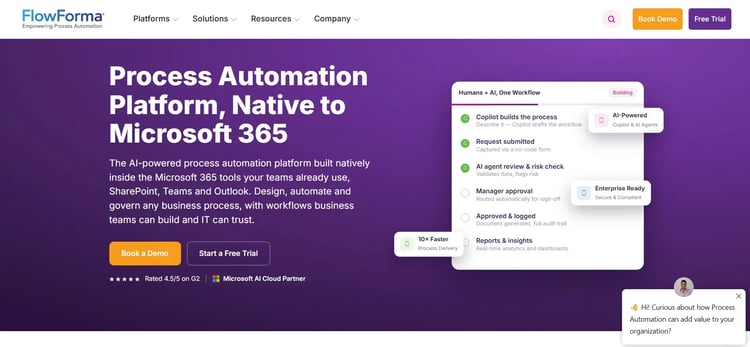
FlowForma’s no-code process automation homepage
FlowForma is a no-code process automation platform that helps organizations digitize workflows efficiently while maintaining compliance.
With features such as built-in document generation, an AI suite, workflow automation, automated forms, and analytics, you can optimize processes within the Microsoft ecosystem with ease. Moreover, our transparent, process-based pricing enables you to scale without worrying about hidden costs or surprise elements as your processes scale.
FlowForma's Key Features
AI-powered workflow generation
Our AI Copilot translates natural-language descriptions into workflow structures, reducing design time from the start. Agentic AI handles complex decisions, AI agents manage routine tasks, AI Summarization flags potential issues, and the Discovery Agent spots where automation can make the biggest difference.
Built-in compliance
Our in-built compliance module automatically logs every workflow action, giving you a clean audit trail for regulatory reviews. Role-based access controls and support for GDPR, HIPAA, and ISO 31000 keep you compliant without extra setup.
No-code workflow builder
You can build multi-stage processes, including approvals and document generation, using drag-and-drop tools. Conditional logic and escalation paths handle exceptions, all while keeping IT in the loop.
Customizable templates
Pre-configured templates for healthcare, finance, insurance, and construction get your workflows running faster. Each template can be adjusted to reflect your business standards and operational needs.
Real-time analytics and reporting
With dynamic dashboards and data-driven insights, you have the much-needed visibility into workflow performance, bottlenecks, and compliance metrics.
FlowForma's Pros
- Fully no-code and accessible to all business users (technical and non-technical)
- Accelerates workflow automation adoption across mid-sized and enterprise teams
- AI-driven automation reduces manual effort and speeds up complex processes
- Audit-ready compliance features support regulated industries and cross-departmental
collaboration
- Seamless Microsoft 365 integration boosts adoption and day-to-day efficiency
FlowForma's Cons
- Best suited to teams already working within the Microsoft ecosystem
- New users may need time to get comfortable configuring more complex workflows
3. Appian
Best for: Enterprise teams that need rapid low-code application development with integrated AI and process automation
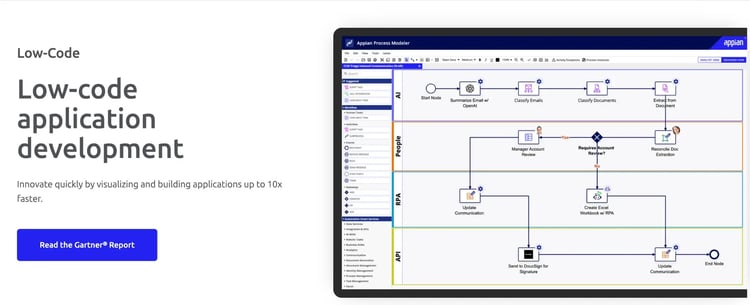
: Appian’s low-code development platform
Appian is a low-code automation platform that brings together process management, case management, data fabric, and AI in one environment.
Teams in financial services, government, healthcare, and insurance use Appian to automate end-to-end processes that span multiple systems. Developers can build quickly while business users stay informed through configurable interfaces and dashboards.
Appian's Key Features
Low-code application development
You can build applications using pre-built components, drag-and-drop layouts, and configurable forms. Parallel development lets multiple teams work on different parts of an application at the same time, reducing time to deployment.
AI and intelligent automation
Appian AI Skills let your team embed machine learning models directly into process steps, with no data science background required.
Unified data fabric
The data fabric layer connects records across Salesforce, SAP, Oracle, Workday, and other enterprise systems without requiring any data migration.
Case management
Teams can manage predictable processes and handle exceptions side by side, with all tasks, documents, and communications accessible from one interface.
Appian's Pros
- Low-code drag-and-drop interface accelerates rapid application development.
- Strong plugin ecosystem supporting enterprise-grade integrations.
- Built-in AI enhances efficiency and reduces manual effort.
Appian's Cons
- Expensive licensing model, especially for growing user bases.
- Limited customization for highly complex use cases.
- Steep learning curve for advanced configurations and features.
4. Kissflow
Best for: Small to mid-sized teams looking for quick, visual workflow automation
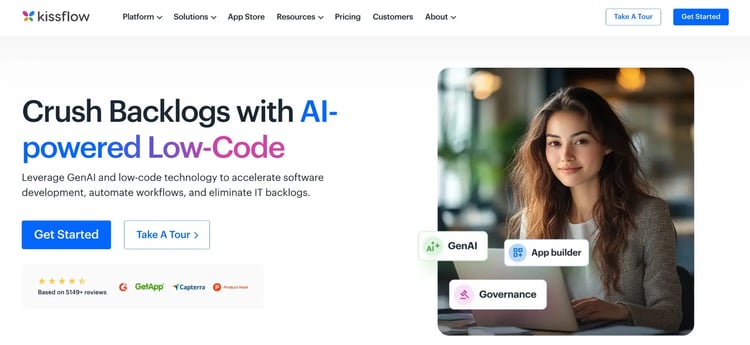
Kissflow homepage
If your team still manages approvals and requests over email, Kissflow gives you a structured alternative. Requests move through defined approval paths and task stages, so nothing gets lost in a thread.
Departments like HR, finance, and procurement can design their own processes using visual tools, without needing to involve a developer.
Kissflow's Key Features
Visual process builder
You can map each stage of a process using a drag-and-drop designer. Approval steps, task assignments, and notifications are arranged so requests flow through the right reviewers, and conditional logic adjusts the path based on request type or approval criteria.
Templates for faster setup
Pre-built templates for common processes like purchase requests, employee leave submissions, and more give your team a ready-made starting point. You can adjust the workflow stages and form fields to match your internal policies.
Collaboration and task visibility
Participants can track approval progress and review requests from within the workflow. Activity logs show exactly what happened at each stage, keeping managers informed without needing to chase updates.
Integration capabilities
Kissflow connects with Google Workspace, Slack, and Dropbox, so your workflows exchange data with tools your team already uses. Form submissions can trigger external actions, and notifications can land directly in your collaboration platforms.
Kissflow's Pros
- Business teams can build workflows themselves without technical expertise
- Templates cut setup time for everyday operational processes
- Collaboration tools keep approvals and requests visible across teams
- Integrations connect smoothly with popular productivity platforms
Kissflow's Cons
- Customization options are limited for teams with complex process requirements
- Reporting may not meet the needs of larger-scale process analysis
5. Workato
Best for: Enterprise teams that require large-scale integration, workflow automation, and API orchestration across multiple systems
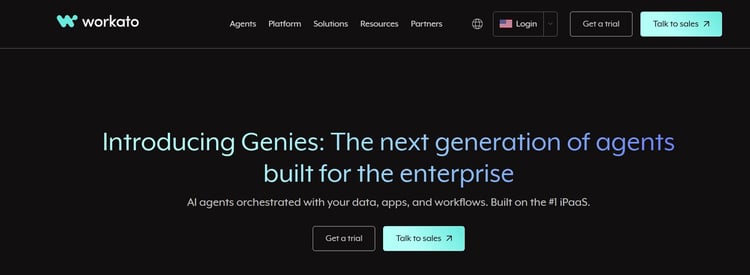
Workato’s homepage
Alt-text: Screenshot of Workato’s homepage
Workato is an enterprise orchestration platform that brings integration, automation, API management, and agentic AI together in one cloud-native environment. With over 1,200 prebuilt connectors, your team can build workflows that span applications, databases, and services across the organization.
Workato's Key Features
Recipe-based automation
Each recipe defines a trigger and a set of actions across connected apps. You can build recipes through a visual interface or extend them with custom logic, giving your team a consistent structure for managing automations at scale.
Prebuilt connector library
Over 1,200 prebuilt connectors cover CRMs, ERPs, databases, cloud platforms, and communication tools. Connectors are maintained and updated by Workato, and you can build custom ones using their SDK for anything not covered.
Agentic AI and orchestration
Workato lets you build and deploy AI agents that make decisions and take actions across connected systems. Teams can automate complex, judgment-intensive tasks alongside standard integration workflows from the same platform.
API management
You can expose recipes as APIs, letting external applications trigger workflows programmatically. The API layer handles authentication, rate limiting, and monitoring, giving you governance over how your automations are accessed.
Workato's Pros
- 1,200+ prebuilt connectors significantly reduce integration development time
- Deep and reliable integration with enterprise systems
- Strong governance and security for regulated organizations
- Scales well to high-volume, high-complexity automation needs
Workato's Cons
- Usage-based pricing can add up quickly at high automation volumes
- Licensing and scoping can be complex to plan upfront
- Requires an integration-first mindset from the beginning
6. Bonita BPM
Best for: Technical teams and IT-led organizations that require open-source, BPMN-based process automation with full extensibility
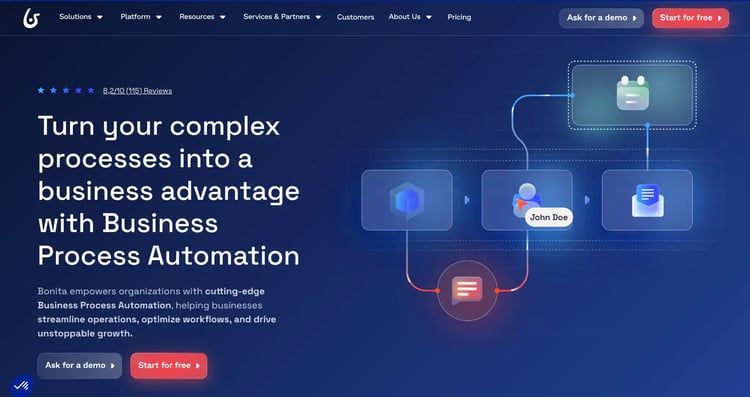
Bonita Homepage
An open-source process management platform, Bonita BPM is built for organizations that want extensible workflow automation without proprietary constraints. With BPMN 2.0 support and a clear separation between process modeling and custom code, Bonita suits teams that are comfortable working in a developer-driven model.
Bonita BPM's Key Features
BPMN process design and execution
Bonita Studio gives your team a BPMN-compliant designer where process design and execution configuration are handled separately. Business analysts and developers each contribute to their respective layers, and diagrams can be exported and shared with other BPMN-compatible tools.
Open-source extensibility
You can extend Bonita at the core level—connector development, API integrations, UI modifications—without being constrained by a proprietary framework. Your architecture stays flexible and independent from any single vendor's roadmap.
Connector catalog
Connectors cover JDBC databases, LDAP, Active Directory, Salesforce, SAP, and common protocols including REST, SMTP, HTTP, and FTP. Custom connectors can be developed to reach systems not already covered.
UI designer
The UI Designer lets your team build custom forms and task interfaces linked directly to process steps. Teams can match the interfaces to organizational design standards, delivering a consistent experience for participants.
Bonita BPM's Pros
- Open-source model gives you full extensibility and no vendor lock-in
- Broad connector catalog covers a wide range of enterprise systems
- BPMN compliance keeps processes portable and standards-aligned
- Highly customizable with a good feature set
Bonita BPM's Cons
- Business users can't drive meaningful changes without developer support
- Steep learning curve for teams new to BPMN or Java-based platforms
- Not agile in terms of data capturing and processing
7. Nintex
Best for: Microsoft-centric organizations seeking low-code workflow automation and document generation across SharePoint and Office 365
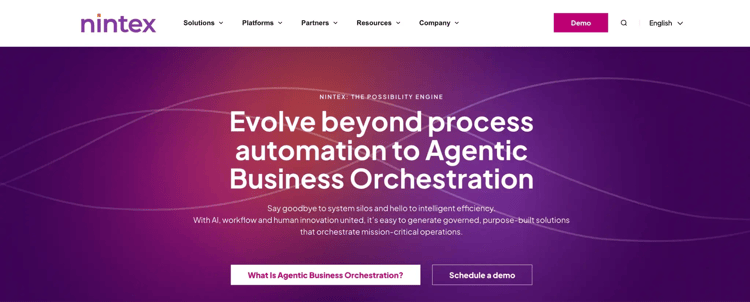
Nintex homepage
Nintex is a low-code process automation platform focused on workflow management, document automation, and process intelligence. If your organization runs on Microsoft, the tool integrates directly with SharePoint, Office 365, and Azure, making it a natural fit.
Teams across financial services, healthcare, government, and professional services use Nintex to automate approvals, generate documents, and manage forms-based processes. Both IT and business users can work with the platform without needing deep technical knowledge.
Nintex's Key Features
Visual workflow designer
A drag-and-drop builder lets you design multi-step approval processes, automated notifications, and exception handling.
Document generation and automation
Templates linked to process steps automatically produce contracts, reports, proposals, and forms from workflow data.
Process intelligence
Nintex Process Intelligence shows you how work actually moves through your organization. Bottlenecks, cycle times, and compliance gaps surface from execution data, so your team can improve processes based on evidence rather than guesswork.
Microsoft ecosystem integration
Native connections to SharePoint, Teams, Outlook, Dynamics 365, and Azure mean your team can act on tasks without leaving the tools they already use.
Nintex's Pros
- Deep Microsoft integration makes adoption easy for SharePoint and Office 365 teams
- Document generation and e-signature support reduce manual handling in approval workflows
- Process intelligence enables data-driven improvement
- Industry-specific templates speed up deployment for common processes
Nintex's Cons
- Teams outside the Microsoft ecosystem may find the integrations less compelling
- Pricing becomes expensive as workflows, environments, and users scale.
8. Bizagi
Best for: Business-led teams and organizations seeking accessible process modeling and automation without heavy technical overhead
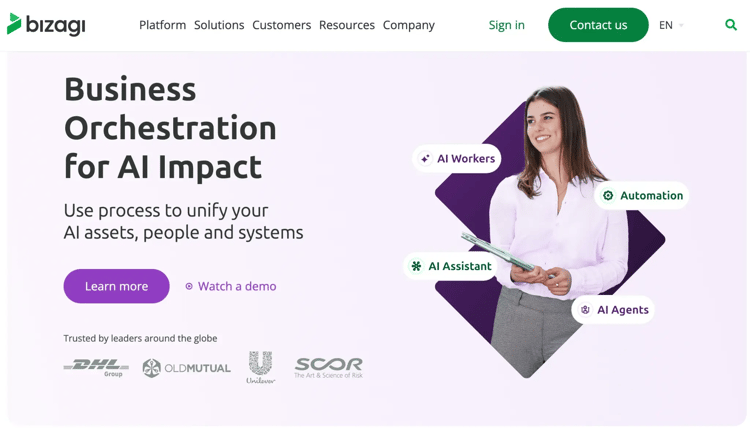
Bizagi’s homepage
With its BPMN 2.0 compliant modeler, Bizagi is widely recognized as one of the more approachable options in the BPM space.
Available cloud-hosted or on-premise, Bizagi is used across financial services, insurance, manufacturing, and the public sector. The platform is built around speed of deployment and business-user participation, so your team can reduce reliance on IT for day-to-day automation work.
Bizagi's Key Features
User-friendly process modeler
Your business analysts and process owners can design, simulate, and share processes in BPMN 2.0 notation without needing a technical background. The modeler is also available as a standalone desktop app, so teams can start documenting processes independently.
Low-code automation environment
Bizagi Studio lets you configure workflows, business rules, and integrations through a low-code interface. Business and IT can each contribute to their respective phases, including design and automation, without stepping on each other.
Process simulation
Before going live, your team can simulate how a process performs, estimating resource needs, bottlenecks, and throughput. Catching issues at this stage is far less costly than finding them in production.
Integration and data connectivity
Bizagi connects to enterprise systems through REST and SOAP APIs, database connectors, and pre-built integrations. Workflow steps can pull and push data at any stage, and integration setup happens through the studio rather than custom code.
Bizagi's Pros
- Business users can lead process design without relying on IT
- Process simulation reduces go-live risk by validating designs upfront
- Free modeler lets teams start documenting and designing at no cost
- User-friendly interface with intuitive design for faster process modeling.
Bizagi's Cons
- Steep learning curve for mastering advanced features and configurations.
- Performance slows down when handling large datasets or complex implementations.
9. Pega
Best for: Large enterprises that require AI-driven decisioning, complex case management, and end-to-end process automation at scale
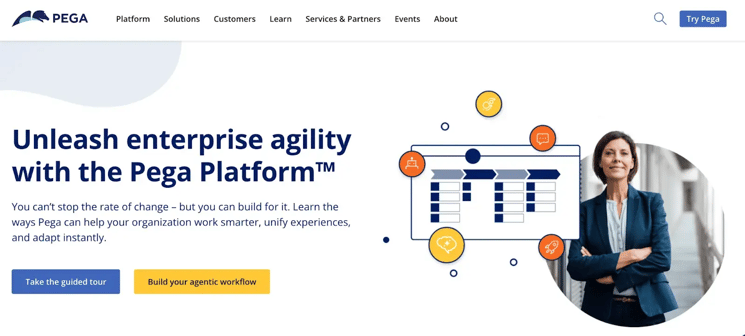
Pega platform’s homepage
Organizations handling high volumes of complex, customer-facing processes, where real-time decisions and personalization matter, often rely on Pega for centralized business process management, case management, CRM, and AI-driven decisioning.
Pega is widely used in financial services, insurance, telecommunications, healthcare, and government. If your organization deals with both process complexity and regulatory scrutiny, Pega coordinates automated decisions, human tasks, and system interactions within a single process model.
Pega's Key Features
AI-driven decisioning
Pega's AI decisioning engine applies machine learning to process data in real time, recommending or automating decisions at each workflow checkpoint. Business users can adjust decisioning logic without modifying the underlying process.
Case management
Structured workflows and exception-driven work are handled in the same environment. Cases keep all tasks, documents, and interactions in one place, giving every participant and supervisor full context throughout.
Low-code application development
Pega App Studio lets business users adjust process logic, assignment rules, and form configurations for everyday changes. Developer-level work is available for deeper customization and integration when needed.
Omnichannel process orchestration
Pega maintains a single process model across web, mobile, voice, and agent-assisted channels. When a participant switches channels, context and task state come with them.
Pega's Pros
- Real-time AI decisioning enables intelligent automation within complex process flows
- Unified BPM, case management, CRM, and decisioning reduces enterprise tool sprawl
- Strong compliance tooling supports heavily regulated industries
- Omnichannel orchestration keeps processes consistent across every touchpoint
Pega's Cons
- Licensing and implementation costs can be high for small and mid-sized businesses
- Limited learning resources; some processes may need IT support
10. ProcessMaker
Best for: Organizations seeking flexible, low-code business process automation with intelligent document processing and AI-assisted design
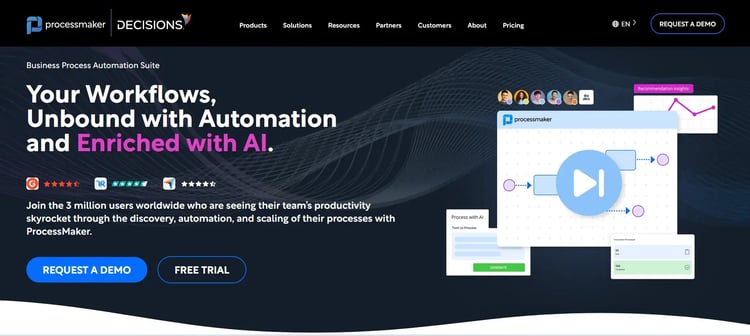
ProcessMaker’s Homepage
ProcessMaker combines visual process design, intelligent document processing, and AI-assisted tooling to accelerate automation across departments.
Financial services, healthcare, higher education, and manufacturing teams use ProcessMaker for everything from simple approvals to more complex orchestration. The AI design assistant and FlowGenie agent-building capability push the platform beyond traditional BPM into AI-augmented automation.
ProcessMaker's Key Features
1. Visual process designer
A BPMN-compliant drag-and-drop designer lets your team model workflows and configure execution logic through the interface. Approval steps, task assignments, conditional routing, and escalation paths are all set up visually, keeping design and runtime in sync.
2. AI design assistant
Describe a workflow in natural language and ProcessMaker's AI assistant generates a structured process design as your starting point. Code generation from prompts is also available for custom scripting needs.
3. Intelligent document processing
ProcessMaker extracts, classifies, and processes information from invoices, contracts, and application forms, routing the data directly into workflow steps. Particularly useful for financial operations, loan processing, and compliance workflows where documents drive the process.
4. FlowGenie AI agents
FlowGenie lets you build and deploy AI agents that execute tasks, make decisions, and interact with external systems within your process boundaries. Agents work within BPMN guardrails, so AI-driven actions stay traceable and governed.
ProcessMaker's Pros
- AI design assistant cuts the time needed to turn requirements into executable process models
- Intelligent document processing automates data extraction from document-heavy workflows
- FlowGenie keeps AI agent actions governed and traceable within process boundaries
- Reliable and supportive customer team offering high level of customer satisfaction.
ProcessMaker's Cons
- Limited features in branding and integration capabilities.
- Performance issues across browsers and complex implementations.
What to Look for in Flowable Alternatives
Flowable is a powerful business process automation platform known for flexibility and scalability. But when exploring alternatives, your focus should be on how easily your team can adopt, manage, and scale workflows without added complexity or hidden costs.
Below are the key factors to consider when evaluating Flowable alternatives:
Ease of use for business users
Look for platforms that allow you to build and manage workflows without relying heavily on developers. A strong alternative should reduce dependence on BPMN expertise or custom coding.
Simple and intuitive navigation
Choose tools with a clean, user-friendly interface so your team can quickly understand and use the platform without long onboarding cycles or constant support.
Clear and predictable pricing
Prioritize platforms that are upfront about pricing and include core capabilities without requiring multiple add-ons, so you can scale automation with better cost control.
Integration and system compatibility
Ensure the platform connects easily with your existing systems, whether through APIs or pre-built connectors, so you can automate workflows across tools without complex custom integrations.
Governance and scalability
As your processes grow, you’ll need visibility and control. Look for features like role-based access, audit trails, and performance monitoring to manage workflows reliably at scale.
Flowable is built for developers. That's its strength, but for many organizations, it's also the friction point. When process changes require developer involvement, business teams lose the ability to move at their own pace, and automation becomes a bottleneck rather than a solution.
FlowForma takes a different approach. Business users can build, adjust, and manage workflows themselves, without waiting on IT. That shift alone changes how quickly organizations can respond to operational needs.
A few things make FlowForma particularly relevant for teams moving away from Flowable:
- No-code workflow design: Operations, HR, and finance teams can own their processes end-to-end without development support.
- Microsoft 365 alignment: FlowForma works within your existing SharePoint and Teams environment, not alongside it.
- Compliance built into the process: Every approval and action is logged automatically—audit readiness comes with the workflow.
- AI that works on day one: The AI Copilot builds workflow structures from plain language, and the Discovery Agent surfaces where automation will have the most impact.
For teams that want operational automation without the implementation overhead, FlowForma is worth a closer look. Book a demo to see it in action.