Often, I am asked "Why do I need Business Process Automation tool?" or "What are the benefits of BPA?". In this blog, I define what ‘BPA’ is and summarize the top 10 benefits of business process automation to help you on your digital transformation journey.
What is Business Process Automation (BPA)?
Let’s start with ‘Business Process’. A Business Process is a series of tasks that one or more people work on to achieve a business goal.
During each task, people gather data to show that work was done and issue communications (emails, documents etc.) to others involved.
Often, these processes are tracked on spreadsheets. To work efficiently, everybody involved in the process needs to know when they have work to do and operational managers need to understand the progress and hold-ups of all the processes in their respective business area.
Business Process Automation (not to be mistaken with Robotic Process Automation) adds automation to the execution of tasks, helping people to get their work done faster to help the business achieve its goals.
Using BPA, you complete the data for each task to evidence that the work was done and provide data that is relevant to workers later in the process. BPA automatically manages communications, so that workers spend less time writing emails and documents. BPA automatically records the completion of tasks, so that you can track progress instantly and accurately.
What business processes can I automate?
 Key features of FlowForma
During a recent customer call, one of our clients described FlowForma as the "Swiss Army knife" of workflows in their organization. I really appreciated that analogy, it perfectly highlights how versatile and adaptable FlowForma is for process automation.
FlowForma can be used to automate any business process. Think of our platform as a blank canvas waiting to solve any and every process challenge in your organization.
That said, some of the most common processes we see automated include:
- HR: annual leave requests, staff onboarding, talent management
- Finance: Purchase orders, travel management, supplier onboarding
- Health and safety: Risk assessment, incident management, site inspection
- IT: Change management, project approval, software tracking
- Customer service: Client onboarding, client engagement, customer renewal
- Compliance: ISO, DORA, GDPR,
But, the list is endless! The screenshot below shows even more processes that can be automated.
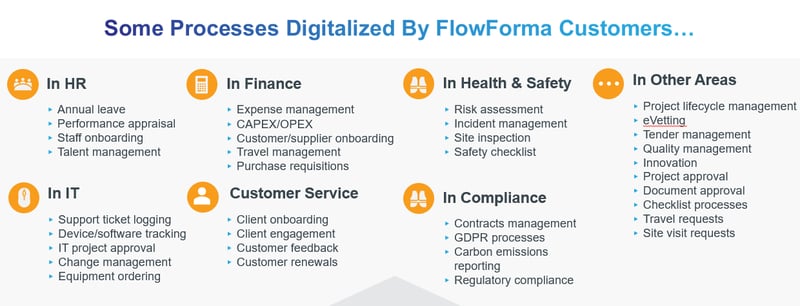 List of common processes automated
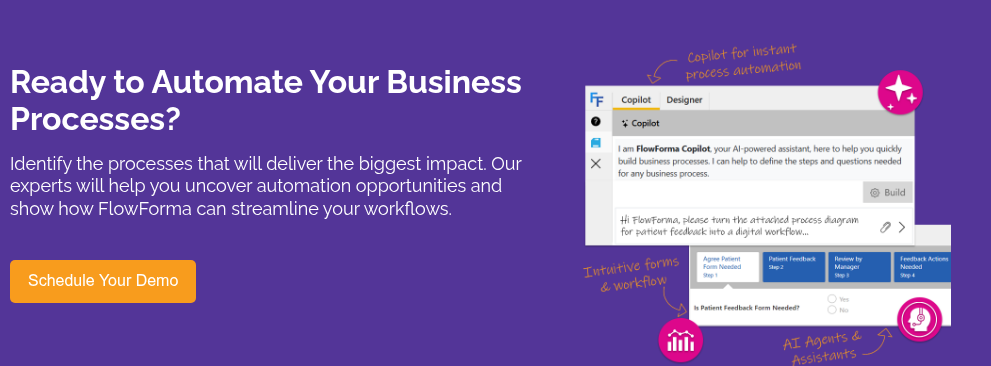
As our platform is truly versatile, we have also introduced FlowForma Copilot to help organizations brainstorm process solutions to solve bottlenecks and fast-track process automation initiatives.
In the interactive demo below, you'll see how Copilot can build a purchase order process in seconds. Simply type a prompt and you'll have your process prototype created in seconds.
What are the benefits of process automation?
There are many benefits of process automation software such as FlowForma Process Automation. Our global clients are always happy to gush about the results they've gained digitalizing their processes.
When you automate tasks (e.g. invoice processing, employee onboarding and off-boarding, purchase requests, leave requests, to name a few) the efficiency gains and productivity results can be astounding. Let's dive in and uncover some real-life benefits and understand the true value of process automation.
Top 10 business process automation benefits
The importance of a BPA tool can be highlighted in the following ten benefits.
.png?width=800&height=200&name=Top%2010%20Business%20Process%20Automation%20Benefits%20(1).png)
1. People spend more time on their jobs and less on administration
Business Process Automation reduces the time spent on administration by focusing people on completing their tasks. It increases the visibility of processes so that resources understand when they have tasks to do. The FlowForma Business Process Automation tool automates the transfer of work between participants and sends automated communications.
The digital transformation tool helps people to get work done by assisting them through automation and validating their input. This reduces operational costs and the workload on employees, as the business automation solution handles many of the administrative actions required to execute a process.
2. Accurate, up-to-date, reporting on business data
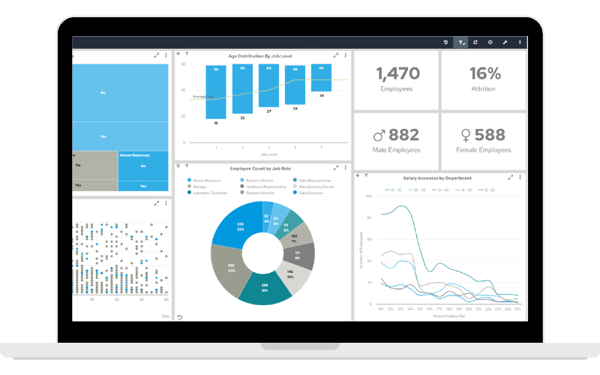
Interactive dashboards and reports report on the data captured in every process step, in every digital process in your business.
Data previously lost in spreadsheets and email chains can be collected and used in aggregated periodic reporting or in real-time operational dashboards.
A great incentive to digitalize processes at scale!
3. Process progress is tracked automatically
Sophisticated Business Process Automation tools track the progress of processes automatically. Progress can be viewed in detail in an audit trail, or at a high level in a dashboard. All of this happens accurately, in real-time. Significantly better than a manual system, where a spreadsheet must be maintained, is subject to error, and can be difficult to share with others.
4. Automated communications
Perhaps the most significant impact on the workforce when applying Business Process Automation is the automation of communications. Comprehensive automation systems generate emails and documents automatically based on templates that you define.
This ensures that relevant emails are always generated at the appropriate time and sent to the right resources. A ‘communication’ can be a simple note via email to say a job is done or to remind people to complete a task. Communications can also be substantial outputs from the business process e.g. a contract document.
5. Process benchmarks
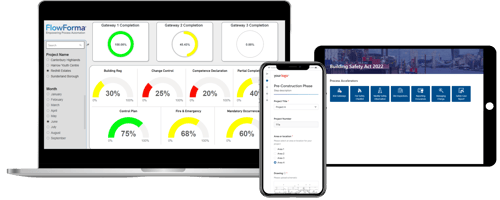 When you design a digital process, you specify how long each task should take. The right digital process automation tool tracks progress against estimated durations and can report on process performance against benchmarks.
Automatic escalations are triggered when tasks exceed allotted timeframes.
The impact of this is twofold – jobs get done that may otherwise be missed and process bottlenecks can be identified over time and remedied to improve business performance.
6. Quality of work is improved
Some Digital Process Automation solutions capture data at every process step. This serves to record evidence that the job was done correctly.
The system checks the data as it is entered correctly to ensure that data is accurate. Accurate data feeds reports you can trust, an AI that provides better advice and reduces the number of ‘pass backs’. Passbacks (or process loops) are a significant issue with manual processes. Automating processes significantly reduces the number of process loops.
7. Customer experience is improved
It is often an unexpected benefit. Process Automation efforts focus on improving productivity, but there are many side benefits that positively impact customer experience.
Standardized business processes governed by a Digital Process Automation tool ensure a consistent level of service to customers and in turn, enhanced customer satisfaction.
Automated, personalized communications keep customers up to date on progress.
8. Rich, meaningful data is captured accurately
Data captured in business processes is meaningful. It directly relates to the achievement of a business goal.
Automation software ensures that the data is captured accurately during process execution and is immediately available for reporting purposes. Data can be aggregated from many processes, over a period of time, to show business insights relating to trends. Without automation tools, data is stored in disparate systems and often recorded without reference to business goals and timelines.
9. Digital processes for change/improvement
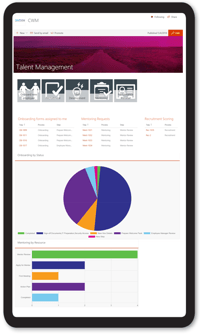
Applying BPA to a process ensures that the process is governed and can be changed much more easily.
Manual processes are difficult to change as much of the process exists in the minds and habits of the participants. BPA takes control of the process and drives participants to completion.
This path can be changed by adjusting the digital process… the sequence of tasks, their assignments, process branching, communications etc. You can apply changes when you choose, whether that’s immediately or in the future. This allows you to manage change and associated risks.
10. Training/Onboarding
Digitizing business processes mitigates risk when people are moved between roles or onboarded into the workforce.
When you automate processes it guides resources to the work that must be done by assigning tasks. When a person moves roles, their tasks can be reassigned to their replacement without any unnecessary manual tasks.
When new staff are onboarded into the company, automated processes can automatically include them and assign tasks to them. This reduces repetitive tasks, and the onboarding timeframe, and minimizes the time between initial take-on and the resource becoming measurably productive.
Business Process Automation Pros Revealed, What Next...
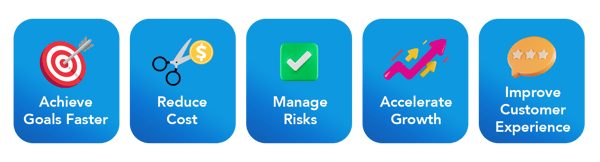
Automated business processes have a significant impact on businesses that have repeatable processes in their organization. Automated systems provides a way to ensure employee productivity and that processes are executed correctly every time and completed as quickly as possible, all while enhancing operational efficiencies.
Many side benefits to BPA extend the business case beyond ‘productivity’. Eliminating human error and mundane tasks, and the assignment of multiple tasks (in parallel) across many business functions can result in significant cost savings in a mid-large organization.
The ability to track bottlenecks and have access to accurate data through customizable dashboards offers a competitive advantage to business leaders.
Less manual form filling usually equates to fewer errors and improved employee morale often goes hand in hand with employee retention, which in itself has significant benefits to the overall business.
When you automate business processes, the positive business outcomes and internal and external customer experiences are extensive giving food for thought to forward-thinking enterprises who strive to remain competitive.
A final thought is that using tools like FlowForma, digital process automation has never been easier or more affordable to implement. Where in the past, workflow automation technology was only available to large organizations and required specialist resources, now any enterprise can start automating processes with minimal reliance on IT resources.
Start automating processes today. Request a demo or a free trial with one of our process automation experts. We love helping our clients to streamline processes and automate their simple or complex business tasks.