Healthcare continues to advance clinically, yet the patient experience often lags behind. Repeated paperwork, long waits, and difficulty accessing results still frustrate patients. Satisfaction with the National Health Service (NHS) has fallen to a record low of 21%, highlighting the urgency for change.
Better care is not only about treatment. It is about making every step of the journey simpler and more transparent.
The right patient experience software helps you streamline check-in, improve communication, reduce delays, and give patients clearer visibility over their care.
In this guide, we explore nine leading platforms, outlining their strengths across access, engagement, feedback, and follow-up to help you choose the right fit.
9 Patient Experience Solutions for NHS and Healthcare
Now that you’re shortlisting patient experience platforms, let’s start with a side-by-side view of the nine tools to help you determine the right one for your needs.
|
Tool
|
Core Focus
|
Best-Fit Scenario
|
Deployment Scope
|
|
NexHealth
|
Digital access and front-desk automation
|
Online scheduling, intake and patient messaging
|
Practice and clinic-level operations
|
|
DemandHub
|
Patient communication and reputation management
|
SMS reminders, reviews and payment messaging
|
Practice level engagement
|
|
FlowForma
|
AI-led patient pathway and process automation
|
Automating referrals, discharge planning, consent and structured NHS workflows
|
Enterprise-wide clinical and operational processes
|
|
Patients Know Best
|
Patient-controlled health records and messaging
|
Multi-provider data sharing and patient access to records
|
Patient engagement across organizations
|
|
Capita
|
Large-scale survey and engagement services
|
National or regional patient satisfaction programmes
|
Multi-provider public sector programmes
|
|
SimplePractice
|
Practice management for independent providers
|
Scheduling, billing, telehealth and documentation
|
Small practices and behavioural health
|
|
Relias
|
Workforce training and compliance
|
Improving care quality through role-based learning
|
Organization-wide staff development
|
|
Epro
|
Real-time patient feedback and clinical surveys
|
Capturing inpatient and outpatient experience data
|
Hospital ward and service level reporting
|
|
Orion Health Amadeus Digital Care Record
|
Longitudinal patient data and care coordination
|
Shared records across hospitals and community care
|
Regional or integrated care networks
|
Overview of the 9 patient experience platforms for the NHS
How we curated this list and sourced our data
To build this list, we reviewed widely used patient experience platforms, including FlowForma.
We analysed ratings and review themes, studied product documentation, and examined available user feedback. Each platform was evaluated using the same patient experience criteria for consistency.
We assessed each solution on:
- Patient access and digital intake
- Communication and engagement tools
- Feedback capture and reporting
- Care pathway tracking
- Integration with EHR and core systems
- Security and compliance readiness
- Scalability across services
- Pricing transparency
- Fit for regulated healthcare environments
We combined vendor claims with real user feedback to show what each platform can handle in day-to-day patient experience management.
Let’s start with the detailed analysis of each patient experience software.
1. Patients Know Best
Best for: Patient-controlled records and secure messaging across multiple providers
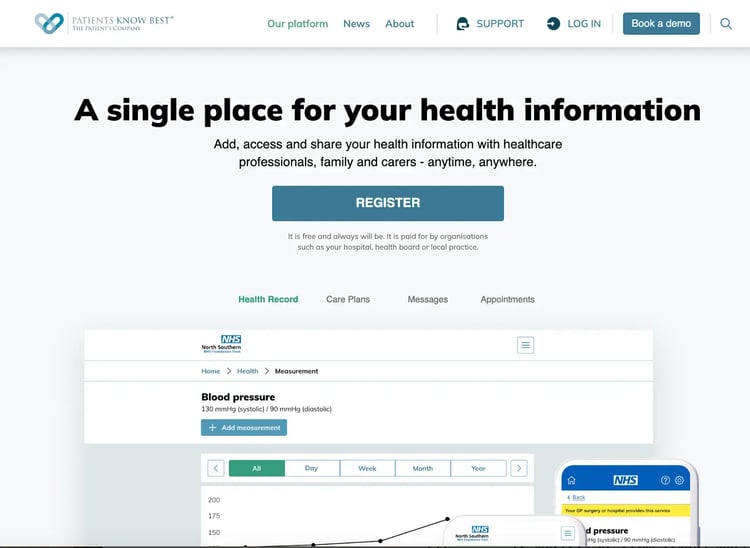
Patients Know Best's digital patient management platform
Patients Know Best is a patient experience platform that gives patients secure access to their medical records and enables direct communication with care teams. Healthcare providers use it to share information, support ongoing engagement, and coordinate care across organizations while keeping patients in control of their own data.
Key features of Patients Know Best
1. Shared health record access
Patients can view test results, clinic letters, medications, care plans, etc., in one secure portal. This helps them understand their condition, prepare for visits, and stay informed between appointments.
2. Secure messaging with care teams
The platform enables direct, secure communication between patients and clinicians. Routine questions, follow-ups, and updates can be handled digitally, reducing phone calls and administrative burden.
3. Appointment and pathway management
Patients can receive reminders, access pre-visit instructions, and stay updated on their care pathway. This improves attendance and ensures patients know what happens next in their treatment journey.
4. Self-management and remote monitoring
Patients can upload home readings and track symptoms from outside the clinic. Clinicians can review this data to monitor progress and intervene earlier when needed.
Patients Know Best's Pros
Pros include:
- Strong patient control and engagement focus
- Pools information from sources that sit outside typical mainstream health software
- High satisfaction for smaller healthcare teams and works well in real-world use
Cons include:
- Lacks an easy way to incorporate high-quality lab data
- Limited critical feedback in the reviews provided
2. FlowForma
Best for: Compliant NHS pathway automation with full audit control and no-code flexibility
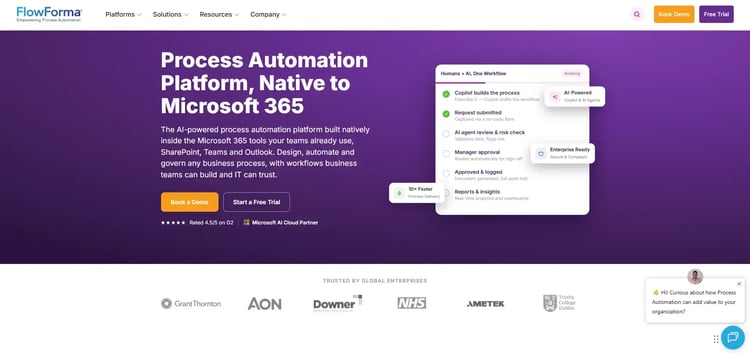
FlowForma AI-led process automation platform
FlowForma helps you move patient-facing processes out of email chains and paper forms into clear, guided digital workflows. If your team is managing referrals, discharge planning, consent forms, or internal approvals manually, we help you turn those steps into structured flows that are easy to track and complete.
Your clinical and operational teams can build or update workflows themselves (while IT retains oversight), allowing you to adapt quickly when policies shift or services expand. Instead of chasing updates, your staff can see exactly what’s happening at every stage of the patient journey.
Key features of FlowForma
1. Digital patient pathway automation
You can automate referrals, triage, discharge coordination, and follow-ups in one structured workflow. Every step is assigned and time-stamped, so nothing falls through the cracks and your patients move through care without unnecessary delays.
2. AI-assisted workflow and form creation
With Copilot, you can quickly create forms and complex processes without coding. Your team can launch new pathways faster when service needs change. From appointment scheduling to feedback, the FlowForma AI Copilot does it. Here is an example of how you can automate your patients’ appointment scheduling using the AI Copilot.
3. Automated patient documents and communications
Care plans, referral letters, and internal approvals are generated automatically from submitted information. Your communication stays consistent, accurate, and easier to manage.
4. Real-time tracking and escalation alerts
You can see exactly where each patient-related task stands. Alerts notify your team if something is delayed, helping you resolve issues before they impact care.
5. NHS-approved and security-certified
FlowForma is an approved NHS vendor, listed on G-Cloud 13, N365, and the NHS London Procurement Partnership, which makes procurement simpler for your organization. The platform is ISO 27001 certified in Europe, giving you confidence that patient data is handled in line with strict security and compliance standards.
FlowForma’s Pros and Cons
Pros include:
- Quick and responsive support team
- Enables business users to design and modify workfl.ows without heavy reliance on coding skills.
- Improves coordination and visibility across departments and shared operations.
- Drives measurable productivity gains in high-volume, regulated environments.
Like any platform, however, it comes with trade-offs. Understanding both the strengths and the limitations can help you decide whether it fits your environment.
Cons include:
- Navigation takes time to get used to for new or occasional users.
- The learning curve can feel steep, especially without structured onboarding and training.
- Effective use requires structured process design and a thoughtful, well-planned setup.
FlowForma’s Pricing
We use a clear, process-based pricing model. Instead of charging you per user or hiding features in higher tiers, we price based on the number of workflows you run.
Even as more members of your team or external reviewers use the platform, your costs stay predictable.
3. Epro
Best for: Real-time ward and service feedback reporting tied to quality improvement
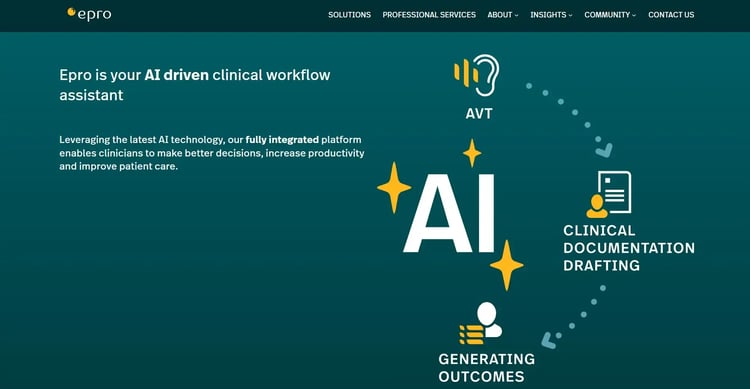
Epro's unified digital health platform
For hospitals that want to digitise clinical workflows and capture patient feedback across inpatient, outpatient, and community settings, Epro is a good platform.
It supports structured surveys and integrates responses into operational reporting, allowing providers to link feedback directly to service improvement initiatives.
Key features of Epro
1. Real-time patient feedback collection
Hospitals gather experience data during or immediately after care episodes through digital surveys. Staff can identify issues early and respond before discharge.
2. Service-level reporting and dashboards
Managers access live dashboards that break down feedback by ward, department, or speciality. Trends become visible quickly, supporting targeted quality improvement efforts.
3. Inpatient and outpatient survey deployment
Teams configure surveys for different care settings, ensuring questions match the specific patient journey and clinical context.
4. Integration with hospital systems
Survey data connects with existing hospital IT systems, allowing patient experience metrics to align with operational and clinical performance data.
Epro’s Pros and Cons
Pros include:
- Consolidates clinical systems and paper processes into one platform
- Customisable to fit specific clinical workflows
Cons include:
- Steep learning curve
- Customisation can delay the rollout
4. Capita
Best for: Large-scale national and regional patient engagement programmes with multichannel reach
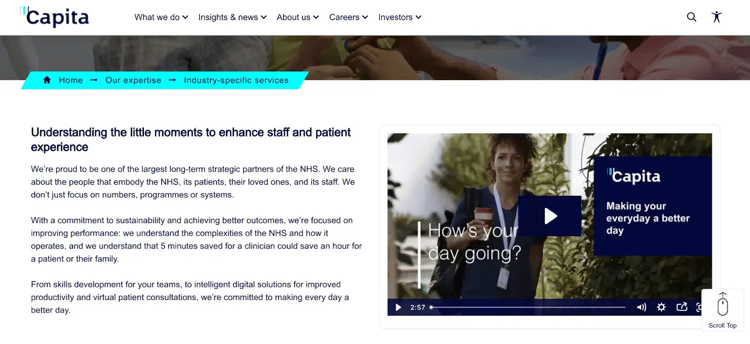
Capita's NHS-centric services platform
Capita delivers patient experience and engagement services that help healthcare organizations manage large-scale feedback programmes and improve service access. Health systems use their solutions to run national or regional surveys, manage patient communications and analyse satisfaction data to inform policy and operational decisions.
Key features of Capita
1. Large-scale survey management
Organisations deploy national and regional patient surveys across multiple providers. Responses are collected, processed and analysed centrally to ensure consistent reporting.
2. Multichannel patient communication
Patients receive communications through digital, phone, or mail channels, improving reach across diverse populations.
3. Data analysis and insight reporting
Healthcare leaders receive structured reports highlighting satisfaction trends, service gaps and improvement opportunities.
4. Operational support services
Administrative processes related to patient engagement, including contact handling and data processing, are managed to reduce internal workload.
Capita’s Pros and Cons
Pros include:
- Intuitive with multiple customisable options
- AI and data-driven features enhance accuracy and patient safety
Cons include:
- Integration with existing systems requires technical support
5. Relias
Best for: Workforce compliance training, credentialing and skills oversight across clinical roles
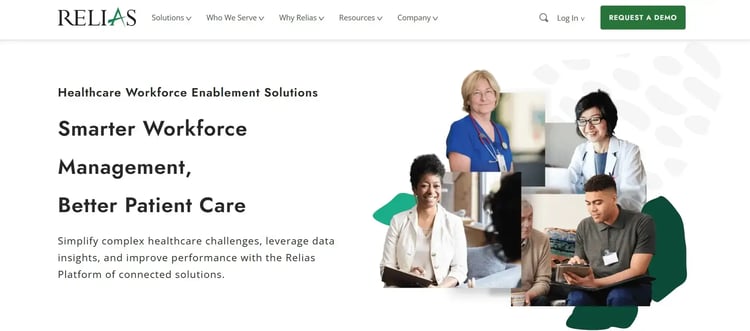
Relias’s patient engagement platform
By strengthening workforce capability and care quality, Relias supports healthcare organizations in improving the patient experience.
The platform delivers role-based training, compliance tracking and performance analytics to keep staff aligned with clinical standards and service expectations. Healthcare leaders use it to reduce risk, improve care consistency and close skills gaps that directly impact patient outcomes.
Key features of Relias
1. Role-based learning management
Staff complete training tailored to their clinical or administrative role. Managers track course completion and competency progress across teams.
2. Compliance and accreditation tracking
Mandatory certifications and regulatory requirements are monitored in one system. Automated alerts help prevent lapses that could affect care delivery.
3. Performance and skills analytics
Leaders identify knowledge gaps through reporting dashboards. Training plans can be adjusted to address areas that influence patient safety and experience.
4. Onboarding and workforce development
New hires follow structured onboarding pathways. Continuous education supports retention and maintains consistent care standards.
Relias Pros and Cons
Pros include:
- Large course library with breadth across roles and compliance needs
- Easy for admins to assign training at scale
- Strong compliance and credentialing support
- Helpful support for day-to-day issues
Cons include:
- Navigation and admin management can feel confusing
- Performance and device experience can get in the way
- Advanced learning features and pricing concerns in some cases
6. Orion Health Amadeus Digital Care Record
Best for: Shared longitudinal care records built for integrated regional networks
Orion's patient data management platform
Healthcare providers can unify patient information across hospitals, primary care, and community services through Amadeus Digital Care Record. Clinicians access a longitudinal record that consolidates data from multiple systems, improving care coordination and reducing duplication. Health systems use it to support integrated care models and population health management.
Key features of Orion
1. Longitudinal patient record aggregation
Clinical data from different providers is consolidated into a single, shared view. Care teams can review history, medications, diagnostics and encounters without switching systems.
2. Cross- organization care coordination
Providers across regions access the same patient record. Information flows more smoothly between acute, primary and community settings.
3. Population health insights
Aggregated data support risk stratification and proactive care planning so that organizations can identify high-risk patients and intervene earlier.
4. Interoperability framework
The platform connects with diverse clinical and administrative systems. Data exchange supports continuity of care across the healthcare ecosystem.
Orion Health's Pros and Cons
Pros include:
- Full view of patient history and care pathways
- Seamless integration and easy to use
- Scalable for large care networks
Cons include:
- Lacks proper usability
- Limited and paid access with shared lists
7. NexHealth
Best for: EHR-synced booking, digital intake, automated reminders and payment collection
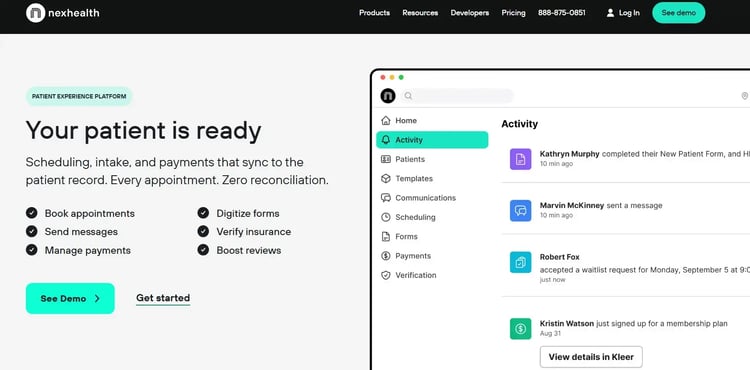
NexHealth's appointment reminder and feedback collection feature
NexHealth helps healthcare practices modernise patient access and front-desk operations. Clinics use it to automate scheduling, intake, reminders and payments while syncing directly with their EHR or practice management system. Administrative workload decreases as more interactions shift to self-service digital workflows.
Key features of NexHealth
1. Online scheduling synced with EHR
Patients book appointments directly from the practice website. Availability reflects real-time calendar data from the connected system.
2. Digital intake and forms
Patients complete registration forms before their visit. Staff receive structured data without manual entry.
3. Automated reminders and confirmations
Text and email reminders reduce no-shows. Patients confirm or reschedule without calling the clinic.
4. Two-way messaging and payments
Secure messaging supports appointment coordination and follow-ups. Digital payment links simplify collections before or after visits.
NextHealth's Pros and Cons
Pros include:
- Easy integration and implementation processes
- Customisable automated reminders and notifications
- Responsive and helpful support that resolves issues quickly
- Smooth onboarding and feature transitions
Cons include:
- Cumbersome navigation
- Inconvenience in messaging processes and a lack of real-time updates
- Lagging and syncing problems that can impact checkout or workflow efficiency
8. DemandHub
Best for: SMS-first communication covering review management, reminders and missed-call recovery
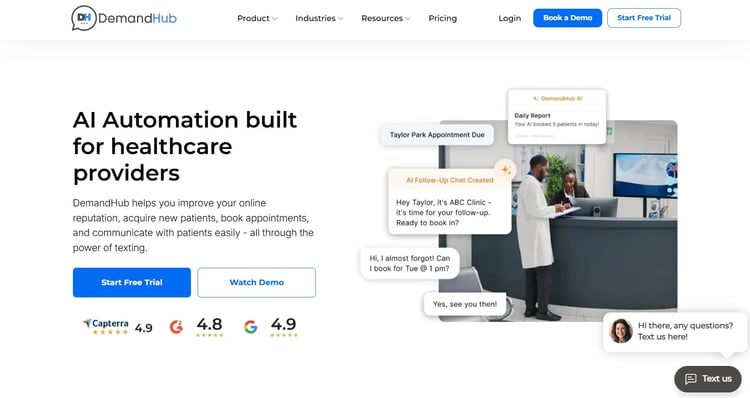
DemandHub's homepage
Service-based businesses, including healthcare practices, can manage patient communication and reputation by using DemandHub. Clinics use it to centralise conversations, increase online reviews and improve response times without switching between multiple tools.
Key features of DemandHub
1. Centralised text communication
Staff manage patient SMS conversations from a shared inbox. Messages remain tied to individual contacts for easy tracking.
2. Automated review requests
Patients receive prompts to leave reviews after appointments. Positive feedback increases visibility on public review platforms.
3. Missed-call text back
Patients who call after hours receive an automatic text response. Conversations continue without waiting for office hours.
4. Payment and reminder messaging
Practices send payment links and appointment reminders through SMS. Administrative follow-up becomes faster and more consistent.
DemandHub's Pros and Cons
Pros include:
- Centralised workflow view that lets staff manage multiple tasks from one screen
- Support team is frequently described as responsive and helpful
- Online forms support basic customisation, including Spanish language options
- Onboarding and feature transitions are often supported through guidance and assistance
Cons include:
- Limited messaging, with workflow friction and delayed updates
- Appointment management requires multiple clicks, increasing effort for routine actions
- Inconsistent navigation slows common tasks
9. SimplePractice
Best for: All-in-one scheduling, billing, documentation and telehealth for independent practitioners
SimplePractice's homepage
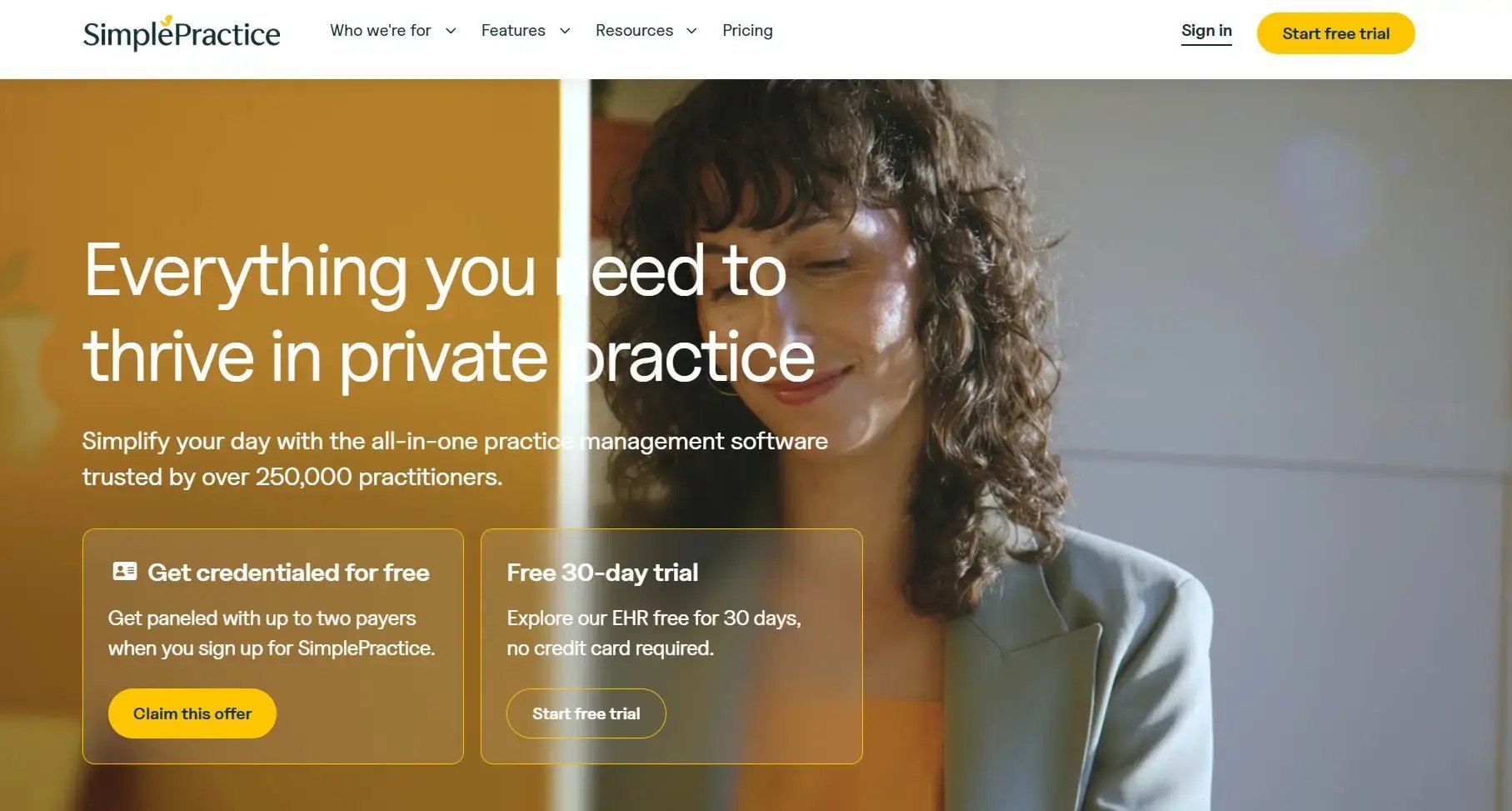
SimplePractice enables independent practitioners and small healthcare practices to manage scheduling, billing, documentation and telehealth in one system. Behavioural health providers, therapists and wellness professionals rely on it to streamline daily operations while maintaining consistent communication with patients.
Key features of SimplePractice
1. Integrated scheduling and calendar management
Appointments are booked, rescheduled and tracked in a centralised calendar. Automated reminders help reduce missed sessions.
2. Clinical documentation tools
Progress notes, treatment plans and templates are stored securely within each client record.
3. Telehealth sessions
Virtual appointments run directly through the platform. Providers conduct sessions and document care in the same workflow.
4. Billing and insurance processing
Claims are generated and tracked within the system. Payment collection and invoicing remain aligned with scheduled services.
SimplePractice's Pros and Cons
Pros include:
- All-in-one platform with multiple use cases and an intuitive interface
- Time-saving platform and simplified billing features
- Easy to navigate with intuitive layouts, including seamless patient contacting and compliance check features
Cons include:
- Primarily designed for behavioural health professionals
- Limited reporting and customisation features
- High prices for small-business owners
6 Key Features To Look For In Patient Experience Software
The platform you choose will only be as useful as the features underpinning it. These six capabilities have the most direct impact on patient access, staff efficiency and care continuity.
Unified scheduling across providers and departments
Fragmented booking creates administrative overhead and compounds patient frustration over time. A unified scheduling system reduces conflicts, cuts down on back-and-forth and gives both staff and patients a clearer picture of availability across the organization.
Patient self-scheduling and appointment management
Giving patients the ability to book, reschedule, or cancel independently reduces the administrative burden on front desk teams while improving the overall experience. Patients who can manage their own appointments are more likely to attend and engage with their care.
Role-based access control
Sensitive patient data must only be accessible to the right people at the right time. Granular permission settings are a compliance requirement in any regulated healthcare environment and should be built into the platform from the ground up.
Smart scheduling and no-show reduction
Automated reminders and predictive availability management keep schedules running efficiently without relying on manual follow-up. When gaps are filled proactively, and patients are reminded at the right moments, the whole pathway moves more smoothly.
Security and compliance credentials
Data encryption and full audit logs are fundamental requirements for any healthcare platform. For NHS organizations, confirming approval against frameworks like G-Cloud and the NHS DSP Toolkit should happen before a vendor reaches your shortlist.
Secure messaging, automated notifications and real-time updates work best when they connect to the channels your teams already use. When communication is embedded in the workflow rather than sitting alongside it, staff spend less time switching between systems, and patients stay better informed.
How To Choose the Right Patient Experience Software
A structured evaluation process helps you move beyond feature checklists and assess whether a platform genuinely fits your workflows, your teams and your compliance obligations.
Step 1: Define your goals and requirements.
Start by identifying the specific pain points in your current patient journey. Set measurable objectives such as reducing wait times or improving satisfaction scores, and be clear about which features are essential versus those that would simply be beneficial.
Step 2: Assess integration capabilities.
Evaluate how well the platform connects with your existing EHR, practice management and billing systems. Review API availability and data migration requirements and consider whether the solution can scale alongside future system upgrades.
Step 3: Evaluate the total cost of ownership.
Look beyond the licensing fee and factor in implementation costs, ongoing maintenance and staff training as well as the productivity impact during rollout. Project your return on investment based on realistic efficiency gains and satisfaction improvements.
Step 4: Test vendor support and training.
Ask for references from healthcare organizations of a similar size and complexity. Evaluate how quickly support teams respond and what training and change management resources they provide before making a commitment.
Step 5: Run a pilot before full deployment.
Test the platform with a defined group of users before rolling it out organization-wide. Gather feedback from patients, staff and administrators and measure performance against the success metrics you defined at the outset.
The nine platforms in this guide are built for different problems. Picking the right one comes down to where your organization feels the most friction today.
- For NHS trusts navigating complex workflows and compliance requirements, FlowForma offers the most purpose-built fit.
- Practices looking to reduce front-desk load and improve day-to-day communication will get more immediate value from NexHealth or DemandHub.
- When care spans multiple organizations and continuity is the priority, Orion Health, Amadeus Digital Care Record, and Patients Know Best are better placed to support that.
- Relias occupies a different category altogether, addressing care quality through staff development rather than patient-facing tools, which makes it a strong complement to whichever platform you choose for the patient side.
Managing patient experience across complex NHS pathways is hard when your processes live in emails, spreadsheets and paper forms.
FlowForma brings it all together in one place. Your clinical and operational teams can build and adapt workflows without waiting on IT while ensuring every referral, consent form, and discharge plan is tracked, time-stamped, and automatically communicated.
When something slips, your team knows immediately, and this end-to-end visibility makes a real difference for your patients.
Ready to simplify the patient care experience? Book a demo to watch FlowForma in action.