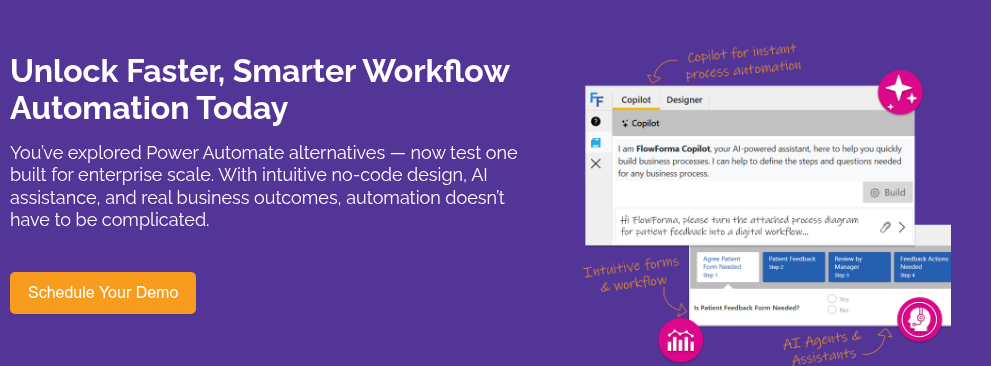
If you’ve landed here, you’re probably looking for a Power Automate alternative, right? Having worked with Power Automate and speaking with IT leaders on a regular basis who use the platform for workflow automation, I’ve heard all the positives and bugbears, and I’ll share some of these stories in this article.
The problem usually isn’t the platform itself, as Power Automate is a serious piece of kit used by global enterprises. It usually comes down to everything you need to bolt on to it to provide the functionality of a complete process automation platform.
Power Automate is designed to handle workflow logic. But if you need form functionality or a complete business process, you’ll need to bring in Power Apps and Dataverse. Each of these has its own license fees, learning curve and its own dependency on IT.
As mentioned, Power Automate is an excellent platform and I’ll discuss what it does well in this article. I’ll also discuss areas where it struggles with some of the challenges IT leaders face, what to look for in Power Automate alternatives, and compare some of the leading platforms in the market who are worth considering as an alternative.
What Power Automate Does Well (and Where It Falls Short)
The workflow automation market is expected to reach $78.26 billion by 2035, reflecting strong enterprise demand for tools that reduce manual effort and improve operational control.
Power Automate falls into the category as one of the most widely used workflow automation engines. Power Automate is good at connecting systems and automating repetitive, event-driven tasks inside a Microsoft environment.
Here’s what Power Automation is best at:
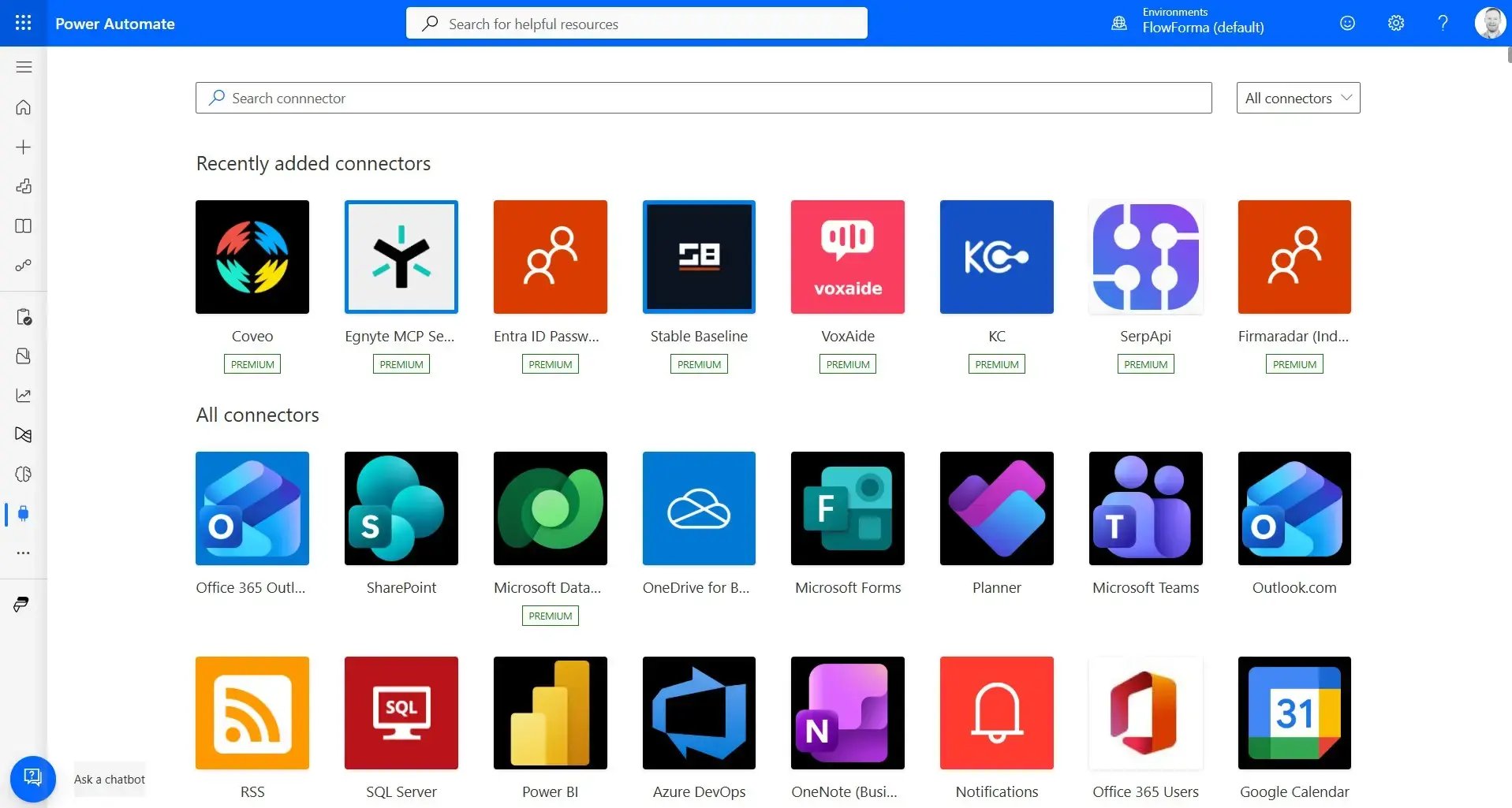
Power Automate Connector Options
- A vast connector library: Has a good library to easily connect to Teams, Outlook, SharePoint, Dynamics, Google, SAP etc.
- Easy M365 integration: Sits natively alongside Teams, Outlook, Excel, and SharePoint
- Strong at triggering events: Events across connected apps are triggered for when a user takes a specific action (scheduled jobs, approvals etc.)
- RPA via desktop flows: For automating legacy applications that have no API.
- Built-in approvals: Handles approvals well, can run within Teams and Outlook.
- Template and AI: Power Automate has a large template gallery to fast-track workflow build and its Copilot is become more sophisticated every day.
Here’s the limitations of Power Automate
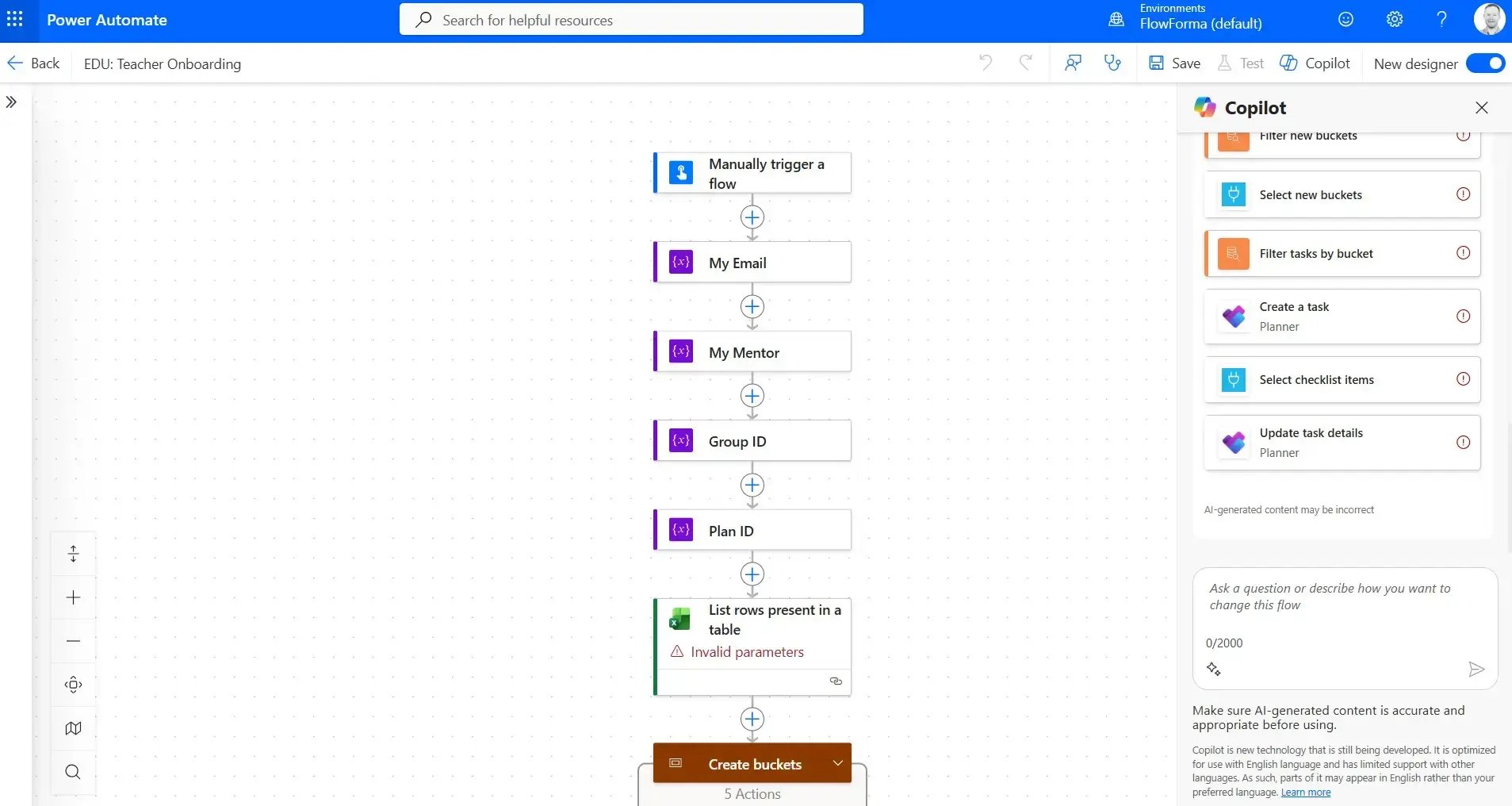
Power Automate onboarding flow
I’ve used Power Automate to build out flows such as onboarding, procurement and health and safety. And I also speak to IT teams that use Power Automate as a core foundation of their automation strategy.
The challenge that I’ve faced and reported by those teams that I speak with is that the platform is part of a bigger platform ecosystem, which causes problems for complex workflow automations when you need to stitch systems together.
Essentially, you need Power Apps to build the forms and Power Automate to run the flows. While this serves the purpose of users on simple workflows, issues start to appear when automating complex workflows.
If the process has multiple stages, tasks and conditional routing, it needs to be assembled from several flows and apps rather than built centrally within one platform.
Once you add Dataverse for the data and premium connectors it gas become a multi-product build.
A complex process build will therefore need dedicated IT resources, which can add up as organizations roll out company-wide automation initiatives.
Common Frustrations: Licensing Complexity, Governance Gaps, and IT Bottlenecks
While every platform will have some frustrated users, I have experienced and I hear common frustrations with Power Automate.
Some users look for Power Automate alternatives due to the difficulty in predicting licensing costs, difficulty in managing governance, and workflows that need to be created by developers, rather than business users.
I’ll discuss each of these in more detail here.
- Licensing complexity: Because you need to bolt on multiple platforms with their own licensing, (Power Automate, Power Apps, Dataverse) for a complete process automation platform, the licensing can become complex and difficult to predict as you automation project scales.
- Governance and scale: When automation projects scale, they can become difficult to manager and debug as needs evolve.
- Development team is needed: Power Automate requires coding experience, so you’ll need to invest in developer talent to create workflows. These costs can scale as your needs increase and projects gets more complex. This can create IT bottlenecks when IT have competing projects, which can slow down process improvement projects.
What to Look for in a Power Automate Alternative
There is no right or wrong answer here. It will depend on your automation goals, tech stack requirements and team resources. When you come to making your vendor shortlist, I’d recommend you look at:
- Do you want business users, IT teams or both to use the platform
- Is the platform all-in-one or do you need to stitch together multiple platforms for process automation
- Is the licensing clear and does it allow your automation to scale without pricing surprises
- Is governance manageable without a dedicated admin team
- Does the AI product roadmap align with your own needs
- Where is the data stored
- Are you looking for a platform native to Microsoft 365 / SharePoint
- How easily or complex are integrations
The Main Power Automate Alternatives (Compared)
For this article, I’ve highlighted the main Power Automate alternatives which include no-code process automation platforms for business teams, enterprise workflow platforms, and more lightweight automation tools.
The best option for your organization will depend on how much of your automation lives inside Microsoft 365 and SharePoint, how complex your approval processes are, and how much licensing and governance overhead you're willing to carry.
How We Compiled This List
To build this comparison, we reviewed widely adopted workflow and business process automation platforms, including our own tool, FlowForma.
We analyzed publicly available information from vendor websites alongside independent review data and other user feedback sources where accessible.
Each platform (including our own platform, FlowForma) was assessed against consistent criteria:
- Core workflow capabilities
- Usability for business teams
- Scalability across departments
- Integration with existing systems
- Governance and compliance controls
- Mobile accessibility
- Onboarding and customer support quality
- Pricing transparency
- Overall customer satisfaction
Rather than relying solely on feature lists, we considered how these tools perform in real-world environments. The goal was to present a practical, enterprise-focused comparison that reflects both functional depth and day-to-day usability.
| # |
Platform |
Best for |
Pricing transparency |
Key strengths |
| 1 |
Kissflow |
Mid-sized organizations automating internal business processes |
Medium |
Easy to use, good governance basics |
| 2 |
FlowForma |
Organizations looking to automate complex processes within the SharePoint/M365 ecosystem |
High, tiered, publicly available pricing |
Native MS 365, no-code, AI-powered, in-built compliance features |
| 3 |
Nintex |
Enterprises combining workflow automation with robotic process automation |
Low, quote-based |
Robust workflows and eSign |
| 4 |
Cflow |
Small to mid-sized teams seeking cost-effective workflow automation |
High, tiered pricing |
Easy to get started, intuitive |
| 5 |
ProcessMaker |
Organizations requiring BPM-style process modeling with automation |
Medium, entry pricing referenced, enterprise quote required |
Drag-and-drop and BPM strengths |
| 6 |
Appian |
Large enterprises building full low-code applications with embedded workflows |
Medium, partial guidance, enterprise quotes required |
Reliable process automation and data fabric |
| 7 |
Automation Anywhere |
Organizations focusing on robotic process automation |
Low, custom enterprise pricing |
Strong integrations and AI-assisted automation |
| 8 |
Bizagi |
Organizations prioritizing BPM modeling with low-code automation |
Low, custom quotes |
Intuitive modelling and AI insights |
Comparison of 8 Power Automate alternatives, ranked as covered in this article.
1. Kissflow
Best for: Mid-sized organizations automating internal business processes.
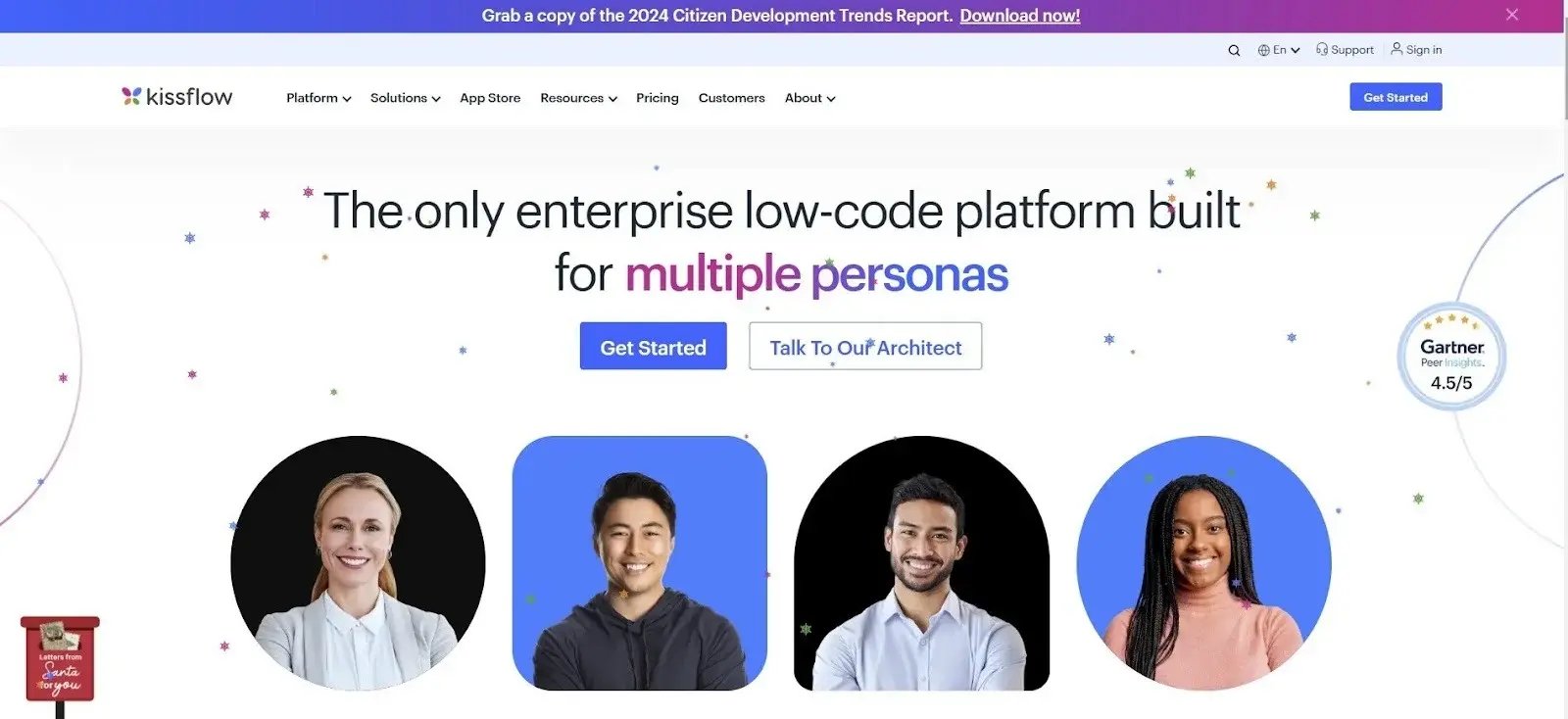
Kissflow's homepage
Business teams looking to build structured workflows and lightweight applications prefer Kissflow. It is positioned for organizations that want configurable automation without fully custom development.
Besides, it supports approval flows, internal service requests, and department-level process management.
Kissflow’s Key Features
1. Visual process builder
Kissflow’s visual builder allows users to design workflows using a drag-and-drop interface. Teams can configure approval steps, conditional logic, and task routing without writing code. It is suited for structured internal processes such as procurement requests or HR approvals.
2. App builder
The app builder enables teams to create lightweight business applications tied to workflows. Users can configure forms and logic to support operational use cases without full-scale development projects.
3. Analytics & governance
Kissflow provides dashboards to track workflow performance, task completion, and bottlenecks. Role-based access controls help manage permissions.
What are users saying about Kissflow?
Reviewers often mention responsive customer support and ease of getting started with basic workflows. The app builder is viewed positively for internal process automation. Some users report that advanced configurations can be restrictive and that the interface may require new users to spend time adjusting.
Kissflow’s Pros
- Helps citizen-developers digitize processes with ease
- Clean layout and solid form-building capabilities
- Good for departmental workflows
Kissflow’s Cons
- Limited depth for complex enterprise workflows
- Advanced configurations and customizations can be restrictive
2. FlowForma
Best for: IT leaders looking to automate complex processes within the SharePoint/M365 ecosystem
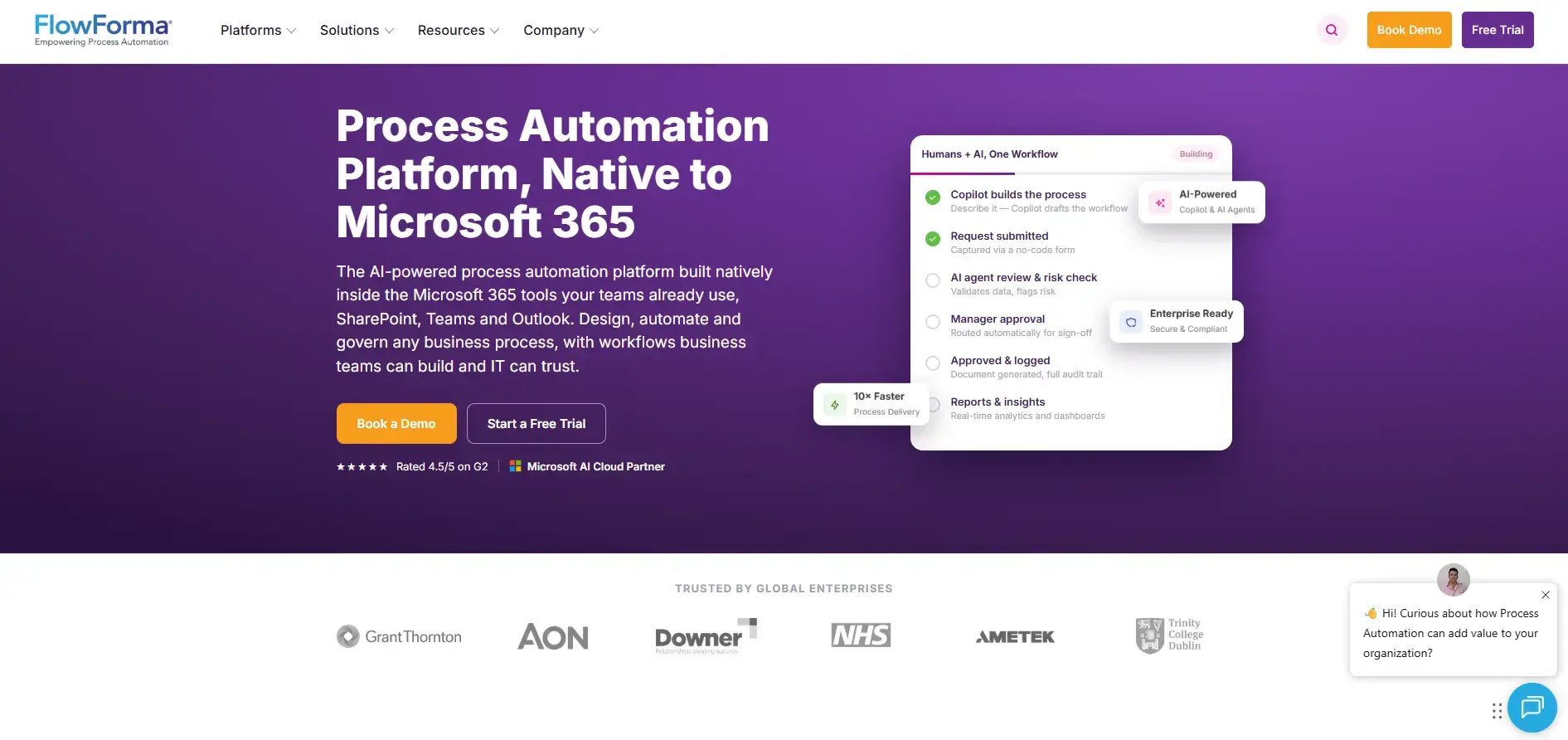
FlowForma's platform page
FlowForma is an AI-powered process automation platform designed for organizations operating in regulated or documentation-heavy environments.
We have designed the tool to allow business users to configure workflows without coding while still providing governance controls for IT oversight.
Our platform runs within Microsoft 365 environments and focuses on structured, multi-stage workflows, including approvals, permit management, onboarding, compliance tracking, and financial processes.
FlowForma’s Key Features
1.AI Copilot
You can describe a workflow in plain language or upload an existing diagram to generate a process draft, reducing the time required for manual workflow configuration.
2. AI Agent
Our AI Agent supports document-based workflows by extracting structured data from uploaded files and routing it through approval chains automatically.
3. In-built compliance
FlowForma includes governance controls and detailed audit trails to support compliance with HIPAA, ISO standards, GDPR, and DORA regulatory requirements.
4. Forms & mobile access
Our dynamic forms support real-time structured data collection across devices, which is useful for field-based teams, particularly in the construction industry.
5. Analytics & reporting
Provides built-in dashboards that let you monitor process performance without exporting to separate BI tools.
6. Document generation
You can automatically generate structured documents from captured workflow data. Designed for simplicity and ease of use, the feature allows organizations to scale digitalization without worrying about manual, scattered documents.
What are users saying about FlowForma?
Reviewers across Capterra frequently highlight ease of use and the ability for non-technical teams to build workflows independently.
Some also mention that advanced customization options could be broader and that the platform works best within Microsoft 365 environments.
FlowForma’s Pros
- No-code workflow builder for non-technical users, while providing IT oversight
- Fast implementation, 10x faster than other no-code tools
- End-to-end workflow automation with conditional logic, routing, and escalation
FlowForma’s Cons
- Advanced customization can be limited and may require an additional learning curve
- Dependent on Microsoft 365
FlowForma’s Pricing
FlowForma follows a transparent, process-based pricing model, making it suitable for mid-sized to enterprise organizations looking to scale their processes rapidly without incurring high costs.
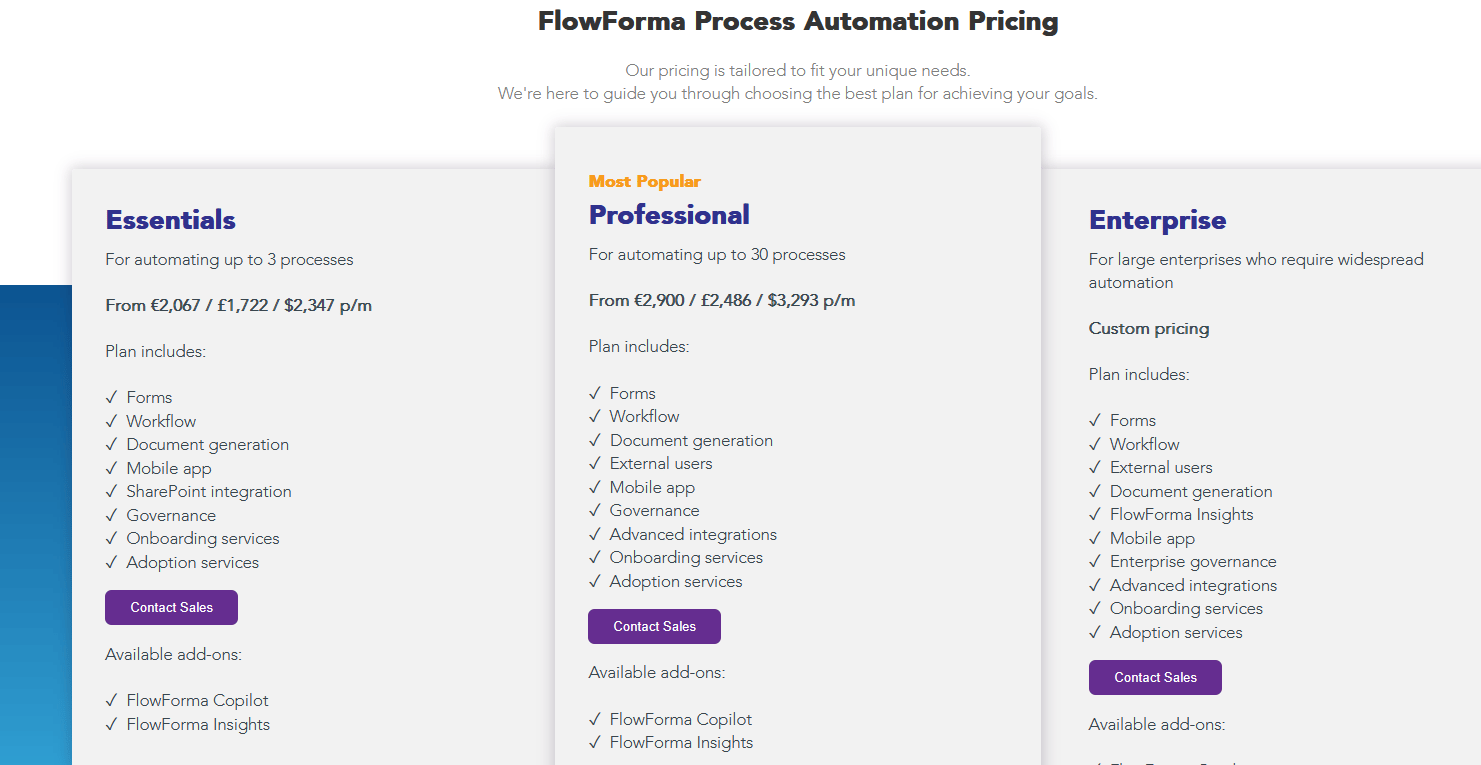
FlowForma’s process-based pricing model
3. Nintex
Best for: Enterprises combining workflow automation with robotic process automation.
.webp?width=733&height=510&name=nintex%20homepage%20(1).webp)
A glimpse at Nintex's home page
If you need workflow automation, document handling, eSignatures, and RPA, Nintex is a good option for you. It is often shortlisted by enterprises running processes across multiple systems.
It is typically used for structured, approval-heavy workflows where teams want both front-end routing (requests, sign-offs, handoffs) and back-end task automation (moving data between systems).
Nintex’s Key Features
1. Workflow automation
Nintex supports multi-step routing, approvals, and conditional logic for processes that span teams and tools. It is commonly used for request management, compliance workflows, and operational approvals where accountability and status visibility matter.
2. Robotic process automation [RPA]
RPA bots handle repetitive, rule-based tasks such as copying data from one system to another or updating records. It becomes useful when integrations are limited or when teams need to reduce manual back-office work.
3. eSignatures and document automation
Nintex supports eSignatures for workflows that require formal sign-off. It also automates document generation by pulling captured workflow data into templates, which helps standardize contracts, approvals, and compliance documentation.
4. Forms and data capture
Nintex includes form-building capabilities to collect structured inputs at the start of a workflow. Teams can use forms to standardize requests, reduce back-and-forth, and capture the data needed for routing, reporting, and downstream automation.
What are users saying about Nintex?
Users describe Nintex as powerful and capable of handling complex workflows. Integration flexibility and document automation are often praised. However, reviews commonly reference pricing as a concern, along with a learning curve for new users.
Nintex’s Pros
- Robust workflow capabilities
- Intuitive to use with a drag-and-drop interface
- Reliable document automation
Nintex’s Cons
- High entry cost
- Steep learning curve
- The mobile interface can feel complex
4. Cflow
Best for: Small to mid-sized teams seeking cost-effective workflow automation.
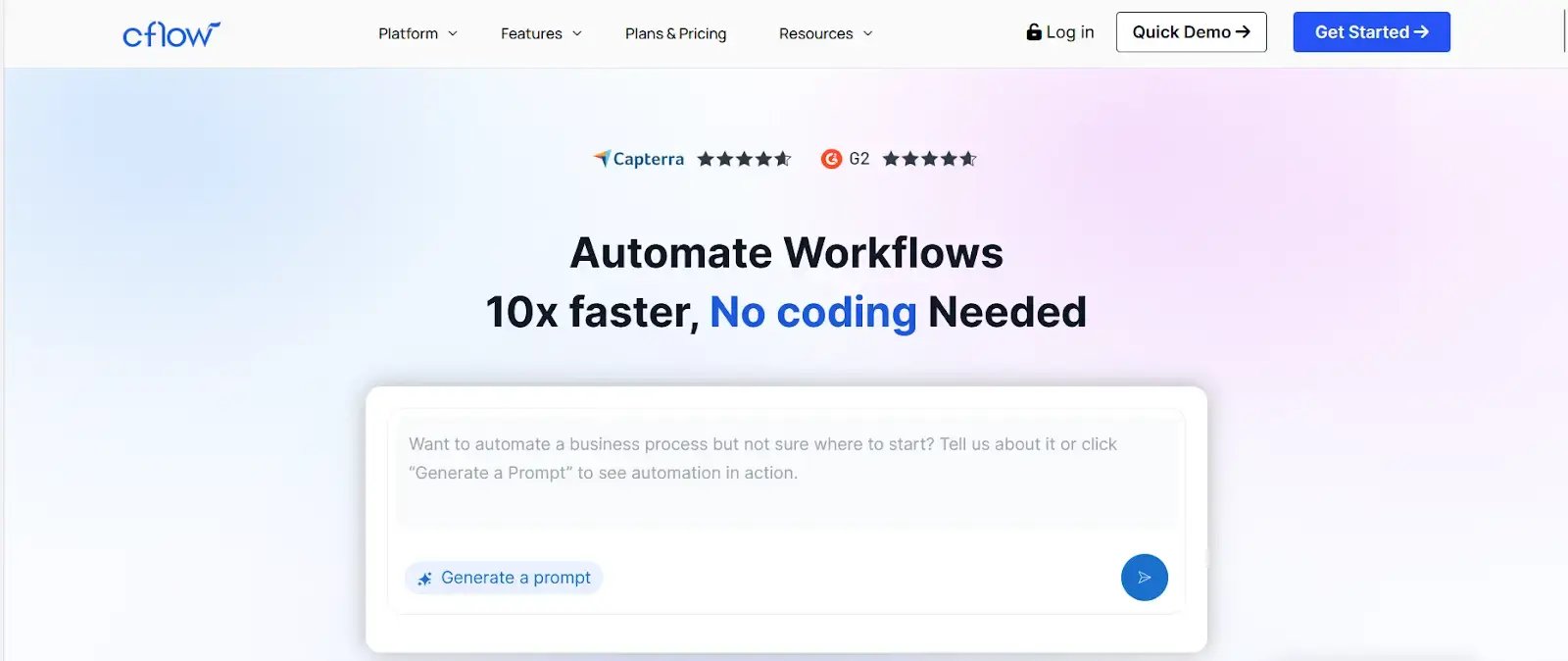 Cflow homepage
For smaller teams looking for straightforward automation without advanced enterprise orchestration, Cflow is a dependable solution.
Known for its accessibility and cost-efficiency, the tool supports structured approvals, document tracking, and workflow visibility.
Cflow’s Key Features
1. Workflow configuration
CFlow’s visual builder lets teams set up approval routes and task assignments without coding. You can configure multi-step workflows with rules and escalation paths for common internal requests.
2. Document tracking
Tracks documents through each workflow stage so teams can see what’s pending and where delays sit. This reduces manual follow-ups and improves accountability.
3. Reporting & analytics
Provides basic dashboards for workflow status, completion rates, and turnaround times. Useful for day-to-day visibility, though not built for advanced analytics.
4. Integration support
Connects with common business tools to sync process data and reduce duplicate entry. Integration depth can vary by plan and use case.
What are users saying about Cflow?
Users appreciate the affordability and straightforward setup. Many reviews highlight that it works well for smaller teams and structured approval flows. Feedback sometimes mentions performance slowdowns with larger or more complex workflows, and some users request UI improvements.
Cflow’s Pros
- No-code workflows
- Easy, user-friendly setup
- Centralized workflow tracking to improve tracking and process visibility
Cflow’s Cons
- Performance limitations at scale
- Limited advanced workflow customization
5. ProcessMaker
Best for: Organizations requiring BPM-style process modeling with automation.
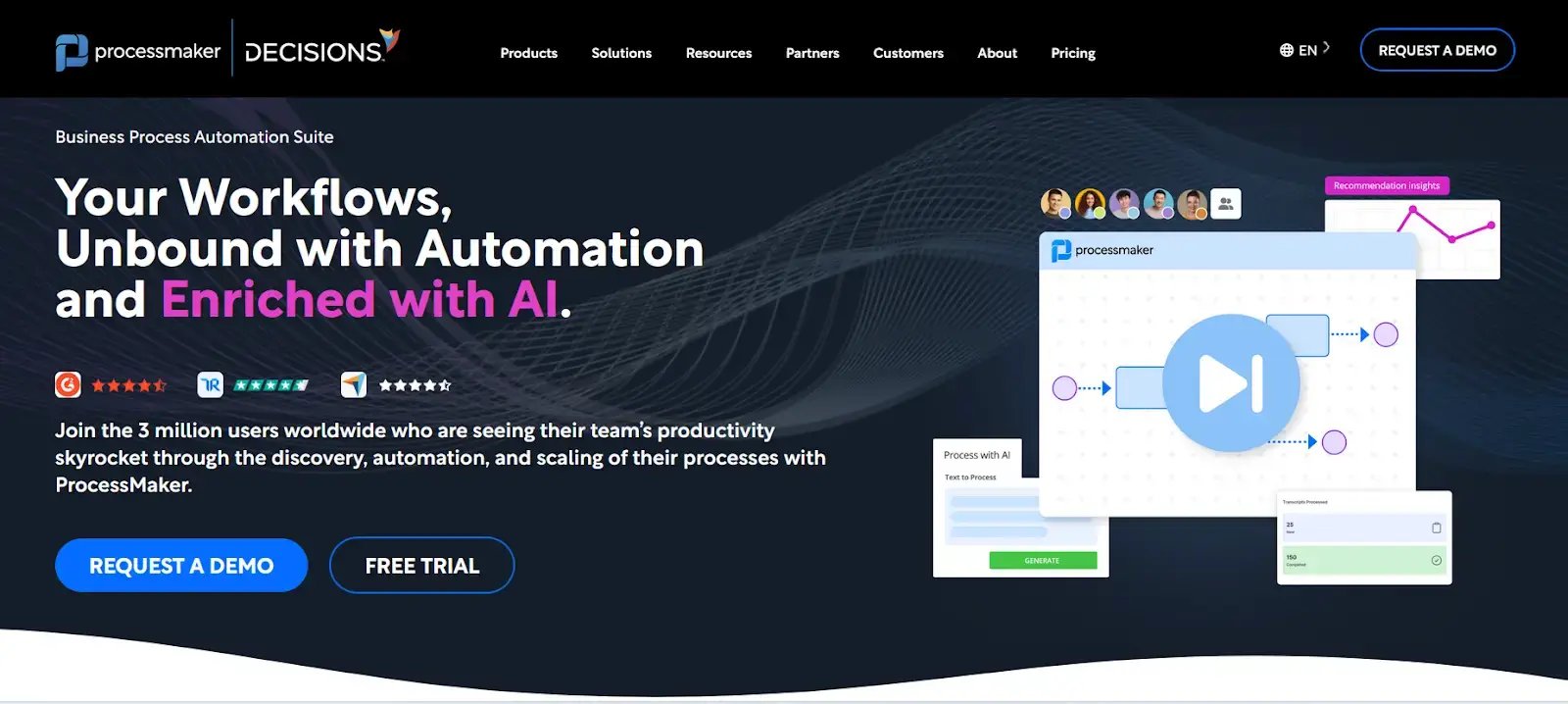
ProcessMaker’s Homepage
For organizations seeking structured, documented workflows aligned with BPM standards, ProcessMaker is a low-code platform with formal process modeling capabilities. It supports document-heavy processes and regulated workflows.
ProcessMaker’s Key Features
1. Process modeling
Provides a visual BPM diagram builder to map processes clearly before automation. Useful for teams that need documented workflows for consistency, reviews, or compliance.
2. Intelligent document processing (IDP)
Extracts key fields from uploaded documents and converts them into structured data. This data can then trigger workflow steps or populate forms automatically.
3. Workflow automation
Supports task delegation, conditional routing based on rules, and multi-stage approvals. Works well for procedures that call for exception handling or team handoffs.
4. AI-assisted configuration
Uses AI to speed up parts of the process setup and refinement, such as suggesting steps or improving workflow logic. Helps reduce manual configuration effort for repeatable workflows.
What are users saying about ProcessMaker?
Users value the visual BPM modeling capabilities and document processing features. Several reviewers note reduced coding requirements compared to traditional BPM tools.
At the same time, some feedback references UI complexity and occasional bugs.
ProcessMaker’s Pros
- Reduced coding requirements
- Good customization for varying business processes
- Good customer support
ProcessMaker’s Cons
- UI complexity
- Occasional bugs
6. Appian
Best for: Large enterprises building full low-code applications with embedded workflows.
.webp?width=1600&height=652&name=undefined-Feb-24-2026-04-06-15-4299-PM%20(1).webp)
Appian’s low-code development platform
Appian is a mature low-code development platform combining workflow automation, data integration, and application development. It is widely used in financial services and public sector environments. Unlike workflow-only tools, Appian supports full application builds connected to process logic.
Appian’s Key Features
1. Low-code app development
You can build full applications that include workflows, forms, and business rules in one place. This works well when you’re replacing legacy tools or building end-to-end process apps.
2. Data fabric
Appian’s data fabric connects to multiple systems and surfaces data in a unified layer, without heavy replication. It helps teams work across siloed sources while keeping the workflow context intact.
3. Process intelligence
Provides visibility into how processes run in practice, including where delays and rework happen. You can use this to diagnose bottlenecks and improve turnaround times.
4. Case management
Designed for processes that revolve around “cases” (claims, service requests, etc.), it supports structured tracking and controlled handoffs, which is useful in regulated environments.
What are users saying about Appian?
Users often describe Appian as highly capable and scalable for enterprise environments. The data integration and case management features are regularly praised
.
However, reviewers frequently mention that the platform requires technical expertise. Pricing transparency is another recurring theme in feedback.
Appian’s Pros
- Powerful process automation, data management, and AI capabilities
- Minimal coding requirements with an intuitive interface for process creation
- Strong scalability
- Good integration options
Appian’s Cons
- Requires technical expertise for complex use cases
- Pricing clarity concerns
7. Automation Anywhere
Best for: Organizations focusing on robotic process automation.
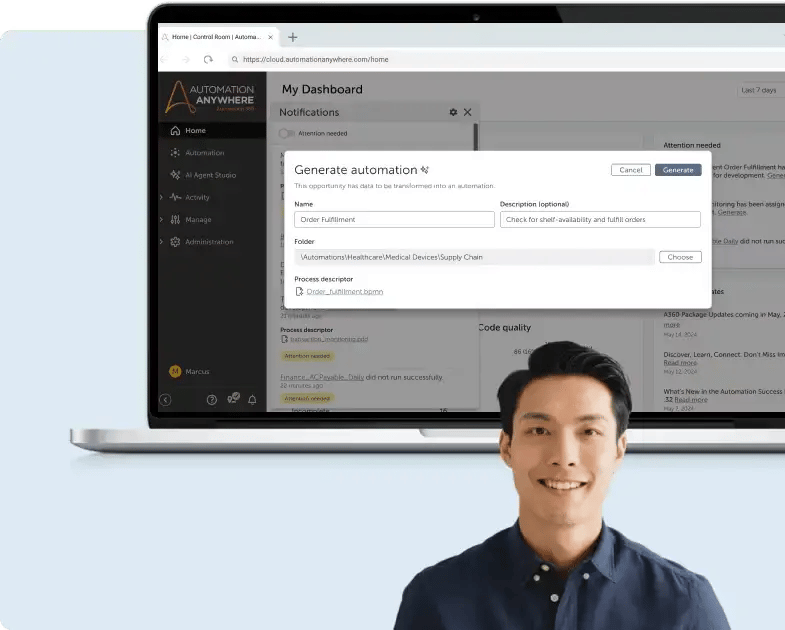
Automation Anywhere Page
Primarily positioned as an RPA platform, Automation Anywhere is designed to automate repetitive system-level tasks. It is commonly used for backend data processing, reconciliation, and transaction automation.
1. Robotic process automation (RPA)
Automation Anywhere deploys software bots to handle repetitive, rule-based tasks such as data entry, reconciliation, and report generation. Bots operate across existing systems without requiring changes to underlying applications.
2. AI-assisted bot creation
Natural language inputs and guided configuration tools help define automation steps more quickly. Although setup is simplified, technical oversight is often still needed for complex deployments.
3. Governance controls
Centralized management tools provide visibility into user permissions, activity, and audit logs. These controls support compliance tracking and reduce automation risk.
4. Enterprise integrations
Integration capabilities connect ERP, CRM, and legacy systems to automate cross-platform workflows. Strong system connectivity makes it suitable for backend enterprise environments.
What are users saying about Automation Anywhere?
Users highlight strong robotic process automation capabilities and system integrations. Many reviews emphasize effectiveness in automating repetitive backend tasks.
Common concerns include a steep learning curve and license costs as automation programs expand.
Automation Anywhere’s Pros
- Strong RPA capabilities
- Easy to deploy, user-friendly platform (source)
- Effective for repetitive processes
Automation Anywhere’s Cons
- Complex learning curve
- Requires technical resources
- Maintenance overhead increases with scale
8. Bizagi
Best for: Organizations prioritizing BPM modeling with low-code automation.
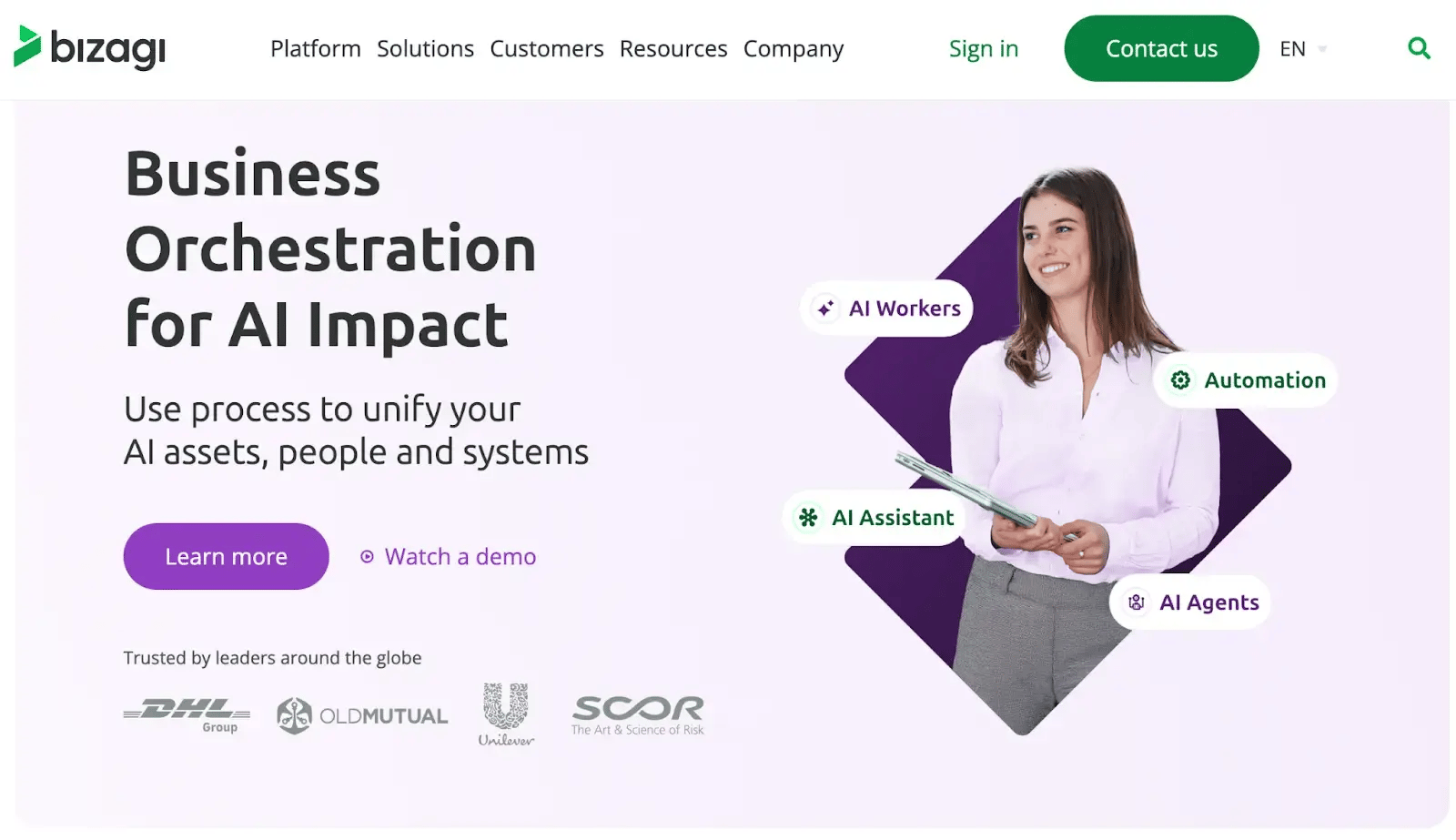
Bizagi’s homepage
Bizagi combines business process modeling with automation capabilities. It appeals to organizations that want visual process mapping before deployment. It supports structured workflows and low-code applications across industries, including banking and manufacturing.
Bizagi’s Key Features
1. Process modeling
Bizagi uses visual BPM diagrams to map and document processes before automation, helping teams standardize how work should flow across roles and departments.
2. Low-code application builder
It supports building user-facing apps that sit on top of workflows, including forms and task views. These apps can support operational processes without requiring full custom development.
3. Governance controls
Role-based access controls define who can view, edit, or approve each step. Standardized enforcement helps maintain consistency across teams, especially in regulated processes.
4. AI insights
Built-in analytics help track workload patterns and bottlenecks. The insights gathered support process reviews and continuous improvement initiatives.
What are users saying about Bizagi?
Reviewers appreciate the structured process modeling approach and visual workflow design.
Some users note limitations in advanced customization. Pricing visibility is also cited as an area where more clarity would help.
Bizagi’s Pros
- Intuitive, visual workflow design
- Handles complex workflows with multiple decision points
- Suitable for cross-department use
Bizagi’s Cons
- Advanced customization may bring about higher subscription costs
- Occasional bugs and crashes when handling complex workflows
FlowForma vs. Power Automate: Side-by-Side Comparison
The key difference between the platforms comes down to consolidation. FlowForma is an all-in-one platform (forms, workflow, document generation, insights and AI) on SharePoint, while the Microsoft approach needs to combine separate platforms (Power Apps, Power Automate, Power BI, and Dataverse) to bring the same capabilities as FlowForma.
Here is a summary of the comparison view:
| Capability |
FlowForma |
Power Apps + Power Automate |
| Complex, long-running processes (3+ steps) |
Built for it, one process, sequential or parallel tasks |
Struggles with long-running flows; often needs multiple flows linked |
| Forms and user interface |
Built in, no-code |
Needs Power Apps |
| Workflow / approvals |
Built in, no-code |
Power Automate (cloud flows) |
| Document generation |
Built in |
Add-on / premium |
| Analytics / reporting |
Built in |
Needs Power BI |
| Data storage |
SharePoint (native) |
Often needs Dataverse |
| Skills required |
No-code, business users |
Low-code, but coding experience typically needed |
| Desktop and mobile |
Build once, both |
Developed separately |
| Compliance / audit trail |
Built into every process by default |
Depends on added configuration and admin tooling |
| Premium connectors |
Not required |
Premium licence |
| Licensing model |
Per-user, predictable |
Per-user / per-flow + add-ons; per-process cost hard to pin down |
| Who builds and owns it |
Business teams |
Often routes back to IT |
| Time to value / TCO |
Fast; low TCO, low developer dependency |
Slower; higher TCO from multiple tools and specialist skills |
Comparison table of FlowForma vs Power Automate
Real-World Workflows That Perform Better Outside Power Automate
Human in the loop process automation are the ones that perform better outside of Power Automate.
These are processes with forms data capture, multi-stage approvals, and generated documents with an audit trail. In a single integrated system, these processes area seamless.
But within Power Automate, that’s where you need to bring in Power Apps for the forms, Dataverse for the data, and several linked flows for the logic.
I’ll include some specific workflows here that perform better outside of Power Automate.
Employee and contractor onboarding
This is one of the most common processes I see automated outside of Power Automate. The process gets triggered when a new starter joins an organization. The workflow triggers tasks across HR, IT, and facilities that run partly in parallel, each needing its own form and approval, ending in generated contracts and a complete audit trail.
Creating the parallel branches and document generation needed across Power Automate and Power Apps is complex. While a dedicated platform with the all-in-one functionality included makes the process easier to execute.
Purchase and CapEx approval
The Purchase and CapEx approval is a process that is standard within most organizations. Conditional logic is central to the process as spend amounts need to be routed to individuals for approval depending on the amount. For example, organizations may have a threshold in which to get purchase approval.
The conditional routing is straightforward to build once; stitched across flows and apps it becomes hard to maintain as thresholds change. But, with an all-in-one platform changes can be made to a workflow at any time.
Contract management and review
Contacts are another use case that are typically multi step and have very specific sign off criteria. A full audit trail needs to be generated for the contract for compliance purposes.
In Power Automate, the workflow can be complex and audit trail is spread across both Power Apps and Power Automate. While with a single process platform the form, the routing, the document, and the audit in one centralized location.
Health, safety, and incident reporting
Primarily field teams in industries such as construction or manufacturing capture and report on health, safety and incidents. The teams on the ground need to be able to capture and report on incidents on mobile devices, route them to relevant stakeholders for corrective actions and then the compliance teams need to have the capability to create a digital report for the complete end-to-end incident.
Mobile-first forms built once for desktop and mobile matter here; developing them separately in Power Apps is slower and costlier.
Can You Run Both? When a Hybrid Approach Makes Sense
This is a question I am asked a lot and the answer is simple. Yes, 100% you can use Power Automate and FlowForma together and we have clients that have worked this way.
Many Microsoft 365 organizations run both by design, because the two platforms are good at different things
-
- Power Automate for system-to-system automation: connector-driven tasks, scheduled jobs, event triggers, notifications, and RPA against legacy applications.
- FlowForma for human-centric processes: forms, multi-stage approvals, document generation, and compliance workflows, where a Microsoft-stack build would otherwise mean layering on Power Apps, Power BI, and Dataverse.
The two can co-exist with data secure within the same Microsoft 365 tenant, and you can bridge them where a process needs to. With FlowForma, a process can trigger downstream automation, and an event in another system can kick off a FlowForma process, so neither must be a walled garden.