Bonitasoft is commonly adopted for BPM initiatives that rely on Java-based development and custom scripting. But, this technical foundation often places ongoing ownership with developers, creating friction when business teams need to adjust workflows, manage exceptions, or scale automation beyond initial use cases.
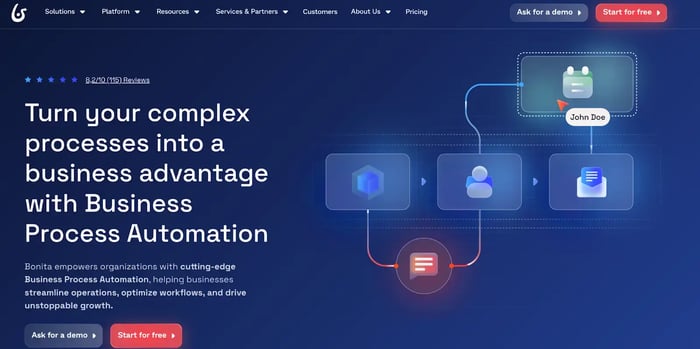
Bonitasoft’s homepage
Moreover, its 4.5 out of 5 G2 rating is drawn from only three reviews, and a hard 4.4 rating on Capterra with only 18 reviews, all submitted by small business users several years ago.
Such a limited review base makes it difficult for buyers to assess Bonitasoft alternatives. The absence of input from large teams, regulated environments, or enterprise deployments further weakens evaluation confidence.
In this article, we evaluate 10 leading Bonitasoft competitors to help decision-makers make a more informed choice.
Essentially, this guide explores:
- Key features, strengths, and limitations of leading Bonitasoft alternatives
- Best-fit use cases by business requirement
- Why FlowForma suits teams needing fast builds, Microsoft 365 alignment, and governance-first pricing for regulated environment
Why Look For Bonitasoft Alternatives
Bonitasoft is best known for its open-source Bonita BPM foundation and strong workflow orchestration capabilities. Its users praise its coherent, scalable core and connector support for standard processes.
However, what works well for technical teams can introduce constraints for business-led automation initiatives.
Users often quote limitations in the process modeller, form handling, data capture, and complex documentation. They also note a steep learning curve, with sluggish performance and significant time to master the platform usage, often relying on experts for advice (as highlighted by the below review).
The key trade-offs are broken down below.
1. Strong BPM, limited business-user autonomy
Bonitasoft supports BPMN-based business process design and execution, but building and extending workflows often requires Java, scripting, or technical configuration.
This limits how independently business users can design, update, or manage processes without developer support.
2. Custom UI flexibility, fewer ready-made experiences
The platform allows teams to build custom business applications, but it does not offer a broad range of pre-built apps, forms, or user-friendly templates.
As a result, teams spend more time designing interfaces rather than accelerating automation across repetitive tasks.
3. Integration support, heavier development effort
Bonitasoft offers APIs and connectors to support integration, yet many workflows require custom development and ongoing maintenance. For businesses seeking faster automation with minimal coding, this reduces efficiency and slows time to value.
4. Process monitoring, basic analytics depth
While the tool includes dashboards and reporting for tracking workflows, advanced analytics, real-time visibility, and decision intelligence capabilities remain limited compared to newer automation platforms designed for operational clarity.
5. Open-source option, enterprise features gated
The Community Edition provides a solid foundation for process automation, but clustering, advanced security, and cloud-scale features sit behind paid tiers. Teams expanding automation across departments often need to upgrade sooner than expected.
6. Automation focus, limited intelligent capabilities
Bonitasoft handles structured workflows and tasks effectively but lacks native AI-driven decisioning, intelligent forms, or adaptive case management. Adding these capabilities requires external services and additional architecture.
For many organizations, the goal is not building highly customized BPM applications, but digitizing operational processes quickly, consistently, and with control across teams.
The Top Bonitasoft Competitors in 2026 (Quick Overview)
The best Bonitasoft alternatives vary in how they approach process automation, governance, and usability.
For instance, tools such as FlowForma, Nintex, and Appian combine enterprise-grade workflow automation with strong governance and scalability.
Others, including ProcessMaker, Camunda, and Pega Platform, cater to more specific requirements, from BPMN-led process design and developer-driven orchestration to CRM-centric automation and decision-heavy workflows.
This range allows organizations to compare platforms based on process complexity, team composition, and long-term automation goals. Here is a quick overview of leading Bonitasoft alternatives.
The 10 Best Bonitasoft Competitors in 2026 (Detailed Overview)
Let’s now dive into the detailed analysis of each of our compiled Bonitasoft competitors.
1. FlowForma
FlowForma Product Video
FlowForma is an AI-driven business process automation platform native to Microsoft 365 and SharePoint, designed to help organizations automate complex workflows without placing the burden entirely on developers.
While Bonitasoft often requires technical configuration to extend workflows, FlowForma allows business users to design, run, and optimize processes independently, with IT maintaining governance, security, and system control in the background. This operating model supports faster automation adoption while ensuring compliance requirements are consistently met.
By combining forms, workflows, document generation, analytics, and AI within a single platform, FlowForma reduces the need for custom development and fragmented tools that often slow down BPM initiatives.
Key features of FlowForma
- No-code process automation for business-led teams: FlowForma enables business users to build and manage end-to-end workflows without coding, while IT retains governance over data, security, and enterprise standards. This removes a common Bonitasoft constraint, where Java or scripting skills are often required for meaningful changes.
- AI-driven workflow creation and optimization: Capabilities such as FlowForma Copilot and Discovery Agent convert plain-language inputs and existing documentation into executable workflows. This reduces manual modelling effort and shortens process build cycles.
- Integrated forms and document generation: Teams can design intelligent forms and automatically generate documents such as approvals, contracts, and reports. Data is captured once and reused across workflows, reducing errors and rework.
- Built-in compliance and audit controls: Every workflow action is logged, timestamped, and versioned, creating an audit-ready trail by default. These controls are aligned with GDPR, ISO, HIPAA, and DORA requirements.
- Native Microsoft 365 integration: FlowForma runs directly within SharePoint and integrates with Teams and Outlook. This avoids the integration complexity and maintenance overhead often associated with standalone BPM platforms.
- Mobile-ready automation: The mobile app allows users to complete tasks, submit forms, and approve workflows from anywhere, supporting distributed teams and operational continuity.
Pros and cons of FlowForma
|
Pros
|
Cons
|
|
No-code automation reduces dependency on developers
|
Best suited for Microsoft 365 environments
|
|
Built-in governance and compliance controls
|
|
|
AI-assisted workflow creation shortens build time
|
|
|
Transparent, process-based pricing
|
|
|
10x faster deployment than developer-heavy BPM tools
|
|
Pros and cons of FlowForma
📌Case study in highlight: Aon’s digital transformation
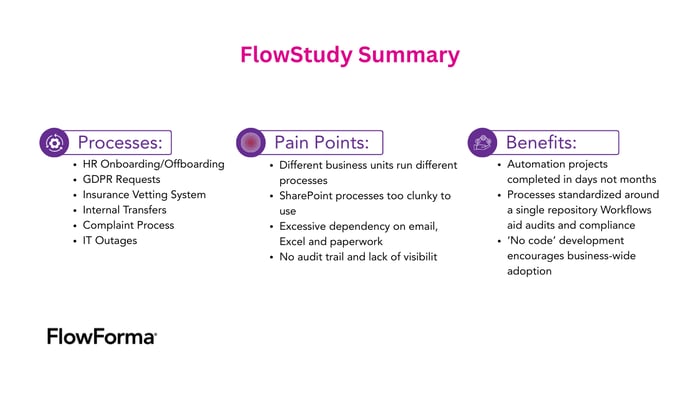
FlowStudy summary of Aon
A leading global insurance organization, Aon, adopted FlowForma to replace fragmented Excel-based and paper-driven processes with standardized digital workflows. Operating within Microsoft 365, Aon needed a single platform that could centralize data, approvals, and documentation while maintaining strict compliance standards.

Customer testimonial for FlowForma by Aon Insurance Company
With FlowForma, teams accelerated approvals, improved process consistency, and reduced manual effort across departments. Governance remained intact, supporting Aon’s broader IT-led digital transformation strategy.
FlowForma’s pricing
FlowForma uses a process-based pricing model rather than per-user licensing. This approach allows organizations to scale automation without unexpected cost increases as usage grows.
Each tier (as highlighted below) includes core workflow, forms, document generation, governance, and integration capabilities, with AI features available as add-ons based on maturity.
|
Plan
|
Automation Scope
|
Included Capabilities
|
Add-Ons
|
|
Essentials
|
Up to 3 processes
|
Forms, workflow, document generation, mobile app, SharePoint integration, governance, onboarding + adoption support
|
FlowForma AI, FlowForma Insights
|
|
Professional
|
Up to 30 processes
|
All Essentials features + external users, advanced integrations, onboarding + adoption support
|
FlowForma AI, FlowForma Insights
|
|
Enterprise
|
Organization-wide automation
|
All Professional features + enterprise governance, FlowForma Insights included, expanded integrations
|
FlowForma AI
|
An overview of FlowForma’s pricing plans
This pricing structure offers clearer cost predictability than platforms where essential enterprise features are gated or added incrementally. For a detailed breakdown of each plan, check out the pricing page here.
2. Nintex
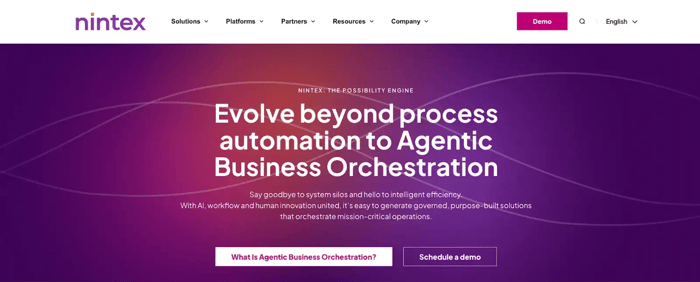
Nintex homepage
Nintex is a low-code process automation platform best known for workflow and form automation within Microsoft-centric environments. It suits teams looking to digitize approvals, forms, and document-heavy processes without building complex applications.
Key features of Nintex
- SharePoint-native workflows
- Drag-and-drop process logic
- Document approvals tracking
- Prebuilt process templates
Pros and cons of Nintex
|
Pros
|
Cons
|
|
Strong Microsoft integration
|
Limited advanced orchestration
|
|
Easy for business users
|
Scaling increases licensing costs
|
|
Fast setup for approvals
|
Less suited for complex logic
|
Pros and cons of Nintex
3. Appian
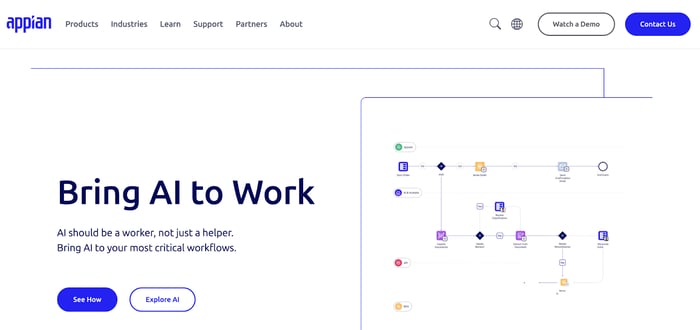
Appian homepage
Appian is an enterprise-grade low-code platform designed for complex, mission-critical processes. It combines workflow, case management, and data modelling, making it suitable for large organizations with structured governance needs.
Key features of Appian
- Unified process data model
- Case-centric process handling
- Low-code interface design
- Enterprise deployment controls
Pros and cons of Appian
|
Pros
|
Cons
|
|
Handles complex processes well
|
Steep learning curve
|
|
Strong governance capabilities
|
High implementation effort
|
|
Scales across large enterprises
|
Premium pricing structure
|
Pros and cons of Appian
4. ProcessMaker
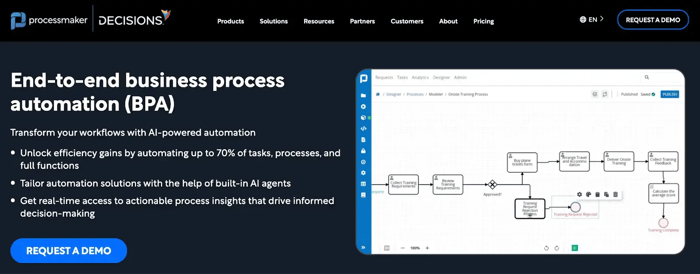
ProcessMaker homepage
ProcessMaker focuses on BPM and workflow automation for structured business processes, particularly in HR, finance, and procurement. It balances low-code design with developer extensibility.
Key features of ProcessMaker
- BPMN-based process modelling
- Approval-driven workflows
- Scriptable business rules
- API-based system integration
Pros and cons of ProcessMaker
|
Pros
|
Cons
|
|
Clear BPMN alignment
|
UI less intuitive
|
|
Good mid-market fit
|
Limited AI capabilities
|
|
Flexible deployment options
|
Customization needs developers
|
Pros and cons of ProcessMaker
5. Camunda

Camunda homepage
Camunda is a developer-focused process orchestration platform built around BPMN and DMN standards. It is often used for microservices orchestration and backend process automation rather than business-led workflow design.
Key features of Camunda
- BPMN workflow engine
- DMN decision modelling
- Event-driven process execution
- Microservices orchestration
Pros and cons of Camunda
|
Pros
|
Cons
|
|
Strong technical flexibility
|
Not business-user-friendly
|
|
Open standards support
|
Requires engineering resources
|
|
Ideal for complex orchestration
|
Minimal out-of-box UI
|
Pros and cons of Camunda
6. Bizagi

Bizagi homepage
Bizagi is a BPM platform aimed at process modeling, automation, and optimization. It is commonly used for process standardization initiatives and structured workflow execution.
Key features of Bizagi
- Visual process modeller
- Form-based task execution
- Rules-driven process flow
- Centralized process repository
Pros and cons of Bizagi
|
Pros
|
Cons
|
|
Strong process modelling tools
|
UI feels dated
|
|
BPM-focused approach
|
Limited AI capabilities
|
|
Clear process documentation
|
Customisation can be slow
|
Pros and cons of Bizagi
7. AgilePoint

AgilePoint homepage
AgilePoint is a low-code automation platform tightly integrated with Microsoft technologies. It is often used to modernize SharePoint-based processes and build governed workflows quickly.
Key features of AgilePoint
- SharePoint process extension
- No-code workflow designer
- Role-based task routing
- Form-driven process input
Pros and cons of AgilePoint
|
Pros
|
Cons
|
|
Familiar to Microsoft users
|
Smaller ecosystem
|
|
Faster SharePoint modernisation
|
Limited advanced analytics
|
|
Balanced IT governance
|
Less innovation in AI
|
Pros and cons of AgilePoint
8. AuraQuantic
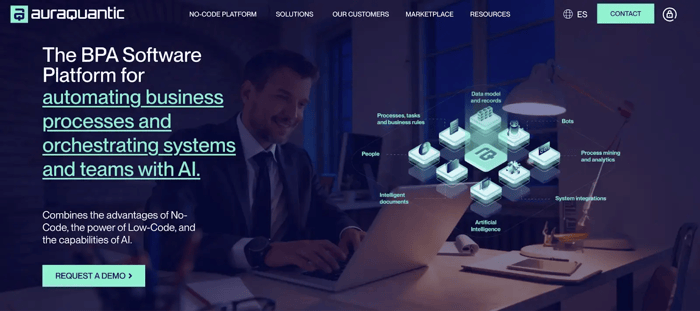
AuraQuantic homepage
AuraQuantic is a BPM and low-code platform focused on digitising operational processes with strong compliance and traceability. It is often adopted in regulated and process-heavy industries.
Key features of AuraQuantic
- End-to-end process mapping
- Role-based workflow execution
- Audit-ready activity logs
- Multi-language process support
Pros and cons of AuraQuantic
|
Pros
|
Cons
|
|
Strong compliance focus
|
Less intuitive UX
|
|
Good process visibility
|
Smaller global presence
|
|
Suitable for regulated teams
|
Limited third-party integrations
|
Pros and cons of AuraQuantic
9. Creatio
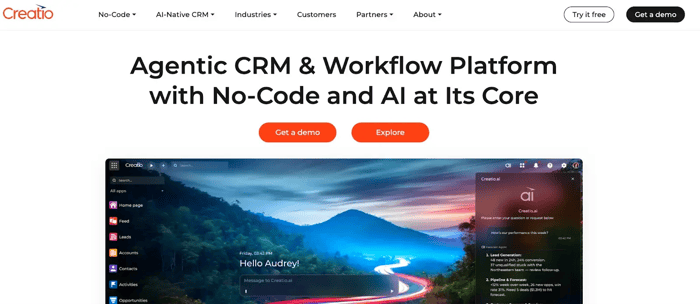
Creatio’s homepage
Creatio combines process automation with CRM capabilities, making it suitable for customer-facing workflows across sales, marketing, and service teams.
Key features of Creatio
- CRM-embedded process flows
- Visual process orchestration
- Low-code UI configuration
- Omnichannel interaction support
Pros and cons of Creatio
|
Pros
|
Cons
|
|
Strong CRM-process alignment
|
CRM-centric by design
|
|
Good customer workflow support
|
Less suited for back office
|
|
Flexible UI customisation
|
Scaling increases complexity
|
Pros and cons of Creatio
Pega
Pega homepage
Pega is a high-end enterprise platform designed for large-scale process automation, case management, and decisioning. It is commonly used in highly regulated, high-volume environments.
Key features of Pega
- Case-driven process management
- Rules-based decision logic
- Dynamic SLA enforcement
- AI-assisted decisioning
Pros and cons of Pega
|
Pros
|
Cons
|
|
Handles complex enterprise cases
|
Very high cost
|
|
Strong decision automation
|
Long implementation cycles
|
|
Robust compliance controls
|
|
Pros and cons of Pega
FlowForma or Bonitasoft: The Stronger Process Automation Platform Overall
At a functional level, both FlowForma and Bonitasoft support business process management. However, in practice, the gap becomes clear when processes extend beyond developer-owned environments, such as rolling out approval workflows to compliance teams or task-based processes to frontline staff.
In these scenarios, Bonitasoft typically requires continued developer involvement, while FlowForma maintains reliability with minimal operational risk.
Here’s a quick walkthrough of how FlowForma vs Bonitasoft perform in terms of several key automation and process management capabilities:
|
Area
|
FlowForma
|
Bonitasoft
|
|
Build model - how processes are created and changed
|
No-code steps and rules engine
|
BPMN with scripting
|
|
Automation depth - how much work runs without manual handling
|
End-to-end, minimal manual steps
|
Workflow-driven, manual touchpoints
|
|
AI capabilities - support for faster build and context
|
Native AI suite included
|
No native AI
|
|
Forms and documents - how data capture and outputs are handled
|
Intelligent forms plus document generation
|
Custom UI or add-ons
|
|
Compliance controls - auditability and governance consistency
|
Built-in audit trails and role controls
|
Configuration-dependent
|
|
Integration model - effort required to connect systems
|
Microsoft 365 native plus APIs
|
APIs and custom connectors
|
|
Mobile support - participation outside desktop use
|
Dedicated mobile app
|
Varies by build
|
Side-by-side comparison of FlowForma vs Bonitasoft
Bonitasoft provides flexibility through its open-source BPM foundation, but that flexibility often shifts responsibility onto development teams. As workflows grow more complex, reliability, usability, and maintenance become closely tied to how well each application is built and supported internally.
FlowForma takes a more controlled and consistent approach. Logic, document handling, and mobile-ready forms are part of the core platform rather than add-ons or custom builds. This reduces variability between processes and lowers the risk that automation quality depends on individual implementations.
For organizations running multiple workflows across teams, FlowForma offers a more dependable model than Bonitasoft, with fewer moving parts and less reliance on bespoke development to maintain day-to-day performance.
Here’s How FlowForma Simplifies and Scales Process Automation
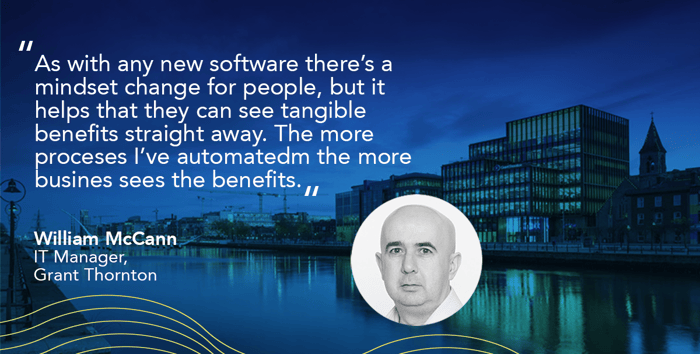
Benefits yielded with FlowForma adoption
FlowForma combines no-code design, AI-driven automation, and rapid deployment to streamline processes across industries. With quick setup, flexible workflows, built-in AI, and deep Microsoft alignment, it offers a practical, low-effort alternative to Blue Prism for end-to-end process automation.
Key standout features include:
1. Smarter automation with AI assistance
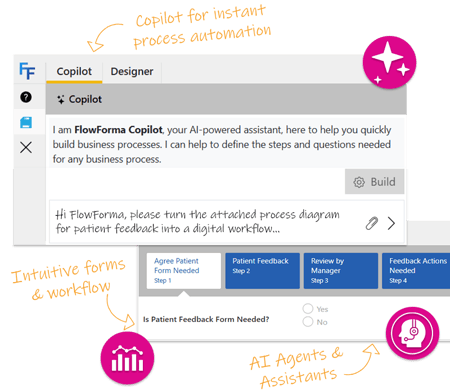
FlowForma’s AI Suite homepage
FlowForma’s AI capabilities go beyond simple accelerators, reshaping how organizations create and optimize processes. Here’s an overview of its AI range:
|
FlowForma’s AI innovations
|
How it works
|
|
AI Copilot
|
Converts plain text, diagrams, or documented steps into ready-to-run workflows, removing manual build time.
|
|
Agentic AI
|
Performs context-aware actions—validates data, reads documents, updates systems, and adapts as processes progress.
|
|
Smart Assistants
|
Provides real-time guidance to builders and end users, simplifying configuration and reducing technical complexity.
|
|
Summarization
|
Generates quick summaries of active workflows, highlighting blockers, pending actions, and key decisions.
|
|
Discovery Agent
|
Reviews organizational documents to identify new automation opportunities and process improvements.
|
|
AI Insights & Analytics
|
AI evaluates process performance end-to-end, identifies inefficiencies, and recommends optimizations to strengthen automation maturity.
|
FlowForma's AI suite for effortless process creation
2. No-code, full-control workflow design
Teams can build and adjust workflows without technical expertise, while IT maintains governance and compliance with standards like GDPR, HIPAA, and ISO.
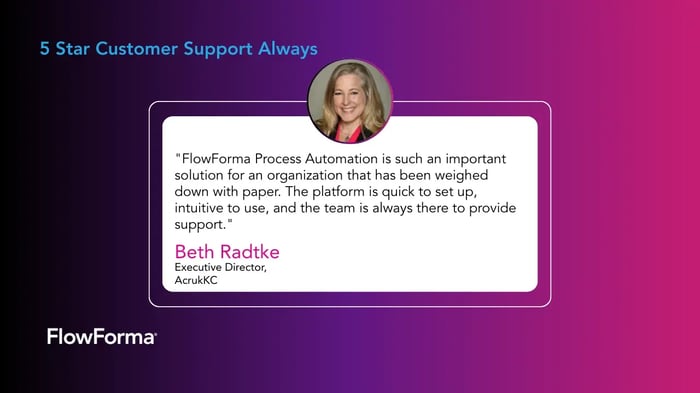
FlowForma is a no-code platform with an easy-to-use interface
3. AI-enhanced data capture and document automation
Flexible digital forms capture the right information at every stage and connect to templates to generate contracts, letters, reports, and approvals automatically. This ensures consistent, audit-ready documentation without manual effort or errors.

Testimonial about FlowForma Forms
4. Integrated automation across your systems
FlowForma integrates seamlessly with Microsoft 365 apps—SharePoint, Teams, Outlook—and external applications through APIs and connectors, keeping information consistent without extra middleware.
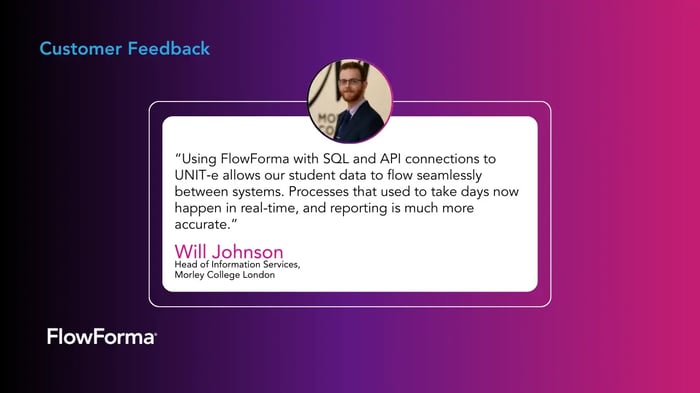
Morley College London – SQL & API Integration with Student Records
“Using FlowForma with SQL and API connections to UNIT-e allows our student data to flow seamlessly between systems. Processes that used to take days now happen in real-time, and reporting is much more accurate.”
5. Audit-ready workflows with full traceability
All workflow activity is logged with full traceability, and data remains inside each customer’s SharePoint tenancy. The compliance module supports frameworks like GDPR, ISO 27001, and HIPAA, ensuring robust security and control for regulated environments.
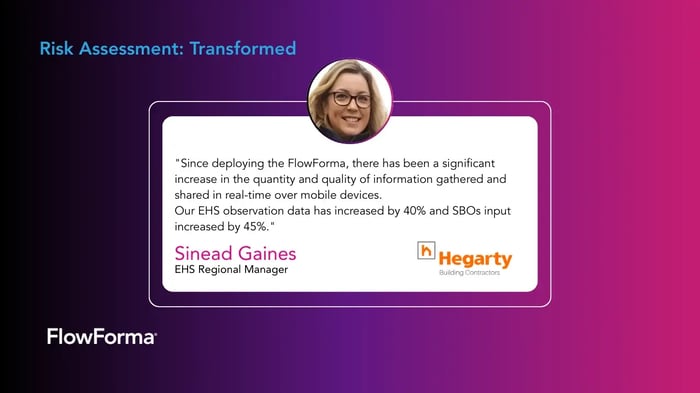
How FlowForma is transforming risk assessments
Ready to Move From Bonitasoft to Secure & Compliant Enterprise-Grade Automation? Upgrade to FlowForma!

Streamlined workflows and measurable business results with FlowForma
By bringing together no-code flexibility, AI-assisted automation, embedded governance, and deep Microsoft 365 integration, FlowForma takes a more grounded approach than most Bonitasoft alternatives. It allows organizations to automate complex processes without adding technical burden or introducing cost volatility.
See FlowForma in action! Book a demo to see how easily your teams can shift from manual tasks to fully automated workflows with FlowForma. Or explore how FlowForma fits into your operations with a 7-day free platform trial—no credit card required.
Frequently Asked Questions
1. How does FlowForma support automation across multiple business units?
FlowForma enables consistent process automation across departments by combining shared governance, reusable components, and centralized oversight, while still allowing each team to adapt workflows to its specific operational needs.
2. Can FlowForma scale as automation adoption increases organization-wide?
Yes. FlowForma uses a process-based pricing and architecture model that supports expansion across teams and use cases without performance degradation or escalating per-user licensing costs.
3. How does FlowForma reduce risk during automation rollouts?
By standardizing forms, logic, documents, and audit controls within a single platform, FlowForma minimizes implementation variability and lowers the risk that automation quality depends on custom development or individual contributors.
4. When does it make sense to move away from Bonitasoft?
Organizations typically consider alternatives when business users require more autonomy, deployments slow due to technical dependencies, or governance, analytics, and intelligence capabilities become critical at scale.
5. What should enterprises prioritize when selecting a Bonitasoft alternative?
Beyond features, enterprises should evaluate governance depth, ease of change management, long-term maintenance effort, compliance readiness, and how reliably the platform supports day-to-day operations at scale.