Pipefy remains a popular name in the process automation category. However, its pricing model continues to raise questions for teams assessing scalability and total cost of ownership—remaining a consistent point of friction.
As organizations scale, many users also question Pipefy’s cost-to-value ratio as the platform’s sophisticated features are mostly locked behind higher-priced plans, limiting its full potential.
Let’s take a detailed look at Pipefy’s pricing and why many businesses weigh better Pipefy alternatives like FlowForma when assessing long-term value.
What Is Pipefy? Key Features And Use Cases
Pipefy is a no-code workflow automation platform that helps teams manage, track, and optimize business processes across departments. It focuses on reducing manual work, improving visibility, and streamlining operations.
.svg)
Pipefy’s homepage
Key features of Pipefy
- No-code workflow and process builder: Visual, step-by-step workflow design that enables teams to create and adjust processes independently without technical skills.
- Customizable forms and public intake portals: Build forms for internal or external requests, automatically creating tasks in the correct workflow stage.
- Automation rules and conditional logic: Set triggers, notifications, and conditional steps to reduce manual follow-up and maintain process accuracy.
- AI for document handling and email management: Read emails, extract data, generate summaries, and draft responses to speed up daily operations.
- Centralized data management: Store employee, vendor, and customer records in one place and reference them across workflows to reduce errors.
- Integrations and API connectivity: Connect with Salesforce, Slack, Google Workspace, and more; use GraphQL API and webhooks for custom integrations.
Common use cases of Pipefy
- Sales pipeline and commercial process management: Manage leads and opportunities through structured stages; automate follow-ups and integrate with CRMs.
- HR onboarding and offboarding: Standardize employee lifecycle tasks, coordinate across departments, and maintain compliance documentation.
- Project tracking and task management: Organize project tasks, track deadlines, and monitor progress with clear visibility into responsibilities.
- General workflow automation across departments: Streamline approvals, requests, and recurring internal tasks to reduce manual effort.
- Client intake and project brief management: Collect client information via forms; automatically route data into workflows to manage tasks and track project progress.
Pros and cons of Pipefy
The following are the top pros and cons of Pipefy, as shared by real users across review platforms.
|
Pros of Pipefy
|
Cons of Pipefy
|
|
Ease of use and straightforward interface (source)
|
Pricing (advanced features locked behind higher plans) (source) (source) (source)
|
|
Customizable and automated workflows (source)
|
Time-consuming setup (source)
|
|
Task management and collaboration with visual pipelines, assigned tasks, and notifications (source)
|
Some processes that need deeper logic, external steps, or heavy documentation require workarounds or external tools (source)
|
|
No-code automation capabilities for managing multiple workflows without technical skills (source)
|
Limited customization when building complex logic (source)
|
|
Connects with common tools through native integrations, Zapier, and API access (source)
|
Most workflows require users to design and configure them manually (source)
|
Pipefy pros and cons
Pipefy Pricing and Plans In-Depth Analysis
Pipefy offers a tiered structure across four plans (Starter, Business, Enterprise, and Unlimited), including a Special Plan for small businesses—the costs of which are not disclosed publicly.
.jpg?width=750&height=376&name=blog%20imagery%20-%20Healthcare%20Before%20and%20After%20AI%20(10).jpg)
Pipefy offers Strater, Business, Enterprise, and Unlimited pricing structures
Each plan introduces higher automation capabilities, more workflow management controls, additional integrations, and expanded governance options. Every tier also includes 1,000 single-use AI credits, which can be topped up as add-ons.
Let’s take a closer look at Pipefy pricing and the exact structure of each plan.
1. Pipefy Starter Pricing Plan
Best for: Small teams, freelancers, students, and early-stage startups testing basic workflow management or task management needs.
Starter works well for operational and simple processes, but becomes restrictive when teams need to expand process automation, build new processes, or support role-based control. The plan supports up to 10 users, who can each automate up to five processes, and includes 1,000 credits for the Pipefy AI suite.
What’s included in the Starter plan:
|
✔️Basic automations
|
|
✔️Plug-and-play process template
|
|
✔️Request tracker
|
|
✔️Visual customization
|
Users can purchase additional limits and get up to 50 cards/month, 500 database records, two GB of storage, two interfaces, and one connection between workflows.
2. Pipefy Business Pricing Plan
Best for: Mid-market teams that want to centralize growing business processes with more control.
The Business plan is Pipefy’s most commonly adopted tier. However, because it bills per user, pricing can grow quickly as more departments adopt the platform. The plan removes user limits and lets each user automate many processes without restriction, but the cost continues to scale.
What you get (everything in Starter, plus):
|
✔️API access
|
|
✔️Role-based access control
|
|
✔️Private processes and conditional logic
|
|
✔️Electronic signatures
|
|
✔️Higher limits for database records and storage with data recovery
|
|
✔️Automation jobs: 300 per month
|
|
✔️API calls: 500 per month
|
Businesses can add up to 100 guest users, 20GB storage, 10,000 database records, 100 interfaces, and get unlimited connections.
3. Pipefy Enterprise Pricing Plan
Best for: Companies with advanced compliance needs, larger teams, and multi-department environments.
Enterprise unlocks more advanced automation features and a more complete built-in security suite, but pricing again requires a custom quote and scales based on per-user adoption.
Everything in Business, plus:
|
✔️Multiple automations and native and third-party integrations
|
|
✔️Two-factor authentication
|
|
✔️Single Sign-On (SSO)
|
|
✔️Electronic signatures
|
|
✔️Custom email domain
|
|
✔️Higher database and storage limits with white-label options
|
|
✔️Direct support from the Pipefy team
|
Here, users get up to 200 interfaces, 2,000 automation jobs, and 5,000 API calls/month.
4. Pipefy Unlimited Pricing Plan
Best for: Large enterprises seeking maximum scale and no technical limits across numerous business processes.
Unlimited removes caps on storage, automation, and database records, but still follows a per-user price model, making it more expensive as Pipefy team size increases. It is best suited for organizations handling many processes and large-scale process automation, but the per-user model can introduce cost unpredictability.
Everything in Enterprise, plus:
|
✔️Unlimited automation volume
|
|
✔️No limits for database records
|
|
✔️No storage limits and API caps (10,000+ calls)
|
|
✔️Expert support for modeling and implementing customized processes
|
5. Pipefy Special Small Business Plan
The Small Business plan is tailored for small businesses looking for access to all features without paying Enterprise-level pricing. It is positioned as one of the cheapest automation software options for qualifying teams.
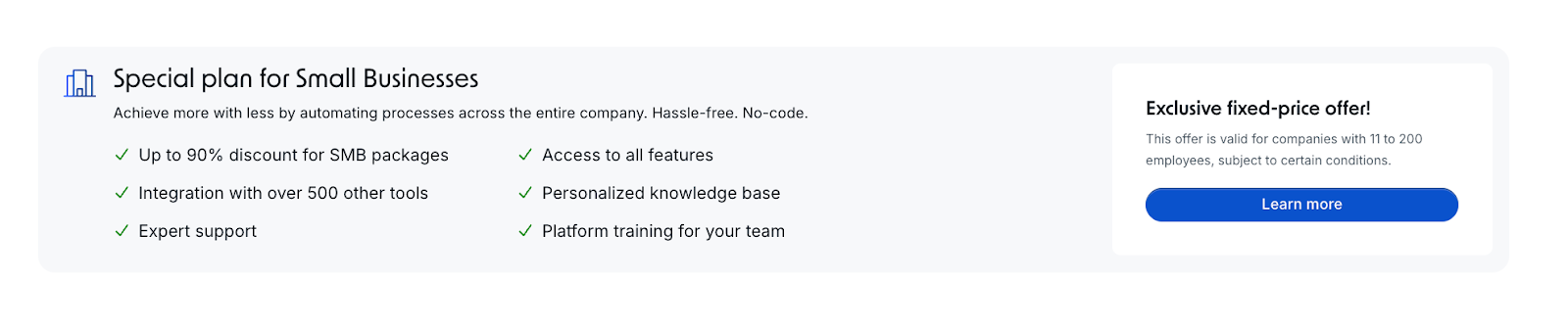
Pipefy pricing plan for small businesses
The plan includes:
- Access to all features
- Integration with 500+ tools
- Personalized knowledge base
- Expert support
- Platform training
- Exclusive fixed-price offer (eligibility applies)
Where does Pipefy Pricing Falls Short
Pipefy’s pricing works well for simple processes, but many verified user reviews show that the structure becomes limiting as organizations introduce more processes, integrate Pipefy with more systems, or expand usage beyond one department.
- Teams often need to move to higher plans to meet operational requirements.
- Many advanced features are only available in upper tiers or require additional add-ons
- Per-user pricing becomes costly as more departments adopt the platform
- Complex workflows often require capabilities that lower tiers do not provide
These factors often lead users to explore alternatives that support unlimited workflows, predictable pricing, and stronger process automation capabilities.
Pipefy Pricing and Cost Comparison With Better Alternatives Like FlowForma
The friction created due to Pipefy’s pricing structure becomes more apparent when we compare its pricing with similar tools. For instance, FlowForma, offers unlimited workflows and stronger automation coverage.
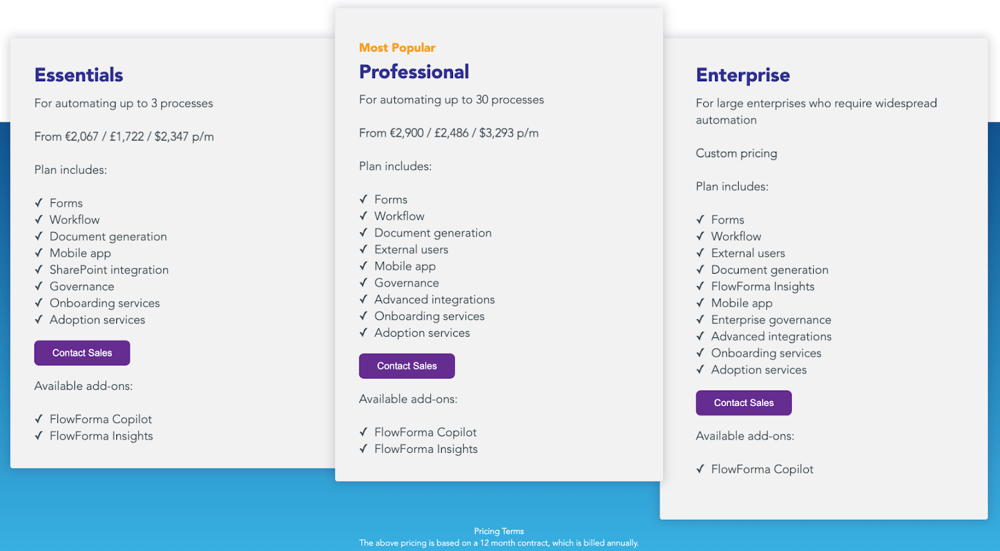
FlowForma’s pricing plans
Here is a detailed comparison of the pricing plans of Pipefy vs FlowForma on annual billing:
|
Pricing tier
|
FlowForma pricing
|
Pipefy pricing
|
Key differences
|
|
Essentials vs Business
|
Starts from €2,067/£1,722/$2,347; process-based, up to 3 processes, docs, M365
|
Custom per-user, unlimited processes, docs/add-ons extra
|
Predictable cost vs per-user scaling
|
|
Professional vs Enterprise
|
Starts from €2,900/£2,486/$3,293 up to 30 processes; external users, governance, onboarding included
|
Custom per-user, SSO/2FA, private workflows, API, external tools for docs
|
Scale without user fees vs variable cost with add-ons
|
|
Enterprise vs Unlimited
|
Custom, by process volume, Insights, governance, docs, M365, onboarding, optional AI included
|
Custom, by user count, storage/API limits, external tools for docs/governance
|
Consolidated compliance vs technical scale with extra tools
|
|
Free Trial vs Starter
|
30-day full trial, AI, docs, approvals, external participants, SharePoint included
|
Free Starter tier, limited features
|
Full enterprise test vs limited trial
|
|
AI plans
|
Flat add-on, no usage fees
|
Credit-based, extra credits required
|
Predictable AI vs recurring cost
|
FlowForma vs Pipefy pricing comparison
1. FlowForma Essentials vs Pipefy Business
FlowForma Essentials: €2,067 / £1,722 / $2,347 per month
Pipefy Business: Custom (per-user billing)
FlowForma Essentials offers a predictable entry point for teams beginning to formalize automation. The plan supports up to three processes and includes:
- workflow design
- forms
- document generation
- mobile access
- governance
- onboarding and adoption support
- native Microsoft 365 integration
Because pricing is process-based, organizations can add as many participants as they want without paying for extra licenses.
Pipefy Business uses a custom per-user model, which increases as more teams join. It offers unlimited processes, conditional logic, private workflows, API access, and role-based controls. However, features such as document generation, deeper governance, and structured onboarding usually require external tools or paid add-ons.
If you need to automate a few structured processes with strong governance and stable costs, Essentials provides more built-in capability upfront, especially for document-heavy workflows and Microsoft 365 environments.
2. FlowForma Professional vs Pipefy Enterprise
- FlowForma Professional: €2,900 / £2,486 / $3,293 per month
- Pipefy Enterprise: Custom (per-user billing)
FlowForma Professional supports up to 30 processes and extends Essentials with:
- external participation
- advanced integrations
- deeper governance
- full onboarding and adoption services
Pricing stays fixed even as HR, finance, procurement, and operations adopt the platform, making cross-department rollout predictable.
Pipefy Enterprise adds stronger access controls, SSO, two-factor authentication, private workflows, white-labeling, and higher automation and API capacity. Pricing is custom and increases with user count and usage. Many teams still rely on separate tools for documents, reporting, and governance, which increases total cost.
For organizations running cross-team workflows with external contributors and document-driven steps, FlowForma Professional delivers broader built-in capability without per-user variability.
3. FlowForma Enterprise vs Pipefy Unlimited
Both plans use custom pricing, but they scale differently. FlowForma prices by process volume, giving large organizations a clearer, more predictable path as automation expands.
FlowForma Enterprise includes:
- workflow and form design
- document generation
- external users
- FlowForma Insights
- enterprise governance
- advanced integrations
- mobile access
- full onboarding and adoption services
- optional AI add-ons such as FlowForma Copilot
All capabilities run inside the organization’s Microsoft 365 environment, supporting consistent governance and compliance.
Pipefy Unlimited removes technical limits and increases storage, database capacity, and API thresholds. Pricing still follows a user-based model, so costs rise with team size. Many teams also depend on external systems for governance, reporting, and document creation.
For enterprises needing stable governance, integrated reporting, and Microsoft 365 alignment, FlowForma Enterprise offers a more predictable and consolidated automation model than Pipefy Unlimited.
4. FlowForma Free Trial vs Pipefy Starter Plan
- FlowForma Free Trial: 30 days
- Pipefy Starter: Free tier
FlowForma Enterprise and Pipefy Unlimited both follow custom pricing, but their cost models scale differently. FlowForma prices by process volume, which gives large organizations a more predictable path as they expand automation. In the free trial plan, users can:
- build processes 10x faster using the AI Copilot
- test approvals
- generate documents
- include external participants
- experience governance and SharePoint integration
There are no feature restrictions, so teams can evaluate performance and cost alignment accurately.
Pipefy Unlimited also supports high-volume automation, offering expanded storage, database capacity, and increased API limits. Its pricing, however, remains tied to user count and usage. Many teams also rely on separate tools for governance, documents, and reporting, which can increase total cost over time.
For enterprises that need stable governance, integrated reporting, and Microsoft 365 alignment at scale, FlowForma Enterprise generally provides a more predictable and consolidated automation model than Pipefy Unlimited.
5. FlowForma vs Pipefy: AI Pricing Plans
Both FlowForma and Pipefy offer AI features, but their pricing models work very differently. FlowForma offers AI as an optional flat add-on, not a usage-based upsell.
Teams can add FlowForma Copilot to any plan (Essentials, Professional, or Enterprise).
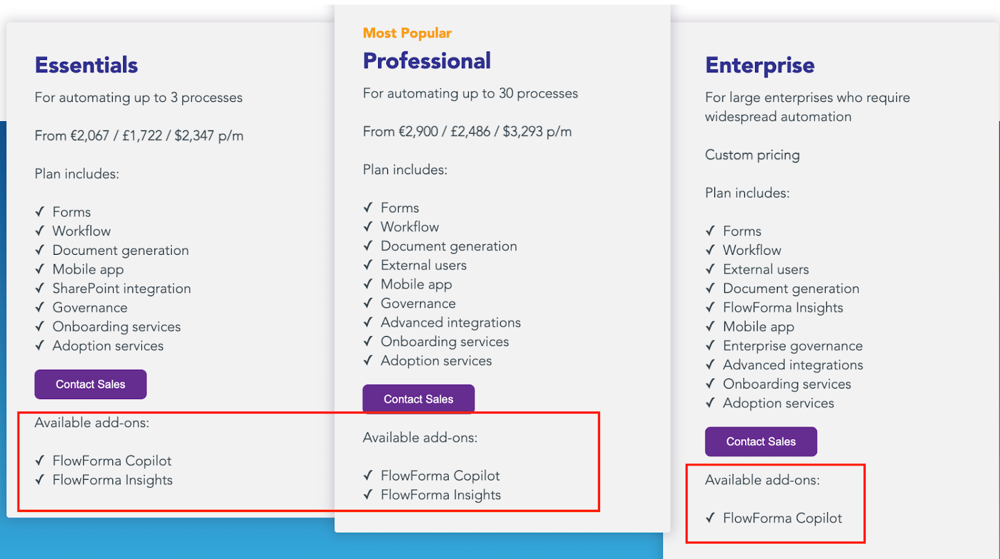
FlowForma offers AI Copilot as an available add-on for all plans
This model allows organizations to scale AI across the business without worrying about increasing transaction volume or per-user billing.
Pipefy bundles AI across all plans but does so using a credit-based system. Every plan includes 1,000 single-use AI credits, which are consumed when users automate tasks, extract data, or run AI-powered actions. Once credits run out, teams must purchase more. This structure introduces ongoing operational costs, especially for organizations running many processes or teams.
For teams prioritizing cost stability and organization-wide AI adoption, FlowForma provides a clearer and more scalable model. Pipefy works well for light usage, but credit consumption becomes a recurring cost as automation expands.
8 Ways FlowForma Transforms Process Automation Without Increasing Your Budgets
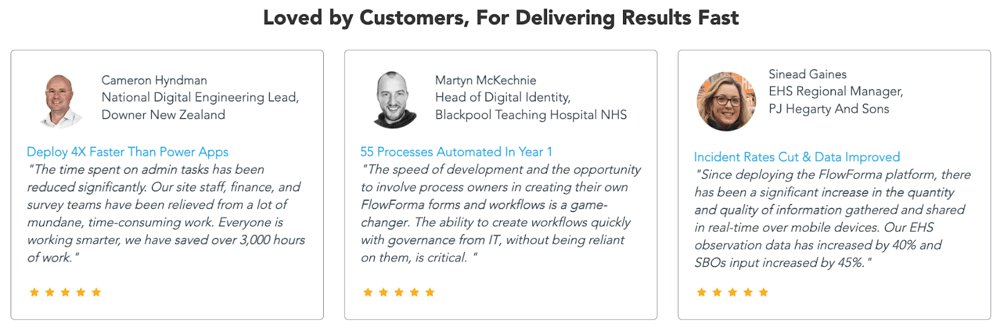
What users say about FlowForma
While Pipefy offers essential workflow management at a higher per-user price, FlowForma delivers broader end-to-end process automation with a more scalable pricing structure.
|
Feature / Criteria
|
Pipefy
|
FlowForma
|
|
Pricing Model
|
Tier-based pricing; key features unlocked only on higher plans; cost increases as workflows scale
|
Process-based pricing with unlimited workflows included; no hidden upgrades or add-on fees
|
|
Workflow Volume
|
Workflow limits depend on the plan; scaling often requires moving to a higher tier
|
Unlimited workflows under a single licence; cost remains predictable
|
|
AI Capabilities
|
AI features vary by tier; still developing
|
Full AI suite included for all customers (AI Copilot, AI Agent Rule, AI Summaries, Smart Assistants)
|
|
Document Generation
|
Requires external tools or integrations
|
Built-in document generation for contracts, PDFs, onboarding docs, reports
|
|
Governance & Compliance
|
Limited audit features; requires workarounds
|
Governance dashboards, audit trails, data stored in customer’s SharePoint tenancy
|
|
Microsoft 365 Integration
|
Integrates via connectors or APIs; not native
|
Native to SharePoint and Teams, uses Microsoft authentication
|
|
Ease of Adoption for Non-Technical Users
|
No-code, but advanced configuration can require training
|
No-code, designed for business users; customers build flows 4–5x faster than low-code tools
|
|
Cross-Department Scalability
|
Effective for smaller teams; complexity increases with scale
|
Consistent workflow structure across all departments, no rebuilding needed
|
|
Data Storage and Security
|
Hosted on vendor infrastructure
|
Data resides fully within your Microsoft 365 tenancy, giving IT more control
|
|
External Stakeholder Participation
|
Requires custom setups
|
FlowForma Engage allows secure participation from suppliers, contractors, or clients
|
|
Reporting & Insights
|
Basic analytics, unless upgraded
|
DIY reporting, dashboards, and standardised data collection
|
|
Support Model
|
Standard support varies by tier
|
High-touch support with process expertise included
|
FlowForma Vs Pipefy Comparison
Here’s how FlowForma stands out:
1. Predictable, cost-effective pricing
Pipefy does not publish its pricing, which makes it hard for organizations to estimate costs or understand how pricing may change as their needs grow. Many advanced features are only available on higher plans, which can increase expenses over time.
FlowForma, on the other hand, provides clear, transparent pricing based on the number of processes, making it easier for organizations to plan budgets and scale automation without surprises.
Even beyond transparent pricing, FlowForma protects teams from cost creep by including every feature—AI, documents, governance, mobile, external participation, dashboards—in a single licence. This creates a long-term automation foundation without tier-based trade-offs, hidden costs, or feature gaps.
2. Array of AI for workflow creation and process building
FlowForma’s AI suite builds workflows and drive automation strategy forward with intelligent assistance, including:
- AI Copilot to build workflows from natural language or uploaded diagrams
FlowForma AI Playground in action
- AI Agent Rule for intelligent data extraction and validation
- AI Summaries for quick context across long workflows
- Smart Assistants to guide builders and end users
- Discovery Agent analyzes existing documentation and meeting conversations across departments to identify and suggest new automation opportunities, driving continuous improvement.
FlowForma’s Discovery Agent
3. In-built document generation
.svg)
One-click document generation with FlowForma
FlowForma generates documents natively, a capability not available in Pipefy without third-party tools. Teams can:
- generate contracts
- create onboarding packages
- produce audit-ready reports
- build structured PDFs and DOCX files
This removes the need for additional document tools like DocuSign, PandaDoc, or Acrobat, simplifying the workflow and lowering total software spend.
4. Enterprise-level compliance and governance controls for IT
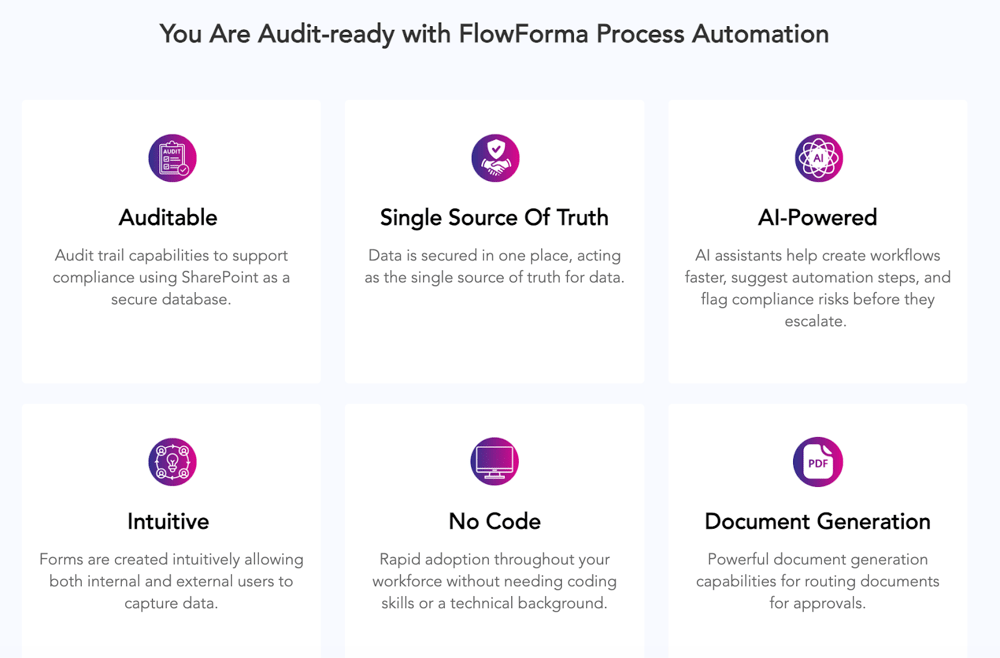
FlowForma compliance modules
FlowForma embeds governance and regulatory controls directly into every automated process. This is imperative in highly regulated sectors like finance, healthcare, and legal services, where compliance and auditability are critical.
Unlike simpler workflow solutions, FlowForma provides detailed tracking, role-based access controls, and built-in compliance safeguards to help businesses meet their regulatory obligations effortlessly.
5. Seamless Microsoft 365 integration (native)
Besides pricing, integration remains a top concern for Pipefy users. FlowForma, however, connects seamlessly with Microsoft 365 (SharePoint, Teams, and Outlook), including 1000+ third-party apps and systems through APIs and connectors, by:
- living inside SharePoint
- using Microsoft authentication
- connecting directly to Teams and the wider O365 ecosystem
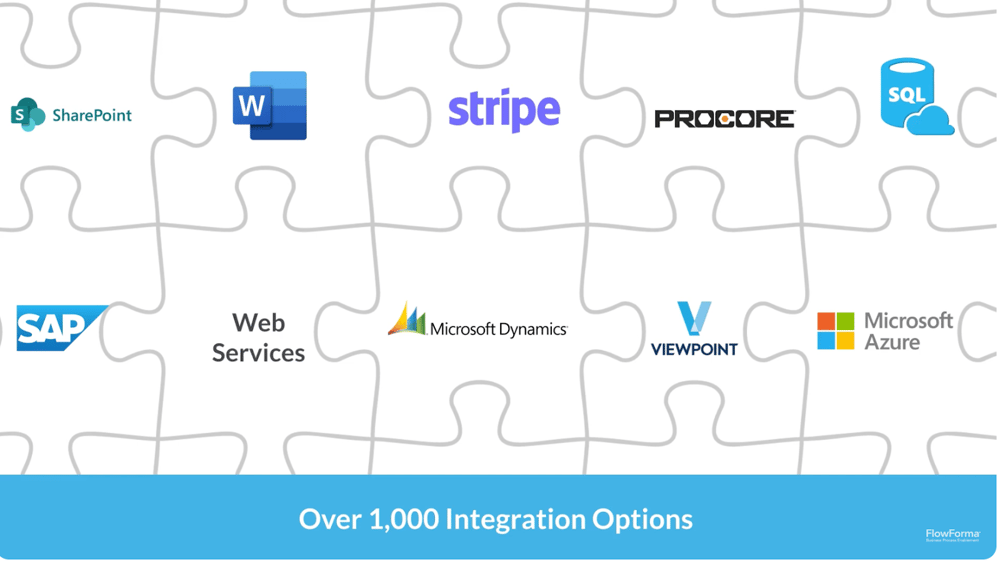
FlowForma integrations
This reduces security risks, removes the need for external connectors, and keeps all workflow data inside a familiar environment.
6. Rapid adoption for non-technical teams
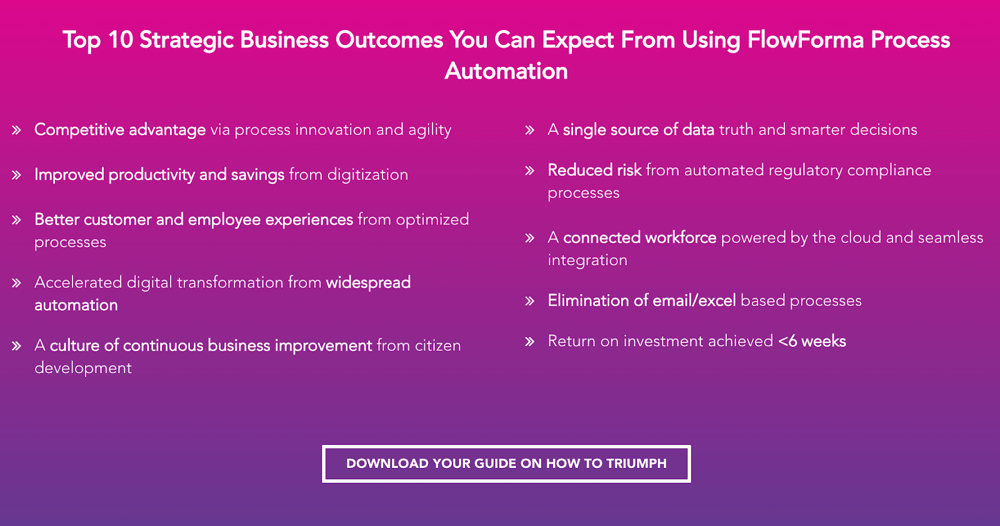
Benefits of FlowForma
FlowForma is designed so analysts, HR managers, finance controllers, and operations leads can build and modify flows themselves. Users can build processes 10x faster compared to PowerApps or other low-code tools, helping teams replace manual steps without bottlenecks.
7. No-code automation
FlowForma no-code process automation
FlowForma eliminates the need for IT-heavy configurations, allowing business users, department heads, and process owners to utilize workflow automation to its fullest without any coding knowledge.
Unlike Pipefy, where advanced automation often requires developer support, FlowForma's intuitive drag-and-drop interface makes it easy for non-technical teams to streamline approvals, document processing, and compliance workflows
8. Cross-department scalability without rebuilding
Teams often worry they will outgrow their automation tool as soon as several departments begin using it. FlowForma avoids this by providing a consistent workflow structure (Steps, Questions, Rules) that scales across several departments. Once users learn one workflow, they can use and build all others with minimal training.
Looking for an alternative to Pipefy that’s easy to use, scalable, and cost-effective? Try FlowForma today.
Start with a free trial or book a personalized demo to see how it transforms workflow automation from the first day.