This is a straightforward guide to how Creatio vs Kissflow perform in terms of platform scalability, handling complex workflows, and what they'll actually cost you when real-world requirements kick in.
For recap, Creatio is a no-code platform built for enterprise-grade automation that combines CRM, business process management, and application development with deep customization capabilities. Kissflow is a no-code workflow automation platform designed for business users who need to digitize internal processes quickly without heavy IT involvement.
While both offer no-code, enterprise-ready automation and perform well in demos, they differ in long-term workflow ownership, pricing as usage grows, and managing complex, cross-department processes. This article highlights these differences and shows why platforms like FlowForma deliver a more efficient, scalable approach to no-code automation.
Creatio Vs Kissflow: Key Differences At A Glance
Before we explore the key features, pricing structures, strengths and limitations of each platform, here’s a quick overview of how Creatio compares with Kissflow:
|
Buyer concern
|
Creatio
|
Kissflow
|
|
Best fit by organization type
|
Mid-market to enterprise needing depth, control, and system orchestration
|
SMB to mid-market prioritizing speed and simplicity
|
|
Complex workflow management
|
Designed to handle multi-layered, cross-system, long-running workflows with advanced logic
|
Excellent for linear, form-driven workflows; complexity can expose structural limits
|
|
Workflow ownership over time
|
Power users and IT/admin teams typically take ownership as use cases scale
|
Business users can continue owning and updating workflows with minimal support
|
|
Technical overhead as usage matures
|
Increases over time as advanced logic, integrations, and customization are introduced
|
Remains low, but advanced needs may require workarounds or expose limits
|
|
Sustained business user manageability
|
Possible with training and governance, but not always intuitive for non-technical users
|
Highly intuitive for long-term management by non-technical teams
|
|
Governance, control, and scalability
|
Strong governance framework suited for enterprise controls and compliance
|
Suitable for basic governance; less depth for enterprise-grade control
|
|
Primary implementation motion
|
Structured, IT-involved platform rollout with strong architecture
|
Fast, business-led deployment focused on immediate workflow needs
|
|
Commonly cited strengths (G2 themes)
|
Flexibility, robustness, adaptability, and strong support
|
Ease of use, drag-and-drop builder, quick learning curve
|
|
Commonly cited limitations (G2 themes)
|
Learning curve, setup complexity, performance comments
|
Limits with complex logic, integrations, and permission scaling
|
Creatio vs Kissflow at a glance
Key Features Comparison of Creatio and Kissflow
Here’s a quick run-through of the differences in key features of Creatio and Kissflow:
|
Feature
|
Creatio
|
Kissflow
|
|
Workflow complexity
|
Strong BPMN support; powerful but steep learning
|
Intuitive; best for standard and mid-level workflows
|
|
Custom app capabilities
|
Deep with Creatio Studio and low code
|
Available but more centered on workflow apps
|
|
Reporting & analytics
|
Enterprise-grade dashboards
|
Good, but sometimes less customizable
|
|
Integrations
|
Broad and deep
|
Wide, but complex integrations may need work
|
|
User adoption
|
Business + IT alignment needed
|
Highly accessible for business users
|
Creatio key features vs Kissflow key features comparison
Let’s now briefly analyze each platform’s key features.
Creatio key features
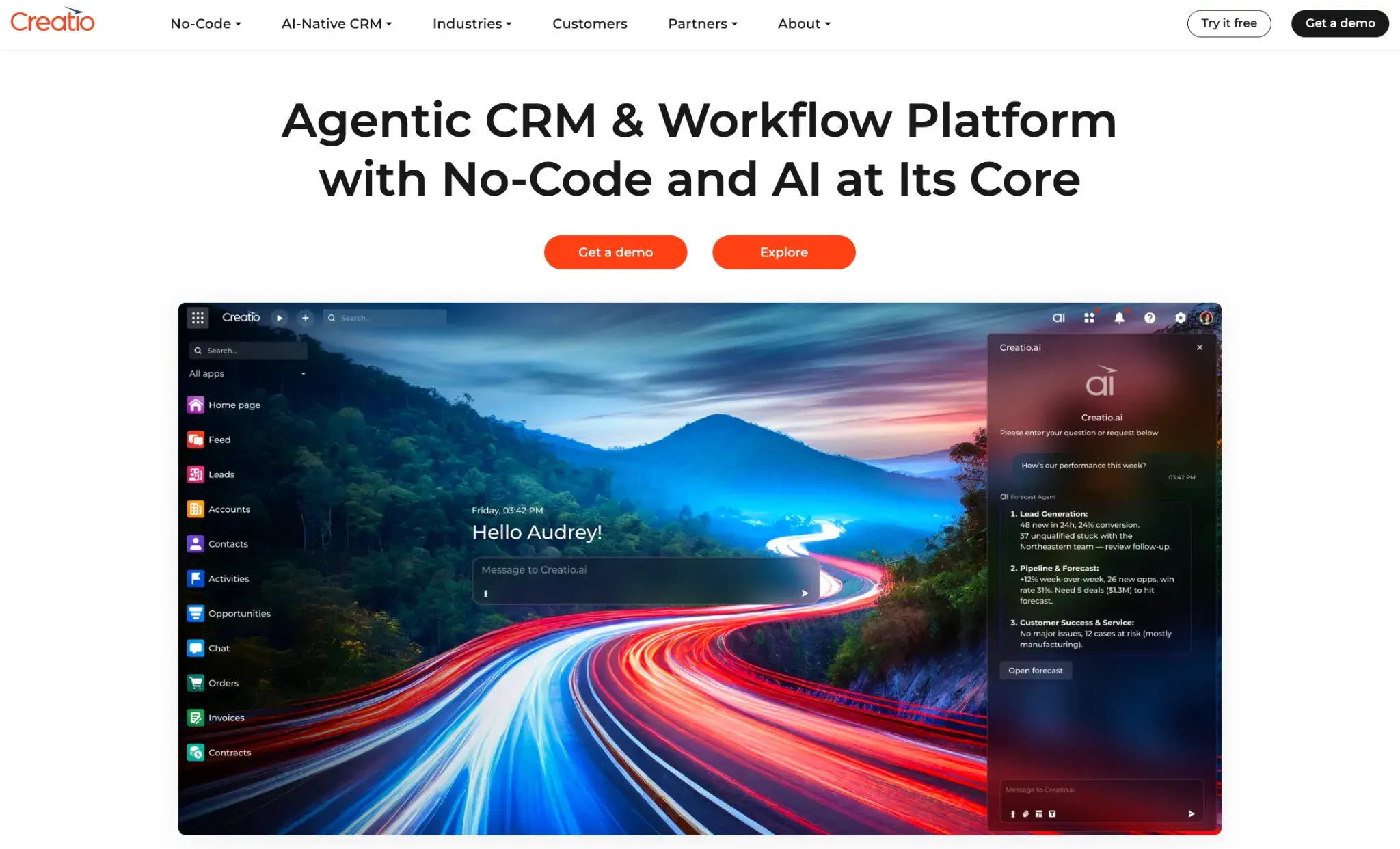
Creatio homepage
Key features of Creatio include:
Business process management engine for complex workflows
Creatio Studio includes a BPM engine for designing, running, and monitoring business process management across workflows of varying complexity, which is useful when processes span multiple business units.
Creatio Studio for app development
Creatio positions Studio as a no-code platform for automating workflows and building applications, with visual design for UI, data models, workflows, and business logic.
AI-driven development
Creatio emphasizes AI-assisted build experiences (for example, creating applications and processes from natural language), which can reduce reliance on minimal coding expertise for early versions and iterations.
Composable design with reusable components
Creatio highlights composable architecture and reusable components, helping teams standardize patterns when rolling out custom solutions across different industries.
Marketplace add-ons + integrations
Creatio Marketplace extends the core product and supports integration patterns for connecting to external tools, which is important when automation must work across external systems.
Also read: Top 10 Creatio Alternatives and Competitors in 2026
Kissflow key features
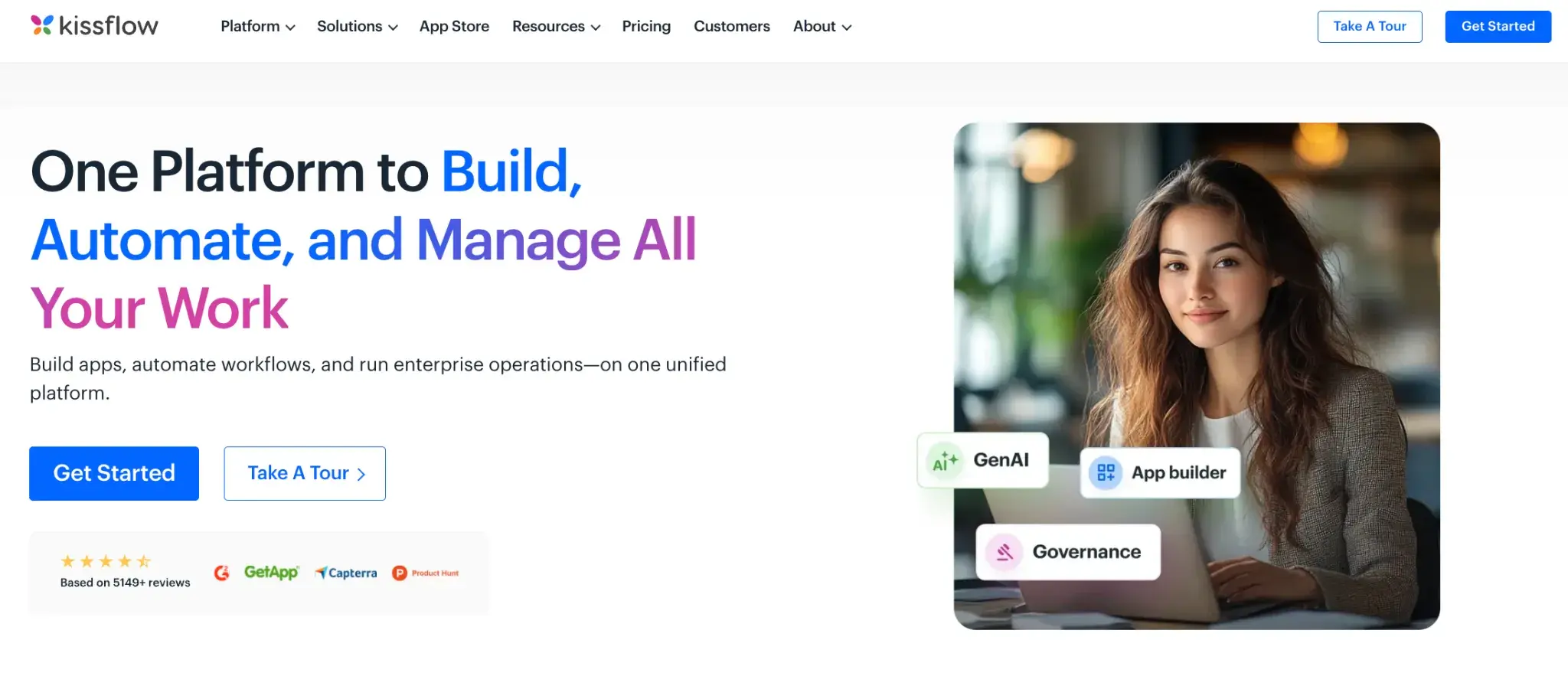
Kissflow homepage
Kissflow offers the following features:
Workflow automation and management
Kissflow focuses on quickly building automated workflows, with workflow management capabilities designed to replace email-driven handoffs and keep execution moving.
App builder for business applications
The platform includes application building, so teams can support internal business applications without resorting to traditional development for every request.
Case and project management
Kissflow also supports case and project management, helping business units track work that doesn’t fit a simple request-approval pattern.
Integrations with existing systems
Kissflow highlights integrations so workflows can connect to existing, external, and third-party applications without rebuilding your tech stack around the tool.
Analytics + governance controls for business users
Reporting, analytics, and governance controls help teams spot blockers, improve cycle times, and optimize workflows as part of continuous improvement and broader strategic initiatives.
Also read: Top 10 Kissflow Alternatives & Competitors in 2026
Creatio vs Kissflow Pricing Comparison (With Real-World Cost Examples)
To understand pricing properly, imagine the same scenario across all three platforms:
📌Consider a 30-person revenue operations team running workflows across Sales, Marketing, and Service, needing governance, integrations, mobile access, external participation, and proper support. This is where pricing models start to behave very differently.
Kissflow pricing breakdown
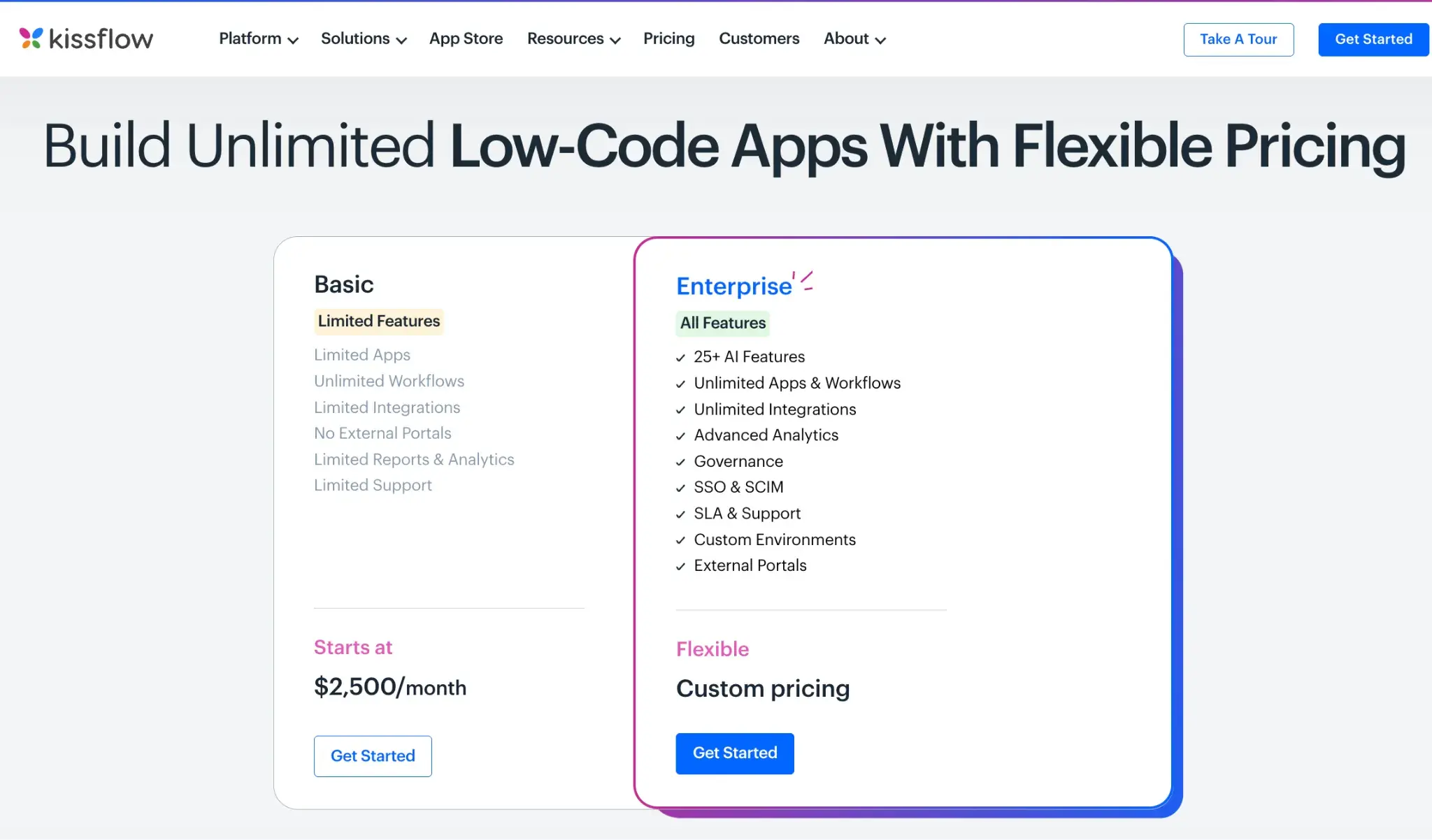
Kissflow’s pricing structure
Kissflow’s entry pricing appears attractive because it is presented as a fixed monthly plan.
- Base plan: $2,500/month → $30,000/year
- Supports up to 30 internal users with core workflow automation
This works well if the team only needs straightforward internal workflows. However, in this scenario, the team also needs:
- External user access
- Strong governance
- Advanced analytics and integrations
- Higher support levels
These are not included in the base plan and require Enterprise pricing, which is custom-quoted and typically rises as requirements expand.
What this shows: Kissflow is cost-effective for simple internal use cases, but pricing becomes less predictable when teams need broader, cross-department automation.
Creatio pricing breakdown
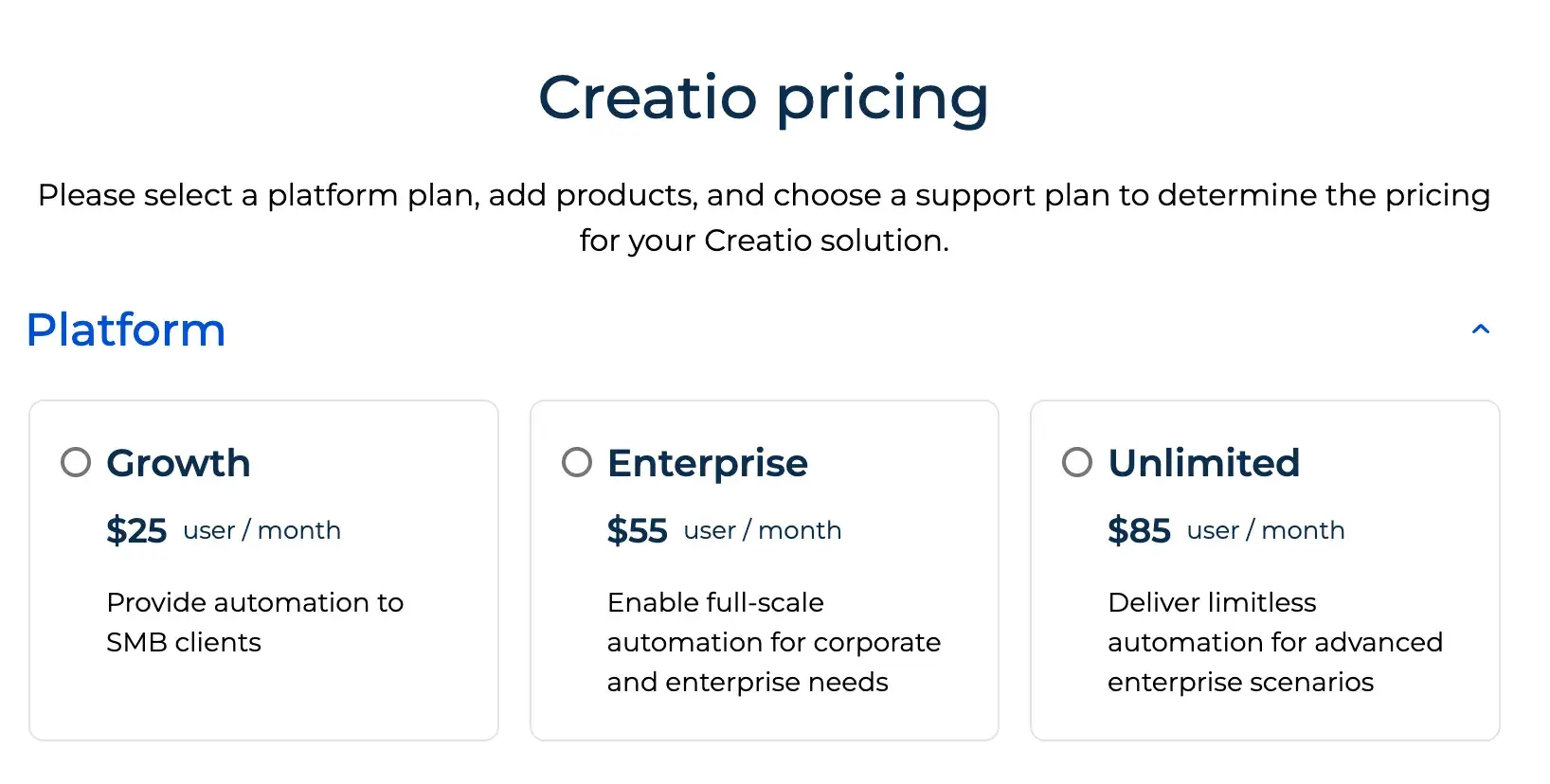
Creation’s pricing plans
Creatio’s pricing is structured per user and per module, which can seem straightforward at first glance, but costs add up quickly when applied to actual usage. As per our example,
Platform (Enterprise plan): 30 users × $55 = $1,650/month
Required modules (Sales + Marketing + Service): 30 users × $15 × 3 = $1,350/month
Base total: $3,000/month → $36,000/year
Now add what most teams actually require:
- Business support (10%) = $3,600/year
- 10 limited/external users = $1,440/year
Revised total: ~$41,000/year, without any added costs of AI tokens, training, or integration.
What this shows: Creatio’s modular pricing compounds as more departments and access types are involved. Get a thorough breakdown of how Creatio pricing works in practice for teams of varied sizes.
With FlowForma, this entire requirement fits into a single Professional plan.
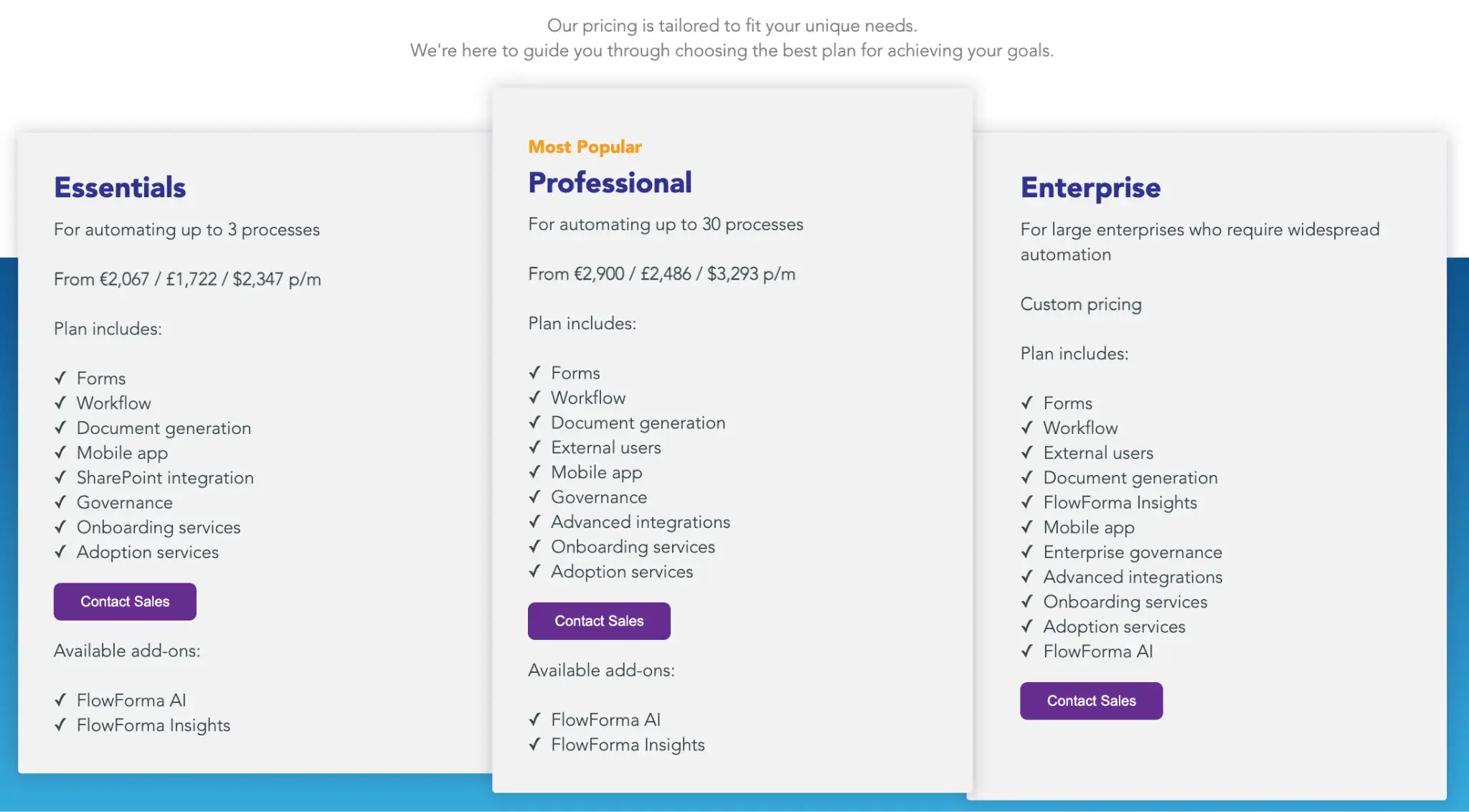
Caption: FlowForma’s pricing
This plan already covers what teams typically need once automation moves beyond isolated workflows:
- All users, including internal teams and external participants
- Built-in governance and advanced integrations
- Mobile access across devices
- Onboarding and adoption support
- Up to 30 automated processes spanning multiple departments
FlowForma uses process-based pricing, not per-user or per-module licensing. As more teams adopt workflows, departments expand usage, or external parties are added, the price stays the same.
In contrast, Creatio and Kissflow usually introduce additional licenses, higher tiers, or add-ons as requirements grow. FlowForma’s pricing is tied to how automation scales, not to how many people use the system or which features are enabled.
The table below summarizes how these pricing models differ in practice.
|
Platform
|
What the starting price covers
|
How pricing behaves as needs grow
|
|
FlowForma
|
Covers the full real-world scenario upfront, no hidden costs
|
Stays flat as users, departments, and external access increase
|
|
Kissflow
|
Affordable for small, internal workflows
|
Moves to custom Enterprise pricing when broader needs arise
|
|
Creatio
|
Reasonable per-user pricing
|
Compounds quickly with modules, users, and support tiers
|
FlowForma vs Creatio vs Kissflow pricing comparison
Pros and Cons of Creatio and Kissflow (Based on Real-World User Reviews)
G2 reviews show a clear pattern for teams evaluating these platforms: the strengths that stand out during demos and early rollout remain valuable, but they also signal where operational friction begins to surface as adoption spreads across departments and processes become more varied and demanding.
The snapshot below shows what users consistently appreciate after implementation, along with the limits they encounter as real-world usage grows.
Pros and cons comparison of Creatio and Kissflow
The right choice depends less on feature lists and more on how your workflows will evolve, who will manage them, and how much technical involvement they demand over time.
Creatio → If you need custom applications and CRM-centric workflows
Creatio suits teams building applications that combine CRM, case handling, and automation within a structured low-code environment, where business logic, data models, and integrations are tightly connected.
Kissflow → If you need business-led automation for internal workflows
Kissflow digitizes approvals, requests, and routine processes with prebuilt templates and a user-friendly builder that requires minimal coding, enabling users to quickly automate workflows and gain visibility into process performance.
FlowForma enables long-running, cross-department processes with true no-code design, strong governance, and seamless integrations, balancing control and usability as automation scales.
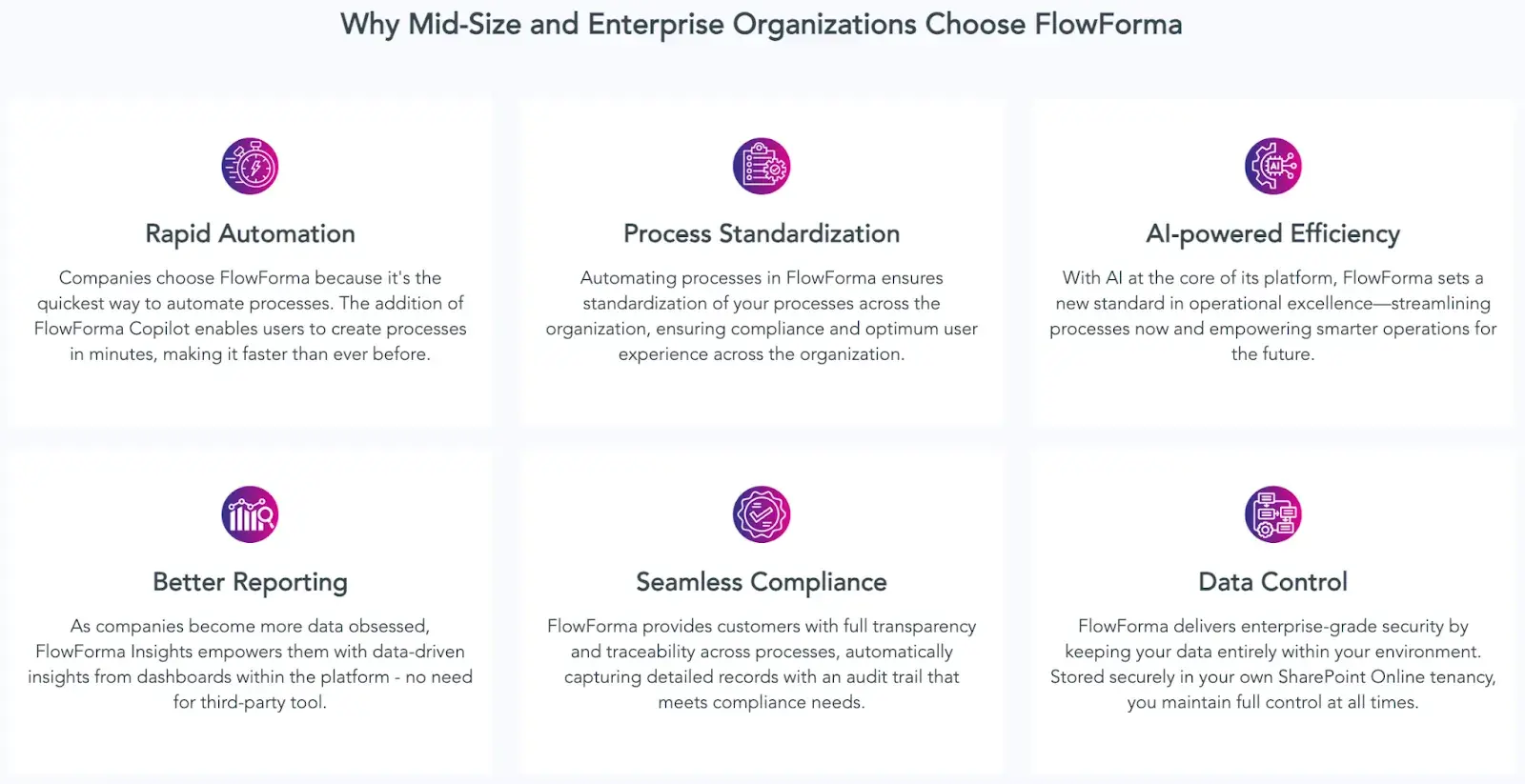
Why organizations choose FlowForma
As automation moves beyond isolated approvals into connected, cross-department operations, platform demands change. Processes must integrate with multiple systems, handle exceptions, remain easy to update, and remain fully governed without becoming technical projects to maintain.
FlowForma is designed for this stage of maturity. It enables complex process automation that remains clear to business users, is governed by IT, and is sustainable over time, without introducing technical debt or structural limits.
Key features include:
Simple and explainable AI that builds simple to complex workflows
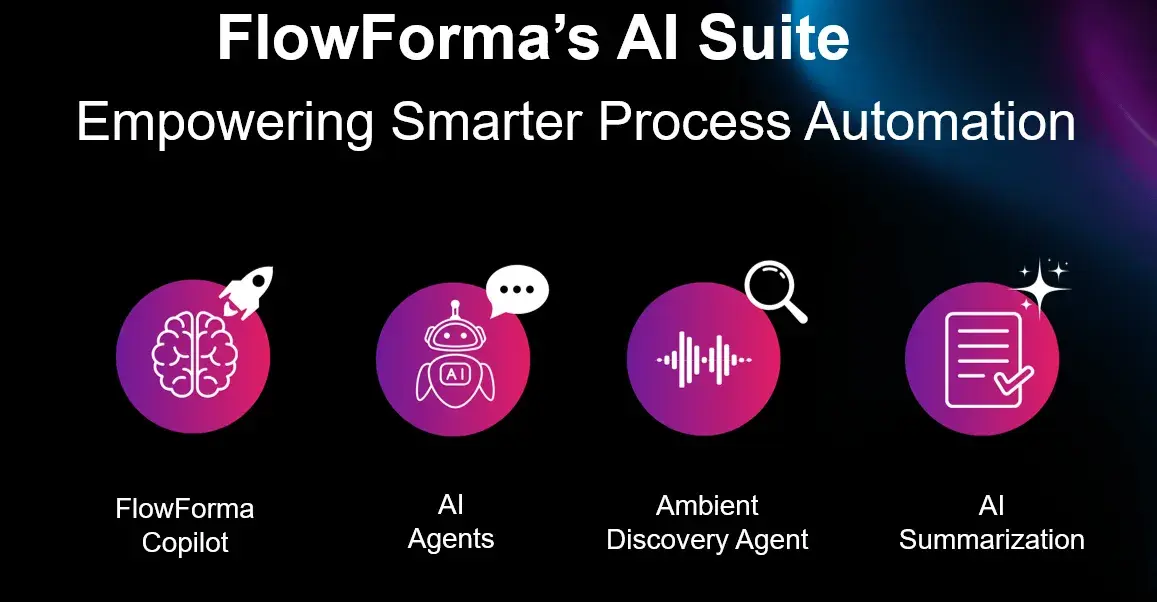
FlowForma’s AI Suite
FlowForma’s AI capabilities go beyond simple accelerators, reshaping how organizations create and optimize processes. Here’s an overview of its AI range:
|
FlowForma’s AI innovations
|
How it works
|
|
AI Copilot
|
Converts plain text, diagrams, or documented steps into ready-to-run workflows, removing manual build time.
|
|
Agentic AI
|
Performs context-aware actions—validates data, reads documents, updates systems, and adapts as processes progress.
|
|
Smart Assistants
|
Provides real-time guidance to builders and end users, simplifying configuration and reducing technical complexity.
|
|
Summarization
|
Generates quick summaries of active workflows, highlighting blockers, pending actions, and key decisions.
|
|
Discovery Agent
|
Reviews organizational documents to identify new automation opportunities and process improvements.
|
|
AI Insights & Analytics
|
AI evaluates process performance end-to-end, identifies inefficiencies, and recommends optimizations to strengthen automation maturity.
|
FlowForma's AI suite for effortless process creation
Business-readable processes without losing control
FlowForma logs, timestamps, and versions every action to create a complete audit trail.
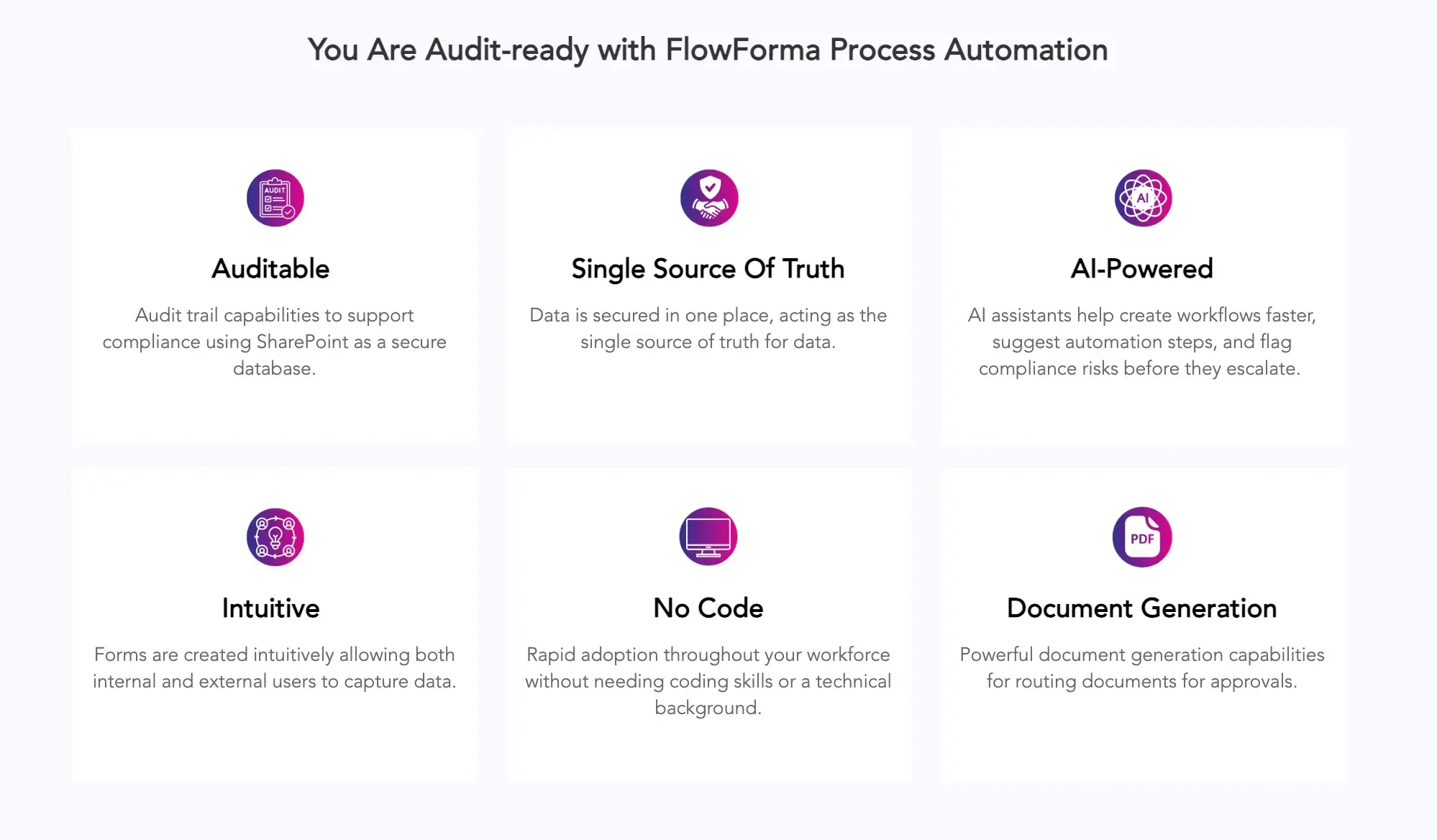
FlowForma’s compliance module
Because FlowForma is native to Microsoft 365, data remains within the organization’s existing environment, which simplifies governance and regulatory alignment without adding technical overhead.
Form builder in FlowForma
Unlike tools where forms and documents exist separately from workflows, FlowForma integrates document management directly into the process. Contracts, reports, and approvals are automatically generated from workflow data, stored securely, and fully traceable.
Seamless integrations without complex setup
FlowForma integrates natively with SharePoint, Teams, and Outlook, and connects to external systems through APIs and connectors without requiring complex middleware.
FlowForma integration ecosystem
This keeps information moving across systems while keeping configuration manageable.
Also read: How to Automate SharePoint Workflows with FlowForma
No-code, AI-driven workflow automation
FlowForma’s intuitive no-code experience
As workflows expand across departments, many platforms become either technically challenging to manage or structurally limiting. FlowForma is designed for true no-code, AI-powered workflow automation that stays easy to modify, fully governed, and scalable without creating technical debt.
Aon customer success story
Aon, one of the world’s largest insurance firms, transitioned from spreadsheet-heavy and paper-based activities to structured digital workflows with FlowForma.
Working within its Microsoft 365 environment, Aon required a platform that could consolidate approvals, data, and documentation into a single, governed system while meeting strict compliance requirements.
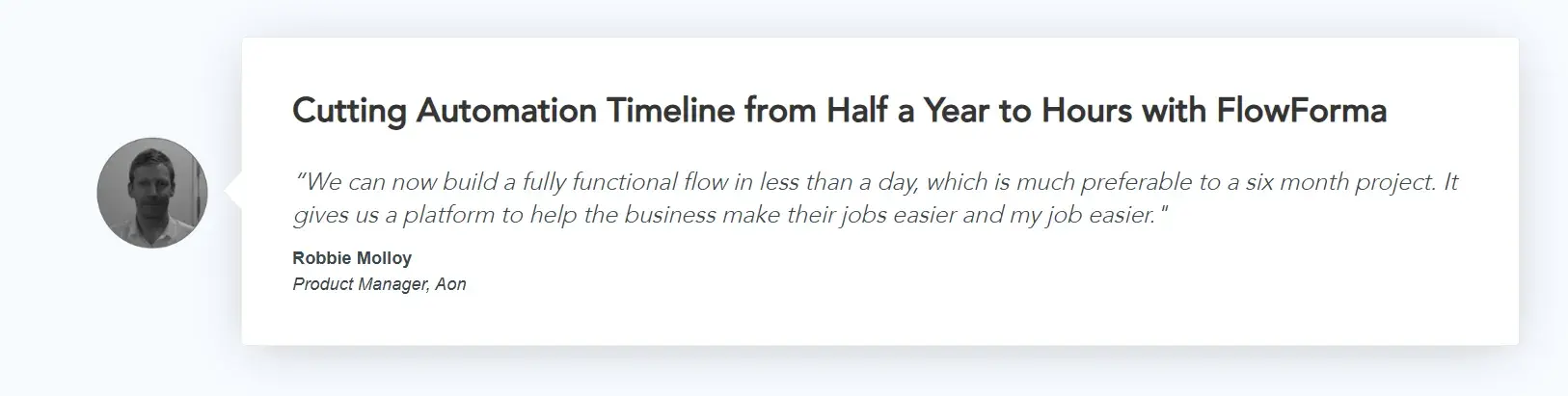
Customer testimonial for FlowForma by Aon Insurance Company
With FlowForma, processes became more consistent, manual handling was reduced, and teams gained clearer visibility into how work moved across the organization, all within an IT-controlled framework.
Ready to scale automation without the complexity? Book a demo with FlowForma to see how it supports governed, enterprise-ready process management.