Before I dig into the top ten list, you need to know that on November 10th, 2025, ProcessMaker merged with Decisions. You can read the PR announcement about the merger here.
Decisions is the new customer-facing brand going forward, which encompasses both ProcessMaker and Decisions. It looks like they are still working through the technical transition as the technical documentation for ProcessMaker is still branded with ProcessMaker logos while Decisions has its own technical documentation site.
What does this mean for IT buyers?
This means that if you had shortlisted ProcessMaker as a possible software vendor for process automation, you will now be exploring Decisions.
We have written about Decisions Pricing here, if you would like to learn more about how the platform pricing stacks up against others in the market.
And while you are here, we have created a detailed guide on the top ProcessMaker alternatives for process automation. Let’s dig in to the guide.
ProcessMaker is a capable low-code automation platform known for its usability and enterprise flexibility. But as teams scale, recurring concerns surface: bugs that slow execution, UI constraints that limit complex workflows, missing automation features, and a pricing model that becomes harder to justify over time.
With business process automation now central to operational efficiency, many organizations are re-evaluating whether ProcessMaker can support long-term automation maturity.
This article delves into the leading ProcessMaker competitors, including:
- Key features, strengths, and limitations of the 10 best ProcessMaker competitors
- Highlights best-fit use cases for different business needs
- Why FlowForma is best suited for teams prioritizing rapid process builds, robust Microsoft 365 alignment, and governance-led pricing designed for highly regulated industries.
Quick Overview of The Top 10 ProcessMaker Alternatives
The leading ProcessMaker alternatives blend AI-powered workflow automation, seamless integrations, and built-in compliance for enterprise-ready governance.
FlowForma, Nintex, and Appian stand out for offering a strong combination of usability, scalability, and advanced automation capabilities.
Other platforms, such as Pega, Bizagi, and Process Street, address specific needs. Some focus on complex workflows, others on SOP management or BPMN-first process modeling. This helps businesses pick the right tool based on team size, workflow complexity, and automation objectives.
Here is a quick overview of the best ProcessMaker alternatives:
|
Platform
|
Suitable for
|
Standout strength
|
Limitation
|
|
Nintex
|
Enterprises with complex documentation workflows
|
Large workflow & doc generation toolkit
|
Licensing complexity
|
|
FlowForma
|
Enterprise-wide automation
|
No-code + AI + transparent pricing
|
Requires Microsoft 365
|
|
Appian
|
Enterprise BPM & case management
|
Robust architecture
|
Requires skilled developers
|
|
Pega
|
Large-scale rule-driven automation
|
Strong decisioning engine
|
Very high total cost
|
|
Bizagi
|
BPMN-first modeling
|
Excellent modeling & simulation
|
Technical skill required
|
|
Process Street
|
SOPs & recurring checklists
|
Very easy to adopt
|
Limited automation
|
|
Kissflow
|
Lightweight workflow + work management
|
Simple and flexible
|
Expensive at scale
|
|
AgilePoint
|
Highly customized low-code apps
|
Strong integration with legacy systems
|
Higher maintenance
|
|
Creatio
|
CRM + workflow automation
|
Unified platform
|
Less suited for non-CRM processes
|
|
Bonita BPM
|
Developer-focused BPM
|
Highly customizable
|
Requires coding
|
The top ProcessMaker alternatives
The 10 Best ProcessMaker Competitors (Detailed Overview)
Let’s now dive into the detailed analysis of each of our compiled ProcessMaker competitors.
1. Nintex
Nintex homepage
Nintex is a workflow automation platform used by enterprises to standardize operations across distributed teams. Its ecosystem spans workflow routing, documentation support, and operational governance, offering a structured environment for organizations with established process frameworks.
Key features of Nintex
- Nintex workflow automation for multi-step business processes
- Promapp for process mapping, documentation, and optimization
- Document generation for contracts and regulated documentation
- RPA tools for repetitive, rule-based tasks
Nintex’s pros
- Mature enterprise automation ecosystem
- Very strong for compliance and documentation processes
- Wide integration and partner network
Nintex’s cons
- Licensing becomes expensive as automation expands
- Technical effort required than no-code tools
Suggested readings: Detailed breakdown of Nintex’s pricing and cost analysis
2. FlowForma
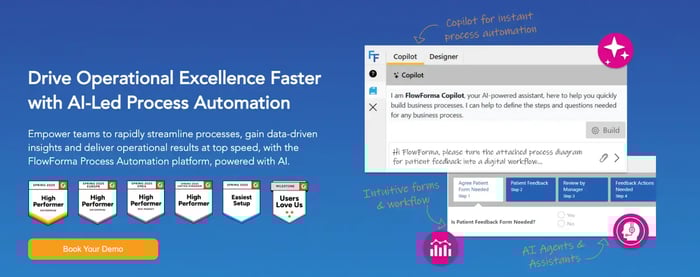
FlowForma’s AI-powered process automation platform
FlowForma is an AI-powered business process automation tool designed for citizen developers who want to automate complex workflows while still giving IT oversight for comprehensive governance. Users get the complete toolset, workflow, forms, analytics, document generation, and AI, under one transparent licence with no hidden tiers or per-user fees.
FlowForma is ideal for end-to-end business processes and complex workflow automation in compliance-focused and heavily regulated industries like finance, procurement, healthcare, etc.
Key features of FlowForma
The following are the notable key features of FlowForma:
AI-powered workflow intelligence for complex processes
|
FlowForma’s AI innovations
|
How it works
|
|
AI Copilot
|
Converts plain text, diagrams, or documented steps into ready-to-run workflows, removing manual build time.
|
|
Agentic AI
|
Performs context-aware actions—validates data, reads documents, updates systems, and adapts as processes progress.
|
|
Smart Assistants
|
Provides real-time guidance to builders and end users, simplifying configuration and reducing technical complexity.
|
|
Summarization
|
Generates quick summaries of active workflows, highlighting blockers, pending actions, and key decisions.
|
|
Discovery Agent
|
Reviews organizational documents to identify new automation opportunities and process improvements.
|
|
AI Insights & Analytics
|
AI evaluates process performance end-to-end, identifies inefficiencies, and recommends optimizations to strengthen automation maturity.
|
FlowForma's AI suite for effortless process creation
No-code, AI-driven workflow automation
-
FlowForma gives organizations a process automation platform designed so that business users, not only IT teams, can build and manage workflow automation with confidence.
-
Its user-friendly design lets non-technical users model and run business processes without touching code, while IT departments retain oversight to ensure governance and regulatory alignment across frameworks like HIPAA, ISO, and GDPR.
-
This balance makes it easier for organizations seeking to automate complex workflows without increasing technical overhead.
Dynamic forms and one-click document automation
-
Teams can design structured digital forms, map them to templates, and produce documents—contracts, reports, approval summarie, instantly.
-
FlowForma ensures accurate data capture at every step, supporting business processes that require audit-ready documentation with minimal manual work.
Integrations that support end-to-end process management
-
FlowForma connects seamlessly to Microsoft 365 (SharePoint, Teams, Outlook), along with external systems via APIs and connectors.
-
This reduces duplication, strengthens data management, and keeps information flowing across departments, without complex middleware or custom coding.
Built-in governance, security, and compliance
-
Every action taken inside a workflow is logged, timestamped, and versioned, ensuring a complete audit trail. Because data remains within each customer’s Microsoft 365 tenancy, FlowForma supports secure process automation for large enterprises and regulated industries.
- The compliance module aligns with GDPR, HIPAA, and ISO standards, delivering strong controls without slowing down innovation.
FlowForma's Pros
- Predictable, process-based pricing with unlimited workflows
- Built-in compliance and audit controls for regulated teams
- 10x faster automation than standard low-code tools
- AI-driven workflow creation and insights for better decisions
- Quick adoption, quick ROI, and strong customer support
- Rapid ROI within a few weeks of implementation
- A range of innovative AI suite for effective workflow creation
FlowForma’s Cons
- Best suited for organizations already using (or planning to use) Microsoft 365 and SharePoint
3. Appian
Appian homepage
Appian is a low-code platform designed for building enterprise applications that unify workflow execution, rules logic, and operational data. It provides a cohesive framework where teams can centralize process logic and align it with structured development methodologies.
Key features of Appian
- Low-code designer for building complex business applications
- Case management with dynamic routing and rules
- Native automation connectors, including AI, workflow, and RPA
- Advanced analytics dashboards
Appian’s pros
- Strong enterprise-grade architecture
- Suitable for mission-critical workflows
- Flexible data and rule modelling
Appian’s cons
- Requires skilled developers
- Longer rollout cycles compared to no-code solutions
Also check: Top Appian alternatives compared
4. Pega
Pega homepage
Pega is an enterprise automation and decisioning platform known for its rule-driven architecture. It provides a unified environment for orchestrating high-volume, multi-team processes through a combination of case handling, decision models, and operational controls.
Key features of Pega Systems
- Intelligent rule-driven automation
- Case management for large operational teams
- AI-supported decisioning for customer and service journeys
- Extensive enterprise integration capabilities
Pega’s pros
- Handles massive enterprise-scale workflows
- Strong decisioning and rule management
- Reliable for regulated environments
Pega’s cons
- One of the highest TCOs in the BPM market
- Requires certified specialists for configuration and maintenance
5. Bizagi

Bizagi homepage
Bizagi is a business process management platform built around a BPMN modeling foundation. It offers a structured approach to documenting, analyzing, and standardizing processes before deployment, appealing to teams that prioritize formal process design and governance.
Key features of Bizagi
- BPMN modeling with simulation capabilities
- Workflow automation built from modeled processes
- On-prem and cloud flexibility
- Governance-driven process repository
Bizagi’s pros
- Excellent for formal process documentation
- Balanced for hybrid environments
- Helpful for organizations with BPM maturity
Bizagi’s cons
- Workflow build requires technical resources
- Less suited for business-user-led automation
6. Process Street
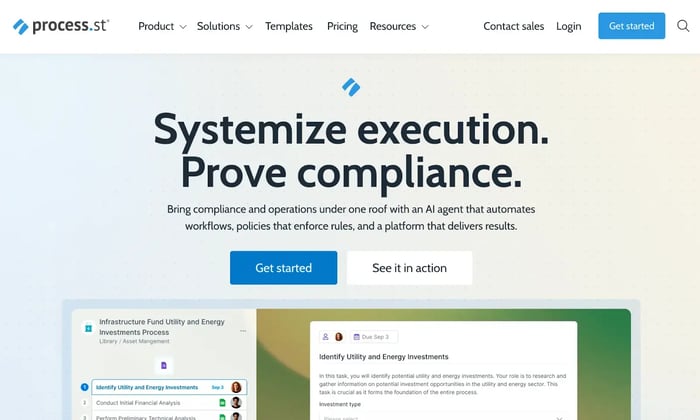
Process Street’s homepage
Process Street is a checklist-based workflow tool focused on operational consistency for recurring activities. It provides a simple environment for teams to document procedures and align execution across users with minimal configuration overhead.
Key features of Process Street
- Checklist workflows for recurring operations
- Role assignments and task sequencing
- Conditional logic for simple paths
- Integrations via Zapier and API
Process Street’s pros
- Extremely easy to use
- Great for standardized repeatable tasks
- Quick setup and adoption
Process Street’s cons
- Limited workflow complexity
- Not suitable for multi-stakeholder approvals
7. Kissflow

Kissflow homepage
Kissflow is a low-code/no-code workflow automation platform that blends structured flows with collaborative task management. It offers an accessible interface for teams seeking to streamline everyday operational activities without deep configuration.
Key features of Kissflow
- Visual workflow builder for routine business processes
- Work management boards for team collaboration
- Basic workflow automation rules
- Reporting dashboards
Kissflow’s pros
- Simple and intuitive interface
- Good for lightweight business workflows
- Easy onboarding
Kissflow’s cons
- Pricing escalates quickly with scale
- Governance limitations for enterprise environments
Also check: Best alternatives to Kissflow
8. AgilePoint
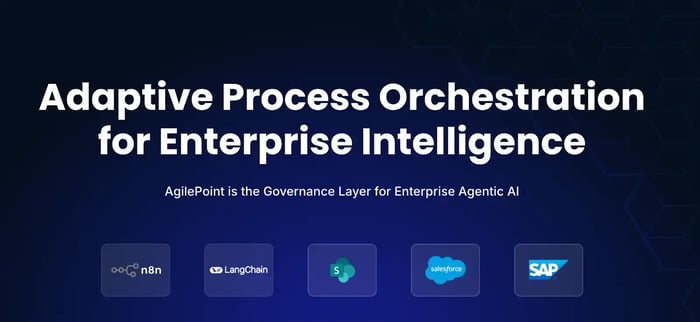
AgilePoint homepage
AgilePoint is a low-code automation platform designed for environments where custom logic and integrations with legacy systems are central to process execution. It supports modular design approaches that accommodate evolving architectural requirements.
Key features of AgilePoint
- Low-code builder for custom business applications
- Integrations with ERP, CRM, DMS, and legacy systems
- Component-based architecture for extensibility
- Multi-environment deployment
AgilePoint’s pros
- Very flexible for complex integrations
- Strong for organizations modernizing legacy workflows
- Scales for enterprise IT requirements
AgilePoint’s cons
- Higher learning curve
- More maintenance than no-code platforms
9. Creatio
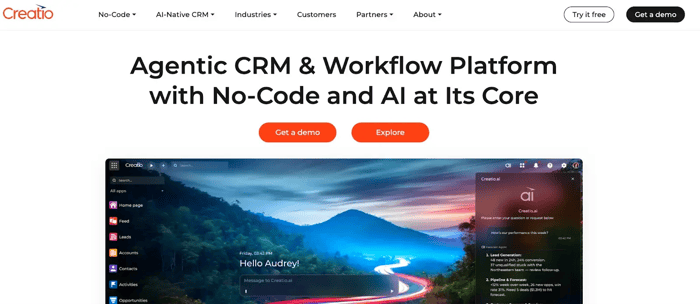
Creatio’s homepage
Creatio is a unified CRM and workflow platform that brings process logic into customer operations. It provides a consolidated workspace where teams can align workflow execution with structured data models and customer lifecycle activities.
Key features of Creatio
- Unified CRM + workflow suite
- Visual process designer
- AI-driven workflow insights
- Configurable data and case models
Creatio’s pros
- Strong synergy between CRM and process automation
- Good dashboards for operations teams
- Useful for sales, service, and marketing workflows
Creatio’s cons
- Overkill for teams that don’t need CRM
- Robust configuration required for non-CRM processes
10. Bonitasoft BPM
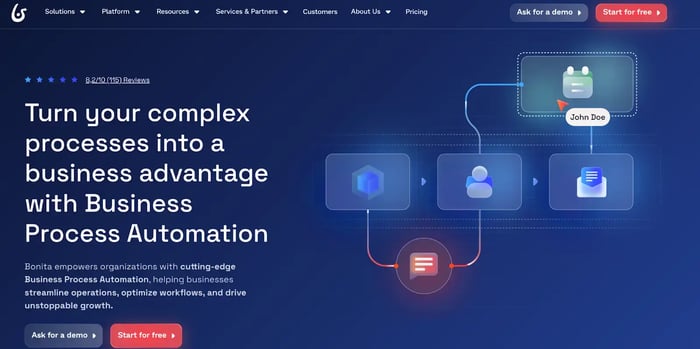
Bonitasoft’s homepage
Bonitasoft is an open-source BPM suite built for developer-led automation initiatives. It provides full access to workflow logic, interface customization, and integration layers, giving technical teams control over process behavior and system interactions.
Key features of Bonitasoft
- Open-source BPM engine
- BPMN workflow mapping
- UI and application customization
- Integration frameworks for technical automation
Bonitasoft’s pros
- Highly customizable
- Suitable for complex system architectures
- Strong engine performance
Bonitasoft’s cons
- Requires coding and developer ownership
- Longer build cycles
How to Choose the Right ProcessMaker Alternative for Your Organization?
Every organization shortlisting ProcessMaker competitors will have different expectations—whether that’s simplifying business process automation, handling complex workflows, supporting business users, or scaling automation across large teams.
The best fit depends on which capability matters most to you.
For instance, if your priority is:
- No-code, AI-powered, enterprise-wide, governance-first process automation within Microsoft 365 → FlowForma
- Documentation-heavy processes and enterprise workflow automation → Nintex
- Case management + low-code enterprise apps → Appian
- BPMN-first modeling and simulation for process design → Bizagi
- Standardized SOPs and recurring checklists → Process Street
- CRM-plus-workflow orchestration for sales/service teams → Creatio
- Developer-centric BPM for fully tailored automations → Bonita BPM
Across these alternatives and competitors, FlowForma stands out for organizations seeking governed no-code automation that business users can own without relying heavily on professional developers.
Below is a quick comparison of how FlowForma functions against ProcessMaker in critical areas such as deployment, compliance, security, automation, etc.
|
Focus
|
FlowForma
|
ProcessMaker
|
|
Design experience
|
No-code builder with natural-language workflow creation, minimal IT dependency; accessible to non-technical users
|
Low-code approach requiring more technical know-how
|
|
Ease of adoption
|
Built for business users and rapid rollout
|
More suited to IT-led deployments
|
|
AI and automation capabilities
|
AI agents, automated discovery, summarization, and workflow generation
|
Limited native AI; depends on extensions
|
|
Process management
|
Strong for automating workflows, approvals, and structured business processes
|
Mature BPM engine suited for formal process management
|
|
Document and form handling
|
Built-in document generation and configurable forms
|
Form builder available; complex setups need customization
|
|
Microsoft 365 integration
|
Deep, native SharePoint + Teams + M365 integration
|
No native Microsoft alignment
|
|
Compliance and governance
|
Unified governance, audit trails, secure client-side data paths
|
Governance varies by configuration
|
|
Speed of deployment
|
Fast setup; suitable for businesses seeking quick time-to-value
|
Longer implementation cycles
|
|
Scalability
|
Works well across departments and large enterprises
|
Scales best with IT ownership and structured environments
|
How FlowForma compares to ProcessMaker across key features and automation capabilities.
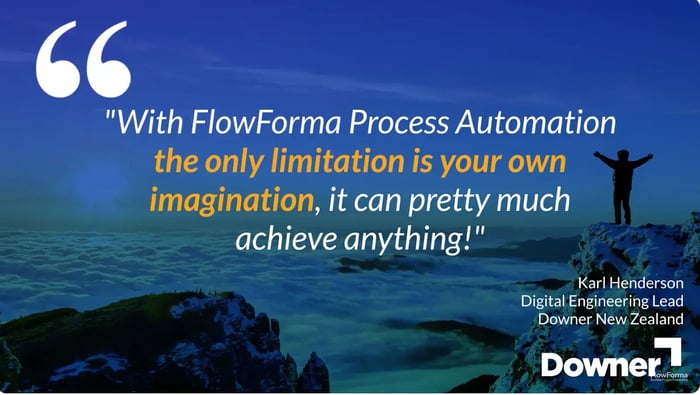
Streamlined workflows and measurable business results with FlowForma
While ProcessMaker serves organizations with IT departments ready to manage low-code development environments, FlowForma empowers business users to own their process automation journey.
While traditional business process automation (BPA) platforms require professional developers and extended cycles, FlowForma's friendly no-code interface lets business users design approval workflows, create custom forms, and launch automation in weeks.
For enterprises and mid-sized businesses ready to accelerate their AI automation journey in a cost-efficient manner without the technical dependencies, FlowForma delivers the all-in-one solution you need.
Book a demo to see how quickly your teams can move from manual processes to fully automated workflows with FlowForma. Or see how FlowForma fits into your business operations, sign up for a 30-day free platform trial (without sharing credit card details) today!
FAQs
1. Has ProcessMaker been acquired or merged?
Yes, ProcessMaker has merged with Decisions. Decisions is the lead brand going forward. The two platforms are in the process of consolidating platforms into one unified system.
2. Is ProcessMaker still available after the Decisions merger?
No, ProcessMaker is not longer available. When you visit processmaker.com you are automatically redirected to the decisions.com website. As of writing, the technical documentation websites of both platforms are still available, but ProcessMaker documentation will be merged into the Decisions documentation in the coming months.
3. How do I know if a ProcessMaker alternative can handle complex workflows across multiple teams?
Look for a BPM platform that supports modeling processes, case management, and process automation with strong integration capabilities. These tools manage complex workflows smoothly and give business users clearer visibility into approval workflows and data management.
4. Can non-technical users build and adjust workflows without relying heavily on IT departments?
Yes. Modern business process automation tools are designed for non-technical users, offering user-friendly builders and pre-built connectors. They empower business users to create and update business processes without depending on IT departments for every change.
5. Which ProcessMaker alternative is best for regulated / compliance-heavy industries?
For heavy regulated/compliance-heavy industries look at Pega, Nintex and FlowForma.
6. What should I compare when evaluating automation capabilities across ProcessMaker competitors?
Focus on automation capabilities for automating workflows, handling repetitive tasks, security features, and how well the platform integrates with other business tools.
7. How do ProcessMaker competitors support businesses seeking to scale automation across departments?
Solutions in the business process management space help businesses seeking consistent processes by offering a broad range of workflow tools, strong integration capabilities, and process intelligence.
8. What makes FlowForma different from other BPM platforms when managing complex workflows across enterprise clients?
FlowForma runs inside Microsoft 365 with built-in governance, strong process management, and integration capabilities. Enterprise clients get consistent handling of complex workflows, document automation, and case management without needing specialist developers—a major gap in many BPM platform alternatives.
9. Can FlowForma replace multiple business tools for teams with repetitive tasks and fragmented workflows?
Yes. FlowForma combines workflow design, document creation, and process automation in one tool. This reduces repetitive tasks, improves data management, and removes the need for other business tools, giving organizations an all-in-one solution for automating workflows at scale.