Every day government agency teams process millions of documents including permits, contracts, HR forms and procurement requests.
Handling these requests in manual workflows such as email threads slows down the information trail, approvals take longer and compliance is much harder to stay on top of.
On top of the operational challenges, both employees and the public become frustrated with a slow service.
Transitioning to document automation has a real and tangible impact for government bodies as instead of chasing emails or looking for files on individual computers, a central digital repository is created with audit trails and complete visibility.
In this guide, I'll discuss how document automation works, which document types to automate first, and how agencies like Utah's Department of Health and Human Services are already doing it.
What is Government Document Automation?
Document automation in the public sector refers to the process of using software to create, manage, and process documents with minimal human input.
Instead of relying on manual filing systems and paper-based workflows, government agencies are increasingly turning to digital tools that handle everything, including form population, approval routing, e-signatures, and secure storage.
While legacy systems often involve emailing attachments, printing forms, and passing paper documents across departments, automated workflows are dynamic. They enable real-time collaboration, eliminate bottlenecks, and standardize how information flows between teams.
Watch: Before we dive into the mechanics of government document automation, here’s a quick look at how FlowForma is helping public sector teams automate document-heavy processes in real time.
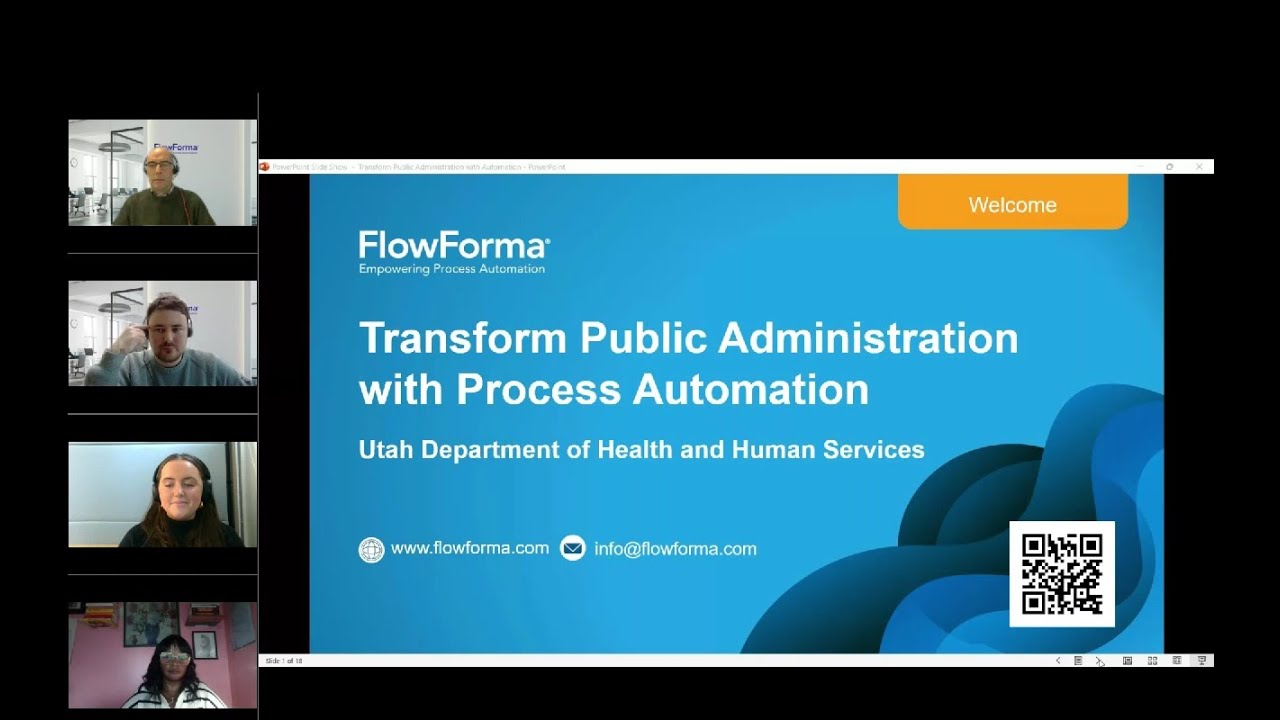
In this recent webinar I hosted, you'll see a real-world case study of how the Utah Department of Health and Human Services is driving its digitalization with the FlowForma Process Automation platform.
Sarah Klenk, describes how she government organization manages its contracts and grants via a digital platform to steamline communications, improve document management and enhance customer service.
Utah Department of Health and Human Services describe how they manage contracts and grants
Current Challenges in Government Document Management
Let’s take a closer look at some of the changes plaguing government document automation:
1. Fragmented and outdated systems
Many government departments still rely on legacy tools like InfoPath and SharePoint Designer. These systems weren’t built for today’s collaborative, digital-first environment, making it hard for teams to maintain consistency or scale their processes.
In addition, document formats often differ from one department to another—creating silos where information is hard to access, validate, or share.
2. Manual processes and paperwork overload
Government operations are documentation-heavy, and when forms must be filled out manually, printed, routed for signatures, and scanned back into email chains, it eats into hours of productive time.
Approvals are delayed. Requests pile up. And when it’s time to conduct audits, the lack of a standardized system means digging through mismatched files and incomplete records.
3. Lack of transparency and compliance risk
Without centralized, trackable workflows, it is difficult to ensure compliance. Most manual systems lack reliable version histories or audit trails, making it tough to verify who approved what and when.
The lack of transparency opens the door for missed deadlines, regulatory penalties, and even data security concerns.
Benefits Of Document Automation For Government
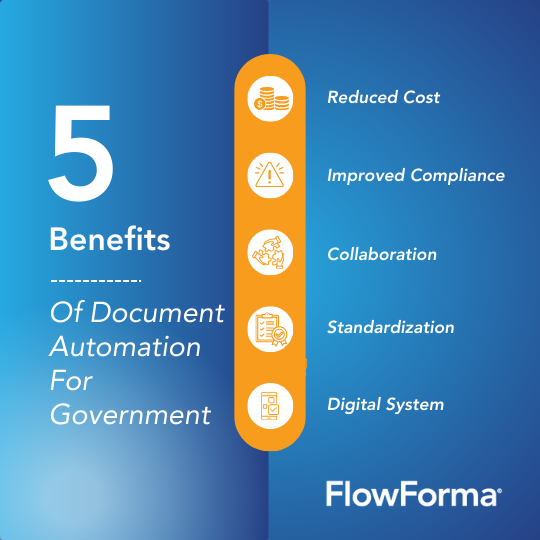 Five benefits of document automation for governments
So, what does this shift to automated government document management mean for teams in practice?
Let’s have a look at the benefits:
1. Increased efficiency and cost savings
Automated workflows streamline tasks like data entry, form routing, and contract generation, allowing teams to process requests faster and reduce costs associated with paper-based work.
2. Improved compliance and data security
Government agencies are under constant pressure to meet evolving regulatory requirements. Automation in the government sector improves compliance by ensuring consistent documentation, maintaining complete audit trails, and enforcing access controls.
To see how this works in practice, watch how agencies using FlowForma have streamlined compliance-heavy workflows, making audits easier and approvals fully traceable from start to finish:
3. Enhanced collaboration and transparency
With centralized dashboards and real-time visibility, teams can track document status, identify delays, and collaborate across departments more effectively.
For example, the City of San Antonio automated its council agenda and minutes process, enabling timely publication and improved access for both staff and the public, which boosted transparency and accountability.
4. Standardization of data and process scalability
Automation enforces consistency across all documentation. By using structured digital forms and pre-defined workflows, government departments can ensure data accuracy and scale operations without duplicating effort.
5. Modern digital system
Transitioning from legacy platforms like InfoPath can significantly enhance government operations by enabling more streamlined workflows, improved data management, and increased productivity.
Platforms such as FlowForma provide fast and intuitive ways to migrate from legacy platforms to modern digital cloud-based workflow platforms. For example, FlowForma provides a convenient InfoPath migration tool that accelerates the migration process.
Document Automation Tools for Government: Feature Comparison
Choosing the right platform depends on your existing tech stack, compliance requirements, and whether your team has developer resources. Here's how the leading options compare for public sector document automation.
| Feature |
FlowForma |
Microsoft Power Automate |
Nintex |
DocuWare |
| No-code form builder Build forms without developer help |
✓ Drag-and-drop, AI-assisted |
~ Power Apps required |
✓ Nintex Forms add-on |
✓ Template-based |
| Native Microsoft 365 & SharePoint No middleware or connectors needed |
✓ Built natively on M365 |
✓ Microsoft-native |
~ Connector required |
✗ Separate platform |
| Built-in audit trail & version history Full approval log, timestamps, user attribution |
✓ Included out of the box |
~ Requires configuration |
✓ Available |
✓ Core feature |
| E-signature support Sign documents without leaving the workflow |
✓ Built in, no add-on needed |
~ Via Adobe Sign / DocuSign |
~ Via third-party integration |
✓ Included |
| AI-assisted workflow creation Generate workflows from diagrams or paper forms |
✓ AI Copilot — upload any form |
~ Copilot Studio (separate licence) |
✗ Not available |
✗ Not available |
| Document generation Auto-create PDFs and Word files from workflow data |
✓ Included, no third-party plugin |
~ Via Word Online / connectors |
~ DocGen add-on required |
✓ Core capability |
| Government case studies Verified public sector deployments |
✓ Utah DHHS, NHS, Eurofound |
✓ Various agencies |
✓ Available |
~ Limited public examples |
| InfoPath migration support Convert legacy forms without rebuilding from scratch |
✓ Dedicated migration utility |
~ Manual rebuild required |
~ Partial tooling available |
✗ Not applicable |
| Pricing model Predictability for government budget cycles |
Process tier
Priced per process tier
|
Per-user
Premium connector costs extra |
Per-user or per-process
Variable depending on tier |
Per-user, modular
Module-based add-ons |
✓ Fully supported ~ Partial / requires add-on ✗ Not available
AI-Powered Document Automation for Government: What's Changed
AI has transformed what's possible for government bodies. Take FlowForma Copilot for example. It can read uploaded images and documents and create a digital workflow based in the data inside the documents automatically.
For teams managing lots of process variations this is extremely useful. For example, a HR team can upload an existing onboarding form and Copilot will automatically generate the digital workflow.
Another leap in evolution is the ability of AI to extract information from documents. With FlowForma agent rule teams can extract data from large documents at the click of a button. This saves admin time and boosts the productivity of government workers. The agent can also flag document submission patters such as incomplete grant applications.
Another key innovation is an AI agent to help automate vendor risk documentation. This AI agent will analyse the documents, categorize vendor risk and auto-approve low risk vendors.
What Are The Types Of Government Documents That Can Be Automated?
From HR forms to citizen services, document automation for government applies across all areas where repetitive, form-driven work still dominates.
Here’s a look at the key categories that are ripe for automation and how agencies are streamlining them:
1. Administrative government documents
Administrative documents are often the most repetitive: travel requests, staff onboarding forms, and leave applications pass through multiple hands before getting processed. Automation speeds up repetitive tasks by routing forms instantly, applying rules, and notifying the right stakeholders at the right time.
For example, Blackpool Teaching Hospitals NHS Foundation Trust in the UK streamlined several administrative workflows using FlowForma, including onboarding, accommodation requests, and internal reporting.
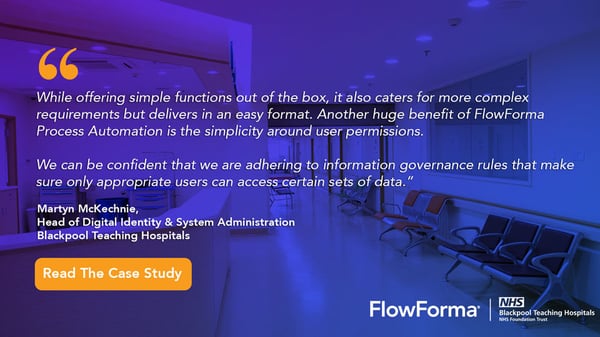 Blackpool Teaching Hospitals NHS Trust streamlined manual processes with FlowForma to support NHS transformation.
By digitizing these processes, the trust reduced delays, improved data accuracy, and freed up staff to focus on patient care rather than paperwork.
2. Financial government documents
Budget planning, grant requests, and purchase requisitions demand transparency and control. In these areas, even a small delay or error can affect public spending.
With digital process automation, government departments can ensure that they streamline budget approvals, track disbursements in real time, and ensure every financial decision is audit-ready.
3. Legal and compliance government documents
Managing contracts, regulatory filings, or Statements of Work (SOWs) requires strict adherence to legal standards, and automation improves the reliability with which such tasks are completed.
The eFLINT system is one such example, helping government bodies automate compliance by formalizing legal norms into executable workflows. By reducing the need for manual interpretation, it ensures policy alignment and simplifies legal document handling at scale.
4. Public-facing documents
Citizen service forms—from permits to license applications—are often the first touchpoint between the public and government. When handled manually, they lead to queues, paperwork, and delays.
The London Borough of Camden has made significant strides in digitizing its citizen-facing services, including planning applications, parking permits, and benefits forms.
By transitioning these processes online, Camden Council has enhanced administrative efficiency, improved form accuracy, and provided residents with easier access to services without the need for in-person visits.
Use Cases Of Government Document Automation
Document workflow automation isn’t limited to one department—it spans everything from safety audits to vendor onboarding.
Let’s look at how different teams across the government are putting document automation into practice.
1. Health and safety
In public health departments, generating accurate documentation, such as inspection reports, incident summaries, and compliance forms, is essential for a timely response and regulatory compliance. With document automation tools like FlowForma and an integrated AI Copilot, health inspectors can instantly generate structured reports that auto-fill with location data, inspection results, and pre-approved language.
2. Human resources
Government HR teams juggle a high volume of internal paperwork.
Automating workflows such as onboarding, performance reviews, and appraisals standardizes these processes across departments, reduces errors, and ensures secure handling of sensitive employee records.
It also frees the HR staff to focus on more strategic tasks like talent development and diversity hiring initiatives.
Eurofound is a government agency that supports European Union and national policymakers in delivering policies to improve living and working conditions in the EU. Eurofound deployed FlowForma to support streamlining and automating its Human Resource Development Plan (HRDP). With a more streamlined HR process, Eurofound improved productivity by 75% and ensured critical compliance goals were met.
Learn more about how Eurofound streamlined HR with FlowForma in this video.
The team at Eurofound describe their experience of automating its HR processes
3. Finance and procurement
Government finance teams manage approval-heavy, time-sensitive processes, such as grants, contracts, travel reimbursements, and purchasing requests. These workflows require multi-level approvals, strict compliance, and transparent audit trails.
To meet these needs, the Utah Department of Health and Human Services (DHHS) adopted FlowForma to digitize and streamline over a dozen finance-related workflows.
Before automation, contract approvals at DHHS could stretch across two months due to six layers of manual sign-off. With FlowForma, that timeline dropped dramatically; urgent contracts are now approved in a day, while standard ones clear within five.
FlowForma’s built-in audit trails and metadata tracking also simplified compliance. DHHS now maintains clear records of who approved what and when, supporting full audit transparency.
FlowForma's approach to government document automation extends well beyond contract management, covering HR, finance, compliance, and citizen-facing workflows across the public sector.
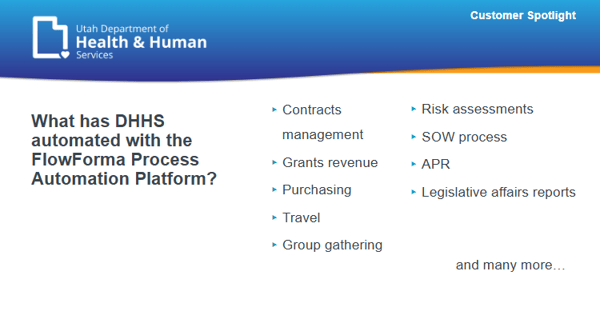 Wondering what government documents can be automated? Here's how DHHS is transforming document automation with FlowForma.
4. IT and operations
IT teams in government agencies handle structured, repeatable workflows such as change requests, equipment provisioning, access control, and issue tracking.
Document automation for government streamlines these operations by standardizing forms, reducing approval delays, and ensuring updates are properly logged without adding to the support queue.
What Are The Best Practices For Adopting Document Automation For Government?
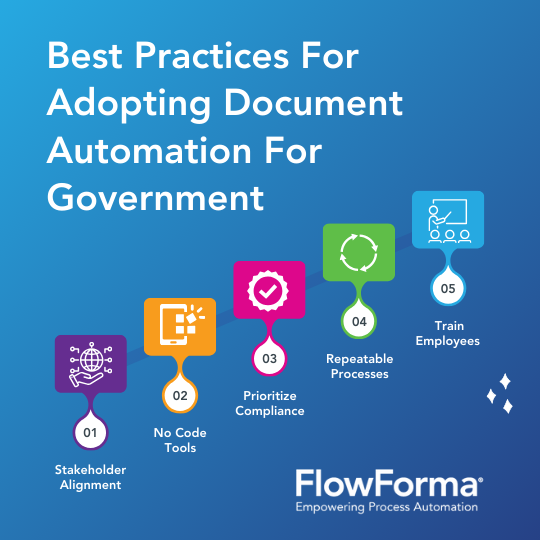 5 best practices for adopting document automation for government
As more teams adopt document automation for government, following these best practices can help drive successful implementation and adoption:
1. Start with stakeholder alignment
Successful adoption begins with the right support. Secure buy-in from leadership early on by showing how automation aligns with strategic goals like improving service delivery, reducing processing times, or ensuring compliance.
Help operational managers visualize outcomes using real examples, pilot data, or simplified demos that show what’s possible.
2. Choose user-friendly, no-code tools
Ease of use makes or breaks adoption. A no-code solution like FlowForma allows businesses to build and manage workflows.
Such flexibility empowers teams to digitize processes independently, reduces reliance on IT, and speeds up time to value.
3. Prioritize compliance and security features
Government processes must meet strict regulatory and security standards. Choose tools that offer built-in audit trails, metadata tracking, and digital signatures to support audit-readiness. Thus, every action is traceable and every document can stand up to scrutiny.
4. Pilot with high-impact, repeatable processes
Start with workflows that are document-heavy, repetitive, and cross-functional like contracts, grants, or travel approvals. These processes are easier to automate and show measurable results quickly, making them ideal for building internal support and proving ROI early.
5. Train and support change management
Automation isn’t plug-and-play. Offer onboarding support, process documentation, and continuous training to help teams feel confident using the new system.
When users understand how automation makes their work easier, adoption becomes a bottom-up movement, not just a top-down mandate.
How Does Government Document Automation Work?
Modern government workflows no longer need to rely on paperwork, spreadsheets, or disconnected systems. With the right platform, document automation for government becomes a structured, repeatable process.
FlowForma’s AI Copilot simplifies how workflows are built and maintained. Users can upload a flowchart, a hand-drawn diagram, or even a photo of a paper form, and Copilot will generate a digital workflow based on the content. This allows teams to convert existing processes into live, automated workflows in minutes.
In this interactive demo, you can see how an onboarding process can be created by onboarding new government workers.
Here's how it looks in practice:
1. Form creation and data input
Every automated workflow starts with a digital form. Tools like FlowForma Process Automation allow users to create forms with fields that auto-fill using data from internal databases.
Whether it’s employee details or grant numbers, teams can reduce manual input and maintain data accuracy from the start.
Forms can be uploaded to Copilot and generated automatically with the power of AI. This video walks through how FlowForma users design and customize digital forms.
2. Workflow design and approval routing
Once the form is ready, a drag-and-drop builder allows users to define how it moves across departments. For example, an HR onboarding form can send tasks to payroll, IT, and security simultaneously.
Using FlowForma, users can apply logic, such as routing requests based on value thresholds or department roles. This flexibility means teams can update workflows as requirements evolve without touching code.
Users can generate workflows, add steps, and rules in minutes with FlowForma Copilot.
3. Document generation
As approvals progress, the system automatically generates polished, compliant documents (PDFs, Word files, or custom templates).
With FlowForma, this capability is included out of the box, meaning:
- No need for third-party plugins or paid add-ons
- No reliance on external tools for formatting or template control
- Full customization using internal branding and legal standards.
4. Signatures and approvals
With built-in e-signature functionality, approvals can happen instantly—no downloading, scanning, or chasing emails. For public sector teams managing high volumes of contracts or requests, immediate approval removes significant friction.
5. Storage and audit
Completed documents are stored in a secure, searchable archive.
FlowForma automatically captures metadata, timestamps, and approval logs, helping teams stay audit-ready and confident in their compliance.
Simplify Complex Government Workflows With FlowForma Document Automation
Document automation is transforming how government agencies manage internal operations, streamline approvals, and deliver better public services. FlowForma offers a no-code, all-in-one solution designed specifically for the public sector, empowering departments to automate document-heavy workflows without relying on technical teams.
With FlowForma, agencies can eliminate paper-based processes, improve accountability, and deliver services with greater speed and accuracy.
Start your automation journey, book a demo or explore a free trial today!