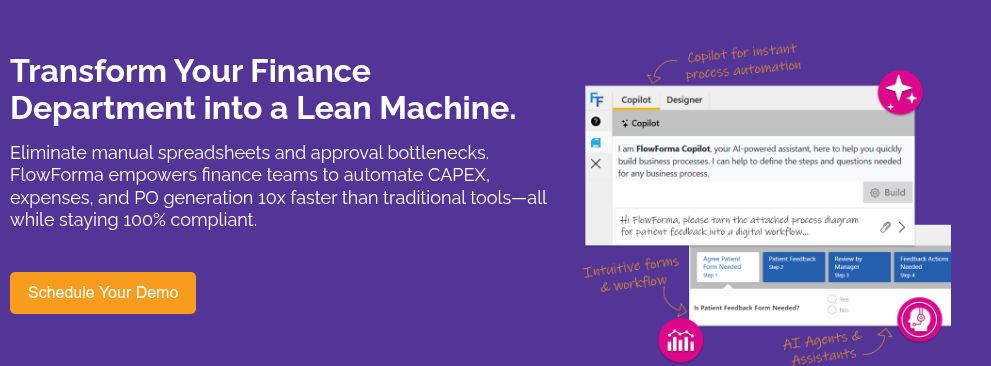
Choosing finance automation software often comes down to one frustrating question: will this actually reduce manual work, or just shift it somewhere else? Many tools automate parts of the process but still leave your team chasing approvals, fixing exceptions, or reconciling across systems.
This guide focuses on that reality, helping you compare platforms based on how they handle everyday finance tasks so you can choose a tool that genuinely simplifies your workflows instead of complicating them.
|
Our list covers 10 finance automation platforms, including our own tool, FlowForma. We want to be transparent about that.
Each tool was evaluated based on what finance automation looks like in day-to-day operations, including:
- Accounts payable and receivable automation
- Workflow automation for approvals and financial controls
- Invoice processing and payment execution
- Financial visibility and audit readiness
- Multi-entity and multi-currency support
- Integration with accounting systems and ERPs
- Ease of use for finance teams without heavy IT dependency
- AI capabilities for data extraction and forecasting
- Scalability across growing transaction volumes
- Pricing transparency and implementation effort
Where platforms had verified reviews, we used those to validate our analysis. Where they did not, we evaluated them directly to ensure a balanced and consistent comparison.
|
Based on these criteria, the table below gives you a quick overview of the 10 finance automation tools,
|
Tool
|
Best For
|
AI & Automation Strength
|
|
Creatio
|
Financial services teams needing workflow + CRM automation
|
Moderate AI with workflow automation and predictive insights
|
|
Stampli
|
AP teams focused on invoice processing and approvals
|
Strong AI for invoice capture, coding, and approval workflows
|
|
FlowForma
|
Teams digitising finance workflows without IT dependency
|
Moderate AI with no-code workflow automation and process guidance
|
|
Tipalti
|
High-volume global payables and compliance-heavy operations
|
Strong automation across global payments, tax, and invoice processing
|
|
Airbase (now Paylocity)
|
Mid-market teams managing spend, AP, and cards in one place
|
Strong AP automation with AI-based invoice capture and approval routing
|
|
BILL
|
SMB finance teams automating AP and AR basics
|
Moderate automation for invoicing, payments, and approvals
|
|
Dynamics 365 Finance
|
Enterprises managing complex financial operations
|
Advanced AI with financial insights, forecasting, and automation
|
|
Kissflow
|
Small teams automating internal finance workflows
|
Basic to moderate automation for approvals and process tracking
|
|
Sage Intacct
|
Finance-first teams needing deep accounting automation
|
Strong automation in GL, consolidation, and revenue recognition
|
|
Nintex
|
Teams automating document-heavy finance workflows
|
Moderate automation with workflow, document generation, and RPA
|
10 leading finance automation tools
Let’s explore each platform in detail, starting with FlowForma.
1. Airbase (acquired by Paylocity)

Paylocity’s homepage for finance automation
Airbase (now part of Paylocity) is a procure-to-pay platform built for mid-market and enterprise finance teams who want to consolidate spend management into one place.
You can manage AP, employee expenses, corporate cards, and vendor payments without juggling multiple tools. It's particularly strong if your team needs real-time visibility into non-payroll spend across entities.
Key features of Airbase
AI-powered AP automation
Automatically captures invoices, suggests GL coding, routes approvals, and schedules payments with minimal manual input.
Guided procurement
Lets employees request purchases through a no-code intake flow that routes automatically to finance, legal, or IT, enforcing policy compliance before spending is committed.
Corporate card management
Issue virtual and physical cards with configurable spending limits, auto-synced transactions, and receipt matching, giving finance teams control without micromanaging employees.
Multi-entity and multi-currency support
Handles AP and payments across subsidiaries in multiple countries and currencies, supporting ACH, wire, virtual card, and check.
ERP integration
Connects natively with NetSuite, Sage Intacct, and QuickBooks, so your chart of accounts, vendor data, and approvals sync without duplicate entry.
Pros and cons of Airbase
Pros
- Single platform for AP, expenses, and cards
- Intuitive and user-friendly platform for finance and non-finance users alike
- Excellent and responsive customer support
Cons
- Reporting customisation is notably limited and perplexing
- Misalignment in policy and notifications
- Pricing requires direct sales engagement
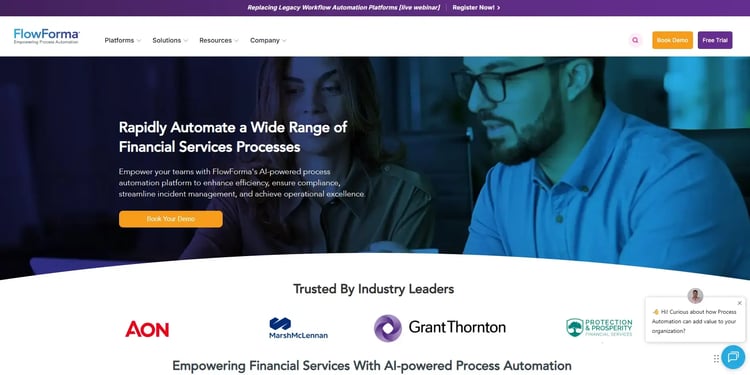
FlowForma’s finance solution page
For finance teams that want to digitise approval workflows and request processes without waiting on IT, FlowForma offers a 100% no-code environment for building and deploying automation quickly.
You can create forms, approval chains, and document-generation flows for processes such as invoice approvals, purchase requests, and compliance reporting. Teams that prioritise fast deployment and measurable ROI tend to get up and running with it sooner than with more complex platforms.
Key features of FlowForma
Dynamic intake forms with conditional logic
FlowForma lets you build smart digital forms that adapt based on what a vendor, employee, or approver inputs. Only relevant fields appear at each stage, and built-in validations prevent incomplete submissions from progressing, so the data your finance team receives is accurate from the first touchpoint.

FlowForma’s AI-powered forms
AI-powered workflow builder (Copilot)
Describe your finance process in plain language, upload an existing form, or use voice input, and Copilot automatically structures the steps, fields, and conditional logic for you. Whether you're digitising a manual invoice approval process or setting up a new procurement workflow, you can go from concept to a deployable automation in minutes—without writing a single line of code.
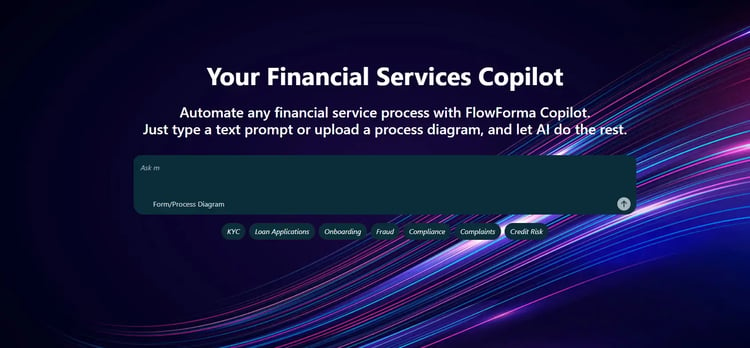
FlowForma playground for your finance functions. Try here!
Microsoft 365 integration
FlowForma works natively with SharePoint, Teams, and Outlook, so workflow data flows directly into the tools your finance, procurement, and operations teams are already working in every day.
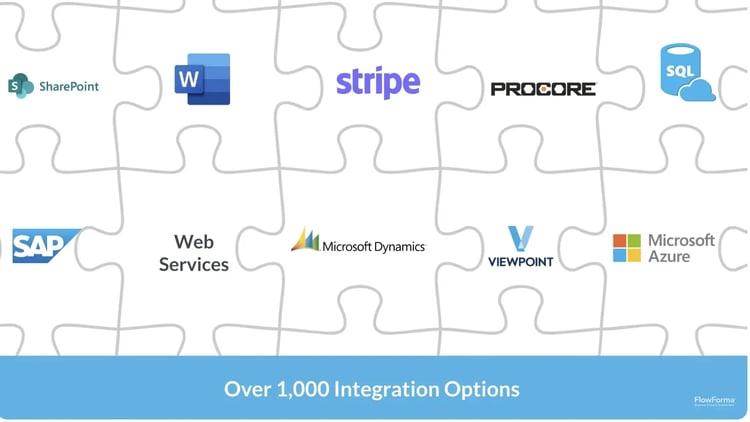
A look at how FlowForma integrates with other platforms
Approval notifications land in Teams, supporting documents are stored in SharePoint, and your team never has to leave familiar tools to keep processes moving.
Automated routing, approvals, and escalations
You can define rules that automatically route submissions based on spend value, cost centre, or transaction type. High-value or out-of-policy requests go straight to senior finance approvers, while routine transactions move through the approval chain faster with minimal manual intervention.
One-click document generation
Once an approval decision is made, FlowForma generates the relevant documents directly from the captured data. Purchase orders, payment confirmation letters, audit-ready approval records, or compliance sign-off documents are produced automatically.
Pros and cons of FlowForma
Pros
- Fully no-code and accessible to finance users
- Quick to deploy with fast time-to-value
- Pricing is transparent and predictably user-based
Cons
- Not a dedicated AP or accounting tool
- Complex processes may still need IT input
- Applying rules can be challenging initially, though onboarding and support are helpful
3. Creatio

Creatio’s homepage
If your finance team operates in banking, insurance, or financial services and manages both internal workflows and client relationships, Creatio is worth exploring. It's a low-code and no-code platform that combines CRM with business process automation, letting you build custom workflows without heavy IT involvement.
The dual focus on finance operations and customer-facing processes makes it a flexible option for teams that need both.
Key features of Creatio
No-code process designer
Lets finance and operations teams build and modify approval workflows, compliance checklists, and financial request forms using a drag-and-drop interface—no developer required.
360-degree customer view
Centralises client data, interaction history, and transaction records in one profile, helping finance teams in customer-facing roles manage relationships more effectively.
Workflow automation across departments
Automates cross-functional processes, such as budget approvals, procurement requests, and finance sign-offs, across multiple business units from one platform.
AI and machine learning tools
Supports predictive analytics, automated data enrichment, and machine learning-powered insights that can help finance teams forecast and identify patterns in client behaviour.
Open API and integrations
Connects with Microsoft 365, Google Workspace, QuickBooks, and more, allowing your finance tech stack to stay connected without custom development.
Pros and cons of Creatio
Pros
- No-code setup deploys finance workflows quickly without heavy IT involvement
- Integrations keep financial and operational data connected across systems
- Flexible enough to support different finance processes across teams
Cons
- Complex financial logic may require additional configuration and higher-tier plans
- Out-of-the-box capabilities may need training before teams can use them effectively
- Access to phone support is restricted to higher-tier paid plans
3. Stampli
Built around making invoice processing faster and more collaborative, Stampli is an AP automation platform that keeps all invoice communication, approvals, and documentation in one place. Its AI assistant, Billy the Bot, handles much of the routine data entry and coding so your AP team can focus on exceptions. Finance teams that want a quick implementation without reconfiguring their ERP tend to find it a practical fit.
Key features of Stampli
AI-powered invoice processing
Learns your company's GL coding patterns and approval rules over time, automatically capturing invoice data, suggesting codes, detecting duplicates, and routing for approval.
Centralized invoice communication hub
Keeps all invoice-related conversations, documents, and tasks directly on the invoice itself. This removes scattered email threads and makes audit trails clean and complete.
ERP integration (70+ systems)
Mirrors your existing ERP's structure, including NetSuite, Sage Intacct, QuickBooks, and Microsoft Dynamics, without requiring ERP reconfiguration.
PO matching
Supports two-way and three-way matching with the ability to handle partial deliveries, split POs, and line-level matching, reducing the risk of overpayment.
Stampli direct pay
Processes ACH, checks, wire transfers, virtual cards, and international payments directly within the platform, consolidating payment methods in one place.
Pros and cons of Stampli
Pros
- Faster implementation and straightforward platform management
- Customer support is consistently well-rated
- Approval workflows are highly configurable due to the platform’s intuitive UI
Cons
- Procurement capabilities are fairly basic
- Pricing is not publicly disclosed and comes with hidden costs
- Workflow limitations increase manual effort and slow operations
5. Tipalti
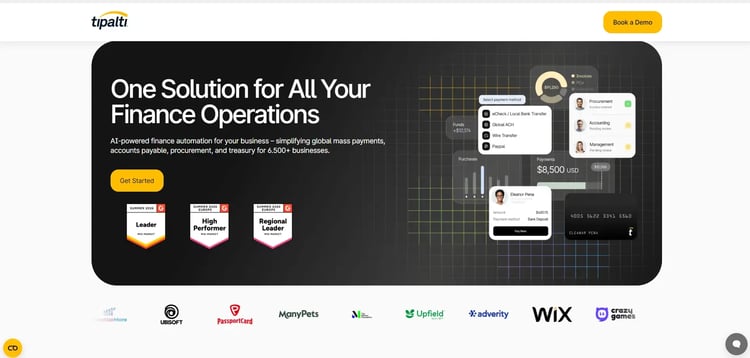
Tipalti’s homepage
Tipalti is built for finance teams that manage global supplier payments at scale. It automates the entire accounts payable cycle, from supplier onboarding and tax form collection through to payment execution across a wide range of countries and currencies.
Key features of Tipalti
Global payment automation
Processes supplier payments across multiple countries and currencies via ACH, wire, check, virtual card, and local payment methods, with built-in FX management.
Tax compliance (W-9/W-8, 1099/1042-S)
Collects and validates supplier tax forms, handles withholding calculations, and generates year-end tax prep files, including IRS eFiling support.
Supplier self-service portal
Allows vendors to onboard themselves, update banking details, and check payment status without your team acting as an intermediary.
OFAC and sanctions screening
Automatically screens every payment against OFAC and other global sanctions lists before processing, reducing compliance risk.
Automated invoice processing and approval workflows
Captures invoices, routes them through configurable approval chains, and reconciles payments back to your GL with minimal manual intervention.
Pros and cons of Tipalti
Pros
- Best-in-class for global payment compliance, with responsive customer support
- Automates invoice data capture and payment processing
- Strong fit for high-volume, multi-entity operations
Cons
- Batch loss and manual updates slow workflows
- Limited to accounts payable with restricted card support and payment flexibility
- Reporting and UI have usability limitations with a clunky interface
6. BILL
.webp?width=750&height=364&name=bILL%20(1).webp)
BILL’s homepage
If you're moving beyond manual bill payments and spreadsheets but don’t need a complex enterprise system, BILL offers a practical starting point. It automates accounts payable and receivable for small to mid-sized teams, helping you run a lean finance function with simple, reliable workflows.
Key features of BILL
Accounts payable automation
Captures and routes vendor invoices for approval, then schedules and executes payments via ACH, check, virtual card, or international wire, reducing manual processing steps.
Accounts receivable automation
Creates and sends invoices, tracks payment status, and automates follow-ups, helping your team get paid faster with less manual chasing.
Approval workflows
Configurable multi-step approval routes ensure the right people sign off on payments before they're processed, with a clear audit trail.
Accounting software integration
Syncs directly with QuickBooks, Xero, Sage, and NetSuite, keeping your books up to date without duplicate data entry.
Tiered pricing plans
Offers structured plans at different price points, making it accessible to small businesses with defined budgets.
Pros and cons of BILL
Pros
- Simple setup with an accessible and user-friendly interface
- Covers both AP and AR in one place with comprehensive integrations
- Transparent, predictable pricing structure
Cons
- Requires separate system access for audits and reconciliation
- Requires manual adjustments for exceptions and year-end processing
- International payment options are fairly restricted
7. Microsoft Dynamics 365 Finance
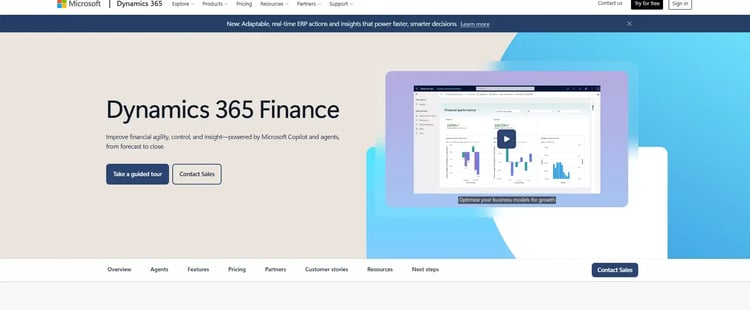
Microsoft Dynamics 365 Finance homepage
For enterprise finance teams already operating within the Microsoft ecosystem, Dynamics 365 Finance brings core accounting, budgeting, and AI-driven financial insights into one connected platform. It automates financial processes across multiple entities and integrates natively with Teams, Power BI, and Azure. The broader Microsoft investment your organisation has already made tends to determine how much value you get from it.
Key features of Microsoft
AI-powered financial insights
Uses built-in AI and Copilot capabilities to evaluate business health, flag anomalies, forecast cash flow, and support smarter financial decision-making through natural language queries.
Automated financial planning and budgeting
Supports financial process automation, encumbrance accounting, and budget control modules to keep spend aligned with the plan across local and international entities.
Role-based workspaces
Personalises dashboards and document views by role, so AP clerks, controllers, and CFOs each see the information most relevant to their work.
Multi-currency and multi-entity management
Handles financial consolidation, intercompany transactions, and regulatory compliance across subsidiaries in multiple countries and currencies.
Microsoft ecosystem integration
Connects natively with Outlook, Teams, Power BI, Power Automate, and the broader Dynamics 365 suite.
Pros and cons of Microsoft
Pros
- Unifies financial data and workflows in one system
- Real-time financial reporting and dashboard visibility with embedded AI and Copilot
- Automates core accounting and transaction recording
Cons
- Challenging initial setup and configuration
- Financial reporting and custom workflows need extra effort
- Performance can slow with high-volume financial transactions
8. Kissflow

Kissflow homepage
Kissflow sits in a useful middle ground between IT-heavy enterprise platforms and overly simple form builders. Finance and operations teams use it to digitise approval processes, procurement requests, and internal workflows through a no-code and low-code environment. Smaller finance teams looking to automate repetitive, structured processes quickly tend to find it accessible and practical.
Key features of Kissflow
Visual workflow builder
Lets business users design approval chains, conditional routing, and task notifications using drag-and-drop tools. It is ideal for finance requests such as budget approvals, expense submissions, and vendor onboarding.
App builder for finance processes
Allows teams to create lightweight form-based applications to support finance operations, without full custom development.
Process analytics and dashboards
Tracks workflow performance, identifies bottlenecks in approval cycles, and provides visibility into task completion status across finance and procurement processes.
Third-party integrations
Connects to CRM, HR, and SaaS tools via built-in connectors, helping reduce manual system updates across departments involved in financial processes.
Collaborative approval management
Lets multiple stakeholders participate in structured approval flows with notifications, status tracking, and comment threads tied to each request.
Pros and cons of Kissflow
Pros
- Easy for non-technical teams to use
- Clean UI and interface makes it easier to create evolving finance processes
- Cost-effective for smaller teams
Cons
- Limited customisation for complex workflows
- Can be outgrown by enterprise-scale teams
- Mobile experience is noticeably reduced
9. Sage Intacct
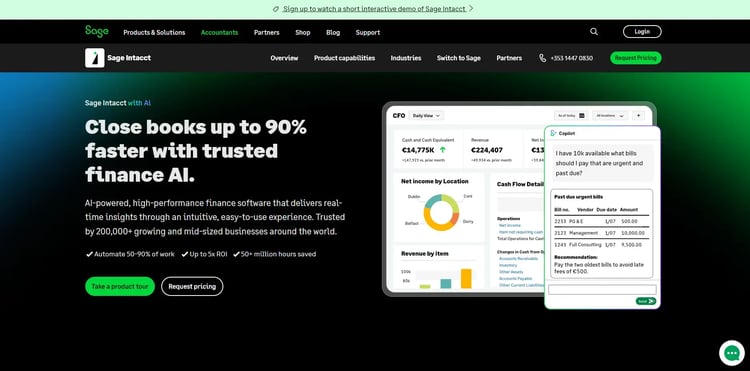
Sage Intacct’s homepage
Designed specifically for accounting and finance teams, Sage Intacct is a cloud-native financial management solution that goes deep where most ERPs go broad. Finance leaders at growing organizations, particularly in professional services, nonprofits, and SaaS, can use it for its multi-entity consolidation, revenue recognition automation, and ability to significantly reduce month-end close time.
Key features of Sage Intacct
Continuous accounting with intelligent GL
Automates routine accounting entries, flags anomalies in real time, and keeps your general ledger continuously accurate.
Multi-entity consolidation
Consolidates financials across multiple legal entities, currencies, and subsidiaries in minutes rather than days, eliminating the need for manual spreadsheet-based consolidations.
Automated AP and AR
Streamlines invoice processing, approval workflows, payments, and collections—with built-in automation cutting AP processing time considerably for many users.
Revenue recognition automation
Supports ASC 606, GAAP, and IFRS 15 compliance out of the box, automatically managing complex revenue schedules without manual intervention.
Customisable reporting and dashboards
Uses a dimensions-based reporting model that lets you slice financial data by project, department, location, or any custom tag for granular visibility into performance.
Pros and cons of Sage Intacct
Pros
- Purpose-built for finance and accounting teams
- Strong reporting capabilities with multi-entity and subscription billing support
- Only AICPA-endorsed financial management software
Cons
- Operational ERP capabilities and connectivities are relatively limited
- Higher price point may deter smaller teams
- Non-finance functions rely on third-party integrations
10. Nintex
Nintex homepage
Finance teams that handle document-heavy workflows, structured approvals, and compliance-driven processes will find Nintex well-suited to their needs. It's a process automation platform that handles contract routing, audit workflows, document generation, and eSignatures, particularly in organisations where governance and traceability matter.
Key features of Nintex
Drag-and-drop workflow designer
Allows teams to build multi-step approval workflows, conditional routing, and process maps visually. It is useful for automating finance sign-off chains and compliance reviews without requiring developers.
Document generation and automation
Automatically creates financial documents such as contracts, approval letters, and reports from structured data collected during workflow execution, reducing manual document preparation.
eSignature integration
Enables digital signing of financial documents and contracts within automated workflows, keeping approvals moving without printing or manual handoffs.
Microsoft 365 and SharePoint integration
Fits naturally into Microsoft-centric environments, connecting Nintex workflows with Outlook, Teams, and SharePoint to automate document routing and approvals across finance teams.
Process analytics
Provides dashboards and performance data on workflow health, helping finance operations teams identify bottlenecks and track process compliance over time.
Pros and cons of Nintex
Pros:
- Intuitive no-code interface for deploying finance workflows
- Strong audit and compliance tracking with good integration support
- Adapts well to both simple and complex processes
- Quick setup without heavy technical expertise required
Cons:
- Pricing becomes expensive as workflows, environments, and users scale.
- Requires governance and technical oversight for complex process implementations.
- May require integrations for broader finance use cases
Final Roundup: Which Finance Automation Software Is Right for You?
Every platform here solves a different finance automation need. Here’s a quick way to find the right fit for your team.
|
Tool
|
Best Fit
|
|
Airbase
|
Unified AP, expenses, and cards with strong spend visibility
|
|
Creatio
|
Finance workflows tied to CRM and customer data
|
|
Stampli
|
Invoice processing and approval automation without ERP changes
|
|
FlowForma
|
Fast, no-code finance workflow automation in Microsoft 365
|
|
Tipalti
|
Global payables, supplier onboarding, and tax compliance
|
|
BILL
|
Simple AP and AR automation for small to mid-sized teams
|
|
Dynamics 365 Finance
|
Complex, multi-entity enterprise financial operations
|
|
Kissflow
|
No-code automation for internal finance approvals and requests
|
|
Sage Intacct
|
Deep accounting automation and financial consolidation
|
|
Nintex
|
Document-heavy finance workflows with structured approvals
|
10 finance automation software and their best-fit use case
Automate Your Critical Finance Functions With FlowForma
Among these tools, FlowForma stands out for how quickly finance teams can move from manual processes to automated workflows. You can describe an approval flow or request process, and Copilot helps you build the logic without starting from scratch.
Your team works within Microsoft 365, so there’s no need to switch systems. Every step is tracked, giving you clear visibility and audit-ready records from the start.
If you want to reduce manual effort and bring more control to your finance operations, you can book a demo or start a free trial.