Insurance leaders today face a clear challenge: claims need to move faster. Customers expect quick updates and timely settlements, while regulators demand proper documentation and process control. Delays are no longer just operational issues—they directly affect reputation and cost.
At the same time, insurers cannot afford rising administrative overhead. A well-chosen claims management system helps teams reduce bottlenecks, keep data consistent, and shorten cycle times without increasing headcount.
In this article, we review the leading insurance claims processing software in 2026 and take a closer look at how various enterprise-grade insurance claims processing platforms support structured, workflow-driven claims operations.
The 10 Widely Adopted Insurance Claims Processing Software For Enterprises
Before we dive into the 10 tools, here’s how we built this list, and why it’s tailored specifically to insurance claims teams.
We didn’t rank software based on brand popularity. Instead, we reviewed analyst insights and real customer feedback on review platforms. Our focus was simple: Can the platform actually handle the realities of modern claims processing?
Next, we evaluated each tool based on how well it supports:
- First Notice of Loss (FNOL) and structured claims intake
- Coverage validation and risk scoring
- Adjuster review workflows and multi-level approvals
- Evidence collection (documents, photos, reports) with clear audit trails
- Fraud flags, compliance controls, and supervisory oversight
- Integrations with core insurance systems, policy administration platforms, ERP, GRC, or ITSM tools
We also examined how each platform approaches risk and compliance within claims. Some solutions offer purpose-built insurance or GRC depth. Others rely on configurable workflows and databases to manage claims logic and oversight.
Our goal was to highlight software that can handle real-world claims complexity, not just tools that perform well in a demo.
Based on our evaluation parameters, here is a tabular overview of the most popular insurance claims processing software, including our platform, FlowForma.
|
Software
|
Key Strength
|
Claims-Specific Capability
|
G2 Ratings
|
|
Creatio
|
Strong no-code + AI and flexible workflow design
|
Good at modeling and automating end-to-end claims workflows (configurable case management)
|
4.7/5
|
|
Claimable
|
Built for digital-first claims experiences
|
Simplified digital claims intake + customer touchpoints
|
4.6/5
|
|
Origami Risk
|
Strong risk & compliance focus
|
Claims data tied to risk reporting and safety-linked controls
|
4.6/5
|
|
Appian
|
Enterprise-grade process automation with deep data integration
|
Unified claims case views + fraud detection triggers
|
4.5/5
|
|
Guidewire ClaimCenter
|
Highly customizable claims engine for P&C carriers
|
Core claims lifecycle automation (intake → adjust → settle)
|
4.5/5
|
|
Socotra
|
Cloud-native core replacement
|
Basic claims modules as part of core platform
|
4.5/5
|
|
FlowForma
|
Easy no-code claims workflow setup for business teams
|
Automates FNOL flows & approvals with audit trails
|
4.4/5
|
|
BriteCore
|
All-in-one P&C core with claim workflows
|
Native claims case handling within core system
|
4.3/5
|
|
Pega (Pega Platform)
|
Flexible enterprise low-code workflows
|
Case automation for complex claim decisions
|
4.2/5
|
|
Snapsheet
|
Rapid auto and property claims estimates
|
Fast claim estimates + customer self-service
|
4.1/5
|
Overview of the top insurance claims processing software
Let’s explore each tool in detail.
1. Appian
Best for: Large insurers orchestrating complex, long-running claims across multiple enterprise systems.
.webp?width=1600&height=652&name=undefined-Feb-24-2026-04-06-15-4299-PM%20(1).webp)
Appian’s low-code development platform
Large insurers with complex claims environments often use Appian to orchestrate long-running claims processes across multiple systems. It is designed for organizations that need structured case management, deep integrations, and enterprise-grade governance across policy, billing, fraud, and finance platforms.
Appian is widely recognized as a leader in process automation, with a mature BPM and case management engine that can support sophisticated claims journeys.
However, licensing can be expensive and sometimes unclear, entry tiers have limited capabilities, and the platform typically requires trained developers.
Key Features of Appian
1.Data fabric to unify claims data across systems
Appian’s data fabric creates a unified data layer that connects policy administration systems, claims platforms, document repositories, and third-party data sources without requiring full migration.
2. BPMN-based process modeling
Using Business Process Model and Notation (BPMN) standards, Appian provides a structured way to design and govern claims workflows. This is useful for documenting complex approval paths, regulatory checks, and escalation logic in a standardized format.
3. AI services for document classification and insights
Built-in AI capabilities can classify incoming claims documents, extract key data from unstructured files, and surface insights to support decision-making.
4. Case management for long-running claims
Appian’s case management engine is well-suited for claims that span extended periods and involve multiple stakeholders, such as adjusters, supervisors, legal teams, and external assessors. It supports structured oversight across investigation, review, approval, and settlement stages.
Appian User Ratings on G2
|
Category
|
Appian Rating
|
|
Overall
|
4.5 (G2)
|
|
Meets Requirements
|
8.5
|
|
Ease of Use
|
8.7
|
|
Ease of Setup
|
8.5
|
|
Ease of Admin
|
8.5
|
|
Quality of Support
|
8.5
|
|
Has Been a Good Partner in Doing Business
|
8.8
|
|
Product Direction (% positive)
|
9.0
|
Appian’s user ratings on G2
Pros and Cons of Appian
Pros
- Low-code drag-and-drop interface accelerates rapid application development.
.webp?width=1600&height=508&name=undefined-Feb-24-2026-04-08-58-2284-PM%20(1).webp)
Source
- Intelligent automation improves onboarding and compliance workflows.
.webp?width=1600&height=620&name=undefined-Feb-24-2026-04-10-14-3231-PM%20(1).webp)
Source
- Strong plugin ecosystem supporting enterprise-grade integrations.
.webp?width=1600&height=572&name=undefined-Feb-24-2026-04-10-54-8597-PM%20(1).webp)
Source
- Built-in AI enhances efficiency and reduces manual effort.
Cons
- Expensive licensing model, especially for growing user bases.
.webp?width=1600&height=692&name=undefined-Feb-24-2026-04-11-31-9389-PM%20(1).webp)
Source
- Limited customization for highly complex use cases.
.webp?width=1600&height=487&name=undefined-Feb-24-2026-04-12-14-4438-PM%20(1).webp)
Source
- Steep learning curve for advanced configurations and features.
2. FlowForma
Best for: Insurers automating structured, approval-heavy claims workflows without heavy IT dependency
.webp?width=1600&height=695&name=undefined-Feb-24-2026-03-39-14-7535-PM%20(1).webp)
FlowForma playground for insurance
If your claims forms do more than collect information, such as triggering adjuster reviews, approvals, fraud checks, or the generation of settlement documents, FlowForma helps you manage that entire lifecycle.
Instead of relying on emails or manual updates after FNOL, you define how each claim moves forward, who reviews it, and what rules apply at every stage. Claim data is also captured in real time and stored in structured records, making reporting and compliance easier. In addition, AI tools help you quickly turn paper forms or policy documents into digital claims workflows, which you can refine before rollout.
📌Here’s a quick look at how our tool performs in comparison to the top-rated (on G2) insurance claims processing software in three important areas:
- Ease of use for claims workflows: How simple it is for claims teams to build and adjust processes without heavy IT support.
- Depth of claims automation & rules: Ability to configure decision logic, approvals, escalations, validations, and dynamic paths.
- Enterprise-ready integrations: Out-of-the-box or extensible connections to core policy systems, billing, CRM, or third-party services.
|
Tool
|
G2 rating (out of 5)
|
Ease of use for claims workflows
|
Depth of claims automation & rules
|
Enterprise-ready integrations
|
|
Creatio
|
4.7
|
Very high: Intuitive no-code process builder
|
Strong: Flexible rule configuration for dynamic claims paths
|
Strong: APIs/connectors for core systems
|
|
Claimable
|
4.6
|
Very high: Simple UI and status tracking
|
Moderate : Basic automation suited to straightforward claims
|
Moderate: Essential integrations, limited complexity
|
|
BriteCore
|
4.3
|
High: Integrated core platform experience
|
Moderate-High: Configured claims processes within core
|
Very strong: Built-in policy/billing/claims ecosystem
|
|
FlowForma
|
4.4
|
High: No-code workflow design for structured claims
|
Good: Automated routing, validations, conditional logic
|
Good: Native integration with Microsoft 365, APIs for expansion
|
A quick overview of how the top-rated insurance claims processing soffware perform
FlowForma's key features for automating insurance claims processing
You can automate the entire insurance claims processing journey using FlowForma’s notable platform features. Here’s a step-by-step process of doing it:
1. Visualize and map your claims process
Start by outlining your current claims journey, from First Notice of Loss (FNOL) to investigation, approval, and payout. Identify where delays occur, where approvals loop back, and where information often goes missing.
Mapping the process gives you clarity before you digitize it. Many insurers discover bottlenecks and unnecessary steps simply by seeing the full workflow laid out.
2. Build dynamic, intelligent intake forms
Claims intake sets the tone for everything that follows. Using no-code tools, you can design smart digital forms that guide claimants or agents step by step, ensuring the right information is captured from the start.
.webp?width=1600&height=534&name=undefined-Feb-24-2026-03-44-56-9814-PM%20(1).webp)
FlowForma’s AI-powered forms
Conditional logic shows only the fields relevant to the specific claim type, while built-in validations prevent incomplete or inaccurate submissions that could delay assessment. In this insurance claims automation demo, you’ll see how digital forms adapt instantly to inputs, saving customers and internal teams time.
3. Set up automated routing and escalations
Once your intake forms are in place, the next step in FlowForma is defining how each claim should move forward. You can set rules so high-value or complex claims are automatically assigned to senior adjusters, while incomplete submissions trigger document requests and pause progress until everything is received.
4. Enable automatic document generation
After reviews and approvals are structured, you can configure FlowForma to generate key claims documents directly from the captured data.
.webp?width=1600&height=892&name=undefined-Feb-24-2026-03-46-16-7805-PM%20(1).webp) Generate documents automatically with FlowForma’s document generation feature
Generate documents automatically with FlowForma’s document generation feature
The system automatically generates approval letters, settlement summaries, and payment communications, reducing manual work and ensuring every document meets audit standards. It keeps communication consistent and timely, even as claim volumes rise.
5. Connect your existing insurance systems
To make automation truly effective, FlowForma can be integrated with your policy administration system, CRM, or finance platform. Claims data moves smoothly between systems and reduces duplicate work.
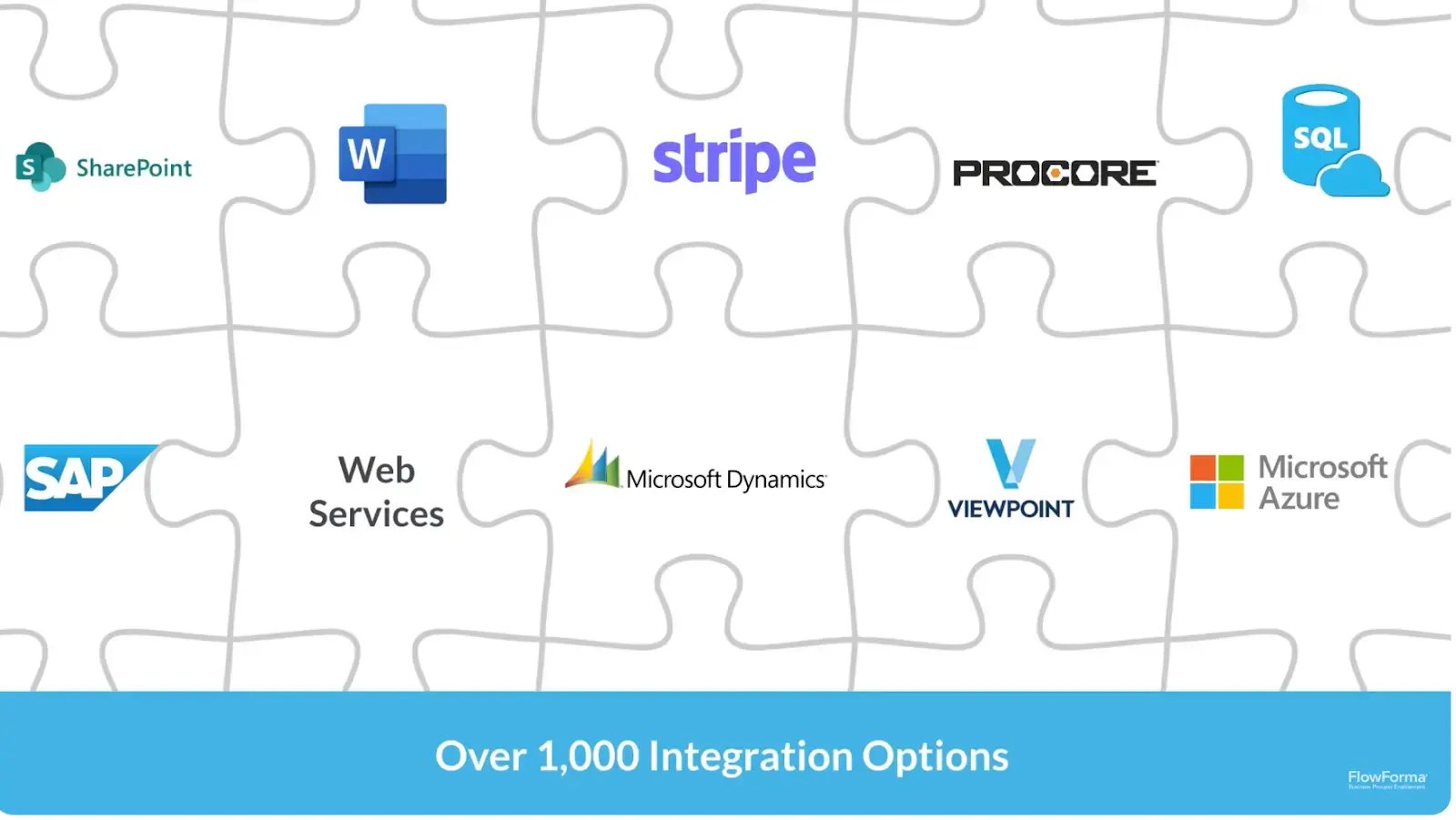 A look at how FlowForma integrates with other platforms
6. Monitor performance and refine the process
Once live, you can use FlowForma’s analytics to track turnaround times, identify approval bottlenecks, and measure overall workflow performance. With this visibility, it becomes easier to fine-tune steps, adjust routing rules, and gradually scale automation across more claims processes.
.webp?width=1600&height=891&name=undefined-Feb-24-2026-03-49-29-5392-PM%20(1).webp) Gain visibility and create instant reports + dashboards with AI insights
Gain visibility and create instant reports + dashboards with AI insights
Or, you can just let FlowForma’s AI range take over the entire process creation. Here’s how they work in practice:
.webp?width=1600&height=654&name=undefined-Feb-24-2026-03-50-44-0231-PM%20(1).webp)
FlowForma’s AI-powered innovations
7. Agentic AI for faster claims workflow setup
Instead of building from scratch, you can describe your claims process or upload an existing FNOL or paper claims form. Agentic AI automatically generates structured steps, questions, conditional logic, and approval paths.
Digitizing legacy claims forms or quickly prototyping new workflows, like high-value claim escalation or fraud review, is easier, allowing you to refine rules and validations along the way.
8. AI Copilot and Process Discovery for claims operations
With AI Copilot, you can build or update claims workflows using plain language. Whether you need compliance checks, reserve approvals, or payment notifications, you describe the requirements, and the system generates the structure.
Or, if you are unsure how a claims process currently operates, the Process Discovery Agent analyzes discussions and identifies steps, owners, required data, and approvals.
.webp?width=1600&height=895&name=undefined-Feb-24-2026-03-52-04-3801-PM%20(1).webp)
FlowForma Process Discovery Agent
It then suggests a ready-to-test workflow, helping teams move from conversation to automation faster.
FlowForma User Rating on G2
|
Category
|
FlowForma Rating
|
|
Meets Requirements
|
8.6 / 10
|
|
Ease of Setup
|
8.3 / 10
|
|
Ease of Use
|
8.7 / 10
|
|
Ease of Admin
|
8.2 / 10
|
|
Quality of Support
|
9.2 / 10
|
|
No-Code Development Platforms
|
8.6 / 10
|
Caption: FlowForma’s user ratings on G2
FlowForma's Pros and Cons
With a 4.4/5 rating on G2, FlowForma has earned strong feedback from enterprise users who value its ability to turn complex, multi-step processes into structured no-code workflows. For insurance claims teams, that can mean bringing more control and consistency to intake, reviews, approvals, and documentation.
Pros:
- Delivers smooth workflow automation that accelerates approvals and routine processes
.webp?width=1600&height=561&name=undefined-Feb-24-2026-03-53-52-8348-PM%20(1).webp)
Source
- Enables business users to design and modify workflows without heavy reliance on IT
- Improves coordination and visibility across departments and shared operations
.webp?width=1317&height=465&name=undefined-Feb-24-2026-03-54-34-7660-PM%20(1).webp)
Source
- Reduces manual errors through standardized steps, required fields, and documentation controls
- Drives measurable productivity gains in high-volume, regulated environments
.webp?width=1600&height=505&name=undefined-Feb-24-2026-03-55-31-3127-PM%20(1).webp)
Source
Like any platform, however, it comes with trade-offs. Understanding both the strengths and the limitations can help you decide whether it fits your claims environment.
Cons:
- Effective use requires structured process design and a thoughtful, well-planned setup.
.webp?width=1308&height=402&name=undefined-Feb-24-2026-03-56-20-6591-PM%20(1).webp)
Source
- The learning curve can feel steep, especially without structured onboarding and training.
.webp?width=1600&height=764&name=undefined-Feb-24-2026-03-57-04-8385-PM%20(1).webp) Source
Source
- Navigation takes time to get used to for new or occasional users.
.webp?width=1600&height=516&name=undefined-Feb-24-2026-03-58-05-9928-PM%20(1).webp)
Source
FlowForma's Pricing
FlowForma uses a clear, process-based pricing model. Instead of charging per user or locking features behind higher tiers, pricing is based on the number of workflows you run.
As more teams adopt the platform, departments expand usage, or external stakeholders participate in processes, your costs remain predictable and unchanged.
3. Pega
Best for: Enterprise carriers needing advanced rules, AI-driven decisioning, and highly complex claims case management.
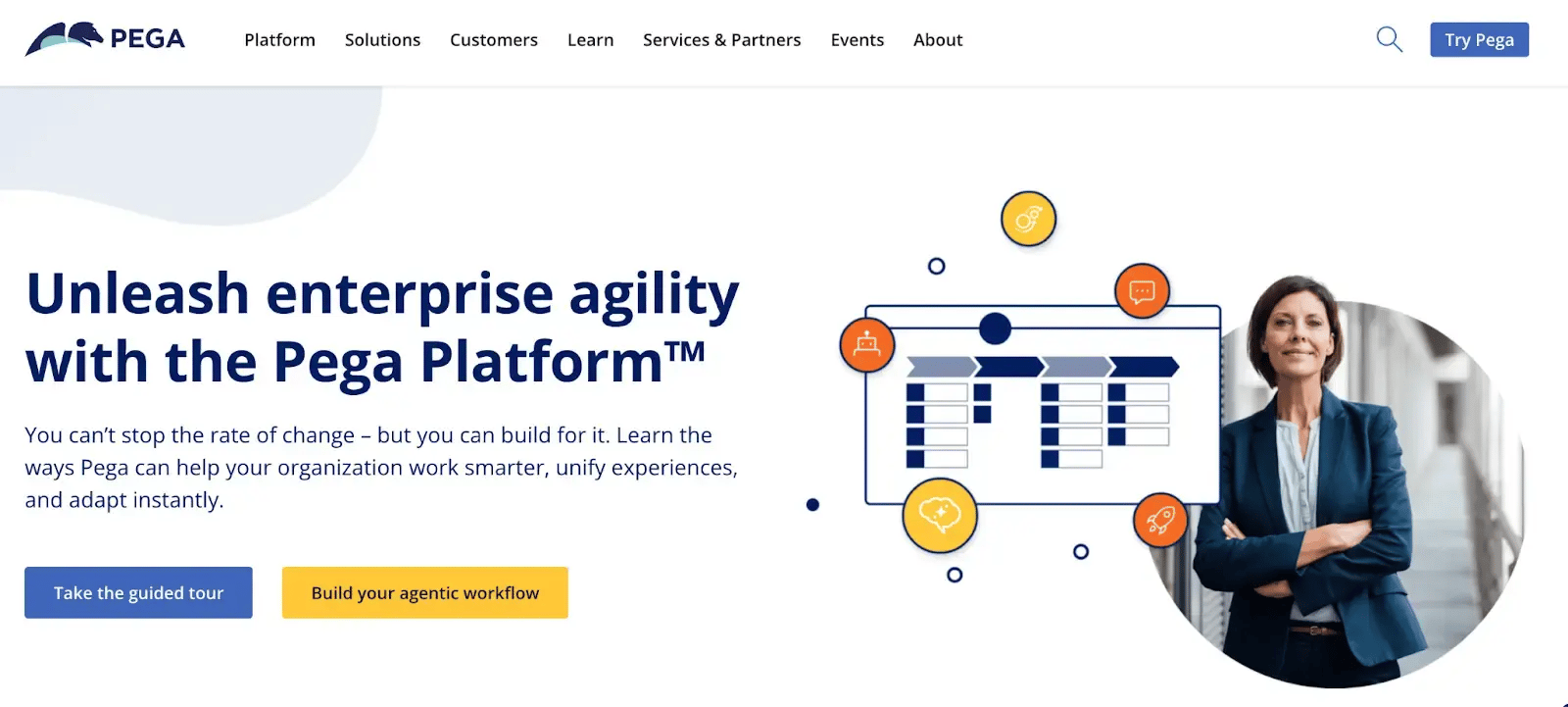
Pega platform’s homepage
Pega is known for its powerful rules engine and AI-driven decisioning, which can support sophisticated claims logic and dynamic workflows.
However, it is enterprise-heavy. Implementation can be resource-intensive, licensing costs are high, and effective use generally requires experienced developers. As such, it is best suited for insurers undertaking large-scale digital transformation rather than incremental workflow improvements.
Key Features of Pega
1. Advanced case management for complex claims
Pega’s case management engine supports long-running, multi-step claims that involve multiple roles, decision points, and compliance requirements. It provides structured oversight from FNOL through investigation and settlement.
2. AI-driven decisioning and next-best-action
Built-in AI can recommend next steps, flag anomalies, and prioritize claims based on risk, value, or service-level commitments. This supports faster, more consistent decision-making.
3. Centralized business rules engine
Pega allows insurers to define and manage complex claims rules—such as coverage thresholds, approval limits, and escalation logic—within a centralized framework. Rules can be updated without rewriting core code, helping teams adapt to policy or regulatory changes.
4. Real-time integration across enterprise systems
It integrates with policy administration systems, document management tools, fraud detection platforms, and customer channels, enabling claims data to flow seamlessly across the ecosystem.
5. Low-code development environment
While powerful, Pega’s low-code tools still require technical expertise to configure and maintain. They are designed for enterprise-scale applications rather than simple, quick workflow setups.
Pega’s User Ratings on G2
|
Category
|
Pega Platform Rating
|
|
Overall
|
4.2 on G2
|
|
Meets Requirements
|
8.4
|
|
Ease of Use
|
8.3
|
|
Ease of Setup
|
8.0
|
|
Ease of Admin
|
8.1
|
|
Quality of Support
|
8.2
|
|
Has Been a Good Partner in Doing Business
|
8.3
|
|
Product Direction (% positive)
|
8.0
|
Pega’s user ratings on G2
Pros and Cons of Pega
Pros:
- Low-code automation for complex, enterprise-grade business processes.
.webp?width=1600&height=511&name=undefined-Feb-24-2026-04-15-45-0433-PM%20(1).webp)
Source
- No-code capabilities for faster interface and workflow creation.
- Rapid development of applications for both technical and business users.
.webp?width=1600&height=470&name=undefined-Feb-24-2026-04-16-22-8366-PM%20(1).webp)
Source
- Strong automation engine for large-scale operational efficiency.
Cons
- High licensing and implementation costs for smaller organizations.
.webp?width=1600&height=541&name=undefined-Feb-24-2026-04-17-05-3874-PM%20(1).webp)
Source
- Requires skilled resources for deployment and ongoing governance.
- Limited accessible learning resources and community support.

Source
4. Guidewire ClaimCenter
Best for: P&C insurers replacing or modernizing a core end-to-end claims management system.
.webp?width=1600&height=567&name=undefined-Feb-24-2026-04-18-42-2474-PM%20(1).webp)
Guidewire’s homepage
Guidewire ClaimCenter is typically chosen by carriers looking to modernize or replace legacy core claims systems. It offers deep insurance functionality out of the box, strong configuration capabilities, and alignment with policy and billing modules within the Guidewire suite.
Overall, the platform is best suited for insurers undertaking core system transformation rather than lightweight workflow automation.
Key Features of Guidewire ClaimCenter
1. End-to-end core claims management
ClaimCenter supports the entire claims lifecycle, including FNOL intake, coverage validation, investigation, reserve tracking, payments, recoveries, and closure within a single system.
2. Prebuilt insurance data model and workflows
Guidewire ClaimCenter comes with a structured data model and claims workflows tailored for P&C carriers, reducing the need to build processes from scratch.
3. Configurable business rules and validation
Insurers can define coverage rules, approval thresholds, and compliance checks to ensure claims are processed consistently and in line with policy terms.
4. Reserve and payment management
Built-in financial controls allow claims teams to manage reserves, track payments, and maintain financial accuracy throughout the claim’s lifecycle.
Guidewire User Ratings on G2
|
Category
|
Guidewire ClaimCenter Rating
|
|
Overall
|
4.5 on G2
|
|
Meets Requirements
|
8.9
|
|
Ease of Use
|
8.6
|
|
Ease of Setup
|
7.4
|
|
Ease of Admin
|
8.7
|
|
Quality of Support
|
8.8
|
|
Has Been a Good Partner in Doing Business
|
9.1
|
|
Product Direction (% positive)
|
9.7
|
Guidewire’s user ratings on G2
Guidewire’s Pros and Cons
Pros:
- Highly customizable for complex, enterprise-scale insurance claims workflows.
.webp?width=1600&height=692&name=undefined-Feb-24-2026-04-21-23-3917-PM%20(1).webp)
Source
- Strong core platform purpose-built for P&C claims management.
.webp?width=1600&height=516&name=undefined-Feb-24-2026-04-22-00-2183-PM%20(1).webp)
Source
- Improves adjuster productivity with structured, end-to-end claim handling.
- Scalable architecture supporting large insurers and high claim volumes.
Cons
- Complex customization requires specialized Guidewire development expertise.
.webp?width=1600&height=552&name=undefined-Feb-24-2026-04-22-38-3606-PM%20(1).webp)
Source
- Upgrades become time-consuming due to heavy prior customizations.
- High implementation and maintenance costs for smaller insurers.
5. BriteClaims (BriteCore)
Best for: Small to mid-sized carriers wanting integrated core policy, billing, and claims in one cloud platform.

BriteCore homepage
Small to mid-sized property and casualty insurers often use BriteCore as a cloud-based core platform that combines policy, billing, and claims within a single system. Rather than layering automation on top of legacy infrastructure, it provides an integrated environment where claims processing is part of the broader core insurance workflow.
Key Features of BriteCore
1. Integrated core claims management
Claims processing is built directly into the platform, supporting FNOL, investigation, reserve tracking, payments, and closure within the same system used for policy and billing.
2. Unified policy, billing, and claims data
Because claims sits within the core suite, adjusters can easily access policy details, endorsements, and billing information without switching systems.
3. Configurable workflows and rules
Carriers can configure claims workflows, approval thresholds, and validation rules to align with underwriting guidelines and regulatory requirements.
4. API-driven integrations
You can connect with third-party vendors such as payment providers, document management systems, and data services through APIs, helping insurers extend claims functionality as needed.
BriteCore’s User Ratings on G2
|
Category
|
BriteCore Rating
|
|
Overall
|
4.3 on G2
|
|
Meets Requirements
|
8.7
|
|
Ease of Use
|
9.2
|
|
Ease of Setup
|
8.2
|
|
Ease of Admin
|
9.0
|
|
Quality of Support
|
8.6
|
|
Has Been a Good Partner in Doing Business
|
9.7
|
|
Product Direction (% positive)
|
9.4
|
BriteCore’s Pros and Cons
Pros:
- User-friendly interface simplifies navigation for agents and operations teams.
.webp?width=1600&height=539&name=undefined-Feb-25-2026-08-02-23-4264-AM%20(1).webp)
Source
- Fast onboarding improves adoption across underwriting and policy administration.
- Strong integrations with partner vendors and insurance ecosystem tools.
.webp?width=1600&height=426&name=undefined-Feb-25-2026-08-03-59-8714-AM%20(1).webp)
Source
- Efficient policy management streamlines core insurance operations.
.webp?width=1600&height=527&name=undefined-Feb-25-2026-08-04-37-9051-AM%20(1).webp)
Source
Cons:
- Reporting and analytics capabilities need deeper customization and flexibility.
.webp?width=1600&height=588&name=undefined-Feb-25-2026-08-05-26-1303-AM%20(1).webp)
Source
- Customer support response times vary for non-critical requests.
- Advanced reporting often requires additional configuration or external tools.
6. Creatio
Best for: Insurers building customizable, workflow-driven claims processes with strong CRM integration.
.webp?width=1600&height=740&name=undefined-Feb-25-2026-08-06-39-6887-AM%20(1).webp)
Creatio’s homepage
While not a core claims system by default, Creatio enables insurers to design and manage structured claims processes across intake, review, approval, and communication without heavy custom development.
Creatio is particularly attractive to organizations that want strong workflow automation combined with CRM capabilities. It allows insurers to build claims case management solutions tailored to their processes, integrate with core systems, and adapt quickly as policies or regulations change. However, because it is not a purpose-built core claims engine, deeper insurance functionality may require configuration and integration work.
Key Features of Creatio
1. No-code claims workflow design
Creatio’s visual process designer allows teams to configure claims intake, adjuster assignment, approval routing, and escalation paths without writing code.
2. Case management for structured claims handling
The platform supports case-based workflows, enabling insurers to track claims from FNOL through investigation and resolution with clear task ownership and status visibility.
3. CRM-driven claimant communication
With built-in CRM capabilities, insurers can manage claimant interactions, service requests, and communications alongside claims processing activities.
4. Configurable business rules and automation
Coverage thresholds, approval hierarchies, and validation checks can be defined within the platform, ensuring consistent handling across claims.
Creatio User Ratings on G2
|
Category
|
Creatio Rating
|
|
Overall rating
|
4.7 on G2
|
|
Meets Requirements
|
9.1 / 10
|
|
Ease of Setup
|
8.4 / 10
|
|
Ease of Use
|
9.0 / 10
|
|
Ease of Admin
|
8.6 / 10
|
|
Quality of Support
|
9.1 / 10
|
Creatio’s user ratings on G2
Creatio’s Pros and Cons
Pros:
- User-friendly interface supports navigation for both business and technical users.
.webp?width=1600&height=435&name=undefined-Feb-25-2026-08-10-39-6837-AM%20(1).webp)
Source
- Strong process automation improves operational efficiency across departments.
- Deep low-code customization enables tailored applications without heavy coding.
.webp?width=1600&height=475&name=undefined-Feb-25-2026-08-11-34-1338-AM%20(1).webp)
Source
- Unified platform combines CRM, automation, and analytics in one environment.
.webp?width=1600&height=545&name=undefined-Feb-25-2026-08-12-19-7602-AM%20(1).webp)
Source
Cons
- Steeper learning curve for teams without prior low-code experience.
.webp?width=1600&height=441&name=undefined-Feb-25-2026-08-13-00-8257-AM%20(1).webp)
Source
- Some advanced capabilities require higher-tier licensing or additional setup.

Source
- Marketplace and prebuilt components smaller than larger ecosystem competitors.
7. Claimable
Best for: Digital-first insurers seeking simple, fast-to-deploy claims intake and tracking.

Claimable homepage
For organizations seeking a modern, easy-to-use claims solution that can be deployed quickly, Climable is a good choice.
It is designed to reduce administrative friction in claims handling, particularly for teams prioritizing speed, transparency, and customer experience. However, it may not offer the same depth of configuration or enterprise-grade integration capabilities required by large insurers with highly complex claims operations.
Key Features of Claimable
1. Digital-first claims intake
Claimable provides structured online claim submission, allowing policyholders to submit details and supporting documents digitally from the start.
2. Simplified case tracking
Claims can be monitored through clear status updates and task management, helping teams maintain visibility without complex configuration.
3. Customer communication tools
The platform supports ongoing communication with claimants, helping insurers provide timely updates throughout the claims lifecycle.
4. Core claims workflow support
The system supports essential steps such as intake, review, documentation management, and resolution, making it suitable for straightforward claims processes.
Claimable User Ratings on G2
|
Category
|
Claimable Rating
|
|
Overall
|
4.6 on G2
|
|
Meets Requirements
|
9.0
|
|
Ease of Use
|
9.3
|
|
Ease of Setup
|
9.3
|
|
Ease of Admin
|
9.3
|
|
Quality of Support
|
9.7
|
|
Has Been a Good Partner in Doing Business
|
9.8
|
|
Product Direction (% positive)
|
10.0
|
Claimable’s user ratings on G2
Claimable’s Pros and Cons
Pros:
- Easy, user-friendly interface makes claims navigation fast and straightforward.
.webp?width=1600&height=529&name=undefined-Feb-25-2026-08-21-25-2568-AM%20(1).webp)
Source
- Cloud-based access supports remote work and quicker claims handling.
.webp?width=1600&height=515&name=undefined-Feb-25-2026-08-22-24-1120-AM%20(1).webp)
Source
- Support team is responsive and helps resolve questions quickly.
.webp?width=1600&height=678&name=undefined-Feb-25-2026-08-23-17-4349-AM%20(1).webp)
Source
Cons:
- Slower customer service and responsiveness that hampers credibility and customer loyalty.
.webp?width=1600&height=510&name=undefined-Feb-25-2026-08-24-08-2200-AM%20(1).webp)
Source
8. Snapsheet
Best for: Auto and property insurers focused on virtual estimating and appraisal automation.
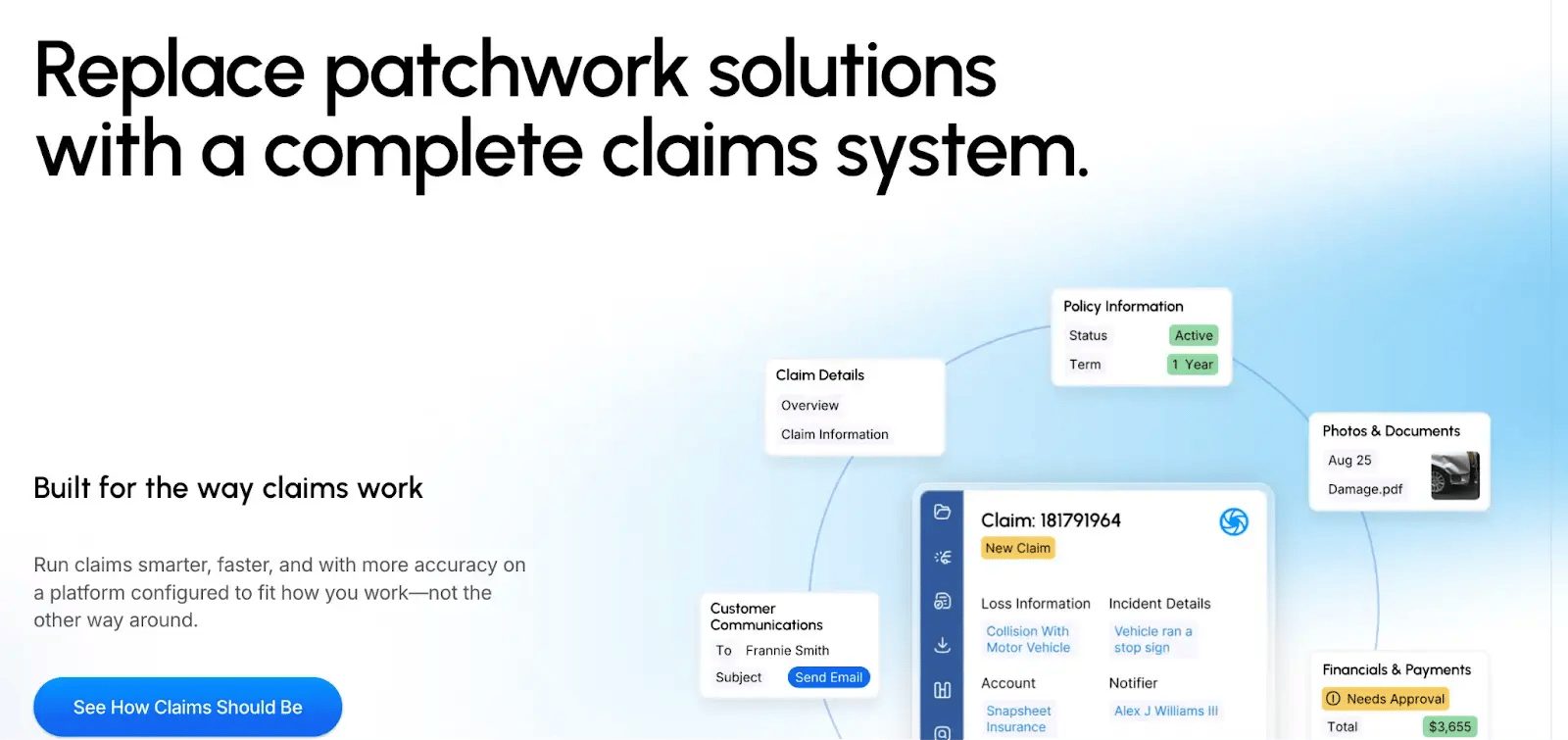 Snapsheet homepage
Snapsheet is commonly adopted by insurers looking to reduce cycle times and improve customer experience through remote, technology-enabled claims workflows.
It is especially strong as a photo-based estimating and appraisal automation tool. However, it is not a full core insurance replacement system and typically integrates with existing policy and claims platforms to enhance specific parts of the claims journey.
Key Features of Snapsheet
1. Virtual claims intake and photo-based estimating
Policyholders can submit photos and claim details digitally, allowing adjusters to assess damage remotely and reduce the need for in-person inspections.
2. Automated appraisal workflows
The platform streamlines estimate review, supplements, and approvals, helping reduce delays in auto and property claims.
3. Repair network collaboration
Snapsheet supports communication and coordination between insurers, contractors, and repair shops to keep claims progressing efficiently.
4. Integration with core claims systems
Rather than replacing existing systems, Snapsheet integrates with core platforms to enhance estimating, appraisal, and communication workflows.
Snapsheet’s User Ratings on G2
|
Category
|
Snapsheet Rating
|
|
Overall
|
4.1 on G2
|
|
Meets Requirements
|
9.4
|
|
Ease of Use
|
8.0
|
|
Ease of Setup
|
Not enough data available
|
|
Ease of Admin
|
Not enough data available
|
|
Quality of Support
|
7.6
|
|
Has Been a Good Partner in Doing Business
|
Not enough data available
|
|
Product Direction (% positive)
|
7.9
|
Snapsheet’s G2 user ratings
Snapsheet’s Pros and Cons
Pros:
- Simple, intuitive interface enables quick adoption for new claims users.
.webp?width=1600&height=435&name=undefined-Feb-25-2026-08-29-45-2270-AM%20(1).webp)
Source
- Clean layout supports faster navigation across claims workflows.
.webp?width=1600&height=454&name=undefined-Feb-25-2026-08-30-45-8078-AM%20(1).webp)
Source
- Minimal training required for adjusters and operations teams.
.webp?width=1600&height=548&name=undefined-Feb-25-2026-08-31-33-8448-AM%20(1).webp)
Source
Cons:
- Pricing often seems expensive, given there are other options offering cost-effective pricing plans.
.webp?width=1600&height=513&name=undefined-Feb-25-2026-08-32-20-2281-AM%20(1).webp)
Source
- Limited advanced configuration for complex enterprise claim scenarios.
9. Socotra
Best for: Insurers modernizing core systems with API-first claims embedded within policy and billing.
.webp?width=1600&height=659&name=undefined-Feb-25-2026-08-32-56-8209-AM%20(1).webp)
Socotra's homepage
Rather than layering digital tools onto legacy systems, Socotra provides a flexible core foundation that enables claims processing to operate alongside underwriting and billing in a unified environment.
Socotra is typically chosen by insurers looking to launch new products quickly or modernize their core infrastructure with greater agility. While it offers configurable claims functionality, it may require additional configuration or ecosystem integrations to match the depth of highly specialized enterprise claims platforms.
Key Features of Socotra
1. Core claims management within a unified platform
Socotra supports claims intake, status tracking, payments, and closure within the same system that manages policy and billing data.
2. API-first architecture
The platform is built with open APIs, making it easier to connect with third-party tools such as document management systems, payment providers, fraud detection services, and customer portals.
3. Configurable product and claims logic
Insurers can configure coverage rules, workflows, and financial calculations to align claims processing with specific product designs.
4. Real-time data access across policy and claims
Because claims sit within the same core environment, adjusters can access up-to-date policy details and endorsements without relying on external system synchronization.
Socotra's User Ratings on G2
|
Category
|
Socotra Rating
|
|
Overall
|
4.5 (with just 2 reviews) on G2
|
|
Meets Requirements
|
Not enough data available
|
|
Ease of Use
|
Not enough data available
|
|
Ease of Setup
|
Not enough data available
|
|
Ease of Admin
|
Not enough data available
|
|
Quality of Support
|
Not enough data available
|
|
Has Been a Good Partner in Doing Business
|
Not enough data available
|
|
Product Direction (% positive)
|
Not enough data available
|
Socotra's G2 user ratings
Socotra's Pros and Cons
Please note that Socotra has only two reviews on G2, dating back to 2021. We’ve compiled the platform’s strengths and weaknesses based on these two reviews:
.webp?width=1600&height=493&name=undefined-Feb-25-2026-08-35-46-6648-AM%20(1).webp)
Source
.webp?width=1600&height=635&name=undefined-Feb-25-2026-08-37-23-5243-AM%20(1).webp)
Source
Pros:
- Highly configurable platform supporting product rules as a single source of truth.
- Responsive support team with strong partnership and collaboration experience.
- Quickly spins up new environments for faster implementation cycles.
Cons:
- Some promised features delivered later than committed timelines.
- Several common insurance capabilities require additional development.
- Feature requests may involve long wait times for implementation.
10. Origami Risk
Best for: Risk-focused insurers linking claims management with enterprise risk and compliance oversight.
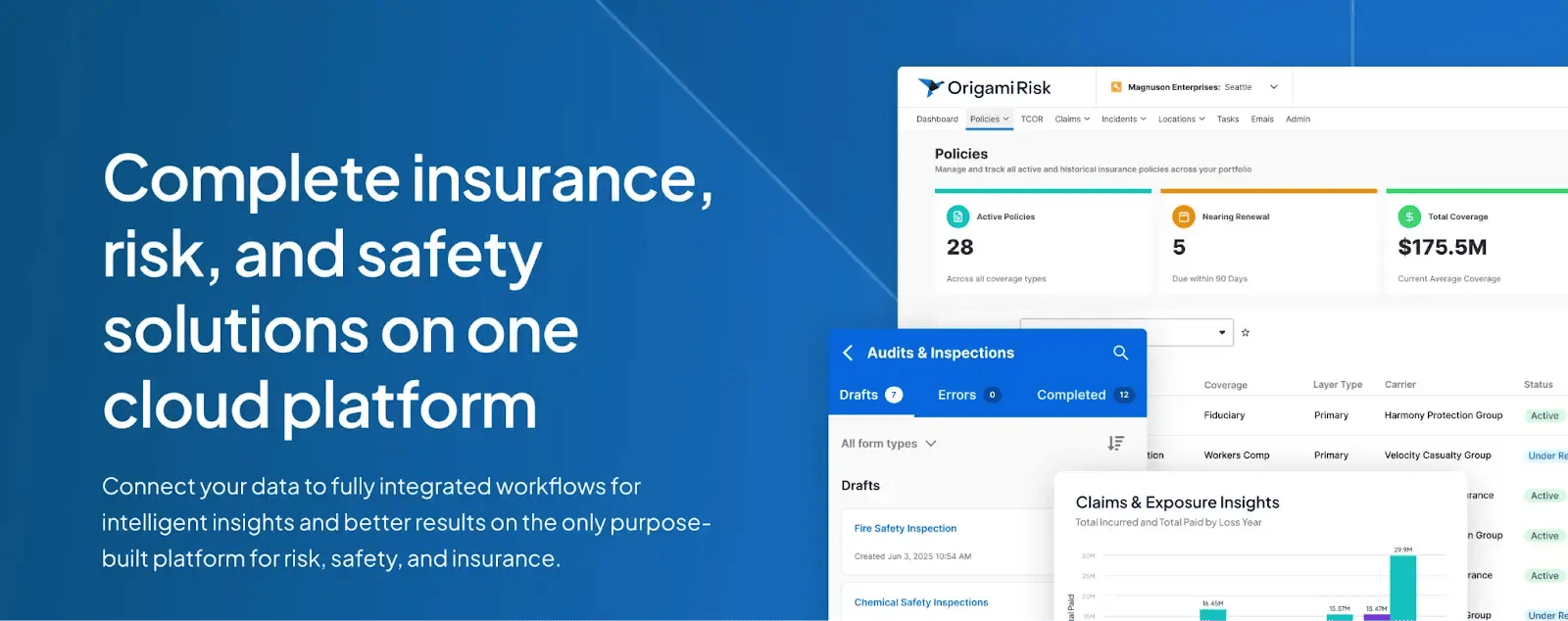 Origami Risk’s homepage
Built to bring incident reporting, claims workflows, and risk oversight into one system, Origami Risk is often used by insurers and enterprises that need stronger governance and clearer risk visibility.
It is typically chosen for reporting and auditability, with claims activity connected to broader compliance and enterprise risk programs rather than operating as a standalone core claims engine.
Key Features of Origami Risk
1. Integrated claims and risk management
Claims data can be linked directly to incident reports, safety programs, and enterprise risk records, providing a unified view of loss events and trends.
2. Configurable claims workflows
The platform supports structured intake, investigation, task assignment, and resolution processes with configurable rules and approval paths.
3. Strong reporting and analytics
Built-in dashboards and reporting tools provide visibility into claim frequency, severity, reserve trends, and regulatory metrics.
4. Compliance and audit controls
Origami Risk maintains detailed audit trails and documentation tracking to support regulatory reporting and internal governance requirements.
Origami Risk’s User Ratings on G2
|
Category
|
Origami Risk Rating
|
|
Overall
|
4.6 on G2
|
|
Meets Requirements
|
9.2
|
|
Ease of Use
|
9.2
|
|
Ease of Setup
|
Not enough data
|
|
Ease of Admin
|
Not enough data
|
|
Quality of Support
|
9.7
|
|
Has Been a Good Partner in Doing Business
|
Not enough data
|
|
Product Direction (% positive)
|
8.5
|
Origami Risk’s user ratings on G2
Origami Risk’s Pros and Cons
Pros:
- Strong automation improves workflow efficiency and service request visibility.
- Centralized platform enables consistent data, tracking, and operational control.
.webp?width=1600&height=522&name=undefined-Feb-25-2026-08-41-00-0506-AM%20(1).webp)
Source
- Effective communication tools support faster issue resolution across teams.
.webp?width=1600&height=536&name=undefined-Feb-25-2026-08-41-39-5275-AM%20(1).webp)
Source
- Unified service request management improves collaboration and response times.
Cons:
- Limited feedback on advanced configurability for highly complex use cases.
.webp?width=1600&height=472&name=undefined-Feb-25-2026-08-42-22-6368-AM%20(1).webp)
Source
- May require a structured setup to fully utilize centralized workflow capabilities.
- Reporting and analytics depth are not widely highlighted in user feedback.
5 Immediate Benefits of Insurance Claims Processing Software
Managing claims isn’t simple. Teams juggle documents, approvals, policy checks, regulatory deadlines, reserve updates, and constant customer queries. When processes rely on email chains or spreadsheets, small gaps quickly turn into delays.
The right claims software brings structure and visibility to that complexity. The following are the prominent benefits of implementing insurance claims processing software:
1. Increased efficiency
Automation removes common bottlenecks in intake, triage, and approvals. The system can automatically categorize a motor claim versus a property claim, assign it based on workload or expertise, and trigger document requests within seconds.
Now, instead of waiting days for internal handoffs, claims move forward the same day they are submitted.
2. Cost savings
Manual follow-ups, duplicate data entry, and error correction consume time and budget. A structured workflow reduces rework by ensuring adjusters receive complete information upfront.
For example, requiring mandatory loss details and photos at submission can prevent multiple back-and-forth emails, cutting handling time per claim.
3. Improved customer satisfaction
Delays often happen because customers don’t know what’s happening next. Automated status updates, payment confirmations, and document reminders keep policyholders informed throughout the process.
When a claimant receives a clear update after assessment or settlement approval, it reduces inbound calls and builds confidence.
4. Stronger regulatory compliance
Insurance claims must follow strict documentation and approval standards. Software can enforce required steps for high-value claims, log reserve changes, and maintain a complete audit trail. If a regulator reviews a disputed claim, the full timeline of actions, notes, and approvals is already recorded.
5. Better data accuracy
Inconsistent or incomplete data slows down decision-making and reporting. Validation rules can ensure that policy numbers match existing records, that dates follow the correct formats, and that required attachments are included.
Clean data improves reserve tracking, fraud analysis, and performance reporting across the claims portfolio.
Look out for these core features when evaluating claims processing software
Large insurers don’t just need basic claim tracking. They need systems that handle volume, complexity, regulatory scrutiny, and integration with multiple internal and external systems. When evaluating software, these six features matter most.
1. Intelligent claim intake and structured data capture
Claims begin at intake. If this step is weak, everything slows down later.
Look for dynamic digital forms that adjust based on claim type, policy coverage, or line of business. For example, a motor claim form should request driver details, vehicle registration, and accident photos, while a property claim should prompt for loss location, damage type, and estimated value.
The system should:
- Require mandatory fields before submission
- Validate policy numbers against existing records
- Allow secure upload of documents, photos, and videos
- Capture structured data instead of free-text wherever possible
2. Rule-based routing and workload management
Manual assignment creates delays and uneven workloads.
Enterprise software should automatically route claims based on predefined rules, such as:
- Claim severity or reserve threshold
- Line of business (motor, property, liability)
- Adjuster expertise or certification
- Current workload
For example, high-value property claims above a set reserve limit can automatically route to senior adjusters, while low-value claims move through a fast-track path. Escalation rules should trigger alerts if a claim sits untouched beyond SLA limits.
3. Embedded compliance controls and audit trails
Claims operations must meet regulatory and internal governance standards.
The system should log:
- Who approved reserve changes
- When payments were authorized
- Any edits to claim notes or documents
- Escalations and exception handling
If regulators review a disputed claim, the full timeline should be retrievable without manual reconstruction. Built-in controls can also require additional approvals for claims above certain payment thresholds.
4. Configurable business rules and decision logic
Coverage checks, fraud triggers, and payment limits vary across products and regions. Software should allow business teams to configure rules without depending entirely on developers.
For example, the system can:
- Flag a claim for review if it is filed soon after the policy becomes active.
- Send a claim for additional checks when the claimed amount is much higher than what’s typical for similar cases.
- Automatically apply the correct deductible based on the customer’s policy, so adjusters don’t have to calculate it manually.
When rules are configurable, insurers can adapt quickly to new products or regulatory changes.
5. Integration with core insurance and financial systems
Claims rarely operate in isolation. The system should integrate with policy administration systems for coverage verification, billing systems for premium and deductible checks, finance or ERP systems for payment processing, and/or external partners such as repair networks or third-party administrators. For example, once a claim is approved, payment instructions should flow directly into the finance system without manual re-entry.
6. Real-time operational reporting and performance tracking
Enterprise leaders need visibility beyond individual claims. Look for dashboards that show the following parameters:
- Average cycle time by claim type
- Open claims by the adjuster
- Reserve movement trends
- SLA compliance rates
- Claims pending documentation
If catastrophe volume spikes, managers should immediately see bottlenecks and reassign resources accordingly.
Or, you can refer to this quick table for better evaluation and finalize your preferred claims insurance processing automation software:
|
Feature
|
Why it matters
|
What to check during evaluation
|
|
Intelligent intake
|
Prevents incomplete or inconsistent submissions
|
Can forms adapt by claim type? Are validations built in?
|
|
Rule-based routing
|
Reduces manual coordination and delays
|
Can routing rules be configured without code?
|
|
Compliance and audit trails
|
Supports regulatory reviews and dispute resolution
|
Are all actions timestamped and user-tracked?
|
|
Configurable decision logic
|
Enables faster policy or rule changes
|
Can business users update rules independently?
|
|
System integration
|
Eliminates duplicate data entry
|
Does it integrate with policy, billing, and finance systems in real time?
|
|
Operational reporting
|
Improves oversight and planning
|
Are dashboards customizable and available in real time?
|
Evaluation table for evaluating insurance claims processing software
Which Is The Best Insurance Claims Processing Software?
(Final Verdict Based On Our Evaluation)
There isn’t a single platform that fits every insurer. The right choice depends on whether you’re replacing a core claims engine, modernizing legacy systems, or simply removing friction from existing processes.
Here’s what we’ve concluded based on our evaluation of some of the most popular insurance claims processing software:
- For full core system replacement: Platforms like Guidewire or Socotra make sense when you want to rebuild claims, policy, and billing together as part of a broader transformation.
- For highly complex, enterprise-wide orchestration: Appian and Pega suit insurers managing long-running, rule-heavy claims across multiple systems.
- For integrated core suites aimed at mid-sized carriers: BriteCore offers an all-in-one environment covering policy, billing, and claims.
- For specialized digital or appraisal-focused workflows: Snapsheet and similar platforms address specific operational needs such as virtual estimating.
- For improving structured claims workflows without replacing your core system: Workflow automation platforms like FlowForma offer a practical middle path. The platform allows insurers to standardize intake, automate approvals, strengthen audit trails, and reduce manual handoffs—while continuing to use existing core systems.
Our final takeaway is that if you are planning a full-scale core transformation, a dedicated claims engine will likely be necessary.
However, many insurers are not looking to replace everything. They want faster cycle times, clearer oversight, and fewer manual bottlenecks within their current environment.
In those cases, a workflow-led approach, such as the one FlowForma supports, can deliver measurable improvements without the disruption of a multi-year overhaul. The best choice ultimately depends on how much change your organization is ready to take on and where your biggest operational gaps sit today.
Your Insurance Claims Processing Automation Journey Starts Here—Let FlowForma’s AI Do The Heavy Lifting
FlowForma helps insurers build and adjust claims workflows without heavy IT involvement. Business teams can design digital forms, set approval paths, and update rules as requirements change—keeping processes consistent while staying flexible.
AI-assisted features support faster workflow setup and guide users through tasks in real time. Built-in audit trails and Microsoft 365 integration help teams document decisions, track activity, and stay aligned with compliance requirements.
If you’re looking to enhance your claims management software and reduce manual processes, FlowForma is the wise choice.
Ready to see it in action? Register for a demo today to experience how FlowForma can refine your claims processing lifecycle.
.png?width=175&height=42&name=logo_20(1).png "FlowForma Process Automation")




.png)