
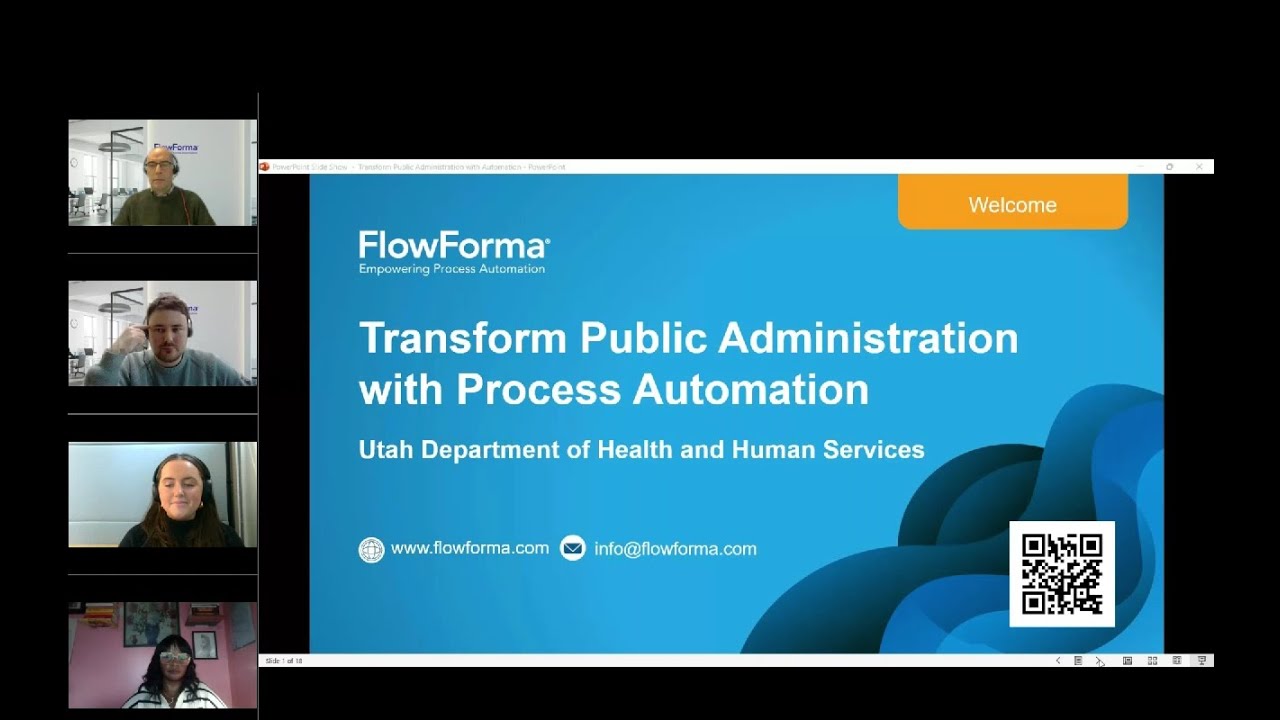


On-demand webinar56 minutesMarch 2025

How Utah DHHS transformed public administration with no-code process automation

Sarah Klenk of the Utah Department of Health and Human Services explains how the department replaced InfoPath, cut contract approvals from two months to a week, and why it chose FlowForma over Power Automate. Plus a live Copilot demo.

What does the Utah DHHS webinar cover?

Transform Public Administration with Automation is a 56-minute on-demand webinar from FlowForma, the no-code process automation platform native to Microsoft 365, featuring the Utah Department of Health and Human Services. Sarah Klenk explains how the department replaced InfoPath and cut contract approvals from two months to a week. Read the full case study.

1 weekto approve a contract, down from about two months
Hoursfor urgent contracts marked as emergency
30%of the department's processes migrated to FlowForma so far
Day oneof training to build a first process

What Utah DHHS automated, and what it needed from a tool

Sarah walked through the department's most complex processes, and why FlowForma beat the alternatives on features and budget.

8+

complex processes automated across the department

Complex, cross-department processes Utah DHHS has automated

  • Contract management
  • Grant revenue
  • Purchasing
  • Travel approvals
  • Group gathering and media
  • Risk assessment, statements of work and legislative affairs reports
“After FlowForma, it literally went down to a week.”Sarah Klenk, Utah DHHS, on contract approvals

From the session at 11:41

5

things Utah DHHS needed from a tool

What Utah DHHS needed from a tool

  • No code, so any user can build a process
  • Within a fixed budget
  • Signatures and document generation included
  • Forms and workflow in one
  • Complex, cross-department processes

From the session at 07:12

Inspired by Utah DHHS?

Book a demo with our process experts and see how your agency can replace InfoPath and paper processes, without code.

  • A demo built around one of your processes
  • Contract, grant, purchasing or travel processes
  • Advice on migrating from InfoPath
  • No cost and no obligation

Working in the public sector? See FlowForma for government

Pick a time that suits you

00:01

Welcome and speakers

Watch this part

Hannah00:01

Hello everyone, and welcome to today's webinar on transforming public administration with process automation, featuring the Utah Department of Health and Human Services. My name is Hannah, and I'm the digital marketing and events specialist at FlowForma. This webinar is being recorded. Your lines are muted, but we want to keep this as interactive as possible, so please use the question box or chat, and we'll have a Q&A at the end.

Hannah00:52

First, Sarah Klenk from the Utah Department of Health and Human Services. Sarah has worked for the department for over 12 years and is the driving force behind its SharePoint projects. From FlowForma we have Robert Kane, our digital strategist, who has six years of experience onboarding companies onto the FlowForma platform, and David Shanley, our solutions expert, who has over nine years of experience on the platform and helps organizations evaluate FlowForma and prove its value.

Hannah02:20

Over the hour, Robbie will introduce FlowForma, then we'll have a customer interview with Sarah, a live AI-powered process automation demo with David, and finally Q&A.

02:58

About FlowForma

Watch this part

Robert Kane02:58

FlowForma is a world leader in enterprise-class digital process automation. It's designed for business and IT teams who want to rapidly digitize their processes, collect better data and achieve operational excellence. It's ideal for mid- to large-size enterprises that want to empower their staff to digitize and optimize any business process, no matter how complex. In fact, we excel at the complex, as you'll see later.

Robert Kane03:36

We have over 300,000 users across 20 countries, and we specialize in rapid adoption: customers typically see their first processes go live within four weeks of onboarding. We also pride ourselves on five-star support, keeping a close relationship with you through onboarding and beyond.

04:18

About Utah DHHS and Sarah's role

Watch this part

Robert Kane04:18

Hi Sarah. To start off, tell us a little about the Department of Health and Human Services and your role there.

Sarah Klenk04:33

The Department of Health and Human Services is a social organization. We work with individuals in the community, providing services like education, and we work with programs like WIC, which supports women and children. So we run social programs for Utah. I've been with the department for about 12 years, and I'm the SharePoint administrator.

05:13

Why Utah DHHS needed to replace InfoPath

Watch this part

Robert Kane05:13

What led you to look for a process automation platform?

Sarah Klenk05:21

We were migrating to SharePoint Online, and as you probably all know, Microsoft decided to deprecate InfoPath. All our processes were built in InfoPath, so we were looking for a replacement. That's how we came across FlowForma.

Robert Kane06:00

And in parallel with moving off InfoPath, there were still a lot of manual, paper-based processes you needed to digitize?

Sarah Klenk06:12

Oh yes. The department is a little slow in adopting technology, so we still have a lot of processes to go. We've migrated about 30% of our processes to FlowForma and we're still working through the rest.

06:43

Why FlowForma over Power Automate and Power Apps

Watch this part

Robert Kane06:43

Your success criteria included a no-code, user-friendly platform that could support a cross-department rollout. With those challenges in mind, what influenced your decision to select FlowForma?

Sarah Klenk07:12

Our SharePoint environment has users at different levels, and they're all responsible for building certain processes. So we wanted a solution any regular user with no development background could use: easy to learn, user friendly, so anyone could build a simple process if they needed to. FlowForma met that for us.

Sarah Klenk08:01

We also had a set budget we couldn't go over, and FlowForma was very affordable. We needed signatures and document generation, and with all the other tools we looked at, those components were priced separately, which would have cost us a lot. With FlowForma, signatures and document generation come together, and the form and workflow are combined in one, so you're not buying them separately. That's what sold us.

Robert Kane09:26

As part of that comparison, you were initially weighing up Power Apps against FlowForma, and the compelling difference was those two elements: signature packs and document generation. With a consumption-based model, things can appear free or cheap on the surface, but when you do the cost-benefit analysis they turn out to be quite expensive. That's where FlowForma differentiates.

Sarah Klenk10:14

Exactly. Power Automate is just workflow. If you want to build a form, you need Power Apps, which is priced separately, so you'd have to buy both to build the process with all the features you need. With FlowForma, it's all integrated, for the same price.

10:43

No code, but built for complex processes

Watch this part

Robert Kane10:43

As part of your evaluation, the ability to build out complex processes was a key differentiator, right?

Sarah Klenk10:52

Right. You may think that because it's no code you can't build complex processes, but we've built very complex processes in FlowForma that span the department, across all the different divisions and offices. So yes, it can manage complex processes.

11:37

What Utah DHHS has automated

Watch this part

Robert Kane11:30

What complex, cross-department processes have you automated with FlowForma so far?

Sarah Klenk11:41

Quite a few. We've automated our contract management system: as an organization we contract with vendors in the Utah community to help run our programs. Then grant revenue, which manages the grants awarded to businesses and individuals in the community, and the purchasing system, which we use for buying everything in the state, from phones and paper clips to computers.

Sarah Klenk12:33

Then travel, which manages all travel for employees, non-employees and doctors, because travel has to be approved before anyone can go. Group gathering manages all the media requests, because those also need department approval. And risk assessment, statement of work, API and legislative affairs reports. There are many, many more, but these are the more complex ones that span the organization.

13:21

Contract approvals: from two months to a week

Watch this part

Robert Kane13:21

Can you talk about the before and after of the contract management system? I know it took months before, and you've reduced that to a matter of days.

Sarah Klenk13:38

The contract system is an approval system. It was taking about two months just to get a contract approved and signed, because it needed signatures from the funding office, program managers, the division director, the office director, all the way up to the state governor's office, depending on the size of the contract. Users were emailing back and forth, and if a contract was rejected or needed editing, it just took a really long time.

Sarah Klenk14:33

After FlowForma, it literally went down to a week. Emergency contracts can take a couple of hours, or a day, as long as you mark the contract as urgent. It completely compressed the timeline, and our managers were very pleased. That's why we got so much support from management, and that's when we started building all the other processes to make them just as efficient.

15:38

Outcomes: visibility, compliance and audit

Watch this part

Robert Kane15:32

That's an incredible metric. What outcomes have you realized by automating processes with FlowForma?

Sarah Klenk15:46

Efficiency, obviously, and visibility: managers have the data to see where a contract is, and we have reports for that. Then compliance and audit. We have auditors within the department, and when an auditor asks who approved a contract, when, for how much, or how many contracts were approved, we have the data at the click of a button.

Sarah Klenk16:43

It eliminated the paper process, the back-and-forth emails, duplicate documents on people's computers and documents getting lost in different folders. It standardized our data. And our processes are scalable: processes are always changing, so we're always modifying and enhancing them, and as FlowForma adds features, we bring those into our processes to keep them up to date.

17:46

What's next for Utah DHHS

Watch this part

Robert Kane17:40

Given all the success to date, what's next on the road map?

Sarah Klenk17:57

Just continuing what we're doing: moving our paper processes over and automating them. Because we're a government agency, we're a little slow in adopting new technology, so a lot of processes are still manual and email-based. We're working through the divisions and teams, helping them migrate, build and automate their processes. Continual improvement is our future.

18:53

Sarah's tip: start with the most visible process

Watch this part

Robert Kane18:53

Given your journey, what tips do you have for people starting out on their digital transformation journey?

Sarah Klenk19:05

My main tip, from when I first started, is to find the most visible process. Change management is really difficult; users resist new technology because they're comfortable doing things their way, even if it's email and paper based. So find the most visible process that's very painful for management and users, anything that always has audit findings. Build that process, demonstrate it to managers and get their backing.

Sarah Klenk20:03

Once you have management behind you, the transition for your other processes is much more seamless, because they can see the results of what you're building. Resolving those very painful processes usually helps with adoption.

Robert Kane20:37

Quick wins, high-impact results, so everyone can see the benefits. Thanks very much for your insights, Sarah.

21:11

Common public administration challenges

Watch this part

Robert Kane21:11

On the challenges Sarah experienced: you can see common public administration processes and challenges on screen now, such as manual, paper-based processes, inconsistent processes, a dispersed workforce and inefficient processes, along with typical use cases where FlowForma can be applied. If you'd like to achieve results similar to Sarah's, get in touch and we'll set up a consultancy session to talk through your challenges.

Hannah22:11

Thanks so much, Robbie and Sarah, for that great interview. Next, David Shanley will give a live demonstration of FlowForma in action.

22:40

Live demo: the end-user experience

Watch this part

David Shanley22:40

In this demo we'll look at what it's like for an end user to interact with a FlowForma form, and then go under the hood and build out processes using Copilot, our generative AI feature that builds the framework of your process in a matter of seconds.

David Shanley23:06

End users can work through a browser, such as a SharePoint team site dashboard, where they can start a form from a tile or pick up forms that need their attention. Others may prefer an email notification, with a link that takes them straight to the step they own. We also have a mobile app for iOS and Android with offline capabilities.

David Shanley24:13

One feature I'd like to mention is Engage, which brings third parties into a process, either anonymously or with secure access, so they can own a defined step. With anonymous access through a form service, they're not counted as FlowForma users, so you could have 500 internal users and 10,000 or more potential external users.

David Shanley24:52

Here's a non-conformance form called Recording of Issues. It's on a parallel step, so two action owners can work concurrently; steps can also run in sequence. It uses native SharePoint lists for cascading lookups, surfaces document links, and generates a document from a Word template: you position tokens in the template, and FlowForma fills it from the form, converts it to PDF, attaches it to an email or routes it to a document library, governed by conditions if you like.

David Shanley26:43

The process moves from the initial step to acceptance, where a rejection can send it back with a business rule, then root cause review, then actions, where each non-conformance line item is assigned to an owner to resolve before approval. Built from the ground up without Copilot, this process would take about five or six hours.

27:59

Building a process with Copilot

Watch this part

David Shanley27:59

Now into the FlowForma app, where the admin builds processes. We'll look at a couple of ways to generate a framework with Copilot in Flow Designer: from a pre-existing change request form I grabbed off the internet, from a hand-drawn flow diagram for supplier onboarding, and from a purchase requisition process I built by conversation with Copilot.

David Shanley29:39

Flow Designer is a four-in-one toolkit: it combines forms, workflow, document generation and Copilot in a single build interface, and you apply your business and workflow logic there too, with 100% no code. You don't have to weave an app component together with a workflow component. That's fine for a simple process, but for a complex one it can be very challenging to unpick or change.

David Shanley30:25

The left panel is the framework of your build: steps, questions and rules. The middle panel is for configuration and settings. The right panel is Copilot, and the form preview.

David Shanley31:13

I upload the change request form, tell Copilot it's a change request process, and it returns a suggested framework that matches the document: the change description, change impact and sign-off steps, with the right question types, such as person or group and date and time, and the choice options from the form. When I'm happy, I hit Build, and it brings the steps, questions and suggested business rules across into the left panel.

32:20

Reporting with FlowForma Insights

Watch this part

David Shanley32:20

While that builds, here's Insights, our BI tool. Process data is pushed almost instantly into Azure SQL and picked up by Insights, which has an out-of-the-box suite of process performance charts that need no configuration, covering things like service level agreements and time to completion.

David Shanley33:12

You can drill into form instances and reassign or delegate them to free up bottlenecks, see how forms perform against SLAs, find your most popular processes and spot patterns, like spikes in leave requests before summer and Christmas. You can also create your own charts from the business data you're collecting.

34:40

Adding business rules with no code

Watch this part

David Shanley34:40

Here's a purchase requisition process built with Copilot. I asked it to create all the steps, then to include an approval step if the requisition is over 10,000, then to add five questions to each step. It picked up the right question types each time, and when I hit Build, the framework came across in seconds.

David Shanley36:04

I've added a repeating table for multiple items, with cascading lists, and an AI summarization rule, which collates data from several steps into a generative AI summary you can reuse in documents and emails. Now I'll add business rules: question change rules fire on a trigger question and are often used to show and hide content, while step-level rules fire when a user submits or saves a step.

David Shanley38:31

First, I change the purpose of purchase to a lookup from a SharePoint list, add an Other option, and add a show/hide question rule: if purpose of purchase equals Other, show the Other field. It's simple business logic and 100% no code, and I can test it straight away in a test form.

David Shanley41:01

Next, I hide the additional approval step and add a show/hide step rule on total cost: if total cost is greater than 10,000, show the additional approval step. It's not expression language and it's not low code. You can see where every rule sits in the single build interface, and testing shows the step appears at 20,000 and disappears at 2,000.

David Shanley42:35

On manager approval, I show comments only if approval is No, and add a rule to hide all subsequent steps if approval is No, so the form closes when the manager submits. On submit, you'd typically have rules that assign the next step, send emails, generate documents or update systems. You could also offer Approve, Request amendment and Reject, with a pass-back rule that returns the form to a chosen step.

David Shanley46:49

The beauty of FlowForma is that you work in a single build interface. Copilot puts your framework in place, from a conversation, a pre-existing form or a flow diagram, and you layer on top of it very quickly. And because everything's in one place, when you go back to unpick or change a process, you can see where your rules sit and why, instead of working across a separate app rendering your form and Power Automate rendering your workflow.

48:30

Q&A

Watch this part

Hannah48:30

Thank you so much, David. As a next step, we'd be delighted to offer you a free trial of FlowForma, which you can request in our post-webinar survey or on our website. On to the Q&A. Jack has Office 365 and asks: is onboarding with FlowForma simple?

Robert Kane49:39

As part of the licensing package, we build out your first process with you during onboarding, and there are two days of training to get you up to speed on building processes and maintaining the system. It's a really quick learning curve.

Hannah50:03

Charlie asks: how quickly can non-technical users learn to build and manage workflows on the platform?

Robert Kane50:19

That's changing now with Copilot, as David showed. If you're a subject matter expert or a process administrator, all you need is knowledge of that process. It's one development environment and it's completely no code, so with business logic and knowledge of the process, you get up to speed very quickly.

Sarah Klenk50:55

It's pretty simple. If you can write English, you can pretty much understand the code. We had training in our department, and on that very first day of training you're able to build a process.

Robert Kane51:22

And what was the onboarding process like from your perspective, Sarah?

Sarah Klenk51:41

We started FlowForma in our on-premises environment before moving to SharePoint Online. Because we controlled the on-premises environment, it was installed and we were up and running within one day. With SharePoint Online we had to work with our global administrators and get different people in the room, so it took a couple of days, but it was pretty easy.

Hannah52:31

Ashley says her organization wastes a lot of time compiling documents. How did FlowForma make things simpler for DHHS?

Sarah Klenk52:51

Maybe I'm biased, but I love FlowForma. We have experience with InfoPath and SharePoint Designer, and we used to love those, but once we started using FlowForma the visibility was just amazing. You can see all the steps, where the process is, who's doing what, who's approving it and how long it takes, and you have the flexibility to return the process to the beginning or a previous step. It was quite simple to get there once our stakeholders were on board.

Hannah53:54

Sam asks: what reporting features does FlowForma have?

Robert Kane54:08

There's a dedicated analytics suite, FlowForma Insights, which David demonstrated. It can take in information from every FlowForma installation across a tenant, so you can report on your own data and drill into key performance indicators. There's also collaborative work management, for configuring dashboards with work queues, and process performance, for identifying KPIs and bottlenecks and taking action to streamline your processes.

Hannah55:02

Thank you so much for the interview and the demo, and thank you, Sarah, for joining us today. If you have more questions, get in touch through the website or the email address on screen.

Frequently asked questions

Is onboarding with FlowForma simple if we have Office 365?

Yes. As part of onboarding, FlowForma builds your first process with you and provides two days of training on building processes and maintaining the system.

How quickly can non-technical users learn to build workflows?

Very quickly. Subject matter experts only need to know their process, and Copilot builds the framework. Sarah Klenk says Utah DHHS staff could build a process on their first day of training.

What was onboarding like for Utah DHHS?

On-premises, FlowForma was installed and running within one day. On SharePoint Online, working with the department's global administrators, it took a couple of days.

How did FlowForma make work simpler for Utah DHHS?

Visibility. Staff can see every step, where a process is, who's doing what, who's approving it and how long it takes, and can return a process to an earlier step when needed.

What reporting does FlowForma offer?

FlowForma Insights reports across every FlowForma installation in a tenant, with out-of-the-box process performance charts and your own business data. Collaborative work management adds dashboards and work queues.

Why did Utah DHHS choose FlowForma over Power Automate and Power Apps?

Power Automate covers workflow only, so forms need Power Apps, priced separately, and signatures and document generation add more cost. FlowForma combines forms, workflow, signatures and document generation in one product, within the department's budget.

Ready to transform your agency's processes?

Book a tailored demo, or read the full Utah DHHS case study.