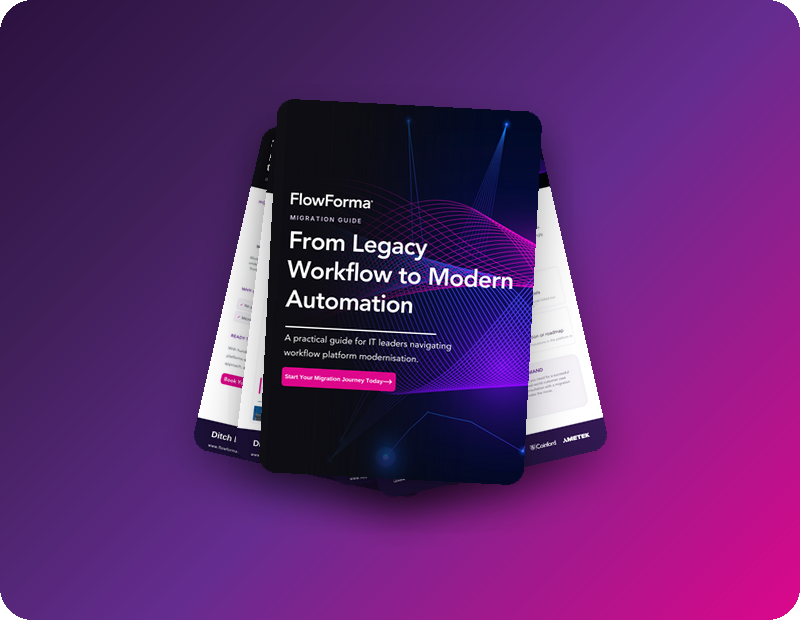
From Legacy Workflow to Modern Automation

A practical playbook for IT leaders navigating workflow platform modernization: why teams are leaving legacy tools, what "better" actually looks like, and how to get there without the migration headache.

  • 4-StepMigration roadmap
  • 100+Migrations delivered
  • 300,000+Users

Get Your Free Modern Automation Guide

  • Compare legacy and modern workflow platforms
  • 3 real customer success stories
  • Discover our proven 4-step migration roadmap

What you'll find inside

A practical playbook for IT leaders navigating workflow platform modernization, from building the business case to choosing the right platform.

  1. 01Why organizations are moving away from legacy platforms
  2. 02Replace vs. improve: what actually changes
  3. 03The 12-point buyer checklist
  4. 04Real migration stories and results
  5. 05Your 4-step migration roadmap
Pages from the From Legacy Workflow to Modern Automation guide

Why organizations are moving away from legacy workflow platforms

We've spoken with hundreds of organizations looking to move off legacy workflow platforms. Every team has its own reasons, but the same themes keep coming up.

Escalating licensing costs

The licensing has doubled. ROI is evaporated.

Unpredictable costs

The consumption model killed our budget predictability.

Maintenance

Every change breaks something.

Fragile and unreliable

The vendor calls it 'supported', it feels abandoned.

Workarounds everywhere

We're stuck with legacy behavior and workarounds.

No innovation or roadmap

No major innovations in the platform in years.

Watch the Legacy Migration webinar

A live migration demo, real customer success stories, an expert Q&A and practical advice from specialists who have helped 100+ organizations make the move.

Watch now

Don't just replace. Improve.

IT leaders don't want to move existing processes to a new tool as they are. They want an AI-enabled platform that helps teams work faster, cut manual effort and improve quality, with the governance, transparency and confidence that AI is used safely and compliantly. And they want real-time insight to make better decisions, not just reports on what already happened.

The legacy experience

  • High maintenance
  • Expensive to change
  • Limited integrations
  • Slow to adapt
  • No AI

The modern advantage

  • Agile
  • Cost-effective
  • Connected
  • Future ready
  • AI powered

The 12-point buyer checklist

What buyers most often look for when they replace a legacy workflow platform.

  • Fast time to value
  • No-code workflow designer
  • AI-powered automation
  • Trusted support team
  • Real-time dashboards
  • Seamless integrations
  • Modern, scalable platform
  • User friendly
  • Rapid ROI
  • Enterprise-grade security
  • End-to-end process visibility
  • Actionable insights

From legacy constraints to modern workflow

Three organizations, three legacy platforms, one outcome.

InfoPath replacementPublic Admin · 6,000 staff
Months → <5 daysContracts process turnaround
“With every process we migrate, our managers see more value.”
Sarah Klenk, Utah DHHS

Before

  • InfoPath end of life
  • Slow manual processes and tracking
  • Needed e-signatures

After

  • InfoPath processes migrated
  • Seamless compliance
  • Scalable foundation
InfoPath & NintexEducation · 600 staff
Hours → minutesProcess completion time
“We didn't just replace, we improved.”
Will Johnson, Morley College

Before

  • InfoPath end of life + Nintex
  • High admin burden
  • Poor visibility and reporting

After

  • Admin time reduced
  • Better data accuracy and visibility
  • Form data validation
Nintex replacementPublic Admin · 2,000 staff
20 workflowsMigrated in month one
“FlowForma stood out as the ideal solution.”
Staff, Beaufort County

Before

  • Nintex on-premises
  • Hard to scale and maintain
  • Too much reliance on IT

After

  • Migrating at speed
  • Optimized processes
  • Modernized how staff work

How we'd tackle your migration

With hundreds of workflow migrations completed, our experts assess your current environment, plan the approach and move critical processes across with minimal disruption.

  1. 1

    Dedicated migration expert

    Work 1:1 with a specialist who understands legacy platforms, from assessment to go-live.

  2. 2

    2-day training with FlowForma Copilot

    Rapidly replicate your legacy processes using FlowForma Copilot AI, then add logic and rules with ease.

  3. 3

    10,000 migration credits

    FlowForma experts tackle your complex workflows. Simple ones are rebuilt fast by your team.

  4. 4

    Go live in phases

    Batches of FlowForma-hosted processes go live progressively, minimizing disruption for your teams.

Why organizations choose FlowForma

  • Phased rollout for low risk
  • AI-powered migration
  • Microsoft 365 native
  • Low-code for faster improvement
  • Proven with 100+ migrations
  • No process redesign required
“FlowForma helped us migrate complex processes without disruption. The phased approach gave us confidence at every step of the way.”
Will Johnson, Morley College London

Workflow modernization: common questions

Why are organizations moving away from legacy workflow platforms?

The most common reasons are rising and unpredictable licensing costs, workflows that are fragile and hard to maintain, workarounds for legacy behavior, and platforms with little innovation or AI on the roadmap.

Should you move legacy processes across as they are, or improve them?

A migration is a chance to improve, not just replace. Most IT leaders want an AI-enabled platform that cuts manual effort and improves quality, with strong governance and real-time insight built in.

What should you look for in a modern workflow platform?

Fast time to value, a no-code designer, AI-powered automation, a trusted support team, real-time dashboards, seamless integrations, a scalable platform that's easy to use, rapid ROI, enterprise-grade security, end-to-end process visibility and actionable insights.

How does FlowForma approach a workflow migration?

In four steps: a dedicated migration expert, two days of training with FlowForma Copilot, 10,000 migration credits for complex workflows, and a phased go-live that keeps disruption low.

Which legacy platforms has FlowForma migrated customers from?

InfoPath and Nintex among others. Utah DHHS replaced InfoPath, Morley College London moved off InfoPath and Nintex, and Beaufort County replaced Nintex on-premises. FlowForma has delivered 100+ migrations.

Ditch Legacy. Move Faster

Get the full guide, including the buyer checklist, the roadmap, and real-world case studies.