If you're weighing up Kissflow and Appian, you're probably trying to figure out which one is actually worth your time and budget. Kissflow keeps things simple and no-code; Appian goes deep on enterprise power. Both promise to fix your workflows, but choosing between them isn't as straightforward as comparing feature lists.
And the questions that really matter usually go beyond features anyway. Will it scale as your team grows? How long will it take for your people to atually feel comfortable using it? What does it really cost once you're past the sales call?
This guide walks you through how the two stack up on functionality, complexity, and pricing, and where FlowForma (our own solution) comes in for teams who want the simplicity of no-code without giving up on governance or predictable growth.
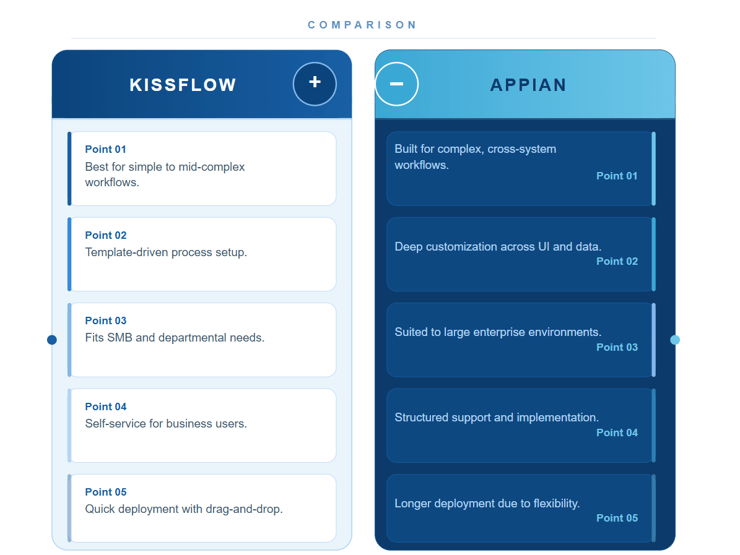
Platform differences of Kissflow vs Appian
When comparing the two platforms, the differences come down to who they're built for and what you need to automate. Here's how they stack up.
Kissflow: Best for simple to moderately complex workflows If your team needs to automate quickly without a big development effort, Kissflow is built for that. It works best when ease of use and fast deployment are your priorities.
Appian: Designed for complex, enterprise-wide processes Appian handles sophisticated workflows that span multiple systems. But it takes more time, skill and resources to get up and running.
Customization and flexibility
Kissflow: Template-driven with limited deep customization Kissflow uses pre-built templates and simple configuration. It works well for straightforward processes with basic logic and form controls.
Appian: Extensive customization and system integration With Appian, you get deep control over your interfaces, data models and workflows. It also supports complex integrations across enterprise systems.
Enterprise vs. SMB suitability
Kissflow: Well-suited for SMBs and departmental automation If you're a small to mid-sized team automating everyday processes like approvals or employee requests, Kissflow fits well.
Appian: Built for large enterprises with cross-system workflows Appian suits large organizations that need to connect workflows across departments and integrate with systems like CRM and ERP platforms.
Support and community resources
Kissflow: Self-service oriented support for business users Kissflow gives you tutorials, guides and community resources so your team can get set up without leaning on technical support.
Appian: Enterprise-grade support and implementation services Appian provides structured training, dedicated support and guided implementation for large-scale projects that need ongoing expertise.
Implementation speed
Kissflow: Rapid deployment with quick results Your team can automate workflows fast using templates and drag-and-drop tools. Just know that advanced configuration options are limited.
Appian: Longer implementation due to depth and flexibility Appian takes longer to deploy, especially in complex environments. That's the trade-off for the level of customization it offers.
Kissflow vs Appian: How Key Features Of Each Platform Differ
Before we dive into the detailed analysis, here’s a quick overview of how the key features of Appian vs Kissflow are:
|
Key Feature
|
Kissflow
|
Appian
|
|
Workflow automation
|
No-code, drag-and-drop workflows for approvals, onboarding, and standard processes
|
Low-code workflows for complex, multi-step, cross-department processes
|
|
Workflow scalability
|
Suitable for simple to moderately complex workflows
|
Designed for highly complex, enterprise-wide process orchestration
|
|
Document generation
|
Basic document creation from workflow data (contracts, invoices, reports)
|
Advanced document automation with conditional content and system integration
|
|
Automation logic
|
Conditional routing and task assignments
|
Advanced logic, multi-stakeholder routing, and system-driven actions
|
|
AI capabilities
|
Rule-based workflow automation
|
AI for document processing, data extraction, decision-making, predictive insights
|
|
Collaboration within workflows
|
Task reviews, approvals, and progress tracking inside workflows
|
Role-based access, real-time notifications, and cross-team coordination
|
|
Integrations
|
Native integrations with Google Workspace, Microsoft 365, Slack, plus APIs
|
Connectors for CRM, ERP, SAP, Salesforce, Oracle, and legacy systems
|
|
API & extensibility
|
API support for custom integrations
|
Extensive integration framework for complex system environments
|
|
Governance controls
|
Audit trails and approval tracking
|
Detailed audit logs, security controls, and role-based governance
|
|
Compliance readiness
|
Suitable for moderate compliance needs
|
Built for strict regulatory and enterprise compliance requirements
|
Side-by-side comparison of Kissflow features vs Appian features
Let’s now walk through the key feature differences of both platforms.
Kissflow features
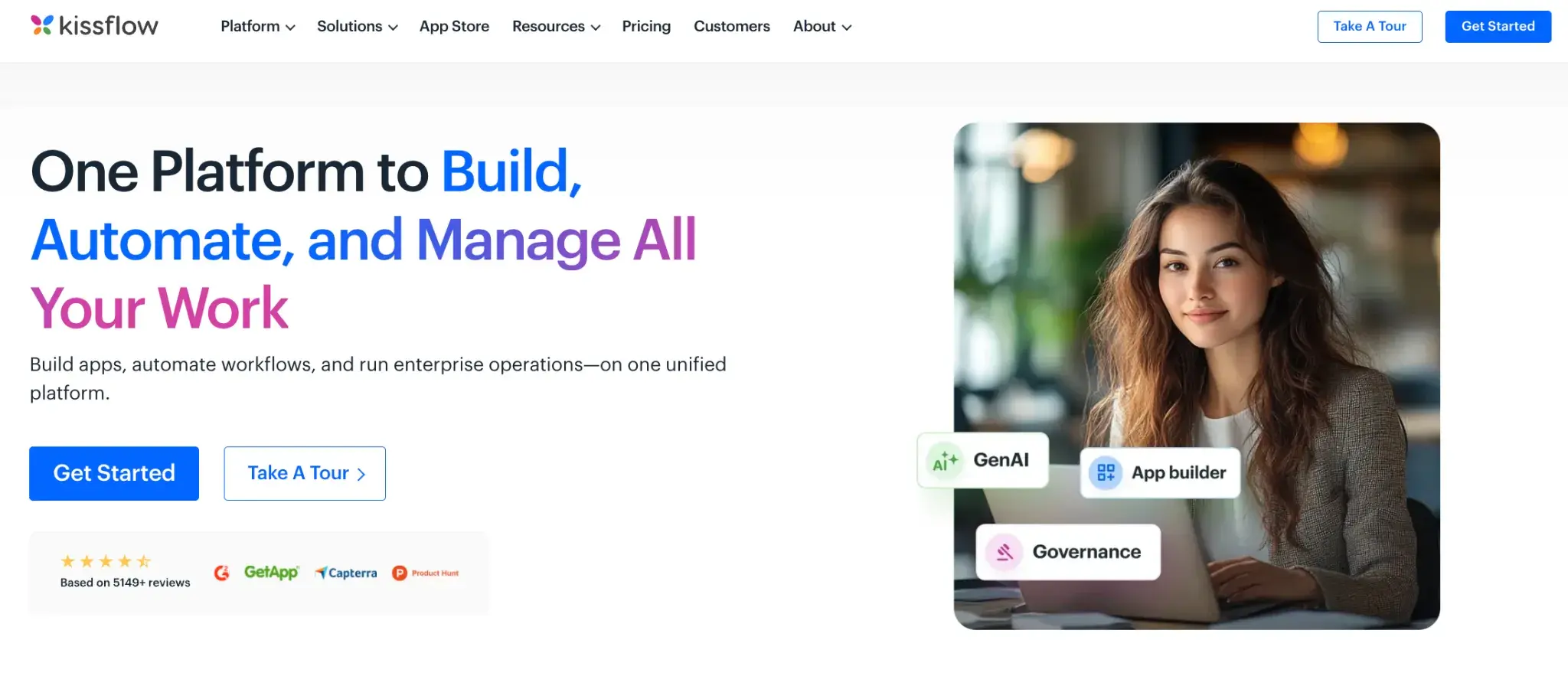
Kissflow homepage
Below are the key features of Kissflow:
Application builder
A low-code, drag-and-drop environment for creating custom applications, forms, and process flows without deep coding knowledge.
Visual modeling tool
A graphical interface for mapping workflows visually so users can understand tasks, approvals, and dependencies at a glance.
Pre-built apps
Ready-to-use applications for common processes like onboarding, approvals, and expense management that can be quickly customised.
Integration capabilities
Out-of-the-box connectors for Microsoft 365, Google Workspace, and other tools to ensure smooth data flow across systems.
Analytics and reporting
Built-in reporting that provides real-time visibility into workflow performance, bottlenecks, and operational metrics.
Forms data management
Dynamic forms that capture and manage process data accurately within workflows.
Workflow management
No-code control over tasks, approvals, and notifications from start to finish.
Report management
Custom reports with KPIs, task status, and completion insights generated directly from workflows.
Appian key features
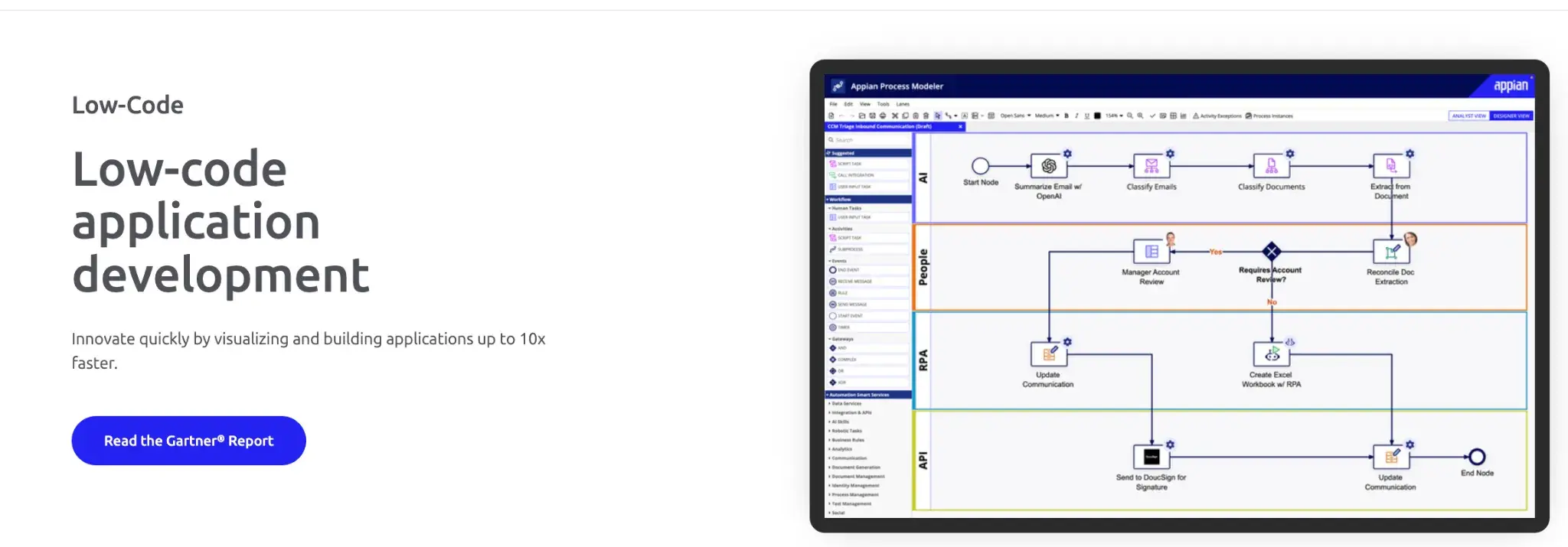
Appian homepage
Appian's key features include:
Low-code development
A robust low-code platform for building applications and automating workflows with minimal coding effort.
Process automation and AI
AI capabilities that support intelligent decision-making, data extraction, validation, and advanced task automation.
Data fabric
A unified data layer that connects information from CRM, ERP, and other systems into a single, consistent view.
Cloud and on-prem deployment
Flexible deployment options that support both cloud and on-site environments based on regulatory and business needs.
Compliance and security
Enterprise-grade security with role-based access, encryption, and controls suited for highly regulated industries.
AI-powered automation
AI agents, predictive analytics, and intelligent automation tools that improve accuracy and efficiency across complex workflows.
Kissflow vs Appian: Pricing Analysis And Cost Comparisons
Pricing differences between Kissflow and Appian are not just about license cost. They reflect how each platform is implemented, scaled, and maintained over time.
Pricing model of Kissflow and Appian
Kissflow uses a transparent per-user, per-month pricing model. Kissflow generally offers a more affordable pricing structure, making it a cost-effective solution for SMBs and budget-conscious businesses. Costs scale predictably with the number of users and the selected plan, making it easier for teams and SMBs to estimate budgets upfront.
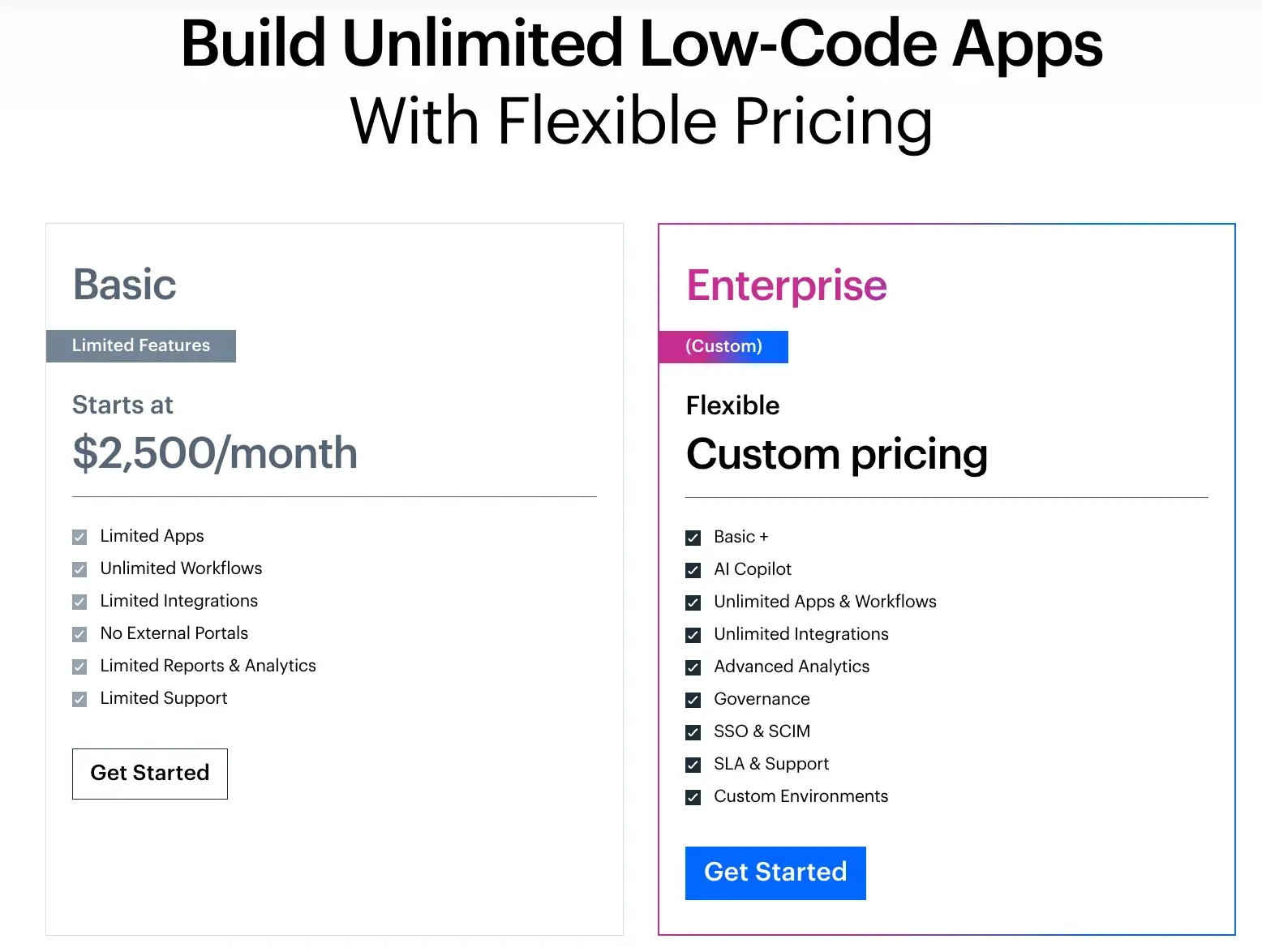
Kissflow’s pricing page
Appian: Appian's pricing is more complex and typically higher, as it targets large enterprises with advanced needs. Appian provides custom pricing based on the enterprise's specific requirements and scale, offering flexibility but making costs less predictable. Pricing plans are not publicly listed and usually require direct engagement with Appian.
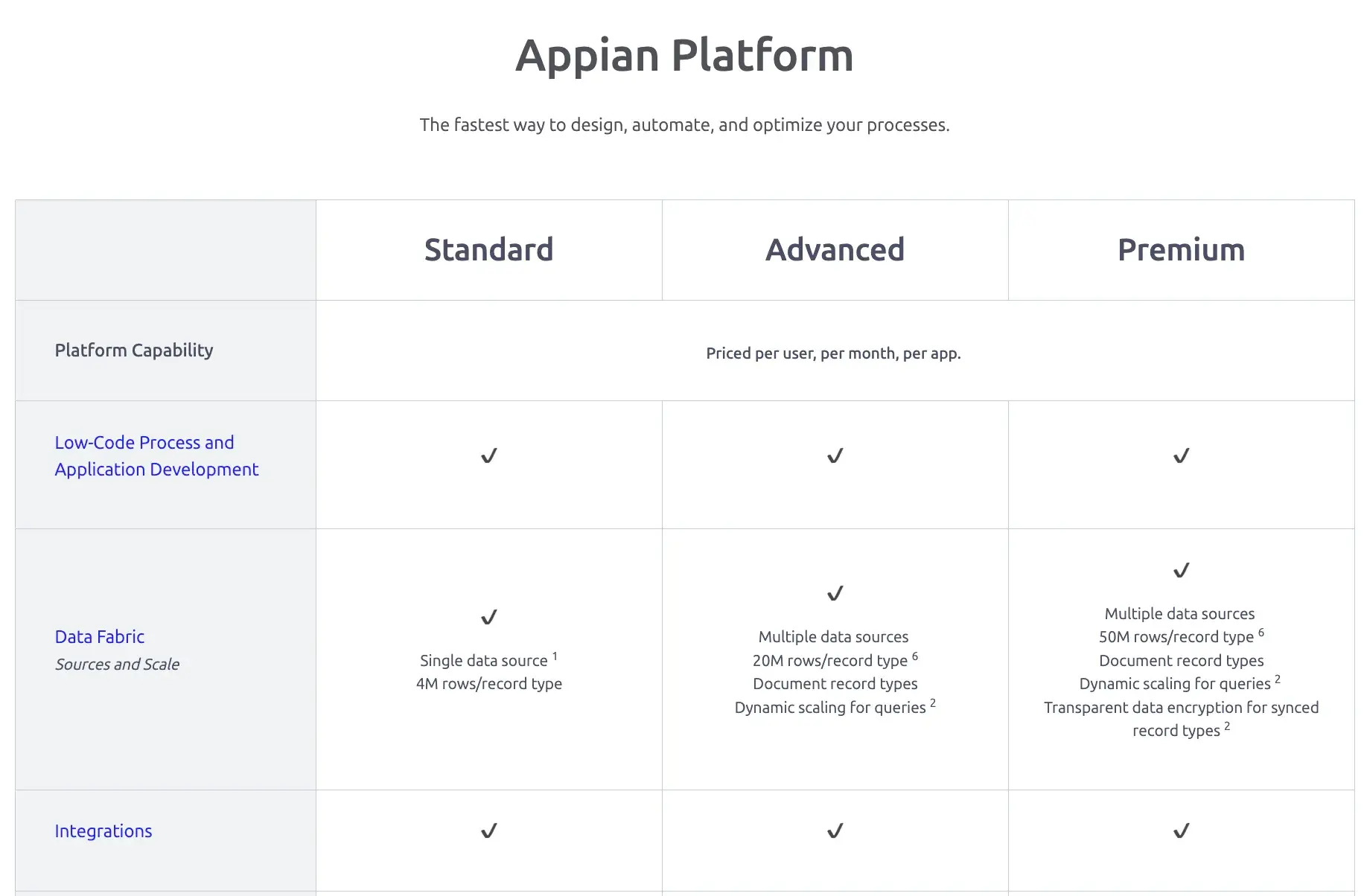
Appian’s pricing page
Implementation and setup costs
Because Kissflow is no-code and designed for quick deployment, organizations usually avoid large implementation expenses or the need for dedicated development resources.
However, Appian implementations often require developer involvement, system integrations, and longer deployment timelines, which adds to the initial investment.
Ongoing cost of ownership
Ongoing costs are primarily tied to user growth and plan upgrades. Maintenance overhead is generally low for standard workflow automation.
Because Appian offers advanced automation capabilities, deep customization, and scalable solutions for large organizations, the total cost can increase significantly as more processes, users, and integrations are added. Additionally, services required for customization and support can further increase Appian's total cost of ownership.
Kissflow vs Appian: What Do Users Say?
Both Kissflow and Appian are lauded for their low-code capabilities and ability to streamline process automation. However, a closer look at customer reviews highlights recurring limitations across both platforms.
In the case of Kissflow, integrations fail or get stuck, and changes often require contacting Support because they aren’t exposed to Kissflow administrators. Also, accessing advanced features or scaling usage across multiple teams leads to steep pricing—as shown in this G2 review.

G2 user review noting Kissflow’s limitations
This review summarizes where Kissflow performs well and where no-code development platforms that offer AI-powered reporting analytics, or alternatives to Kissflow, may be a better fit.
For Appian, users note that reporting and analytics could be more intuitive and flexible for deeper insights. The platform can also feel restrictive when building highly custom UIs or complex logic. Licensing is costly, debugging lacks transparency, and deep customization often requires platform-specific expertise rather than pure coding flexibility.
While Appian is a powerful low-code platform, the cost and resource demands for scaling can be challenging for smaller teams or projects. The G2 review below summarizes where Appian shines and where it falls behind.
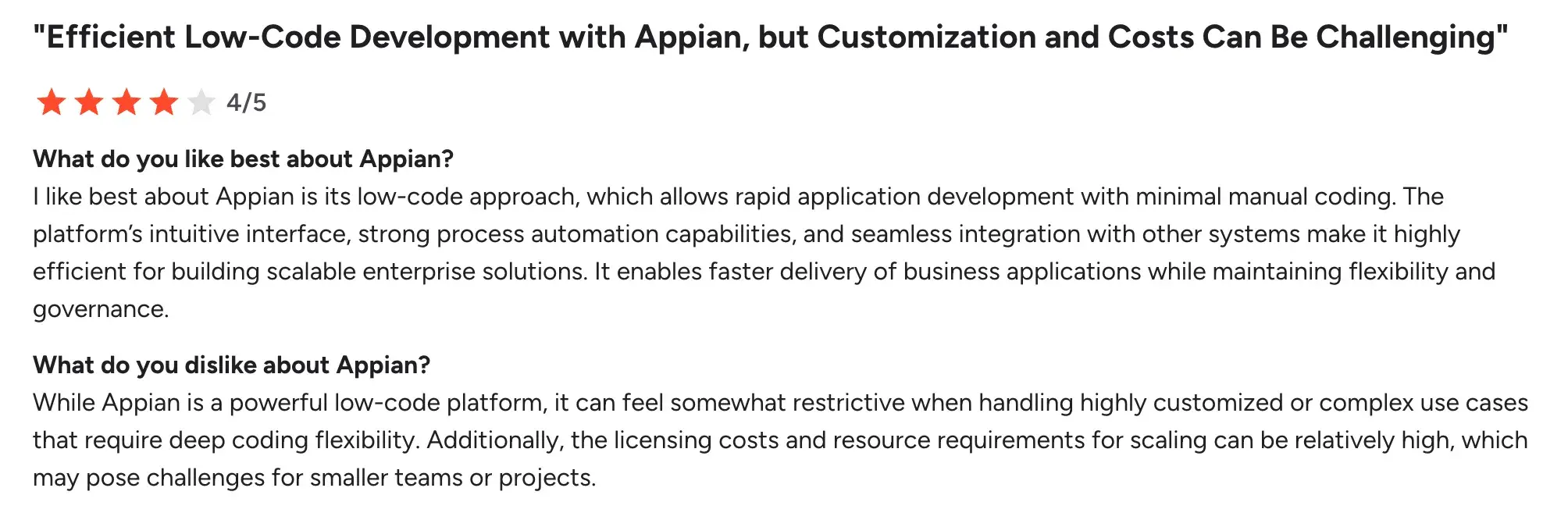
G2 user review highlighting how Appian’s low-code platform performs in practice
FlowForma, on the other hand, enables teams to track and manage processes efficiently, improving operational effectiveness. Its true no-code design and intuitive interface give non-technical users the confidence to build workflows independently.
FlowForma is perceived as a strong asset for organizations digitizing their processes, with customer support often praised for helping with the initial learning curve. Users also highlight the time savings, with one G2 reviewer noting that the “workflow just moves on its own.”
While the tool is intuitive, users recommend starting with simpler processes before moving to complex ones—as the below G2 review highlights.
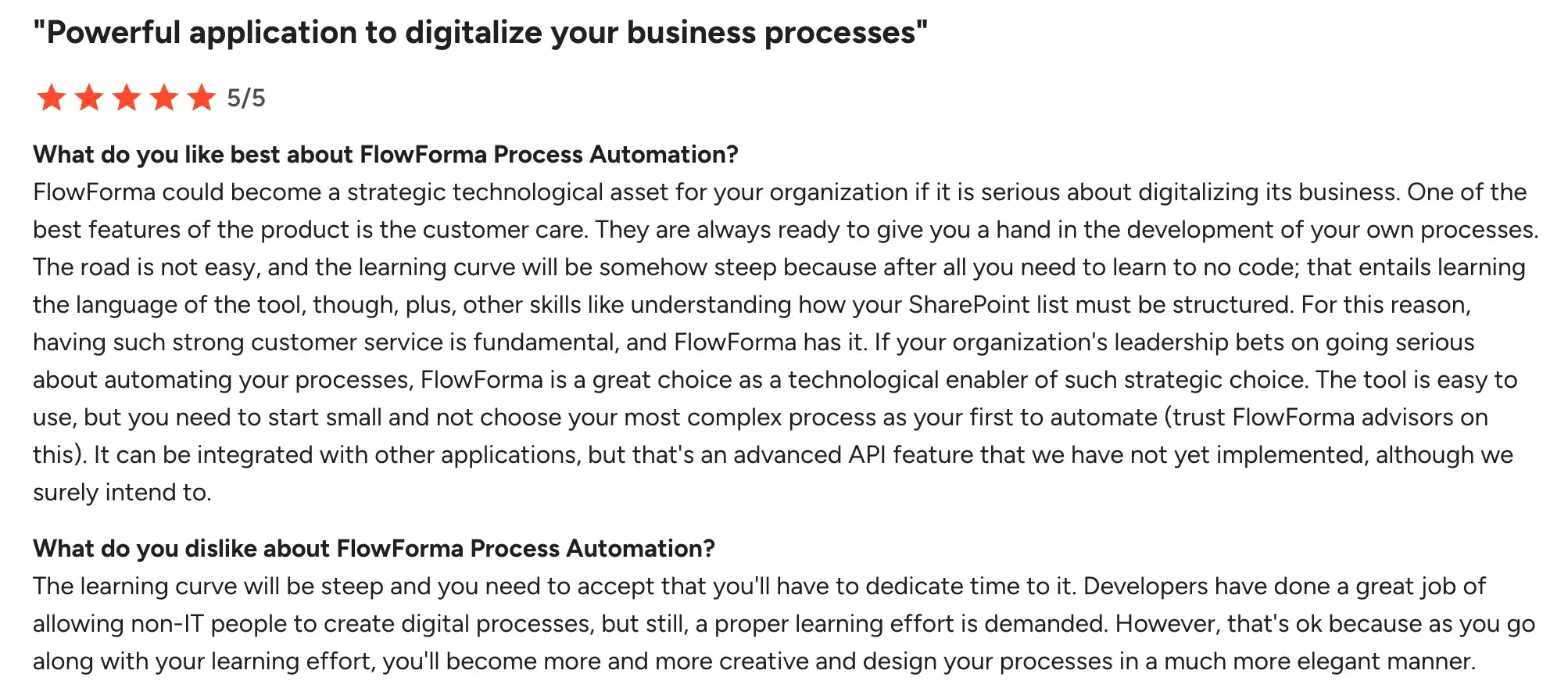
G2 user review summarizing the pros and cons of FlowForma
Over time, teams gain confidence and become more creative in how they design workflows. The table below summarizes how FlowForma compares with Kissflow and Appian across key capabilities.
|
Capability
|
FlowForma
|
Kissflow
|
Appian
|
|
Workflow design
|
True no-code design for simple to complex multi-stakeholder workflows
|
No-code drag-and-drop for simple to moderate processes
|
Low-code design for complex, multi-step processes
|
|
AI assistance
|
AI Copilot, discovery agent, summarization, and optimization insights
|
Rule-based routing and task automation
|
AI for decisioning, document processing, predictive insights
|
|
Ease for non-technical users
|
High, with guided no-code experience and smart assistants
|
High for basic workflows
|
Requires technical involvement as complexity grows
|
|
Governance and auditability
|
Strong governance with full auditability inside Microsoft 365
|
Basic audit trails
|
Enterprise-grade governance controls
|
|
Compliance readiness
|
Data stays within the SharePoint tenancy with compliance support
|
Suitable for moderate needs
|
Built for highly regulated industries
|
|
Implementation speed
|
Rapid deployment with templates and AI-assisted setup
|
Fast for standard workflows
|
Longer due to customization and integrations
|
|
Microsoft 365 integration
|
Native to Microsoft 365 and SharePoint Online
|
Integrates with Microsoft tools
|
Integrates through connectors
|
|
Scalability of workflows
|
Scales complexity without adding technical overhead
|
Can feel limiting as complexity increases
|
Handles complexity but with resource overhead
|
|
Support for builders
|
Hands-on customer support and guidance
|
Self-service resources
|
Enterprise support mode
|
FlowForma vs Kissflow vs Appian: Key capabilities comparison
Teams comparing Kissflow vs Appian are usually deciding between:
- Ease and speed (Kissflow), and
- Depth and enterprise control (Appian)
In contrast, FlowForma delivers no-code simplicity, enterprise governance, AI-driven assistance, and Microsoft-native architecture on a single platform.
Below is an overview of how FlowForma removes the compromise between simplicity and enterprise capability:
|
Scenario
|
Kissflow
|
Appian
|
FlowForma
|
|
Easy to start but limiting as processes grow
|
✔
|
|
|
|
Powerful but resource-heavy to implement
|
|
✔
|
|
|
Need no-code with enterprise governance
|
|
|
✔
|
|
Need AI to help design and optimize workflows
|
|
|
✔
|
|
Need Microsoft-native automation with compliance
|
|
|
✔
|
|
Faster ROI without sacrificing control
|
|
|
✔
|
FlowForma vs Kissflow vs Appian: How each platform handles complexity
Key features of FlowForma include:
Transparent, cost-effective pricing that scales as usage grows
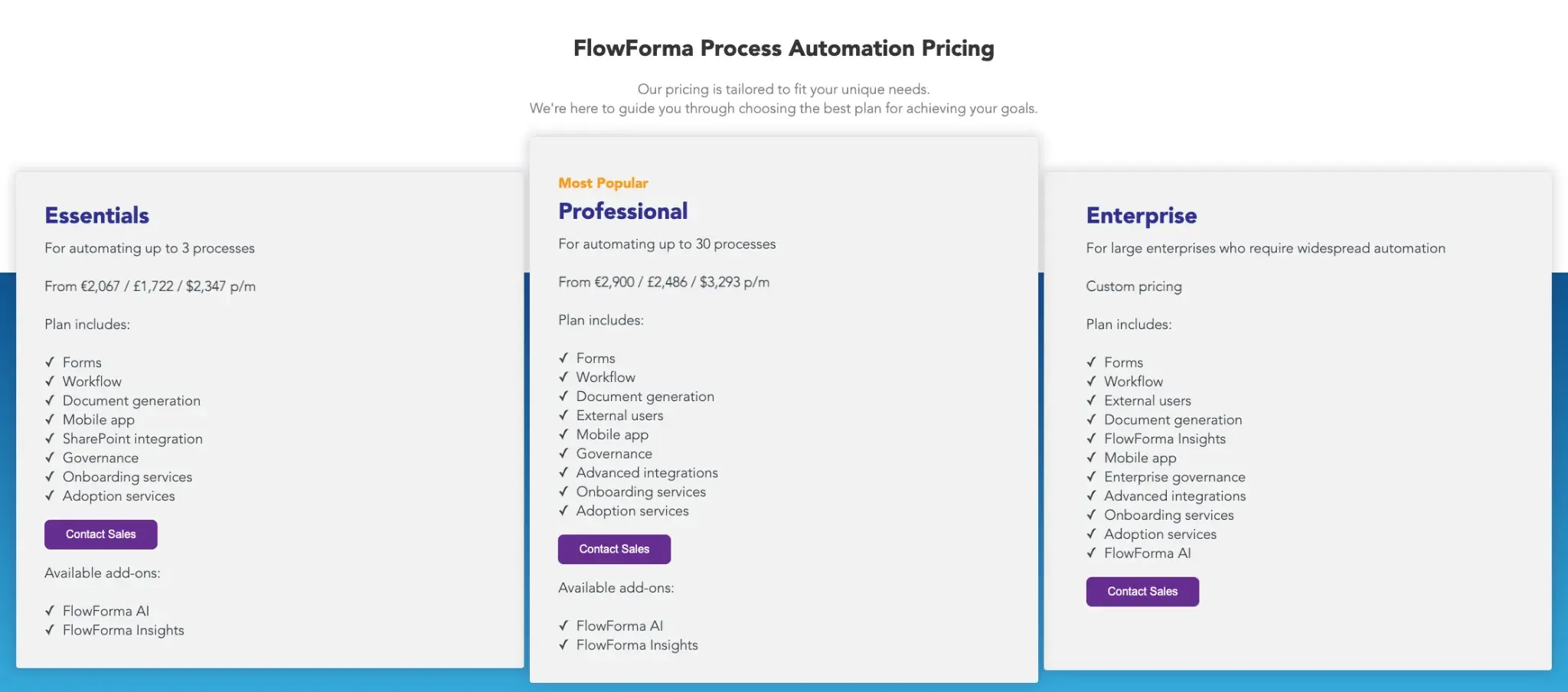
FlowForma’s pricing structure
FlowForma’s pricing is based on the number of processes you automate, rather than on how many users access the platform or how often workflows run. A single licence includes workflows, forms, governance, and integrations, making costs easier to predict and reducing the variability often seen with user- or usage-based models.
AI that builds and improves simple to complex workflows, not just routes tasks
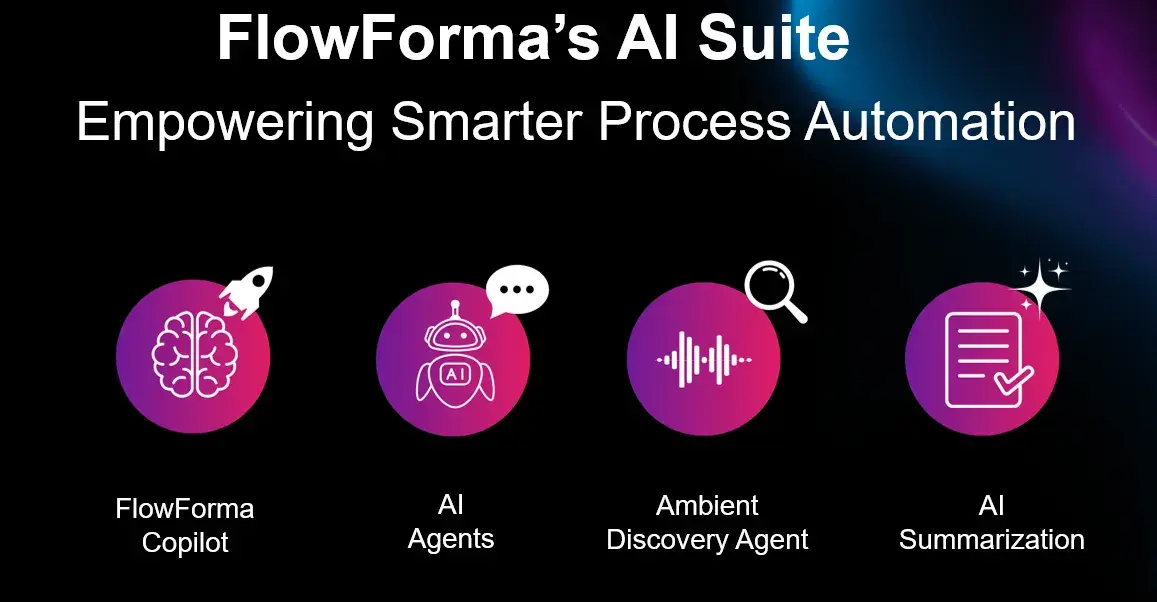
FlowForma’s AI Suite
Kissflow relies on rule-based routing, while Appian enables advanced logic that typically requires technical setup. FlowForma applies AI across the workflow lifecycle.
- AI Copilot converts notes or process descriptions into ready workflows.
- Agentic AI performs actions such as validating invoices, checking data, and updating systems.
- Discovery Agent identifies new automation opportunities from documents and discussions.
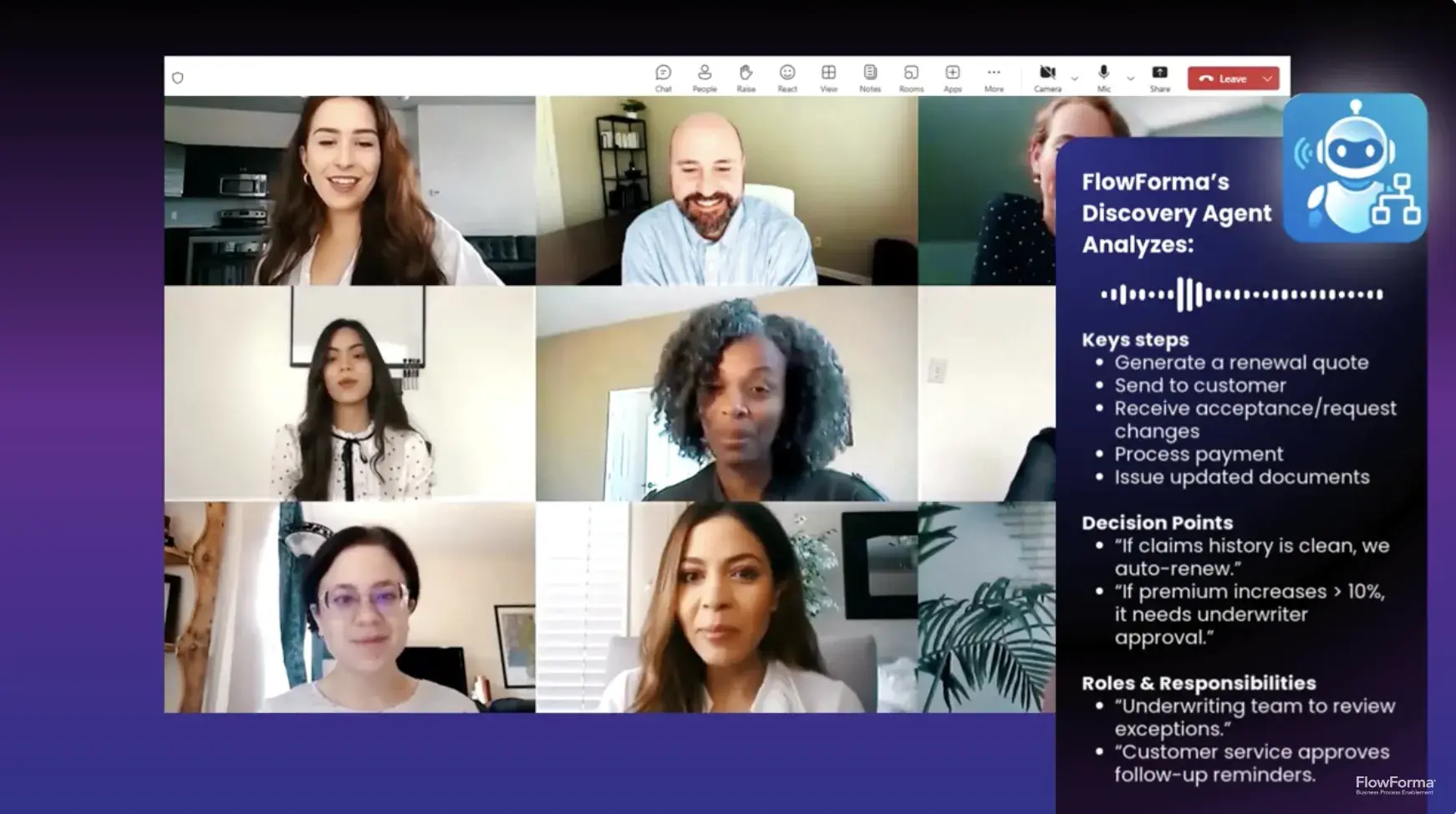
FlowForma’s Discovery Agent
- AI summarization and insights highlight bottlenecks, decisions, and areas for optimization.
- AI-powered Insights and analytics show where processes slow down and where improvements can be made.
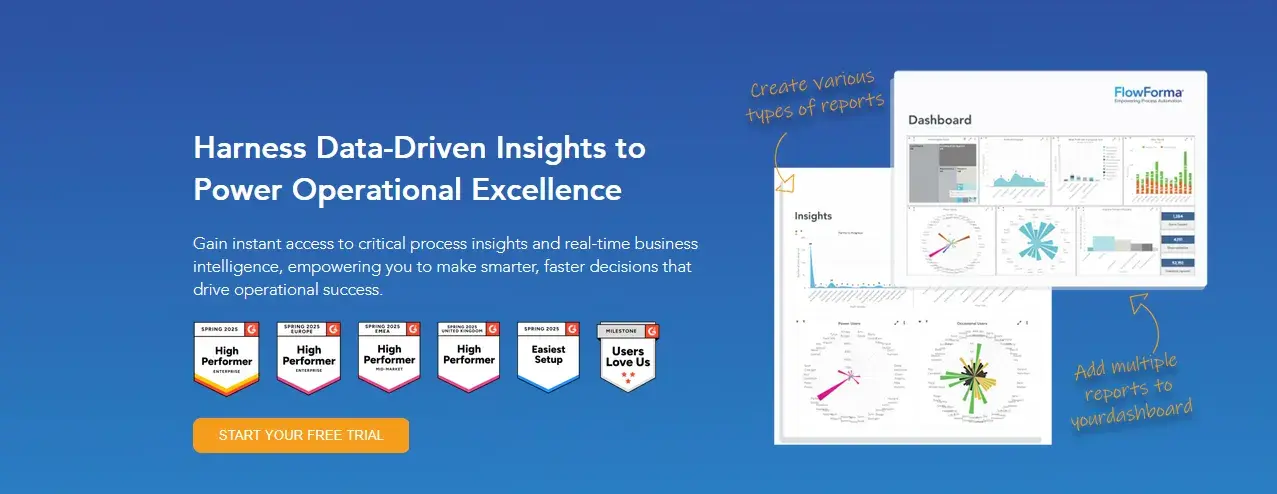
FlowForma’s AI-powered Insights and Analytics
FlowForma’s AI suite reduces the effort needed to design and continuously improve processes, making it especially helpful for non-technical users.
True no-code for builders with full governance for IT
Kissflow is accessible for business users but can feel limiting as complexity increases. Appian offers governance and control but usually requires technical ownership.
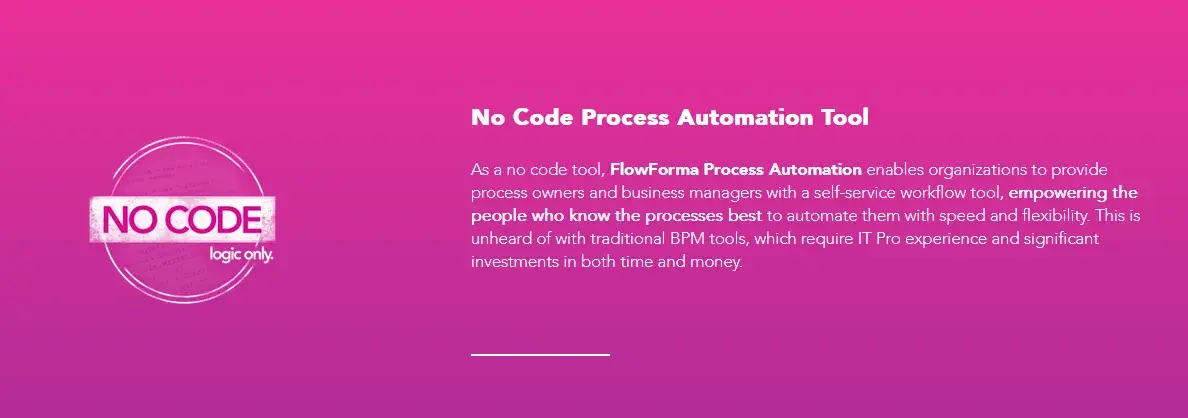
FlowForma is a no-code platform with an easy-to-use interface
FlowForma enables business users to build workflows independently with no code, while IT teams retain version control, auditability, and compliance oversight. This allows organizations to scale automation safely in regulated environments without sacrificing usability.
Compliance and data security are built into the architecture
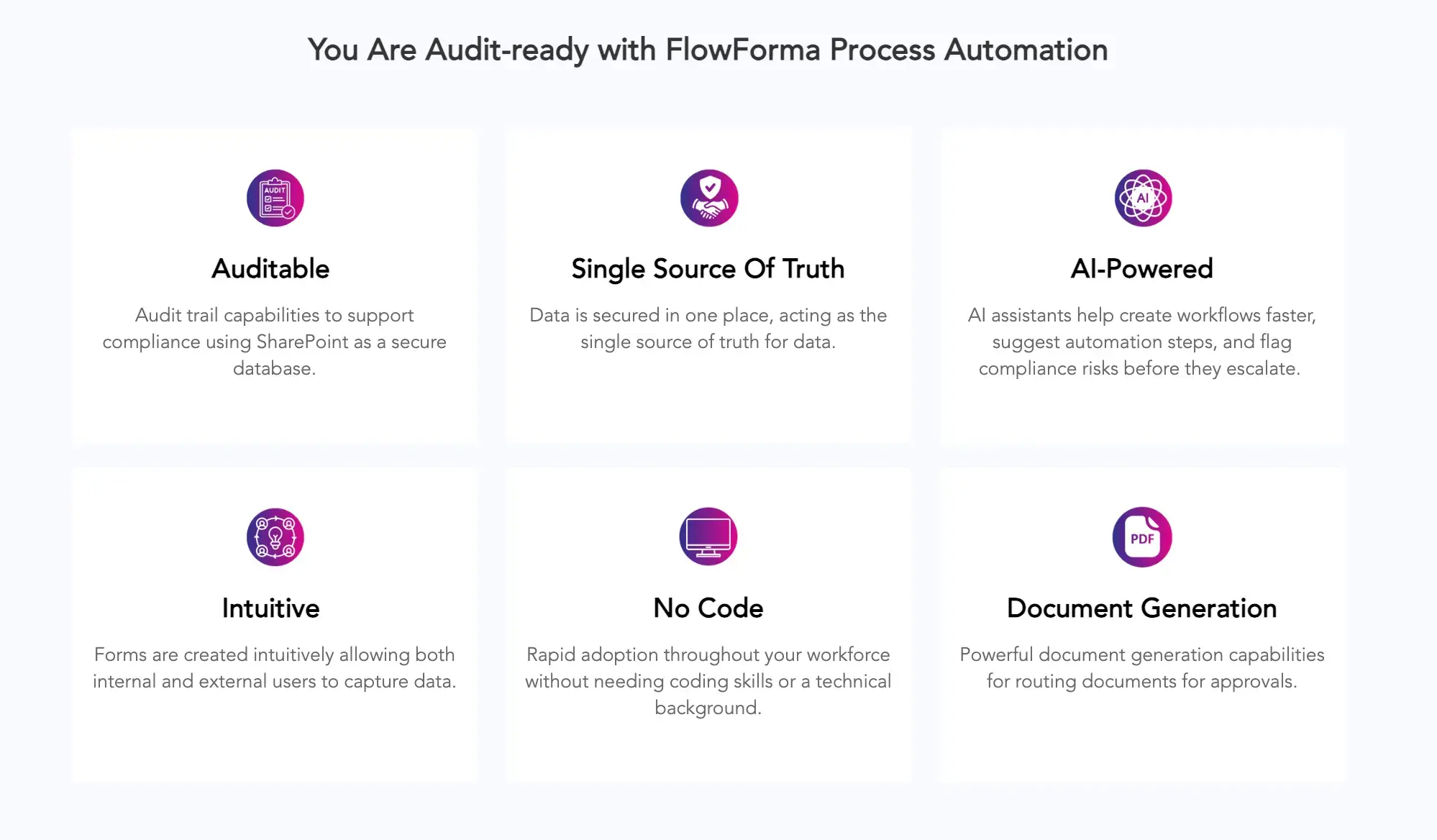
Features of FlowForma’s compliance module
FlowForma keeps workflow data inside the customer’s SharePoint tenancy rather than moving it across external environments.
- End-to-end audit logs
- Support for HIPAA, SOC 2, and ISO 27001 requirements
- Full traceability for regulated industries
It often becomes a deciding factor for organizations that see compliance limits in Kissflow and management complexity in Appian.
Faster time to value than traditional BPM implementations
Appian deployments can take months due to customization and integration work. Kissflow is fast for simple workflows but harder to scale for more complex processes.
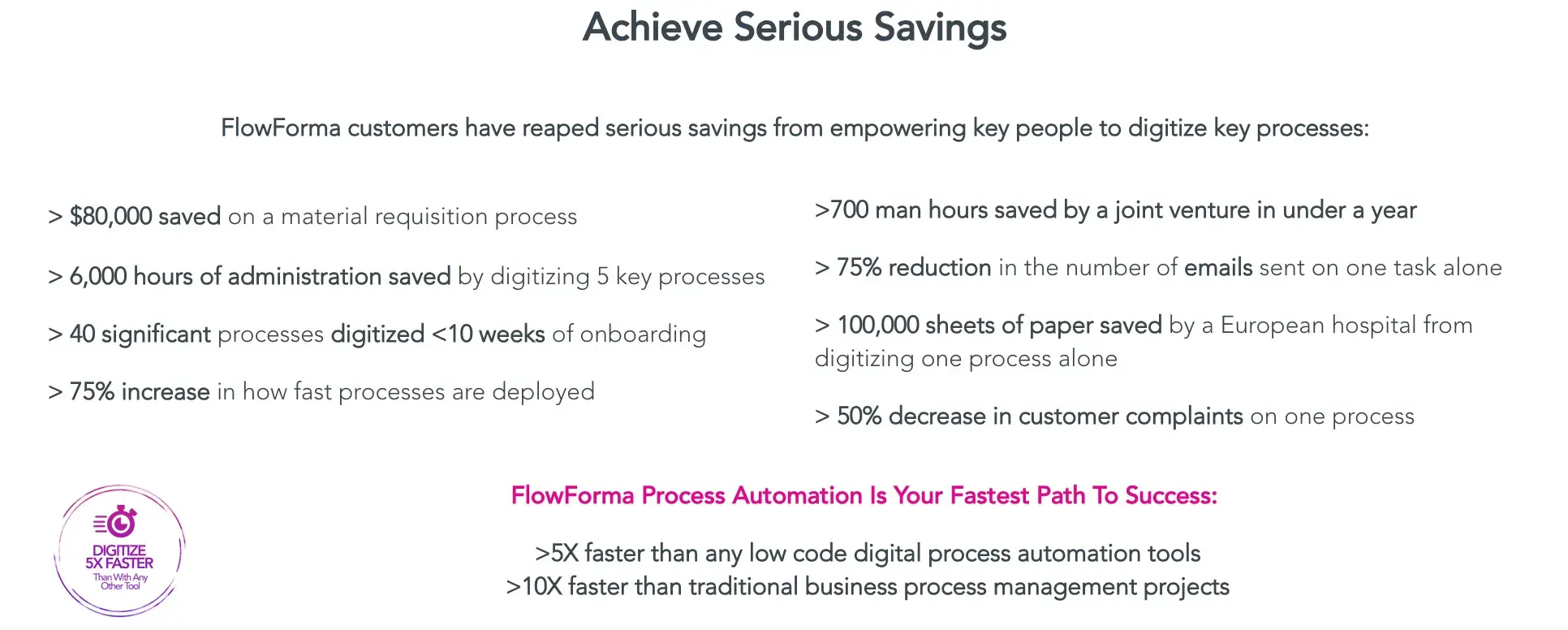
ROI achieved with FlowForma adoption
FlowForma combines pre-built templates, AI-assisted workflow creation, and 100% no-code design so organizations can automate multi-stakeholder workflows in days or weeks.
Native Microsoft 365 integration with broad connectivity
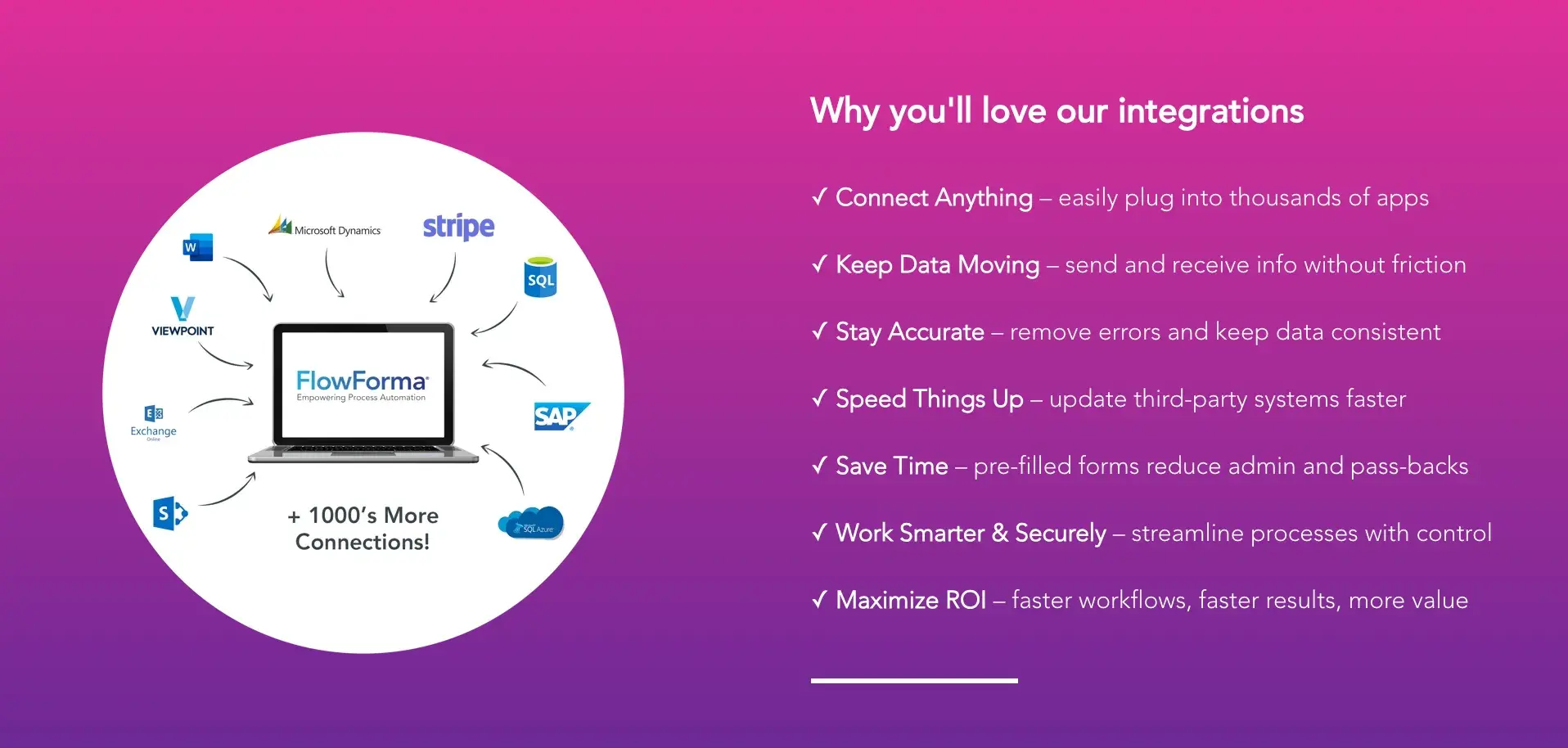
FlowForma integrations
FlowForma offers native and seamless integration in Microsoft 365 and SharePoint Online and connects to over 1,000 applications. For Microsoft-centric organizations, this reduces integration overhead while still enabling cross-system automation.
Ready to accelerate your automation journey? Book a demo with FlowForma today and experience the easiest, most cost-effective digital process automation platform for your business!