You’re here because choosing the wrong grant management software is expensive—both financially and operationally. Once you migrate data and rebuild your workflows, switching platforms becomes disruptive and costly.
Many teams only discover the limitations after implementation, when the system cannot properly support their approval structure or meet compliance requirements.
The real pain point is not finding options; it is knowing which one will actually support your funding model long-term. In this guide, we break down the 10 leading grant management platforms, including their key features, pros, and cons, to help you make a better decision.
10 Popular Grant Management Software (Quick Overview + Our Evaluation Criteria)
Now that you’re shortlisting grant management software, let’s start here. The comparison below highlights each platfo
rm’s core strengths across the full grant lifecycle. You’ll also see the type of funder or grantmaking organization each tool best suits, along with how users rate it in real-world deployments.
|
Software
|
Key Features
|
Best For
|
|
Foundant
|
Configurable grant forms with fund tracking and applicant records
|
U.S. foundations running multiple programs
|
|
Submittable
|
Online applications, reviewer scoring, applicant portals, reporting
|
Grantmakers focused on fast intake and review
|
|
Fluxx Grantmaker
|
Complex workflow logic with budgeting controls and portfolio visibility
|
Mid-to-large foundations managing complex funding models
|
|
FlowForma
|
No-code grant workflows, multi-stage approvals, compliance tracking, Microsoft 365 integration
|
Government and nonprofits needing structured, audit-ready automation
|
|
SurveyMonkey Apply
|
Branded portals with conditional logic and automated review routing
|
Teams prioritizing applicant experience
|
|
Microsoft Power Apps
|
Custom-built grant portals with workflow automation inside Microsoft 365
|
Microsoft-centric organizations needing customization
|
|
Kissflow
|
Form-driven workflows with rule-based approval routing
|
Teams with simple internal approval needs
|
|
SmartSimple Cloud
|
End-to-end grant lifecycle management with enterprise-grade configurability
|
Large foundations requiring high configurability
|
|
Nintex
|
Advanced process automation with document routing and compliance controls
|
Document-heavy, compliance-driven environments
|
|
AmpliFund
|
Pre-award through post-award tracking with compliance oversight
|
Public sector grant management
|
An overview of the popularly adopted grant management software
|
📌 How did we prepare this list and source our data?
To build the list below, we reviewed widely used grant management software platforms, including our own solution, FlowForma.
We pulled inputs review themes, product documentation, and user feedback where available, then compared each tool using the same grant-specific checklist.
Next, we evaluated the tools around these:
- End-to-end grant lifecycle management
- Configurable application forms and review workflows
- Budget tracking and financial oversight
- Reporting capabilities for funders, boards, and regulators
- Integration depth with Microsoft 365, ERP, CRM, and other finance systems
- Governance and compliance readiness
- Scalability for multi-program, multi-region grantmaking
- Pricing transparency
- Fit for regulated, multi-stage funding processes
We combined vendor claims with real user feedback to show what each platform can truly handle and what it is like to manage complex grant programs day to day for financial institutions.
|
Detailed Reviews of the Best Grant Management Software
1. Submittable - Best for fast application intake and structured reviews.
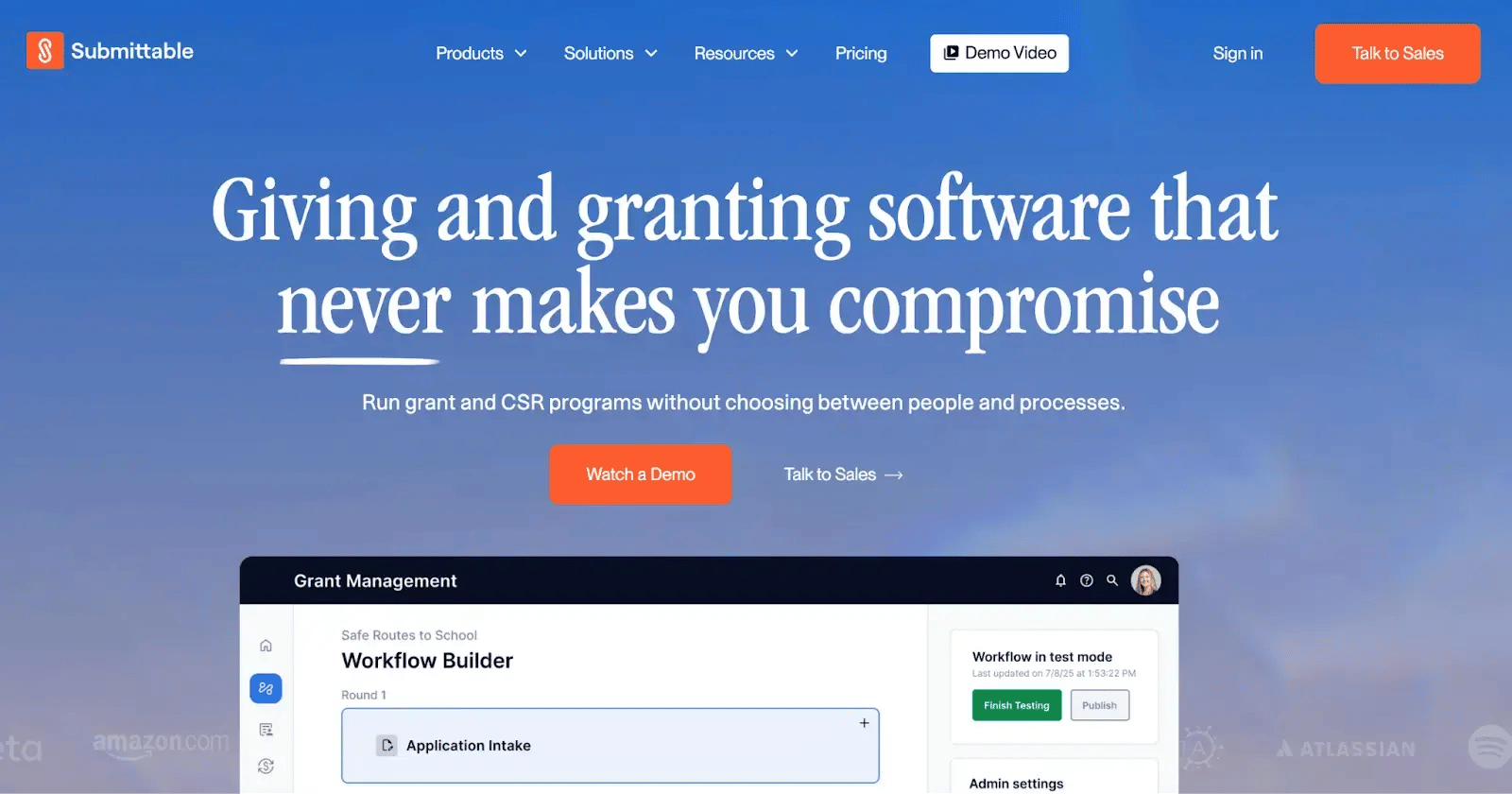
Submittable’s homepage
Submittable makes it easy for both applicants and internal teams with a centralized system.
It’s widely used by foundations, nonprofits, and government programs that run multiple funding opportunities at the same time and need a reliable way to keep everything organized and on track.
Key Features of Submittable
1. Tailored application forms
Build forms that reflect your specific eligibility criteria and questions. You can include logic to show or hide sections based on responses, helping you collect only the data you need.
2. Structured review and scoring
Assign reviewers, manage multiple review rounds, and capture scores and feedback all in one place. The system helps keep reviewer workloads balanced and decisions transparent.
3. Applicant communication and status tracking
Applicants can save drafts, upload documents, and receive automated notifications about deadlines and decisions. It reduces back-and-forth emails and improves the applicant experience.
4. Award and fund tracking
You can easily manage how funds are allocated and disbursed. Submittable lets you record award amounts, track payments, and associate budgets with each grant opportunity.
Submittable’s Pros and Cons
- End-to-end submission and review management in one workspace
- Strong collaboration and workflow visibility with structured access and tracking in one place
- Dedicated onboarding help, fast responses, and a deep self-serve knowledge base
- Centralized data improves reporting and impact analysis
Submittable Cons
- Reporting depth and export flexibility are limited for advanced use cases
- Access to advanced features often requires higher-tier plans.
- No native reminders or completion notifications for review deadlines
2. FlowForma - Ideal for structured, audit-ready workflows inside Microsoft 365
.webp?width=733&height=323&name=flowforma%20homepage%20(1).webp)
FlowForma homepage
Built for regulated funding environments, FlowForma helps you manage the entire grant lifecycle within a single, structured process.
With FlowForma, you define how each application progresses, who reviews it at every stage, and what rules or compliance checks apply. Our AI range also helps you convert paper forms or policy documents into digital grant workflows, which you can refine before launch.
Key Features of FlowForma
1. AI Copilot for grant workflow creation
Describe your grant process in natural language, and our AI Copilot drafts the application stages, review steps, scoring logic, approval routing, and required fields.
Your team starts with a structured grant workflow rather than building from scratch, which accelerates program setup and maintains consistent funding processes.
2. No-code grant lifecycle automation
You can set up eligibility checks, reviewer assignments, conditional approvals, budget validations, parallel reviews, and escalations without writing code. Your program teams stay in control of day-to-day changes, while we ensure IT governance remains intact.
3. Microsoft 365-native grant data storage
Your application data, reviewer comments, award records, and supporting documents stay securely in SharePoint. Tasks appear naturally in Teams and Outlook, and your existing Microsoft permissions and policies continue to protect everything.
4. End-to-end audit trails for funding oversight
Every submission, score, approval, budget update, and document upload is automatically time-stamped and tracked. You always have a clear, audit-ready record of how funding decisions were made.
5. Grant process analytics
Our live dashboards show you application volumes, review timelines, approval bottlenecks, and the status of your funding pipeline so you can spot delays early and keep your programs moving smoothly.
FlowForma’s Pros and Cons
Pros:
- Quick and responsive support team
- Enables business users to design and modify workflows without heavy reliance on coding skills
- Improves coordination and visibility across departments and shared operations
- Drives measurable productivity gains in high-volume, regulated environments
Like any platform, however, it comes with trade-offs. Understanding both the strengths and the limitations can help you decide whether it fits your claims environment.
Cons:
- Navigation takes time to get used to for new or occasional users.
- The learning curve can feel steep, especially without structured onboarding and training.
- Effective use requires structured process design and a thoughtful, well-planned setup.
FlowForma’s Pricing
We use a clear, process-based pricing model. Instead of charging you per user or hiding features in higher tiers, we price based on the number of workflows you run.
As more of your teams use the platform, more departments launch grant programs, or external reviewers and applicants get involved, your costs stay predictable. You can scale your grant operations without worrying about user-based price increases.
3. Microsoft Power Apps - Works well for Microsoft-centric teams needing customization.
.webp?width=733&height=263&name=Image%20of%20Power%20Apps%20home%20page%20(1).webp)
Microsoft Power Apps homepage
Microsoft’s Power Platform combines Power Apps for building custom applications and Power Automate for connecting systems and automating processes.
The platform also offers 1,000+ connectors to both Microsoft services and third-party tools, making it easier to tie grant applications, approvals, and reporting into existing systems.
Key features of Microsoft Power Apps
1. Custom grant apps with Canvas apps
Build fully tailored grant applications using drag-and-drop controls. You can create applicant portals, reviewer dashboards, or award-tracking apps without writing code, shaping the system to your exact process.
2. Model-driven apps on Dataverse
Automatically generate structured applications from your underlying Dataverse data. It works well when you need consistent, data-centric grant apps with standardized business rules for eligibility, scoring, and award management.
3. Connectors to Microsoft and external systems
Use over 1,000 prebuilt connectors to link Microsoft services, finance systems, CRMs, and other tools. Automate data flow between applicant submissions, budget approvals, and reporting dashboards without building custom integrations.
4. AI Builder for automation
Extract data from grant proposals, automate predictions, or recognize information in forms. AI Builder reduces manual review, speeds up application processing, and helps teams focus on evaluating grants rather than on data entry.
Microsoft Power Apps’ Pros and Cons
Pros:
- Extremely easy for rapid custom app development.
- Deep integration across the Microsoft ecosystem.
- Strong no-code capabilities for business users.
- Connects easily with multiple external data sources.
Cons:
- Learning curve for advanced features and data modeling.
- Slow performance with large datasets or complex apps.
- Licensing structure is complex and costly with Dataverse requirements.
4. SmartSimple Cloud - suited for highly configurable, enterprise-scale programs.
SmartSimple’s homepage
SmartSimple Cloud is built to handle the entire grants lifecycle in a single, configurable system. It is suitable for organizations that run complex, scalable grantmaking operations and need strong configuration with strong reporting and oversight tools.
Key features of SmartSimple
1. Automated application and review workflows
SmartSimple Cloud lets you set up tailored submission forms and routing logic so applications move through eligibility checks, peer review, and approval stages without manual handoffs.
2. Configurable criteria and scoring
You can define specific grant criteria and scoring rules to match your programs. It supports consistent evaluations and ensures awards align with your strategy.
3. Financial tracking and oversight
Budget tracking, financial reporting, and audit trails are built into the platform, helping teams monitor how funds are allocated and spent.
4. Comprehensive reporting and analytics
Interactive dashboards and reporting tools give you insight into application trends, funding impact, and compliance status, supporting data-driven decisions.
SmartSimple’s Pros and Cons
Pros:
- Streamlines outgoing grant payments and grant management
- Simple, clear interface that’s easy to understand without support
- Generally easy to navigate for day-to-day use
Cons:
- Hard to find specific items at times
- Data reliability issues after submission
- Occasional duplicate or double-entry data
5. SurveyMonkey Apply - Best for applicant-friendly portals and conditional forms.
SurveyMonkey Apply’s homepage
SurveyMonkey Apply works well when you want a comprehensive, user-friendly grant management experience that connects everything from applicant intake to review and financial tracking in a single system.
Its intuitive applicant experience, flexible forms, and configurable review workflows make it easy for funders and program teams to organize data and report visibility.
Key Features of SurveyMonkey Apply
1. Branded online application portals
You can build clean, easy-to-navigate portals where grant seekers submit proposals, upload documents, and track progress. It creates a smoother experience for applicants and reduces confusion.
2. Configurable forms and workflows
Dynamic online forms capture the information you need and guide submissions through review, scoring, and decision stages. You can automate reminders, pre-screening, and reviewer assignments.
3. Review and scoring tools
Reviewers can access applications and evaluation forms online, provide feedback, and score submissions from any device. Built-in views and collaboration features make it easier to compare and rank proposals.
Financial tracking and awards
Track program budgets, allocate funds, and manage awards without leaving the platform. You can notify applicants of decisions, schedule disbursements, and monitor how funds are used.
SurveyMonkey’s Pros and Cons
Pros:
- Strong application lifecycle and data tracking in one place
- Highly customizable intake workflows
- User-friendly for applicants and internal teams
- Solid integrations with other tools
Cons:
- Reporting setup can be time-consuming to configure
- Initial learning curve due to the depth of configuration options
- Cost efficiency depends on response readiness
6. Kissflow - Works for straightforward approval-based processes and simple internal workflows.
Caption: Kissflow homepage
Kissflow helps you bring structure to grant processes that currently rely on email, spreadsheets, and manual follow-ups. It is not a purpose-built grant management system, but you can use it to organize how applications are submitted, reviewed, and approved when your process follows clear steps.
Key features of Kissflow
1. Application intake and review workflows
You can create online forms to collect proposals and supporting documents. Once submitted, applications move through predefined review and approval stages, with automatic routing to the right people at the right time.
2. Centralized tracking
All application data, reviewer comments, and approval history stay in one system. Your team can check the status in real time instead of chasing updates across inboxes.
3. Basic grant tracking apps
You can build simple internal apps to monitor award decisions, funding amounts, and payment requests. Forms and workflow logic work together so updates happen within the same system.
4. Role-based access controls
You decide who can view, edit, or approve each part of the process. Reviewers see applications, finance teams review budgets, and leadership signs off on final awards. It keeps sensitive information protected while maintaining accountability.
Kissflow’s Pros and Cons
Pros:
- It is very easy for business users to automate processes quickly.
- Strong cross-department workflow collaboration and visibility.
- Fast digitalization with simple, guided process setup.
- Flexible customization for adapting workflows to business needs.
Cons:
- Reporting and mobile functionality lack advanced capabilities.
- Integration challenges with external enterprise systems.
- Access control setup can feel inconsistent and restrictive.
7. AmpliFund - Designed for public sector grant compliance and oversight.

AmpliFund homepage
AmpliFund is a purpose‑built system, widely used by public sector agencies, nonprofits, and educational institutions that need to handle high volumes of grants with strong oversight and accountability.
It typically works well when your grant programs are complex, compliance‑sensitive, and involve multiple reviewers and fund sources.
Key Features of AmpliFund
1. Full grant lifecycle support
Manage every step of your program in one system. Whether it is building calls for proposals, scoring applications, issuing awards, or tracking post‑award outcomes and compliance, AmpliFund offers entire grant lifecycle support in a single place.
2. Custom application and review tools
Create tailored application forms with scoring criteria, route submissions automatically for review, and capture reviewer notes all within the platform.
3. Visibility into award performance and compliance
Track recipient progress, key deadlines, and how funds are used so you can spot bottlenecks or compliance risks early.
4. Integrated reporting and dashboards
Build reports that pull data from across your portfolio, helping you monitor trends and share insights with stakeholders.
AmpliFund’s Pros and Cons
Pros:
- Centralizes grant tracking (replaces scattered, manual processes)
- Automation reduces admin workload with helpful tracking and organization in a simple interface
- Covers key data points across pre- and post-award management.
Cons:
- Multi-year grant amounts are hard to manage in the way some teams need
- Integration gaps with existing systems
8. Nintex - Strong for document-heavy, cross-department workflows.
.webp?width=733&height=510&name=nintex%20homepage%20(1).webp)
Nintex homepage
Nintex is designed for organizations that need to keep all these moving parts connected across departments rather than managing a single workflow in isolation.
Its automation tools help manage the full grant lifecycle, from application intake to award letters, compliance reporting, and system updates, keeping everything coordinated and visible.
Key features of Nintex
1. Workflow orchestration engine
Design multi-stage grant processes that move smoothly across program teams, finance, and legal. Real-time status dashboards make it easy to spot stalled approvals or compliance issues.
2. Document generation and eSignature
Automatically populate grant agreements, award letters, and compliance forms using application and award data. Signature routing is built in, reducing back-and-forth and speeding up approvals.
3. RPA for legacy grant systems
RPA handles repetitive tasks such as updating records and syncing data. It reduces manual errors and keeps your grant information accurate.
4. Enterprise integrations
Connect your workflows to Microsoft 365, Salesforce, and finance tools. Application data, approvals, and reporting stay in sync so grant teams can work within familiar systems without switching between disconnected tools.
Nintex’s Pros and Cons
Pros:
- Intuitive no-code interface for fast workflow and form creation.
- Strong automation with good cross-system integration support.
- Adapts well to both simple and complex processes.
- Quick setup without heavy technical expertise required.
Cons:
- Pricing becomes expensive as workflows, environments, and users scale.
- Requires governance and technical oversight for complex process implementations.
- Advanced customization often needs developer involvement beyond business users.
9. Grant Lifecycle Manager by Foundant Technologies - Strong fit for foundations with recurring grant cycles.
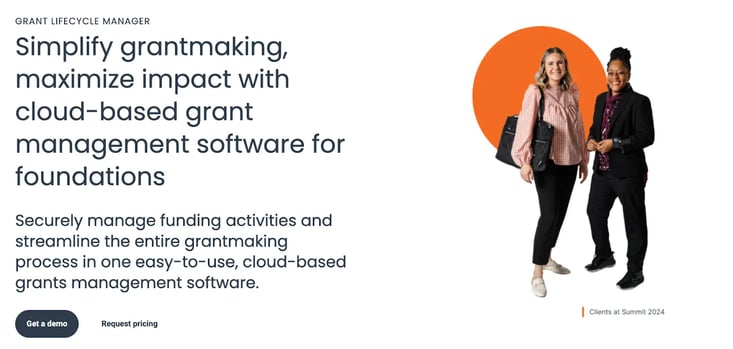
Foundant Technologies homepage
Foundant is a good fit for teams that want a grant-focused system that’s easy to configure and keeps applications, reviews, and awards organized without heavy IT involvement. It works especially well for programs with many reviewers and recurring funding cycles.
Key Features of Foundant for Grant Management
1. Configurable application and review forms
Create online forms that match your program requirements. You can tailor questions, set eligibility checks, and guide applicants through the submission process—reducing incomplete or incorrect proposals.
2. Reviewer collaboration and scoring
Review committees can access submissions, enter scores, and add comments within the platform. It makes evaluations more consistent and reduces the need for separate spreadsheets or email threads.
3. Award tracking and fund management
Once decisions are made, Foundant helps you record award details, monitor budgets, and track payments. All active and past awards are visible in one central place.
4. Built-in reporting tools
Generate reports on application trends, funding allocations, and outcomes without exporting data into separate tools. Insightful dashboards help you understand program performance.
Grant Lifecycle Management’s Pros and Cons
Pros:
- Highly user-friendly for applicants, reviewers, and administrators
- Streamlines the entire grant lifecycle with strong reporting and dashboards
- Flexible configuration with features like eligibility quizzes, LOIs, and reusable forms
- Exceptional customer support and continuous product improvement
Cons:
- Sandbox testing environment is restrictive for process redesign.
- Some integrations and newer features are not fully usable for real workflows
- User and organizational profile management has lifecycle maintenance gaps
10. Fluxx Grantmaker—Suited for complex funding models and portfolio visibility.
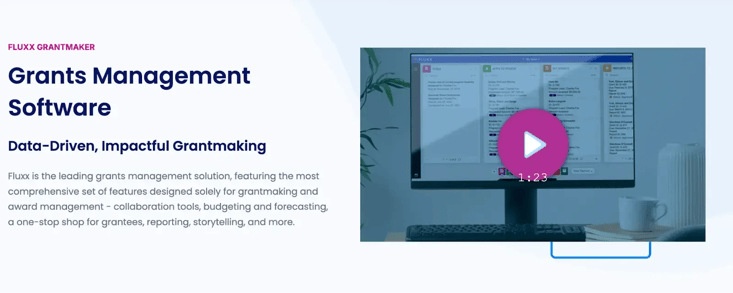
Fluxx Grantmaker’s homepage
Fluxx Grantmaker supports funders that manage complex grant portfolios with multiple programs, funding streams, and review layers. It brings application intake, evaluation, award tracking, and impact reporting into a single, connected system so teams can manage the full lifecycle without relying on spreadsheets or disconnected tools.
Key features of Fluxx Grantmaker
1. Flexible application workflows
Design submission forms and routing rules that reflect your program requirements. The system supports multi-round reviews, weighted scoring, and conditional logic so applications move through structured evaluation paths.
2. Collaborative review tools
Reviewers can access proposals, enter scores, and provide feedback directly in the platform. Shared views help committees compare submissions and make decisions with greater transparency.
3. Budget and award management
Track commitments, approved award amounts, payment schedules, and multi-year funding. Finance and program teams can monitor allocations and remaining balances within the same system.
Portfolio dashboards and reporting
Interactive dashboards provide insight into application volume, approval rates, funding distribution, and performance outcomes. These views support strategic planning and reporting to leadership or boards.
Fluxx Grantmaker’s Pros and Cons
Pros:
- End-to-end grant lifecycle tracking with workflow automation
- Highly configurable to match different grantmaking models
- Strong task management and alerts improve team coordination
- User-friendly for day-to-day grant management
Cons:
- High total cost of ownership for smaller organizations
- Occasional bugs or update delays
- Admin interface is less intuitive than the end-user experience
Who Usually Benefits from Grant Management Software?
Grant management software supports organizations that manage applications, reviews, budgets, and compliance, helping them stay organized and accountable. Here’s who typically benefits the most.
1. Government agencies need transparency and oversight
Public sector teams manage regulated, taxpayer-funded programs and rely on structured workflows, audit trails, and accurate reporting to maintain accountability.
2. Nonprofits need efficiency and impact tracking
Nonprofits often work with limited staff while handling high application volumes. Grant software streamlines reviews, tracks awards, and supports outcome reporting.
3. Educational institutions manage complex funding streams
Universities and research bodies oversee grants and scholarships across departments, requiring coordinated approvals and clear financial tracking.
4. Corporate foundations align giving with strategy
Corporate grantmakers use centralized systems to manage reviews, measure impact, and ensure funding supports broader business goals.
Common Challenges With Grant Management Software (+ How To Solve Them)
Before we look at each challenge in more detail, here’s a quick overview of the most common issues teams face and how to address them.
We’ve also included a practical example of how FlowForma approaches each one, so you can see what the solution looks like in a real-world grant environment.
|
Challenge
|
How to solve it
|
How FlowForma helps
|
|
Manual tracking
|
Use structured digital workflows
|
FlowForma centralizes applications and approvals in automated workflows
|
|
Compliance gaps
|
Build rules and audit trails into the process
|
Automatic logging creates a complete audit trail
|
|
Disconnected tools
|
Connect systems and data sources
|
Native Microsoft 365 integration keeps forms and documents aligned
|
|
Slow reporting
|
Capture structured, real-time data
|
Live dashboards simplify reporting
|
|
Limited visibility
|
Enable status tracking across stages
|
Real-time tracking shows exactly where each request stands
|
Five common challenges + solutions for grant management software
Let’s understand each challenge in brief.
1. Manual tracking slows progress
Relying on spreadsheets and long email threads makes it difficult to track the status of applications. Updates get missed, approvals stall, and teams spend time chasing information.
2. Compliance gaps create risk
As requirements grow, keeping up with documentation, deadlines, and audit expectations becomes more complex. A single missed step can put funding at risk.
3. Disconnected tools reduce control
When applications, budgets, and reports live in separate systems, you lose visibility across the full lifecycle and struggle to maintain consistency.
4. Reporting takes too much effort
Preparing funder or leadership reports often means manually pulling data from multiple sources, which slows response times and increases the risk of errors.
5. Limited visibility delays decisions
Without real-time insight into workload and status, it becomes harder to identify bottlenecks or plan ahead.
How to Choose the Right Grant Management Software For Your Organization
Choosing grant management software can feel overwhelming. Use the steps below to make a practical, confident decision when evaluating the best grant management software:
1. Start with how you work today
Walk through your current grant process from start to finish. How do applications come in? How are they reviewed? How are awards approved and tracked? Where do delays happen? Where do you rely on spreadsheets or email?
Talk to the people involved. Program managers, reviewers, finance teams, and leadership often have different needs. A system that works for one group but frustrates another will not succeed.
2. Be clear about what you want to improve
Do you want to shorten review cycles? Improve visibility into budgets? Reduce compliance risk? Make life easier for applicants? Choose two or three priority outcomes and focus on those.
And, set a realistic budget range accordingly.
3. Ask vendors for a customized demo
Ask vendors to walk through a typical funding cycle using your real scenarios. Watch how applications move through review stages. Check how easy it is to assign reviewers, track scores, approve awards, and generate reports.
4. Assess the speed of implementation and deployment
Ask how long setup typically takes and what support you’ll receive. Understand how your existing data will be migrated. Confirm what training is included for administrators and reviewers.
Then look at the long term. Can you adjust workflows yourself when programs change? How often does the vendor release updates? What kind of ongoing support is available?
Which Is The Best Grant Management Software: An Honest Takeaway
Based on these deciding factors and our evaluation criteria, here’s our honest take on the best grant management software.
If you mainly need an easy way to collect applications and manage reviews, Submittable or SurveyMonkey Apply will likely meet your needs. Foundant is a reliable option for running recurring grant cycles and for steady tracking across applicants and funds.
If your funding model is more complex, with layered approvals and detailed budget control, Fluxx Grantmaker or SmartSimple Cloud may be a better fit. Whereas, public sector teams that need strong compliance oversight often choose AmpliFund.
If you already work inside Microsoft 365 and want to build a tailored solution, Microsoft Power Apps offers flexibility. For document-heavy, cross-department workflows, Nintex can help.
However, if you need structured, audit-ready workflows with clear approvals inside Microsoft 365, FlowForma is worth considering.
Why FlowForma Is The Best Grant Management Software For You
FlowForma eliminates the overwhelm that often comes with managing grants end-to-end.
You can collect applications online instead of managing inboxes, build approval workflows quickly using AI-powered tools like Copilot and Agentic AI, and move reviews forward with clearly defined steps so nothing stalls.
Every action is logged automatically, giving you a complete audit trail without extra work. You can see the status of each application or payment in real time, adjust workflows yourself when funder requirements change, and scale your programs without increasing administrative workload.
On top of these, FlowForma integrates with your existing systems, so you do not have to replace what already works. Ultimately, you get a faster, more controlled path to digital transformation that helps you manage more grants with less effort. Curious to see how FlowForma works in practice?
Book a personalized demo with us today.
.png)